10 Best Employee Monitoring Tools for Contractors (2026)
Explore the best employee monitoring tools for contractors. Track work hours, productivity, and manage contractors with clear visibility and control.
Unlike full-time employees, contractors work across locations, devices, and schedules, and you often lack clear visibility into what they actually do during paid hours. You approve the hours, pay the invoices, and still question whether the work meets expectations. That gap between trust and accountability leads to lost billable hours, inaccurate reporting, and poor cost control.
That is exactly why more businesses are turning to dedicated employee monitoring tools built for contractor workforces. This guide covers the 10 best employee monitoring tools for contractors, what to evaluate before choosing one, and how the right employee monitoring software gives you clear visibility without tracking every small action.
What are Employee Monitoring Tools?
Employee monitoring tools are software platforms that help you track, measure, and manage how your team completes work. They record activity data like time spent on tasks, app usage, website visits, screenshots, GPS location, and project progress, then turn that data into reports you can act on.
When you work with contractors, this visibility becomes critical. You pay for billable hours and expect clear output, but without a reliable system, you cannot confirm if the recorded hours match the actual work delivered. Employee monitoring software closes this gap by giving you a real-time view of what your contractors work on, how long each task takes, and how their time aligns with the results you receive.
Modern monitoring tools go beyond basic time tracking. The best employee monitoring software today combines productivity analytics, attendance tracking, project-level reporting, and in some cases, GPS tracking, all within a single platform. Whether you manage remote contractors, field workers, or a mix of both, the right software for employee monitoring adapts to your workflow and gives you the data you need to make confident decisions.
What are the 10 Best Employee Monitoring Tools for Contractors?
Finding the right employee monitoring tools for contractors helps you track work clearly, verify billable hours, and stay in control without constant follow-ups. The tools below give you different levels of visibility, from basic time tracking to detailed activity insights, so you can choose what fits your workflow.
| Software | Key Features | Ideal Solution for | Free Trial |
|---|---|---|---|
| Time Champ | Automatic time trackingAttendance trackingReal-time activity monitoringGPS location trackingProductivity analyticsProject and task trackingAutomated timesheetsRole-based accessIntegrations | Mid-size to enterprise teams that need clear visibility into contractor activity and reliable time tracking across distributed workforces. | Yes |
| Prodoscore | Productivity scoring from app activityCloud app integrations (Google, Microsoft)Browser-based trackingTeam productivity dashboards | Enterprise teams need productivity insights from digital tool usage | Yes |
| ActiveOps WorkiQ | Idle and active time trackingApplication usage trackingIntraday workforce reportingSLA tracking and process insights | Large enterprises focused on workload analysis and process optimization | Yes |
| iMonitor EAM | Internet activity trackingComputer activity monitoringFile encryptionDetailed reporting and logs | Windows-based environments need deep system-level monitoring | Yes |
| Backlsh | Automatic time trackingApp and website monitoringScreenshot captureAI productivity insights | Small to mid-sized teams needing lightweight automatic tracking | Yes |
| PeopleGoal | Goal tracking (OKRs)Performance reviews360-degree feedbackEngagement surveys | Teams focused on performance tracking and goal alignment | Yes |
| Procore | Project and workflow managementBudget and cost trackingTeam collaboration toolsMobile field access | Construction teams managing multiple job sites and contractors | Yes |
| GoCanvas | Digital form creationGPS trackingOffline data captureTool integrations (QuickBooks, etc.) | Field teams needing structured data collection and reporting | Yes |
| Bridgit | Workforce allocation trackingSkill-based role matchingLabor forecastingCapacity dashboards | Construction firms planning contractor staffing across projects | No |
| Accelo | Time tracking and timesheetsProject and task managementCRM and client trackingResource scheduling | Service-based teams managing contractors with billing workflows | No |
1. Time Champ
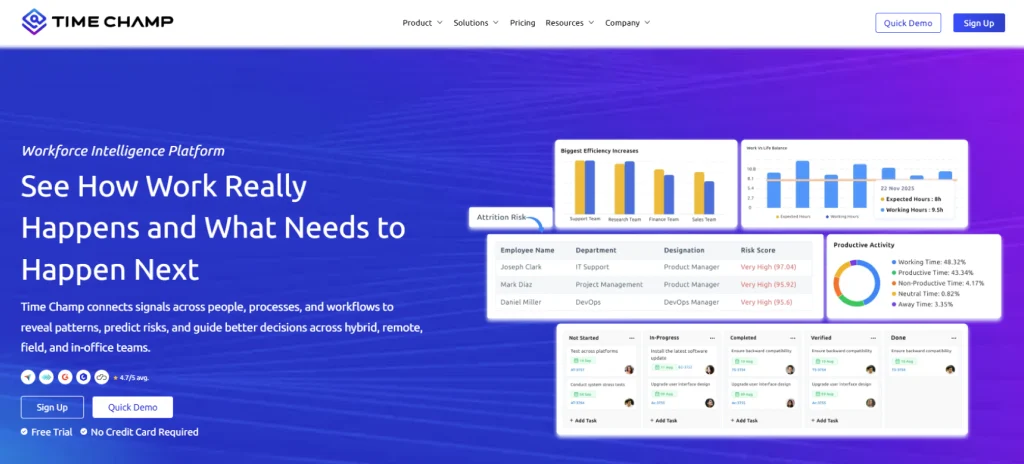
Time Champ is a workforce intelligence and employee monitoring platform that gives you clear visibility into how your contractors spend their work hours, where they work from, and how productive they are.
It focuses on delivering detailed work data without adding complexity to your setup. You get real-time activity tracking, automated timesheets, location tracking, and productivity insights that help you connect hours worked with actual output. The pricing stays simple and affordable, so you can manage contractor teams at scale without increasing costs too much.
The onboarding is straightforward, the interface is clean, and the support team is responsive. If you have managed contractors using spreadsheets or disconnected tools, Time Champ brings everything into one workflow without a steep learning curve.
Features
- Automatic time tracking that captures work hours in the background without requiring contractors to manually log time.
- Attendance and shift management to track login and logout patterns across different time zones.
- Real-time activity monitoring that shows which apps and websites contractors use during work hours.
- GPS location tracking with live maps and location history, useful for field-based contractors.
- Productivity analytics that break down active time, idle time, and overall output by individual or team.
- Project and task tracking that lets you assign work, track progress, and measure time spent per project.
- Automated timesheets that pull data from tracked hours and generate accurate billing-ready reports.
- Role-based access controls that let you control who can view specific data, so each team member only sees the information relevant to their role.
- Integrations with tools like Jira, Asana, Trello, Slack, and popular payroll platforms to fit into your existing workflow.
Pros
- Combines time tracking, location monitoring, and productivity analytics in one platform.
- Offers flexible pricing as your team grows.
- Works well for both remote and field-based contractors.
- Clean, easy-to-navigate interface with quick onboarding.
- Let’s you adjust monitoring settings based on your company’s transparency needs.
- Detailed reports help you save time on payroll and billing for contract work.
Cons
- Takes some time to get comfortable with all the features.
- Advanced features need proper setup and guidance to use effectively.
Use Cases
Time Champ works best for small to mid-sized businesses managing remote contractors, IT teams, freelance developers, and field service companies tracking on-site workers. It also fits well for agencies billing clients based on contractor hours, where accurate time data directly affects revenue.
Pricing
Time Champ offers a 7-day free trial so you can explore its features and workflows before choosing a plan.
- Starter: $3.9 per user per month (billed annually)
- Professional: $6.9 per user per month (billed annually)
- Enterprise: $13.9 per user per month (billed annually)
Each plan includes different feature sets, allowing you to choose based on your team size, structure, and operational needs.
Reviews
- G2: 4.8/5
- Capterra: 4.9/5
Managing contractors across locations feels unclear?
Use Time Champ to see work activity, time usage, and output without constant follow-ups
2. Prodoscore
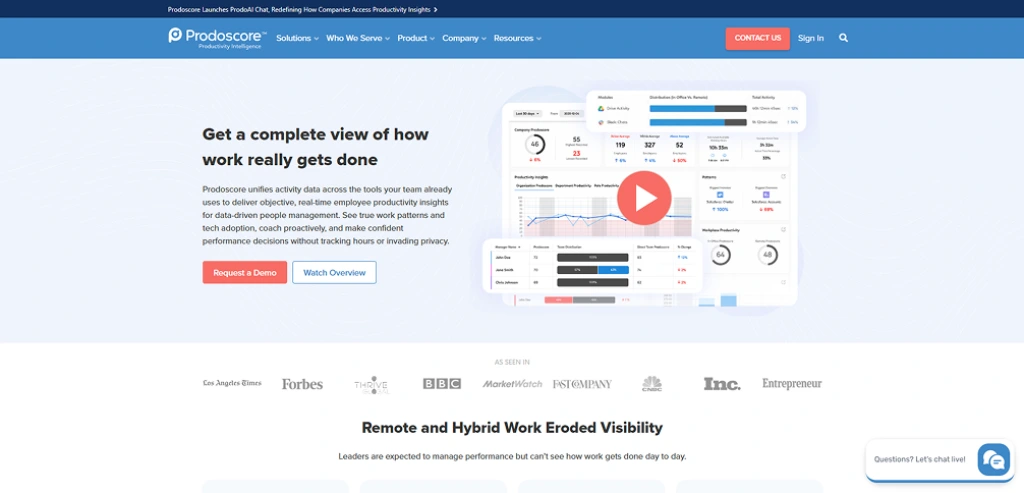
Prodoscore is an employee productivity monitoring software that focuses on analyzing digital work activity across the tools you already use. It pulls data from apps like email, CRM, and collaboration tools to show how work happens and how productive your contractors are, without relying heavily on manual time tracking.
Features
- Productivity scoring pulled from app activity across cloud tools.
- API integrations with Google Workspace, Microsoft 365, and CRM platforms.
- Browser extension for tracking cloud-based app usage.
- Department and team-level productivity dashboards.
Pros
- Strong integrations with business tools.
- Non-intrusive tracking with no screenshots or keystroke logging.
- Employees can view their own productivity data, which builds transparency.
- Works across multiple devices, not just a single laptop.
Cons
- Does not provide detailed screen monitoring or screenshots.
- Limited visibility into task-level work compared to traditional tracking tools.
- Mobile tracking capabilities are limited compared to desktop monitoring.
- Advanced analytics features may require higher-tier plans.
Use Cases
Best for mid-size to enterprise teams, especially in industries like sales, finance, HR, and service-based businesses, where work happens across multiple digital tools.
Pricing
- Basic: $19.99 per user per month
- Premium: Custom Pricing
Reviews
- G2: 4.6/5
- Capterra: 5/5
3. ActiveOps WorkiQ
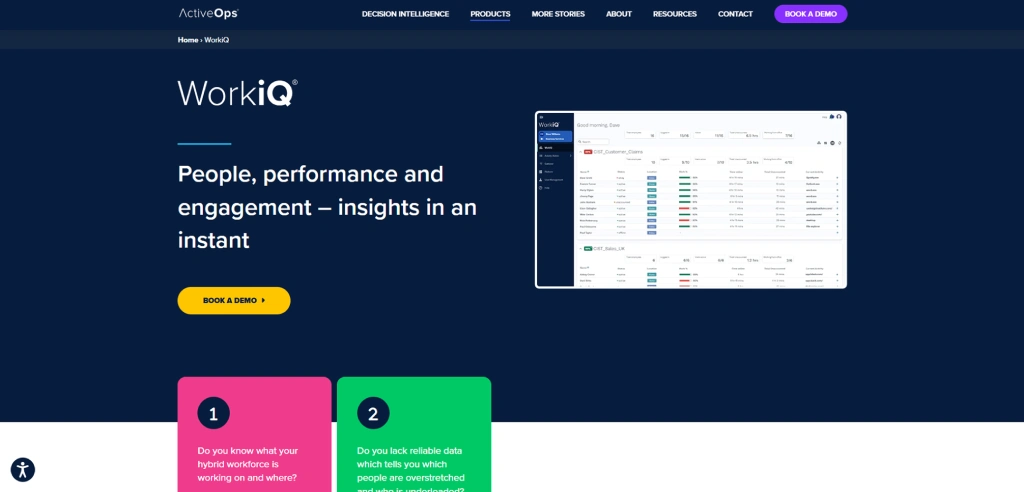
ActiveOps WorkiQ is an employee monitoring and decision intelligence platform designed to help you understand how work happens across teams. It focuses more on analyzing work patterns, workload balance, and productivity trends rather than tracking every individual action. You get insights into how your team spends time and where performance improves or drops, which helps you plan work better.
Features
- Idle time and active time tracking to measure actual work engagement.
- Application usage monitoring for each user and their daily activity.
- Intraday workforce reporting to track performance throughout the day.
- SLA tracking through the CaseworkiQ module for service-based work.
Pros
- Quick to set up, with pre-built dashboards ready from day one.
- Scales from small teams to large enterprise deployments.
- Comes with professional onboarding coaches who have real operations experience.
- Captures data from desktop apps, Citrix environments, and remote workers in one place.
Cons
- Admin configuration options are too rigid, with little flexibility for grouping or segmenting users.
- Pricing is not transparent, which makes it harder to budget before committing.
- The tool is heavily tied to the AOM methodology, so getting full value requires your team to adopt that framework alongside the software.
- You cannot go back and retrieve detailed historical data if you miss capturing it in real time.
Use Cases
Best for enterprise teams in industries like banking, insurance, healthcare, and BPO, where work depends on process tracking and workload management.
Pricing
Contact ActiveOps WorkiQ for pricing details.
Reviews
- G2: 4.3/5
- Capterra: 4.4/5
4. iMonitor EAM
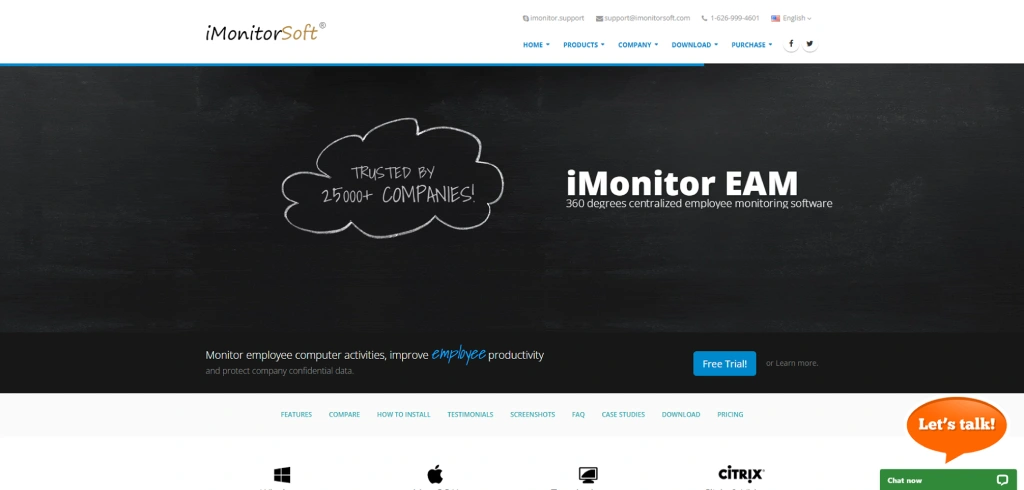
iMonitor EAM is a PC-focused employee monitoring software built around activity recording and insider threat detection. It runs in stealth mode and captures keystrokes, screenshots, website visits, email activity, file transfers, and USB usage from a centralized console. If your priority is deep computer-level visibility across a fixed, Windows-heavy setup, iMonitor EAM provides detailed monitoring for that type of environment.
Features
- Internet activity tracking captures websites, chats, emails, searches, downloads, FTP transfers, and network usage.
- Computer activity tracking records app usage, file actions, USB usage, clipboard data, and system events.
- File encryption protects files during transfer, so sensitive data stays secure even outside your system.
- Extensive reporting features generate daily, weekly, and monthly reports with activity insights and charts.
Pros
- Tracks almost all computer and internet activity in detail, including files, emails, and chats.
- Sends real-time alerts when suspicious actions or data risks appear.
- Offers detailed reports and logs to review user behavior clearly.
- Supports large-scale monitoring across multiple systems and environments.
Cons
- The interface looks outdated, and navigating across 29+ toolbar icons makes daily use frustrating.
- No API available, so integrating it with your existing tools or workflows is not possible.
- The collected data and database files remain unencrypted on the console machine, which creates a security risk.
- Limited to on-premise deployment, which adds extra setup and maintenance for teams that prefer cloud-based tools.
Use Cases
Small to mid-size businesses in government, education, or corporate environments that run Windows-heavy setups and want deep PC-level monitoring on a one-time budget. Not a strong fit for contractor-heavy teams managing remote or mobile workers.
Pricing
Contact iMonitor EAM for pricing details.
Reviews
- G2: 2.5/5
- Capterra: 3.0/5
5. Backlsh
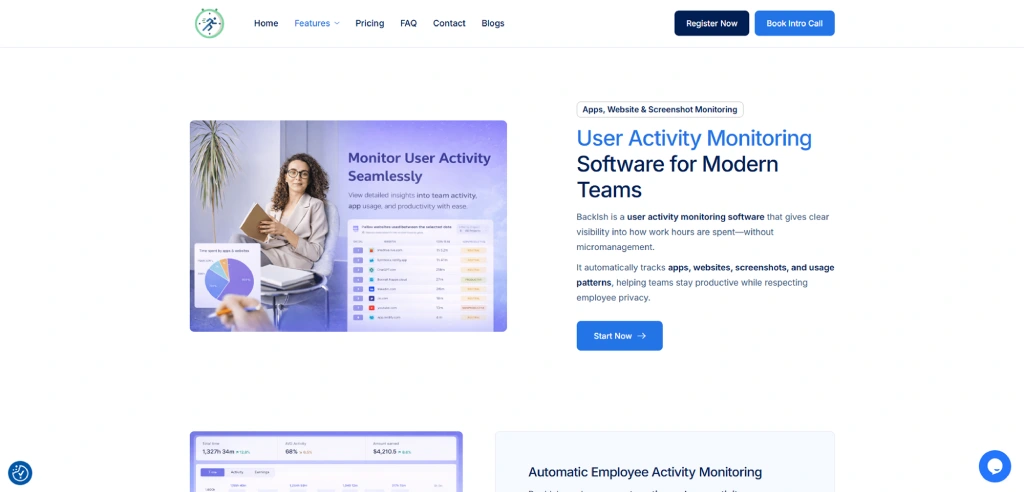
Backlsh is an automatic time tracking and productivity monitoring platform built for remote and distributed teams. It runs silently in the background. It captures app and website usage, takes periodic screenshots, and uses AI to turn that data into clear productivity insights without manual timers or reports.
Features
- Automatic time tracking with no manual input required.
- App and website activity monitoring during work hours.
- Periodic screenshot capture for visual work context.
- AI-powered productivity analysis and behavior trend tracking.
Pros
- Very lightweight setup with no manual effort from contractors.
- Affordable starting price compared to heavier monitoring tools.
- AI insights help you spot productivity patterns without digging through raw logs.
- Offline tracking keeps records intact even when contractors lose connectivity.
Cons
- Limited advanced monitoring features, like screenshots or deep tracking.
- May not suit teams that need strict activity surveillance.
- Reporting depth is lower compared to advanced tools.
- Fewer customization options for complex workflows.
Use Cases
Best for small to mid-sized contractor teams and agencies that need automatic time tracking, basic productivity visibility, and project-based billing without complex setup.
Pricing
- Premium Plan: $2.90 per user per month
- Enterprise Plan: Custom pricing
Reviews
- G2: 4.7/5
- Capterra: 4.7/5
6. PeopleGoal
PeopleGoal is an employee performance and engagement software that focuses on goal tracking, feedback, and development instead of direct activity monitoring. It helps you align contractor work with outcomes by tracking goals, progress, and feedback across projects, rather than recording detailed screen-level activity.
Features
- Goal tracking with OKRs and SMART goals for clear work alignment.
- Performance reviews and continuous feedback workflows.
- 360-degree feedback for multi-source performance insights.
- Employee engagement surveys and feedback tools.
Pros
- Highly customizable workflows that adapt to different contractor structures.
- Supports multi-manager reviews, which work well for contractors reporting to multiple stakeholders.
- Clean, user-friendly interface with a fast onboarding process.
- Strong focus on performance tracking and goal alignment.
Cons
- Does not provide detailed activity or screen monitoring.
- Limited visibility into real-time work tracking.
- Not designed for tracking billable hours or contractor time.
- Setup can take time due to customization options.
Use Cases
Best for teams that want to set clear goals, track contractor progress through check-ins, and keep work aligned across multiple projects or stakeholders.
Pricing
Contact PeopleGoal for pricing details.
Reviews
- G2: 4.5/5
- Capterra: 4.6/5
7. Procore
Procore is a construction management platform built specifically for contractors, general contractors, and specialty contractors. If you run field crews across multiple job sites, Procore brings your project management, workforce scheduling, and labor tracking into one place. It helps you manage large construction projects, coordinate teams, and track budgets and timelines across different stages of work, especially when operations spread across multiple sites.
Features
- Project management tools for tasks, schedules, and workflows.
- Budget and cost tracking with real-time financial insights.
- Collaboration tools for communication across teams.
- Mobile access for on-site and remote updates.
Pros
- Strong project and cost management capabilities.
- Helps keep large contractor projects organized.
- Real-time updates improve coordination.
- Works well for complex, multi-team projects.
Cons
- The learning curve is steep for smaller teams that do not need all the modules.
- Scheduling requires you to import data manually instead of working directly within the platform.
- Not built for detailed employee monitoring or activity tracking.
- Can feel complex for small teams or simple use cases.
Use Cases
Best for teams managing multiple job sites and coordinating contractors, budgets, and timelines in one system. It fits general and specialty contractors who need clear visibility into project progress and labor costs across ongoing work.
Pricing
Contact Procore for pricing details.
Reviews
- G2: 4.6/5
- Capterra: 4.5/5
8. GoCanvas
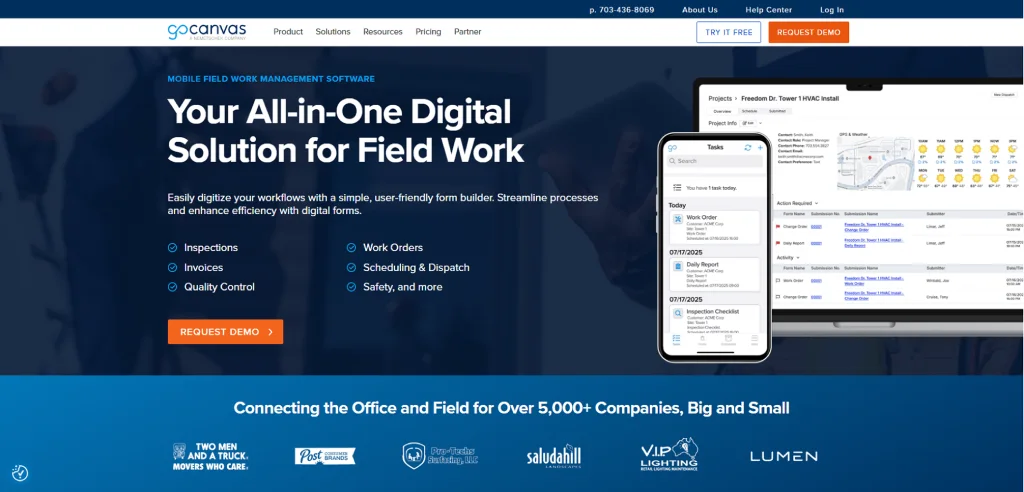
GoCanvas is a mobile data collection and workflow automation software designed for field teams and contractors. It focuses on replacing paper forms with digital forms, helping you capture job data, track field activity, and streamline reporting without manual paperwork. It works well for industries like construction, utilities, and field services where teams spend most of their time away from a desk.
Features
- Custom digital forms help you replace paperwork with mobile data entry.
- GPS tracking captures location data for field work visibility.
- Offline functionality allows data capture without an internet connection.
- Integrations with tools like QuickBooks, Salesforce, and Google Drive.
Pros
- Easy to create and customize forms based on your workflows.
- Helps reduce paperwork and manual data entry errors.
- Works well for field teams that need quick data collection.
- A simple interface makes it easier for teams to adopt quickly.
Cons
- Interface feels outdated and needs improvement in some areas.
- Setup and configuration can feel complex at the beginning.
- App performance issues like slow speed and occasional crashes can affect day-to-day usage while filling out forms or submitting data.
- Limited focus on detailed employee monitoring or productivity tracking.
Use Cases
GoCanvas fits well when you need contractors to submit structured field data like inspection reports, safety checklists, and work orders. It works for construction teams, utilities crews, and field service contractors who need to capture and submit job details directly from remote locations.
Pricing
- Essentials: $29 per 3 users, billed annually
- Pro: $39 per 3 users, billed annually
- Max: $49 per 3 users, billed annually
Reviews
- G2: 4.3/5
- Capterra: 4.4/5
9. Bridgit
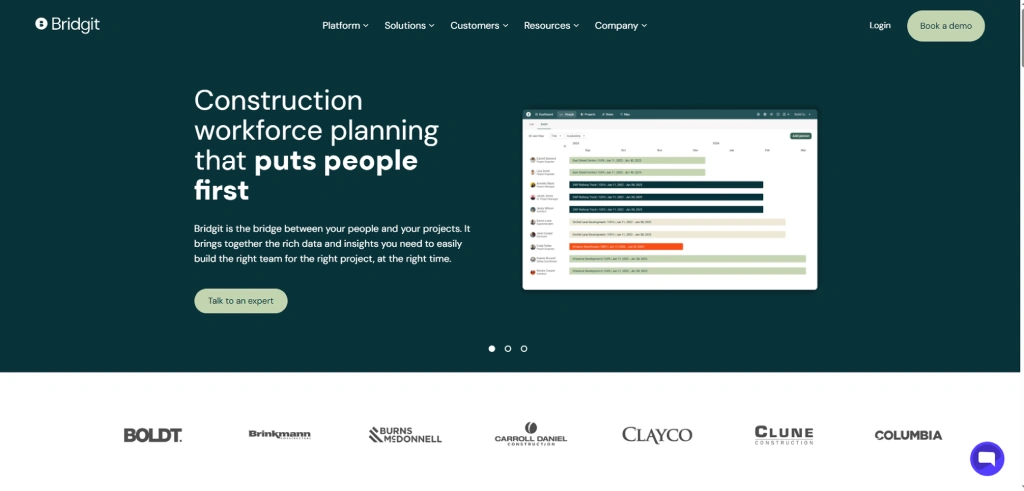
Bridgit is a construction-focused workforce planning platform built specifically for general contractors. It helps you manage your contractor workforce by centralizing project data, staffing assignments, and labor forecasting in one place. While it covers workforce visibility well, it leans heavily toward resource allocation rather than day-to-day employee monitoring.
Features
- Workforce allocation tracking across active and upcoming projects.
- AI-powered smart suggestions for matching contractors to roles based on skills and certifications.
- Labor forecasting to identify understaffed roles before projects begin.
- Real-time dashboards showing team capacity and project assignments.
Pros
- Helps you plan workforce needs in advance for upcoming projects.
- Gives clear visibility into team availability and supports capacity planning.
- Improves resource allocation across multiple projects and job sites.
- Integrates with construction tools for smoother project and workforce planning.
Cons
- Does not track detailed work activity or actual hours.
- Works mainly for construction teams, not useful for other industries.
- Reports stay basic and may not give deep performance insights.
- Some features need manual data entry to keep information updated.
Use Cases
Bridgit works well for mid-to-large general contracting firms that need to plan which contractors to assign to each project and when. You can use it to match the right people to the right roles before a project starts, track who works on which project, and identify upcoming labor gaps in advance so you can plan to hire or reassign work earlier.
Pricing
Contact Bridgit for pricing details.
Reviews
- G2: 4.3/5
- Capterra: 4.7/5
10. Accelo
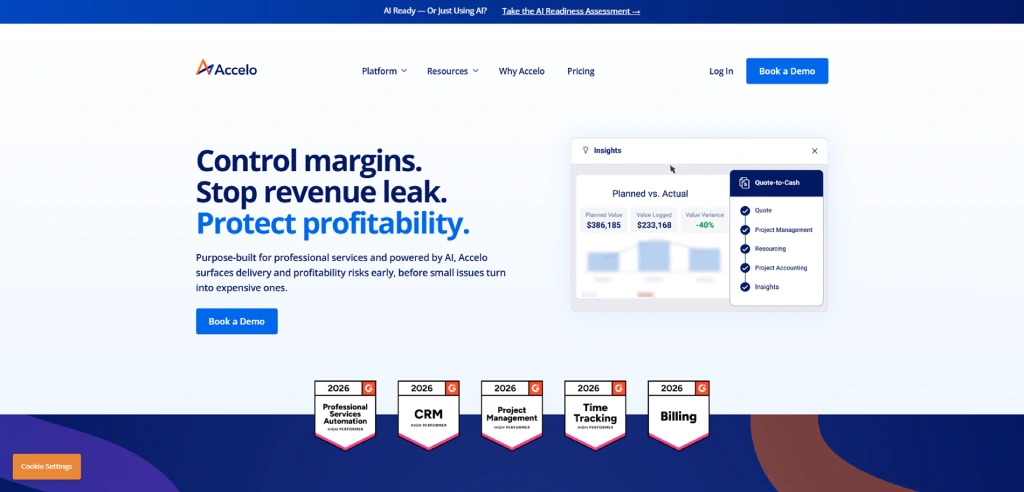
Accelo is a professional services automation and employee monitoring software that helps you manage client work, track time, and handle billing from start to finish. It connects projects, tasks, and financial data so you can see how contractor work impacts revenue and delivery. It also automates workflows and client communication, which helps you reduce manual follow-ups and keep projects moving without constant tracking.
Features
- Time tracking and automated timesheets link directly with project tasks
- Project and task management with progress tracking and updates.
- Client and CRM management to track work, communication, and history.
- Resource scheduling to assign work based on team availability.
Pros
- Connects time tracking, projects, and billing in one workflow.
- Helps you link contractor work directly with revenue outcomes.
- Strong automation reduces manual updates and repetitive tasks.
- Useful for service-based teams handling multiple client projects.
Cons
- Not built for deep employee monitoring, like screenshots or tracking.
- Interface and workflows can feel complex at the start.
- Requires proper setup to connect projects, billing, and tracking.
- May feel heavy if you only need simple time tracking.
Use Cases
Accelo works best for consulting, marketing, and IT services firms that need to manage contractor work within a client delivery workflow. You can use it to track hours per project and handle invoicing without switching between tools.
Pricing
Contact Accelo for pricing details.
Reviews
- G2: 4.4/5
- Capterra: 4.5/5
Employee Monitoring Tools Checklist
Picking the right tool is not only about features. The wrong choice can waste your budget, create compliance issues, or leave your team struggling with a system that does not fit your workflow. Here is what to check before you decide.
1. Clarity on What You Actually Need
Start by defining what you want to track. Do you need time tracking, productivity insights, or security monitoring? Your goal decides which employee monitoring software fits. Without this clarity, you end up paying for features you never use.
2. Pricing That Matches Your Usage
Pricing for employee monitoring software depends on features and team size. While most tools charge per user each month, the total cost increases as your team grows. Choose a plan that fits your current workflow, so you only pay for features your team actually uses instead of paying for extras that add no value.
3. Features That Solve Real Problems
Focus on features that directly impact your work. Look for time tracking, activity monitoring, productivity reports, and task-level visibility. These features help you connect work hours with output instead of just tracking activity.
4. Easy Setup and Reliable Support
A tool only works if you can use it without confusion. Choose employee monitoring tools that offer clear onboarding and responsive support. This helps you get value faster without spending too much time learning how to set up and use the tool. It also reduces delays when you need help, so your team can keep work moving without interruptions.
5. Data Security and Compliance
You handle sensitive work data, so security matters. The software should protect data, control access, and follow privacy regulations. Strong security reduces risk and keeps your business protected from data breaches.
Conclusion
Choosing the right employee monitoring tools depends on how well the software fits the way your contractors work. Some tools give you deep activity tracking, while others focus on time, projects, or workforce planning. The right choice helps you track work clearly, validate billable hours, and keep projects on track without adding unnecessary complexity. When you align the tool with your workflow, you move from chasing updates to making decisions with clear, reliable data.
Struggling to verify contractor hours and actual work?
Use Time Champ to track time, activity, and output with clear, reliable data.

Thasleem Shaik


Table of Content
-
 What are Employee Monitoring Tools?
-
What are the 10 Best Employee Monitoring Tools for Contractors?
-
Employee Monitoring Tools Checklist
-
Conclusion
Instant Signup
Thank you for your request!
We have received your signup request and our team will get back to you soon. In the meantime, you can book a demo to see Time Champ in action.
Book a DemoFree trial. No credit card required. Prefer a walkthrough? Book a demo.
Related Blogs
Find the best team communication apps for 2026. Compare features, pricing, pros & cons to improve collaboration, productivity, and team alignment.
Guna Lakshmi | Apr 08, 2026
Find the best employee goal-setting software for 2026. Compare features, pricing, pros & cons to track goals, boost performance, and align teams.
Guna Lakshmi | Apr 14, 2026
Discover the 10 best internal communication tools for 2026 with a comparison of features, pricing, pros, and cons to boost engagement and collaboration.
Anjali | Apr 08, 2026
Find the best project resource management software for 2026. Compare features, pricing, pros & cons to optimize resources and deliver projects on time.
Thasleem Shaik | Apr 02, 2026
Find the 10 best project portfolio management software for 2026. Compare the features, pricing, pros & cons to prioritize projects and control budgets.
Anjali | Apr 02, 2026
Find the 10 best workforce intelligence software for 2026. Compare features, pricing, pros, cons to boost operational clarity and team performance.
Thasleem Shaik | February 11, 2026


 4.7/5 avg.
Ready to Manage Your Workforce Smarter?
Join our family of 1500+ companies using smart insights to redefine workforces!

Free Trial
No Credit Card Required