Employee Performance Tracking Software: A Complete Guide
The right employee performance tracking software turns activity data into decisions. See what to look for, how to compare, and what works for your team.

How do you really know if your team is having a productive day? The detail here sits inside a wider conversation covered in our enterprise employee monitoring guide.
You see tasks getting updated and messages coming in, but it’s still hard to tell what’s truly getting done. Work can look busy on the surface while progress quietly slows down, leaving you unsure where time is going or who might need support. According to Gallup, only 20% of employees worldwide are engaged at work, the second-lowest level in a decade, costing businesses an estimated $10 trillion in lost productivity annually. That’s where employee performance tracking software gives you the clarity you’ve been missing.
This guide will help you get a clear view of your team’s performance, understand what features really matter, and compare the best tools in 2026, so you can make better decisions without extra effort or guesswork.
What Is Employee Performance Tracking Software?
Employee performance tracking software is a tool that collects real-time data about how your team works. It tracks things like activity levels, time spent on tasks, app and website usage, attendance, goal progress, and productivity trends. It helps you clearly see how your team works. All this data is shown in simple dashboards and reports, so you can make clear and fair decisions without waiting for reviews or relying on guesswork.
Employee performance tracking software is different from performance management software. Performance tracking software shows you what your team does every day. Performance management software helps you review and discuss that data through feedback and evaluations
When you use both together, you get a complete view of your team’s work and clear direction on how to improve performance.
Struggling to understand how your team spends their time?
See how Time Champ gives you a clear view of daily work.
What Does Employee Performance Tracking Software Actually Capture?

Not all performance tracking tools collect the same type of data. To understand how your team is really working, you need to know what kind of information is being tracked and how it helps. The right data gives you a clear view of work patterns, productivity, and areas that need attention.
Here are the key things employee performance tracking software captures:
Real-time Activity and Productivity Tracking
Shows how employees use their work hours in real time, including apps, websites, and activity levels. This gives a clear, real-time view of how work is done, reducing the need to rely on assumptions or manually filled timesheets. Understanding types of employee productivity can help you better interpret this data and set meaningful benchmarks for your team.
Automated Reports and Dashboards
Saves your time by generating reports automatically and reduces errors from manual work. You can quickly review reports on daily, weekly, or monthly time ranges, which saves time and helps you make decisions based on clear and reliable data.
Attendance and Time Tracking Integration
Gives you a complete view of employee presence and absence, and how they use their working hours. This helps you spot consistency issues and improve accountability. A strong employee attendance tracker helps you get a clearer picture of how your team is actually spending their work hours.
Role-based Access Controls
Keeps data accessible to the right people while staying secure and organized. It also helps you avoid confusion and protect sensitive employee details. This is especially important when handling employee privacy rights in the workplace.
Transparent Employee Dashboards
Let your employees view their own data, making tracking feel fair and clear. This helps you build trust and encourages employees to improve their performance.
Compliance and Data Security
Keeps your employee data safe and ensures the tool follows privacy and security standards. Make sure the tool you choose is SOC 2 certified, GDPR-compliant, and clearly explains its data retention policies. This ensures you stay compliant and build trust with your team.
Productivity trends and work patterns
Helps you understand when your team is most productive, which days have lower activity. This helps you plan work better, balance workloads, and improve overall team performance.
Idle Time and Distraction Insights
Shows when work slows down due to inactivity or distractions during work hours. This helps you identify where time is being lost and understand the reasons behind it, such as unclear tasks, too many meetings, or a lack of focus. Understanding what idle time is and ways to reduce it gives you a practical framework to act on these signals.
Best Employee Performance Tracking Software in 2026
Tracking employee performance has changed a lot. Today, you need a clear view of how your team works every day and how they are improving over time.
Some tools focus on tracking time, activity, and daily work. Others help you manage goals, reviews, and feedback. The tools listed below cover both areas, so you can choose what works best for your team.
| Tool | Best For | Key Tracking Features | Starting Price |
|---|---|---|---|
| Time Champ | Remote, hybrid, and in-office teams who need deep activity intelligence |
| $3.9/user/month |
| Hubstaff | Remote teams with a focus on time tracking and billing |
| From $4.99/user/month |
| ActivTrak | Behavioral analytics and productivity benchmarking |
| From $10/user/month |
| Time Doctor | Distributed teams with strong payroll and client billing needs |
| From $6.67/user/month |
| Lattice | HR-led performance reviews and OKR management |
| From $11/user/month |
| 15Five | Manager coaching and continuous feedback cycles |
| From $4/user/month |
| Teramind | Enterprise security and insider threat detection |
| From $14/user/month |
Want to see how your team actually spends their time?
Time Champ gives you real data to track performance and improve results.
How to Choose the Right Tool for Your Team

Choosing the right performance tracking software can be confusing because not all tools offer the same features. What works for one team may not work for another. To make the right choice, you need to focus on the features that actually help you understand how work gets done. Here are the key things to look for and why they matter:
- Choose a Tool That Is Easy to Use
Pick a tool that feels simple from the first use. If the dashboard looks confusing or takes too many steps, your team will stop using it. Look for a clean layout, simple navigation, and quick setup so your team can start using it without long training sessions.
- Check Integration with Existing Tools
The tool needs to fit into your current workflow. Connecting it with project management, HR, or payroll systems keeps everything in one place. This reduces extra work and avoids switching between multiple platforms.
- Look at Scalability for Future Growth
As your team grows, the tool needs to handle more users and more data. Starting small is fine, but the software must support larger teams and advanced features later without issues. A tool that scales well helps you avoid switching platforms as your business expands.
- Evaluate Reporting and Insights
Pick a tool that turns data into simple insights. Look for dashboards that clearly show productivity trends, workload balance, and performance gaps. Using conversational AI, this helps you take action quickly instead of spending time understanding raw data.
- Focus on Employee Experience
When employees can see their own performance data, they understand their work better and improve faster. This also makes tracking feel open and fair instead of strict monitoring. Clear visibility also builds trust and reduces resistance to using the tool. Introducing monitoring thoughtfully is key. Our guide on the best ways to introduce productivity monitoring to an organization walks you through how to do this right.
- Consider Budget and ROI
Pricing matters, but the cheapest tool is not always the best. Look at what you get for the price. Think about what value the tool provides. If it saves time, improves productivity, and reduces manual work, it is worth the investment. Start with a free trial, test the features, and then decide based on real use.
How Time Champ Handles Employee Performance Tracking
Without clear data, it becomes hard to understand how your team actually works every day. You need clear visibility into time usage, productivity patterns, and work habits to make better decisions and support your team effectively.
This is where tools like Time Champ come in.
Time Champ is an effective employee monitoring software that also supports performance tracking. It gives you a complete view of your team’s daily work. Time Champ tracks app and website usage in real time, helping you understand where time is actually spent. You can also label activities as productive, non-productive, or neutral based on each role, so the insights match the nature of the work.
The timeline view breaks down each employee’s day in detail, showing productive time, idle time, and breaks. Visual heatmaps highlight patterns across the team, making it easy to spot low productivity periods, uneven workload, or early signs of burnout.
With Time Champ, you can:
- See real-time app and website usage
- Track productive, non-productive, and neutral activities
- Understand how each employee spends their workday
- Identify productivity trends and workload gaps
- Detect early signs of burnout across the team
- Give employees access to their own performance data
Transparency is a key part of the system. Every employee can access their own dashboard to see attendance, activity, and productivity data. This shared visibility builds trust and helps employees take ownership of their performance.
Ready to see how your team actually works every day?
Start using Time Champ and make better decisions with real data.
Conclusion
Employee performance tracking works best when you have clear and reliable data. It helps you understand how work is getting done and where improvements are needed. The right performance tracking tool makes this process simple. It gives you visibility into your team’s work without adding extra effort. When tracking is open and shared, it builds trust and helps employees improve their performance. Choose an effective employee performance software that fits your team and use the data to make smarter decisions.

Guna Lakshmi


Table of Content
-
 What Is Employee Performance Tracking Software?
-
What Does Employee Performance Tracking Software Actually Capture?
-
Best Employee Performance Tracking Software in 2026
-
How to Choose the Right Tool for Your Team
-
How Time Champ Handles Employee Performance Tracking
-
Conclusion
Instant Signup
Thank you for your request!
We have received your signup request and our team will get back to you soon. In the meantime, you can book a demo to see Time Champ in action.
Book a DemoFree trial. No credit card required. Prefer a walkthrough? Book a demo.
Related Blogs
Performance evaluation in remote workforces: 7 metrics that matter, common biases to avoid, and how to run reviews your team trusts.
Guna Lakshmi | Apr 14, 2026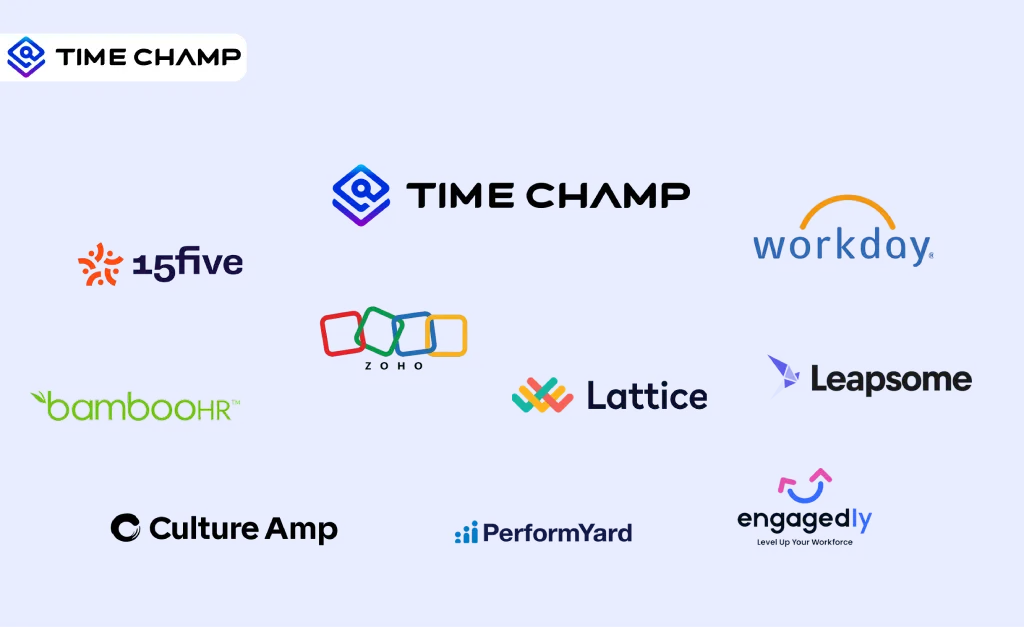
Find the 10 best performance management software for 2026. Compare features, pricing, pros & cons to boost employee performance.
Tarun Kumar Reddy | Apr 02, 2026
Learn how employees can respond to a PIP and improve performance. Get expert advice on handling performance improvement plans with confidence.
Thasleem Shaik | August 08, 2025
Discover 20 essential employee performance metrics to track. Learn how to measure and implement these metrics to boost productivity and drive success.
Shabana Shaik | August 08, 2025
Improve productivity with simple employee performance tracking methods. Streamline tracking for better performance insights.
Shabana Shaik | Mar 15, 2024
Explore key types and strategies for employee performance monitoring to boost productivity and align team goals with company success.
Jahnavi Pulluri | Jan 21, 2025


 4.7/5 avg.
Ready to Manage Your Workforce Smarter?
Join our family of 1500+ companies using smart insights to redefine workforces!

Free Trial
No Credit Card Required