How to Monitor Employee Computer Activity in the Workplace
Learn how to monitor employee computer activity in the workplace using ethical, compliant methods to improve productivity and accountability.
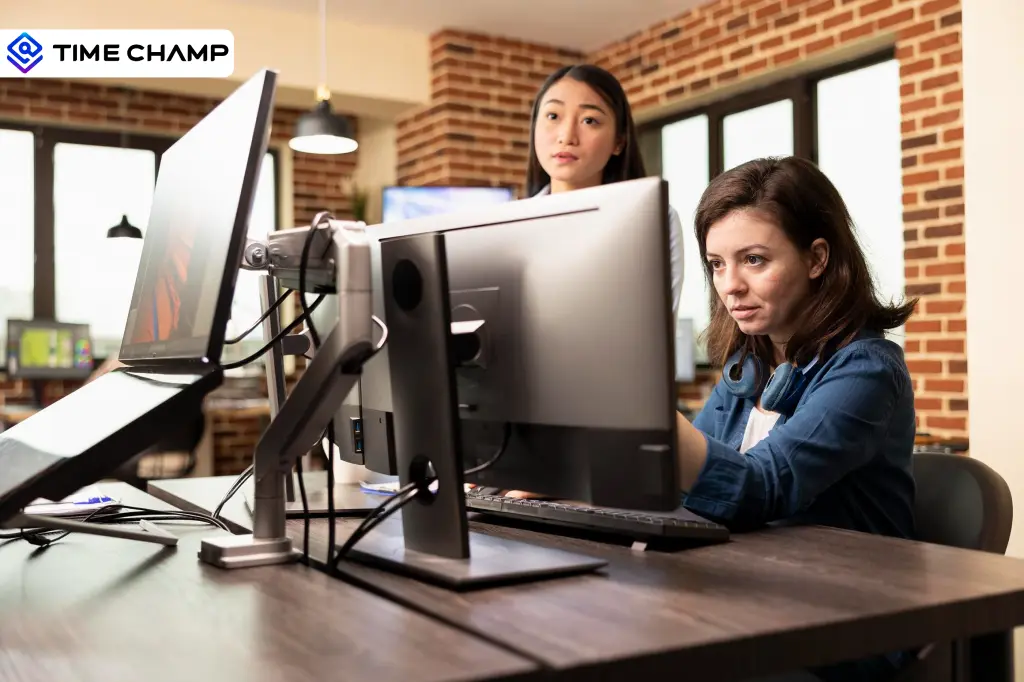
As workplaces become more digital, knowing how employees use company computers is essential for maintaining productivity, security, and compliance. However, monitoring without a clear strategy can create trust issues and legal risks.
The key is to monitor employee computer activity transparently and purposefully. In this guide, you'll learn a step-by-step process to track computer usage effectively, stay compliant, and gain valuable insights that support both your business and your employees.
What Employee Computer Activities Can You Monitor?
Depending on your business goals, you can monitor various computer activities to improve visibility, strengthen security, and understand how work gets done across your organization.
You can monitor the following employee computer activities:
- Time and Attendance: Track when employees start and end their workday, their total working hours, and attendance patterns.
- Application Usage: Monitor which applications employees use and how much time they spend on each one.
- Website Activity: View the websites employees visit during work hours and identify productive or non-work-related browsing.
- Active vs Idle Time: Measure periods of active work and idle time to understand engagement and workflow patterns.
- Screen Activity: Capture screenshots or screen recordings to verify work progress and support compliance requirements.
- File Access and Transfers: Monitor file creation, access, downloads, uploads, and transfers to help protect sensitive data and prevent data loss.
- Project and Task Tracking: Monitor the time employees spend on projects and tasks to evaluate workload distribution and project progress.

Did You Know?
The survey of 1,000 U.S. workers found that 1 in 9 respondents had quit their job due to excessive monitoring.
Computer Monitoring vs Employee Surveillance
Before you implement any monitoring strategy, it's important to understand the difference between computer monitoring and employee surveillance. While both involve collecting employee activity data, their purpose and impact on the workplace are very different.
The table below highlights the key differences between the two approaches:
| Aspect | Computer Monitoring | Employee Surveillance |
|---|---|---|
| Purpose | Improve productivity, security, compliance, and operational efficiency. | Closely watch employee behavior, often beyond legitimate business needs. |
| Transparency | Employees are informed about what is monitored and why. | Monitoring is often hidden or poorly communicated. |
| Data Collected | Work-related data such as time tracking, application usage, website activity, and project progress. | Extensive data, including personal activities, continuous recordings, or highly detailed behavior tracking. |
| Employee Privacy | Respects employee privacy by focusing on work activities only. | Can intrude on privacy by collecting unnecessary or personal information. |
| Impact on Trust | Builds accountability and encourages responsible work habits. | Can create distrust, stress, and lower employee morale. |
| Legal Risk | Easier to keep compliant with workplace monitoring laws and regulations. | Higher risk of violating privacy laws and workplace regulations. |
| Examples | Tracking work hours, application usage, website activity, and project time. | Secret screen recording, webcam monitoring, or tracking personal activities without consent. |
| Best Practice | Use monitoring transparently and only for legitimate business purposes. | Avoid excessive or covert monitoring that goes beyond business requirements. |
Want to monitor productivity without invading employee privacy?
See how Time Champ helps you gain clear work insights while maintaining trust and compliance.
How to Monitor Employee Computer Activity in the Workplace
Monitoring employee computer activity is most effective when you follow a structured approach. Here is a step-by-step process to help you implement it effectively.

Step 1: Define Your Monitoring Objectives
Start by identifying why you want to monitor employee computer activity. Your goals may include improving productivity, strengthening data security, ensuring compliance, or gaining better visibility into project progress. Clear objectives help you determine what activities to monitor and prevent unnecessary data collection.
These objectives also help you choose the right tools and metrics for effective monitoring. Having well-defined goals ensures your monitoring strategy remains focused and purposeful.
Step 2: Understand Legal and Compliance Requirements
Before implementing any monitoring tools, review the laws and regulations that apply to your organization. Employee monitoring laws vary by location, and some jurisdictions require employee consent or prior notification.
Understanding these requirements helps you stay compliant and avoid legal risks. Consulting with legal experts can further ensure your monitoring practices align with current regulations. You can also check the most asked questions about employee monitoring laws for quick clarification.
Step 3: Choose the Right Employee Monitoring Software
Select software that aligns with your monitoring objectives and business needs. Look for features such as time tracking, application and website monitoring, reporting, productivity insights, and role-based access controls.
The right tool should provide meaningful data without being overly intrusive. Additionally, consider scalability and ease of integration with your existing systems to ensure long-term effectiveness.
Step 4: Create a Transparent Monitoring Policy
Develop a clear employee monitoring policy that explains what activities are monitored, why the data is collected, who can access it, and how it will be used. Sharing this information with employees helps build trust and reduces concerns about workplace monitoring.
Regularly updating the policy ensures it stays aligned with evolving business needs and regulations.
Step 5: Inform and Train Employees
Communicate your monitoring practices before implementation. Explain the purpose of monitoring, answer employee questions, and provide guidance on company policies. When employees understand the benefits and expectations, they are more likely to support the initiative.
Providing ongoing training ensures employees stay informed about any updates or changes to monitoring practices.
Step 6: Review and Optimize Your Monitoring Strategy
Monitoring should be an ongoing process rather than a one-time setup. Regularly review the data you collect, evaluate whether it supports your objectives, and adjust your monitoring practices as business needs change. Continuous improvement helps you maintain effectiveness while respecting employee privacy.
This approach ensures your monitoring strategy remains aligned with both organizational goals and employee expectations.
Want a monitoring strategy that actually works for your business?
Time Champ brings together activity visibility, performance insights, and workforce analytics to help you stay in control.
Common Mistakes to Avoid When Monitoring Employee Computer Activity
Even with the right tools and intentions, certain mistakes can reduce the effectiveness of your monitoring efforts and negatively impact employee trust. Avoiding these common mistakes can help you create a monitoring strategy that is both effective and ethical.
Monitoring Without a Policy
Implementing monitoring without a clear policy can lead to confusion and misunderstandings. Employees should know what activities are being monitored, why the data is collected, and how it will be used. A well-defined policy sets expectations and promotes transparency.
Ignoring Legal Requirements
Employee monitoring laws vary across regions and industries. Failing to comply with legal requirements can result in penalties, disputes, and reputational damage. Always review applicable laws and ensure your monitoring practices meet compliance standards.
Focusing Only on Activity Metrics
Tracking metrics such as mouse movements or screen time alone does not provide a complete picture of performance. Instead, focus on meaningful outcomes, project progress, and overall employee productivity to gain more accurate insights into employee contributions.
Hiding Data from Employees
Keeping monitoring activities secret can create distrust and lower employee morale. Being transparent about what is monitored and allowing employees to understand how data is used helps build confidence and accountability.
Using Monitoring Data as a Punishment Tool
Monitoring data should be used to support improvement, coaching, and informed decision-making. Using it solely to identify mistakes or discipline employees can create a negative work environment and discourage engagement.
Failing to Review Monitoring Practices
Business needs, technologies, and regulations change over time. If you do not regularly review your monitoring practices, they may become outdated or ineffective. Periodic evaluations help ensure your strategy continues to deliver value while respecting employee privacy.
How Time Champ Helps Monitor Employee Computer Activity
Monitoring employee computer activity becomes much easier when you have the right tools in place. With Time Champ, it’s even more secure and simple. Time Champ is an employee monitoring platform that provides complete visibility into your employees' computer activity.
With this real-time visibility into work patterns, you can improve productivity, strengthen security, and make data-driven decisions without disrupting workflows.
Automated Time Tracking
Time Champ automatically tracks work hours, active time, and attendance without requiring manual entries. This helps you maintain accurate records and understand how employees spend their workday.
Application and Website Usage Monitoring
Monitor the applications and websites employees use during work hours. These insights help you identify productive work patterns, eliminate distractions, and optimize software usage across your organization.
Productivity Insights and Analytics
Transforms employee activity data into actionable insights through detailed productivity reports and dashboards. You can analyze productivity trends, measure team performance, and identify areas that need improvement.
Screenshot and Screen Monitoring
Allows you to capture screenshots and monitor screen activity at configurable intervals. This helps you verify work progress, maintain accountability, and support compliance requirements when needed.
Data Loss Prevention Features
Provides data loss prevention capabilities that help protect sensitive business information. You can monitor file activities, detect unusual behavior, and reduce the risk of unauthorized data access or transfers.
Attendance and Workforce Visibility
Gives a centralized view of employee attendance, availability, and work patterns. This visibility helps you track workforce performance, manage workloads effectively, and make informed operational decisions.
Ready to Gain Complete Visibility Into Your Workforce?
Use Time Champ to monitor employee computer activity and turn work data into actionable insights.
Conclusion
Monitoring employee computer activity helps you improve productivity, strengthen security, and gain better visibility into how work gets done. A transparent and compliant approach helps you create a monitoring strategy that supports both business goals and employee trust.
With tools like Time Champ, you can monitor employee computer activity, identify productivity trends, and make informed decisions from a single platform.

Guna Lakshmi

Table of Content
 What Employee Computer Activities Can You Monitor?
- Computer Monitoring vs Employee Surveillance
- How to Monitor Employee Computer Activity in the Workplace
- Common Mistakes to Avoid When Monitoring Employee Computer Activity
- How Time Champ Helps Monitor Employee Computer Activity
- Conclusion

Related Blogs
Learn the pros and cons of employee monitoring and discover when monitoring improves productivity and when it creates workplace risks.
Guna Lakshmi | May 06, 2026
Managing digital nomads? Learn how digital nomad employee monitoring works, what to track, and how to stay fair while keeping your team productive.
Guna Lakshmi | Apr 15, 2026
Managing an async team? Learn how asynchronous work employee monitoring works and what to track to keep your team productive.
Guna Lakshmi | Apr 16, 2026
Data encryption in employee monitoring is non-negotiable. Learn the standards, certifications, and six questions to ask before signing with any vendor.
Sai Keerthi Uppala | May 07, 2026
Explore the best employee monitoring software in India like Time Champ, Hubstaff, and ActivTrak. Compare pricing, features, and choose the best in 2026.
Sai Keerthi Uppala | Jun 02, 2026
Learn how to choose the right remote employee monitoring software with the right features, scalability, and usability to manage remote teams effectively.
Guna Lakshmi | Apr 14, 2026


 4.7/5 avg.
Ready to Manage Your Workforce Smarter?
Join our family of 1500+ companies using smart insights to redefine workforces!

Free Trial
No Credit Card Required