What Is Data Loss Prevention? Benefits, Types & Best Practices
Data loss prevention helps protect sensitive business data from leaks, theft, and misuse. See how DLP works, its benefits, challenges, and best practices.

A single data breach now costs companies millions of dollars, and most of them never see it coming until it's too late. Most data leaks don't begin with advanced cyberattacks. They start with everyday actions like sharing the wrong file, using an unsecured device, or giving the wrong person access to sensitive information. Data loss prevention (DLP) closes that gap. It watches how your data moves and stops the risky actions before they cost you.
This guide breaks down what DLP actually means, how it works, the types you need to know, and the practices that keep your data where it belongs.
What Is Data Loss Prevention (DLP)?
Data Loss Prevention (DLP) is a cybersecurity approach that helps you identify, monitor, and protect sensitive data from unauthorized access, sharing, or theft. It uses a combination of policies, technologies, and automated controls to prevent data from leaving your business through risky actions across devices, networks, cloud applications, and email.
What DLP Actually Protects
When you use data loss prevention, you protect the information that could cause the most damage to your business if someone unauthorized accessed or shared it.
- Personally Identifiable Information (PII) such as names, addresses, and Social Security numbers
- Protected Health Information (PHI) such as medical records and health data
- Payment Card Information (PCI) such as credit card numbers and banking details
- Intellectual property such as trade secrets, source code, and product designs
- Financial records such as contracts, forecasts, and internal financial data
- Customer data such as CRM records, purchase history, and support tickets
If you lose any of this information, you face more than a security issue. It can lead to compliance penalties, loss of customer trust, and significant financial damage.
How Does Data Loss Prevention Work?
Data loss prevention (DLP) works by identifying your sensitive data, tracking how it moves, and stopping unauthorized actions before they expose your information. Once you set up your data loss prevention policy, the system continuously monitors your environment and automatically applies the rules you define.
Here's how the process works.
1. Discover and Identify Sensitive Data
The first step is knowing what you need to protect. A data loss prevention system scans your devices, servers, cloud storage, and business applications to locate sensitive information.
It identifies data such as customer records, financial documents, payment details, intellectual property, and confidential files. Once it finds this information, you gain a clear view of where your critical data exists.
2. Classify Data Based on Sensitivity
After discovering your data, the system groups it according to its importance. For example, you can classify files as public, internal, confidential, or highly restricted.
This classification helps your data loss prevention software apply the right level of protection to each type of data instead of treating every file the same way.
3. Monitor How Data Moves
Next, the system continuously tracks how sensitive information moves across your environment. It watches file transfers, email attachments, cloud uploads, USB activity, printing, and file sharing.
This ongoing monitoring helps you spot unusual behavior before it turns into a security incident.
4. Apply Your Security Policies
Once the system understands your data and how it moves, it starts enforcing your data prevention policies.
For example, you can prevent confidential files from leaving through personal email accounts, block uploads to unauthorized cloud storage, or require encryption before sharing sensitive documents.
These rules help you protect important data while allowing normal work to continue.
5. Block Risky Actions in Real Time
When someone tries to perform an action that violates your security rules, the data loss prevention system responds immediately.
It can block the file transfer, ask for additional approval, encrypt the file, or alert the user before the action continues. This reduces the chances of accidental data exposure and prevents unauthorized data transfers.
6. Generate Alerts and Improve Protection
Every security event gives you valuable insights. The system records activities, sends alerts for suspicious behavior, and generates detailed reports that help you review your security posture.
Over time, you can refine your data loss prevention strategy, update policies, and strengthen your protection as new risks emerge.
Struggling to protect sensitive data across devices, cloud apps, and email?
Choose Time Champ to simplify data protection with powerful DLP features and real-time visibility.
What Causes Data Loss?
Data loss can happen in many ways, and it doesn't always result from a cyberattack. Everyday mistakes, weak security controls, and malicious activities can all put your sensitive information at risk. Understanding these common causes helps you identify potential risks early and take the right steps to reduce the chances of costly incidents.
- Human Error: Simple mistakes like sending a file to the wrong recipient, deleting important documents, or sharing confidential data accidentally can lead to data loss. The Verizon 2026 Data Breach Investigations Report found that the human element contributed to 62% of data breaches.
- Insider Threats: Employees, contractors, or partners with authorized access can intentionally or accidentally expose sensitive information, increasing the risk of data loss.
- Phishing and Social Engineering: Attackers use fake emails, messages, or websites to steal login credentials or trick users into revealing sensitive information.
- Hardware Failure: Hard drive crashes, server failures, or damaged storage devices can make important data inaccessible. An Amagicsoft survey found that 27% of reported data loss cases resulted from hardware failure.
- Misconfigured Systems and Cloud Storage: Incorrect security settings, public cloud links, or excessive access permissions can expose confidential data to unauthorized users.
- Ransomware and Malware: Malicious software can encrypt the data, damage, or steal your files, leading to data loss, operational disruptions, and financial damage.
- Third-Party and Vendor Risk: Vendors and service providers with access to your data can introduce security risks if they don't follow strong data protection practices.
- Missing or Untested Backups: A backup only helps if you can restore it successfully. Without regular backup testing, recovering lost data becomes difficult when an incident occurs.
What Are the Different Types of Data Loss Prevention?
Different data loss prevention solutions protect different parts of your IT environment. While one solution monitors data moving across your network, another protects files on endpoints or cloud platforms. Using the right combination helps you reduce security risks and keep sensitive information protected wherever it resides.
Here's a simple breakdown of what each type does and where it fits.
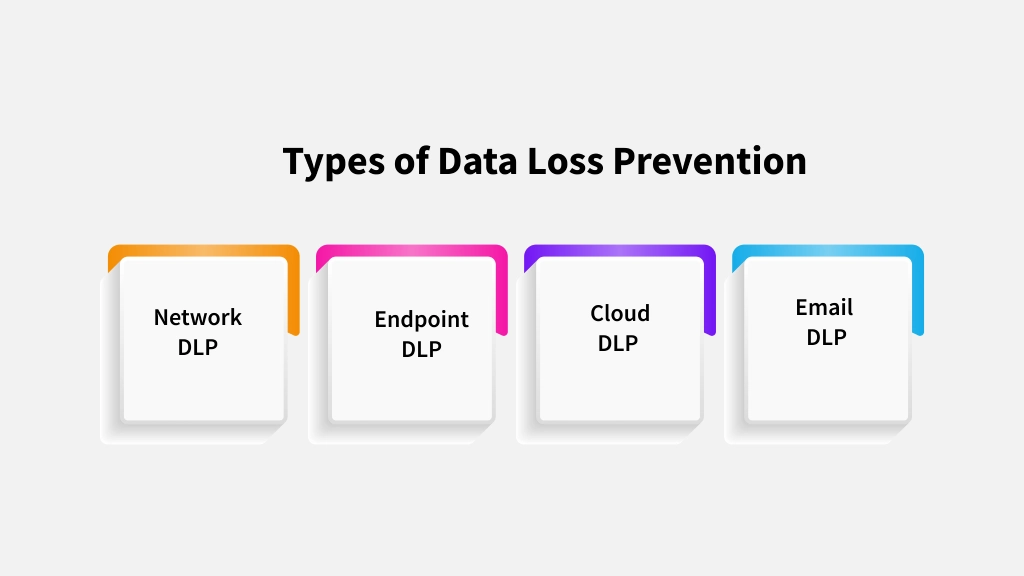
1. Network DLP
- You can use this type to watch data moving in and out of your corporate network.
- It inspects your email traffic, web activity, file transfers, and messaging apps for policy violations.
- Rely on this solution when you want to stop sensitive data from leaving through network channels.
- A common example is blocking an outbound email that carries customer PII before it reaches an external inbox.
If you want the full picture, check out our guide on network data loss prevention.
2. Endpoint DLP
- You install it directly on individual devices, such as laptops, desktops, and mobile phones.
- It controls what users can do with sensitive data on their devices, including copying, printing, transferring, or taking screenshots.
- It works best when you want to prevent data leaks through USB drives, personal cloud storage, or offline devices.
- A common example is blocking an employee from copying customer records to a personal USB drive.
For a closer look, read our guide on endpoint data loss prevention.
3. Cloud DLP
- You use this DLP technique to store data and share it across cloud platforms like Microsoft 365, Google Workspace, Salesforce, and Slack.
- It scans your documents, files, and messages for sensitive content, then automatically applies it to your security policies.
- It works best when you want to prevent accidental over-sharing in cloud collaboration tools.
- A common example is alerting you when someone shares a confidential file through a public link.
4. Email DLP
- You use this specifically to inspect email content and attachments for sensitive data before sending them.
- It can block, quarantine, or encrypt emails that break your policy.
- It works best because misdirected emails remain one of the most common causes of data leaks.
- A common example is quarantining an email that contains an unencrypted spreadsheet with employee salary details.
For more details, read our guide on email data loss prevention.
Types of Data Loss Prevention at a Glance
Want to explore the different types of DLP in more detail? Read our guide to Types of DLP: A Guide to Endpoint, Network, Cloud & Email
| DLP Type | What It Monitors | Best For | How You Deploy It |
|---|---|---|---|
| Network DLP | Data crossing your corporate network | Stopping outbound leaks through email, web, file transfer | Gateway appliance or software |
| Endpoint DLP | Data on laptops, desktops, and mobile devices | Blocking USB copy, printing, screen capture | Agent installed on each device |
| Cloud DLP | Data stored in cloud apps and SaaS platforms | Stopping over-sharing in collaboration tools | API-based or CASB integration |
| Email DLP | Sensitive content in email messages and attachments | Blocking misdirected email, your most common leak channel | Email gateway or native Microsoft 365/Google controls |
Can you spot a data leak before it turns into a costly breach?
Use Time Champ to monitor risky file activity and stop data loss before it starts.
What Are the Main Benefits of Data Loss Prevention?
A strong data loss prevention strategy does more than protect sensitive data. It helps you reduce security risks, meet compliance requirements, and build trust with everyone who relies on you to keep their information safe. Here are the key benefits you can expect.
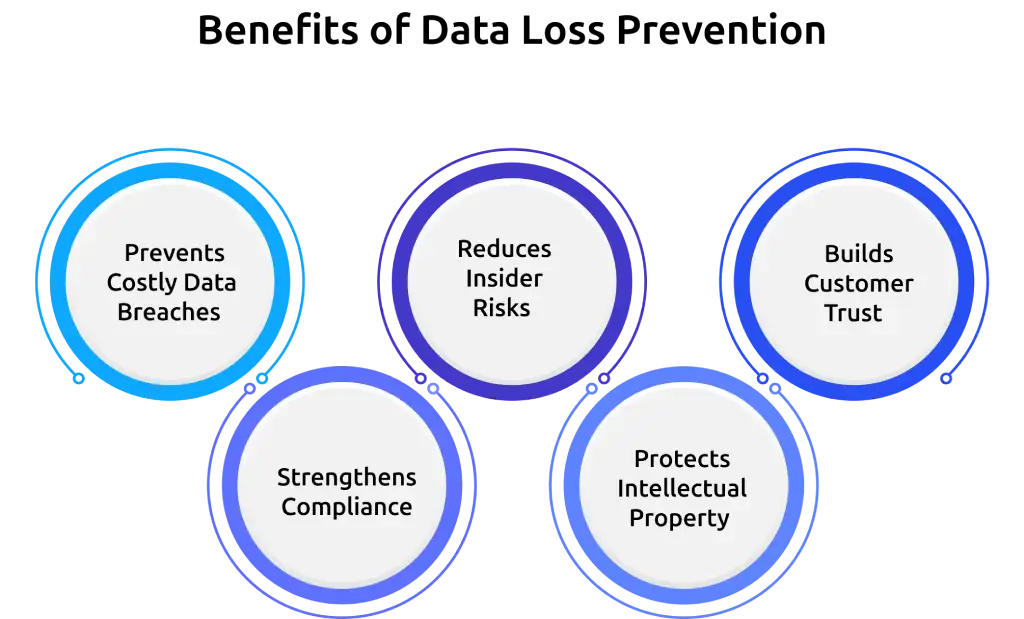
1. Prevents Costly Data Breaches
- IBM's Cost of a Data Breach Report found that the global average cost of a data breach dropped to $4.44 million in 2025, down 9% from $4.88 million in 2024, mainly because faster detection and containment reduced recovery time.
- DLP catches leaks before they turn into full breaches, so you skip the notification costs, regulatory fines, and reputation damage that follow.
- Preventing a data leak early costs much less than recovering from a data breach, especially if you operate in a regulated industry.
2. Strengthens Compliance
- Helps you protect regulated data such as customer, financial, and healthcare information.
- Supports compliance with regulations like GDPR, HIPAA, PCI DSS, and CCPA.
- Applies security policies consistently across your environment.
- Maintains activity logs that simplify audits and compliance reviews.
3. Reduces Insider Risks
- Supports insider threat detection by identifying unusual file access and data transfer activities.
- Helps you identify risky behavior before it leads to data loss.
- Reduces accidental data exposure caused by everyday mistakes.
- Improves visibility into how sensitive information moves across your environment.
4. Protects Intellectual Property
- Keeps trade secrets, source code, product designs, and competitive information under your control.
- Blocks unauthorized transfers to personal accounts, competitors, or public platforms.
- Provides greater value if you handle research and development or experience high employee turnover.
5. Builds Customer Trust
- Reduces the chances of security incidents that can damage your reputation.
- Strengthens customer confidence by protecting confidential data.
- Helps you maintain long-term business relationships through stronger data security.
What Are the Common Challenges of Data Loss Prevention?
While data loss prevention helps protect sensitive information, implementing it comes with a few challenges. Addressing these issues early helps you build a more effective security strategy and improve long-term protection.
- Balancing Security with Productivity: Strict security policies can interrupt everyday work, while overly flexible rules may leave sensitive data unprotected. Finding the right balance helps you protect data without affecting daily operations.
- False Positives and Negatives: Overly broad or poorly configured policies may flag legitimate activities or miss actual security threats. Regularly refining your policies helps improve detection accuracy and reduces unnecessary alerts.
- Cloud and Remote Work: Sensitive data now moves across cloud platforms, remote devices, and multiple locations. Protecting that data requires consistent visibility and security controls across every environment.
- Data Discovery and Classification: Sensitive data often exist across multiple systems, making it difficult to identify and classify correctly. Without accurate classification, important information may remain unprotected or receive the wrong level of security.
- Implementation Cost and Complexity: Deploying data loss prevention solutions requires careful planning, system integration, and ongoing policy management. Choosing the right solution and reviewing it regularly helps reduce complexity and improve long-term effectiveness.
What Are the Best Practices for Implementing Data Loss Prevention Policies?
Implementing data loss prevention is not just about deploying a tool. Following the right practices helps you protect sensitive data more effectively, reduce security risks, and improve long-term results.
- Integrate DLP with Other Security Solutions: Connect your data loss prevention solution with other security and compliance tools. This gives you better visibility, improves threat detection, and helps protect sensitive data across your entire environment.
- Review and Update Policies Regularly: Review your data loss prevention policies regularly to reflect new business needs, security risks, and compliance requirements. Keeping your policies up to date helps maintain effective protection.
- Train Employees on Data Protection: Help your employees understand your data protection policies and explain how they apply to their daily work. Regular training reduces human errors and encourages safer data handling practices.
- Encourage Collaboration Between IT and Security Teams: Bring your IT and security teams together when creating and updating DLP policies. Working together helps you build practical policies that protect sensitive data without disrupting daily operations.
- Perform Regular Compliance Audits: Review your security policies and data handling practices regularly to confirm they meet industry regulations and internal requirements. These audits also help you identify gaps and improve your overall data protection strategy.
Looking for more ways to strengthen your DLP strategy? Explore our guide on data loss prevention best practices.
How Does Time Champ Support Data Loss Prevention?
Protecting sensitive data requires more than blocking unauthorized access. You also need visibility into how files move, how users interact with sensitive information, and where potential risks begin. That's where Time Champ helps by giving you better control over activities that can lead to data loss. Here are some of the key features that help you reduce data security risks and protect confidential information.
- File Activity Monitoring: Track who accesses, edits, moves, or deletes sensitive files across endpoint devices. Activity logs help you review file actions, identify unusual behavior, and support security investigations.
- USB Device Control: Restrict unauthorized USB devices from connecting to company systems. This helps prevent users from copying confidential files to external storage devices.
- Website Blocking: Block access to unauthorized websites and personal cloud storage platforms. Limiting access reduces the risk of uploading sensitive business data to unapproved destinations.
- Real-Time Alerts: Receive instant notifications when unusual file activity or policy violations occur. Early alerts help you respond quickly before a small issue becomes a serious security incident.
- Screenshot Monitoring: Capture screenshots during work hours to review on-screen activities when required. This provides additional visibility into actions involving sensitive information.
- Screen Recording: Record screen activity for selected users or departments to review security incidents and investigate suspicious behavior when needed.
- Audit Logs and Reports: Maintain detailed records of file activities, policy violations, website access, and user actions. These reports support compliance reviews, internal audits, and incident investigations.
- Role-Based Access Controls: Define access permissions based on user roles and responsibilities. Limiting unnecessary access helps protect confidential data and reduces the risk of unauthorized exposure.
- Detailed Activity Reports: Review file activity, website usage, application usage, and user behavior through comprehensive reports. These insights help you identify security gaps and strengthen your data protection strategy.
- DLP Policies: Create and apply custom DLP policies to control who can access, share, or transfer sensitive data across your environment. Set rules based on users, departments, or activities to automatically block unauthorized actions and strengthen your data protection strategy.
Looking for a smarter way to prevent data leaks before they happen?
Use Time Champ to monitor sensitive data, enforce DLP policies, and strengthen your data security.
Conclusion
Every business handles sensitive information that deserves strong protection. Choosing the right data loss prevention solutions and following proven security practices helps you reduce risks and protect your valuable data. Time Champ makes this easier with DLP features that help you monitor data activities, enforce security policies, and prevent unauthorized actions before they become serious security incidents. Start your free trial today and take the first step toward stronger data protection.

Thasleem Shaik

Table of Content
 What Is Data Loss Prevention (DLP)?
- How Does Data Loss Prevention Work?
- What Causes Data Loss?
- What Are the Different Types of Data Loss Prevention?
- What Are the Main Benefits of Data Loss Prevention?
- What Are the Common Challenges of Data Loss Prevention?
- What Are the Best Practices for Implementing Data Loss Prevention Policies?
- How Does Time Champ Support Data Loss Prevention?
- Conclusion

Related Blogs
Data loss costs more than you think. Learn what causes it, how employee monitoring reduces data exfiltration risk, and how to protect your business.
Thasleem Shaik | Apr 17, 2026
Learn the difference between data leak prevention vs. data loss prevention and explore effective strategies to protect sensitive business information.
Sai Keerthi Uppala | Jan 22, 2025
Explore the different types of data loss and learn how they can impact your information. Understand the risks and protect your data effectively.
Thasleem Shaik | Jan 17, 2025
Discover the top 10 Data Loss Prevention tools to safeguard sensitive information and ensure workplace security with essential features and practical tips for selection.
Tarun Kumar Reddy | Jan 21, 2025
Protect sensitive business data in hybrid work environments with strong security controls and practical strategies to prevent data breaches.
Guna Lakshmi | Jun 10, 2026
Protect your business from data leaks! Learn effective data exfiltration prevention practices to secure sensitive information and stop cyber threats.
Sai Keerthi Uppala | Mar 12, 2025


 4.7/5 avg.
Ready to Manage Your Workforce Smarter?
Join our family of 1500+ companies using smart insights to redefine workforces!

Free Trial
No Credit Card Required