Types of DLP: A Guide to Endpoint, Network, Cloud & Email
Compare the main types of DLP, including endpoint, network, cloud, and email, to choose the right data loss prevention strategy for your business securely.
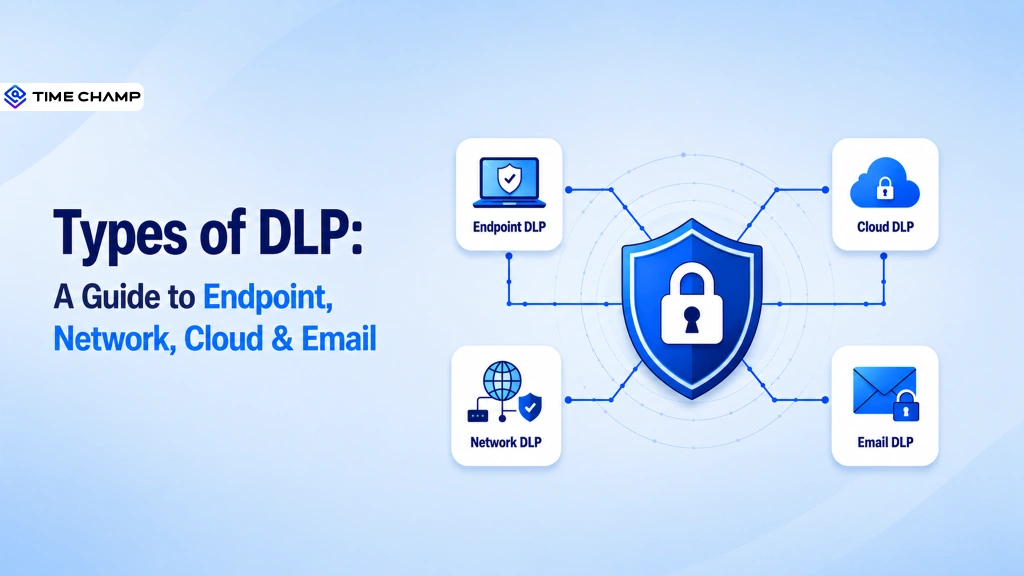
Most data breaches don’t start with sophisticated hackers. They start with everyday actions like sharing a file, uploading a document, or sending an email. Without the right protection, these routine tasks can expose your sensitive business information.
Knowing the types of DLP helps you protect sensitive information across different environments. This guide covers endpoint, network, cloud, and email DLP, how each one works, and when to use them to strengthen your data protection strategy.
What Is Data Loss Prevention (DLP)?
Data Loss Prevention (DLP) is a cybersecurity approach that helps organizations identify, monitor, and protect sensitive data from unauthorized access, sharing, or loss. It uses policies and security controls to safeguard data across devices, networks, cloud services, and email while supporting compliance and reducing the risk of data breaches.
What Are the Main Types of DLP?
Sensitive data doesn’t stay in one place. Employees access it on laptops, share it through email, store it in cloud applications, and transfer it across business networks. Protecting only one of these areas leaves the others vulnerable, making a single DLP approach insufficient.
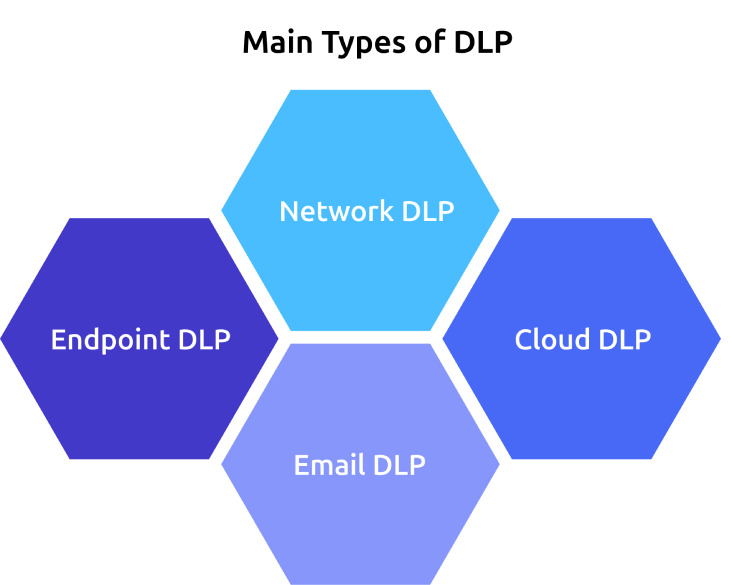
The four main types of DLP are designed to protect sensitive data in different environments:
- Endpoint DLP: Secures sensitive data on laptops, desktops, and mobile devices by controlling how users access, copy, or transfer information.
- Network DLP: Monitors data moving across the network and blocks unauthorized transfers before sensitive information leaves the organization.
- Cloud DLP: Protects sensitive data stored and shared in cloud applications, SaaS platforms, and cloud storage services.
- Email DLP: Inspects incoming and outgoing emails to prevent confidential information from being sent to unauthorized recipients.
Can’t see how sensitive data moves across your organization?
Time Champ gives you complete visibility and helps stop data leaks early.
Endpoint DLP
Endpoint DLP protects sensitive data stored or accessed on your employees' devices such as laptops, desktops, smartphones, and tablets. It monitors how employees interact with confidential information and prevents unauthorized actions like copying files to USB drives, printing sensitive documents, or uploading data to unauthorized applications.
Key Capabilities
- Monitors data on endpoint devices.
- Restricts file transfers to USB drives and external devices.
- Controls copy, paste, print, and screen capture actions.
- Enforces security policies even for remote employees.
- Helps reduce insider threats and accidental data leaks.
Commonly Used In: Healthcare, banking and financial services, government agencies, legal firms, IT companies, and organizations with remote or hybrid workforces.
Network DLP
Network DLP protects sensitive data while it moves across your organization’s network. It continuously monitors network traffic and detects unauthorized attempts to send confidential information through websites, file transfers, messaging applications, or other communication channels. When a policy violation is detected, it can block the transfer or alert security teams before the data leaves your network.
Key Capabilities
- Monitors data in transit across the network.
- Detects unauthorized file transfers.
- Inspects web, FTP, and network traffic.
- Blocks policy violations before data leaves the organization.
- Improves visibility into network-based data movement.
Commonly Used In: Financial institutions, government organizations, telecommunications, manufacturing, and large enterprises with complex network infrastructure.
Cloud DLP
Cloud DLP protects sensitive data stored and shared in cloud environments, including SaaS applications, cloud storage, and collaboration platforms. It scans files, applies security policies, and helps prevent unauthorized access or sharing while allowing your employees to collaborate securely.
Key Capabilities
- Protects data stored in cloud applications.
- Monitors file sharing and user activity.
- Identifies and classifies sensitive information.
- Enforces access and sharing policies.
- Supports compliance across cloud environments.
Commonly Used In: SaaS companies, healthcare organizations, educational institutions, e-commerce businesses, and enterprises using cloud collaboration platforms.

Did You Know?
According to IBM’s Cost of a Data Breach Report, the average cost of a data breach in the United States reached $10.22 million, highlighting the growing need for proactive data protection across every environment.
Email DLP
Email DLP helps prevent sensitive information from being exposed through email. It scans outgoing and incoming emails, including attachments, to identify confidential data before messages are delivered. Based on your security policies, it can block, encrypt, quarantine, or warn users about risky email activity.
Key Capabilities
- Scans emails and attachments for sensitive data.
- Prevents accidental or unauthorized email sharing.
- Applies encryption when required.
- Blocks emails that violate security policies.
- Reduces the risk of phishing and human errors.
Commonly Used In: Healthcare, financial services, legal firms, government agencies, insurance companies, and businesses that frequently exchange confidential information through email.
How Time Champ Helps Prevent Data Loss Across the Organization
Protecting sensitive business data becomes challenging when your employees use multiple devices, cloud applications, email, and external storage. Without clear visibility into how data is accessed and shared, the risk of data leaks, insider threats, and compliance issues increases. Time Champ is a comprehensive employee monitoring software with built-in data loss prevention (DLP) capabilities that gives complete visibility into data movement, helping you detect risky activities early and enforce security policies before sensitive information is exposed.
With Time Champ, you can identify security risks early and protect sensitive information with features such as:
- Monitors File Activity in Real Time: Tracks file creation, modification, deletion, and movement with detailed logs, helping you identify suspicious activities early and protect sensitive business data.
- Controls USB Access and File Transfers: Monitors and restricts unauthorized USB devices and file transfers, helping you prevent sensitive information from being copied or moved through external storage.
- Protects Uploads and Downloads: Monitors and blocks unauthorized file uploads and downloads based on your security policies, reducing the risk of accidental or intentional data leaks.
- Restricts Unsafe Website Access: Blocks access to unauthorized or risky websites and monitors browsing activity, helping you reduce data exposure and enforce secure browsing practices.
- Sends Real-Time Security Alerts: Notifies you instantly about policy violations, suspicious file access, unauthorized USB usage, and other risky activities, enabling you to respond before they become security incidents.
- Strengthens Access Control with Role-Based Permissions: Lets you define user- and team-level permissions, ensuring only authorized employees can access sensitive business information.
- Generates Audit-Ready Security Reports: Creates detailed reports on file activities, website violations, USB usage, uploads, and downloads, making compliance reviews and security investigations easier.
- Delivers Complete Security Visibility from a Single Dashboard: Brings data-related activities, security violations, and user behavior into one centralized platform, helping you monitor and manage security across remote, hybrid, and in-office teams more efficiently.
Losing visibility into your sensitive business data?
Time Champ helps you track, protect, and control data from one platform.
Conclusion
A single security gap is all it takes for sensitive business data to fall into the wrong hands. Choosing the right types of DLP can help you protect data across endpoints, networks, cloud platforms, and email while reducing insider risks and meeting compliance requirements. Review how data moves across the organization, close security gaps with the right DLP approach, and maintain continuous visibility to keep your business protected against evolving threats.

Anjali

Table of Content
 What Is Data Loss Prevention (DLP)?
- What Are the Main Types of DLP?
- Endpoint DLP
- Key Capabilities:
- Network DLP
- Key Capabilities:
- Cloud DLP
- Key Capabilities:
- Email DLP
- Key Capabilities:
- How Time Champ Helps Prevent Data Loss Across the Organization
- Conclusion

Related Blogs
Discover how network data loss prevention protects sensitive data and shields your business from costly breaches and regulatory risks
Thasleem Shaik | Jan 18, 2025
Learn what Email Data Loss Prevention (DLP) is, how it works, key features, benefits, and best practices to protect email data from leaks.
Guna Lakshmi | Aug 19, 2026
Discover the top 10 Data Loss Prevention tools to safeguard sensitive information and ensure workplace security with essential features and practical tips for selection.
Tarun Kumar Reddy | Jan 21, 2025
Implement data loss prevention practices to protect sensitive data, reduce security risks, prevent breaches, and strengthen your organization's security.
Thasleem Shaik | Aug 24, 2026
Data loss prevention helps protect sensitive business data from leaks, theft, and misuse. See how DLP works, its benefits, challenges, and best practices.
Thasleem Shaik | Aug 21, 2026
Discover effective data loss prevention strategies to protect sensitive information, enhance security, and safeguard your business from data breaches.
Shabana Shaik | Jan 22, 2025


 4.7/5 avg.
Ready to Manage Your Workforce Smarter?
Join our family of 1500+ companies using smart insights to redefine workforces!

Free Trial
No Credit Card Required