Data Protection for Hybrid Work Models: A Practical Framework
Protect sensitive business data in hybrid work environments with strong security controls and practical strategies to prevent data breaches.
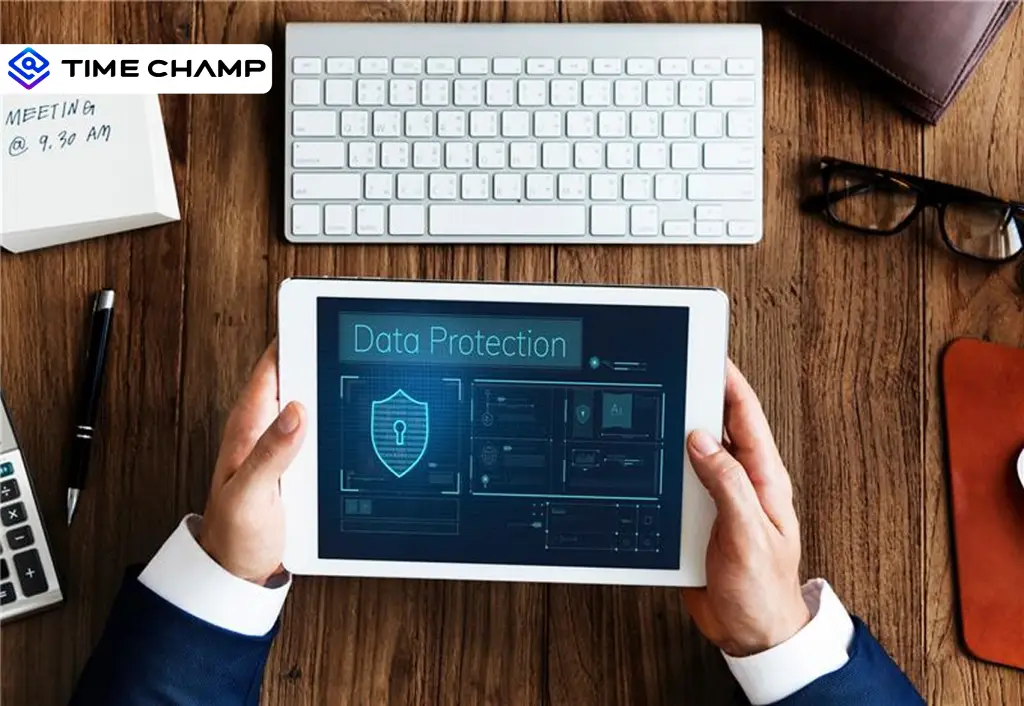
When employees access company information from home offices, coworking spaces, or public networks, the risk of data breaches increases.
Without the right security measures, a single weak password, unsecured connection, or compromised device can put your business data at risk.
To help you strengthen your data protection for hybrid work models, learn the essential security controls to implement and practical strategies to keep your data secure and compliant.
Data Protection Challenges of a Hybrid Workforce
As your employees work across different locations, devices, and networks, protecting business data becomes more challenging. Understanding these risks is the first step toward improving data protection for hybrid work models and reducing security vulnerabilities across your organization.
Expanded Attack Surface
IT teams protect company data through a controlled network in traditional office environments. With hybrid work, those boundaries disappear. Your employees may access company systems from home networks, public Wi-Fi, or personal devices, creating more opportunities for cybercriminals to target your business.
Inconsistent Device Security
You cannot always guarantee that every device used for work meets the same security standards. Personal laptops, smartphones, and tablets may be missing important security updates, antivirus software, or encryption, increasing the risk of unauthorized access to your data.
Human Error and Security Awareness
Even with strong security measures in place, human mistakes can still lead to data breaches. Clicking phishing links, sharing files with the wrong person, or using weak passwords can expose sensitive information. That's why you need to educate your employees about security best practices continuously.
Data Visibility Challenges
When your workforce is distributed, it becomes harder to track how sensitive data is accessed, shared, and stored. Without proper monitoring and visibility, suspicious activities can go unnoticed, making it difficult for you to identify and respond to potential threats before they cause serious damage.

Did You Know?
Only 53% of organizationscurrently use DLP tools, highlighting a significant gap in data protection strategies across modern workplaces.
9 Essential Data Protection Controls for Hybrid Work Models
Protecting data in a hybrid workplace requires a layered security approach. The following controls help your organization reduce risk while maintaining operational flexibility.

1. Zero Trust Access Architecture
Zero Trust follows the principle of "never trust, always verify." It has become a foundational security strategy for data protection for hybrid work models because it verifies every access request regardless of location. This helps you reduce the risk of unauthorized access, even if an account or device is compromised.
2. Multi-Factor Authentication (MFA) on Every Critical System
MFA adds an extra layer of security by requiring users to verify their identity through multiple methods. This helps keep your accounts secure, even if login credentials are leaked. You can add an extra verification step, such as a code sent to a mobile device, before granting access to important systems.
3. VPN and Secure Remote Access
A Virtual Private Network (VPN) encrypts the data your employees transmit between their devices and your company systems. Secure remote access solutions help you protect sensitive information when your team connects from home networks, coworking spaces, or other external locations.
Do you know how sensitive data is being used across your workforce?
Time Champ helps you track activity, detect risks, and maintain better control over your business information.
4. Endpoint Security Across All Devices
Every device your employees use to access company data should be protected with antivirus software, firewalls, endpoint detection tools, regular updates, and device encryption. This helps you reduce security vulnerabilities and protect sensitive information from cyber threats.
5. Data Loss Prevention (DLP)
Data Loss Prevention (DLP) solutions help you prevent unauthorized sharing, downloading, or transfer of sensitive information. These tools allow you to monitor how data moves across your organization and alert you to potential security risks before they become serious issues.
Pro Tip
Use Time Champ's DLP features to monitor file activity, block unauthorized USB devices, track sensitive data access, and detect suspicious behavior in real time. This helps you prevent data leaks and maintain stronger control over your organization's information across hybrid teams. Start your free trial today!
6. Encryption (At Rest and In Transit)
Encryption helps you protect sensitive data, whether it is stored on a device or being transferred across networks. Even if unauthorized individuals gain access to the data, encryption makes it unreadable without the proper decryption key. You can reduce the risk of data exposure caused by cyberattacks, lost devices, or unauthorized access.
7. Access Control and Least Privilege
You should only give employees access to the information they need to perform their specific job responsibilities. Restricting unnecessary permissions helps you reduce the risk of accidental data exposure and limits the damage if an account is hacked. Regular access reviews help you identify and remove outdated permissions before they become security risks.
This approach gives you greater control over who can view, edit, or share sensitive business data.
8. Continuous Security Awareness Training
Even the best security tools cannot fully protect your business if your employees are unaware of potential threats. Regular security training helps your employees recognize risks, follow safe practices, and respond appropriately to security incidents. You can also help your employees identify phishing attempts, suspicious links, and social engineering attacks more effectively.
This creates a stronger security culture and makes your workforce an active part of your defense strategy.
9. Activity Monitoring and Anomaly Detection
Activity monitoring helps you identify unusual behaviors such as unauthorized access attempts, large file downloads, or suspicious login patterns. Early detection allows you to respond quickly and prevent potential data breaches. You can also detect potential security risks before they impact your business operations.
This helps you maintain stronger security and compliance across your hybrid workforce.
Did You Know?
Gartner forecasts that security and risk management spending in India will reach $2.9 billion, up 12.4% from the previous year, as organizations invest more in protecting data and managing evolving cyber risks.
Data Protection Compliance for Hybrid Work Models
Keeping sensitive data secure is important, but it's also essential to follow data privacy and security regulations when managing a hybrid workforce.
Understanding the major compliance frameworks can help you reduce risks, avoid penalties, and protect your organization's reputation.
GDPR (General Data Protection Regulation)
If you handle data belonging to EU residents, you must secure personal information regardless of where your employees work. This includes implementing access controls, maintaining data processing records, and following breach notification requirements.
HIPAA (Health Insurance Portability and Accountability Act)
If your organization handles protected health information (PHI), you must ensure that employees access it securely. Using encrypted devices, secure communication channels, and access monitoring can help you meet HIPAA requirements.
CCPA and CPRA
If you collect data from California residents, you must be transparent about how the data is used and protected. You should also ensure employees can securely manage customer information across hybrid work environments.
DPDP Act (India)
If you process the personal data of Indian residents, you must obtain consent, protect personal information, and take reasonable steps to prevent data breaches, regardless of where employees work.
SOC 2
SOC 2 evaluates how well you protect customer data. To maintain compliance, you need strong security controls, access management, monitoring, and incident response processes across both remote and in-office environments.
Why Compliance Matters
Compliance helps you protect sensitive information, reduce security risks, avoid regulatory penalties, and build trust with customers and stakeholders.
Disclaimer:This information is for general guidance only and should not be considered legal advice. Consult legal or compliance professionals for requirements specific to your organization.
Finding it hard to enforce data protection policies consistently?
Time Champ gives you the visibility to monitor employee activities and strengthen security across your hybrid workforce.
Strategies to Build a Hybrid Work Data Protection Policy
A well-defined policy serves as the foundation of data protection for hybrid work models by establishing consistent security practices across your workforce. Here are some key strategies to help you build an effective policy for your hybrid workforce.
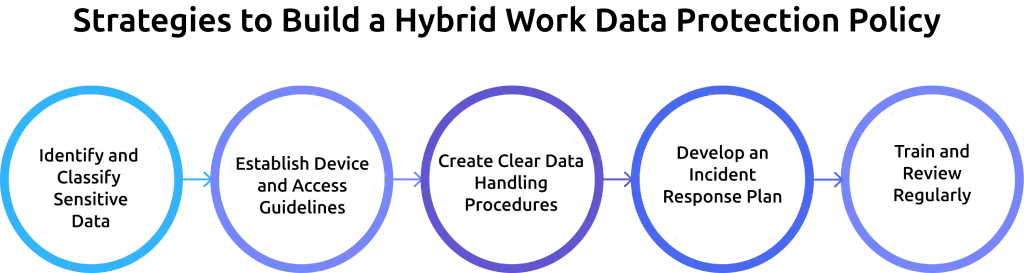
Identify and Classify Sensitive Data
Start by identifying the types of data your organization collects, stores, and shares. Categorize information based on its sensitivity, such as public, internal, confidential, or restricted. This helps you determine the level of protection each type of data requires.
Establish Device and Access Guidelines
Clearly define which devices employees can use to access company resources and what security requirements they must follow. Set standards for password management, multi-factor authentication (MFA), software updates, and approved networks.
Create Clear Data Handling Procedures
Your employees should know how to store, share, transfer, and dispose of sensitive information securely. Document these procedures and make them easily accessible to reduce the risk of accidental data exposure.
Develop an Incident Response Plan
Security incidents can happen at any time. Create a response plan that outlines how employees should report suspicious activities, lost devices, or potential breaches. A clear process helps you respond quickly and minimize damage.
Train and Review Regularly
Even the strongest policy is ineffective if employees don't understand it. Provide regular security awareness training and review your policy periodically to address new threats, technologies, and compliance requirements.
Implementing these strategies will help you create a data protection policy that strengthens security, supports compliance, and enables your hybrid workforce to handle sensitive information responsibly.
How Time Champ Strengthens Hybrid Data Protection
Managing data security across a hybrid workforce can be challenging when employees work from different locations and use multiple devices. To protect sensitive information effectively, you need visibility into employee activities, potential security risks, and data movement across your organization.
Time Champ helps you maintain that visibility by combining employee monitoring and data protection capabilities in a single platform. This enables you to identify risks early, enforce security policies more effectively, and maintain better control over sensitive business data without adding complexity to your security processes.
Key Features
- Data Loss Prevention (DLP): Monitor sensitive data, block unauthorized USB transfers, and track file activity to help prevent data leaks.
- App & Website Monitoring: Track application and website usage to identify unauthorized tools and support compliance with data protection policies.
- Screenshot Monitoring: Capture periodic screenshots to maintain visibility into employee activities and investigate potential security concerns.
- Screen Recording: Record on-screen activities to create a detailed audit trail and support security investigations when needed.
- Keystroke & Mouse Activity Tracking: Monitor keyboard and mouse activity levels to identify unusual behavior patterns and improve visibility into workforce activity.
- Activity Tracking & Audit Logs: Track user actions and maintain records for compliance and reviews.
- Cross-Platform Support: Monitor employees across Windows, Mac, and Linux devices for consistent protection.
- Behavior-Based Insights: Detect unusual activities such as unauthorized access attempts or excessive file transfers.
Ready to strengthen data protection controls for your workforce?
Time Champ helps you monitor employee activity, protect sensitive data, and support compliance, all from one platform.
Conclusion
While hybrid work increases the risk of data exposure, achieving effective data protection for hybrid work models requires the right combination of security controls, clear policies, employee awareness, and ongoing monitoring. With features like activity monitoring and data loss prevention, Time Champ helps you maintain better visibility and control over your organization's data.
Remember, data protection for hybrid work models is an ongoing process that requires regular reviews and updates to keep up with evolving threats.

Guna Lakshmi

Table of Content
 Data Protection Challenges of a Hybrid Workforce
- 9 Essential Data Protection Controls for Hybrid Work Models
- Data Protection Compliance for Hybrid Work Models
- Strategies to Build a Hybrid Work Data Protection Policy
- How Time Champ Strengthens Hybrid Data Protection
- Conclusion
Instant Signup
Thank you for your request!
We have received your signup request and our team will get back to you soon. In the meantime, you can book a demo to see Time Champ in action.
Book a DemoFree trial. No credit card required. Prefer a walkthrough? Book a demo.
Related Blogs
Implementing screen recording legally means getting notification, consent, and data rules right. Here is what you need to know before they start.
Guna Lakshmi | Jan 01, 2024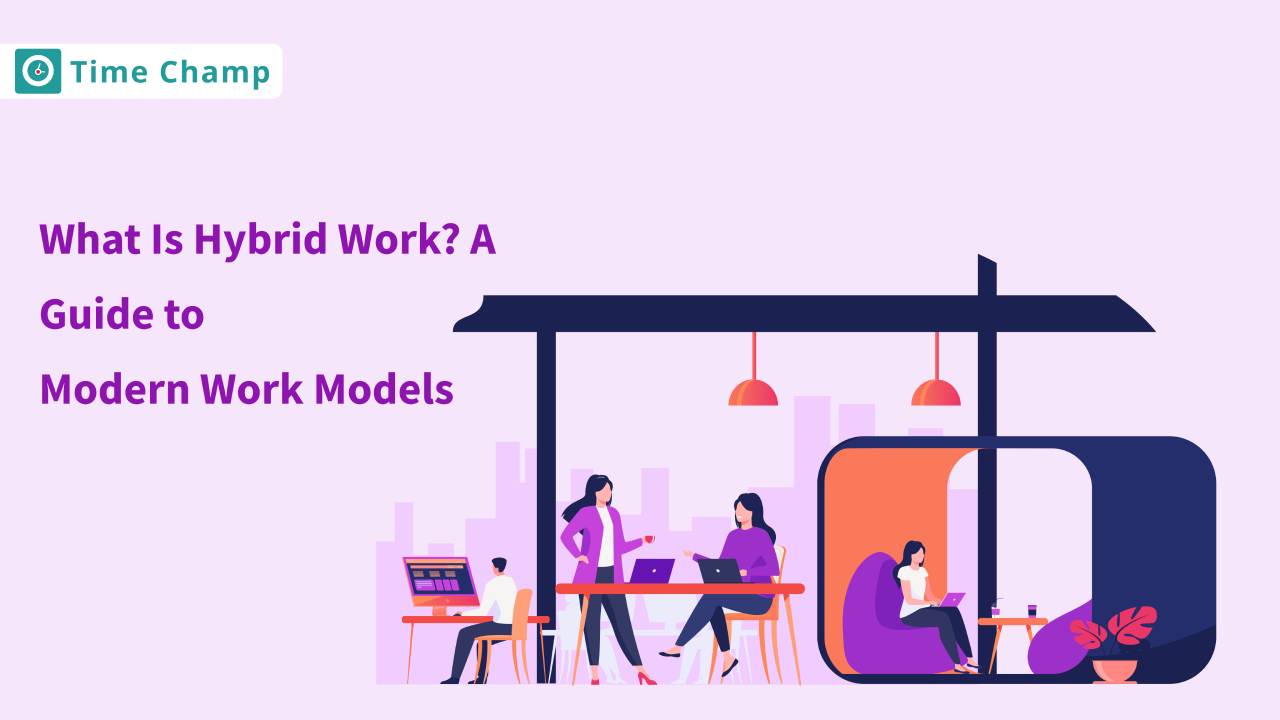
Discover the hybrid work model, which blends office and remote environments for greater flexibility and productivity.
Thasleem Shaik | Oct 25, 2024
Learn about employee monitoring laws, what they mean for businesses, and how they protect employee privacy and rights.
Shabana Shaik | Jul 10, 2024
Learn how to create and implement a successful hybrid work policy with our top 7 tips. Boost productivity and keep your team engaged.
Sai Keerthi Uppala | Nov 14, 2024
Explore the pros and cons of remote vs. hybrid work models, and learn how to choose the best setup for your team
Tarun Kumar Reddy | Oct 25, 2024
Employee screen recording helps you meet compliance and security requirements. See which regulations apply and when your team needs them.
Guna Lakshmi | Apr 24, 2026


 4.7/5 avg.
Ready to Manage Your Workforce Smarter?
Join our family of 1500+ companies using smart insights to redefine workforces!

Free Trial
No Credit Card Required