Types of Data Loss: 12 Key Threats You Should Know
Understand the top types of data loss, what causes risks, and practical data protection strategies to reduce risks and keep your business data secure.
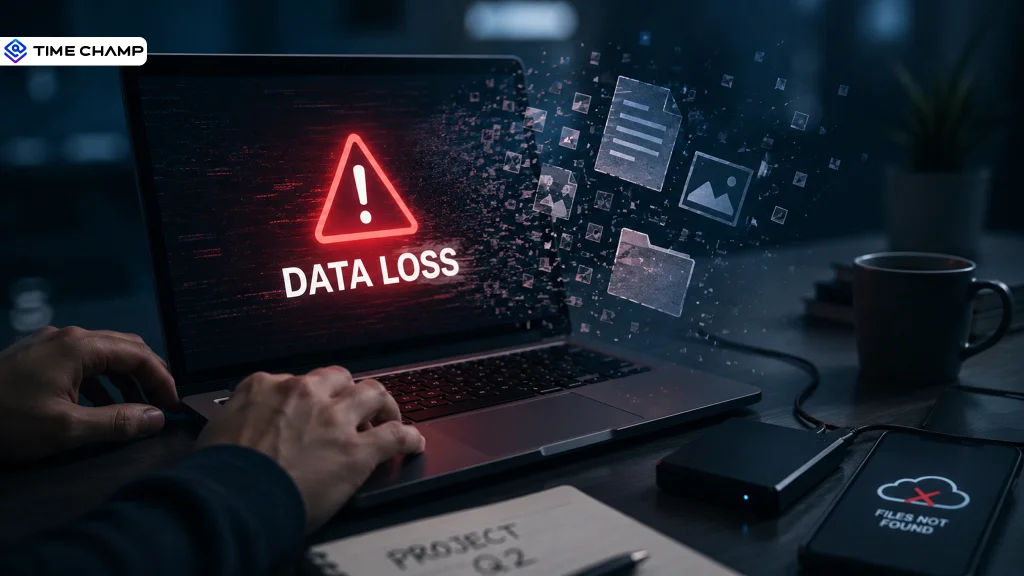
Think about the last time you searched for an important file. Now imagine it wasn't there. Not in the recycle bin. Not in your backup. Not anywhere.
That's how quickly data loss can happen. The good news is that most incidents follow familiar patterns. Once you recognize the types of data loss, you can reduce your risk long before data disappears. In this article, you'll learn about the different types of data loss, what causes them, and the practical solutions you can take to reduce the risk before they affect your business.
Types of Data Loss at a Glance
Before understanding each type in detail, here's a quick overview of the most common types of data loss and how they typically occur.
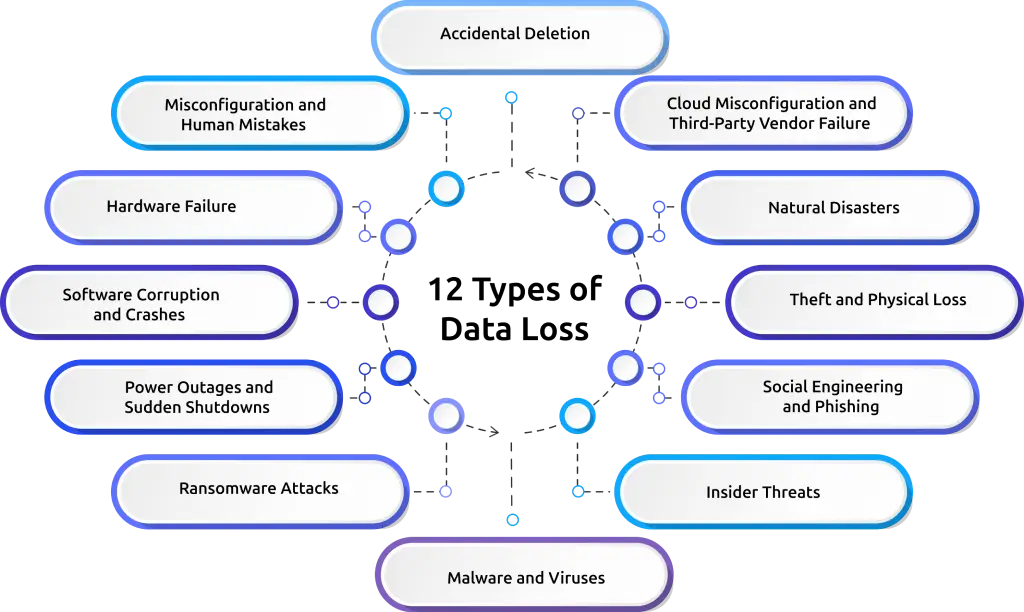
| Type of Data Loss | Common Cause | Potential Impact |
|---|---|---|
| Accidental Deletion | Human error, accidental file removal | Permanent loss of important files |
| Misconfiguration and Human Mistakes | Incorrect permissions, configuration errors | Data exposure or inaccessible files |
| Hardware Failure | Hard drive, SSD, or server failure | Loss of stored data and downtime |
| Software Corruption and Crashes | Software bugs, failed updates, application crashes | Corrupted or incomplete files |
| Power Outages and Sudden Shutdowns | Power failures during file operations | File corruption and interrupted processes |
| Ransomware Attacks | Phishing emails, malicious downloads | Encrypted files and business disruption |
| Malware and Viruses | Infected attachments, unsafe websites | Data corruption, theft, or deletion |
| Insider Threats | Malicious or negligent employees and contractors | Data theft, misuse, or deletion |
| Social Engineering and Phishing | Fake emails, messages, and impersonation attacks | Credential theft and sensitive data exposure |
| Theft and Physical Loss | Lost or stolen devices | Unauthorized access to business data |
| Natural Disasters | Floods, fires, earthquakes, storms | Damage to infrastructure and permanent data loss |
| Cloud Misconfiguration and Third-Party Vendor Failure | Incorrect cloud settings, vendor outages | Data exposure, service disruption, or data loss |
1. Accidental Deletion
Accidental deletion happens when you remove files, folders, or databases without intending to. It remains one of the most common causes of data loss because even a small mistake can permanently erase important information. Accidental deletion makes up about 34% of data loss cases, while hardware failure follows closely at 30%.
- Deleting the wrong file or folder during routine work can remove critical business data.
- Emptying the recycle bin or using permanent delete options can make recovery much harder.
- Bulk file cleanup or storage management can accidentally remove active files.
Regular backups and version history help you recover deleted data before it becomes a permanent loss.
2. Misconfiguration and Human Mistakes
Beyond accidental deletion, simple configuration mistakes like assigning incorrect permissions or mishandling a tool can expose or damage important data. This type of human-error data loss often causes more damage than deletion because it exposes data rather than just losing it.
- Incorrect file or folder permissions can give unauthorized access to sensitive information.
- Cloud storage misconfigurations can accidentally expose private files to the public.
- Incorrect system or application settings can interrupt normal data access or overwrite existing files.
72% of cloud data loss comes from misconfiguration or user error rather than an external attack, so training and tighter access controls cut this risk more than any security tool.
3. Hardware Failure
Every hard drive, SSD, and server has a limited lifespan. When the hardware fails, any data stored only on it can be lost. You can delay hardware failure, but you cannot stop it completely.
- Mechanical wear, overheating, and manufacturing defects are the main causes of drive failure.
- Backblaze's Q3 report shows an annual hard drive failure rate of 1.55%, and some models fail at higher rates.
- SSDs often fail suddenly with little warning, while traditional drives usually show signs before failing.
A single server failure can stop access for an entire team or department, which makes RAID redundancy and regular backups essential.
Are hidden data loss risks putting your business at risk?
Try Time Champ to gain real-time visibility and keep your sensitive data secure.
4. Software Corruption and Crashes
Software problems can damage files even when your hardware works properly. Corrupted applications, failed updates, or unexpected crashes may leave important data incomplete or unreadable.
- Software bugs can corrupt files and prevent them from opening correctly.
- Failed operating system or application updates may damage existing data.
- Unexpected application crashes can result in unsaved work or incomplete files.
Auto-save features, version control, and timely software updates help reduce software-related data loss.
5. Power Outages and Sudden Shutdowns
A sudden power outage can interrupt file transfers, database transactions, or software processes without warning. If a system shuts down while saving data, files may become corrupted or disappear completely.
- Unexpected shutdowns during file operations can leave files incomplete or unreadable.
- Databases and servers face a higher risk because interrupted transactions can damage stored data.
- Frequent power fluctuations can reduce the lifespan of storage devices over time.
A UPS (uninterruptible power supply) gives your servers enough time to shut down safely instead of turning off suddenly, and auto-save features protect your files during everyday interruptions.
6. Ransomware Attacks
Ransomware locks your files by encrypting them and demands payment to restore access. Even after paying the ransom, there is no guarantee that you will recover your data.
- Attackers commonly spread ransomware through phishing emails, malicious downloads, or compromised websites.
- After gaining access to your network, ransomware can quickly encrypt files across multiple devices and shared drives.
- Some attacks also steal sensitive data before encryption, increasing the risk of data exposure.
Regular offline backups, endpoint protection, and timely software updates help reduce ransomware risks.
7. Malware and Viruses
Not all malicious software encrypts your files. Many types of malware silently corrupt, modify, delete, or steal data while running in the background.
- Viruses, worms, spyware, and Trojans can damage files or collect sensitive information without your knowledge.
- Infected email attachments, unsafe downloads, and malicious websites remain common infection sources.
- Fileless malware does not use files on your disk. It runs directly in memory, so it can avoid traditional antivirus programs that only scan files.
- Fileless methods now make up more than 70% of serious malware incidents, according to SentinelOne's 2026 analysis.
Endpoint protection, along with regular employee training closes most of the gaps that basic antivirus tools cannot detect.
8. Insider Threats
Not every data loss incident comes from outside your business. Anyone with legitimate access can accidentally or intentionally expose, delete, or misuse sensitive information.
- Malicious insiders may intentionally steal or damage data, often just before leaving the company.
- Disgruntled employees or contractors may delete, copy, or leak business data before leaving.
- Insider incidents now cost organizations an average of $19.5 million a year, which is higher than $17.4 million the year before, according to Ponemon Institute and DTEX 2026.
Role-based access controls, activity monitoring, and regular access reviews help reduce insider-related risks. To learn how monitoring employee activity helps reduce insider risks, read our guide on how employee monitoring prevents data breaches.
9. Social Engineering and Phishing
Social engineering targets human behavior instead of system vulnerabilities. Attackers trick you or your employees into sharing sensitive information, approving fake requests, or installing malicious files that can lead to data loss.
- Phishing emails often appear legitimate and encourage your employees to click malicious links or download infected attachments.
- Business email compromise (BEC) attacks impersonate trusted contacts to convince employees to share confidential data or transfer files.
- Voice and SMS phishing target employees who work remotely or use mobile devices and often rely on quick approvals.
Security awareness training, multi-factor authentication, and email filtering help reduce phishing-related risks.
Can you see who's accessing and moving your sensitive data?
Try Time Champ to identify suspicious activity before valuable data is lost.
10. Theft and Physical Loss
Losing a laptop, mobile phone, USB drive, or external hard disk can expose valuable business data if the device stores sensitive information. Physical damage can also lead to data loss by making files impossible to access.
- Airports, cafes, rideshares, and public transport are the most common places employees misplace devices. Stolen devices can give unauthorized users access to confidential files and customer information.
- Lost USB drives and portable storage devices remain a common source of sensitive data theft.
- Fire, water damage, or accidental drops can permanently damage storage devices and destroy important files.
Full-disk encryption, remote wipe capabilities, and secure backups help reduce the impact of lost or damaged devices.
11. Natural Disasters
Floods, fires, earthquakes, storms, and other natural disasters can damage servers, storage devices, and entire data centers within minutes. Without proper preparation, recovering critical business data becomes extremely difficult.
- Natural disasters can destroy on-premises infrastructure along with locally stored backups.
- Extended power failures and network outages may interrupt access to important business systems.
- Storing backups in a single location increases the risk of losing both your original data and recovery copies.
Off-site and cloud backups protect your data when a physical disaster destroys everything in one location at once.
12. Cloud Misconfiguration and Third-Party Vendor Failure
Cloud platforms improve accessibility, but incorrect configurations and vendor failures can still put your data at risk. Even a small configuration mistake can expose sensitive information or interrupt access to critical files.
- Incorrect cloud storage permissions can accidentally expose confidential data to unauthorized users.
- Service outages or security incidents at third-party vendors may temporarily or permanently affect your business data.
- Weak vendor security practices can increase the risk of data leaks and unauthorized access.
Regular cloud security reviews, vendor risk assessments, and access audits help reduce cloud-related data loss.
Stop Data Loss Before It Happens with Time Champ
Whether data disappears because of human mistakes, ransomware, insider threats, or cloud misconfigurations, the result is the same. Valuable information becomes unavailable, exposed, or permanently lost.
Instead of reacting after an incident, Time Champ helps you detect risky activities early, restrict unauthorized actions, and keep complete visibility over sensitive data. With features like real-time monitoring, website access control, and file activity tracking, Time Champ helps safeguard your data from potential threats. Get started with a free trial today and experience smarter data protection firsthand.
Looking for a smarter way to reduce data loss risks?
Choose Time Champ to keep your sensitive data secure with built-in DLP features.
Conclusion
Understanding the types of data loss is the first step toward protecting your business from avoidable risks. Whether data loss happens through human mistakes, cyberattacks, hardware failures, or unexpected events, identifying the cause early helps you take the right action before it turns into a costly incident. If you're looking for a smarter way to reduce these risks, Time Champ gives you the visibility and control needed to monitor sensitive activities and prevent data loss before it happens.

Thasleem Shaik

Table of Content
 Types of Data Loss at a Glance
- 1. Accidental Deletion
- 2. Misconfiguration and Human Mistakes
- 3. Hardware Failure
- 4. Software Corruption and Crashes
- 5. Power Outages and Sudden Shutdowns
- 6. Ransomware Attacks
- 7. Malware and Viruses
- 8. Insider Threats
- 9. Social Engineering and Phishing
- 10. Theft and Physical Loss
- 11. Natural Disasters
- 12. Cloud Misconfiguration and Third-Party Vendor Failure
- Stop Data Loss Before It Happens with Time Champ
- Conclusion

Related Blogs
Protect your business from data leaks! Learn effective data exfiltration prevention practices to secure sensitive information and stop cyber threats.
Sai Keerthi Uppala | Mar 12, 2025
Stay ahead of data threats! Discover the best practices for data loss prevention and safeguard your organization’s sensitive information.
Shabana Shaik | Jan 18, 2025
Discover how network data loss prevention protects sensitive data and shields your business from costly breaches and regulatory risks
Thasleem Shaik | Jan 18, 2025
Discover how Email Data Loss Prevention (DLP) protects sensitive data from leaks and unauthorized access, strengthening your organization
Jahnavi Pulluri | Jan 20, 2025
Discover the top 10 Data Loss Prevention tools to safeguard sensitive information and ensure workplace security with essential features and practical tips for selection.
Tarun Kumar Reddy | Jan 21, 2025
Data encryption in employee monitoring is non-negotiable. Learn the standards, certifications, and six questions to ask before signing with any vendor.
Sai Keerthi Uppala | May 07, 2026


 4.7/5 avg.
Ready to Manage Your Workforce Smarter?
Join our family of 1500+ companies using smart insights to redefine workforces!

Free Trial
No Credit Card Required