What Is Data Theft & How to Protect Your Organization
Protect your business from data theft with proven prevention strategies. Learn key risks, security best practices, and how to safeguard sensitive data.
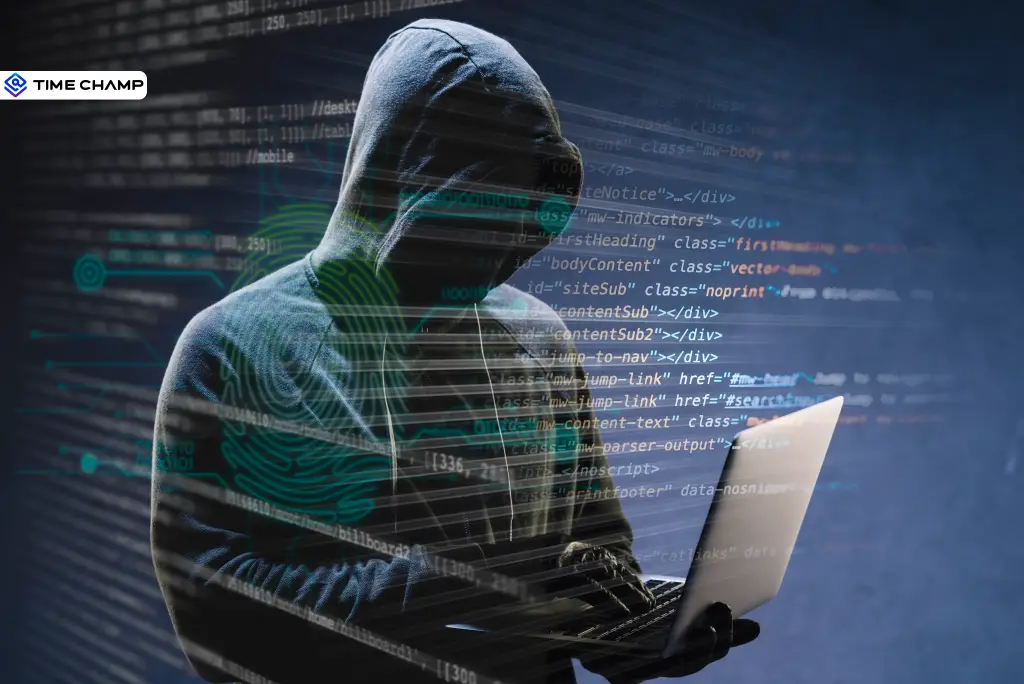
What would happen if your organization's most important data disappeared overnight, or worse, ended up in the hands of a cybercriminal? Customer information, employee records, financial details, and confidential business files are valuable not just to you, but also to attackers looking for an easy target.
The thing is that data theft doesn't always happen through a complex cyberattack. Sometimes, it starts with something as simple as a single click, and that one small mistake can put your entire organization at risk.
So, how can you prevent data theft? It starts with understanding how it happens. Let's look at what data theft is, the common ways criminals steal sensitive information, and the steps you can take to protect your organization.
What is Data Theft?
Data theft is the unauthorized access, copying, or theft of sensitive digital information from an organization's systems. The stolen data can include customer records, employee information, financial data, login credentials, and confidential business documents. Cybercriminals may use this information for fraud, extortion, identity theft, or sell it to other attackers for profit.
How Does Data Theft Happen?
Data theft doesn't always involve sophisticated hacking. In many cases, attackers gain access through simple techniques. Once inside, they can quietly copy sensitive information without disrupting your business, making the theft difficult to detect.
Here are the most common ways data theft happens:

1. Stolen Credentials
Stolen usernames, passwords, and login sessions are one of the easiest ways attackers get into business systems. They often steal these through phishing emails, malware, or data leaks. Once they log in as a real user, they can access and copy sensitive data.
2. Phishing Attacks
Phishing attacks trick employees into sharing passwords, downloading harmful files, or giving attackers access to company accounts. These attacks usually come through fake emails, text messages, or phone calls that appear to be from trusted people or companies.
3. Unpatched Software
Software that isn't updated can have security flaws that attackers know how to exploit. Outdated apps, operating systems, VPNs, and network devices can all become easy entry points if security updates are ignored.
4. Third-Party Applications
Many businesses connect third-party apps to tools like Microsoft 365, Google Workspace, or CRM platforms. If one of these apps is hacked or has too many permissions, attackers may be able to access your business data without breaking into your systems directly.
5. Insider Threats
Sometimes, the risk comes from people who already have access to your data. Employees, contractors, vendors, or business partners may intentionally steal information or accidentally expose it by sharing files, using unsecured devices, or making simple mistakes.
6. AI Tools and Shadow AI
Many employees use AI tools to save time and improve productivity. However, entering customer details, financial information, or confidential business data into unauthorized AI tools can put sensitive information at risk. This is known as Shadow AI.
7. Physical Theft and Removable Media
Data theft isn't always online. A lost laptop, a stolen phone, an unsecured USB drive, or even someone taking a photo of confidential information can expose sensitive business data. These incidents can be just as damaging as a cyberattack.

Did You Know?
According to IBM’s 2026 Cost of a Data Breach Report, the global average cost of a data breach hit a record $4.99 million, up 12% from the previous year.
What Types of Data Do Cybercriminals Target?
Cybercriminals don't target just any data, they look for information that is valuable, easy to misuse, or difficult to replace. Knowing what they're after can help you better protect your organization's most important assets.
| Why It's Valuable | Why It's Valuable |
|---|---|
| Login Credentials | Usernames, passwords, and session cookies can give attackers direct access to business systems, email accounts, and cloud applications. |
| Personal Information (PII) | Names, addresses, phone numbers, dates of birth, and government ID numbers can be used for identity theft and financial fraud. |
| Financial Data | Bank account details, payment information, invoices, and tax records can be used for fraud or stolen funds. |
| Customer Data | Customer records, contact details, purchase history, and account information can be sold or used in phishing attacks. |
| Employee Records | HR files, payroll information, and employee contact details help attackers carry out targeted phishing and social engineering attacks. |
| Intellectual Property | Product designs, source code, research, trade secrets, and business plans can be sold to competitors or used for extortion. |
| Healthcare Records | Medical histories, insurance details, and patient records are highly valuable because they contain personal information that cannot be easily changed. |
What Happens to Your Data After It Is Stolen?
Many people assume stolen data is used immediately. In reality, it often passes through several hands before it's used.

1. Data Is Collected
The first step is stealing the data. Attackers use various techniques to gather information from thousands of victims without targeting a specific business.
2. Data Is Packaged and Sold
Once enough data is collected, it's organized into databases or "data dumps" and listed for sale on dark web marketplaces or private cybercrime forums. Recently stolen login credentials are usually more valuable because they're still more likely to work.
3. Access Is Sold to Other Criminals
The attackers who steal your data aren't always the ones who use it. They often sell access to other cybercriminals, who may use it to launch ransomware attacks, steal more data, commit financial fraud, or spy on your business.
4. The Data Continues to Circulate
Even after a breach is discovered, stolen data rarely disappears. It may be resold multiple times, shared across criminal groups, or added to free databases used in future attacks. If passwords aren't changed, attackers can continue trying to access your accounts months or even years later.
Real-Life Data Theft Examples
Data theft isn't just a cybersecurity headline, it's a real risk affecting organizations across industries. These recent incidents show that attackers don't always rely on sophisticated hacking.
| Incident | Year | What Happened |
|---|---|---|
| National Public Data | 2024 | A data broker suffered a breach that exposed billions of personal records, which were later leaked online. |
| Snowflake Customer Breaches | 2024 | Attackers used stolen login credentials to access customer accounts that didn't have multi-factor authentication (MFA) enabled. |
| Coinbase Insider Incident | 2025 | Customer support contractors were bribed to copy customer information from internal systems. |
| Salesforce Vishing Campaign | 2025 | Employees were tricked over the phone into approving malicious access to company accounts. |
| Instructure Canvas | 2026 | Attackers exploited a free service tier to steal large amounts of data before demanding a ransom. |
| Klue Supply Chain Breach | 2026 | Attackers used an old, inactive credential to access a vendor and compromise multiple downstream organizations. |
Although these incidents involved different organizations, they share a common pattern: stolen credentials, weak access controls, human error, and third-party risks. Learning from these real examples can help your organization strengthen its security and reduce the chances of becoming the next target.
Don’t Risk Losing Money & Customer Trust!
Monitor activity to prevent breaches, protect data, and maintain your reputation
Best Practices to Prevent Data Theft
Preventing data theft requires more than a single security tool. Here are the key steps every business should take.
1. Strengthen Identity Security
Protect user accounts with strong passwords and multi-factor authentication (MFA). Remove unnecessary administrator privileges, review user accounts regularly, and end inactive sessions to reduce the risk of unauthorized access.
2. Limit Access to Sensitive Data
Give employees access only to the information they need to perform their jobs. Review user permissions regularly and immediately remove access when employees leave the organization or change roles.
3. Secure Endpoints
Protect laptops, desktops, and mobile devices with endpoint security software. Keep operating systems and applications updated, restrict the use of USB storage devices, and monitor devices for unusual activity.
4. Encrypt Sensitive Data
Encrypt sensitive information both when it's stored and when it's shared. Reducing unnecessary copies of confidential files and securely deleting outdated data also lowers the risk of exposure.
5. Review Third-Party Applications
Regularly audit third-party apps connected to your business systems. Remove unused integrations, limit permissions, and rotate API keys and access tokens to reduce supply chain risks.
6. Train Employees
Provide regular cybersecurity awareness training to help employees identify phishing emails, social engineering attacks, suspicious links, and the safe use of AI tools. Well-informed employees are less likely to fall victim to common attacks.
7. Monitor Your Systems
Continuously monitor login activity, file access, and network traffic for unusual behavior. Early detection allows your security team to respond quickly and reduce the impact of a potential data breach.
How Time Champ Helps Detect Data Theft Early
Preventing data theft is only half the battle, the key is detecting suspicious activity before it causes serious damage, and Time Champ can help you do that.
Time Champ is an employee monitoring software with built-in Data Loss Prevention (DLP) capabilities that help organizations detect, monitor, and prevent unauthorized access, sharing, or transfer of sensitive data before it leads to a security incident.
Track file creation, modification, deletion, and access with detailed logs, including timestamps and file locations. This helps you quickly identify unusual file activity, such as large exports or unauthorized changes.
USB Device Monitoring
Monitor and control the use of USB drives and other removable storage devices. Time Champ can detect unauthorized devices and help prevent sensitive business data from being copied outside your organization.
Upload and Download Controls
Restrict file uploads and downloads based on approved websites, domains, or file types. Any policy violations are logged, making it easier to investigate suspicious data transfers.
Insider Threat Detection
Time Champ analyzes user behavior to identify unusual activities that may indicate insider threats or compromised accounts. Alerts are generated when employee actions significantly differ from their normal work patterns.
Real-Time Security Alerts
Receive instant notifications for suspicious events such as unauthorized file access, blocked USB devices, restricted website activity, or unauthorized applications.
Detailed Audit Reports
Generate comprehensive activity reports with customizable risk levels and thresholds. Export audit logs in various formats to support compliance requirements, internal investigations, or regulatory audits.
Protect Your Business from Data Theft
Detect suspicious file activity, control data transfers, and spot insider threats
Conclusion
Data theft is a serious risk for every organization, but it can be prevented with the right approach. Understanding how data theft happens, securing sensitive information, and monitoring for unusual activity can help reduce the chances of a breach. With strong security practices and regular monitoring, you can better protect your business, employees, and customer data from cybercriminals.

Jahnavi Pulluri

Table of Content
 What is Data Theft?
- How Does Data Theft Happen?
- What Types of Data Do Cybercriminals Target?
- What Happens to Your Data After It Is Stolen?
- Real-Life Data Theft Examples
- Best Practices to Prevent Data Theft
- How Time Champ Helps Detect Data Theft Early
- Conclusion

Related Blogs

Understand how keystroke logging works, what it tracks, and where it is legal. Learn how to use it without crossing ethical boundaries.
Guna Lakshmi | Apr 17, 2026
Explore 12 top endpoint security solutions to protect your organization and keep your data safe from cyber threats.
Jahnavi Pulluri | Jan 21, 2025
Protect your business from BYOD security risks like data breaches and phishing. Learn practical ways to secure employee devices and reduce security threats.
Guna Lakshmi | May 07, 2026
Discover the risks of internal security threats and how to spot, prevent, and address them to keep your business secure and your data safe.
Thasleem Shaik | Jan 21, 2025
Employee screen recording helps you meet compliance and security requirements. See which regulations apply and when your team needs them.
Guna Lakshmi | Apr 24, 2026
Learn how to secure hybrid teams with practical cybersecurity measures, risk awareness, and effective solutions to critical visibility gaps across workflows.
Jahnavi Pulluri | Jun 18, 2026


 4.7/5 avg.
Ready to Manage Your Workforce Smarter?
Join our family of 1500+ companies using smart insights to redefine workforces!

Free Trial
No Credit Card Required