File Activity Monitoring 2026: Security & Risk Detection
Monitor file activity in real time to see who accessed, moved, or deleted files. A 2026 guide to tracking actions, detecting risks, and improving data security.
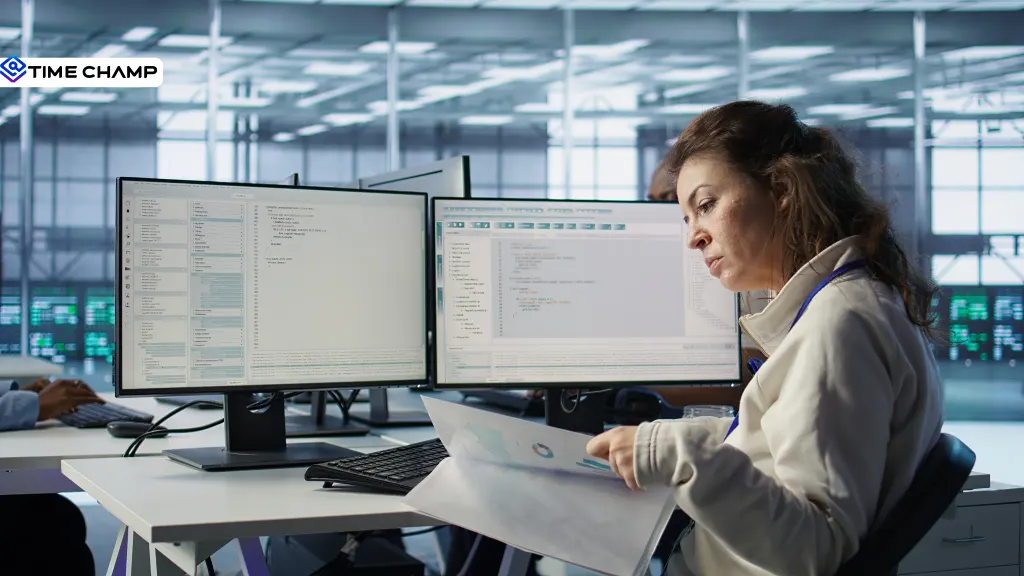
Files move quietly in the background of every organization and are often deleted or modified without anyone noticing until it’s too late. In today’s world, where data is constantly accessed across devices, cloud apps, and remote teams, simply storing files is no longer enough.
What matters now is visibility, knowing what’s happening to your files in real time, who is interacting with them, what actions they’re taking, and whether those actions are normal or risky. That’s exactly where file activity monitoring comes in.
In this blog, I’ll explain what it is, how it works, which file activities actually matter to track, and how organizations use it to detect threats, prevent data loss, and stay compliant in 2026.
What is File Activity Monitoring?
File activity monitoring is the process of tracking and recording all actions performed on files, such as creating, opening, editing, copying, moving, or deleting, to provide real-time visibility, user attribution, and an audit trail for security and compliance purposes.
They monitor activity from all devices, retain historical records for longer periods, link every action to a specific user, and alert you when behavior looks unusual or risky. Instead of looking back to understand what happened, you can track activity as it unfolds.
Why Is File Activity Monitoring Important?
Files are always being accessed, shared, and moved around, often quietly in the background, so having visibility into that activity really matters. Let’s break it down.
1. Protects Sensitive Data
It helps track who is accessing, moving, or sharing important files, ensuring sensitive information doesn’t end up in the wrong hands and reducing the risk of data leaks or unauthorized exposure.
2. Detects Insider Threats Early
Since many security risks come from users who already have valid access, monitoring file activity helps identify unusual behavior, like unusual downloads, mass file copying, or access at odd times, before it turns into a serious incident.
3. Prevents Data Loss and Misuse
It helps you catch accidental deletions, unauthorized file transfers, or suspicious copying activities early, minimizing the chances of permanent data loss or misuse.
4. Improves Security Visibility
It provides a complete, real-time view of file activity across users, devices, and locations, making it easier for security teams to understand what is happening within the system at any moment.
5. Supports Compliance Requirements
Many industry regulations require you to maintain detailed audit trails of file access and changes. File activity monitoring helps meet these requirements by automatically logging every action.
6. Speeds Up Incident Response
When a security issue occurs, detailed activity logs make it easier to quickly trace what happened, who was involved, and when it occurred, helping teams respond faster and more effectively.
7. Reduces Impact of Human Error
Most errors happen due to simple mistakes like sending files to the wrong person or deleting important data unintentionally. Monitoring helps detect and correct these errors early before they escalate.
Key File Actions to Monitor
Files don’t just get accessed; they’re created, renamed, copied, moved, and sometimes quietly removed from the system.
Here are the key file actions worth tracking and why they matter:
| File Action | Why It Matters |
|---|---|
| Create and edit | Establishes a baseline of normal work and highlights when file content changes unexpectedly. |
| Rename | Often used to disguise sensitive files, for example, renaming “client-list.xlsx” to something harmless. |
| Delete | Can indicate routine cleanup or intentional removal of important data. |
| Move and copy | Copying files to local or external locations is often the first step toward data exfiltration. |
| Upload and download | Tracks movement of data to and from cloud apps, web services, and email platforms. |
| USB and removable media access | A common offline escape route for data that bypasses network security controls. |
| Print activity | Still used for sensitive data leakage, especially the bulk printing of confidential files. |
| Cloud sync | Detects silent syncing of files to personal drives or unauthorized cloud storage. |
Notice how many of these actions look harmless on their own. That’s the real challenge, context matters. Most risky behavior doesn’t look suspicious in isolation.
And that’s exactly where traditional tools fall short. So next, let’s look at how file activity monitoring actually works and how you make sense of all this data.
How Does File Activity Monitoring Work?
File activity monitoring might sound complex, but it works in a simple way. Let’s have a look!
1. Capture
An endpoint agent or server connector records file events in real time, capturing who performed the action, which file was involved, the type of action, and the exact timestamp. Endpoint-based tracking ensures visibility even when a device is offline or outside the corporate network.
2. Attribute
Each activity is tied to a specific user and device, turning vague logs into clear accountability. Instead of a “a file was deleted” pop-up, you will get “Ravi deleted a file from his laptop at 7:48 p.m.”
3. Centralize
All events are collected into a single dashboard, making it easy to search, filter, and analyze activity instead of depending on scattered local logs that can be overwritten or lost.
4. Baseline
The system learns what normal behavior looks like for different roles and users. For example, bulk file exports at month-end may be expected for finance teams but are unusual for a new employee or outside working hours.
5. Alert and Report
When activity deviates from normal patterns or violates predefined rules, the system triggers real-time alerts. It also generates structured reports that support audits, investigations, and compliance requirements.
Why Monitor File Activity During Employee Notice Period?
The period between an employee's resignation and their last working day is one of the highest-risk times for sensitive data. Employees still have access to company files, and while most don't intend any harm, accidental or unauthorized file transfers are more likely during this time.
Rather than treating departing employees with suspicion, organizations should apply consistent monitoring until access is removed. Here are a few best practices:

1. Flag the Account
Since data security risks can increase during an employee's notice period, closely monitoring file activity on their work devices helps you identify unusual behavior and safeguard sensitive information.
2. Monitor File Transfers
Track uploads, downloads, USB transfers, and uploads to personal cloud storage, as these are common routes for data exfiltration.
3. Compare with Normal Activity
Look for unusual spikes in file access or transfers rather than focusing on individual actions.
4. Remove Access Promptly
Revoke access to files and systems as soon as employment ends to eliminate unnecessary security risks.
5. Keep an Audit Trail
Maintain detailed logs of file activity to support investigations, compliance, or future disputes if needed.
A consistent offboarding process combined with file activity monitoring helps protect sensitive data while ensuring employees are treated fairly.
How to Choose the Right File Activity Monitoring Software
Choosing the right file activity monitoring software is more than collecting file logs. The best solutions help you understand who did what, when it happened, and whether it poses a security risk. Here are the features to prioritize:
- Comprehensive File Tracking: Choose a solution that gives you complete visibility into file activity, including file creation, editing, renaming, deletion, copying, moving, uploads, downloads, printing, USB transfers, and cloud synchronization.
- Endpoint and Server Coverage: Look for software that tracks file activity across employee devices, shared drives, and servers, even when employees are working outside the corporate network.
- User Attribution: Make sure every file action is linked to the user and device responsible, so you can investigate incidents quickly and accurately.
- Context-Rich Activity Logs: Look for software that provides the full sequence of events, not just isolated file actions, so you can understand the intent behind the activity.
- Real-Time Alerts: Get notified immediately when suspicious file behavior or policy violations occur.
- Audit and Compliance Reporting: Generate detailed reports that support investigations and help meet regulatory requirements.
- Privacy and Access Controls: Choose a solution that offers role-based access, configurable monitoring, and flexible data retention settings to balance security with employee privacy.
A good file activity monitoring solution helps you understand why it happened and whether you need to take action.
How Time Champ Handles File Activity Monitoring
Time Champ is an employee monitoring software with built-in data loss prevention (DLP) and file activity monitoring capabilities. It goes beyond basic file logs by linking every file action to a specific user and providing the context needed to quickly identify risks and take action.
With Time Champ, you can:
- Track File Activity: Monitor file creation, editing, renaming, deletion, movement, and other key actions with detailed user and timestamp information.
- Monitor File Transfers: Track uploads, downloads, and file transfers while enforcing upload and download restrictions when needed.
- Receive Real-Time Alerts: Get instant notifications for unauthorized file access, suspicious transfers, USB activity, and policy violations.
- Understand the Context: View screenshots, screen recordings, and user activity alongside file events to better assess intent.
- Generate Audit-Ready Reports: Create detailed reports on file activity, access violations, and data transfers for security investigations and compliance.
Instead of showing isolated file events, Time Champ helps you understand the complete story behind every action, making it easier to detect risks, investigate incidents, and protect sensitive business data.
See file activity in real time with Time Champ!
Track unauthorized transfers and actions while filtering real threats from noise.
Conclusion
File activity monitoring gives you a clear view of how files are being used every day. Whether it's finding unusual access, tracking file transfers, or investigating an incident, it helps you protect sensitive data, reduce security risks, and stay compliant. The better the visibility you have into file activity, the easier it is to act before a minor issue becomes a major one.

Jahnavi Pulluri

Table of Content
 What is File Activity Monitoring?
- Why Is File Activity Monitoring Important?
- Key File Actions to Monitor
- How Does File Activity Monitoring Work?
- Why Monitor File Activity During Employee Notice Period?
- How to Choose the Right File Activity Monitoring Software
- How Time Champ Handles File Activity Monitoring
- Conclusion

Related Blogs
Explore 12 top endpoint security solutions to protect your organization and keep your data safe from cyber threats.
Jahnavi Pulluri | Jan 21, 2025
Stay ahead of cyber threats with our expert guide on endpoint security protection. Explore essential tips and tools to protect your devices, data, and network.
Shabana Shaik | Jan 23, 2025
Learn how to create a BYOD security policy to protect company data, manage employee-owned devices, improve security, and reduce data theft.
Thasleem Shaik | May 11, 2026
Protect your business from BYOD security risks like data breaches and phishing. Learn practical ways to secure employee devices and reduce security threats.
Guna Lakshmi | May 07, 2026
Discover the risks of internal security threats and how to spot, prevent, and address them to keep your business secure and your data safe.
Thasleem Shaik | Jan 21, 2025
Your perimeter won't stop insiders. Learn how real-time insider threat monitoring, anomaly detection, SIEM, and response workflows work together to prevent risk.
Jahnavi Pulluri | Apr 14, 2026


 4.7/5 avg.
Ready to Manage Your Workforce Smarter?
Join our family of 1500+ companies using smart insights to redefine workforces!

Free Trial
No Credit Card Required