Can Employee Monitoring Prevent Insider Data Breaches?
Employee monitoring software can catch insider data breaches early, if you configure it right. See what it catches, what it misses, and how to roll it out.
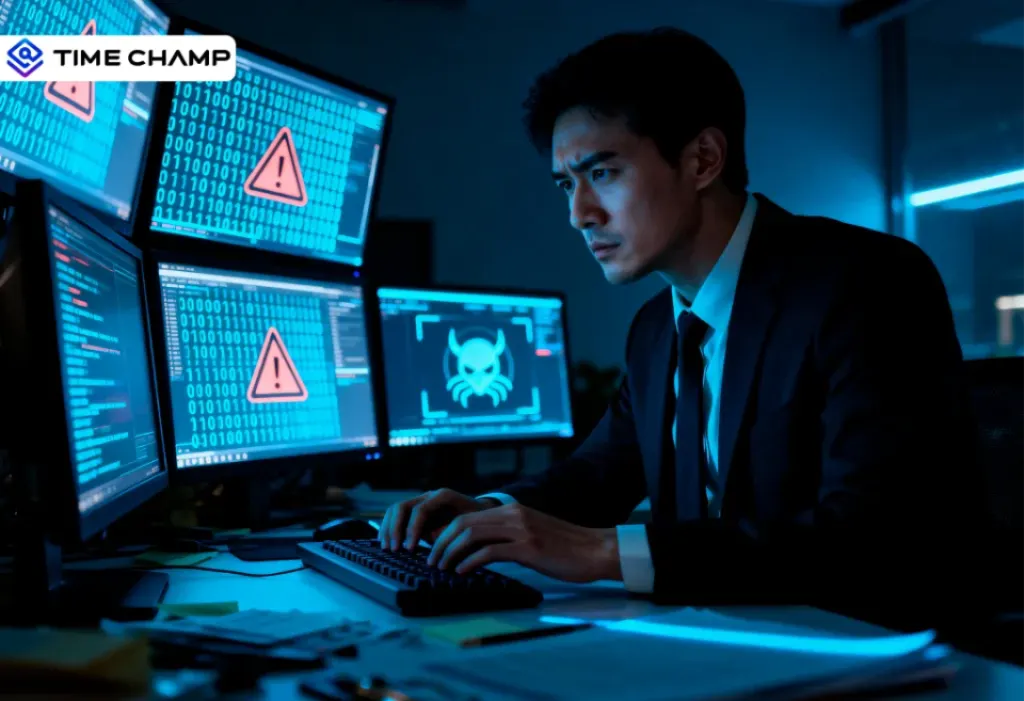
The biggest risk to your company’s data is often not a hacker far away. It’s someone sitting just a few desks away.
Most of the time, they are just tired, busy, or trying to help. They might copy a client list to their personal drive before going on holiday. They might send a contract to the wrong email by mistake. Or they might plug in a USB device without thinking.
And just like that, sensitive data can leak during a normal workday.
This is called an insider data breach. It happens inside the company, and it’s exactly what employee monitoring software is meant to detect.
This blog is for security leaders, IT managers, and compliance teams who often get asked one question: “Can an employee monitoring system really perform data breach prevention?”
And the answer is yes, if you use it the right way, like a system that detects risks, not like a tool to spy on people. The rest of this blog explains how.
What Counts as an Insider Data Breach, and Why Are They So Hard to Spot?
An insider data breach is any incident where sensitive information leaves the company because of someone already inside it. That person might be a full-time employee, a contractor, a vendor with a laptop, or a recently fired admin whose access never got cleaned up. The common thread is that they already have a badge, a login, or a VPN token, so they don’t trigger the alarms that fire when a stranger tries to break in.
Why Security Tools Miss This
Most security tools, like firewalls and antivirus software, are designed to prevent external threats.
But they don’t notice internal threats.For example, if a logged-in employee copies a large amount of data to a USB at night, it may not raise an alert. It just looks like regular activity.
Why Are They So Expensive?
According to IBM’s 2024 Cost of a Data Breach Report, the worldwide average cost of a data breach reached approximately $4.88 million, and breaches linked to insiders tend to be more costly since they often remain unnoticed for longer periods.
Insider breaches are expensive because they often go unnoticed for a long time.
The longer the problem stays hidden, the worse it gets, more data is exposed, more customers are affected, and more damage needs to be fixed.
How Does an Employee Monitoring System Detect Insider Data Breaches?
Employee monitoring tools help detect insider data breaches by first learning what “normal” behavior looks like for each user. Then it flags actions that don’t match that pattern.
For example, a marketing analyst who logs in at 9 a.m., works on a few dashboards, and logs off at 6 p.m. is normal. But if that same person logs in at 2 a.m., opens finance files, and starts compressing folders, that’s unusual and triggers an alert.
1. User Behavior Analytics (UEBA)
UEBA is the core of modern monitoring systems. It studies how each person usually works and compares them to similar roles. Then it gives a risk score when something looks off.
For example:
- A developer downloading HR files → high risk
- A finance employee pulling reports at month-end → low risk (that’s expected)
The goal is not to flag every unusual action, but to find actions that don’t make sense for that specific person.
2. Data Movement Signals
Strong monitoring tools don’t just track clicks or typing; they track how data moves.
They watch activities like:
- Copying files
- Sending email attachments
- Uploading to cloud storage
- Using USB drives
- Printing documents
- Pushing code to repositories
Each of these is a possible way for data to leave the company.
If several of these actions happen together for the same user, it often signals that data is being taken out.
3. Unusual Access Patterns
Good systems also track what data people are accessing.
Some examples of suspicious activity:
- A support engineer accessing executive emails
- A junior employee opening sensitive business plans
- A contractor using production systems late at night
Each action alone may not seem serious. But when combined, they create a pattern that suggests something is wrong.
Can Screen Monitoring and Keystroke Tracking Really Prevent Breaches?
Sort of, but almost never the way people imagine.
Screen monitoring doesn’t prevent anything on its own. The prevention comes from the signal that triggers the recording in the first place. Modern tools use what’s called “triggered capture”, the platform only records a session when a risk score crosses a threshold. That protects privacy while still giving you the visual context you need to act on the incident.
What Screen Monitoring Actually Reveals
When the alert triggers, screen monitoring shows exactly what happened during a flagged window, which fields were copied, which tabs were open, and what was typed into which form. In a legal review, that context can shorten an investigation from three weeks to three days.
Keystroke Patterns as Signals
Keystroke tracking is one of the most sensitive features, and many teams don’t use it in an intrusive way.
Instead, they use pattern-based analysis, which looks at factors such as typing speed, keyboard shortcut use, or command-line activity that matches known data-theft tools.
No one is reading every key a person types. The system is only looking for patterns that resemble risky behavior.
The Privacy Tradeoff
Using triggered tracking helps balance security and privacy. Employees are not monitored all the time. Deeper tracking only starts when something unusual happens, which is when surveillance is most reasonable.
When this is combined with clear communication and written policies, companies can improve security without hurting employee trust or morale.
What Features Should the Best Employee Monitoring Software Have for Breach Prevention?
Most employee monitoring tools look similar in demos. Clean dashboards, nice charts, and lots of promises, but the real difference shows up when something actually goes wrong. That’s when you see which features truly matter.

1. UEBA and Risk Scoring
Without UEBA, your monitoring dashboard is just a wall of events. No priority, no context, no sense of what actually matters. With UEBA, the system learns how each person normally works, compares new activity against that baseline, and scores anything that feels off. That score is what tells your security team where to look first, so the real risks don’t get buried under the noise
2. Real-Time Alerts and Automated Response
Speed is critical when dealing with insider threats. If a suspicious action is only discovered later in a report, the damage may already be done. The best monitoring tools send alerts the moment a risky action occurs and allow teams to respond immediately. Many systems can also take automatic action, such as ending a session, blocking a file transfer, or isolating a device. This reduces response time and helps stop data loss before it spreads.
3. Endpoint Coverage
Modern workplaces use a wide range of devices, so monitoring tools need to cover more than just one system. A strong solution should support Windows, macOS, Linux, and mobile devices to ensure clear visibility across every endpoint. This is especially important for teams that work remotely or use personal networks. It’s also important to understand how the tool performs when a device is not connected to a VPN. If monitoring only works within a corporate network, it creates gaps where risky activity can go unnoticed.
4. Audit Trail and Forensic Replay
After an incident, companies need a clear and reliable record of what happened. This is where audit trails and forensic tools become essential. A good monitoring software provides log data that tracks user activity in detail, along with timelines that show exactly when events occurred. Some tools also offer session replay, which allows teams to see the exact actions taken by a user. These features make reviews more accurate and support compliance needs, especially when evidence needs to be shared or reviewed later.
5. Integrations with SIEM, DLP, and IAM
Employee monitoring systems work best when they are part of a larger security stack. Instead of operating alone, they should integrate with other tools used by the organization. When tools are connected this way, monitoring becomes easier, giving better context and improving overall security visibility.
Here’s a quick way to separate the features from the ones that actually matter for breach prevention. Use this as a checklist when you’re evaluating tools.
| Capability | Good to Have | Must Have |
|---|---|---|
| Basic screen capture | ✓ | |
| Per-user UEBA baseline | ✓ | |
| Real-time alerting + auto-response | ✓ | |
| Tamper-evident audit log | ✓ | |
| SIEM / DLP / IAM integrations | ✓ | |
| Mac / Linux | ✓ | |
| Triggered (not continuous) recording | ✓ | |
| Custom risk rules | ✓ | |
| Out-of-the-box compliance reports | ✓ |
Is Your Monitoring Tool Actually Built for Insider Threats?
Try Time Champ and see the real difference.
How Do You Roll Out Employee Monitoring Software Without Crossing Legal Lines?
This is the part most articles skip, and the part that causes more failures than any technical issue. Monitoring is legal in most regions, but only if you follow these three key principles: notice, proportionality, and minimization.
1. Notice and Consent
Every employee being monitored should receive a clear, written notice in simple language. This notice should explain what data is collected, why it is collected, who can access it, and how long it will be stored.
In regions like the EU and UK, companies must also define a lawful basis under GDPR. In countries such as France, Germany, and the Netherlands, consultation with employees is often required.
In the United States, most states require at least basic notice. However, some states, including Connecticut, New York, and Delaware, have stricter written notice rules.
So, it’s better to inform employees and obtain their consent to avoid trust issues and maintain the organization’s reputation.
2. Proportionality
Monitoring should match the level of risk.
For example, an engineer working with sensitive production systems may need closer monitoring than a designer working on non-sensitive content. Applying the same level of monitoring to everyone can increase legal risk and harm employee trust, without improving security.
A targeted approach is both safer and more effective.
3. Data Minimization and Retention
The goal is to collect only the data you actually need, nothing more.
Employee monitoring tools should focus on capturing useful signals, not everything possible. Data should also be stored only for as long as necessary.
In many organizations:
- Summary data is stored for about 12 months
- Detailed session data is kept for 90 to 180 days
Keeping data longer than needed usually creates more risk than value, especially in the case of audits or breaches.
What Are Some Real‑World Insider Data Breach Cases
Now that we’ve gone through the key concepts, let’s take a look at how these breaches actually happen in real life.
Tesla insider data‑theft cases (2018 and 2023)
Tesla experienced at least two publicly reported insider‑driven data‑leak incidents. In 2018, a disgruntled employee was accused of exporting internal data and sharing it with external parties, which Tesla later traced using log analysis and other monitoring tools after the fact.
In 2023, two former Tesla employees misappropriated confidential employee and customer data and sent it to a foreign media, again identified through internal investigation and monitoring telemetry. In both cases, monitoring helped shorten the investigation and pin responsibility, highlighting that detection alone is insufficient without strong off‑boarding controls.
Capital One 2019 breach
In 2019, Capital One suffered a major data breach that exposed about 106 million customer records.
An external attacker carried out the attack, but she had previously worked as an AWS engineer. She used her knowledge of cloud systems to exploit a misconfigured web application firewall (WAF) and gain access to sensitive data. Even though she was an outsider, her background and method made this an “insider-adjacent” case.
Capital One did not detect the breach through its own monitoring systems. Instead, someone reported it after finding leaked data on GitHub. This showed that traditional security tools did not catch the unusual data access or movement in time.
Pegasus Airlines 2022 S3‑bucket leak
In 2022, researchers found that Pegasus Airlines had left an AWS S3 bucket open to the public. This mistake exposed about 6.5 terabytes of flight-related data, including crew details, internal documents, and operational records.
No one tried to steal the data. An employee made a configuration mistake, which makes this a classic negligent insider case.
Across all three cases, the pattern is the same. Monitoring rarely prevents the first mistake, but it massively shortens the time between the mistake and containment. That compression is where the financial savings live, and it’s where a tool like Time Champ earns its place in your security stack.
How Time Champ Helps Prevent Data Breaches
Most monitoring tools tell you something went wrong. Time Champ tells you before it gets that far.
Time Champ is a workforce intelligence software that has data loss prevention, behavioral monitoring, and real-time alerting in one platform, so your security team isn't chasing down incidents after the damage is already done.
Data Loss Prevention (DLP) Built In
Time Champ's DLP module tracks exactly the activities that signal a brewing insider breach. It monitors file creation, modification, and deletion with full path and timestamp logging. The moment an unauthorized USB device is plugged in, Time Champ flags it in real time and can block the device outright. Every website access violation is logged and exportable in XLSX, CSV, or PDF format, ready for audit or investigation without extra work.
Screen and Activity Monitoring That Doesn't Overreach
Time Champ captures periodic screenshots and screen recordings. This keeps employee privacy intact during normal work while giving your team the visual context it needs during a flagged event. The live Office TV view lets you view all screens in one dashboard, and also allows you to set role-based access control, so that only the right people can view or download recordings.
Keystroke and Mouse Behavior Signals
Time Champ's keystroke logging module measures activity intensity, not the content of what someone types, but patterns that indicate unusual behavior, such as sudden spikes or drops that don't match a user's normal profile. Combined with app and website usage analytics, this gives security teams a behavioral picture to take any action.
Alerts That Trigger in Real Time
Time Champ sends immediate alerts for sensitive file access, USB connections, unauthorized app usage, and repeated policy violations. These aren't end-of-day summary reports, they're live signals that let your team respond while the action is still happening. You can also customize those behavioral alerts as well.
Audit-Ready Logs for Compliance and Investigation
Every flagged event is stored with detailed timelines. When an incident does occur, Time Champ gives you a clear record that makes the review process easier and helps you demonstrate compliance to regulators or legal teams.
For teams dealing with insider risk, Time Champ transforms monitoring from a reactive record into a proactive defense system.
Every Minute You Wait Increases the Risk.
Use Time Champ to catch insider threats before they turn into breaches.
Conclusion
Employee monitoring software won’t make insider data breaches disappear. What it does is make them visible, fast, and shorten the gap between ‘something’s wrong’ and ‘it’s under control.’ That speed is what turns monitoring into one of the highest-ROI line items on a security budget. Write clear, simple notices & monitor based on risk, not on everyone. Integrate with your DLP, SIEM, and identity stack and the tool pays for itself within the first incident it catches.
FAQs

Jahnavi Pulluri


Table of Content
-
 What Counts as an Insider Data Breach, and Why Are They So Hard to Spot?
-
How Does an Employee Monitoring System Detect Insider Data Breaches?
-
Can Screen Monitoring and Keystroke Tracking Really Prevent Breaches?
-
What Features Should the Best Employee Monitoring Software Have for Breach Prevention?
-
How Do You Roll Out Employee Monitoring Software Without Crossing Legal Lines?
-
What Are Some Real‑World Insider Data Breach Cases
-
How Time Champ Helps Prevent Data Breaches
-
Conclusion
-
FAQs
Related Blogs
Discover the risks of internal security threats and how to spot, prevent, and address them to keep your business secure and your data safe.
Thasleem Shaik | Jan 21, 2025
Master PC monitoring software with our comprehensive guide. Discover benefits, best practices, and expert insights for enhancing security and productivity.
Thasleem Shaik | Dec 15, 2023
Stay ahead of cyber threats with our expert guide on endpoint security protection. Explore essential tips and tools to protect your devices, data, and network.
Shabana Shaik | Jan 23, 2025
Find the best Insider Threat Detection Tools for 2026. Compare features, pricing, pros & cons to reduce internal risk and secure workforce activity data.
Tarun Kumar Reddy | Apr 02, 2026
Learn what a malicious insider is, their threats and motives, and how to prevent them from causing harm to your organization.
Jahnavi Pulluri | Jan 22, 2025
Learn how to implement insider threat prevention strategies and protect your business from potential internal security breaches.
Thasleem Shaik | Jan 21, 2025


 4.7/5 avg.
Ready to Manage Your Workforce Smarter?
Join our family of 1500+ companies using smart insights to redefine workforces!

Free Trial
No Credit Card Required