Employee Screenshot Monitoring Software for Work Visibility  

Gain simple, transparent visibility into your team’s workflow with screenshots that turn daily work actions into meaningful operational insight.

employee feature head
Trusted by 1200+ Companies Worldwide
127+
Countries
1200+
Companies
100K+
Users
2.5M+
Insights Generated

Simple Employee Screenshot Monitoring Software for Clear Team Visibility

time tracking explain
projects icon

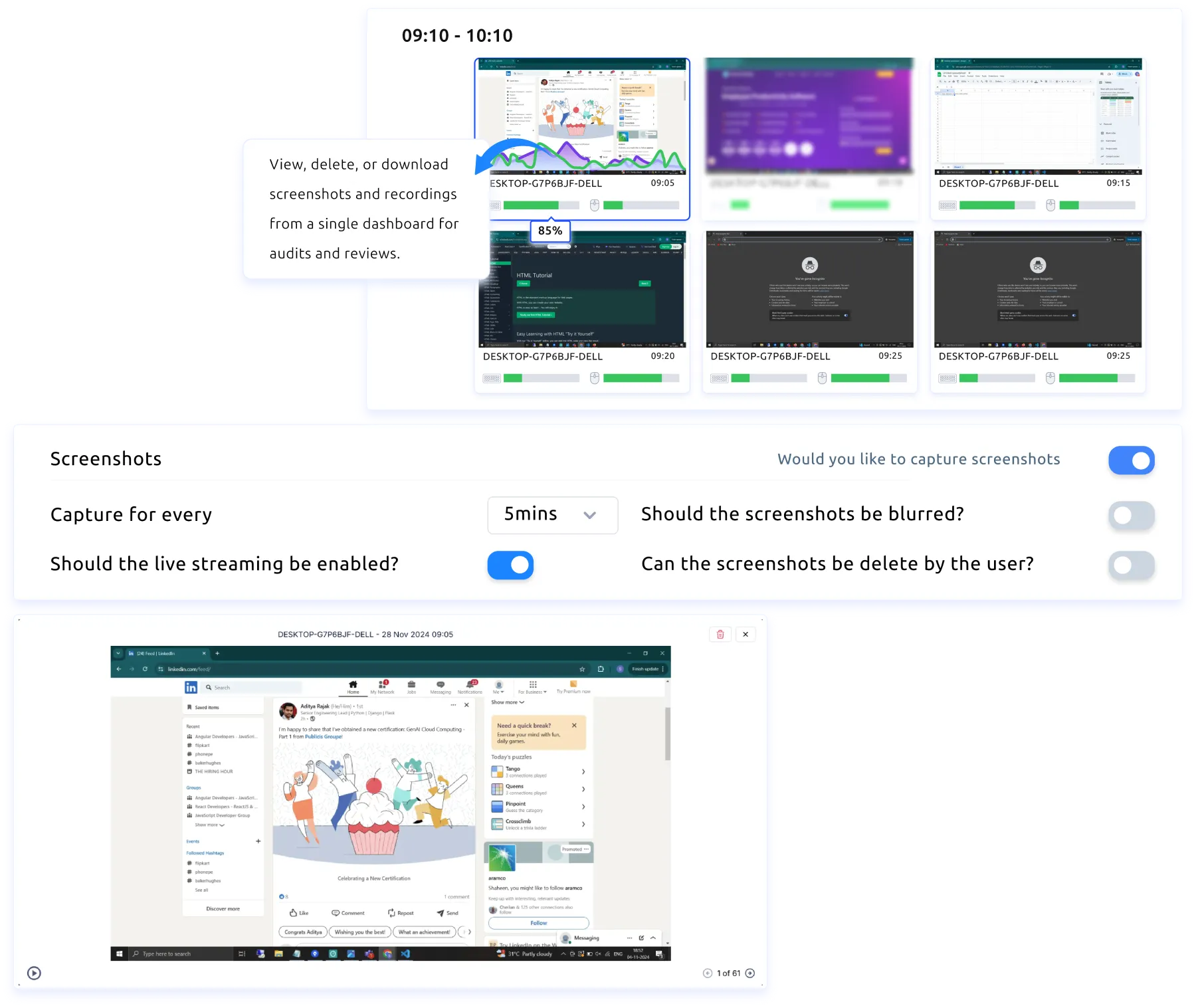
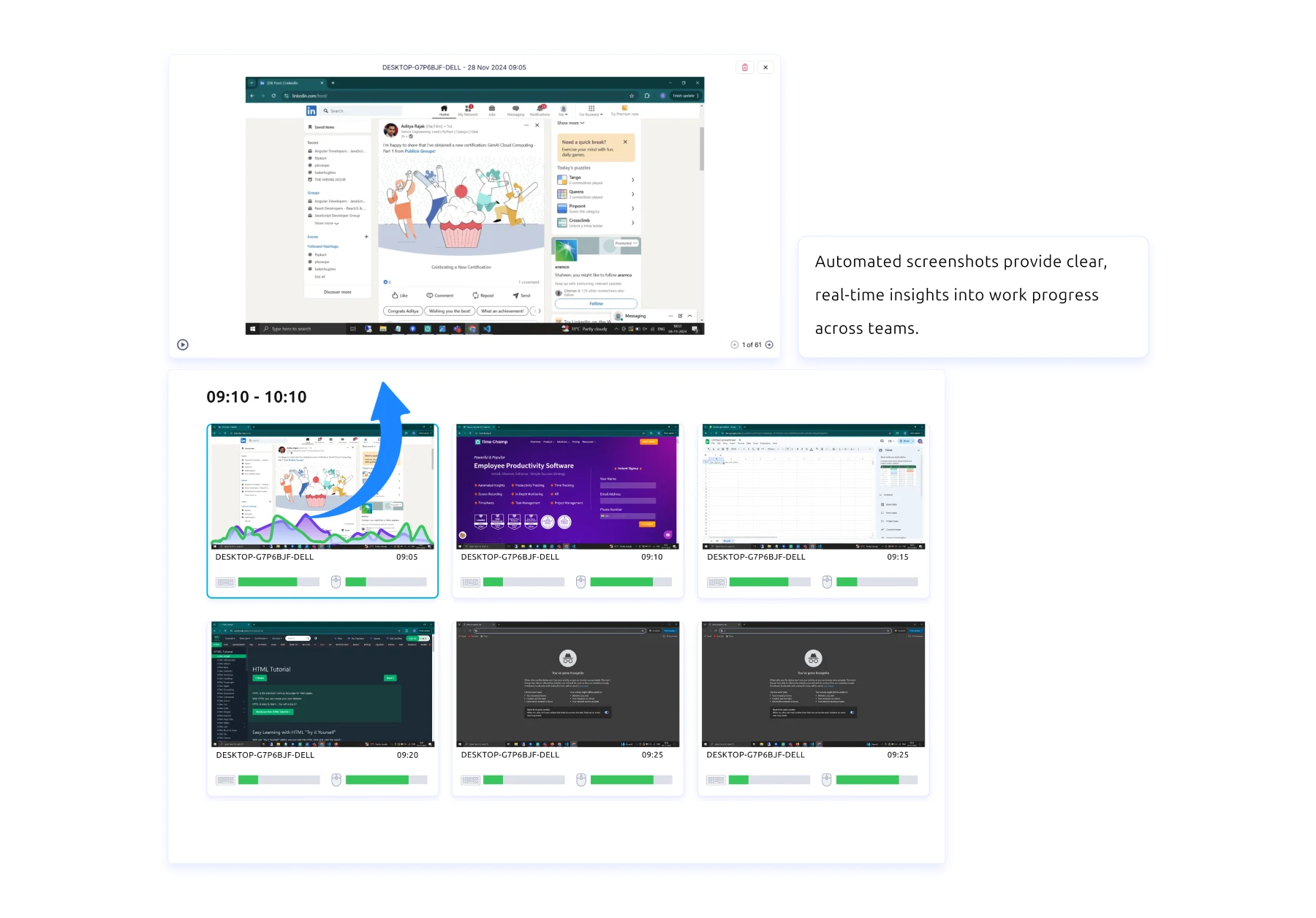
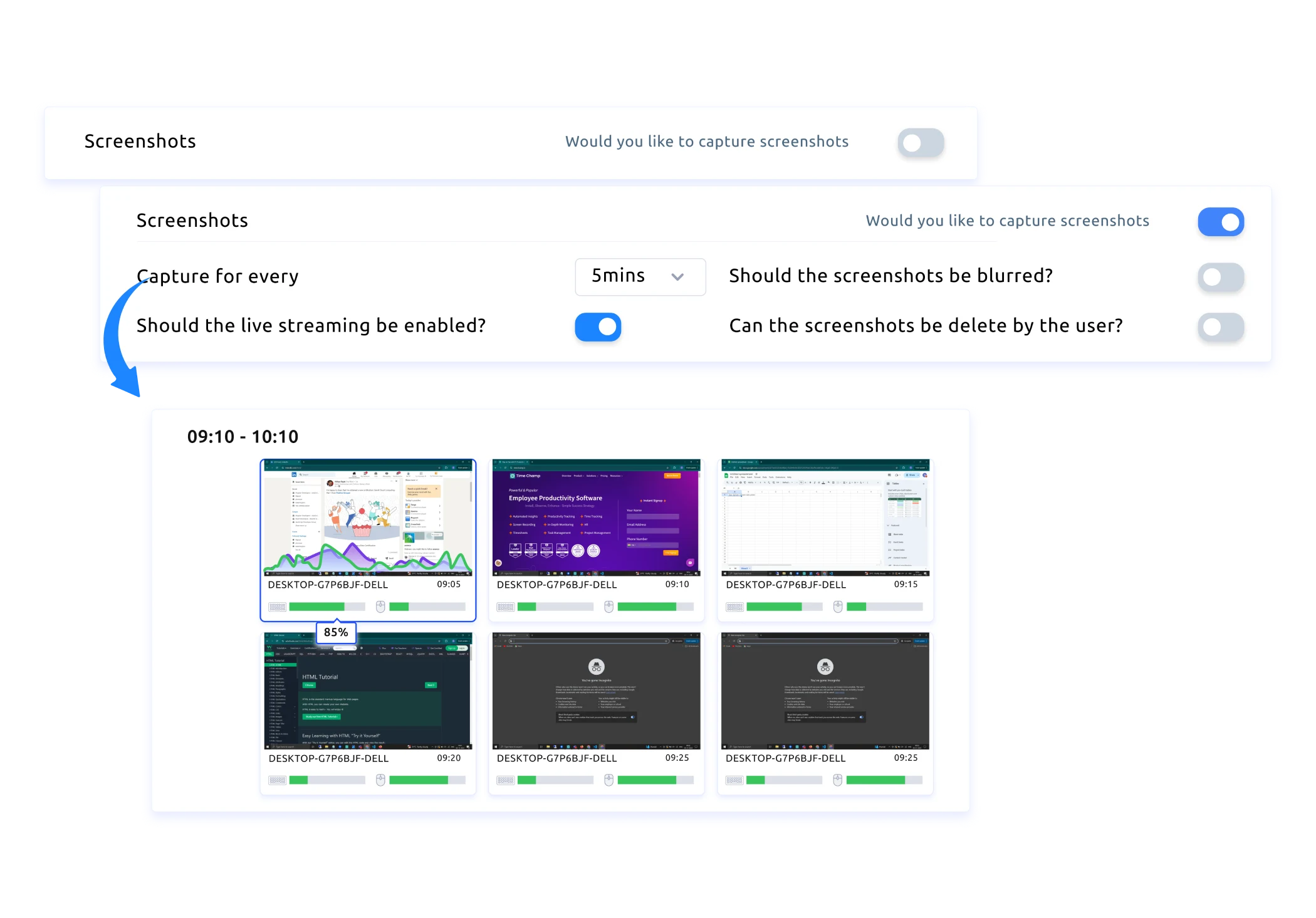
Automated Screenshots for Real-Time Clarity

Get instant visual updates, understand ongoing work at a glance, and use these screenshots insights to guide your next steps with clarity.

projects icon

Customisable Screenshot Frequency

Set screenshot intervals that match your workflow and capture manually whenever needed to keep everything clear and consistent.

projects icon

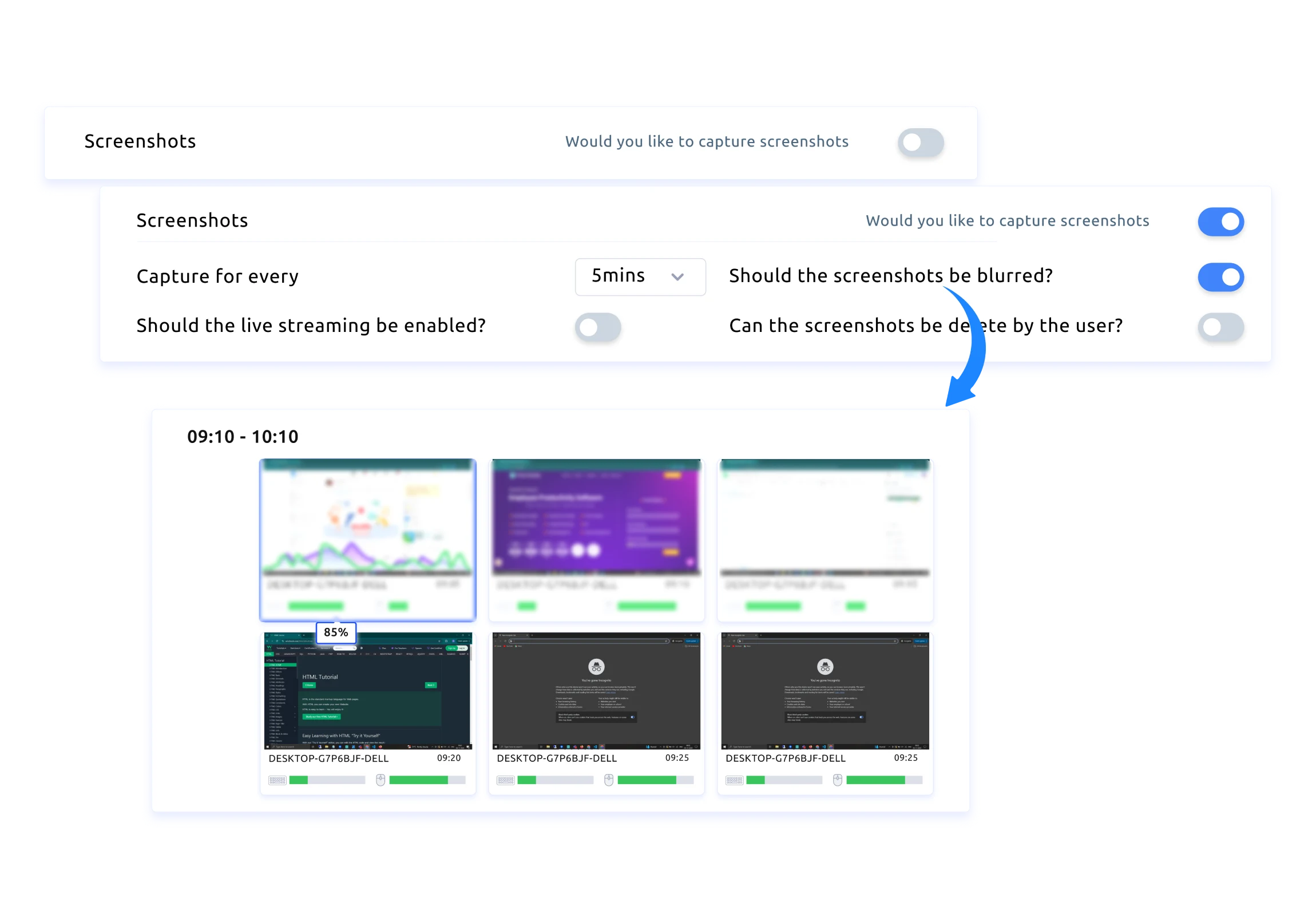
Blur Screenshots to Protect Team Privacy

Blur screenshots to limit sensitive information and support a workspace where employee privacy is always respected.

projects icon

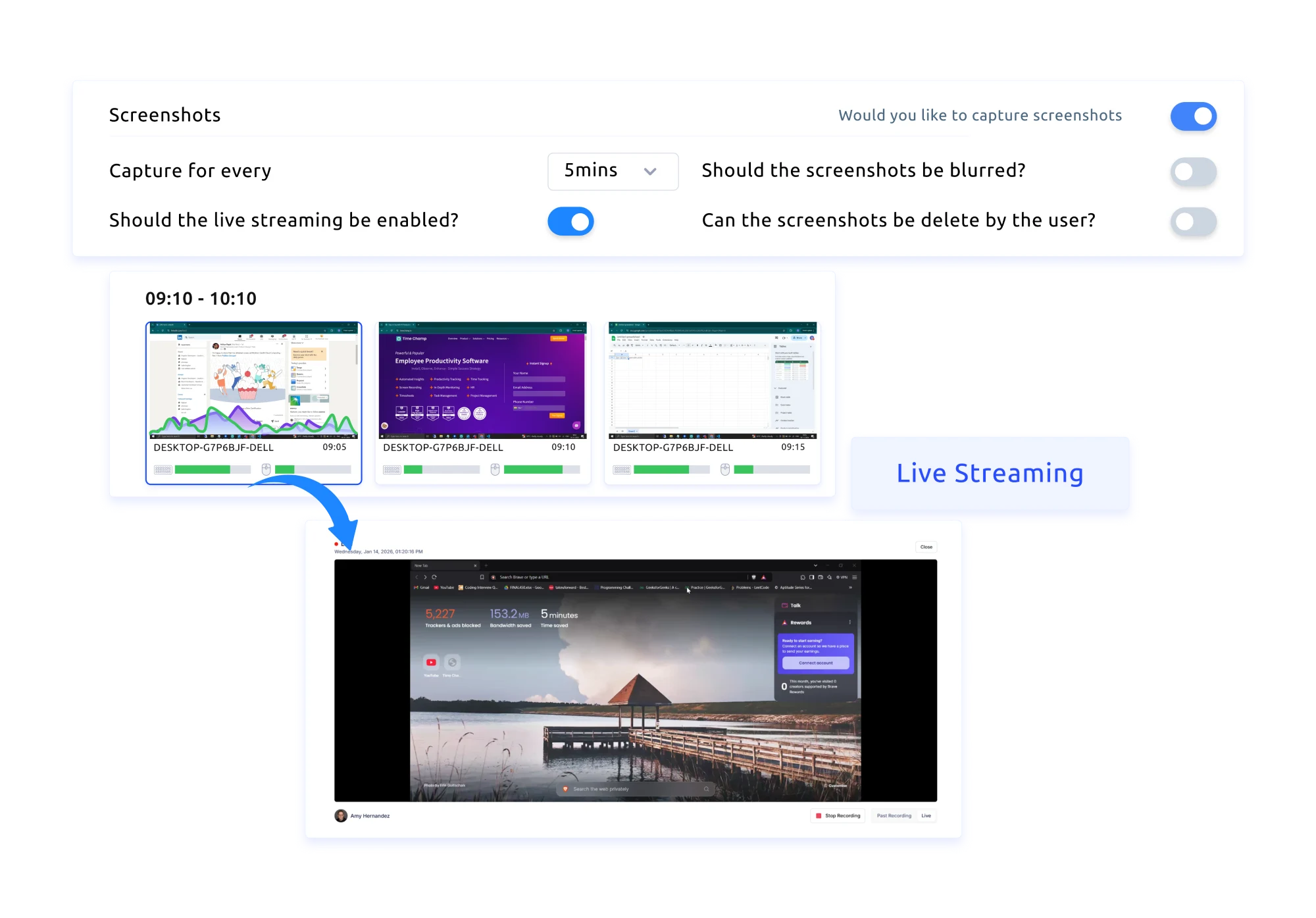
Live Screens for Instant Visibility

See active screens in real time, stay aware of ongoing work, and catch issues before they slow things down.

time tracking explain
projects icon

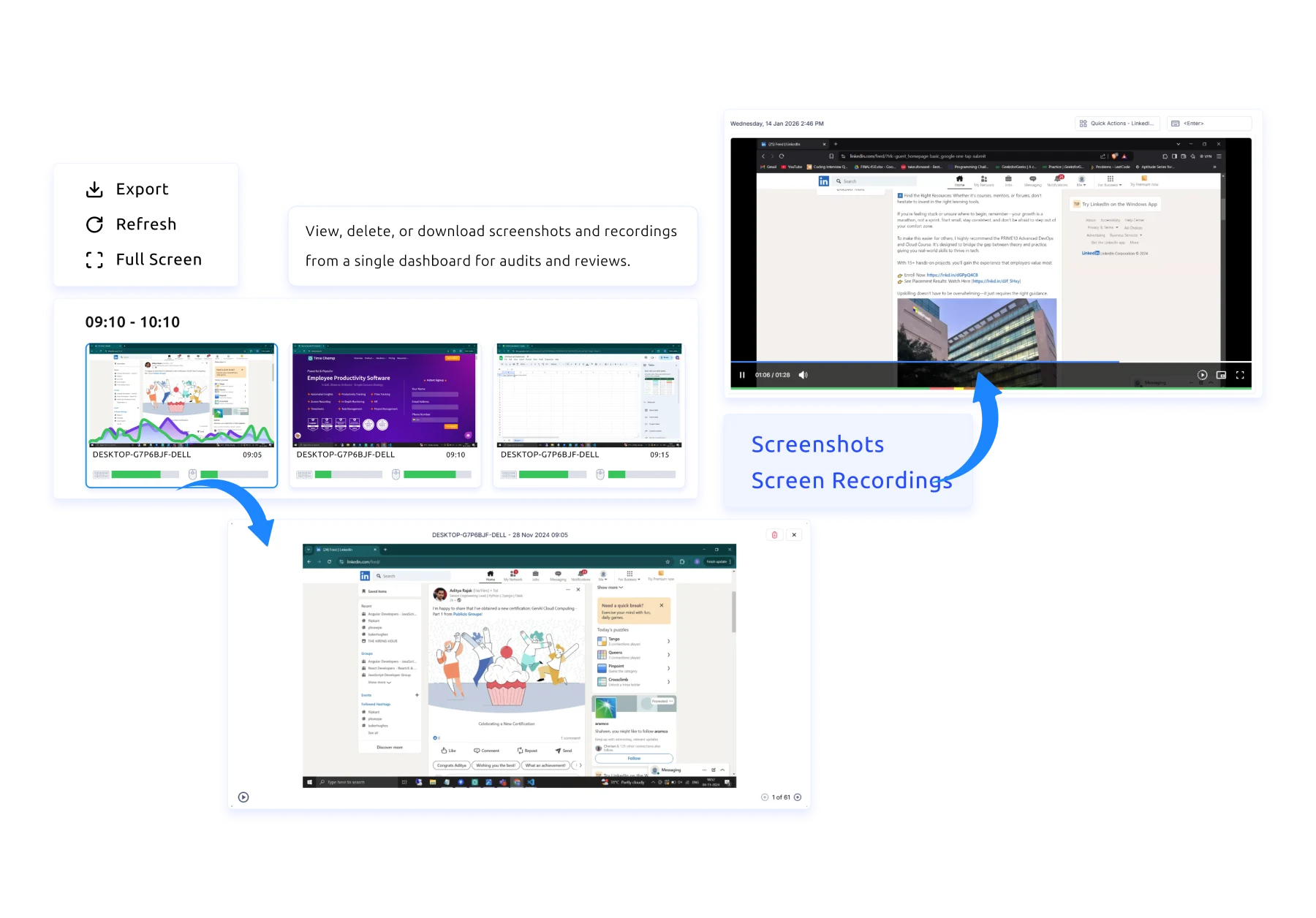
Manage Screenshots and Recordings Effortlessly

View, delete, or download screenshots and screen recordings from one organised dashboard, making audits and reviews simple.

projects icon

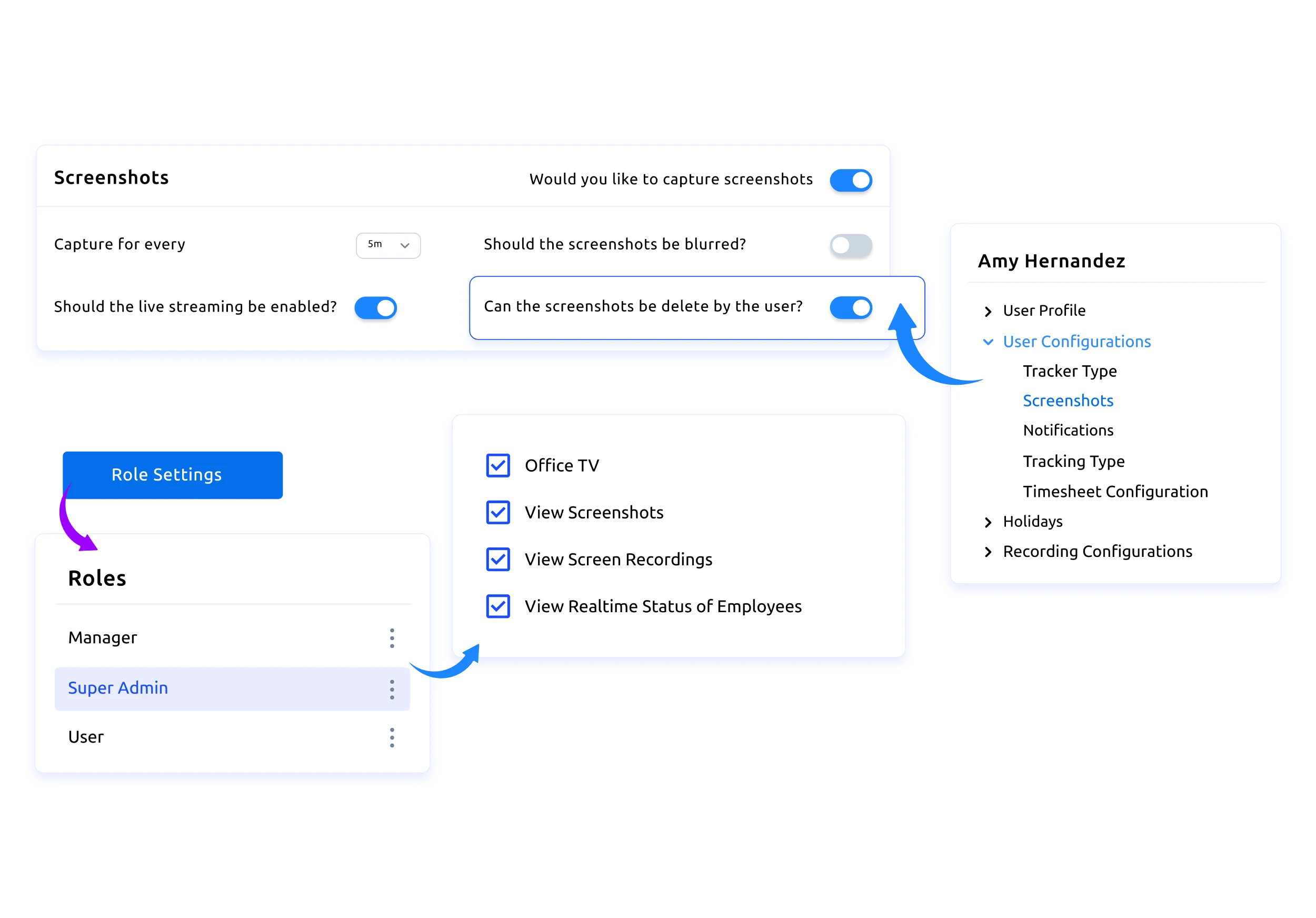
Role-Based Access Control

Control exactly who can view, download, or delete screenshots based on their role to ensure privacy and security.

projects icon

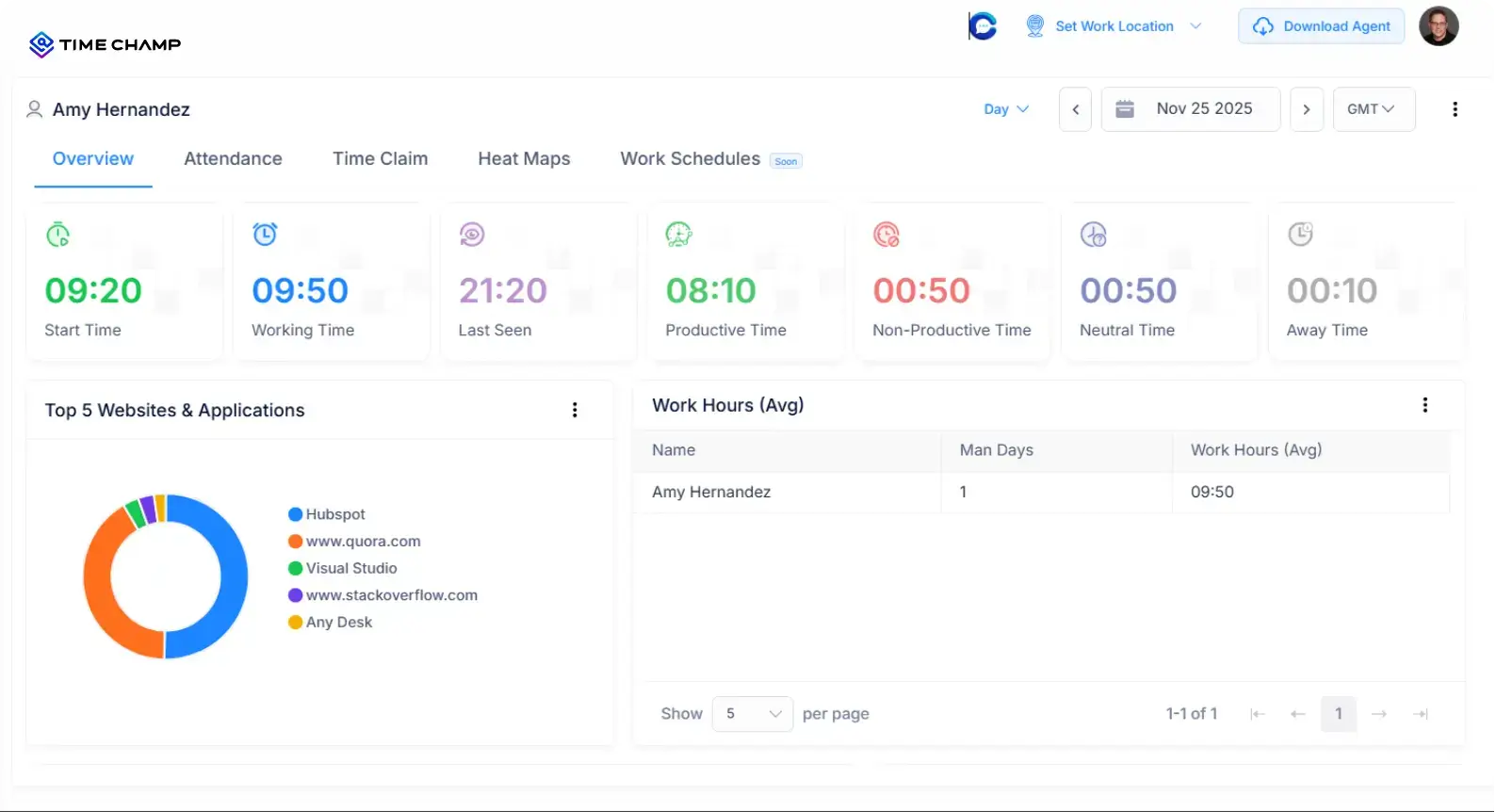
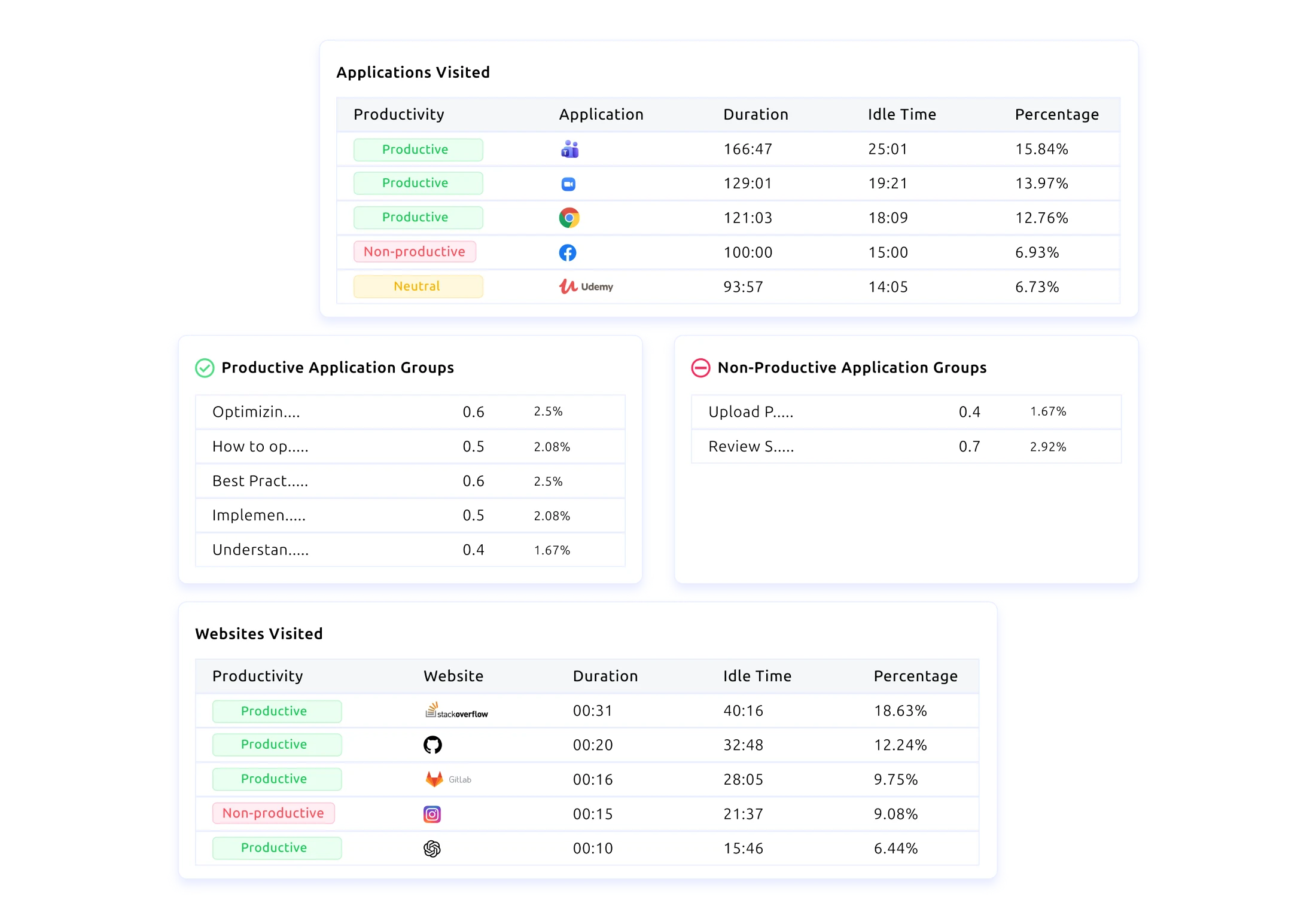
Clear Insights Through App and Website Usage

Identify which tools drive productivity and which create friction to optimise workflows and improve team focus.

time tracking explain
projects icon

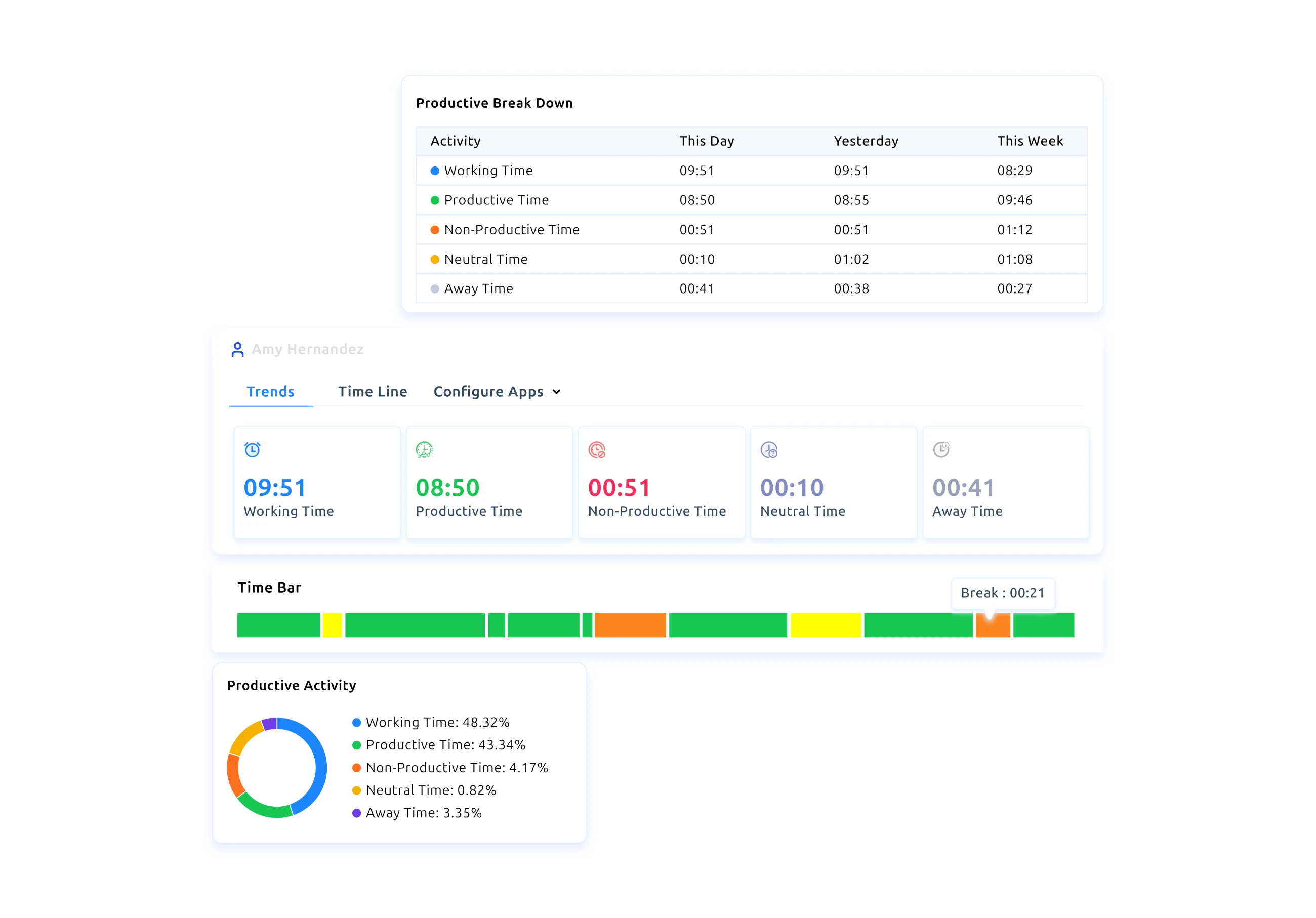
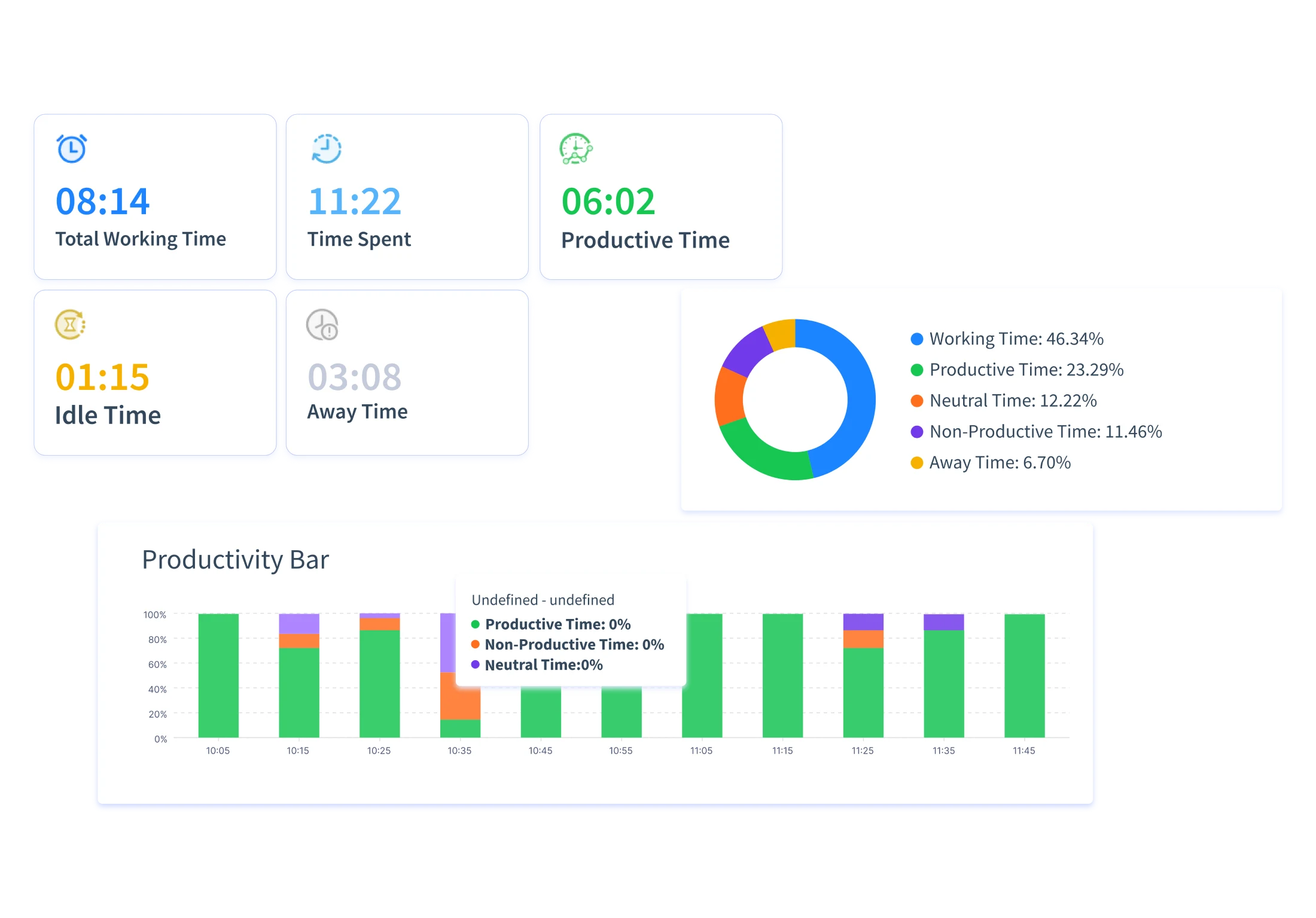
Track Productivity in Real Time

Track productive and non-productive time, idle moments, and away periods to understand how work actually progresses.

projects icon

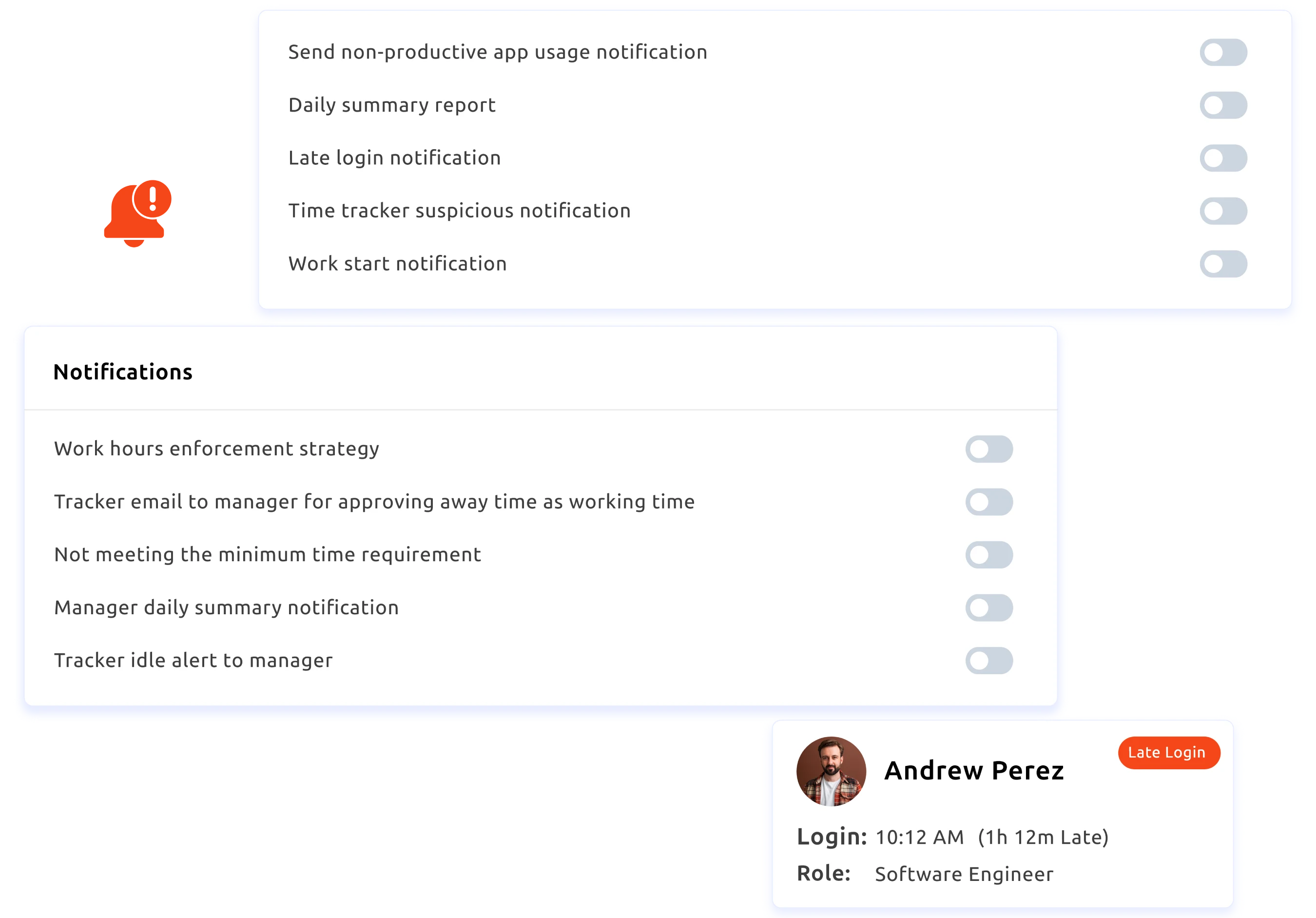
Real-Time Behaviour Alerts

Receive quick notifications for late logins, idle time, and productivity drops to maintain smooth and consistent team performance.

projects icon

Gain Actionable Insights for Better Decisions

Get clear reports on attendance, productivity, and performance to spot trends and guide your team with confidence.

Traditional Monitoring Tools vs Employee Screenshot Monitoring Software

A quick look at how modern screen recording brings clarity, transparency, and confidence to everyday work:

Traditional Monitoring Tools

  • icon
    Depends on manual status updates
  • icon
    Offers limited visibility into active work
  • icon
    Hard to know which tools support or distract from work
  • icon
    Makes verifying task actions slow and uncertain
  • icon
    Creates privacy concerns when monitoring is unclear
  • icon
    Struggles with large or hybrid teams

Employee Screenshot Monitoring Software

  • icon
    Gives visual snapshots that show how tasks actually move through the day
  • icon
    Provides live views that reveal what’s happening in the moment
  • icon
    Highlights productive, neutral, non-productive app and website usage
  • icon
    Let's you review past screenshots to confirm steps and resolve doubts quickly
  • icon
    Built with privacy by default, blurring, role-based access, and transparent policies
  • icon
    Delivers smooth performance across Windows, Linux, and Mac for consistent visibility

Is Time Champ the Ideal Employee Screenshot Monitoring Software? thinking image

Yes, teams using Time Champ gained clear visibility into daily work without slowing anyone down. Real-time dashboards provided operational clarity, reduced interruptions, and removed constant screen checks. Leaders stayed informed, workflows ran smoothly, and organisations gained the clarity and confidence to understand how work was getting done.

With Time Champ, teams:

consultant tracking
workign hours tracking

Gained Real-Time Visibility into Work

Used screenshots to review real-time team activity, making it easy to see what was progressing, pausing, or needing support.

real time reports

Reduced Guesswork with Visual Proof

Ops teams used clean, timestamped screenshots to confirm progress, reduce unnecessary clarifications, and keep updates straightforward.

sameless invoicing

Strengthened Accountability Across the Team

Project managers relied on screenshot records to review task movement, minimise errors, and keep workflows consistent without constant follow-ups.

With Time Champ’s simple, intuitive design, teams adapt quickly and feel comfortable using it from day one.

You Set the Pace for Your Team, We Help You See What Matters Most

Get Started Now!
How Does Time Champ Employee Screenshot Monitoring Software Work?
  • 1
    Create Your Workspace
  • 2
    Invite Your Team Seamlessly
  • 3
    Configure Your Screenshot Settings
  • 4
    Set Screenshot Frequency and Privacy Controls
  • 5 Track Time and Let Screenshots Capture the Workflow
Create Your Workspace

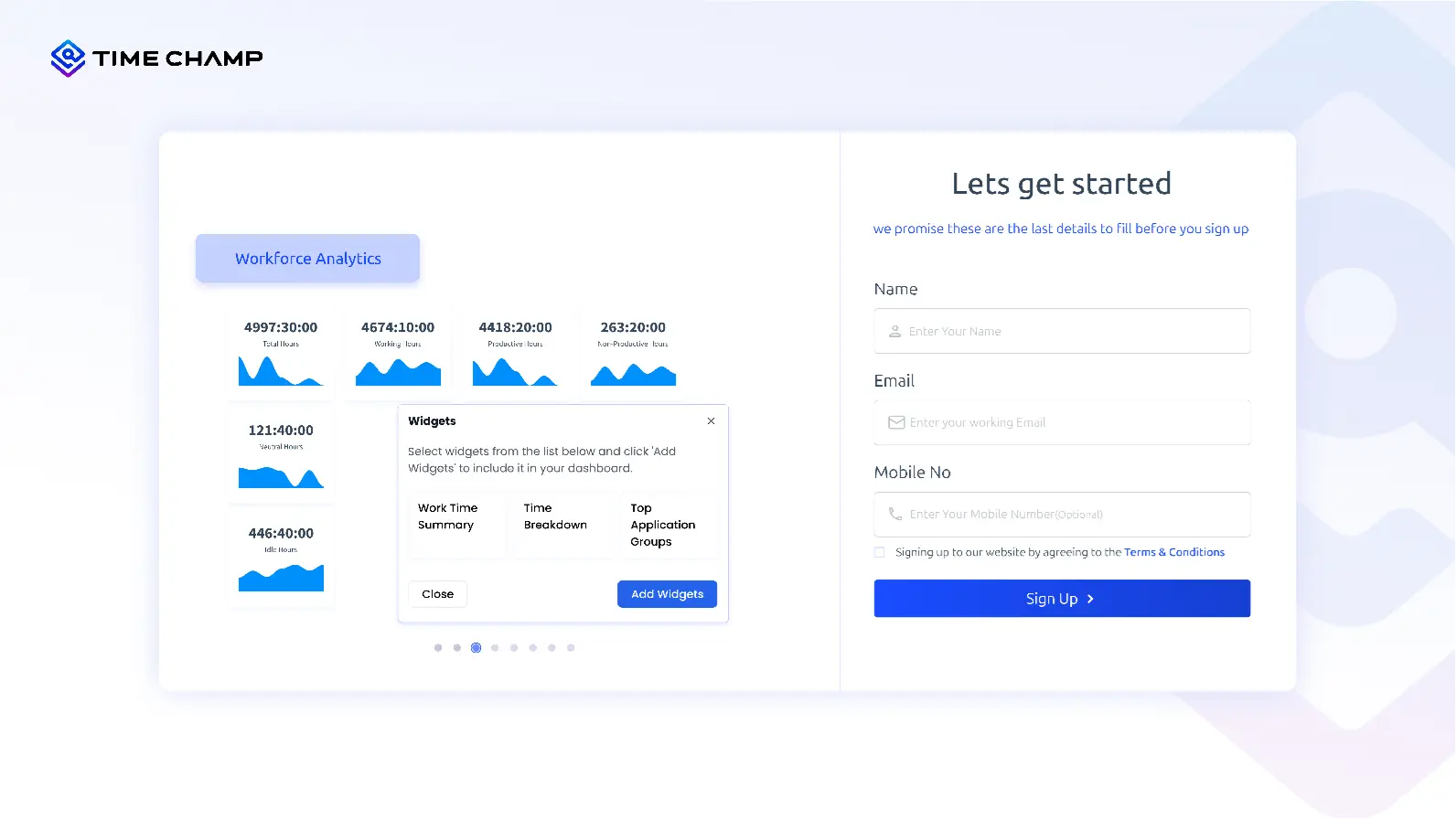
Sign up instantly and get your account ready without any hassle.

Create an Account
Invite Your Team Seamlessly

Bring your team on board so every hour, task, and activity is captured in one clean view.
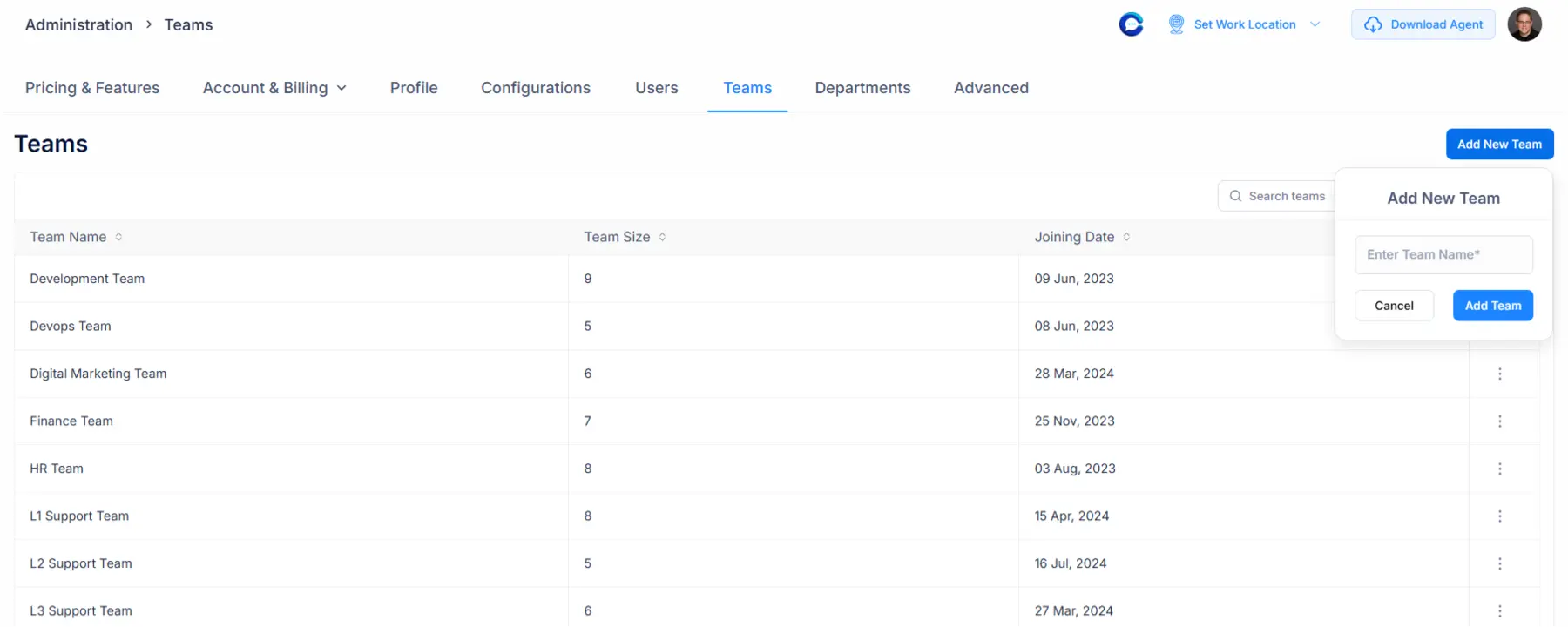
Invite Your Whole Team
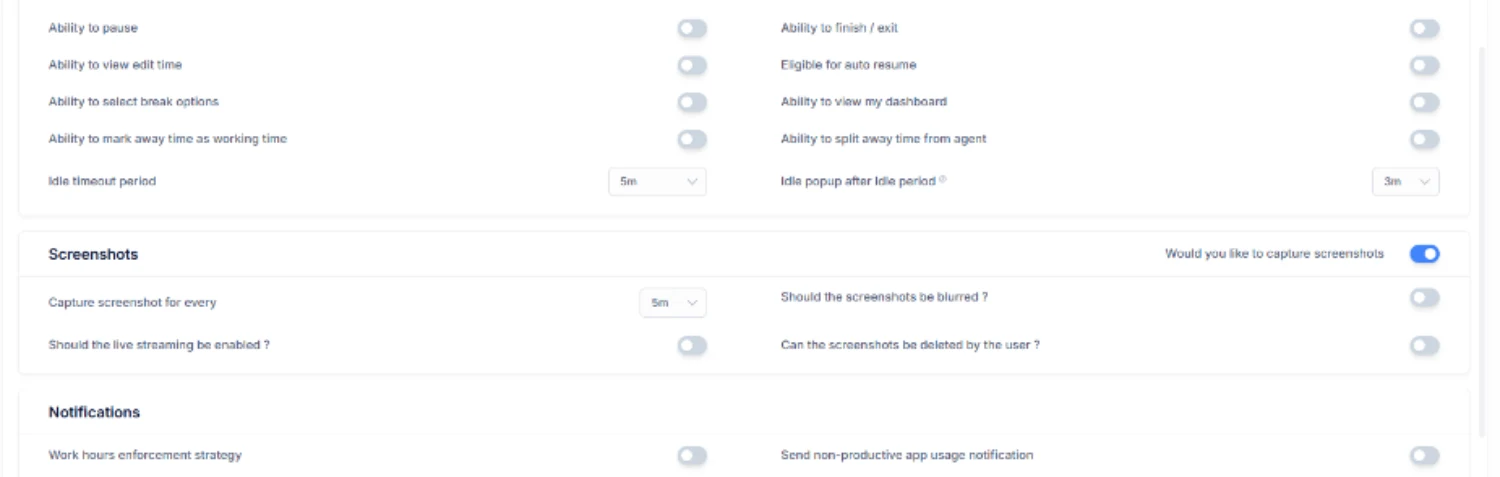
Configure Your Screenshot Settings

Choose how screenshots are captured, either automatically or manually, select what to record, and get a clean view of your team’s daily activity.
Create & Manage Projects
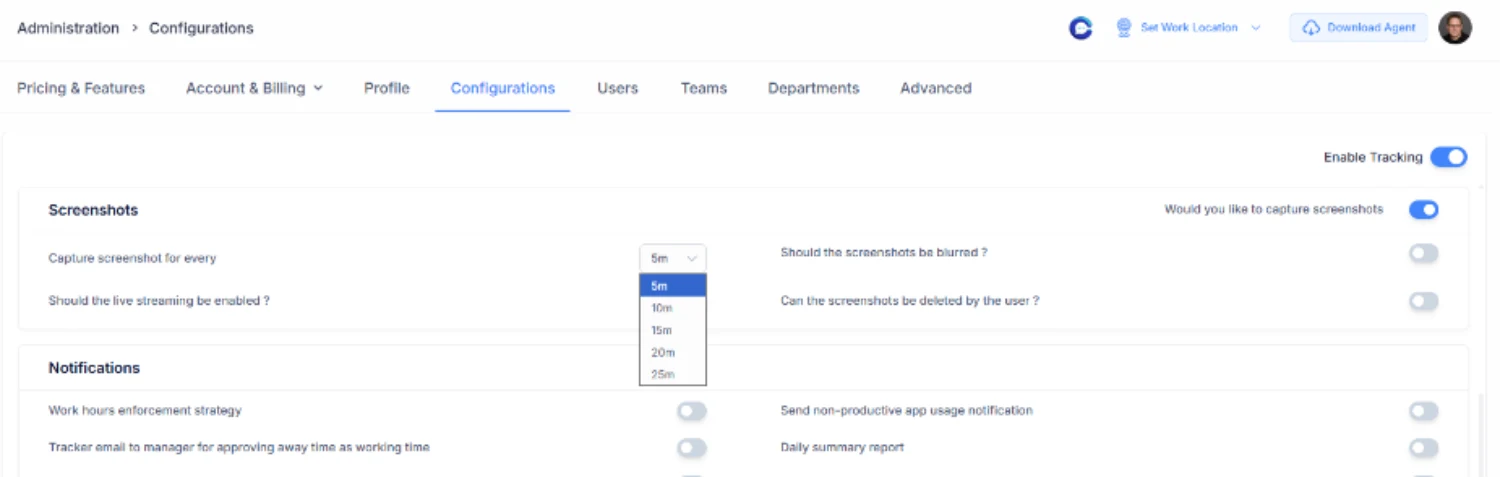
Set Screenshot Frequency and Privacy Controls

Decide how often screenshots are captured and apply blur settings for sensitive details. This gives you the perfect balance of clarity and privacy for your team.
Start Tracking Time
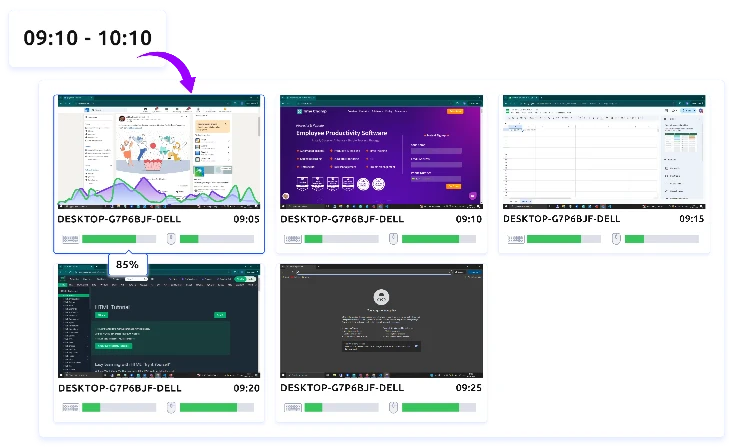
Track Time and Let Screenshots Capture the Workflow

Once everything is set, your team starts the timer. Screenshots capture work activity in the background, giving you a clear visual record of how work progresses.
Export Reports

Employee Screenshot Monitoring Use Cases

time management productivity

Workflow Visibility and Activity Clarity

time management productivity

Remote and Hybrid Work Oversight

task proritizaioon

Compliance and Audit Readiness

project task tracking

Task Progress Tracking

accountability transparency

Performance Review Support

evaluation and improvement

Task Progress and Prioritisation

task segmentation

Accountability and Transparency

compliance regulation

App and Website Usage Evaluation

work hour analysis

Attrition Risk Indicators

A Smarter Way to Capture Screens for Operational Clarity

See What High-Performing Teams Say About Time Champ

agilisum
Gained Clear Visibility into Daily Work and Task Alignment
Improved accountability and strengthened workflow efficiency
Achieved a 70%
rise in overall productivity .
agilisum

Time Champ brought clarity to our workflow. The team listened, responded fast, and supported us consistently. It’s great to use a tool that truly values its users.

Sairam Chandran  
Project Manager 
maxx
Enhanced Visibility into Remote Teams and Daily Workflows
Improved accountability with screenshot and app usage insights
Reduced idle time and
improved productivity.
max

Before Time Champ, it was difficult for us to understand how time was being used. After implementation, we gained real-time visibility into work patterns, reduced idle hours, and improved our overall efficiency.
Mayank Grover,
Maxx Solutions
appatad companylogo
20% Rise in Productivity Through Clearer Task Alignment
Achieved better accountability and stronger task ownership
Instant alerts highlighting unusual activity
apptad companylogo

We needed visibility without constant check-ins. Time Champ delivered exactly that. The dashboard is intuitive, insights are instant, and managers can now make decisions with confidence.

Bijendra Kumar,
Apptad Technologies
sensiple mpanylogo
32% Improvement in Productivity
Reduced manual effort through seamless integration
Achieved 41% boost in timesheet accuracy
sensiple companylogo

Earlier, work hour tracking was slow and inaccurate. Time Champ gave us clean insights into app and website usage while still respecting privacy. Our payroll is smoother now, and team performance has grown.


Nallathambi Devendiran
Sensiple
man vision companylogo
Saw A 45% Increase in Productivity
Strengthened compliance with smoother auditing
Maintained accurate tracking of work hours, breaks, and attendance
man vision companylogo

We use several features of Time Champ every day, and everything works smoothly. The tool is very reliable, affordable, and something I would confidently recommend for workforce management.
Kalyan Chakravarthy
ManVision
cascade logo
Improved oversight and coordination for remote teams
Received instant alerts for unusual activity
Gained higher transparency with clearer productivity insights
cascade logo

Managing remote teams is easier now. Time Champ shows work patterns, attendance, productivity, and more. Custom reports are especially helpful for understanding what to fix and where to improve.

Sandeep C
Cascade
See How Companies Grow with Time Champ

Why Teams Trust Time Champ

We are Recognised for Excellence and Trusted by Professionals

gridleader award timechamp high perfomer timechamp spring momentum awards timechamp easier todo award asia high perfomer spring mid market high perfomer high perfoemr small high user adoption awards timechamp awards regional leader timechamp asia pasific leader easiestsetup timechamp high perfoemr small high perfomer timechamp midmarket leader mid market high perfomer high perfomer timechamp mid market high perfomer
stars image
g2 Logo stars image

4.8

capterra logo stars image

5.0

crozdesk logo stars image

5.0

softwaresuggest logo stars image

5.0

capteraa small logo goolereview small logo g2crowd small logo crozdesk small logo companyreviewsmall logo
star image 4.7/5 avg.

Ready to Manage Your Workforce Smarter?

Join our family of 1100+ companies using smart insights to redefine workforces!

tick mark indicating free trial available

Free Trial

tick mark indicating no credit card required

No Credit Card Required