10 Best Goal Setting and Tracking Software for (2026)
Find the best employee goal-setting software for 2026. Compare features, pricing, pros & cons to track goals, boost performance, and align teams.
Setting goals is easy. Achieving them across teams? That’s where most organizations struggle.
Teams don’t struggle to set the goals, they struggle to track them and keep everyone aligned. When considering the most effective goal-setting software in 2026, you probably want to replace the spreadsheets, enhance accountability, and connect strategy & execution. The right goal-setting and tracking software helps to monitor progress, align performance, and make accurate decisions. Not all employee goal-setting software will provide actual visibility or integration.
In this guide, you’ll understand the comparison between top goal-setting software, explore the features, pricing, pros & cons, and select the right goal-tracking software for your team.
What is Goal Setting Software?
Goal-setting software is a digital solution which helps organizations define, track, and align the team, individual, and company objectives in a centralized platform. Goal-setting and tracking software help teams to track their progress, measure performance, and enhance accountability in real-time. Modern employee goal-setting software nowadays can have dashboards, OKR tracking and reporting, whereas a simple goal tracker application only prioritizes progress visibility. Ultimately, goal-setting management software ensures that strategic objectives remain integrated with the daily execution and quantifiable business outcomes.
What Are the 10 Best Goal Setting Software?
Choosing the right goal setting software can make a big difference in how your team plans, tracks, and achieves objectives. As many options are available, it is important to focus on tools that offer clear visibility, alignment, and ease of use. Here are some of the best goal setting and tracking software to consider.
Time Champ
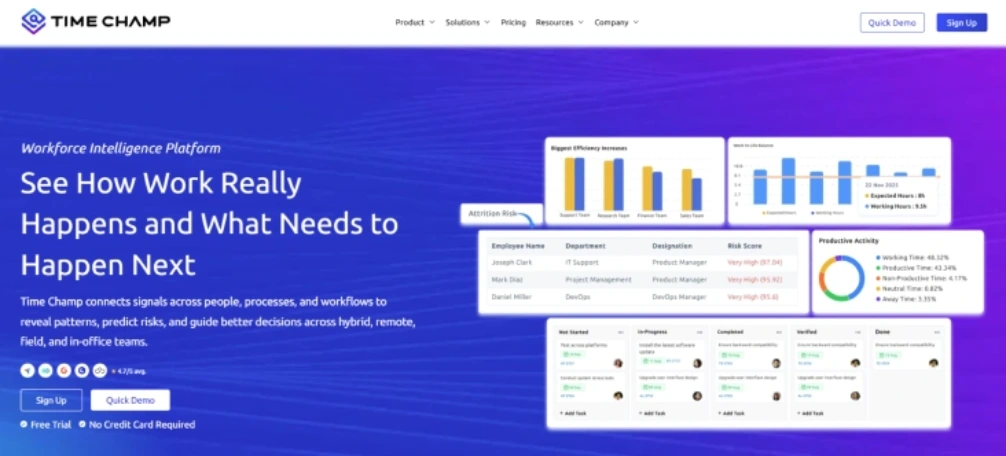
Time Champ is a workforce intelligence platform that supports goal tracking and performance visibility. Many organizations set goals easily but struggle to understand how daily work contributes to them. Time Champ connects the workforce activity data with progress tracking, which helps you clearly understand how team efforts align with the organizational objectives.
The platform offers clear dashboards, which integrate productivity insights, operational visibility, and time tracking. This helps you to clearly understand the work patterns and identify bottlenecks impacting the progress. Time Champ focuses on actionable insights, simple onboarding, and responsive support, which makes it easier for the organizations to track their goals while maintaining visibility into the workforce productivity.
Struggling to see how daily work contributes to team goals?
Track progress and workforce productivity clearly with Time Champ.
Pros
- Combines the goal tracking with the workforce productivity and performance insights.
- Provides clear dashboards for monitoring employee activity and work progress
- Useful for managing the hybrid, remote, and distributed teams.
- Offers helpful onboarding and responsive customer support.
Cons
- Smaller teams that look only for a simple goal tracker might find the additional analytics features unnecessary.
- Some advanced reports might need the initial setup to configure properly.
- Organizations unfamiliar with workforce analytics might need time to explore insights.
- Focuses more on the productivity visibility than the complex OKR frameworks.
Features
- Time Tracking: Helps track the time spent on tasks and projects to measure goal progress.
- Productivity Analytics: Helps you clearly understand work patterns and enhance productivity aligned with the team goals.
- Task Monitoring: Helps to track the task progress and ensures daily work contributes to project objectives.
- Project Management with Goal Setting: Helps the teams set project goals, track progress, and align the tasks with objectives.
- Workforce Intelligence Insights: Gives deeper insights into workforce behavior and productivity to improve performance.
- Integrations: Connects with the workplace software to streamline work processes and view goals within teams.
Best for
Mid-size to enterprise organizations, particularly operations, IT, and remote teams, that want to track the goals along with workforce productivity and performance information.
Pricing
- Comes with a 7-day free trial
- Starter: $3.90 1 user per month
- Professional: $6.90 1 user per month
- Enterprise: $13.90 1 user per month
Reviews
G2: 4.8/5
Capterra: 4.9/5
ClickUp
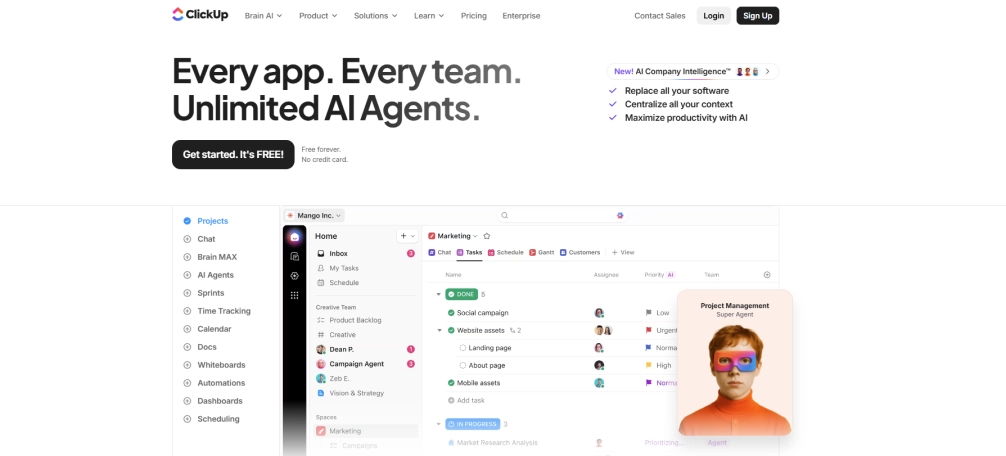
ClickUp is a project management and productivity platform which also supports goal-setting and tracking for teams. It allows the organizations to connect goals with projects, tasks, and workflows in a single place. Teams rely on ClickUp to organize their activities, track progress, and stay focused on daily tasks and set goals.
Pros
- Flexible goal tracking connected with the projects and tasks.
- Highly customisable dashboards and workflows.
- Suitable for the different industries and team sizes.
- Supports collaboration with different productivity applications.
Cons
- The interface may seem complicated to new users.
- Many features may feel overwhelming for small teams.
- Certain advanced features are only available in higher pricing plans.
- Initial setup and workflow configuration might be time-consuming.
Features
- Offers more structured goal tracking, which helps the teams to track progress across projects and goals.
- Task management helps teams to effectively organize tasks, assign responsibilities, and track daily work.
- Offers visual dashboards that give clear insights into team progress, goals and tasks.
- Automates repetitive workflows and task updates to enhance consistency and overall productivity.
Best for
Startups to enterprises in marketing, tech, and product teams which manage the goals alongside daily tasks and projects.
Pricing
- Comes with a free trial
- Unlimited: $7.00
- Business: $12.00
- Enterprise: Contact the ClickUp support team for pricing details.
Reviews
G2: 4.7/5
Capterra: 4.6/5
Asana
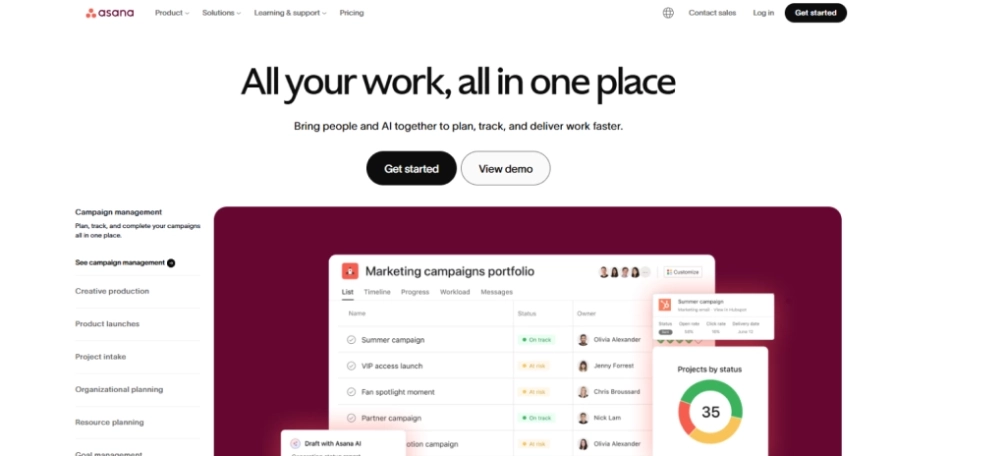
Asana is a project management tool that also facilitates organized goal setting and progress tracking. Teams can effectively link goals to the tasks, projects, and milestones to maintain alignment. It helps the organizations to maintain visibility into progress while coordinating work across departments.
Pros
- Helps teams to connect the objective directly with the tasks, projects, and milestones.
- Provides clear project schedules and progress tracking with the visual dashboards.
- Facilitates collaboration with the comments, file sharing and team communication features.
- Effectively integrates with many workplace tools used by modern teams.
Cons
- Complex features and reporting tools need more advanced subscription plans.
- New teams may find the interface overwhelming when utilizing project management tools.
- Certain teams report notification overload when working on a heavy project collaboration.
- Limited customization options for the goal frameworks compared to the specialized tools.
Features
- Goal tracking helps teams to establish quantifiable objectives and monitor progress among projects.
- The visual timelines help the teams to organize project milestones and deadlines.
- Task management helps to organize tasks, assign owners, and track the work progress easily.
- Automates updates and approvals of routine tasks to enhance the efficiency of workflow.
Best for
Small to large teams in marketing, operations and product development that connect goals with the project workflows.
Pricing
- Comes with a free trial
- Starter: $10.99
- Advanced: $24.99
- Enterprise: Contact the Asana support team for pricing details.
Reviews
G2: 4.4/5
Capterra: 4.5/5
Monday.com
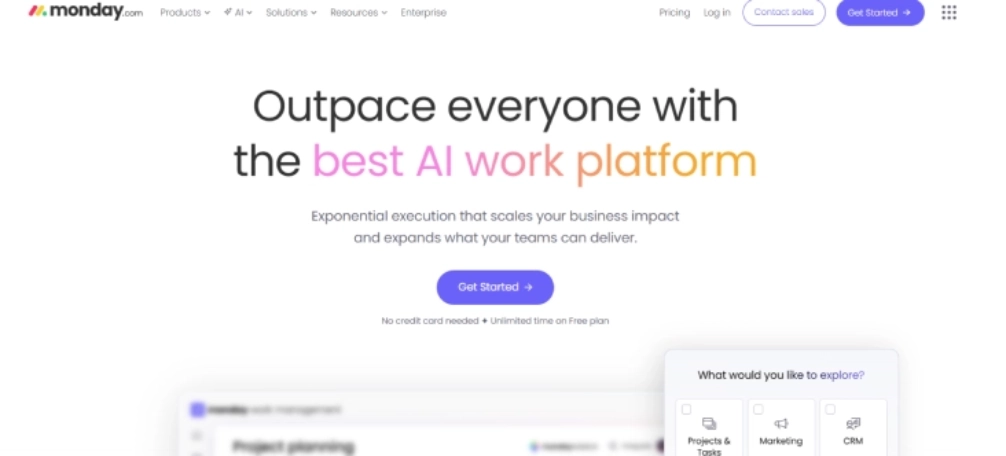
Monday.com is a work management platform that allows teams to manage workflows, projects, and goals. It also tracks the progress across teams using the visual boards and dashboards. Many organizations use it to connect the goal tracking and operational processes.
Pros
- Offers highly visual dashboards which simplify tracking workflows and goal progress.
- Supports flexible workflows suitable for the marketing, HR, operations and product teams.
- Provides automation features which minimize repetitive manual workflow tasks.
- Integrates with the popular workplace tools to support smoother collaboration among the teams.
Cons
- Pricing might increase when the teams grow quickly and add advanced features.
- Extensive customization may need more time for the teams to configure workflows properly.
- Higher-tier pricing plans are required for accessing some automation features.
- The interface might look busy when handling the different complex workflows.
Features
- Provides visual workflow boards that help teams to organize their tasks and goals effectively.
- Offers goal dashboards, which give clear visibility into the project and team progress.
- Automates the recurring tasks and status updates to enhance workflow efficiency.
- Helps teams to effectively communicate and share updates within the platform easily.
Best for
Small businesses to enterprises in marketing, HR, and operations teams, which manage objectives through the visual workflows and dashboards.
Pricing
- Basic: $9.00
- Standard: $12.00
- Pro: $19.00
- Enterprise: Contact the Monday.com support team for pricing details
Reviews
G2: 4.7
Capterra: 4.6
Weekdone
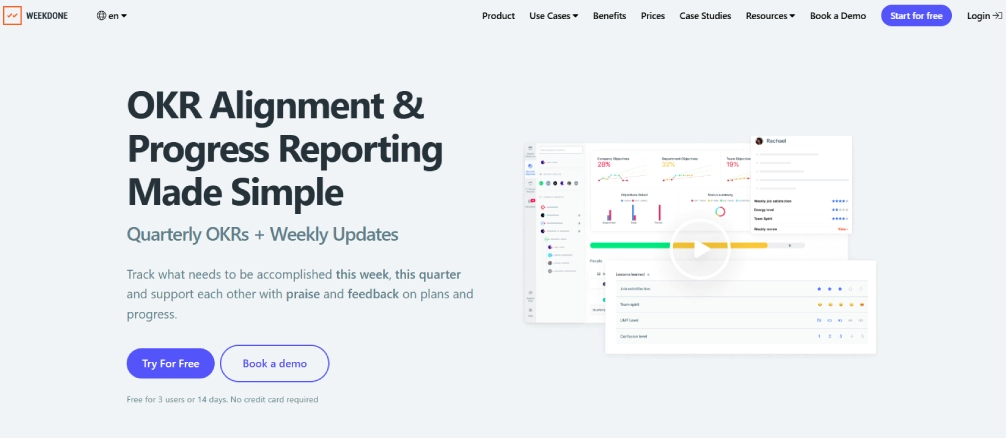
Weekdone is an OKR-based goal-setting software designed to help teams monitor weekly progress. It mainly focuses on aligning the company goals with the team and personal goals. Weekdone is used by many startups and growing companies to manage their organized goal tracking.
Pros
- Offers organized OKR monitoring and a defined progress visibility for the teams.
- Easy-to-use interface designed specifically for goal tracking and reporting.
- Helps the teams to remain accountable consistently by reviewing weekly progress.
- Helps the teams review their weekly progress and maintain accountability consistently.
Cons
- Primarily focuses on the OKR tracking with limited other project management features.
- Before implementing the OKR framework, the teams might need to understand it effectively.
- Limited task management features compared to the complete project management platforms.
- Reporting features are simpler than the advanced workforce analytics tools.
Features
- OKR Tracking offers a systematic monitoring of goals and key outcomes in the teams.
- Helps teams assess the weekly progress and identify the improvement areas.
- Offers dashboards that give clear visibility into the goal performance.
- Helps organizations integrate company, team, and individual objectives effectively.
Best for
Small to mid-size startups and SaaS teams who keep track of company and team objectives using the OKR framework.
Pricing
- Weekdone Free: $0
- Weekdone Unlimited: $80.00
Reviews
G2: 4.2
Capterra: 4.5
Tability
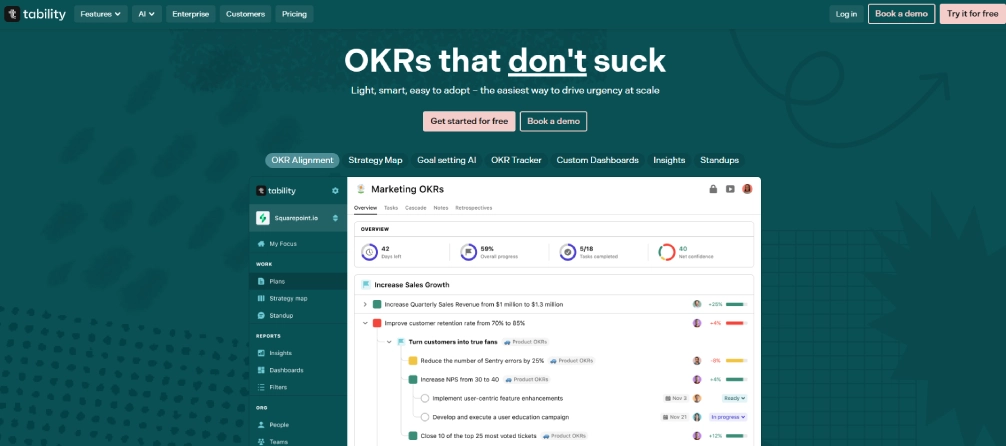
Tability is an OKR management and goal tracking platform that helps teams to focus on quantifiable results. It helps the organizations to keep track of their goals, check progress, and maintain alignment among teams. This platform emphasizes simple goal tracking with clear progress updates and organized reporting.
Pros
- Helps the teams monitor OKRs with the organized updates and progress visibility.
- Provides a simple interface, which is designed specifically for goal and OKR tracking.
- Supports automated check-ins to keep the teams responsible for progress.z
- Helps organizations maintain alignment between company and team goals.
Cons
- Primarily focuses on the OKR tracking with limited project management features.
- Advanced reporting features might seem limited to data-driven organizations.
- Smaller integration ecosystem compared to the larger productivity platforms.
- Some teams might need some time to adapt the OKR-based workflows.
Features
- OKR Tracking helps teams to establish specific goals and effectively monitor progress.
- Automated Check-ins offers automated weekly updates that hold the teams accountable.
- Goal Alignment helps organizations align company, team, and individual goals.
- The progress dashboards provide complete visibility into the goal performance.
Best for
Small to mid-size teams, startups, and product teams that track the company objectives using OKR frameworks.
Pricing
- Basic: $6.00
- Premium: $10.00
Reviews
G2: 4.6
Capterra: 4.7
GoalsOnTrack
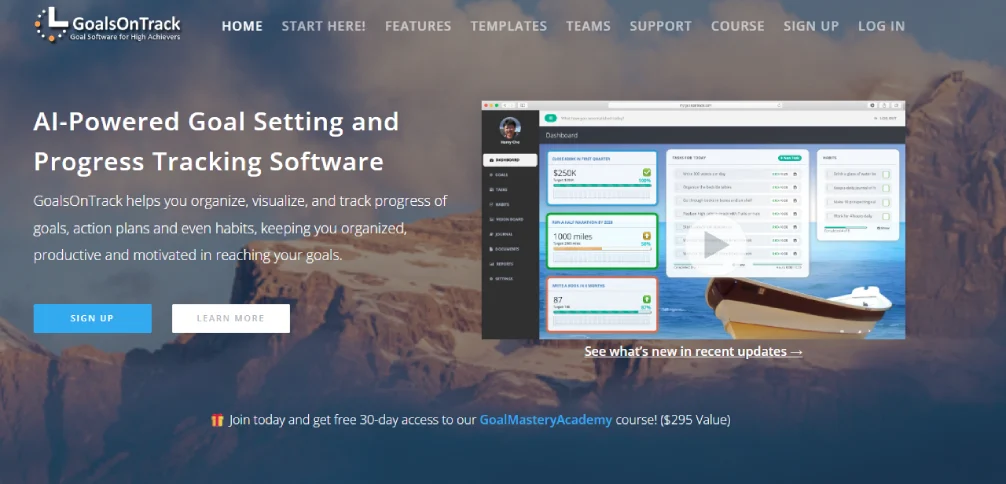
GoalsOnTrack is a goal-planning software designed based on the SMART goal framework. It helps individuals and small teams in organizing goals with clear action plans. This platform prioritizes the planning process, progress tracking, and optimizing personal productivity.
Pros
- Supports SMART goal planning with well-organized and quantifiable milestones.
- Helps individuals to create step-by-step action plans to achieve goals.
- Includes progress tracking tools to track goal completion effectively.
- Simple design that supports personal and small team goal management.
Cons
- Designed mainly to help individuals and small teams, not for large organizations.
- Limited integrations compared to the modern workforce productivity platforms.
- Compared to new modern productivity tools, interface design might look outdated.
- Lacks advanced analytics or the workforce performance insights features.
Features
- SMART goal planning helps users to develop structured goals with clear measurable outcomes.
- Action plans offer step-by-step planning tools for achieving long-term goals.
- Progress Tracking helps users to monitor progress towards goals using visual tracking tools.
- Habit tracking provides tools that support daily habits in accordance with personal goals.
Best for
Small businesses, individuals that desire structured SMART goals planning and progress tracking.
Pricing
- Comes with a free trial
- Individual Plan: $68 per year
- Teams Plan: Contact the GoalsOnTrack support team for pricing details
Reviews
G2: 4.5
Capterra: 4.5
Habitica
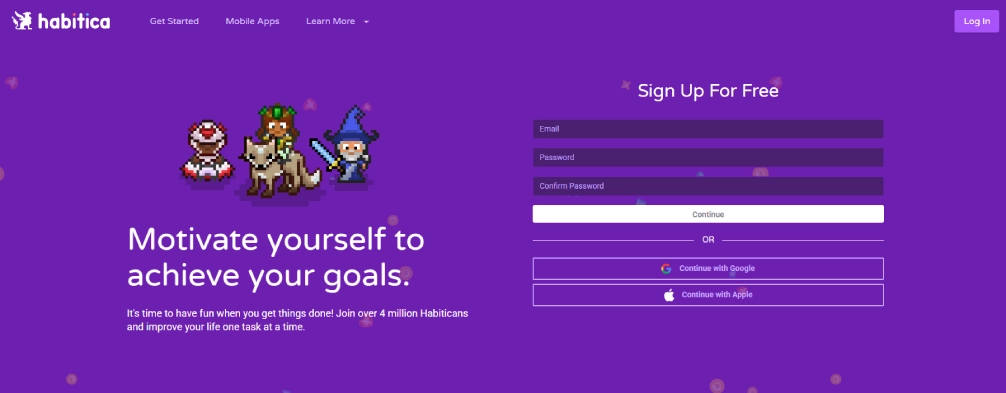
Habitica is a gamified productivity tool that transforms goal tracking into a role-playing game. Users can manage their activities, habits, and objectives in a game-style interface. It is widely used for habit-building and personal productivity.
Pros
- Uses gamification to motivate users to complete tasks and goals.
- Simple system to use for tracking personal productivity and habits.
- Promotes the habit building through achievements, rewards, and levels.
- The active user community that promotes accountability and involvement.
Cons
- Primarily designed for individual usage, but not professional team management.
- Lack of reporting and analytics features for organizational goal tracking.
- The game-style interface might not fit the professional workplace environments.
- Lacks advanced integrations with enterprise workplace productivity tools.
Features
- The gamified goal tracking transforms goals and habits into fun game-based activities.
- Habit tracking helps users to establish and maintain positive everyday routines.
- Task management offers task lists that help to track daily responsibilities.
- Community challenges encourage the users to stay motivated.
Best for
Students, individuals, and small teams who prefer gamified habit and personal goal tracking.
Pricing
- Monthly: $4.99
- Three months: $14.99
- Six months: $29.99
- Annual: $47.99
Reviews
G2: 4
Capterra: 4.7
Goalscape
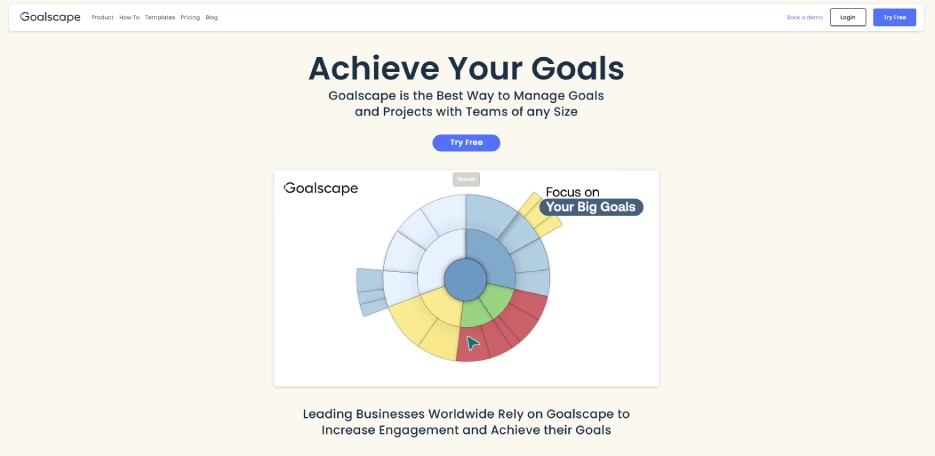
Goalscape is a visual goal management tool that is designed for strategic planning. It uses radial goal maps to show relationships between objectives and priorities. Consultants and teams also use it to visually plan complex goals.
Pros
- Offers unique visual goal mapping using the easy-to-use radial planning diagrams.
- Helps the teams to prioritize objectives and see relationships between objectives clearly.
- Useful for the strategic planning sessions and leadership goal alignment.
- Simple interface, which is specifically designed for visual goal planning.
Cons
- Limited collaboration tools compared to the modern team productivity tools.
- Not designed for the detailed project management or task tracking.
- May need time for the users to understand the visual goal mapping approach.
- Limited integration options compared to the other goal management tools.
Features
- Visual goal mapping offers radial diagrams, which clearly visualize the goal relationships.
- Strategic planning helps teams organize the long-term priorities and goals.
- Goal prioritization provides visual indicators to highlight the most important goals.
- Progress tracking helps to monitor the goal completion using simple visual indicators.
Best for
Small to mid-sized teams and consultants who choose the visual goal mapping and strategic planning.
Pricing
- Free: $0
- Pro: $8.25
- Enterprise: $17.33
Reviews
G2: 5
Capterra: 4.9
Lattice
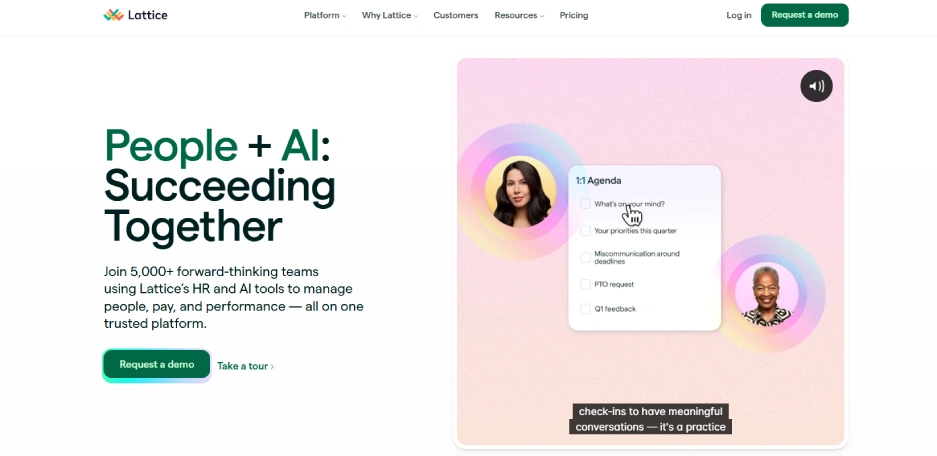
Lattice is a performance management platform that integrates goal tracking with employee performance reviews. It helps organizations align employee goals with company objectives. Many HR teams use it to manage their employee performance, engagement, and development.
Pros
- Connects the employee goals with performance reviews and development plans.
- Helps the HR teams to align organizational objectives with employee performance metrics.
- Offers engagement tools, which support recognition and constant feedback.
- Integrates with HR systems used for employee management.
Cons
- The setup might need HR process alignment before complete implementation.
- More focused on HR performance management than on the project workflows.
- Might require the integration with other tools for complete productivity tracking.
- Pricing may be higher for smaller organizations with limited HR budgets.
Features
- Goal management helps organizations set and track employee performance goals.
- Performance reviews provide structured performance evaluation and feedback systems.
- Employee feedback helps managers gather continuous feedback from teams.
- Offer effective engagement insights that help the HR teams enhance employee involvement.
Best for
Mid-size to enterprise organizations, particularly HR and people teams handling goals using performance reviews.
Pricing
- Grow: $4.00
- Engagement: $4.00
- Performance management and OKRs & Goals Bundle: $11.00
- Enterprise Pricing Available: Contact the Lattice support team for pricing details.
Reviews
G2: 4.7
Capterra: 4.5
Employee Goal Setting Software Checklist
How to choose the right goal-setting software depends on how effectively the platform supports your team's workflows, objectives, and long-term growth. The right goal-setting and tracking software helps the teams to align objectives, monitor progress, and make better decisions based on the performance insights.
Cost
Cost plays an important role when selecting the goal-setting software. Some tools offer simpler tracking at lower prices, whereas others provide analytics and advanced reporting. Choose the software that can provide a clear value without any unnecessary expenses as your teams expand.
Tech Stack Compatibility and Integrations
Your goal-setting software must smoothly combine with the tools that your team already uses. Compatibility with the project management, productivity platforms, and communication helps to connect the goals with daily work. Good integrations also help to reduce the manual updates and enhance overall efficiency.
Important Features
Different teams prioritize different capabilities in a goal tracker app. Some enterprises need the OKR tracking, whereas others aim at dashboards, reporting, or productivity insights. Selecting the right features can help the teams to monitor progress and stay aligned with the company's goals.
Helpful Support and Onboarding
Effective onboarding helps teams to adopt the new software in a shorter time. The implementation process becomes easier when the platforms provide a guided setup, responsive support, and better training resources. Better support ensures that your team can start to monitor goals without any unnecessary delays.
Security
Security is a significant factor in selecting employee goal-setting software, especially when handling sensitive performance information. Strong data protection and access control must be offered on a reliable platform. This helps the organizations to maintain trust and safeguard internal information.
Scalability
Your goal-setting management software should support your organization as it grows. Scalable tools help you manage teams, key objectives, and workflows over time. Selecting a scalable platform eliminates the necessity to change systems as your business grows.
Finding it difficult to keep team goals aligned with actual work?
Use Time Champ to connect productivity insights with goal tracking.
Conclusion
Start with the goals that you want to enhance, whether it is visibility of progress, team alignment, or monitoring the overall performance. Then evaluate the goal-setting and monitoring software depending on the key features, scalability, integrations, and usability for your workforce. If you require better clarity into how the work contributes to key objectives, consider exploring solutions like Time Champ. Requesting a demo or starting a free trial can help you to see how the platform effectively fits your workflow before making better decisions.

Table of Content
-
 What is Goal Setting Software?
-
What Are the 10 Best Goal Setting Software?
-
Employee Goal Setting Software Checklist
-
Conclusion
Related Blogs
Discover essential features of time tracking software and how Time Champ enhances project management, productivity, and accuracy.
Tarun Kumar Reddy | Aug 23, 2024
Discover effective ways to build employee trust in automatic time tracking software and create a transparent, productive, and positive work environment.
Thasleem Shaik | Mar 13, 2025
Learn to create and leverage SMART goals effectively in project management for better planning, execution, and success. Get expert insights now!
Productivity Tracking Software helps remote teams stay on top, track progress, streamline workflows & boost efficiency effortlessly. Learn more!
Shabana Shaik | Mar 15, 2025
Empower your employees with effective goal setting! Explore the importance of goal setting in promoting workplace efficiency and success.
Learn effective remote team alignment strategies to enhance communication, boost productivity, and keep your team connected.
Thasleem Shaik | Mar 13, 2025


 4.7/5 avg.
Ready to Manage Your Workforce Smarter?
Join our family of 1500+ companies using smart insights to redefine workforces!

Free Trial
No Credit Card Required