10 Best Workforce Planning Software for HR Teams in 2026
Compare top workforce planning software for smarter forecasting, workforce management, and capacity planning with features, pricing, reviews, and more.
Every business reaches a point where spreadsheets, manual planning, and instinct stop working. As your team grows, every hiring decision, staffing change, and workload shift carries a bigger impact.
The right workforce planning software helps you stay one step ahead. It gives you clear insights into future workforce needs, helps you allocate resources wisely, and supports better business decisions.
To help you choose the right solution, we compared the best workforce planning tools based on features, pricing, pros, cons, and more.
What is Workforce Planning Software?
Workforce planning software is a tool that helps you predict staffing needs, identify skill gaps, and match your team’s capacity with business goals before issues arise. Instead of reacting to sudden hiring needs or unexpected skill shortages, you can stay ahead using real data.
At its core, this software brings together information on headcount, attrition, workload, and performance, and turns it into useful forecasts. It shows where you have too many employees, where you are understaffed, and what skills you will need in the next six months or a year. Many modern platforms also go a step further by adding predictive workforce analytics, which use past trends to highlight risks like employee turnover or capacity gaps before they happen.
Best Workforce Planning Software: Quick Overview
Before we dive into the detailed comparison, here's a quick overview of the top workforce planning tools. We compared each platform based on its primary focus, ideal use case, and user ratings, making it easier for you to narrow down the options before exploring them in detail.
| Feature | Primary Focus | Best For | Reviews |
|---|---|---|---|
| Time Champ | Workforce planning, workforce analytics, resource planning, productivity tracking | Small, mid-sized, and enterprise businesses with remote, hybrid, or in-office teams | G2: 4.8/5 Capterra: 4.9/5 |
| Cube | Financial planning, headcount forecasting, workforce budgeting | Finance teams and businesses focused on workforce budgeting and forecasting | G2: 4.5/5 Capterra: 4.6/5 |
| Orgvue | Organizational design, workforce transformation, scenario modeling | Large enterprises managing restructuring, M&A, and workforce transformation | G2: 4.4/5 Capterra: N/A |
| Anaplan | Enterprise workforce planning, budgeting, financial forecasting | Large enterprises with finance-led workforce planning | G2: 4.6/5 Capterra: 4.2/5 |
| Workday | Workforce planning, financial planning, hiring scenario planning | Businesses already using the Workday ecosystem | G2: 4.3/5 Capterra: 4.5/5 |
| Visier | Workforce analytics, predictive insights, strategic workforce planning | Medium and large businesses focused on workforce analytics | G2: 4.6/5 Capterra: 4.5/5 |
| Deel | Global hiring, payroll, compliance, workforce planning | Businesses hiring and managing international teams | G2: 4.8/5 Capterra: 4.9/5 |
| SAP SuccessFactors | Human capital management, workforce planning, talent management | Medium and large enterprises using the SAP ecosystem | G2: 4.1/5 Capterra: 4.0/5 |
| ADP Workforce Now | HR, payroll, workforce planning, talent management | Mid-sized and large businesses needing HR and payroll in one platform | G2: 4.2/5 Capterra: 4.4/5 |
| UKG Pro | Workforce management, scheduling, payroll, workforce planning | Businesses with frontline and shift-based workforces | G2: 4.3/5 Capterra: 4.3/5 |
1. Time Champ
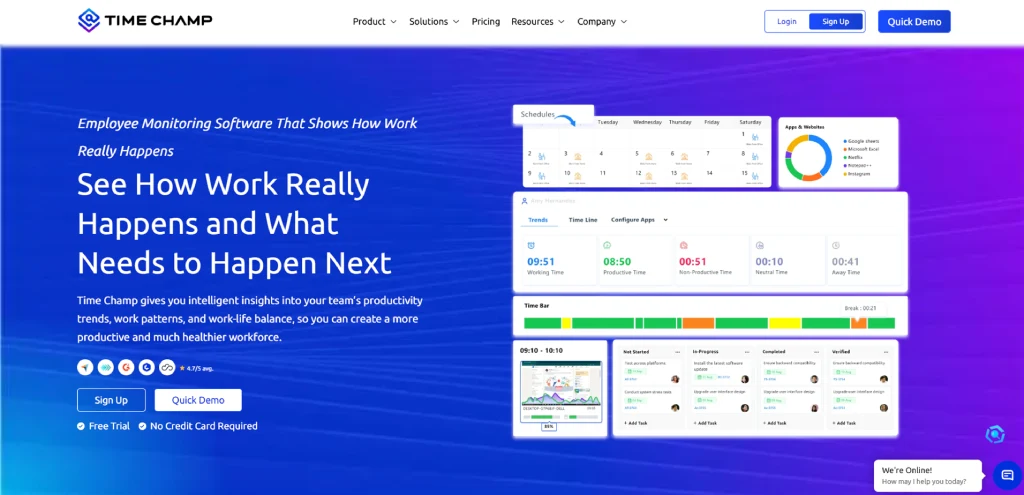
Time Champ is a workforce planning and management software that helps you forecast workforce needs, allocate resources, monitor capacity, and make informed planning decisions from a single platform. Instead of switching between multiple tools, you can track workforce trends, identify future staffing needs, measure productivity, and balance workloads with real-time insights.
Its simple interface, flexible onboarding, responsive support, and affordable pricing make it a practical choice for businesses that want complete workforce visibility without unnecessary complexity.
Key Features
Workforce Capacity Planning: Plan workloads based on team availability, project priorities, and resource capacity to ensure optimal utilization while keeping work evenly distributed.
Workforce Analytics & Reports: Track productivity trends, utilization rates, attendance, work patterns, and performance metrics through detailed reports that support smarter workforce planning.
Time Tracking & Timesheets: Capture work hours automatically, generate accurate timesheets, and review time spent across projects to improve planning accuracy and resource allocation.
Project & Resource Management: Assign work based on availability, monitor project progress, and distribute workloads efficiently to keep projects on schedule.
Productivity Insights: Identify workload imbalances, productivity trends, and capacity gaps using real-time insights that help you plan ahead with confidence.
Employee Burnout Detection: Identify early signs of employee fatigue by analyzing workload patterns, overtime trends, and productivity drops. This helps you take timely action to rebalance work and prevent burnout before it impacts performance.
Attrition Prediction: Leverage behavioral and engagement data to detect employees who may be at risk of attrition. This allows you to proactively address concerns, improve retention strategies, and reduce unexpected talent loss.
Pros
- Easy to set up and use without technical expertise required.
- Combines planning, tracking, and analytics in one unified platform.
- 24/7 responsive customer support available for quick issue resolution.
- Flexible customization options to match different business needs.
- Affordable pricing suitable for growing and large teams.
- Supports remote, hybrid, and in-office workforce environments.
- Provides real-time workforce visibility for better decision-making.
- Helps improve team coordination and workload distribution efficiency.
- Reduces manual effort in workforce planning and scheduling tasks.
- Scales easily as your business and team size grow over time.
Cons
- Some advanced capabilities require higher-tier plans.
- Initial customization may take time for larger deployments.
Pricing
Time Champ offers a 7-day free trial, allowing you to evaluate the platform before selecting a plan.
- Starter: $3.90 per user/month, billed annually
- Professional: $6.90 per user/month, billed annually
- Enterprise: $13.90 per user/month, billed annually
Each plan includes a different set of features to match varying business requirements and team sizes. You can compare every plan in detail on the Time Champ pricing page.
Reviews
Tired of juggling spreadsheets for workforce planning?
Switch to Time Champ and manage workforce planning, capacity, and resource allocation from one platform.
2. Cube
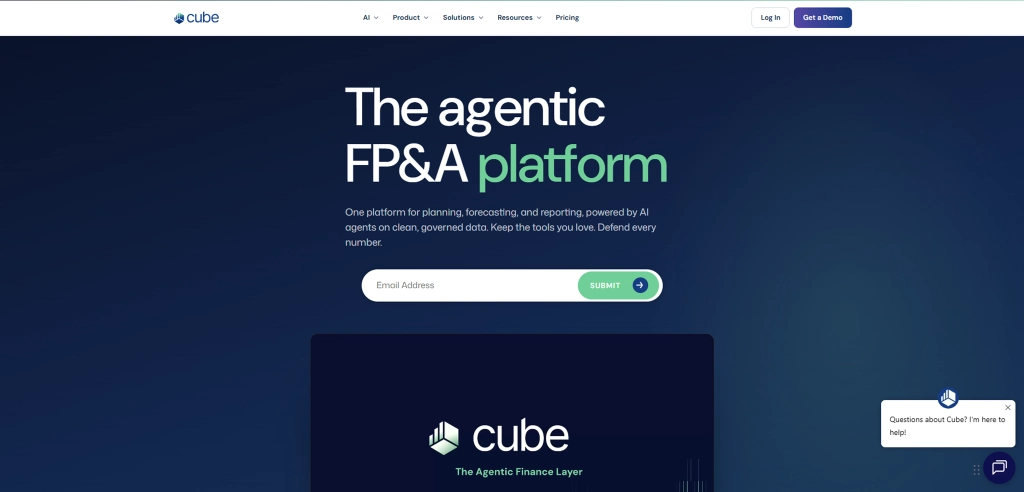
Cube is an AI-powered FP&A platform designed for finance teams to connect workforce planning with budgeting and financial forecasting. It helps you plan hiring, estimate headcount costs, and track workforce expenses while still using Excel or Google Sheets. It also allows teams to run different hiring scenarios to understand how workforce decisions may impact overall budgets and financial plans.
Key Features
- AI-Powered Forecasting: Generate hiring and workforce forecasts using historical data and financial drivers, making it easier to plan for future staffing needs.
- Workforce Scenario Planning: Create and compare multiple hiring plans to understand how different workforce decisions affect budgets and long-term financial goals.
- Spreadsheet-Native Planning: Work directly in Excel or Google Sheets with two-way synchronization, allowing you to keep familiar workflows while centralizing planning data.
- AI Insights & Anomaly Detection: Identify unusual trends, automate data consolidation, and receive AI-powered recommendations that support faster planning decisions.
- Secure Financial Data Management: Protect workforce and financial data with role-based access, audit trails, and SOC 2 Type II compliance.
Pros
- Supports workforce planning alongside financial forecasting.
- Integrates seamlessly with Excel and Google Sheets.
- Makes headcount scenario planning easier.
- Includes AI-powered forecasting and reporting.
- Connects with a wide range of business applications.
Cons
- Mainly built for finance-focused planning.
- Limited multilingual support.
- Data transfer can be complex due to predefined dimensions.
- Limited customization options reduce flexibility.
- Data management can feel difficult, especially during transfers.
Pricing
Cube offers custom pricing based on your business requirements. Contact the sales team for a custom quote.
Reviews
- G2: 4.5/5
- Capterra: 4.6/5
3. Orgvue

Orgvue is a workforce planning software platform that helps you analyze workforce data, model future workforce scenarios, and evaluate the impact of workforce changes before making important decisions. It brings workforce information from multiple sources into a single view, making it easier to plan restructures, workforce expansion, skills initiatives, and long-term transformation programs with greater confidence.
Key Features
- Workforce Scenario Modeling: Compare different workforce plans to understand how changes in headcount, costs, roles, and skills affect future business outcomes.
- Workforce Data Integration: Bring workforce data from HR systems, finance platforms, and other business applications into one centralized planning environment.
- Organizational Structure Visualization: View reporting structures, workforce composition, and role distribution through interactive visualizations that simplify workforce analysis.
- Skills & Workforce Analysis: Use workforce analytics to evaluate current skills, identify capability gaps, and assess future workforce requirements during transformation initiatives.
- Collaboration Workflows: Coordinate planning activities across HR, finance, and transformation teams with shared workflows and task tracking.
Pros
- Combines workforce planning with organizational design.
- Supports detailed workforce scenario modeling.
- Consolidates workforce data from multiple sources.
- Offers interactive dashboards and visual reports.
- Helps evaluate workforce changes before implementation.
Cons
- Not very intuitive, with complex configuration and occasional performance slowdowns during presentations.
- Steep learning curve, especially for advanced features.
- Can be difficult for non-technical users to get started with.
- The interface is not very user-friendly, and setup can feel clunky.
- Often requires time and support to use effectively.
Pricing
Contact Orgvue’s sales team for a customized pricing quote based on your business needs.
Reviews
- G2: 4.4/5
- Capterra: -
4. Anaplan
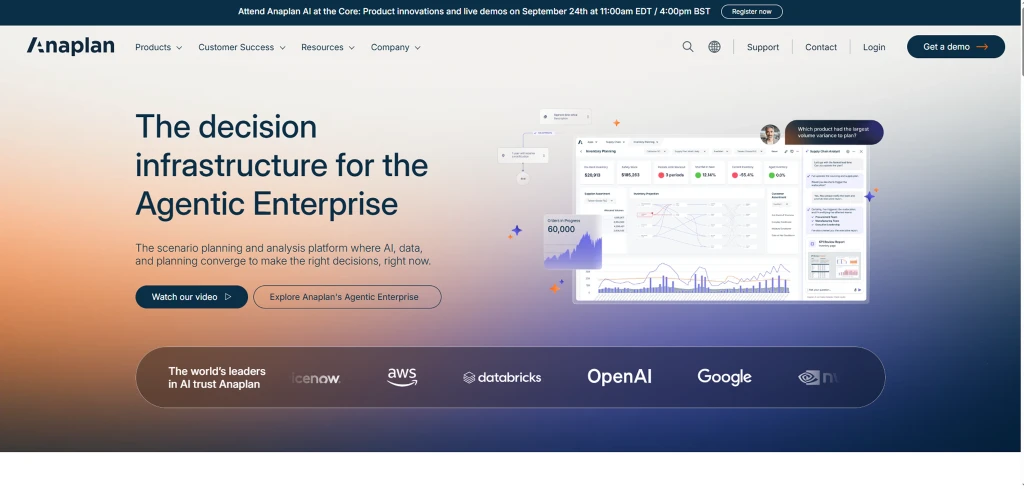
Anaplan is an enterprise workforce management software that connects workforce planning with financial planning, budgeting, and operational forecasting. It helps you evaluate hiring plans, forecast workforce demand, identify skill gaps, and align workforce decisions with broader business objectives through a connected planning environment.
Key Features
- Headcount & Cost Forecasting: Forecast workforce expenses, compensation, and headcount growth to support long-term financial planning.
- Connected Business Planning: Connect workforce planning with finance, sales, operations, and supply chain planning to improve cross-functional decision-making.
- Budgeting & Financial Planning: Align workforce plans with budgets and financial targets through integrated forecasting models.
- Real-Time Collaboration: Allow different business functions to review, update, and refine workforce plans from a shared planning environment.
- Interactive Dashboards & Reports: Monitor workforce planning metrics, hiring plans, and financial performance through customizable dashboards and reporting tools.
Pros
- Connects workforce planning with financial planning.
- Supports enterprise-scale planning and forecasting.
- Handles large volumes of workforce and financial data.
- Enables collaboration across multiple business functions.
- Provides detailed reporting and dashboard capabilities.
Cons
- Implementation can take considerable time.
- Initial setup often requires experienced consultants.
- Learning advanced features takes time.
- Some reporting and visualization features feel limited.
- Performance may slow with highly complex models.
Pricing
Contact the Anaplan sales team for a customized pricing quote based on your business needs.
Reviews
- G2: 4.6/5
- Capterra: 4.2/5
5. Workday
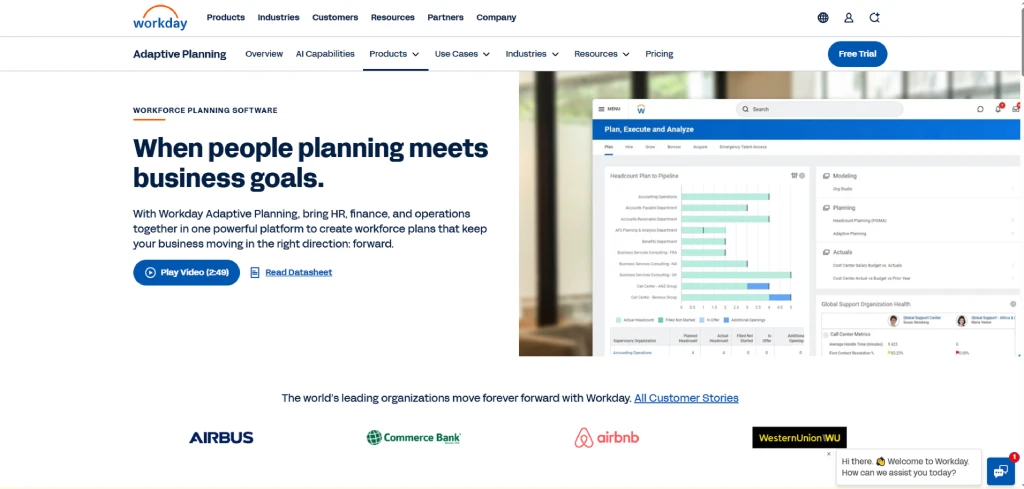
Workday is a cloud-based workforce planning tool used to manage workforce and financial planning in one place. It helps plan staffing needs, estimate employee costs, and compare different hiring or restructuring scenarios. It is commonly used by companies that already use Workday and want to keep workforce and budget planning connected.
Key Features
- Strategic Workforce Planning: Plan future workforce requirements by aligning hiring strategies with long-term business objectives through strategic workforce planning.
- Talent Planning: Compare different hiring scenarios based on skills, location, workforce costs, and future demand.
- AI & Machine Learning: Use AI-assisted forecasting and machine learning models to improve planning accuracy and identify changing workforce trends.
- ERP Integration: Connect with Workday Human Capital Management, ERP systems, and General Ledger platforms for unified planning.
- Cross-Functional Collaboration: Allow HR, finance, and operational teams to work together through shared workforce planning models and real-time updates.
Pros
- Works seamlessly with other Workday applications.
- Provides AI-assisted forecasting features.
- Supports collaboration across finance and HR teams.
- Offers industry-specific planning capabilities.
- Scales well for growing and global businesses.
Cons
- Learning advanced features requires training.
- Extensive functionality may feel overwhelming for smaller businesses.
- Customization may require additional configuration.
- Some integrations outside the Workday ecosystem require extra effort.
- Higher overall cost than many workforce planning alternatives.
Pricing
Contact the Workday sales team for a customized pricing quote based on your business needs.
Reviews
- G2: 4.3/5
- Capterra: 4.5/5

Did You Know
According to Engagedly, replacing a team member is expensive. On average, employee turnover costs about $36,295 in lost productivity and hiring efforts, and for more than 20% of businesses, the expense exceeds $100,000.
This is exactly why having workforce planning software is essential. It helps you anticipate staffing gaps early, reduce the impact of attrition, and manage your workforce more efficiently.
6. Visier

Visier is an AI-powered workforce planning software that focuses on workforce analytics, predictive insights, and strategic planning. It helps you analyze workforce trends, identify skill gaps, forecast future workforce needs, and make informed staffing decisions using data from multiple HR systems. Unlike platforms centered on budgeting, Visier places greater emphasis on workforce visibility and long-term planning.
Key Features
- Workforce Benchmarking: Compare workforce metrics against industry benchmarks to identify improvement opportunities.
- AI-Powered Insights: Receive automated recommendations, trend analysis, and predictive insights that support workforce planning decisions.
- Data Integration: Connect workforce data from HRIS, payroll, talent management, and other business systems into one analytics platform.
- Diversity & Workforce Composition Reporting: Track workforce demographics, diversity metrics, and organizational composition through detailed reports.
- Attrition & Retention Analysis: Identify turnover trends, retention risks, and workforce patterns that may affect future staffing plans.
Pros
- Delivers powerful workforce analytics and reporting.
- Makes workforce trends easy to visualize.
- Provides AI-powered predictive insights.
- Connects with a wide range of HR systems.
- Includes interactive dashboards with drill-down capabilities.
Cons
- Advanced configuration requires training.
- Learning curve can be challenging for new users.
- Customization options can feel restrictive.
- Some reporting and export capabilities need improvement.
- Mobile experience is less capable than the web platform.
Pricing
Contact the Visier sales team for a customized pricing quote based on your business needs.
Reviews
- G2: 4.6/5
- Capterra: 4.5/5
7. Deel
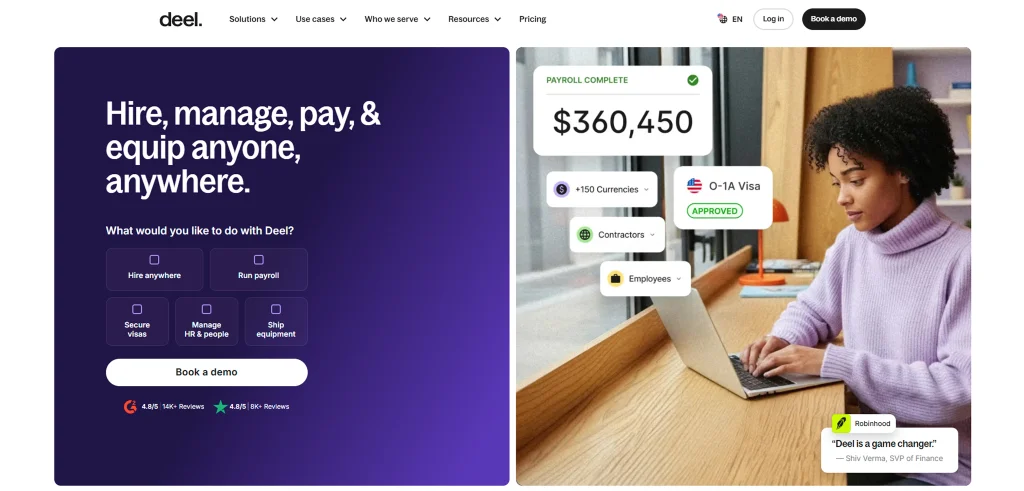
Deel is a global workforce planning software and HR platform that helps you hire, manage, and pay employees and contractors across more than 150 countries. While its core strength lies in global payroll and compliance, it also supports workforce planning through headcount insights, compensation benchmarking, and workforce analytics that help you plan international hiring more effectively.
Key Features
- Global Hiring: Hire full-time employees and contractors across multiple countries while managing local employment requirements from one platform.
- Global Payroll: Run payroll across international teams with support for multiple currencies, localized tax requirements, and statutory benefits.
- Employee Onboarding: Create localized onboarding workflows, collect required documents, and manage employment records digitally.
- HR Management: Store employee records, manage leave, track time off, and maintain workforce information from a centralized dashboard.
- Document Management: Generate, store, and manage contracts, compliance documents, and employment records securely.
Pros
- Supports hiring in more than 150 countries.
- Simplifies international payroll management.
- Helps maintain compliance with local labor laws.
- Includes compensation benchmarking tools.
- Offers an intuitive and easy-to-use interface.
Cons
- Payroll billing follows monthly billing cycles.
- Advanced features can increase overall subscription costs.
- Some workflows may require additional manual review.
- Platform performance may occasionally slow during document uploads.
- Certain integrations require additional configuration.
Pricing
Contact the Deel sales team for a customized pricing quote based on your business needs.
Reviews
- G2: 4.8/5
- Capterra: 4.9/5
Want better visibility into your workforce before making important decisions?
Choose Time Champ to track workforce trends, monitor capacity, and plan with confidence.
8. SAP SuccessFactors
SAP SuccessFactors is an enterprise workforce planning solution and human capital management platform that helps you manage workforce planning, talent management, employee development, and workforce analytics from a single system. It combines AI-powered insights with workforce data to help you forecast workforce needs, identify skill gaps, monitor performance, and support long-term workforce planning. It works best for businesses already using the SAP ecosystem.
Key Features
- Skills & Competency Management: Assess workforce capabilities, identify skill gaps, and plan learning or hiring initiatives to address future needs.
- Employee Lifecycle Management: Manage every stage of the employee journey from hiring and onboarding to performance, development, and offboarding.
- Learning & Development: Deliver personalized learning programs, training, certifications, and career development opportunities.
- Workforce Reporting: Generate workforce reports with predefined metrics and customizable dashboards to support planning decisions.
- SAP Ecosystem Integration: Connect seamlessly with SAP ERP, SAP payroll, finance, and other SAP business applications.
Pros
- Combines workforce planning with a complete HCM suite.
- Integrates well with other SAP products.
- Includes recruiting, learning, and succession planning.
- Supports compliance and governance requirements.
- Provides extensive reporting and dashboard capabilities.
Cons
- Navigation between modules may require improvement.
- Advanced customization often requires technical expertise.
- Performance may slow with complex configurations.
- Some features depend on additional SAP modules.
- The user interface can feel overwhelming for new users.
Pricing
Contact the SAP sales team for a customized pricing quote based on your business needs.
Reviews
- G2: 4.1/5
- Capterra: 4.0/5
9. ADP Workforce Now
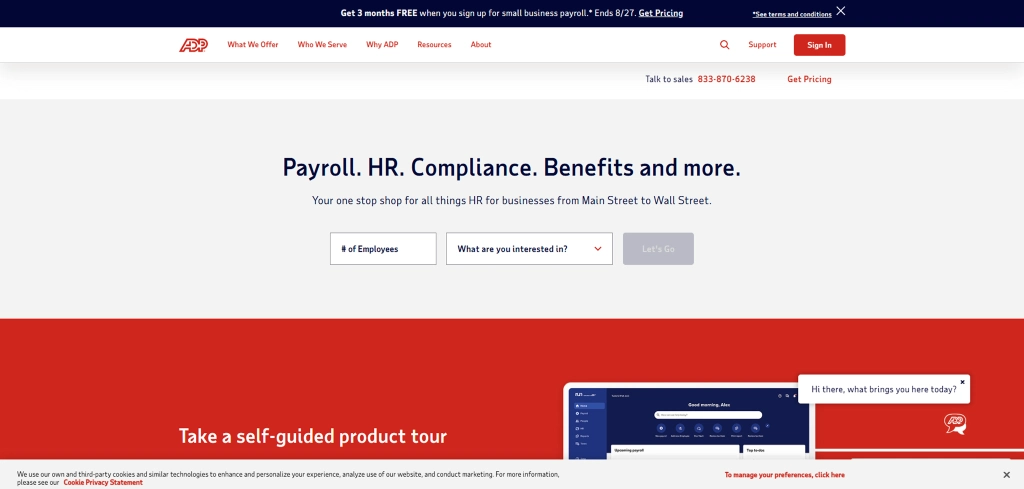
ADP Workforce Now is a cloud-based human capital management (HCM) platform that combines HR, payroll, benefits administration, time and attendance, and talent management in one system. It helps you manage employee records, process payroll accurately, and track workforce information in a simple and organized way. It also offers reporting and analytics to support better staffing and planning decisions.
Key Features
- Employee Data Management: Maintain employee records, job history, compensation details, and workforce information in one centralized platform.
- Payroll & Benefits Administration: Manage payroll processing, tax calculations, employee benefits, and compliance from a unified solution.
- Talent Management: Support recruiting, onboarding, performance management, and employee development throughout the workforce lifecycle.
- Time & Attendance Tracking: Track attendance, working hours, overtime, leave balances, and scheduling information.
- Employee Self-Service: Allow employees to access payslips, tax documents, benefits information, and personal records without HR assistance.
Pros
- Employee self-service reduces administrative work.
- Integrates with a wide range of business applications.
- Simplifies payroll and benefits administration.
- Supports recruiting, onboarding, and talent management.
- Mobile access allows workforce management from anywhere.
Cons
- User interface feels outdated in some areas
- Navigation may require multiple steps for common tasks.
- Initial setup may require additional implementation support.
- Some features require separate modules or add-ons.
- Onboarding workflows may take time to configure.
Pricing
Contact the ADP sales team for a customized pricing quote based on your business needs.
Reviews
- G2: 4.2/5
- Capterra: 4.4/5
10. UKG Pro
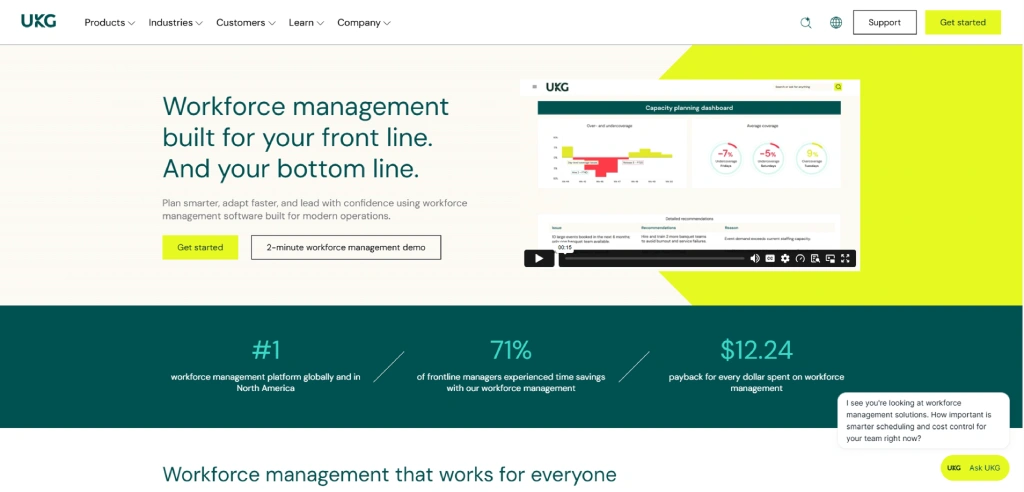
UKG Pro is a cloud-based human capital management platform that combines workforce planning, payroll, workforce management, scheduling, and talent management in a single solution. It helps you forecast staffing requirements, manage labor costs, optimize schedules, and monitor workforce performance through real-time analytics. The platform is particularly suitable for businesses with large frontline or shift-based workforces.
Key Features
- Workforce Scheduling: Create employee schedules, manage shift rotations, and adjust staffing levels based on workload and labor availability.
- Labor Analytics: Monitor labor costs, overtime, attendance, productivity, and workforce trends through interactive dashboards.
- Compliance Management: Support labor law compliance, workforce regulations, payroll reporting, and audit requirements.
- Reporting & Dashboards: Generate workforce reports and visual dashboards to monitor staffing, labor utilization, and workforce performance.
- Integrations: Connect with payroll, ERP, HR, finance, and third-party business applications for centralized workforce management.
Pros
- Provides comprehensive scheduling and labor management tools.
- Offers an easy-to-use employee self-service portal.
- Includes workforce forecasting and analytics.
- Supports talent management and succession planning.
- Includes flexible reporting and dashboard capabilities.
Cons
- Customization often requires additional configuration.
- Some workflows involve multiple steps.
- Certain advanced capabilities require additional modules.
- Customer support experiences can vary depending on the issue.
- Implementation can take longer for large deployments.
Pricing
Contact the UKG sales team for a customized pricing quote based on your business needs.
Reviews
- G2: 4.3/5
- Capterra: 4.3/5
How to Choose the Best Workforce Planning Software?
The right workforce planning solution should help you make better workforce decisions today while preparing you for future growth. Before choosing a platform, compare these factors carefully.
1. Define Your Planning Goals
Start by identifying what you want to improve. You may need better hiring forecasts, workforce capacity planning, scheduling, resource allocation, or workforce analytics. Clear goals make it easier to choose the right workforce planning tool.
2. Look for Forecasting Capabilities
Choose a platform that helps you predict future workforce needs instead of only tracking current data. Forecasting, scenario planning, and trend analysis help you prepare for changing business demands with greater confidence.
3. Check Reporting and Analytics
Reliable insights support better planning decisions. A good workforce planning system should provide customizable dashboards, workforce reports, and real-time analytics that help you spot trends quickly.
4. Evaluate Ease of Use
A complicated platform slows adoption. Look for software with a clean interface, simple navigation, and an onboarding process that helps your team get started without unnecessary complexity.
5. Review Integration Options
Your workforce planning software should connect easily with payroll, HR, project management, accounting, and collaboration tools. Smooth integrations reduce manual work and keep data consistent across systems.
6. Compare Pricing and Overall Value
The most expensive platform is not always the right choice. Compare pricing, included features, customer support, implementation effort, and long-term value before making your decision.
Still switching between multiple tools to manage workforce planning?
Bring everything together with Time Champ and simplify planning, tracking, and workforce analytics from one platform.
Conclusion
At this point, you have a better understanding of what workforce planning software offers and what to consider before choosing one. The right platform helps you plan ahead, allocate resources wisely, and make workforce decisions that support both your immediate priorities and long-term business goals.
For businesses looking to manage workforce planning from a single platform, Time Champ offers a practical approach. It combines workforce planning, resource management, workforce analytics, time tracking, and productivity insights, giving you the information you need to plan with greater clarity instead of relying on disconnected tools.

Thasleem Shaik

Table of Content
 What is Workforce Planning Software?
- Best Workforce Planning Software: Quick Overview
- 1. Time Champ
- 2. Cube
- 3. Orgvue
- 4. Anaplan
- 5. Workday
- 6. Visier
- 7. Deel
- 8. SAP SuccessFactors
- 9. ADP Workforce Now
- 10. UKG Pro
- How to Choose the Best Workforce Planning Software?
- Conclusion
Instant Signup
Thank you for your request!
We have received your signup request and our team will get back to you soon. In the meantime, you can book a demo to see Time Champ in action.
Book a DemoFree trial. No credit card required. Prefer a walkthrough? Book a demo.
Related Blogs
Compare the best time tracking tools for virtual assistants to track hours, manage clients, boost productivity, simplify billing, and stay organized.
Thasleem Shaik | Jun 04, 2026
Looking for the best software development tools? Compare 15 top tools for coding, version control, DevOps, deployment, and project management!
Guna Lakshmi | Jul 14, 2026
Looking for the best business optimization tools? Compare the top solutions for automating workflows, improving efficiency, and accelerating business growth.
Anjali | Jul 06, 2026
AI productivity tools help employees automate tasks, work smarter, and boost overall productivity. Learn their benefits, risks, top tools, and best practices.
Anjali | Jul 04, 2026
Discover the top agency workforce monitoring tools in 2026 to track productivity, manage remote teams, and improve efficiency across your workforce operations.
Jahnavi Pulluri | Apr 28, 2026
Find the best employee monitoring tools for 2026. Compare features, pricing, pros, and cons for employee activity tracking and work visibility.
Thasleem Shaik | May 19, 2026


 4.7/5 avg.
Ready to Manage Your Workforce Smarter?
Join our family of 1500+ companies using smart insights to redefine workforces!

Free Trial
No Credit Card Required