AI Productivity Tools: How AI Is Shifting Daily Work
AI productivity tools help employees automate tasks, work smarter, and boost overall productivity. Learn their benefits, risks, top tools, and best practices.

Are repetitive tasks, endless emails, and constant meetings leaving you with little time for meaningful work? It becomes harder to focus on important tasks and maintain productivity throughout the day. AI productivity tools can help you automate routine tasks, improve collaboration, and get work done without sacrificing quality.
Here you’ll understand how AI is reshaping daily work and boosting employee productivity. You’ll also see top tools, key benefits & risks, practical ways to use them, and how to measure their real impact on your team.
What are AI Productivity Tools?
AI productivity tools are software applications that use artificial intelligence to automate repetitive tasks, generate drafts, transcribe meetings, organize schedules, analyze information, and support decision-making. They help employees save time, reduce manual effort, improve accuracy, and focus more on high-value work that drives better productivity and business outcomes.
How AI Productivity Tools Are Shifting Daily Work
AI is gradually changing how everyday work gets done across teams and organizations. Employees no longer need to spend hours on repetitive tasks and can focus on meaningful, strategic work. These tools are reshaping workflows, improving work efficiency, and making daily tasks easier to manage.
- Automating Repetitive Tasks: Routine activities such as data entry, scheduling, email drafting, and report generation are handled automatically, allowing your employees to focus on more strategic work.
- Accelerating Information Access: Information is quickly found, summarized, and organized across multiple sources, reducing your time spent searching for answers.
- Enhancing Communication and Collaboration: Meeting assistants, transcription tools, and writing aids help your teams communicate more effectively and stay aligned.
- Supporting Faster Decision-Making: Large volumes of data are analyzed to deliver insights in seconds, enabling you to make more confident and informed decisions.
- Improving Work Efficiency and Focus: Administrative workload is reduced, and task switching is minimized, helping your employees stay focused on high-value activities and achieve more in less time.
How Do AI Productivity Tools Improve Employee Productivity?
AI productivity tools help employees complete work faster, improve efficiency, and reduce time spent on routine tasks. Here you’ll explore the key ways these tools improve employee productivity in daily work.
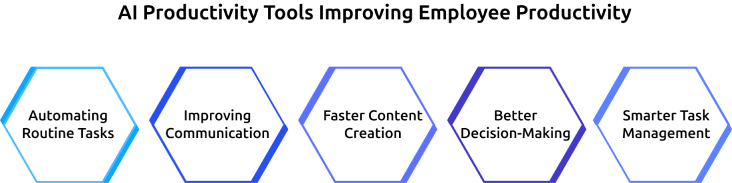
Automating Routine Tasks
Many daily tasks, such as scheduling meetings, managing calendars, organizing documents, and responding to common requests, consume valuable work hours. AI helps automate these activities, giving employees more time to focus on meaningful responsibilities and business goals.
Improving Communication
Writing emails, summarizing conversations, creating meeting notes, and sharing updates can take significant time. AI helps employees handle communication tasks quickly, ensuring information is shared clearly and teams stay aligned.
Faster Content Creation
Employees regularly create reports, presentations, proposals, and other business documents. AI productivity tools help with drafting, editing, summarizing, and organizing content, helping employees complete work faster and improve overall efficiency.
Better Decision-Making
Finding relevant information across multiple systems can slow down work. AI helps employees analyze data, identify patterns, and access important insights quickly, allowing them to make informed decisions with greater confidence.
Smarter Task Management
Modern AI tools can perform multi-step actions such as gathering information, creating summaries, updating records, and assisting with workflows. This enables employees to manage tasks more efficiently and maintain productivity throughout the workday.

Did You Know?
Gallup reported in early 2026 that 38% of employees say their organization has implemented AI to improve productivity, efficiency, and work quality.
Best AI Productivity Tools for Everyday Work
AI productivity tools help employees save time, reduce manual effort, and complete tasks more efficiently. From automating routine work to improving collaboration and task management, these tools support different aspects of daily work and help teams stay productive.
Time Champ
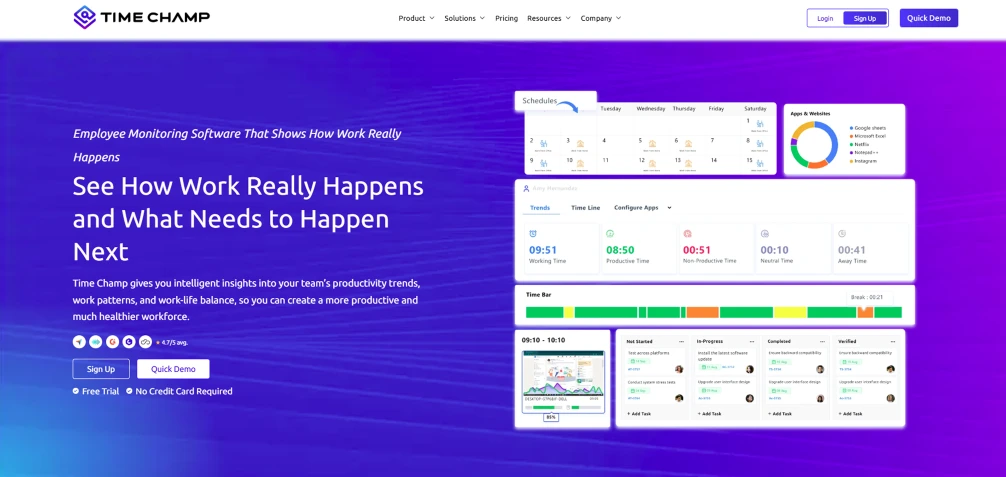
Time Champ is an employee monitoring software that uses AI to enhance productivity and provide clear visibility into how work is performed. It effectively tracks productive hours, application usage, task progress, attendance, and project activities in real time. These insights help you identify productivity trends, improve accountability, and make better decisions about workload and performance.
ChatGPT
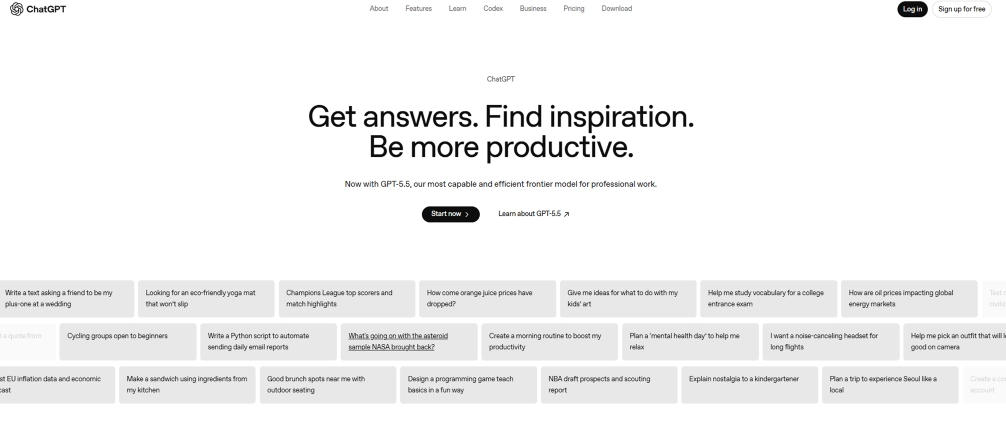
ChatGPT is an AI-powered conversational tool that helps your employees complete writing, research, brainstorming, and communication tasks faster. It can generate emails, create reports, summarize information, answer questions, and help with content creation. ChatGPT reduces the time spent on routine knowledge work, allowing your employees to focus on higher-priority responsibilities.
Notion AI
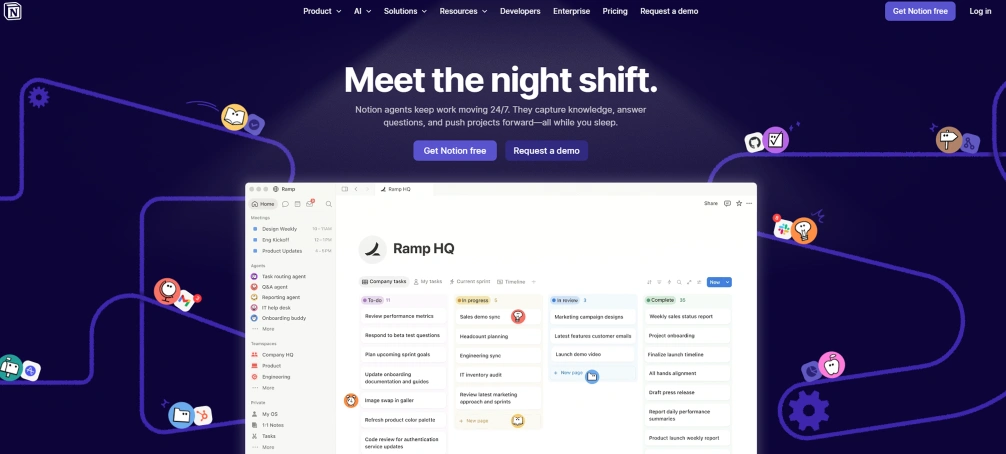
Notion AI is an intelligent workspace tool that improves productivity by helping you create, organize, and manage information within a single platform. It can generate content, summarize notes, extract key points from documents, and help with knowledge management. This helps your employees access information quickly and keep projects organized.
Asana
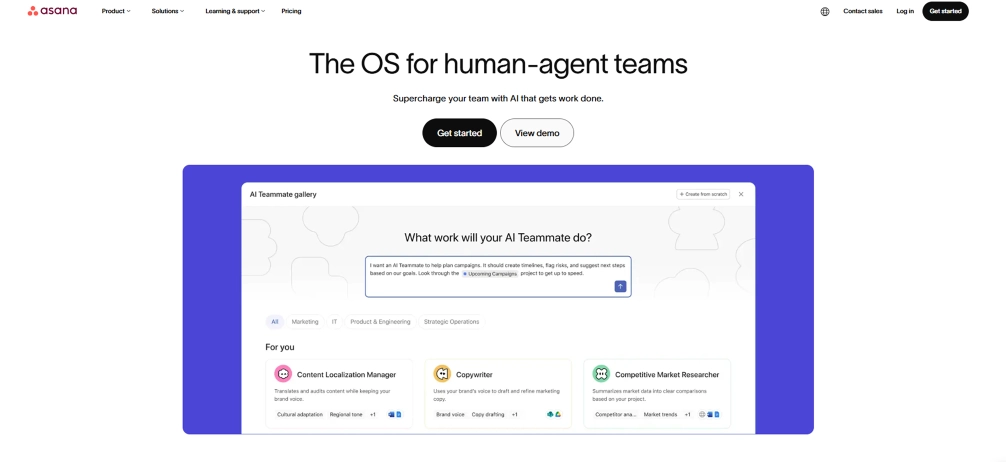
Asana is a project management tool that helps teams manage projects, track tasks, and coordinate work more effectively. Its AI-powered features help you prioritize tasks, summarize project updates, identify potential risks, and improve workflow planning. This enables your teams to stay aligned and complete projects more efficiently.
Zapier
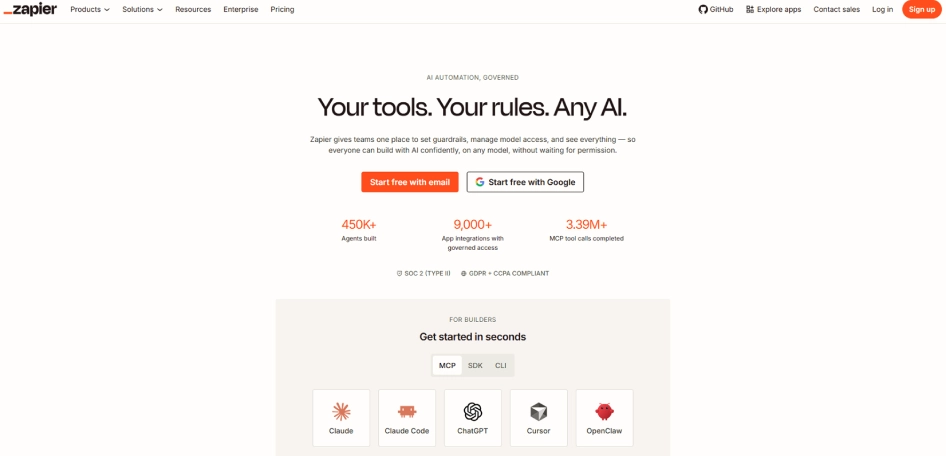
Zapier is an automation tool that connects different applications and streamlines repetitive workflows across business tools. It can automatically transfer data, trigger actions between platforms, send notifications, and update records without manual intervention. This reduces administrative work and helps your employees focus on more valuable tasks.
Reclaim.ai
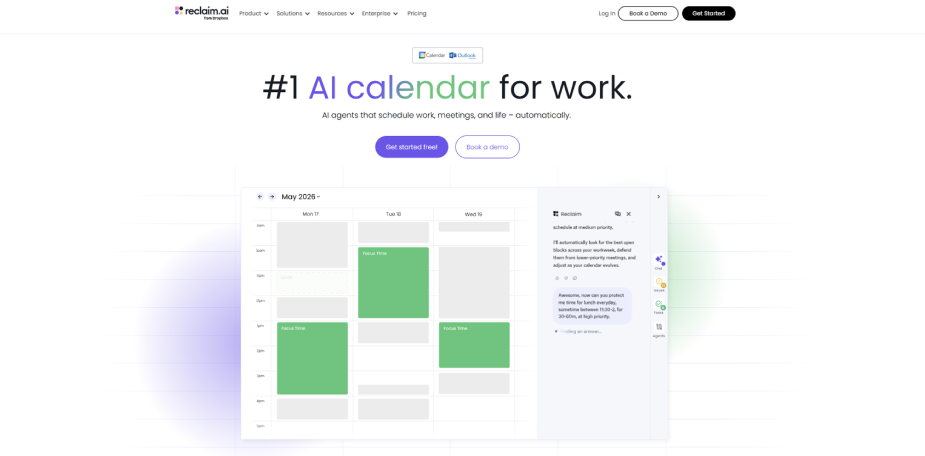
Reclaim.ai is an AI-powered scheduling tool that helps employees manage their time more effectively by automatically organizing calendars based on priorities. It intelligently schedules meetings, tasks, habits, and breaks while adjusting in real time as changes occur. Protecting focus time and balancing workloads help your employees stay productive without feeling overwhelmed.
How to Use AI Productivity Tools in Daily Work
Using AI productivity tools effectively is not just about automating tasks. The goal is to reduce time spent on routine work, improve efficiency, and create more time for high-value activities. Here are some practical ways to help you use AI tools effectively in daily work:
1. Automate Repetitive Administrative Tasks
Use AI tools to automate routine administrative work such as scheduling meetings, updating records, managing calendars, and handling routine requests. This reduces manual effort and allows you to focus on more important tasks.
2. Create and Improve Business Content Faster
Use AI to draft emails, reports, proposals, presentations, and meeting summaries quickly. It also improves clarity and grammar, helping teams produce better content in less time.
3. Accelerate Research and Information Gathering
Leverage AI tools to collect, organize, and summarize information from multiple sources. This helps you find relevant insights faster and make informed decisions.
4. Organize Tasks and Prioritize Work
Use AI-powered tools to organize tasks, set priorities, and track deadlines. This improves focus and helps you manage your workload more effectively.
5. Analyze Data and Generate Actionable Insights
Apply AI to process data, identify patterns, and generate reports quickly. This helps you understand trends and make better decisions based on accurate insights.
The Risks of AI Productivity Tools and How to Use Them Safely
While AI tools can improve efficiency and save time, they also introduce risks that you and your employees should understand. Using AI responsibly helps you maximize its benefits while reducing potential problems.
Skill Fade
When you rely too heavily on AI for writing, analysis, problem-solving, or decision-making, your own skills can gradually weaken over time. This can make it difficult for you to work independently when AI tools are unavailable or when human judgment is required.
How to use AI safely: Use AI as a support tool, not a replacement for your critical thinking. Regularly review, edit, and create work independently to maintain your professional skills and expertise.
Inaccurate or Misleading Information
AI can sometimes generate incorrect information, outdated facts, or misleading recommendations that appear convincing. If you rely on AI-generated outputs without verification, it can lead to mistakes, poor decisions, and reduced work quality.
How to use AI safely: Always verify important information, review AI-generated content carefully, and validate facts using trusted sources before making decisions or sharing outputs.
Data Security and Confidential Information Exposure
Your employees may unknowingly enter sensitive business information, customer data, financial records, or internal documents into AI platforms. This can create security and compliance risks if the information is stored or processed outside approved systems.
How to use AI safely: Establish clear policies that restrict the use of public AI tools for handling sensitive information. Provide employees with approved, secure AI platforms that meet data protection standards and ensure regular training on data security practices and compliance requirements.
Reduced Human Oversight
As AI handles more tasks automatically, you may become less involved in reviewing processes and outcomes. Important errors, unusual situations, or quality issues can go unnoticed when human oversight decreases.
How to use AI safely: Maintain human review for important decisions, customer-facing content, financial activities, and business-critical processes. Always check AI outputs before final approval.
Workflow Dependence and Productivity Disruptions
If you depend heavily on AI tools, you may face productivity challenges when systems experience downtime, technical issues, or unexpected changes. Your work can slow down if you are unable to perform tasks without AI assistance.
How to use AI safely: Establish backup processes, document key workflows, and ensure you understand how to complete critical tasks without AI support when necessary.
Not sure if your AI tools are actually improving productivity?
Use Time Champ to track work patterns, measure productivity changes, and see the real impact of AI across your teams.
How to Measure the Impact of AI Productivity Tools on Your Team
Implementing AI productivity tools is only the first step. To understand whether they are delivering real value, you need to measure their impact on productivity, work quality, and employee experience. The following methods can help you evaluate whether AI is improving team performance.

1. Establish a Baseline Before AI Adoption
Start by documenting your team’s current productivity levels before introducing any AI tools. Measure key factors such as task completion time, project turnaround time, workload distribution, and output volume. Use this data as a benchmark so you can clearly compare performance before and after AI implementation.
2. Track Productivity and Efficiency Metrics
Identify and monitor key performance indicators that reflect how work is being completed. Track metrics such as the number of tasks completed, projects delivered, response times, active work hours, and time spent on repetitive activities. Regularly review these metrics to determine whether AI is improving efficiency.
3. Measure Time Savings Across Daily Tasks
Analyze how much time employees spend on routine tasks both before and after using AI tools. Focus on activities such as email management, report creation, scheduling, research, and data entry. Compare the results to identify consistent time savings and understand where AI is delivering the most value.
4. Evaluate Work Quality and Rework Rates
Ensure that increased productivity does not reduce the quality of your employees’ work. Monitor error rates, revisions, customer feedback, compliance issues, and overall project accuracy. Look for a decrease in rework and mistakes as an indicator that AI tools are supporting better outcomes.
5. Gather Employee Feedback and Adoption Insights
Actively collect feedback from your employees to understand how AI tools are impacting their daily work. Conduct surveys, hold discussions, and track adoption rates. Use this information to assess whether employees find the tools useful, easy to use, and beneficial for their productivity.
6. Assess Business Outcomes and Team Performance
Measure the broader impact of AI on your business performance. Track outcomes such as project delivery speed, customer satisfaction, revenue growth, operational efficiency, and overall team performance. Use these insights to determine whether AI is contributing to meaningful improvements across your organization.
How Time Champ Helps to See the Real Impact of AI Tools
You may adopt AI tools but still struggle to clearly see whether they are improving productivity. Without proper visibility into how time is spent and tasks are completed, it becomes difficult for you to measure real impact. Time Champ is a smart employee monitoring software with real-time productivity features that help you track work patterns, measure efficiency, and understand how AI tools are influencing your team’s performance.
Here’s how Time Champ helps in practice:
- Create a Clear Productivity Baseline: Understand how your employees spend their work hours before using AI tools, which helps you identify repetitive tasks and areas where AI can improve efficiency.
- Measure Productivity Improvements: Track productivity changes after implementing AI tools, allowing you to compare task completion times and confirm real improvements.
- Identify Remaining Time Drains and Work Gaps: Find areas where your employees still spend too much time on manual tasks, uncovering opportunities for further automation.
- Provide Transparent Productivity Visibility: View productive hours, work trends, task activity, and time utilization through easy-to-understand dashboards. This helps to improve your accountability and team transparency.
- Support Security and Compliance Requirements: Track productivity without risking sensitive data, ensuring that you meet security and compliance standards.
Are you using AI tools but still struggling to understand where your time goes?
Time Champ shows where time is spent and highlights productivity trends.
Conclusion
AI is changing the way work gets done by helping employees automate routine tasks, improve communication, manage workloads, and access information faster. When used effectively, AI productivity tools can save time, improve efficiency, and allow teams to focus on more valuable work. However, achieving real results requires more than simply adopting new technology. You need clear processes, responsible usage practices, and the ability to measure outcomes. Combining the right AI tools with continuous productivity tracking and performance insights helps you maximize the benefits of AI while maintaining quality, accountability, and long-term productivity growth.

Anjali

Table of Content
 What are AI Productivity Tools?
- How AI Productivity Tools Are Shifting Daily Work
- How Do AI Productivity Tools Improve Employee Productivity?
- Best AI Productivity Tools for Everyday Work
- How to Use AI Productivity Tools in Daily Work
- The Risks of AI Productivity Tools and How to Use Them Safely
- How to Measure the Impact of AI Productivity Tools on Your Team
- How Time Champ Helps to See the Real Impact of AI Tools
- Conclusion

Related Blogs

Explore 8 key trends shaping the future of employee productivity tracking, including AI, workforce intelligence, hybrid work, and wellbeing analytics.
Thasleem Shaik | May 13, 2026
Learn what workplace intelligence is with real examples, how to implement it, key benefits, major challenges, and how it helps businesses scale effectively.
Anjali | Feb 11, 2026
Explore 20 proven productivity hacks to improve employee focus, reduce workplace distractions, and help your teams work more efficiently in 2026.
Guna Lakshmi | May 14, 2026
Learn how AI-powered workplace productivity monitoring affects employee data privacy, compliance, transparency, accountability, and trust in organizations.
Jahnavi Pulluri | May 11, 2026
Apply the OKR framework to boost employee productivity with clear goals, aligned teams, and measurable progress you can track weekly.
Guna Lakshmi | Apr 22, 2026
Learn how to track productivity in the workplace using proven methods, role-based metrics, and tools. A practical 2026 guide for modern managers and teams.
Jahnavi Pulluri | May 06, 2026


 4.7/5 avg.
Ready to Manage Your Workforce Smarter?
Join our family of 1500+ companies using smart insights to redefine workforces!

Free Trial
No Credit Card Required