Agency Workforce Monitoring Tools for Better Productivity
Discover the top agency workforce monitoring tools in 2026 to track productivity, manage remote teams, and improve efficiency across your workforce operations.
Running an agency in 2026 isn’t what it used to be. Teams are remote, clients expect faster delivery, and keeping track of who’s doing what (and when) can get messy pretty quickly.
If you’ve ever caught yourself asking, “Where does all the time actually go?”, you’re definitely not alone.
That’s exactly where agency workforce monitoring tools come in. They’re not about spying on your team, they’re about understanding workflows, improving productivity, and making smarter decisions.
In this blog, I’ll break down the best agency workforce monitoring tools in 2026, what makes them useful, and how to pick the right one without overcomplicating things.
What Are Workforce Monitoring Tools?
Workforce monitoring tools are software systems designed to track, measure, and analyze employee activities, performance, and productivity within an organization. They help employers understand how work is being carried out by collecting data such as time spent on tasks, application usage, attendance, and overall output.
These tools are commonly used to improve efficiency, manage remote or hybrid teams, and support better decision-making through insights and reports.
Why Agencies Need Workforce Monitoring Solutions
Agencies often handle multiple clients, projects, and deadlines simultaneously. When work isn’t tracked properly, inefficiencies grow, deadlines can get missed, and resources can be mismanaged, especially when teams work remotely or in different locations.
Here’s why these tools are essential:
- Helps Manage Remote and Hybrid Teams EffectivelyThey provide real-time visibility into team activities, making it easier to coordinate work, track progress, and keep everyone aligned regardless of location.
- Tracks Billable Hours Accurately for ClientsPrecise time tracking helps agencies bill clients fairly and transparently, while also preventing revenue loss from unrecorded work.
- Improves Productivity and Reduces Time WastageClear visibility into time spent helps agencies to eliminate inefficiencies, refine workflows, and focus on important tasks.
- Ensures Accountability Across TeamsClear tracking of tasks and performance encourages responsibility, helping team members stay on track and meet expectations.
- Provide Data-Driven Insights for Better Decision-MakingDetailed reports and analytics help you make informed choices about staffing, project timelines, and overall business strategy.
Monitor Time, Improve Productivity & Manage Time Better!
Transform time data into actionable insights that drive better business outcomes.
Key Features to Look for in Agency Workforce Monitoring Tools
When choosing a workforce monitoring tool for your agency, it’s important to look beyond basic tracking and focus on features that help you manage work, people, and performance effectively. Here are the key features to consider:
Time Tracking and Attendance
Look for a tool that automatically records working hours, login and logout times, breaks, and generates timesheets with minimal manual effort. This makes it easier to understand who worked when and reduces errors in attendance tracking.
Real-Time Activity Monitoring
Choose a tool that provides a live view of team activity, showing who is working, idle, or away. This helps you stay updated on daily operations and quickly check progress when needed.
App and Website Usage Tracking
Consider software that tracks which applications and websites are used during work hours. This helps you identify productive tools and spot time-wasting activities.
Project and Task Tracking
Pick a tool that tracks projects and tasks in a simple, stress-free way and generates clear reports. This makes it easier to monitor progress, manage deadlines, and understand how time is spent on each project.
Productivity Insights and Reports
Go for tools that offer clear reports, charts, and dashboards instead of just raw data. These insights help you understand performance trends and make better decisions.
Billing and Payroll Support
Having a tool that separates billable and non-billable hours can make your agency’s work easier to manage. This helps you improve billing accuracy and simplifies payroll calculations.
Alerts and Notifications
Look for systems that send alerts for inactivity, missed deadlines, or unusual activity. This allows you to respond quickly and keep work on track.
Privacy and Security Controls
Make sure the tool includes strong data protection and flexible monitoring settings. This helps maintain employee trust while still giving you the visibility needed to manage your team.
7 Top Agency Workforce Monitoring Tools in 2026
Now that you know what to look for, here are the top agency workforce monitoring solutions built to handle the pace and complexity of agency work. Each one has been reviewed based on the key features discussed above.
1. Time Champ
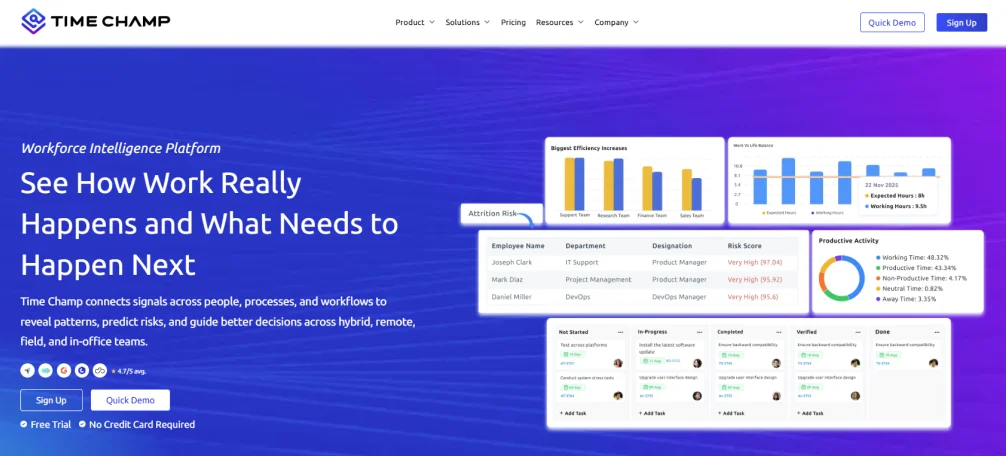
Time Champ is an employee monitoring software that pairs activity tracking with workforce intelligence analytics. It delivers deeper visibility into how work actually flows across teams. It brings together time tracking, activity monitoring, productivity insights, and workforce analytics into a single system, making it easier to manage remote, hybrid, and in-office teams without relying on multiple tools.
Instead of showing isolated data points, Time Champ connects daily work activity into a clear operational view. It helps you understand where time is spent, how teams interact with tools, and where inefficiencies occur, supporting better decisions without disrupting workflows.
What sets Time Champ apart is the level of depth and control it offers beyond standard monitoring.
Instead of just tracking hours, it gives you a detailed view of how time is spent through visual dashboards, activity timelines, and productivity patterns. Project tracking is closely connected to time and billing, helping you manage deadlines, budgets, and client work more easily from one place.
On top of that, Time Champ includes several advanced capabilities that go beyond basic workforce monitoring:
- Screenshot Monitoring – Periodic screenshots with options like blur for sensitive data and live screen viewing (Office TV)
- Data Loss Prevention (DLP) – Tracks file activity, USB usage, and unauthorized access with real-time alerts
- Attrition Risk Prediction – Identifies early signs of disengagement using behavioral patterns and work trends
- GPS and Field Tracking – Supports location-based teams with geo-verified attendance and real-time tracking
These features make it more than just a monitoring tool, it acts as a complete workforce intelligence system for agencies.
Pros
- Complete visibility across time, activity, productivity, and workflows.
- Advanced workforce intelligence insights beyond basic monitoring.
- Clear and easy-to-use dashboards for daily decision-making.
- Detailed and clear reports for better understanding.
- Works smoothly across remote, hybrid, and office environments.
- Strong balance between monitoring depth and usability.
- Flexible setup for different team sizes and structures.
Cons
- A very feature-rich platform may take time to explore fully.
- Some advanced capabilities require initial setup and onboarding.
Features
Real-Time Visibility: Live insight into apps, websites, and team activity across environments.
Productivity Insights: Clear breakdown of productive, idle, and non-productive time.
Attendance Logging: Automatic tracking of work hours, breaks, and shifts.
App & Website Tracking: Detailed view of tool usage and time distribution.
Screen Monitoring: Configurable screenshots and live screen viewing when needed.
Activity Timelines: A daily timeline of work activity and execution.
Idle Detection: Identifies inactivity patterns early.
Automated Timesheets: Generates accurate, ready-to-use timesheets.
Project Tracking: Tracks time across projects and tasks for better planning.
Workforce Reports: Reports on time, productivity, and usage trends.
Seamless Integrations: Integrates smoothly with popular HRMS and project management tools.
Pricing
- Starter: $3.9/user/month (Annually)
- Professional: $6.9/user/month (Annually)
- Enterprise: $13.9/user/month (Annually)
7-day free trial available
Reviews
G2: 4.8/5
Capterra: 4.9/5
Your Agency Deserves More Than Basic Tracking.
Track time, monitor productivity, manage billing, and secure data - all in one place.
2. Hubstaff
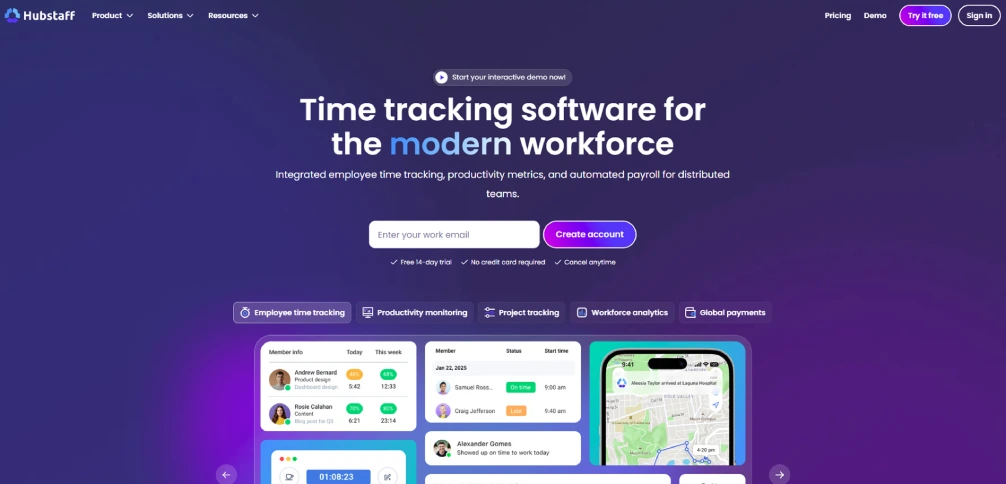
Hubstaff is a time tracking tool built for remote and distributed teams. It helps track employee work hours, monitor activity levels, and manage payroll across projects. The platform gives a structured view of how time is spent while keeping the interface simple.
Pros
- Easy-to-use time tracking with both manual and automatic options.
- Provides visibility into team activity across remote setups.
- GPS tracking helps monitor field teams and on-site employees.
- Offers integrations with common project management tools.
Cons
- Limited built-in project management features.
- Reporting may not offer deep workforce insights.
- Some features depend on integrations with other tools.
- Interface may feel basic for larger teams.
Features
Time tracking records work hours with automatic timers and manual entries.
Activity monitoring shows productivity levels and work patterns.
App and URL tracking identify tools used during work hours.
Screenshots capture work progress at set intervals.
Pricing
- Starter: $4.99/seat/month (Annually)
- Grow: $7.50/seat/month (Annually)
- Team: $10/seat/month (Annually)
- Enterprise: $25/seat/month (Annually)
14-day free trial available
Reviews
G2: 4.4/5
Capterra: 4.5/5
3. Toggl Track
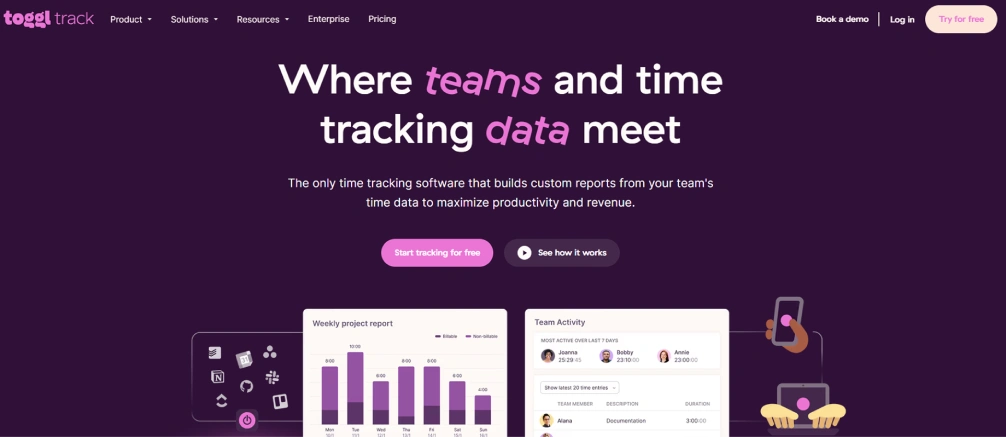
Toggl Track is a simple time tracking tool designed for ease of use and quick adoption. It helps teams log work hours, track time across projects, and generate reports without adding complex monitoring layers. The platform is simple and works well for teams that prefer minimal setup.
Pros
- Very easy to use with a clean interface.
- Quick setup with minimal learning curve.
- Works well for small teams and freelancers.
- Strong reporting for time-based insights.
Cons
- No activity or employee monitoring features.
- Limited visibility into productivity patterns.
- Not designed for detailed workforce tracking.
- Fewer advanced features compared to full monitoring tools.
Features
Time tracking logs hours across tasks and projects.
Project tracking organizes time based on clients or tasks.
Reports provide insights into time usage.
Integrations connect with other tools for workflow support.
Pricing
- Free plan available
- Starter: $9/user/month (Annually)
- Premium: $18/user/month (Annually)
- Enterprise: Custom plan (Annually)
30-day free trial available.
Reviews
G2: 4.6/5
Capterra: 4.7/5
4. ActivTrak
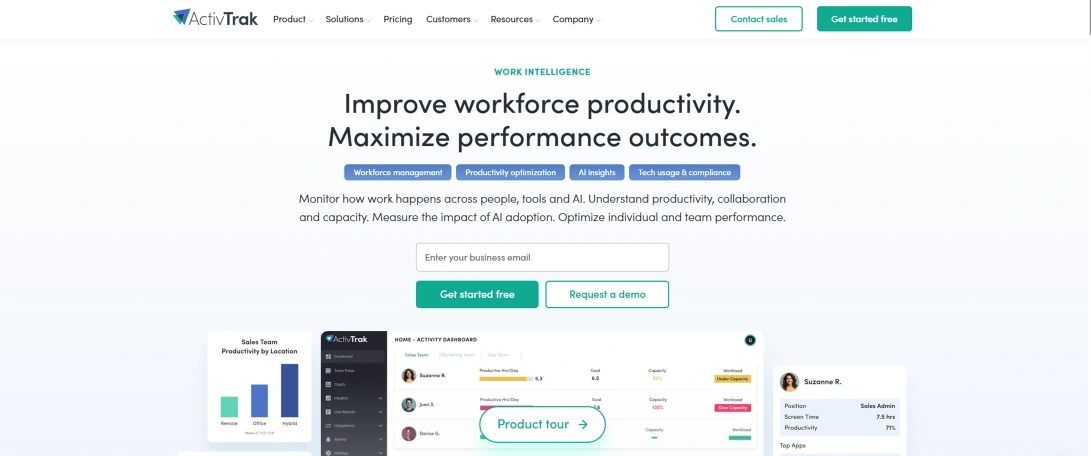
ActivTrak is a workforce analytics tool that focuses on productivity insights and behavior tracking. It helps organizations understand how employees use applications and where time is being spent, offering visibility into work patterns without heavy monitoring.
Pros
- Strong app and website usage insights.
- Useful productivity and focus analytics.
- Clean dashboards for easy reporting.
- Supports team-level performance tracking.
Cons
- Limited billing and payroll capabilities.
- Not a complete workforce management platform.
- Some features require higher-tier plans.
- Less focus on time tracking accuracy.
Features
App and website tracking monitors tool usage.
Productivity analytics highlights work patterns.
Reports provide insights into team behavior.
Workload tracking helps balance tasks across teams.
Pricing
- Free plan available
- Essentials: $10/user/month (Annually)
- Essential Plus: $15/user/month (Annually)
- Professional: $19/user/month (Annually)
14-day free trial available.
Reviews
G2: 4.3/5
Capterra: 4.5/5
5. Teramind
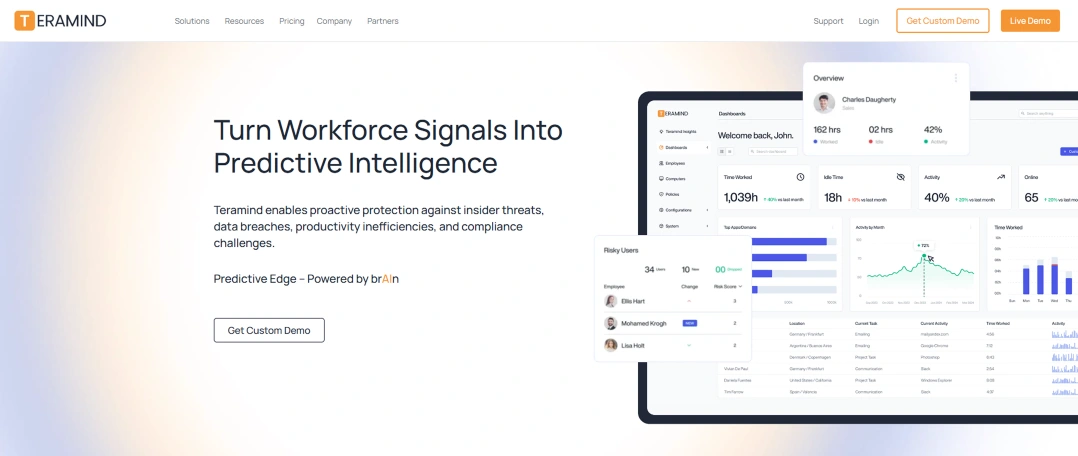
Teramind is an advanced employee monitoring platform focused on security, compliance, and user behavior tracking. It provides deep visibility into system activity, helping organizations detect risks and maintain control over sensitive operations.
Pros
- Advanced monitoring and behavior tracking features.
- Strong focus on security and compliance.
- Real-time alerts for suspicious activities.
- Detailed user activity tracking.
Cons
- Complex setup and learning curve.
- More suited for security use cases than daily operations.
- Can feel intrusive for some teams.
- Higher pricing compared to basic tools.
Features
User activity tracking records detailed behavior.
Session recording captures complete user sessions.
Alerts notify unusual or risky actions.
Behavior analytics identifies patterns and risks.
Pricing
- Starter: $13.45/user/month (Annually)
- UAM: $26.91/user/month (Annually)
- DLP: $31.39/user/month (Annually)
- Custom plan is available (Annually)
Reviews
G2: 4.6/5
Capterra: 4.7/5
6. Clockify
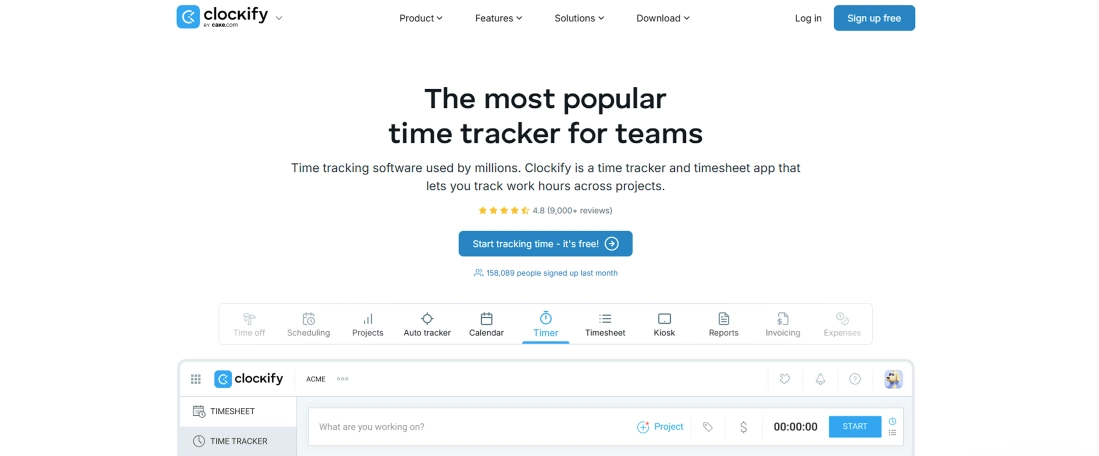
Clockify is a time tracking and timesheet management tool designed for teams that need a simple way to log work hours across projects and tasks. It helps organizations organize time data, generate reports, and track billable hours without adding complex monitoring features.
Pros
- Free plan supports limited users and projects.
- Simple and easy-to-use interface with quick setup.
- Works across web, desktop, and mobile platforms.
- Provides clear time reports and summaries.
Cons
- Limited activity monitoring compared to full monitoring tools.
- Relies on manual timers, which can affect accuracy.
- No built-in payroll processing.
- Advanced features are available only in paid plans.
Features
Time tracking records work hours using timers or manual entries.
Project tracking organizes time across tasks and clients.
Timesheets maintain structured work-hour records.
Reports provide insights into time usage and project distribution.
Pricing
- Free plan available
- Basic: $3.99/user/month (Annually)
- Standard: $5.49/user/month (Annually)
- Pro: $7.99/user/month (Annually)
- Enterprise: $11.99/user/month (Annually)
- Bundle: $12.99/user/month (Annually)
7-day free trial available.
Reviews
G2: 4.5/5
Capterra: 4.8/5
7. Time Doctor
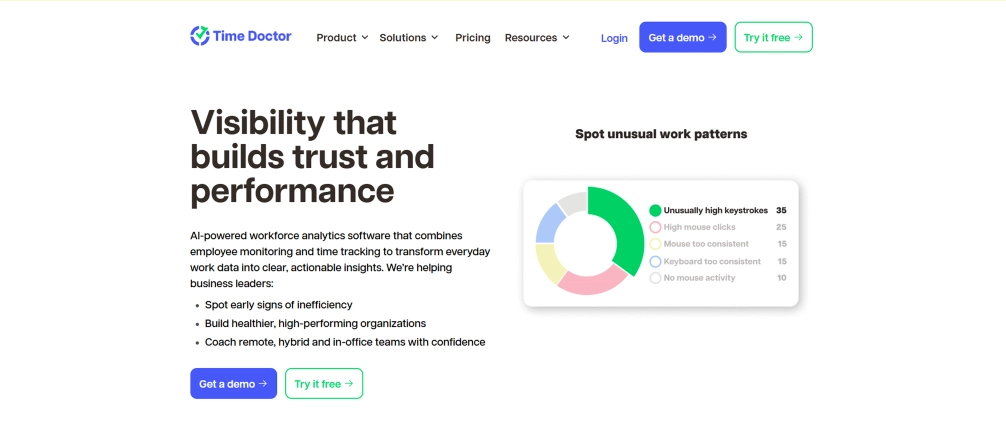
Time Doctor is a time tracking tool designed mainly for remote and distributed teams. It helps track how time is spent on tasks, monitor application and website usage, and generate reports to improve productivity and accountability.
Pros
- Provides detailed time tracking across tasks and projects.
- Good app and website usage monitoring.
- Offers screenshots for visual proof of work.
- Supports payroll and integrations with other tools.
Cons
- Monitoring features may feel intrusive for some teams.
- Setup and configuration can take time.
- Pricing increases with advanced features and add-ons.
Features
Time tracking records work hours across tasks, projects, and clients.
App and website monitoring tracks tool usage and productivity.
Screenshots provide a visual context of work activity.
Reports and analytics highlight productivity trends and insights.
Pricing
- Basic: $6.67/user/month
- Standard: $11.67/user/month
- Premium: $16.70/user/month
- Enterprise: Custom plan
14-day free trial available
Reviews
G2: 4.4/5
Capterra: 4.5/5
How to Choose the Right Agency Workforce Monitoring Software for Your Agency
Choosing the right agency workforce monitoring solution depends on your agency’s size, workflow, and goals. With so many options available, it’s important to focus on what actually fits your team rather than going for the most feature-heavy solution.
Here are a few key factors to consider:
- Team SizeThe size of your team plays a big role in choosing the right tool. Smaller teams may only need basic time tracking, while larger agencies often benefit from advanced features like detailed reporting, role-based access, and productivity insights.
- BudgetPricing can vary widely between tools, so it’s important to choose one that fits your budget without compromising on essential features. Look for flexible pricing plans that can scale as your agency grows.
- FeaturesStart by identifying your must-have features, such as time tracking, activity monitoring, or billing support. Once the basics are covered, you can look at additional features that add more value over time.
- Ease of UseA tool with a simple and intuitive interface makes it easier for your team to adopt and use it consistently. Complicated tools often lead to low usage and inaccurate data.
- IntegrationsMake sure the tool works well with the software you already use, such as project management, payroll, or communication tools. Good integrations help streamline workflows and reduce manual effort.
Challenges and Ethical Considerations of Workforce Monitoring in Agencies
Workforce monitoring systems can improve visibility and productivity, but they also come with challenges that agencies need to handle carefully. Using them without a clear and balanced approach can affect employee trust and overall work culture.
Here are the key challenges and ethical considerations:

Employee Privacy Concerns
Monitoring tools often collect detailed data about employee activity. If not handled properly, this can feel invasive and raise privacy concerns. You need to limit tracking to work-related activities and avoid unnecessary data collection.
Over-Monitoring and Micromanagement
Excessive tracking can create pressure and make employees feel constantly watched. This may reduce motivation and lead to stress rather than improving productivity. A balanced level of monitoring is more effective.
Lack of Transparency
When employees are not clearly informed about what is being tracked, it can lead to confusion and distrust. Open communication about monitoring policies helps create a more comfortable and cooperative environment.
Data Security Risks
Monitoring systems store sensitive employee and company data. Without proper security measures, this data can be exposed or misused. Strong data protection practices are essential.
Legal and Compliance Issues
Different regions have different laws regarding employee monitoring and data privacy. You need to ensure their practices follow all applicable regulations to avoid legal complications.
Impact on Trust and Work Culture
If monitoring is perceived as control rather than support, it can damage trust between employees and management. Building a culture of transparency and fairness is just as important as tracking performance.
Building trust is just as important as tracking performance.
Tips for Implementing Agency Workforce Monitoring Tools Successfully
To get the most out of workforce monitoring tools, it’s important to introduce them in a way that supports both you agency’s and you team’s goals. A thoughtful approach helps improve adoption and ensures the tool adds real value.
Here are some practical tips to follow:
Communicate Clearly with Your Team
Explain why the tool is being introduced and how it will be used. When employees understand the purpose, they are more likely to accept it. Clear communication helps reduce resistance and builds trust.
Set Expectations and Guidelines
Define how the tool will be used and what is expected from employees. This includes work hours, tracking rules, and acceptable usage. Clear guidelines create consistency and avoid confusion.
Use Insights to Improve Processes
Focus on identifying workflow issues and improving efficiency rather than monitoring individuals too closely. This encourages a positive work environment, and employees feel supported instead of being watched.
Start Small and Scale Usage Gradually
Begin with important features and expand as your team becomes comfortable. This allows smoother adoption and reduces overwhelm. Gradual implementation leads to better long-term results.
Ready to Smartly Manage Your Agency?
Join thousands of teams using Time Champ to track time, protect data, and hit every deadline.
Conclusion
Agency workforce monitoring tools have become an important part of how modern agencies operate. They help improve productivity, streamline daily workflows, and give better visibility into how teams perform across projects. Choosing a tool that fits your needs and using it responsibly makes a big difference. With the right approach, agencies can build a work environment that is more efficient, transparent, and aligned with long-term growth.

Jahnavi Pulluri


Table of Content
-
 What Are Workforce Monitoring Tools?
-
Why Agencies Need Workforce Monitoring Solutions
-
Key Features to Look for in Agency Workforce Monitoring Tools
-
7 Top Agency Workforce Monitoring Tools in 2026
-
How to Choose the Right Agency Workforce Monitoring Software for Your Agency
-
Challenges and Ethical Considerations of Workforce Monitoring in Agencies
-
Tips for Implementing Agency Workforce Monitoring Tools Successfully
-
Conclusion
Instant Signup
Thank you for your request!
We have received your signup request and our team will get back to you soon. In the meantime, you can book a demo to see Time Champ in action.
Book a DemoFree trial. No credit card required. Prefer a walkthrough? Book a demo.
Related Blogs
Explore the best employee monitoring tools for contractors. Track work hours, productivity, and manage contractors with clear visibility and control.
Thasleem Shaik | Apr 28, 2026
Can employee monitoring detect incognito mode? Learn what stays visible, how tracking works, and why incognito does not hide activity on work devices.
Thasleem Shaik | Apr 28, 2026
Explore ethical employee monitoring techniques to track work transparently, protect privacy, and improve productivity while building trust across your team.
Anjali | Apr 27, 2026
Explore how an employee monitoring privacy policy protects employee rights, maintains compliance, and supports transparent workplace monitoring.
Thasleem Shaik | Apr 25, 2026
Learn how employee monitoring supports work-life balance by detecting overwork, protecting boundaries, and helping teams build sustainable work patterns.
Anjali | Apr 23, 2026
Find the best employee monitoring tools for 2026. Compare features, pricing, pros & cons to manage workforce performance and improve productivity.
Jahnavi Pulluri | Apr 17, 2026


 4.7/5 avg.
Ready to Manage Your Workforce Smarter?
Join our family of 1500+ companies using smart insights to redefine workforces!

Free Trial
No Credit Card Required