Business Optimization Tools: How to Choose the Right One
Looking for the best business optimization tools? Compare the top solutions for automating workflows, improving efficiency, and accelerating business growth.
Running a business becomes challenging when disconnected systems, manual tasks, and inefficient workflows slow down your daily operations. These inefficiencies reduce productivity, increase operational costs, and make it harder to achieve sustainable growth. Choosing the right business optimization tools helps streamline processes, improve team performance, and keep your business operating efficiently.
Here, you’ll understand what business optimization software is and the different types available. You’ll also see the best tools, key features to look for, and how to choose the right one for your business.
What are Business Optimization Tools?
Business optimization tools are software solutions that help you improve efficiency, streamline workflows, automate repetitive tasks, and optimize resource utilization. They provide visibility into business processes, support better decision-making, and enhance productivity by reducing manual work, improving collaboration, and enabling teams to achieve operational goals more effectively.
Business optimization matters because inefficient processes waste time, increase costs, and limit growth. The right tools simplify operations, improve team collaboration, automate routine tasks, and provide actionable insights, helping businesses make informed decisions, increase productivity, deliver better customer experiences, and scale with greater confidence.
What Are the Main Types of Business Optimization Software
Every business has unique operational challenges, from managing workflows and finances to improving customer relationships and project execution. Different types of business optimization software are designed to solve these specific challenges, helping you streamline processes, increase efficiency, and achieve better business outcomes.
Enterprise Resource Planning (ERP)
ERP software integrates core business functions such as finance, inventory, procurement, manufacturing, and human resources into a single system. It provides centralized data, improves cross-departmental collaboration, and enables better planning through real-time operational visibility.
Use Cases:
- Inventory management
- Financial planning
- Human resource management
- Procurement management
- Manufacturing operations
Business Process Management (BPM)
BPM software helps you design, automate, monitor, and improve business workflows. It eliminates repetitive manual tasks, standardizes processes, and ensures work moves efficiently across departments, resulting in higher productivity, fewer errors, and better operational control.
Use Cases:
- Automating approval workflows
- Employee onboarding
- Document management
- Compliance management
- Procurement processes
Supply Chain & Logistics Optimization
These tools improve the movement of goods, inventory, and resources across the supply chain. It helps you reduce delays, optimize inventory levels, improve delivery performance, lower transportation costs, and maintain greater visibility across operations.
Use Cases:
- Inventory optimization
- Warehouse management
- Route planning
- Shipment tracking
- Demand forecasting
Customer Relationship Management (CRM)
CRM software helps you manage customer interactions, sales pipelines, and support activities from one platform. It improves customer engagement, strengthens relationships, tracks sales performance, and enables teams to deliver more personalized and efficient customer experiences.
Use Cases:
- Lead management
- Sales pipeline tracking
- Customer support
- Marketing campaigns
- Customer retention
Project & Task Management
Project and task management software helps your teams organize projects, assign responsibilities, track progress, and meet deadlines efficiently. It improves collaboration, enhances workload visibility, simplifies resource allocation, and ensures projects stay on schedule while increasing overall team productivity.
Use Cases:
- Project planning
- Task assignment
- Team collaboration
- Resource management
- Deadline tracking
Business Intelligence (BI) & Data Analytics
BI and data analytics software transform business data into actionable insights through dashboards, reports, and visualizations. They help you identify trends, monitor performance, measure KPIs, and make faster, evidence-based decisions to improve overall business performance.
Use Cases:
- Performance reporting
- KPI tracking
- Sales analytics
- Customer behavior analysis
- Business forecasting
Struggling to optimize your business operations?
Optimize your operations with Time Champ and gain complete visibility to boost productivity.
Best Business Optimization Tools
Choosing the right business optimization tool depends on your organization's goals, workflows, and operational challenges. Some tools improve workforce productivity, while others focus on automation, project management, or collaboration. Here are five of the best business optimization tools that help you streamline operations and improve overall efficiency.
1. Time Champ
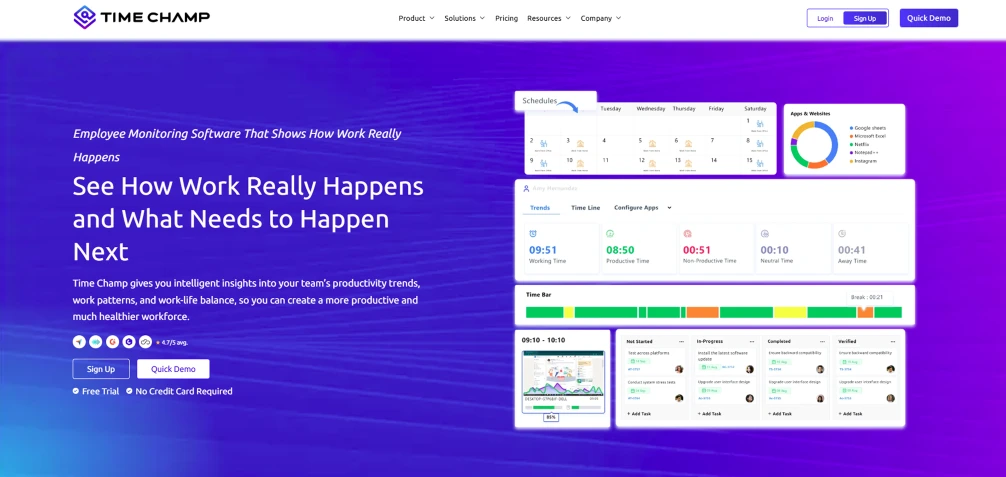
Time Champ is smart employee monitoring software that helps you optimize operations by improving workforce productivity, tracking work activities, managing projects, and providing real-time insights into team performance. It combines time tracking, productivity monitoring, and workforce analytics features, allowing you to clearly understand how time is spent, identify inefficiencies, and make data-driven decisions to improve overall performance.
Key Features
- Automated Time Tracking and Attendance Management: Records employee work hours, breaks, and attendance accurately without manual input, reducing errors and saving administrative time.
- Real-Time Productivity Monitoring: Provides live insights into employee activities, helping you identify productive patterns and areas that need improvement.
- Project and Task Tracking: Enables you to assign tasks for teams, monitor progress, and generate detailed reports to ensure projects stay on schedule.
- Workforce Analytics and Custom Dashboards: Offer data-driven insights through customizable dashboards, helping you make informed decisions and optimize performance.
- Application and Website Usage Tracking: Tracks how employees spend time on different apps and websites, helping you identify distractions and improve focus on critical tasks.
Pros
- Provides complete visibility into workforce productivity and operational performance.
- Combines multiple business optimization features in a single, easy-to-use platform.
- Scales effortlessly for remote, hybrid, and in-office teams of all sizes.
Cons
- Advanced analytics may require initial configuration.
- Some integrations may need additional setup.
- May include more capabilities than are necessary for very small teams or early-stage startups.
Pricing
- Starter: $3.90/user/month (billed annually)
- Professional: $6.90/user/month (billed annually)
- Premium: $13.90/user/month (billed annually)
Reviews
2. Teramind
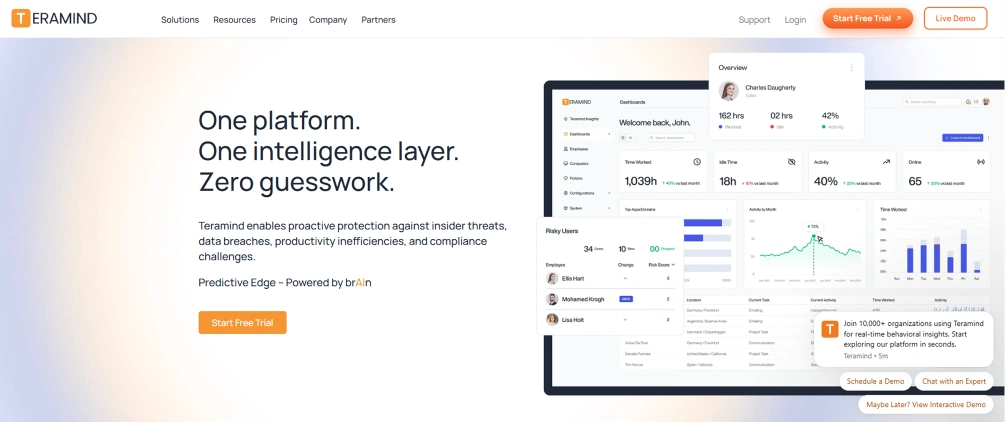
Teramind is an employee monitoring and insider risk management platform that helps businesses monitor workforce activities, improve compliance, and protect sensitive data. It provides detailed visibility into employee behavior while supporting productivity and security initiatives.
Key Features
- Employee activity monitoring tracks user actions for transparency and accountability.
- Insider threat detection identifies suspicious behavior to prevent security risks.
- Productivity analytics show employee performance and work efficiency insights.
- Compliance reporting ensures regulations are met and data remains protected.
Pros
- Monitoring and security capabilities.
- Detailed user activity insights.
- Supports regulatory compliance.
Cons
- Focuses more on monitoring than on business process optimization.
- Extensive features may require training.
- Premium plans can be expensive.
Pricing
- Starter: $14/seat /month
- UAM: $28/seat /month
- DLP: $32/seat /month
- Enterprise Government: Contact the Teramind sales team for pricing details.
Reviews

Did You Know?
According to the U.S. Chamber of Commerce’s The Impact of Technology on U.S. Small Business research, the adoption of business optimization tools and related technologies continues to grow, with 81% of U.S. small businesses planning to increase their use of technology platforms and 77% planning to adopt emerging technologies such as AI to improve efficiency and growth.
3. Zapier
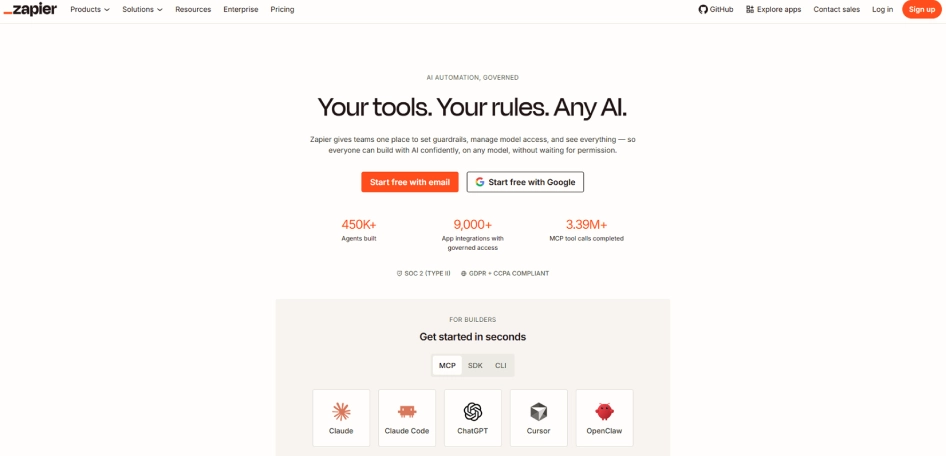
Zapier is a workflow automation platform that connects thousands of business applications, allowing teams to automate repetitive tasks without coding. It reduces manual work, improves efficiency, and helps you create seamless workflows across different software.
Key Features
- No-code workflow automation enables you to automate tasks without programming skills.
- Integration with thousands of applications connects tools for seamless data transfer.
- Multi-step automated workflows allow complex processes to run automatically across systems.
- AI-powered automation capabilities enhance efficiency by intelligently managing repetitive tasks.
Pros
- Saves time by automating repetitive tasks.
- Supports a wide range of software integrations.
- Easy to set up for most business processes.
Cons
- Limited functionality without connected applications.
- Complex workflows may require higher-tier plans.
- Troubleshooting automation issues can take time.
Pricing
- Comes with a free trial
- Starter: $19.99/user/month (billed annually)
- Professional: $49/user/month (billed annually)
- Team: $399/user/month (billed annually)
Reviews
4. Trello
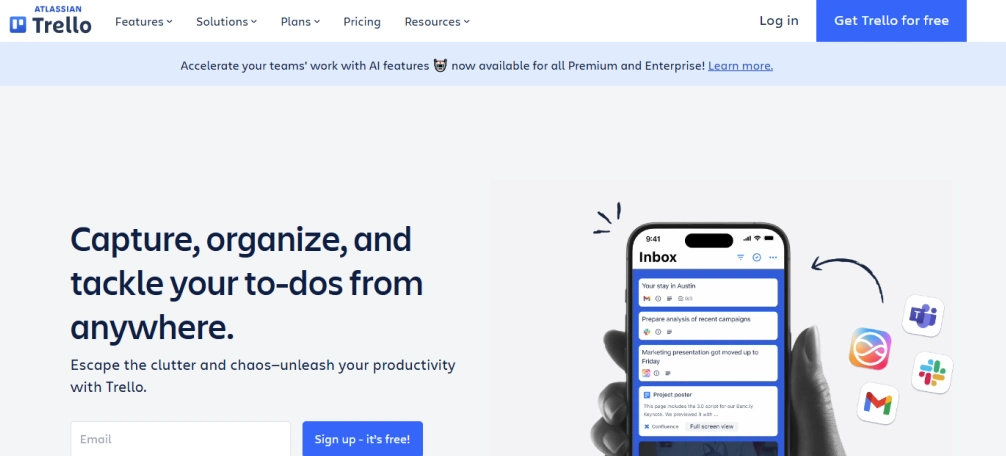
Trello is a project and task management platform that uses visual boards to organize your work, track progress, and improve team collaboration. Its simple interface makes it easy for your teams to manage projects and stay aligned with daily tasks.
Key Features
- Kanban boards organize tasks, track progress, and improve workflow clarity.
- Assign tasks to team members with deadlines for better accountability.
- Automate repetitive workflows using Butler to save time and effort.
- Enable team collaboration through shared boards, comments, and real-time updates.
Pros
- Simple and intuitive interface.
- Easy to organize projects visually.
- Quick setup with minimal learning curve.
Cons
- Limited reporting capabilities.
- Advanced features require paid plans.
- Less suitable for highly complex project management.
Pricing
- Comes with a free trial
- Standard: $5/user/month (billed annually)
- Premium: $10/user/month (billed annually)
- Enterprise: $17.50/user/month (billed annually)
Reviews
5. Notion
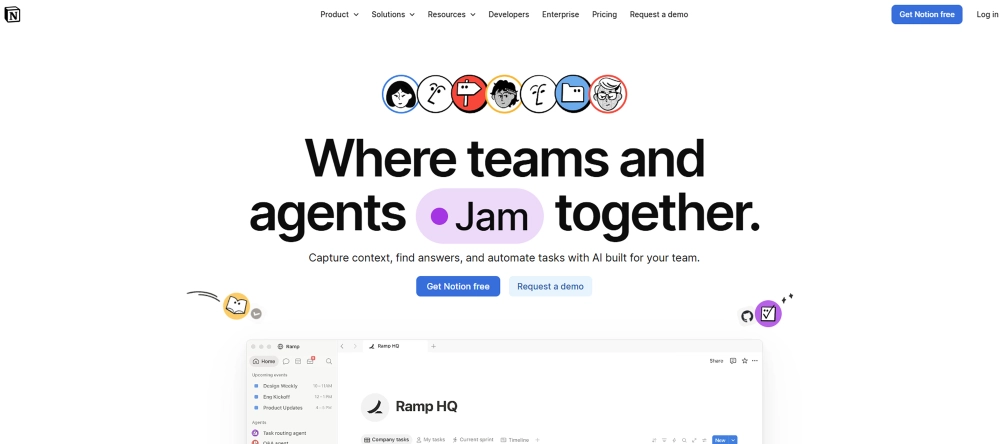
Notion is an all-in-one workspace that combines notetaking, documentation, project management, and team collaboration. It helps you centralize information, organize knowledge, and manage projects from a single platform.
Key Features
- Organize, store, and manage documents and knowledge across teams efficiently.
- Track projects and tasks with timelines, priorities, and progress updates.
- Create customizable databases and templates to organize information more efficiently.
- Enable real-time team collaboration with shared workspaces and instant updates.
Pros
- Highly flexible and customizable.
- Combines documentation with project management.
- Supports collaboration across teams.
Cons
- Initial setup can take time.
- Large workspaces may become difficult to organize.
- Limited built-in reporting and analytics.
Pricing
- Free for a limited number of users
- Plus: $10/user/month
- Business: $20/user/month
- Enterprise: For enterprise pricing details, contact the Notion sales team
Reviews
How To Choose the Best Business Optimization Tool
Selecting the right business optimization tool starts with understanding your business needs and evaluating solutions that align with your goals. Follow these steps to choose a tool that improves efficiency, supports growth, and delivers long-term value.
1. Identify Your Business Challenges
Start by identifying the operational issues you want to solve, such as inefficient workflows, poor collaboration, manual processes, or low productivity. Understanding your priorities helps narrow down the most suitable solutions.
2. Define Your Business Goals
Determine what you want to achieve with the software. Whether your goal is to improve productivity, automate workflows, reduce costs, or enhance project visibility, the objectives should guide your decision.
3. Evaluate the Key Features
Compare the features offered by different tools and ensure they meet your business requirements. Look for capabilities such as workflow automation, reporting, analytics, time tracking, collaboration, and integrations.
4. Check Ease of Use
Choose software with an intuitive interface that your team can quickly adopt. A user-friendly platform reduces training time, encourages adoption, and helps teams become productive faster.
5. Consider Integration Capabilities
Ensure the tool integrates with the software your business already uses, such as CRM, ERP, payroll, accounting, communication, and project management platforms. Seamless integration helps improve workflow efficiency.
6. Assess Scalability
Select a solution that can grow along with your business. Scalable software should support additional users, projects, departments, and advanced features as your operational needs expand.
7. Compare Pricing and Overall Value
Evaluate pricing plans based on the features, support, and long-term benefits they provide. The right tool should deliver measurable business value without simply offering the lowest price.
8. Read Customer Reviews and Request a Demo
Review customer feedback to understand real-world performance, reliability, and support quality. Whenever possible, request a free trial or demo to evaluate whether the software meets your business expectations before making a final decision.
How Time Champ Helps Optimize Your Business Operations
Running a business without clear insights into daily operations can feel like navigating in the dark, where small inefficiencies quietly grow into major setbacks. Missed deadlines, uneven workloads, and unnoticed productivity gaps can slowly impact overall performance and decision-making. Time Champ is smart employee monitoring software that helps you track work, improve productivity, and manage operations more efficiently from one platform.
Here is how Time Champ helps optimize your business operations in practice:
- Eliminate Operational Bottlenecks Faster: Gain real-time visibility into workflows and employee activities to identify delays early, streamline processes, and keep operations running smoothly.
- Reduce Manual Work with Smarter Process Optimization: Discover repetitive tasks through activity insights, automate routine work, and free your teams to focus on higher-value business priorities.
- Measure Process Improvements with Confidence: Track performance before and after operational changes to understand what works best and continuously improve productivity and efficiency.
- Boost Workforce Productivity with Actionable Insights: Monitor productive, idle, and active work time through real-time dashboards, enabling faster decisions that improve team performance.
- Maximize Resource Utilization Across Projects: Balance workloads effectively, allocate resources where they are needed most, and keep projects on schedule without overloading your teams.
- Save Time with Automated Time Tracking and Attendance: Eliminate manual timesheets, maintain accurate attendance records, simplify payroll preparation, and reduce administrative effort.
Ready to boost your team's efficiency?
Use Time Champ to track productivity and optimize workflows with real-time insights.
Conclusion
Choosing the right business optimization tools is an important step toward improving efficiency, streamlining workflows, and supporting long-term business growth. The best solution should align with the operational goals, integrate with existing systems, and scale as your business evolves. Understanding your challenges, evaluating essential features, and comparing available options allow you to invest in software that delivers measurable value. A well-chosen optimization tool not only simplifies daily operations but also helps your team work smarter, make informed decisions, and build a more productive and stronger business.

Anjali

Table of Content
 What are Business Optimization Tools?
- What Are the Main Types of Business Optimization Software
- Best Business Optimization Tools
- How To Choose the Best Business Optimization Tool
- How Time Champ Helps Optimize Your Business Operations
- Conclusion

Related Blogs

Learn what business intelligence (BI) is, why it matters, how it works, explore key benefits, challenges & how AI is used to enhance business decisions.
Anjali | Feb 11, 2026
Learn what workforce productivity is, key factors, metrics, and ways to measure and optimize it. Discover AI’s role in improving workforce efficiency.
Chethana Choudary | October 01, 2025
Learn what work management is, why it matters, how it differs from project management, its types, process, benefits, and workforce challenges.
Thasleem Shaik | Feb 11, 2026
Discover the 10 best enterprise project management software for 2026. Compare features, pricing, pros and cons to scale the operations and align strategy.
Anjali | Apr 02, 2026
Explore top workforce analytics tools for 2026 to monitor productivity, attendance, and team performance in real-time.
Guna Lakshmi | Apr 21, 2026![What Is Business Process Automation (BPA)? - Guide [2026]](https://www.timechamp.io/images/business-process-automation.webp)
Learn what business process automation (BPA) is, why it matters, examples, how it works, implementation steps, challenges, benefits & BPM differences.
Chethana Choudary | Feb 18, 2026


 4.7/5 avg.
Ready to Manage Your Workforce Smarter?
Join our family of 1500+ companies using smart insights to redefine workforces!

Free Trial
No Credit Card Required