Workflow Automation: Examples, Benefits & How it Works
Learn what workflow automation is, why it’s important, its types, examples, benefits, challenges, and how it differs from business process automation.

Follow-ups, manual data entry, and repetitive approvals will drain the productivity of your team silently. When the routine tasks consume more time, productivity drops, and delays become unavoidable. Workflow automations effectively help you to break that cycle. It eliminates the routine and rule-based activities with automated workflows that move forward the tasks, data, and decisions without continuous human intervention. Automating the workflows can help you reduce delays, minimize errors, and free your workforce to concentrate on the work that provides better results. For the broader picture across this topic, our best project management software guide brings the moving parts together.

Did You Know?
According to Workona research, workflow automation helps organizations cut operating costs by an average of 24%. This reduction occurs through eliminating the manual work, minimizing errors, and improving overall process efficiency.
This blog will help you learn what workflow automation is, how it operates, and why it is important to the modern business. You will go through practical examples, advantages and challenges, and the differences between workflow and business process automation as well.
What is Workflow Automation?
Workflow automation refers to the process of designing, implementing, and controlling automated workflows, which move information, tasks, and decisions across systems and people with predefined regulations. It reduces the manual work, increases consistency, and ensures the work progresses without constant human involvement.
Automating the workflows helps you to bring clarity and structure to how the work gets completed across your business. You can ensure the tasks follow a defined path, reach the right people at the right time, and move forward without unwanted delays or manual work by automating workflows.
The main purpose of automating the workflow is to enhance efficiency, accuracy and accountability. You can get complete visibility into the procedures, minimize dependency on manual efforts, and create scalable systems that support accurate outcomes as your business grows.
Ready to streamline work without losing control?
Get clear workforce insights with Time Champ Workforce Intelligence.
Why is Workflow Automation Important for Businesses?
As the business operations grow more complex, handling the work manually becomes harder and less reliable. Workflow automation helps you to be in control by ensuring that tasks move effectively, follow the defined regulations, and deliver consistent results without continuous monitoring.
- Increases Productivity and Efficiency: Workflow automation eliminates manual work and accelerates work processes. You can make your teams concentrate on high-value work while automated workflows help to ease and maintain regular procedures consistently and smoothly.
- Reduction of Costs & Resource Optimization: By automating the workflows, you can eliminate the operational costs which are tied to the manual rework and effort. You can use the existing resources more effectively, eliminate wastage, and enhance outcomes without increasing headcount.
- Improves Compliance and Control: Workflow automation utilizes certain regulations, approvals, and audit trails automatically. It helps you maintain better control over the procedures, reduce compliance challenges, and ensure that every task follows the standard processes.
- Enhances Employee Satisfaction: Automating repetitive tasks minimizes workload pressure and the frustration of your employees. You can create an efficient work experience by allowing the teams to spend time on engaging and accurate responsibilities.
- Supports Scalability & Growth: Workflow automation helps you to scale your operations without adding more complexity. As the workloads increase, automated workflow solutions ensure effective performance and process stability within your organization.
What Are the Different Types of Workflow Automation?
Different workflow automation types help you to streamline work based on the team involvement, process complexity, and system integration requirements. These types provide you with a better opportunity to select the appropriate automation strategy for your business processes.
- Task-Based Workflow Automation: Helps you automate the individual, recurring procedures, such as alerts, approvals, and data updates. You can eliminate manual effort by initiating operations automatically in case certain conditions are met.
- Process Workflow Automation: It helps you connect task sequences across various departments or teams. You can maintain a systematic flow of the work from start to end to ensure effective consistency and reduced delays.
- Rule-Based Automation: It helps you apply predefined logic to tasks and decisions. You can keep control by ensuring the workflows react consistently to inputs, decisions, or thresholds without requiring any manual effort.
- Event-driven Automation: Helps you trigger the actions immediately when specific events happen, like form submissions or status updates.
- Integration-Based Workflow Automation: It helps you to connect different systems and tools seamlessly. You allow seamless data exchange, removing manual data transfers and increasing the process accuracy.
What Are the Examples of Workflow Automation?
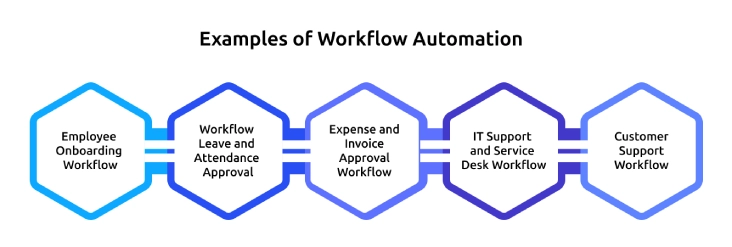
Organizations that operate efficiently don’t rely on repeated follow-ups, they develop structured workflows which keep tasks moving automatically. The following examples also serve as the use cases of workflow automation, presenting how you can automate daily processes within your teams to work faster and smarter.
- Employee Onboarding Workflow: It helps you automate employee onboarding by allocating tasks, gathering documents, and sending automated notifications. This helps to ensure that every new hire follows a continuous procedure without manual coordination.
- Workflow Leave and Attendance Approval: Workflow automation routes the leave requests to the right managers based on the predefined regulations. You can minimize the approval delays and maintain accurate attendance records without any repeated follow-ups.
- Expense and Invoice Approval Workflow: Automated workflows assess the expense claims and route them through the approval chains. You can enhance financial control, minimize the processing time, and reduce errors in reimbursement workflows.
- IT Support and Service Desk Workflow: Automated workflow helps you to prioritize, allocate, and escalate the IT tickets based on the issue or urgency type. You can resolve the issues accurately by maintaining clear visibility into IT operations.
- Customer Support Workflow: Helps you categorize the customer queries and route them to the right teams automatically. You can enhance the response times and deliver a reliable and consistent support experience.
How Does Workflow Automation Work?
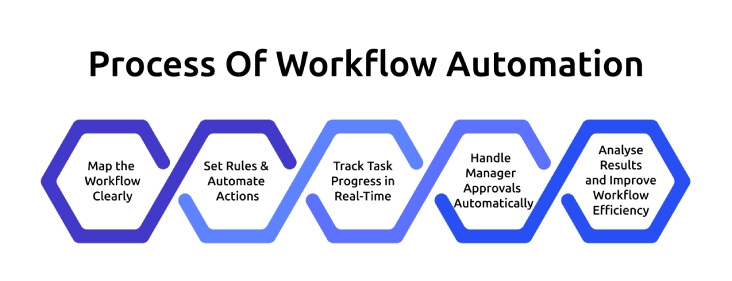
Workflow automation works by defining how the tasks move from one step to another step using clear regulations and circumstances. Start with mapping the workflows, finding the triggers, tasks, and decision points which determine the work progress.
Once the workflow is efficiently designed, you can configure rules which automatically allocate the tasks, send notifications, or update systems. Automation of the workflow will ensure that each step occurs without manual follow-up and delay.
As the work moves through the automated workflow, the system tracks the work and automatically manages finance or compliance approvals. You have real-time tracking of each step, and this makes it easy to monitor performance and identify the bottlenecks.
Lastly, you analyze outcomes and optimize the workflow to enhance efficiencies in the long run. Automated workflow enables you to keep your processes predictable, scalable and adjust to changing business requirements by continuously optimizing these steps.
Automate workflows. Gain real visibility.
Use Time Champ to optimize how work actually gets done.
What Are the Benefits of Workflow Automation?
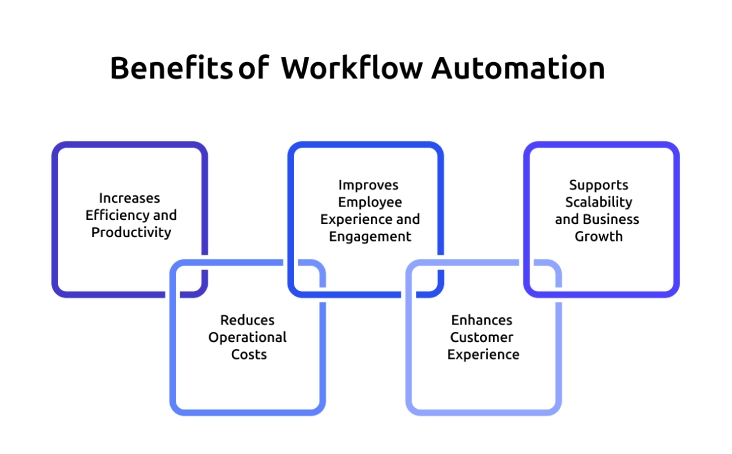
Workflow automation creates value not only for your business operations but also for your employees and customers. Here are some of the benefits that directly impact the experience, efficiency, and growth.
- Increases Efficiency and Productivity: Workflow automation helps you to eliminate repeated manual tasks and speed up the processes. Your employees focus mainly on completing the tasks while the workflows forward automatically.
- Reduces Operational Costs: It helps you eliminate manual effort, delays and errors. You can optimize the resources and get better outcomes without increasing operational expenses.
- Improves Employee Experience and Engagement: Automated workflow minimizes the workload pressure by removing the routine administrative tasks. Your employees spend more time on engaging and strategic work, enhancing their satisfaction and morale.
- Enhances Customer Experience: Automated workflow helps you deliver faster responses, accurate service, and reduce errors. This consistency directly enhances customer experience by delivering reliable and timely support at every interaction.
- Supports Scalability and Business Growth: Automated workflow helps you ensure accurate responses, effective service, and fewer errors. Your customers can get timely support and a great experience across every interaction.
What Are the Challenges of Implementing Workflow Automation?
Although workflow automation provides effective benefits, implementing it comes with some challenges. You can effectively adopt automation by clearly understanding these challenges.
- Lack of Experience & Skills Gaps: You will face issues when your team does not have proper experience with automated workflow tools or process design. Lack of appropriate skills may fail to provide expected results.
- Poor Documentation of Business Procedures: Automation of workflow becomes difficult when the procedures are not clearly documented. You will need the definite workflows to automate the tasks and minimize errors or any inconsistencies.
- Employee Resistance to Change: Employees may oppose automating the workflow because of concerns about job losses or the use of unfamiliar tools. Clearly explain the advantages and provide effective training to encourage adoption.
- Integration with Existing Systems: Integrating workflow automation with the existing tools might look complex. You need to ensure a smooth data flow in the systems to avoid disruptions and manual work.
- High Costs and ROI Uncertainty: Initial investment expenses can raise concerns about the ROI. Clearly evaluate the use cases and begin small to gain effective value at an early stage.
Is Workflow Automation Different from Business Process Automation?
Yes, workflow automation and business process automation are similar, but they serve different purposes.
Workflow automation refers to the process of automating certain task flows or sequences in the process to enhance efficiency. Whereas business process automation covers the entire end-to-end procedures across the teams, systems, and operations to achieve wider operational goals.
| Aspect | Workflow Automation | Business Process Automation |
|---|---|---|
| Scope | Automates the individual tasks or task sequences | Automates complete end-to-end business processes |
| Focus | Task movement, approvals, and notifications | Process optimization and transformation |
| Complexity | Simpler to design and implement | More complex and strategic |
| Use case | Onboarding steps, leave approvals and ticket routing | Order-to-cash, procure-to-pay, hire-to-retire |
| Implementation speed | Faster deployment | Longer implementation cycle |
| Objective | Improve work efficiency and reduce manual work | Drive process standardization and scalability |
Conclusion
When your workflows run smoothly without delays or constant follow-ups, you know your automation is working effectively. It improves processes, but without proper visibility, you cannot ensure consistent results or improvement. Time Champ helps you automate workflows and gain clearer visibility into how work gets done, where delays happen, and which processes need improvement. With better insights into productivity, time usage, and workflow efficiency, you can identify bottlenecks, improve accountability, and make smarter operational decisions.

Table of Content
-
 What is Workflow Automation?
-
Why is Workflow Automation Important for Businesses?
-
What Are the Different Types of Workflow Automation?
-
What Are the Examples of Workflow Automation?
-
How Does Workflow Automation Work?
-
What Are the Benefits of Workflow Automation?
-
What Are the Challenges of Implementing Workflow Automation?
-
Is Workflow Automation Different from Business Process Automation?
-
Conclusion
Related Blogs

Discover the top 20 productivity hacks to get more done, boost efficiency, and stay focused. Learn expert tips to maximize your workflow and results!
Thasleem Shaik | Nov 14, 2024
Discover how to manage and automate repetitive tasks with smart strategies, tools, and tips to boost workplace productivity and reduce burnout in 2025
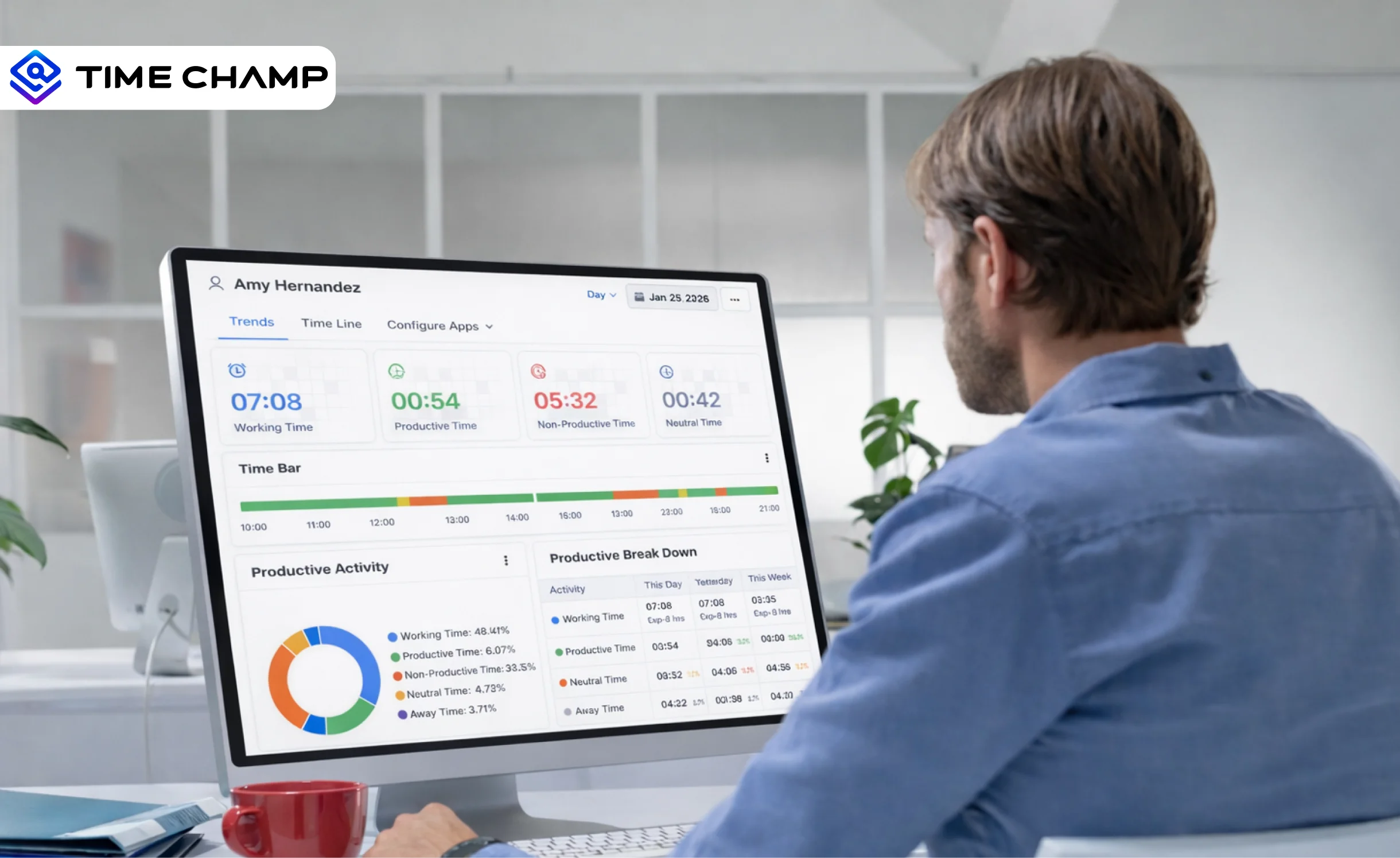
Discover what workforce intelligence is, why it's critical, real examples, implementation steps, key benefits, challenges & how AI transforms the future.
Explore how Time Sheet Automation Professional Services can transform your operations with seamless time tracking and customized reporting solutions.
Explore top 2024 productivity tools for efficient task management, time tracking, and communication. Boost team collaboration and productivity effectively.
Tarun Kumar Reddy | Jun 27, 2024
Learn what workforce efficiency means in 2025, why it matters, key factors, how to measure, tips to improve, and what a good workforce efficiency rate is.
Guna Lakshmi | September 15, 2025


 4.7/5 avg.
Ready to Manage Your Workforce Smarter?
Join our family of 1500+ companies using smart insights to redefine workforces!

Free Trial
No Credit Card Required