The 15 Best Productivity Tools for Teams in 2026
Compare the 15 best productivity tools for teams in 2026 to improve collaboration, manage tasks efficiently, automate workflows, and drive better results.
Handling multiple projects, constant messages, deadlines, and team coordination can quickly become overwhelming when your workflows are scattered across different platforms. The right productivity tools can help you simplify work, improve collaboration, reduce distractions, and keep the team focused on high-impact tasks every day.
Basic task management is no longer enough for modern teams in 2026. The right solution helps your team stay organized, reduce manual work, improve collaboration, and keep projects moving smoothly without adding unnecessary confusion to the workflow.
To help you choose the right solution, we’ve handpicked the best productivity tools that support modern teams across project management, time tracking, collaboration, workflow automation, and employee productivity monitoring.
Here are the 15 best productivity tools for teams in 2026:
1. Time Champ - Best overall Productivity Tracking, Time Management, and Employee Monitoring
2. Notion - Best for knowledge management, documentation, and team collaboration
3. Trello - Best for visual task management and workflow organization
4. Hubstaff - Best for time tracking and remote employee monitoring
5. Clockify - Best for simple time tracking and timesheet management
6. Asana - Best for project management and team task coordination
7. Zapier - Best for workflow automation and app integrations
8. nTask - Best for project planning and meeting scheduling
9. RescueTime - Best for focus improvement and personal productivity tracking
10. Sunsama - Best for daily planning and work-life balance management
11. Todoist - Best for personal task management and productivity planning
12. Slack - Best for team communication and workplace collaboration
13. Toggl Track - Best for flexible time tracking and productivity reporting
14. Time Doctor- Best for employee time tracking and productivity monitoring
15. Chanty - Best for team messaging and collaboration for small businesses
Quick Comparison of the Best Productivity Tools for Teams
| Tool | Starting Price | Free Plan | Rating |
|---|---|---|---|
| Time Champ | $3.90/user/month | Yes | • G2: 4.8/5 • Capterra: 4.9/5 |
| Notion | $10/user/month | Yes | • G2: 4.6 • Capterra: 4.7 |
| Trello | $5/user/month | Yes | • G2: 4.4 • Capterra: 4.5 |
| Hubstaff | $4.90/user/month | No | • G2: 4.4 • Capterra: 4.5 |
| Clockify | Custom pricing | Yes | • G2: 4.5 • Capterra: 4.8 |
| Asana | Custom pricing | Yes | • G2: 4.4 • Capterra: 4.5 |
| nTask | $3/user/month | Yes | • G2: 4.4 • Capterra: 4.5 |
| RescueTime | $7/user/month | Yes | • G2: 4.2 • Capterra: 4.6 |
| Zapier | $19/user/month | Yes | • G2: 4.5 • Capterra: 4.7 |
| Sunsama | $17/user/month | No | • G2: No review found for Sunsama. • Capterra: 4.7 |
| Todoist | $5.33/user/month | Yes | • G2: 4.5 • Capterra: 4.6 |
| Slack | $6.67/user/month | Yes | • G2: 4.5 • Capterra: 4.7 |
| Toggl Track | $9/user/month | Yes | • G2: 4.6 • Capterra: 4.7 |
| Time Doctor | $6.70/user/month | No | • G2: 4.4 • Capterra: 4.5 |
| Chanty | $3/user/month | Yes | • G2: 4.4 • Capterra: 4.7 |
Top 15 Best Productivity Tools for Teams to Improve Efficiency
Choosing the right productivity tool can save your team hours of manual work, enhance collaboration, and ensure projects run smoothly. Here are the top tools that help teams stay organized, focused, and productive in 2026.
Time Tracking & Productivity Tools
1. Time Champ - Best for Productivity Tracking, Time Management, and Employee Monitoring
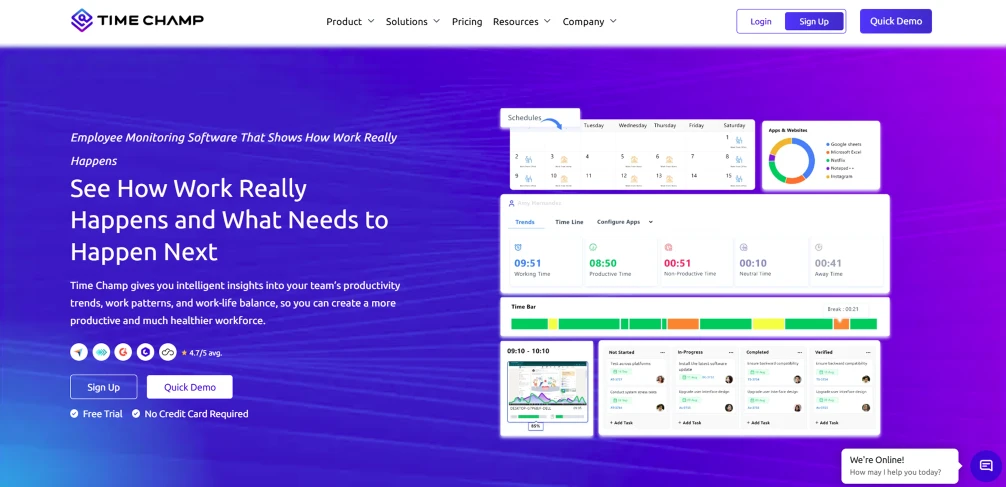
Time Champ is an employee monitoring and productivity tracking tool designed to help your teams improve efficiency, manage work hours, and gain better visibility into daily activities. It helps you track productivity trends, monitor work patterns, and identify time-consuming tasks without interrupting employees’ workflows.
Whether your team works remotely, in-office, or in a hybrid setup, Time Champ gives you real-time insights into how work gets done, helping to make smarter decisions and improve overall team performance.
Key Features
- Automatic Time Tracking- Tracks employees’ work hours automatically in the background without requiring manual timers.
- Productivity Monitoring- Helps you understand productive and unproductive work patterns based on app and website usage.
- Employee Activity Tracking- Monitors active time, idle time, and work behavior to improve accountability and efficiency.
- Attendance Management- Simplifies attendance tracking with accurate login, logout, and working hour records.
- Screenshots Monitoring- Captures screenshots at regular intervals to provide visibility into ongoing work activities.
- Project and Task Tracking- Helps you track the time spent on different tasks and monitor project progress more effectively.
- Reports and Analytics- Generates detailed productivity reports, performance insights, and workforce analytics for better decision-making.
Pros
- Easy-to-use dashboard with detailed productivity insights.
- Automatic tracking reduces manual effort.
- Useful for remote, hybrid, and in-office teams.
- Helps improve accountability and time management.
- Provides detailed reports for performance analysis.
Cons
- Using advanced monitoring features may require proper transparency and communication policies within teams.
- Initial setup and customization may take time.
- Mobile tracking features are comparatively limited.
Pricing
- Starter: $3.90/user/month (billed annually)
- Professional: $6.90/user/month (billed annually)
- Premium: $13.90/user/month (billed annually)
Reviews
2. Hubstaff - Best for Time Tracking and Remote Employee Monitoring
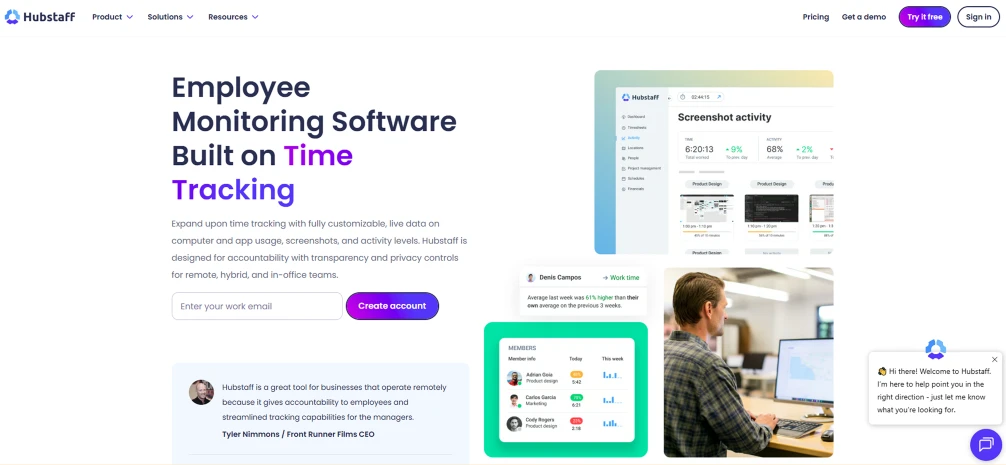
Hubstaff is a productivity and time tracking tool that helps teams manage work hours, improve accountability, and keep projects on track more efficiently. It gives you better visibility into team performance, project progress, and daily work activities, making it especially useful for remote and hybrid teams.
Hubstaff makes it easier for you to understand how time is spent across projects and tasks with its automated tracking and employee monitoring capabilities.
Key Features
- Helps track employee work hours automatically with accurate time monitoring.
- Improves visibility into team productivity through activity and app usage tracking.
- Simplifies payroll management with automated timesheets and billing support.
- Supports project tracking and reporting to monitor team performance effectively.
Pros
- Helps you manage remote teams more efficiently.
- Saves time with automatic time tracking and payroll features.
- Provides detailed productivity insights and reporting.
Cons
- Monitoring features may not suit every team culture.
- Advanced features are available mainly in higher plans.
- Mobile app functionality can be limited for some users.
Pricing
- Starter: $4/seat/month
- Grow: $7/seat/month
- Team: $10/seat/month
- Enterprise: $25/seat/month
Reviews
3. Clockify - Best for Simple Time Tracking and Timesheet Management
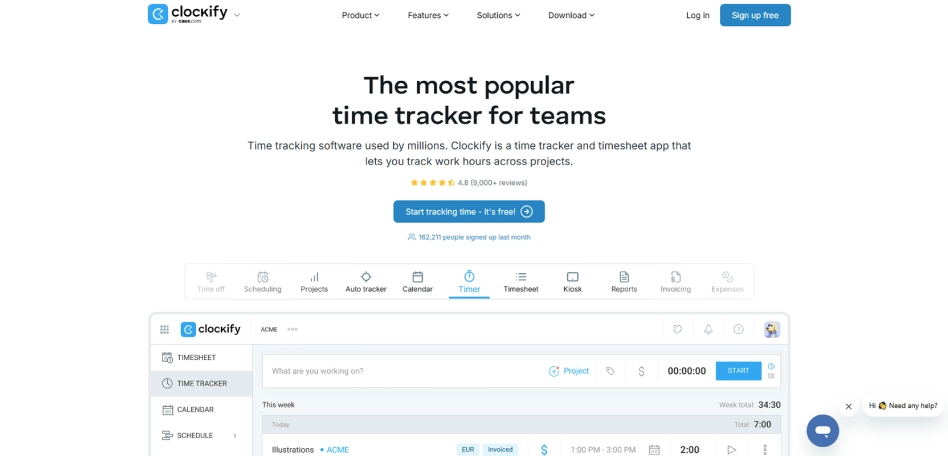
Clockify is a productivity-focused time tracking tool that helps you manage work hours, track project time, and enhance daily efficiency. Its simple interface helps you to monitor productivity, organize tasks, and understand how teams spend time across different projects and activities.
This tool helps teams stay organized, reduce time wastage, and improve overall productivity by providing accurate time tracking, timesheets, and reporting features.
Key Features
- Helps teams track work hours using timers, manual entries, and timesheets.
- Simplifies project time tracking and billable hour management.
- Generates detailed reports to analyze productivity and time usage.
- Supports team collaboration with shared workspaces and tracking tools.
Pros
- Easy to use for individuals and teams.
- Offers a generous free plan with useful features.
- Makes timesheet and work-hour tracking simple.
Cons
- Advanced reporting options are somewhat limited.
- Interface customization options are minimal.
- Some integrations require paid plans.
Pricing
For pricing details, contact the Clockify sales team.
Reviews
4. Toggl Track - Best for Flexible Time Tracking and Productivity Reporting
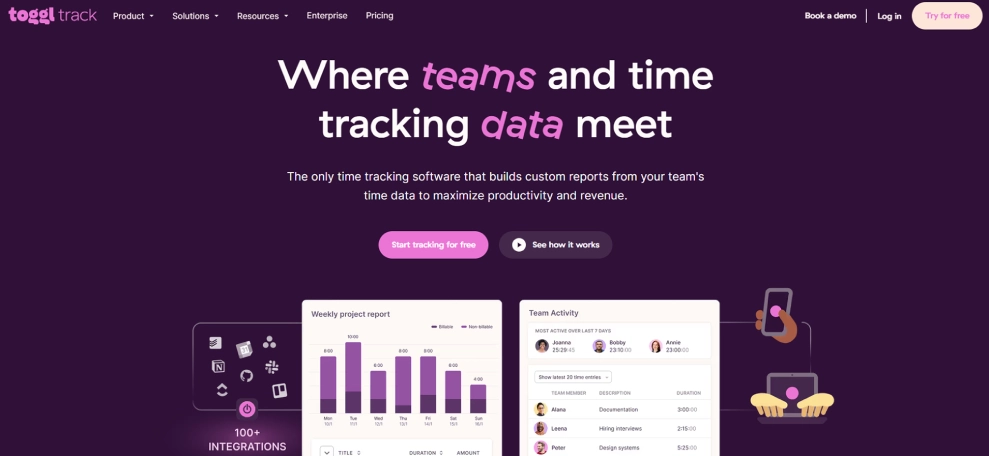
Toggl Track is a time tracking tool that helps teams improve productivity by providing a clear understanding of how work hours are spent across tasks, projects, and clients. Accurate time data helps you identify productivity patterns, optimize workloads, and allocate resources more effectively.
Along with its tracking capabilities, Toggl Track offers reporting, project monitoring, and team management features that help you make informed decisions and improve operational efficiency.
Key Features
- Tracks time across tasks, projects, and clients with minimal effort.
- Provides detailed productivity and time usage reports for better decision-making.
- Helps monitor project progress and resource allocation more effectively.
- Supports team collaboration with shared workspaces and project tracking tools.
Pros
- Easy to start and use without extensive training.
- Provides valuable insights into productivity and project performance.
- Flexible tracking options suit freelancers, teams, and agencies.
Cons
- Project management capabilities are limited compared to dedicated project management tools.
- Advanced reporting features are available mainly in paid plans.
- Some integrations and administrative controls require higher-tier subscriptions.
Pricing
- Comes with a free trial
- Starter: $9/user/month (billed annually)
- Premium: $18/user/month (billed annually)
- Enterprise: For pricing details, contact the Toggl Track sales team.
Reviews
5. Time Doctor - Best for Employee Time Tracking and Productivity Monitoring
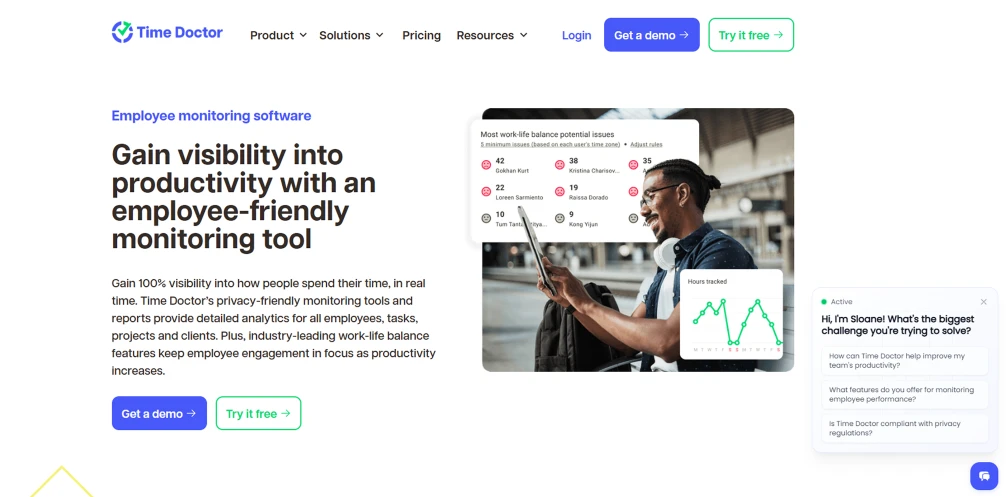
Time Doctor is an employee productivity and time tracking tool that helps you understand how work hours are being utilized across teams and projects. It provides detailed visibility into employee activity, work patterns, and time allocation to identify productivity trends and improve operational efficiency.
The platform also includes workforce management, attendance tracking, and reporting features that help you monitor performance, optimize workflows, and support better decision-making.
Key Features
- Tracks employee work hours and activity levels automatically throughout the workday.
- Provides productivity reports and insights into application and website usage.
- Helps monitor attendance, work schedules, and team performance metrics.
- Supports project and task tracking to improve resource allocation and accountability.
Pros
- Provides detailed visibility into employee productivity and time usage.
- Helps you identify workflow bottlenecks and performance trends.
- Offers comprehensive reporting for workforce and project management.
Cons
- Monitoring features may require clear workplace policies and communication.
- Advanced functionality is available primarily in higher-tier plans.
- Initial setup and configuration can take time for larger teams.
Pricing
- Basic: $6.67per user/month (billed annually)
- Standard: $11.67 per user/month (billed annually)
- Premium: $16.70 per user/month (billed annually)
- Enterprise: For pricing details, contact the Time Doctor sales team.
Reviews
Project Management Tools
6. Asana - Best for Project Management and Team Task Coordination
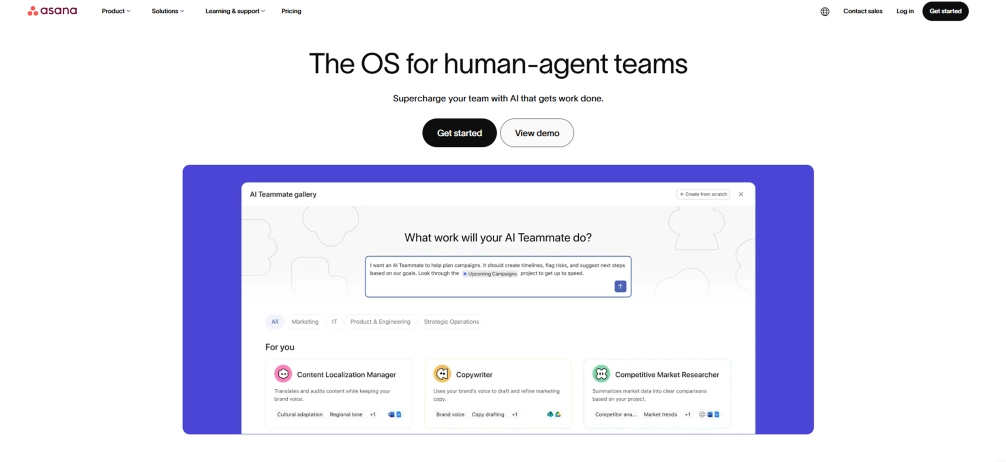
Asana is a productivity and work management platform that helps your teams organize tasks, streamline workflows, and keep projects moving without losing track of priorities. It brings planning, collaboration, and progress tracking into one place, making it easier for teams to stay focused, coordinate work, and complete projects on time.
With project planning, workflow automation, and progress-tracking features, Asana can help teams stay aligned, improve productivity, and complete projects more effectively.
Key Features
- Helps teams organize tasks, deadlines, and responsibilities in one centralized workspace.
- Improves project visibility with timeline, board, list, and calendar views.
- Reduces repetitive work through workflow automation and task dependencies.
- Provides real-time project updates and progress tracking for better coordination.
Pros
- Keeps projects and team responsibilities well organized.
- Makes collaboration and task tracking easier across departments.
- Offers multiple project views to suit different work styles.
Cons
- Advanced features are available only in higher-tier plans.
- Can feel overwhelming for teams with simple project needs.
- Initial setup may require time for larger organizations.
Pricing
For pricing details, contact the Asana sales team.
Reviews
7. Trello - Best for Visual Task Management and Workflow Organization
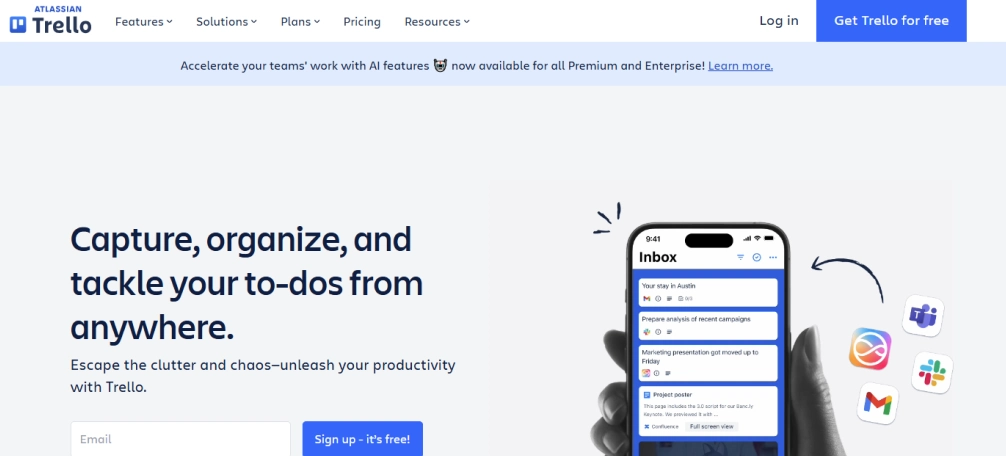
Trello is a simple and visual project management tool that helps your teams organize tasks using boards, lists, and cards. It makes it easy for you to track project progress, assign tasks, and manage workflows without complicated setups.
Its drag-and-drop interface is ideal for teams that prefer a straightforward and visual way to manage work.
Key features
- Visual Kanban boards help you manage tasks and workflows visually for better project clarity.
- Makes task organization simple with an easy drag-and-drop system.
- Saves time by automating repetitive tasks and routine workflows.
- Improves collaboration by integrating with popular workplace tools and apps.
Pros
- Beginner-friendly and easy to set up.
- Supports visual project tracking effectively.
- Good collaboration features for teams.
Cons
- Lacks some advanced project management features.
- Reporting features are not very detailed.
- Some advanced features are available only in paid plans.
Pricing
- Comes with a free trial
- Standard: $5/user/month (billed annually)
- Premium: $10/user/month (billed annually)
- Enterprise: $17.50/user/month (billed annually)
Reviews
8. nTask - Best for Project Planning and Meeting Scheduling
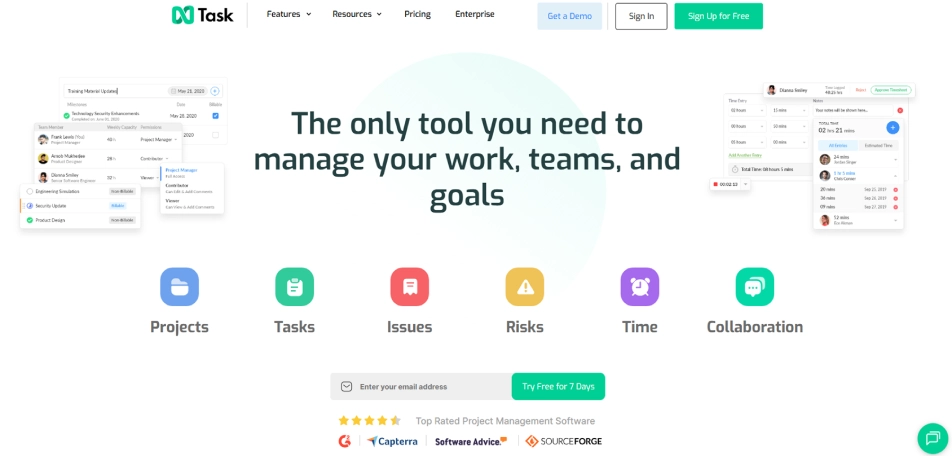
nTask is a project planning and team management platform that helps teams organize tasks, manage deadlines, and coordinate work more efficiently. It combines project tracking, meeting management, and collaboration tools in a single workspace, making it easier to keep your projects on schedule and teams aligned.
The platform combines planning, execution, and collaboration tools in one place, helping teams to stay organized and keep projects moving forward efficiently.
Key Features
- Helps teams plan projects and organize tasks with clear priorities and deadlines.
- Simplifies meeting scheduling, agenda creation, and action item tracking.
- Improves visibility into project progress through task and milestone management.
- Keeps team communication and collaboration connected within project workflows.
Pros
- Combines project and meeting management in one platform.
- Helps to easily track project progress and deadlines.
- Affordable pricing for small and growing teams.
Cons
- Interface can feel less modern compared to some competitors.
- Limited third-party integrations compared to larger platforms.
- Advanced reporting features are relatively basic compared to enterprise. Solutions.
Pricing
- Premium: $3/user/month (billed annually)
- Business: $8/user/month (billed annually)
- Enterprise: For pricing details, contact the nTask sales team.
Reviews
9. Notion - Best for Knowledge Management, Documentation, And Team Collaboration
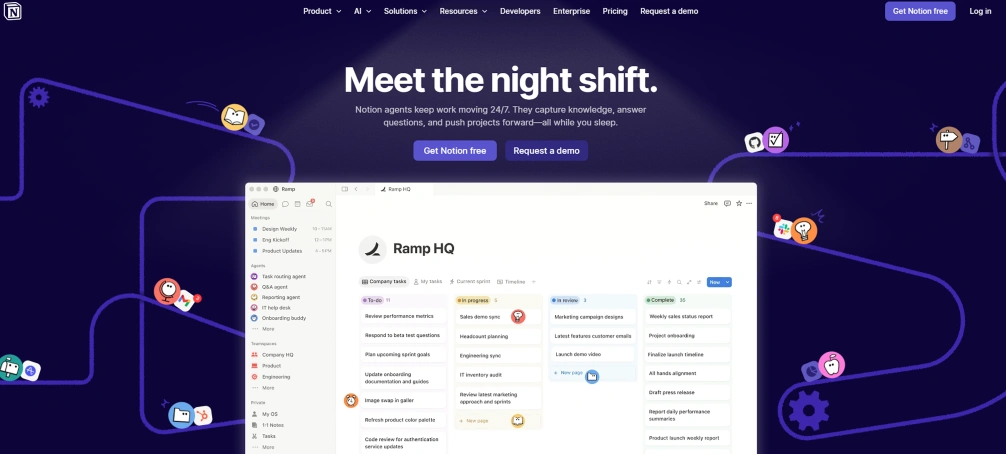
Notion is an all-in-one workspace that helps teams organize documents, manage projects, share knowledge, and collaborate in real time. Its flexible layout allows you to create everything from task boards and wikis to meeting notes and databases in one place.
It is especially useful for teams looking to centralize information and reduce the need for multiple productivity apps.
Key Features
- Helps teams create, organize, and collaborate on documents and projects in one workspace.
- Makes task management easier with customizable templates and workflow setups.
- Keeps projects and daily work organized using boards, databases, and task trackers.
- Stores company knowledge, SOPs, and internal documents in a centralized place.
Pros
- Highly customizable for different workflows.
- Combines notes, tasks, and databases in one platform.
- Clean and user-friendly interface.
Cons
- Can feel overwhelming for new users.
- Advanced setups may require time to learn.
- Offline functionality is somewhat limited.
Pricing
- Free for limited users
- Plus: $10/user/month
- Business: $20/user/month
- Enterprise: For enterprise pricing details, contact the Notion sales team
Reviews
10. Todoist - Best for Personal Task Management and Productivity Planning
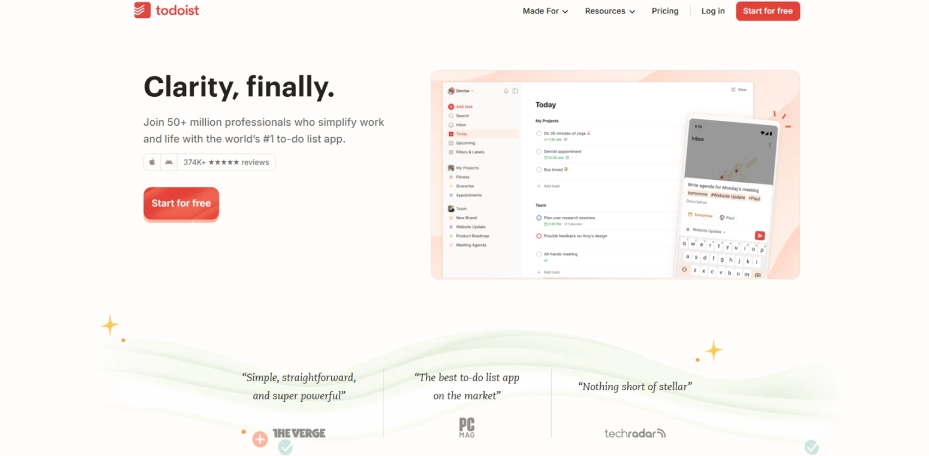
Todoist is a productivity planning and task management tool that helps you and your teams organize work, prioritize responsibilities, and stay on top of deadlines. It makes daily planning easier by turning tasks into structured action plans, helping you maintain focus and manage workloads more effectively.
Its combination of task organization, reminders, and planning features helps you build productive routines while keeping both short-term and long-term goals on track.
Key Features
- Helps organize tasks, deadlines, and priorities in a centralized workspace.
- Simplifies daily and weekly planning with recurring tasks and reminders.
- Supports project organization through task lists, labels, and filters.
- Enables collaboration by allowing teams to share tasks and assign responsibilities.
Pros
- Easy to use with a clean and intuitive interface.
- Makes task planning and organization straightforward.
- Works well across desktop, mobile, and web platforms.
Cons
- Limited project management capabilities for complex workflows.
- Advanced productivity features require a paid subscription.
- Reporting and analytics options are relatively basic compared to larger productivity platforms.
Pricing
- Comes with a free trial
- Pro: $5/per user/month (billed annually)
- Business: $8/per user/month (billed annually)
Reviews
11. Zapier - Best for Workflow Automation and App Integrations
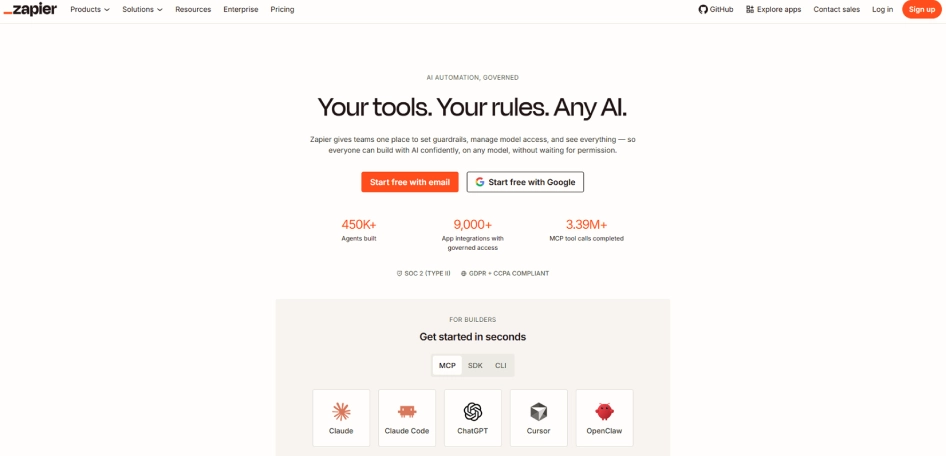
Zapier is a workflow automation platform that boosts productivity by reducing repetitive manual work and streamlining everyday business processes. It connects thousands of applications and automatically transfers information between them, helping your teams save time, reduce errors, and keep work moving without constant manual intervention.
Its powerful automation and integration capabilities help teams to focus on high-priority tasks while routine processes run in the background.
Key Features
- Automates repetitive tasks and workflows across different business applications.
- Connects thousands of tools, including project management, communication, and CRM platforms.
- Transfers data automatically between apps without manual input.
- Creates custom workflow automations using simple trigger-and-action setups.
Pros
- Saves significant time by eliminating repetitive manual tasks.
- Works with a wide range of popular business applications.
- Makes workflow automation accessible without coding knowledge.
Cons
- Complex automations can become expensive as usage increases.
- Initial workflow setup may require some learning and testing.
- Advanced automation features are available only in higher-tier plans.
Pricing
- Comes with a free trial
- Starter: $19.99/user/month (billed annually)
- Professional: $49/user/month (billed annually)
- Team: $399/user/month (billed annually)
Reviews
Communication & Collaboration Tools
12. Slack - Best for Team Communication and Workplace Collaboration
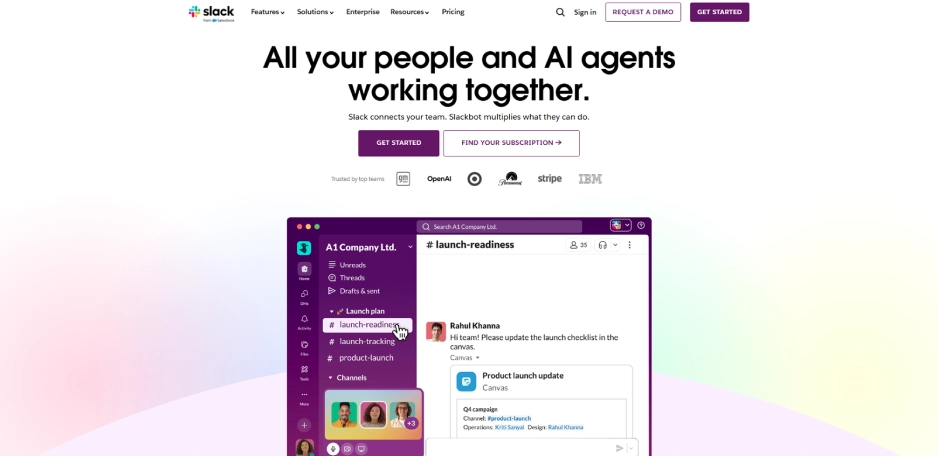
Slack is a workplace communication platform that helps teams stay productive by reducing communication delays and keeping conversations organized. Dedicated channels, direct messages, and shared workspaces help teams communicate efficiently, find information quickly, and make faster decisions.
Its collaboration features, file-sharing capabilities, and integrations with popular business tools help your teams work together more efficiently while keeping projects and discussions aligned.
Key Features
- Keeps team conversations organized through channels, direct messages, and group discussions.
- Simplifies collaboration with file sharing, mentions, and real-time communication.
- Connects with project management, productivity, and business applications through integration.
- Help teams stay updated with searchable message history and notifications.
Pros
- Makes team communication faster and more organized.
- Supports seamless collaboration across departments and locations.
- Integrates with a wide range of workplace tools and platforms.
Cons
- Large volumes of messages can become difficult to manage.
- Important information can be buried in active conversations.
- Advanced features and message history limits depend on paid plans.
Pricing
- Comes with a free trial
- Pro: $4.38/per user/month (billed annually)
- Business+: $9/per user/month(billed annually)
- Enterprise+: For pricing details, contact the Slack sales team.
Reviews
13. Chanty - Best for Team Messaging and Collaboration for Small Businesses
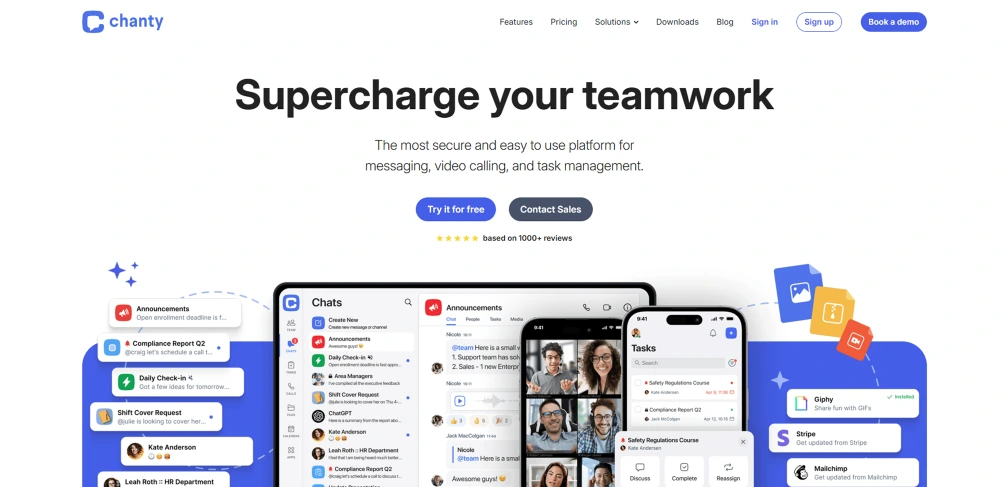
Chanty is a team communication and collaboration platform that helps small businesses improve productivity by keeping conversations, tasks, and teamwork organized in one place. It simplifies day-to-day communication, helping your teams to share information, coordinate work, and stay connected without switching between multiple tools.
The platform includes collaboration and task management features that help you keep projects moving while maintaining clear communication across the organization.
Key Features
- Keeps team conversations organized through private chats, group discussions, and channels.
- Helps teams collaborate more effectively with file sharing and communication tools.
- Includes built-in task management to track work and team responsibilities.
- Supports audio and video calls for seamless team communication.
Pros
- Easy to set up and use for small teams and businesses.
- Combines communication and task management on a single platform.
- Affordable pricing compared to many team collaboration tools.
Cons
- Limited advanced features for large or complex organizations.
- Fewer integrations than some established collaboration platforms.
- Reporting and analytics capabilities are relatively basic.
Pricing
- Comes with a free trial
- Business: $3 user/month
- Enterprise: For pricing details, contact the Chanty sales team.
Reviews
Focus & Distraction-Blocking Tools
14. Rescuetime - Best for Focus Improvement and Personal Productivity Tracking
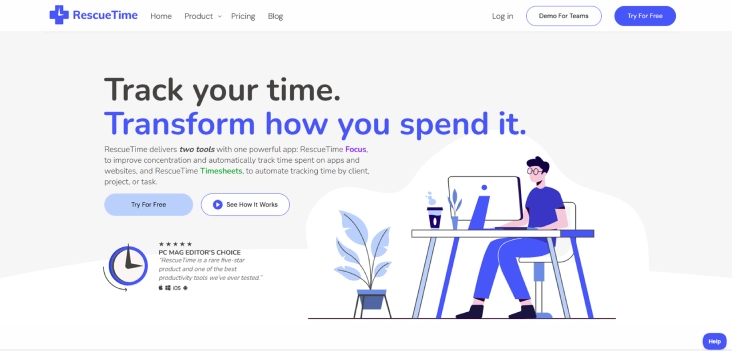
RescueTime is a productivity tracking tool that helps individuals and teams understand how their time is spent throughout the workday. It automatically tracks digital activities, highlights productivity patterns, and identifies distractions that may be affecting focus and performance.
The platform provides detailed insights into work habits, helping you build better routines, stay focused on important tasks, and make more productive use of time.
Key Features
- Tracks time automatically across applications, websites, and digital activities.
- Helps identify distractions and unproductive habits that affect focus.
- Provides detailed productivity reports and time usage insights.
- Supports focus sessions to minimize interruptions during important work.
Pros
- Helps users understand where their time is actually being spent.
- Encourages better focus and productivity habits over time.
- Requires minimal setup with automatic background tracking.
Cons
- Better suited for personal productivity tracking than managing team-wide workflows and projects.
- Limited project management and collaboration capabilities.
- Advanced reporting features require paid plans.
Pricing
- Solo: $7/user/month (billed annually)
- Solo+: $12/user/month (billed annually)
- Team: $10/user/month (billed annually)
- Team+: $16/user/month (billed annually)
Reviews
15. Sunsama - Best for Daily Planning and Work-Life Balance Management
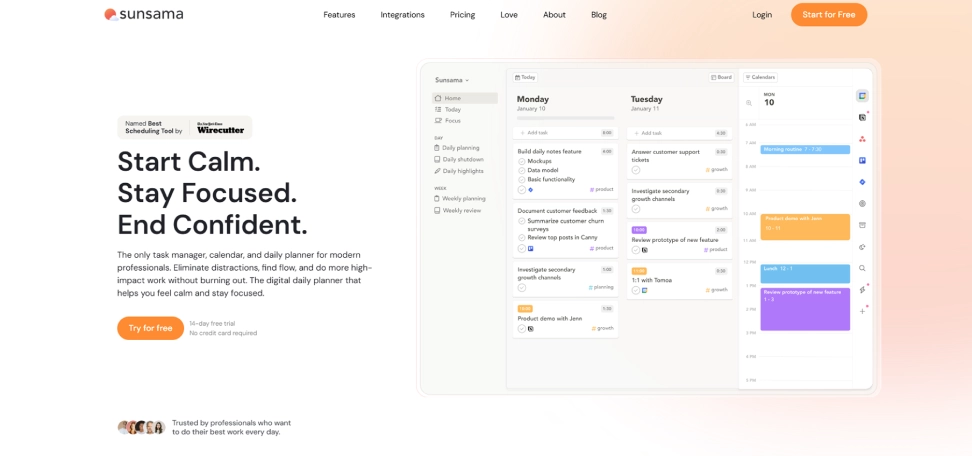
Sunsama is a daily planning tool that helps individuals and teams stay productive by organizing tasks, priorities, and schedules in one place. It encourages intentional work planning, helping to focus on high-impact tasks while reducing the impact of distractions and constant incoming requests.
The platform combines task management, calendar planning, and workload management to help you maintain a balanced schedule while keeping projects and daily responsibilities under control.
Key Features
- Helps you plan and prioritize daily work based on available time and workload.
- Combines tasks, calendars, and to-do lists into a single workspace.
- Encourages focused work sessions with structured daily planning workflows.
- Provides workload visibility to help prevent overcommitment and burnout.
Pros
- Makes daily planning and prioritization more effective.
- Helps to create a healthier balance between productivity and workload.
- Integrates with popular project management and calendar tools.
Cons
- More suitable for individual planning than large-scale project management.
- Limited advanced reporting and analytics capabilities.
- Higher pricing compared to some task management alternatives.
Pricing
- Pro Plan: $17/user/month (billed annually)
- For more pricing details, contact the Sunsama sales team.
Reviews
- G2: No review found for Sunsama.
- Capterra: 4.7
How to Choose the Right Productivity Tools for Your Team
Selecting the right productivity tool is not just about choosing the platform with the most features. The right productivity tool aligns with your team's workflow, addresses existing challenges, and helps improve day-to-day efficiency. Before making a decision, consider these key factors:
Identify Your Team’s Biggest Productivity Challenges
Start by understanding what is slowing your team down. Whether it's poor communication, missed deadlines, lack of visibility into work progress, or inefficient task management, choosing a tool that directly addresses these issues will deliver the most value.
Prioritize the Required Features for Your Team
Focus on features that support your daily operations without paying for capabilities you may never use. Look for essentials such as task management, collaboration tools, time tracking, workflow automation, reporting, or productivity monitoring based on your team's requirements.
Choose a Tool That Is Easy to Adopt
Avoid choosing a tool that requires extensive training or complicated setup processes. Focus on solutions with a simple interface and straightforward workflows so that your team can adopt them faster and start seeing productivity benefits sooner.
Check Integration Capabilities
Ensure that the tool integrates with the software your team already uses, such as project management platforms, communication tools, calendars, cloud storage, or CRM systems. Strong integrations help to create a smoother workflow and reduce manual work.
Consider Scalability for Future Growth
Select a productivity tool that can grow with your business. As your team expands, the platform needs to accommodate more users, projects, and workflows without disrupting existing processes or requiring a switch to another solution.
Evaluate Pricing Against Value
Compare the tool's cost with the benefits it provides. Look beyond the price tag and assess how much time, effort, and productivity it can save your team. A slightly higher investment may be worthwhile if it significantly improves efficiency and collaboration.
Tired of using multiple tools to manage productivity and performance?
Time Champ helps you track, manage, and improve team productivity from one place.
Conclusion
The right productivity tool can make a significant difference in how effectively your team collaborates, manages tasks, and achieves goals. Whether you need better project management, time tracking, workflow automation, or team communication, choosing a solution that aligns with your workflow can help improve efficiency and reduce unnecessary workload. Evaluate your team's needs carefully and select a tool that supports both current requirements and future growth.
Time Champ stands out by combining productivity tracking, time management, employee monitoring, and workforce insights in one platform. It gives you the visibility needed to improve performance, optimize workflows, and help teams work more efficiently.

Anjali

Table of Content
 Quick Comparison of the Best Productivity Tools for Teams
- Top 15 Best Productivity Tools for Teams to Improve Efficiency
- How to Choose the Right Productivity Tools for Your Team
- Conclusion
Instant Signup
Thank you for your request!
We have received your signup request and our team will get back to you soon. In the meantime, you can book a demo to see Time Champ in action.
Book a DemoFree trial. No credit card required. Prefer a walkthrough? Book a demo.
Related Blogs
Explore the top 10 productivity monitoring software in 2026, comparing features, pricing, fit, and privacy. Find the right tool to match your team’s needs.
Anjali | May 07, 2026
A practical guide to choosing productivity tracking software for your team, with comparisons of features, pricing, privacy, security, and rollout risks.
Jahnavi Pulluri | May 01, 2026
Learn what workforce productivity is, key factors, metrics, and ways to measure and optimize it. Discover AI’s role in improving workforce efficiency.
Chethana Choudary | October 01, 2025
Learn how real-time productivity tracking helps teams monitor performance, improve efficiency, and make smart decisions for better workplace productivity.
Jahnavi Pulluri | May 12, 2026
Discover the top 20 productivity hacks to get more done, boost efficiency, and stay focused. Learn expert tips to maximize your workflow and results!
Thasleem Shaik | Nov 14, 2024
Explore the top benefits of productivity tracking software for better visibility, balanced workloads, smarter planning, and improved business decisions.
Guna Lakshmi | Apr 30, 2026


 4.7/5 avg.
Ready to Manage Your Workforce Smarter?
Join our family of 1500+ companies using smart insights to redefine workforces!

Free Trial
No Credit Card Required