10 Best Employee Monitoring Tools & Platforms for (2026)
Find the best employee monitoring tools for 2026. Compare features, pricing, pros, and cons for employee activity tracking and work visibility.
Have you ever struggled to understand why productivity drops, workloads become uneven, or projects start missing deadlines even when everyone appears busy? When work visibility stays unclear, teams rely heavily on manual updates, scattered reports, and assumptions that make employee monitoring harder to manage.
The right employee monitoring software helps you track productivity, attendance, work patterns, and operational activity with better accuracy. In this guide, we reviewed the best employee monitoring tools, comparing their features, pricing, strengths, limitations, and the type of teams they support best.
What Is Employee Monitoring Software?
Employee monitoring software is a digital tool that helps you track work activity, productivity, attendance, time usage, and operational workflows across teams. It collects data from work devices, applications, websites, tasks, and schedules to give you a clear visibility into how work happens during the day.
Most employee monitoring tools include features like time tracking, app and website usage monitoring, productivity reports, attendance tracking, screenshot capture, and workforce analytics. Some platforms also offer workforce intelligence data that can help you recognize workload imbalances, productivity trends, operational bottlenecks, and potential insider threats before they impact performance.
Businesses use employee monitoring software to manage remote, hybrid, and in-office teams more effectively. Instead of relying on assumptions or manual updates, you get clear visibility into how work happens, where time goes, and which activities impact productivity across projects and teams.
What Are the 10 Best Employee Monitoring Tools?
The global employee monitoring software market will grow from $719.8 million in 2026 to $1,784.70 million by 2034, at a CAGR of 12.10%, and the number of tools continues to grow alongside it. With so many platforms available, finding the right fit takes more than comparing feature lists.
We reviewed and compared dozens of employee monitoring tools and narrowed the list down to 10 strong options. Each tool below compares features, pricing, usability, reporting, and the type of teams it supports best.
| Software | Ideal Solution for | Free Trail | Reviews |
|---|---|---|---|
| Time Champ | Small businesses, enterprises, remote teams, hybrid teams, and field operations | Yes | G2: 4.8/5 |
| Teramind | Enterprises, finance teams, healthcare organizations, legal firms, and compliance-heavy industries | Yes | G2: 4.6/5 |
| Veriato | Government sectors, finance companies, healthcare organizations, and compliance-focused businesses | Yes | G2: 4.3/5 |
| DeskTime | Small businesses, freelancers, agencies, and remote teams | Yes | G2: 4.5/5 |
| WorkTime | Office teams, support teams, remote businesses, and productivity-focused workplaces | Yes | G2: 4.6/5 |
| Workstatus | IT companies, software firms, digital agencies, consulting firms, BPOs, and remote, hybrid, or field workforces | Yes | G2: 4.7/5 |
| Time Doctor | Remote teams, BPOs, startups, freelancers, and client-billing businesses | Yes | G2: 4.4/5 |
| ActivTrak | Hybrid teams, operations teams, HR departments, and productivity-focused organizations | Yes | G2: 4.3/5 |
| Connecteam | Construction teams, retail businesses, healthcare staff, logistics companies, and deskless workforces | Yes | G2: 4.6/5 |
| Insightful | Small businesses, BPOs, hybrid teams, and businesses managing distributed workforces | Yes | G2: 4.6/5 |
1. Time Champ

Time Champ is an employee monitoring software with complete workforce intelligence features. It does more than simply track daily activity. The platform helps you understand employee productivity, attendance, app usage, project time, workloads, and work patterns more clearly, giving you better visibility into how work happens across your teams.
Most monitoring tools stop at screenshots and idle time. Time Champ goes further by connecting individual activity data to team-level patterns, which means you can catch burnout risks early, see where time leaks across projects, and identify who is overloaded before it becomes a problem. It covers remote, hybrid, in-office, and field teams without needing separate tools for each setup.
The setup stays simple, and the platform adjusts easily to different work environments and team requirements. The reporting system also helps you understand workforce data clearly and make better decisions from it.
Features
- Time Tracking: Time Champ automatically records hours worked the moment your team starts working. You can track billable and non-billable hours at the task level, manage overtime calculations, organize break schedules, and generate payroll-ready timesheets, helping you reduce manual tracking and maintain more accurate work-hour records.
- Productivity and Activity Monitoring: You can see exactly which apps and websites your team uses during work hours, how much time goes to each, and whether that time is productive, neutral, or non-productive. Visual heatmaps and timeline views break each employee's day into color-coded segments so you can spot focus patterns and idle trends at a glance.
- Project and Task Management: You can create projects, assign tasks with priorities and deadlines, track budget vs. actuals in real time, and view the progress of your project across Kanban boards. Time Champ also allows you to track the amount of time that your team commits to each of your projects and tasks, making capacity planning, workload management, and tracking projects with ease across teams.
- Screenshots: You can capture automated screenshots at custom intervals and take manual screenshots whenever needed to verify work activity more clearly. Time Champ also lets you blur sensitive screen content, helping you maintain visibility into work without exposing private information.
- Screen Recordings: You can access screen recordings and monitor live screens through the Office TV dashboard to understand how work happens across tasks and workflows. Time Champ also supports audio tracking alongside screen recordings, giving you better visibility into work activity, client interactions, and operational processes when required.
- Keystroke Logging: Time Champ measures keyboard and mouse activity intensity to assess engagement without reading any personal content. You get a fair, privacy-respecting signal for who is active, idle, or showing unusual patterns.
- Attrition Prediction: This is one of the features that genuinely separates Time Champ from most tools in this category. The platform tracks behavioral signals like declining activity intensity, irregular work patterns, and work-life balance changes. It then generates an attrition risk score for each team member, helping you identify disengagement early and take proactive action before turnover increases.
- Data Loss Prevention (DLP): Time Champ monitors USB activity, file movements, and website access violations in real time to help you identify suspicious behavior early. The platform also generates instant alerts, maintains detailed audit logs, and uses role-based access controls to protect sensitive business data more effectively.
- Alerts and Notifications: You can configure real-time alerts for idle time, productivity drops, non-productive app usage, late logins, and extended inactivity. The platform instantly notifies the right team members, helping you identify issues early and take quick action before productivity problems grow bigger.
Pros
- Real-time dashboards make it easier to track productivity, attendance, workloads, project activity, and work patterns from one place.
- Pricing is more affordable than many tools that offer similar features.
- Works across remote, hybrid, in-office, and field-based teams without requiring separate setups.
- Attrition prediction gives you early warning signs before disengagement leads to turnover.
- Responsive support and clear onboarding make it easier to implement the platform smoothly across your team.
Cons
- The platform includes many modules, so new teams may need some time to explore all the features.
- Advanced features like DLP and audio tracking may only suit specific industries or business needs.
Pricing
Time Champ offers a 7-day free trial, giving you the flexibility to explore its features and workflows before choosing a plan.
- Starter: $3.9 per user per month (billed annually)
- Professional: $6.9 per user per month (billed annually)
- Enterprise: $13.9 per user per month (billed annually)
Each plan varies based on feature availability and organizational needs, allowing teams to select an option that aligns with their scale, structure, and operational requirements. You can explore the complete pricing details on the Time Champ Pricing Page.
Best For
Time Champ works well for agencies, BPOs, remote teams, hybrid workplaces, field operations, and businesses that need productivity tracking, workforce analytics, attendance monitoring, and project visibility from one platform.
Reviews
- G2: 4.8/5
- Capterra: 4.9/5
Struggling to see what your team is actually working on?
Try Time Champ to monitor employee activity and improve work visibility.
2. Teramind
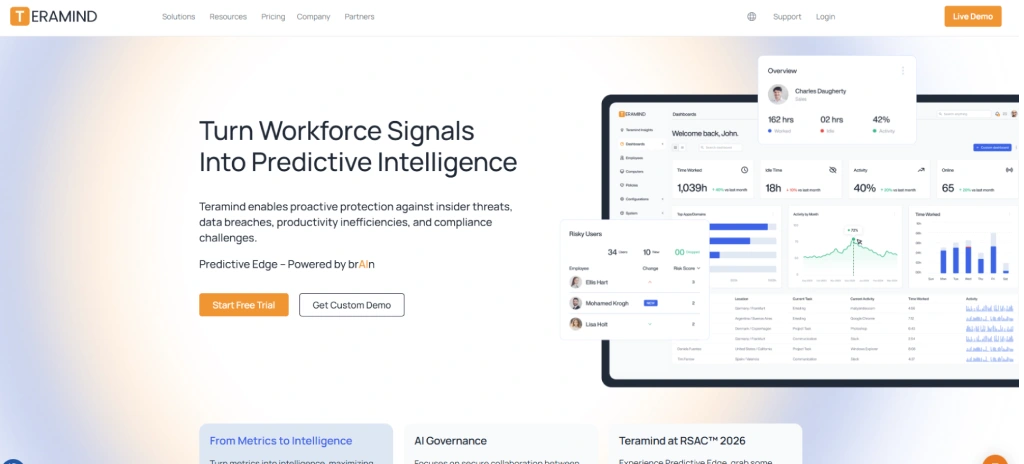
Teramind is an employee monitoring and insider risk detection platform. It can help you monitor user behavior, increase security, and manage compliance requirements. Teramind focuses on threat detection, data loss prevention, and workforce activity monitoring for remote and in-office staff. It works well if you need deeper security monitoring alongside productivity tracking.
Key Features
- Real-Time Monitoring: Tracks app usage, website activity, screenshots, screen recordings, keystrokes, and active or idle time across monitored Windows and Mac devices in real-time.
- Productivity Optimization: Helps you identify workflow bottlenecks, track productivity levels, monitor work hours, and improve performance using detailed activity reports.
- Risk Mitigation: Detects suspicious behavior, unauthorized access attempts, and unusual activity patterns to help reduce insider threats and data security risks.
- AI-Powered Alerts: It group suspicious activity and data-related alerts into a centralized dashboard feed so you can review risks and respond faster.
Pros
- Supports cloud, on-premise, and private cloud deployments, giving you more control over data storage and security requirements.
- User behavioral analytics to identify unusual activity patterns before they become larger security or compliance issues.
- Integrates with SIEM platforms like Splunk, ArcSight, and LogRhythm, helping you connect monitoring data with existing security operations workflows.
- Provides detailed employee activity tracking with customizable alerts, monitoring rules, and policy controls.
Cons
- The interface can feel complicated during the initial setup and daily management.
- Navigation across settings, reports, and monitoring controls may take time to learn.
- Some dashboard customization options require higher-tier plans or additional costs.
- The platform may feel overwhelming if you only need basic employee monitoring features.
Pricing
- Starter: $14 per user per month (billed annually)
- UAM: $28 per user per month (billed annually)
- DLP: $32 per user per month (billed annually)
Best For
Teramind is best suited to mid-sized and large organizations in finance, healthcare, legal, government, or other compliance-related industries.
Reviews
- G2: 4.6/5
- Capterra: 4.7/5
3. Veriato
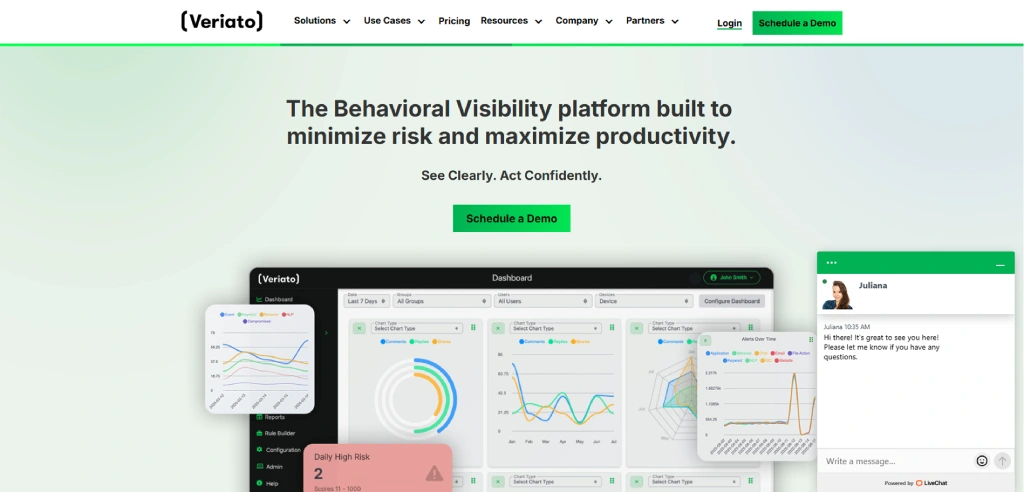
Veriato is an employee monitoring and insider risk management software focused on user activity monitoring, behavior analysis, and compliance. It helps you monitor work, identify suspicious behaviors, and improve visibility across remote and in-office workers. It is mainly suited for organizations looking for both security-focused monitoring and productivity insights.
Key Features
- User Activity Monitoring: Tracks websites, applications, emails, keystrokes, screenshots, active time, and idle time across monitored devices.
- Insider Risk Management: Helps you identify suspicious behavior, policy violations, and potential insider threats before they escalate.
- AI-Powered Risk Scoring: Analyzes behavioral patterns and assigns risk scores based on unusual activities and anomalies.
- Email and Chat Monitoring: Tracks communication activity across email platforms and messaging applications for compliance visibility.
Pros
- The platform feels easy to implement and manage during the initial setup.
- Activity monitoring features provide detailed visibility into work behavior and productivity patterns.
- Customer support helps simplify onboarding and deployment processes.
- Supports cloud and on-premise deployment options for different security requirements.
Cons
- License management and integrations may feel limited in certain workflows.
- The interface can feel outdated and less intuitive compared to newer monitoring platforms.
- Navigation across settings and reports may take time to understand.
- Mac compatibility and software update issues may affect the overall experience.
Pricing
- Veriato UAM: $18 per user per month (billed annually)
Best For
Veriato works well for monitoring compliance, insider threats, internal investigations, and remote workforce control.
Reviews
- G2: 4.3/5
- Capterra: 4.2/5
4. DeskTime
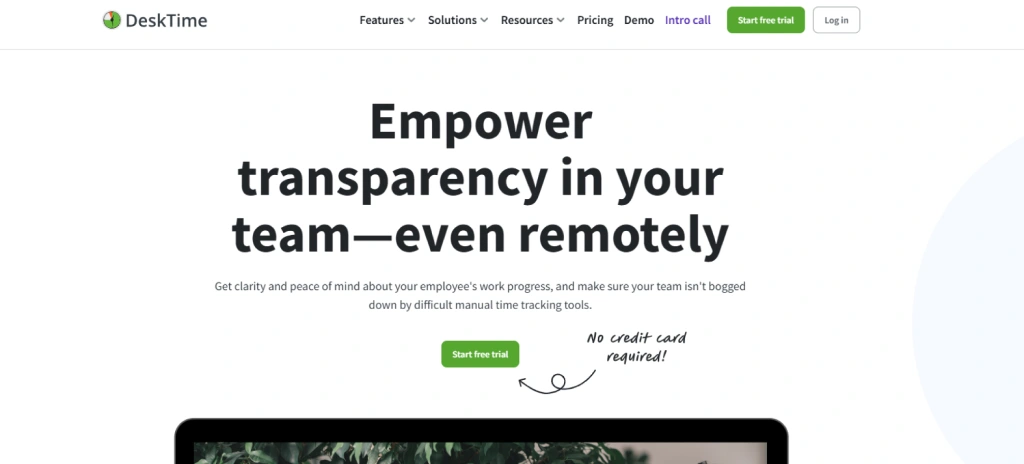
DeskTime is an automated time tracking and productivity monitoring tool for remote, hybrid, and office teams. It automatically tracks work hours, app usage, attendance, and productivity activity in the background, helping you reduce manual work and monitor teams more efficiently. The interface stays simple and lightweight, making daily tracking, reporting, and productivity management easier to handle.
Key Features
- Time Tracking: Automatically tracks work hours, breaks, clock-ins, and idle time without requiring manual timesheets.
- Performance Evaluation: Helps you analyze productivity levels, app usage, active time, and work patterns through detailed reports.
- Employee Scheduling: Lets you manage shifts, attendance, absences, and work schedules from one dashboard.
- Screenshots: Captures periodic screen activity to help you maintain visibility into ongoing work.
Pros
- Automatic time tracking helps you monitor productivity without manual time entries
- The interface feels simple and easy to use during daily tracking and reporting.
- Project-wise time tracking helps you manage billable hours and task allocation more accurately.
- Productivity reports give you clear visibility into work activity and efficiency trends.
Cons
- Mobile tracking features feel more limited compared to the desktop version.
- Screenshot frequency and advanced monitoring controls may not suit teams needing deeper oversight.
- Idle time tracking and offline logging may occasionally show inaccurate activity data.
- Customization options for reports and monitoring settings feel limited in some workflows.
Pricing
- Pro: $6.42 per user per month (billed annually)
- Premium: $9.17 per user per month (billed annually)
Best For
DeskTime is a good option for small and mid-size businesses, agencies, remote teams, freelancers, and hybrid work environments requiring automatic time and productivity monitoring.
Reviews
- G2: 4.5/5
- Capterra: 4.5/5
5. WorkTime
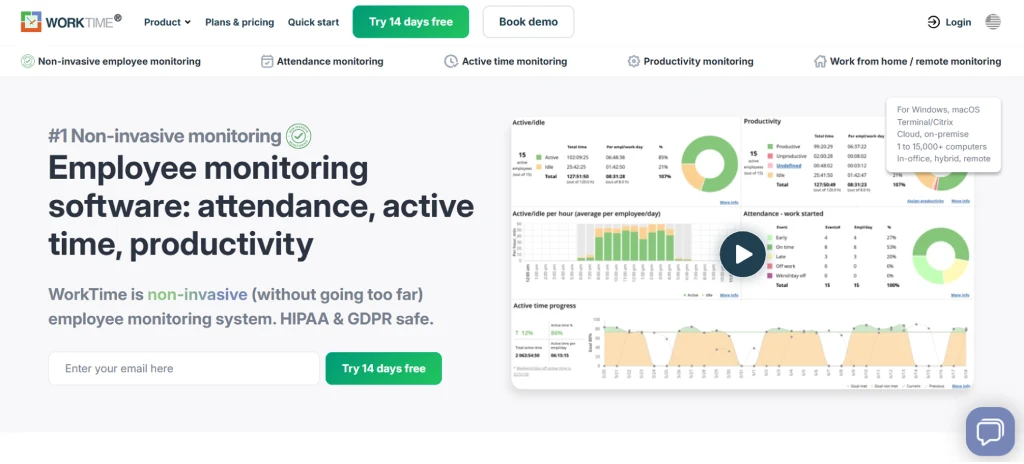
WorkTime is an employee monitoring and productivity tracking software that focuses on attendance tracking, time monitoring, and workforce productivity analysis. The platform provides insight into work activity, attendance patterns, internet usage, and active or idle time of the employees. Its monitoring approach stays more focused on productivity visibility rather than advanced surveillance or security-heavy monitoring.
Key Features
- Attendance Monitoring: Tracks attendance patterns, work schedules, login activity, and attendance goals across your team.
- Overtime Monitoring: Helps you monitor overtime hours, weekend work, and work completed before or after scheduled shifts.
- Internet Use Monitoring: Monitors website activity, online meeting time, and social media usage during work hours.
- Active and Idle Time Monitoring: Measures computer activity levels and tracks productive versus inactive time throughout the workday.
Pros
- The interface feels simple and easy to use during daily monitoring and reporting.
- Setup and implementation usually take less time with minimal installation complexity.
- Productivity reports provide clear visibility into attendance, work activity, and performance trends.
- Attendance and productivity insights help improve workforce visibility and operational efficiency.
Cons
- The interface design can feel outdated and overwhelming in some sections.
- Navigation across reports and monitoring settings may take time to understand.
- Customization options for reports and monitoring controls feel limited.
- Pricing may feel expensive compared to some similar monitoring tools.
Pricing
- Basic: $6.99 per user per month
- Premium: $8.99 per user per month
- Enterprise: $10.99 per user per month
Best For
WorkTime is commonly designed for remote, support, agency, and office workers who want to have greater visibility into attendance, work hours, internet usage, and daily productivity.
Reviews
- G2: 4.6/5
- Capterra: 4.5/5
Is hidden idle time affecting your team's performance?
Track, monitor, and stay in control with Time Champ.
6. Workstatus

Workstatus is an employee monitoring and workforce management platform that helps businesses improve productivity, streamline operations, and gain complete visibility into employee performance. It combines time tracking, activity monitoring, attendance management, project tracking, and workforce intelligence in a single platform. Designed for remote, hybrid, office, and field teams, Workstatus enables organizations to optimize productivity while improving project profitability and operational efficiency.
Key Features
- Real-Time Monitoring: Tracks work hours, app and website usage, screenshots, active and idle time, productivity levels, and employee activity in real time.
- Workforce & Productivity Management: Provides automated timesheets, attendance tracking, shift scheduling, leave management, productivity reports, and workforce analytics to improve team performance.
- Project & Delivery Management: Supports project time tracking, Kanban boards, Gantt charts, workload management, budgeting, burn-rate tracking, invoicing, and project profitability analysis.
- Field Workforce Management: Offers live GPS tracking, route history, geofencing, mileage tracking, payroll exports, and mobile attendance for remote and field employees.
Pros
- Combines employee monitoring, time tracking, attendance, project management, and workforce intelligence in one platform.
- Supports office, remote, hybrid, and field teams with GPS tracking and geofencing.
- Provides detailed productivity analytics, utilization reports, automated timesheets, and customizable reporting.
- Integrates with Jira, Asana, ClickUp, Trello, APIs, webhooks, and 25+ native integrations.
Cons
- Advanced workforce intelligence and profitability features are available only in higher-tier plans.
- New users may need time to explore the platform’s extensive capabilities.
- Some enterprise security, compliance, and deployment options require the Enterprise plan.
- Add-ons such as session recording and extended data retention are priced separately.
Pricing
- Proof: ₹300/user/month — Includes time tracking, app & URL monitoring, screenshots, productivity reports, attendance management, task management, payroll exports, and 25+ integrations.
- Profit: ₹550/user/month — Includes everything in Proof, plus project budgeting, burn tracking, client invoicing, workforce analytics, utilization forecasting, team benchmarks, and advanced reporting.
- Enterprise: Custom Pricing — Includes SSO/SCIM, private cloud options, advanced security and compliance, dedicated customer success manager, white-glove onboarding, 24/7 SLA, and enterprise-grade scalability.
Best For
Workstatus is best suited for small, mid-sized, and large service businesses, including IT companies, software development firms, digital agencies, consulting firms, BPOs, professional services, and organizations managing remote, hybrid, or field workforces.
Reviews
- G2: 4.7/5
- Capterra: 4.7/5
7. Time Doctor
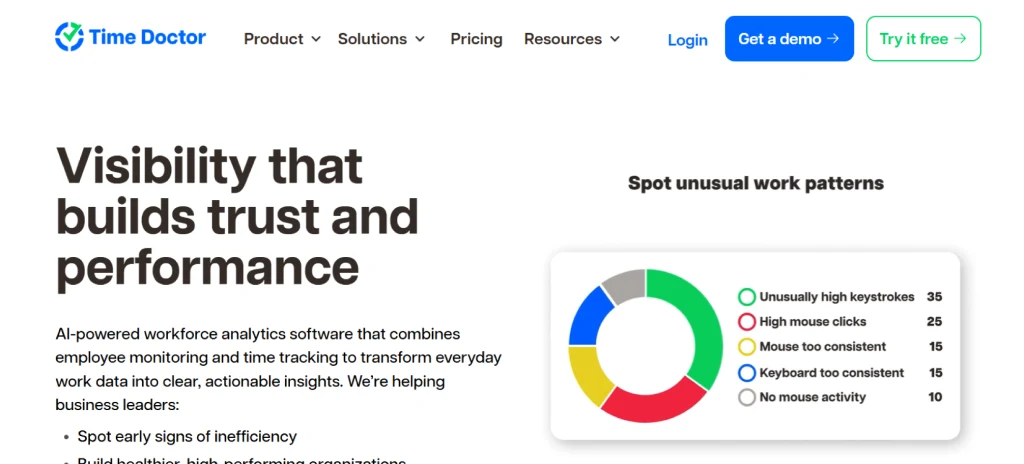
Time Doctor is a productivity and workforce tracking platform built for remote, hybrid, and distributed teams. It monitors attendance, work hours, app usage, task activity, and productivity trends, as well as assists you in managing payroll, client billing, and tracking projects. The platform focuses heavily on helping teams reduce unproductive time and improve accountability during work hours.
Key Features
- Time Tracking: Records work hours, tasks, projects, breaks, and billable time with automatic and manual tracking options.
- Web and App Usage Tracking: Tracks websites, applications, and tools used during work hours to identify distractions and productivity trends.
- Project Management: Helps you assign tasks, track project progress, and monitor time spent across teams and projects.
- Offline Time Tracking: Records work activity even without internet access and syncs data once the connection returns.
Pros
- Time tracking and productivity monitoring provide detailed visibility into daily work activity.
- Productivity reports help you identify work patterns, distractions, and project progress more clearly.
- The interface feels straightforward during task tracking and time management.
- Automated timesheets and payroll calculations reduce manual administrative work.
Cons
- Reports and exported activity logs may sometimes show inconsistent tracking data.
- The interface and navigation can feel less intuitive compared to newer platforms.
- Mobile tracking features are more limited than the desktop application.
- The platform does not include GPS tracking or advanced scheduling tools.
Pricing
- Basic: $6.67 per user per month (billed annually)
- Standard: $11.67 per user per month (billed annually)
- Premium: $16.70 per user per month (billed annually)
Best For
Time Doctor is usually preferred by organizations that would like to improve their task management, time recording, productivity practices, and billing processes.
Reviews
- G2: 4.4/5
- Capterra: 4.5/5
8. ActivTrak
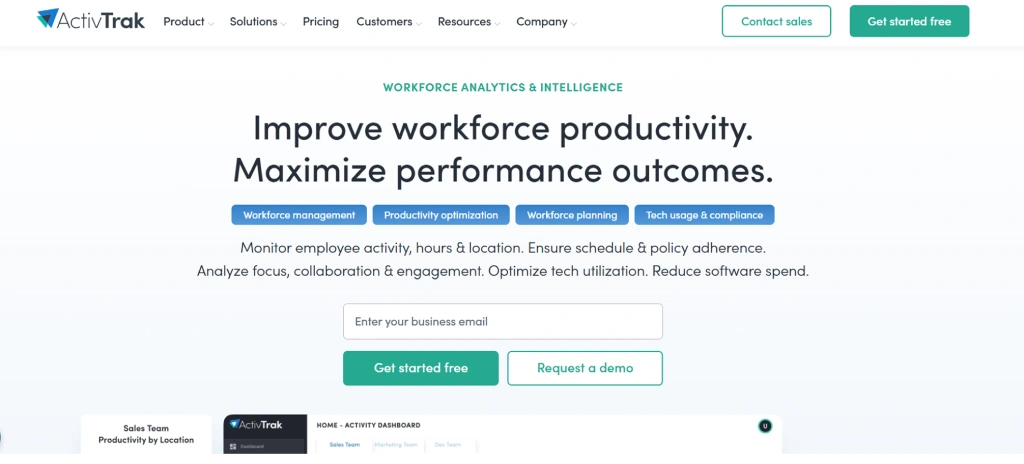
ActivTrak is an employee monitoring and workforce analytics platform focused on productivity insights, workload analysis, and work behavior tracking. Instead of focusing heavily on surveillance, the platform mainly helps you understand productivity trends, focus time, workload balance, app usage, and work habits across remote and hybrid teams. It also provides AI-driven insights and productivity reports that help identify workflow issues, burnout risks, and inefficient work patterns.
Key Features
- Live Visibility: Shows real-time activity, app usage, work patterns, and focus time across your team.
- App and URL Classification: Helps you categorize websites and applications as productive or non-productive for more accurate productivity reports.
- Workload Balance: Tracks resource distribution, underutilization, and overworked employees to help prevent burnout.
- Productivity Analytics: Analyzes focus time, meeting hours, collaboration patterns, and productivity trends through visual dashboards.
Pros
- Privacy controls and visibility settings help reduce overly invasive monitoring.
- Reporting visuals help simplify productivity analysis across remote and hybrid teams.
- Productivity dashboards make coaching and workload discussions more data-driven.
- AI-powered analytics provide detailed visibility into work habits and performance patterns.
Cons
- The platform may feel overwhelming during the initial setup because of the large number of features and dashboards.
- Navigation across reports, exports, and analytics sections can take time to understand.
- Detailed reporting customization options feel limited in certain workflows.
- Some advanced features and screenshot monitoring require higher-tier plans.
Pricing
- Essentials: $10 per user per month (billed annually)
- Essentials Plus: $15 per user per month (billed annually)
- Professional: $19 per user per month (billed annually)
Best For
ActivTrak is commonly used by remote, hybrid, and distributed teams that require greater insights into the balancing of workload, focus, productivity, and employee efficiency.
Reviews
- G2: 4.3/5
- Capterra: 4.5/5
9. Connecteam
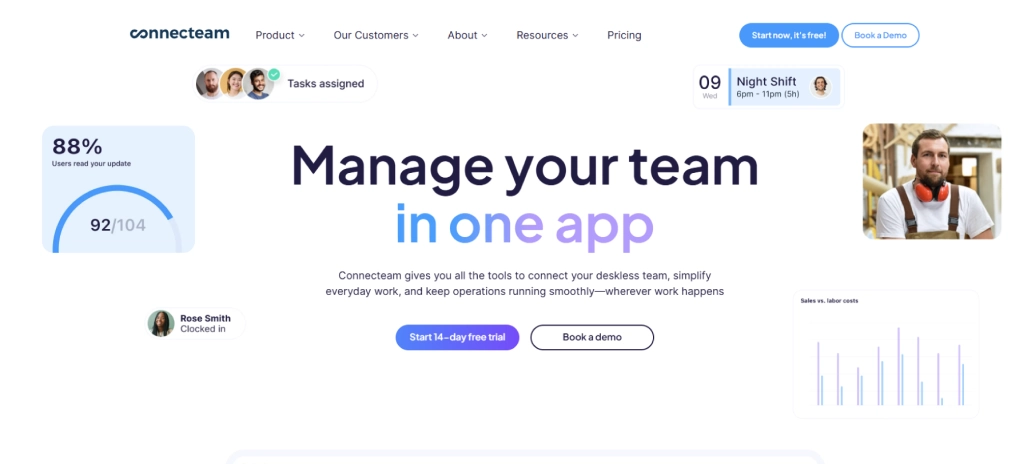
Connecteam is a mobile-first workforce management platform designed mainly for deskless, frontline, and field teams. The platform integrates scheduling, time tracking, task management, team communication, HR tools, and operational workflows into a single app, and it enables you to handle daily operations without having to switch between various systems. It focuses heavily on mobile accessibility, making it easier to manage teams working across different locations.
Key Features
- Employee Scheduling: Helps you create, assign, and update shifts using drag-and-drop scheduling tools, shift swaps, and open shift claiming.
- Task Management: Lets you assign tasks, workflows, checklists, and recurring activities to individuals or teams with real-time progress updates.
- Team Communication: Combines chat, announcements, surveys, updates, and feedback tools in one mobile communication hub.
- HR Management: Supports onboarding, employee engagement, training, recognition, and workforce management processes.
Pros
- The mobile app combines scheduling, communication, task management, and time tracking in one place.
- GPS tracking and location-based clock-ins improve attendance visibility for mobile workforces.
- Task management and operational workflows reduce the need for multiple separate tools.
- The interface feels straightforward after the initial setup and customization.
Cons
- Reporting and analytics feel more basic compared to advanced HR or workforce analytics platforms.
- Payroll processing still requires exporting timesheets instead of fully built-in payroll management.
- The platform does not include dedicated recruiting or applicant tracking tools.
- Some mobile and offline features may not work smoothly in low-network environments.
Pricing
- Basic: $29 per month
- Advanced: $49 per month
- Expert: $99 per month
Best For
Construction teams, logistics companies, cleaning services, retail businesses, healthcare teams, restaurants, and other deskless workforces rely on Connecteam to manage daily operations more efficiently.
Reviews
- G2: 4.6/5
- Capterra: 4.6/5
10. Insightful
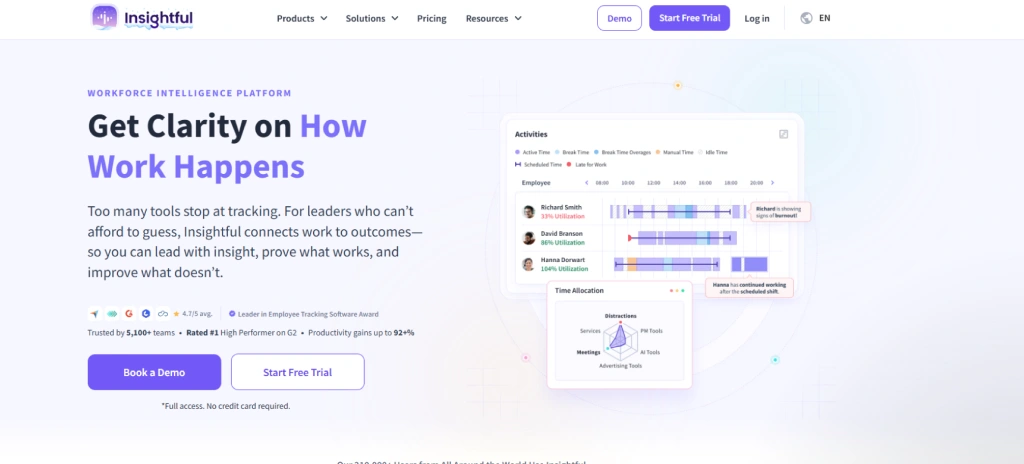
Insightful (formerly Workpuls) is a workforce analytics and employee monitoring platform built for remote, hybrid, and office-based teams. It automatically tracks time, app and website usage, attendance, and productivity trends without requiring your team to log anything manually. If you want a clean, data-backed view of how work actually moves across your organization, without adding admin overhead to your day, Insightful gives you exactly that.
Key Features
- Automatic Activity Tracking: Creates detailed activity timelines that show work hours, active time, idle periods, and app usage throughout the day.
- App and Website Usage Analytics: Track how teams spend time across applications, websites, meetings, and work tools.
- Productivity Classification: Lets you categorize apps and websites as productive, unproductive, or neutral for more accurate productivity reports.
- Automatic Timesheets: Generate work logs and timesheets based on tracked activity and project time.
Pros
- The interface feels clean and easy to navigate during daily monitoring and reporting.
- Automatic tracking and productivity insights reduce manual administrative work.
- Reporting dashboards provide practical visibility into productivity and work habits.
- Time tracking and automated timesheets simplify attendance and project tracking.
Cons
- Initial setup and productivity customization may take time to configure properly.
- Reporting exports and customization options feel limited in certain workflows.
- Technical issues like syncing problems, bugs, or login errors may occasionally affect tracking.
- Mobile monitoring capabilities remain limited compared to desktop monitoring.
Pricing
- Workforce Analytics: $10 per user per month
- Workflow Optimization: $15 per user per month
Best For
Insightful works well for small businesses, growing teams, BPOs, and larger organizations that need better visibility into productivity, work hours, attendance, and workload distribution across office, remote, or hybrid teams.
Reviews
- G2: 4.6/5
- Capterra: 4.8/5
Employee Monitoring Tools Checklist
Choosing the right employee monitoring tool depends on how your team works, what level of visibility you need, and how easily the platform fits into your daily workflows. Before making a decision, review the checklist below to compare features, usability, reporting, integrations, privacy controls, and workforce management capabilities more clearly.
1. Cost and Pricing Fit
Pricing should match the way your team works, grows, and uses the platform over time. Some tools look affordable at first, but increase costs through limited features, user restrictions, or expensive upgrades. So, it is important to choose a platform that supports your workflows and future growth without adding unnecessary costs later.
2. Tech Stack Compatibility
The employee monitoring tool should connect smoothly with the systems your team already uses, including project management software, HR platforms, payroll systems, communication tools, and workflow applications. When tools fail to integrate properly, teams spend more time handling manual updates, disconnected reports, and scattered productivity data.
3. Features That Match Real Needs
More features don't mean a better tool. What you want is visibility into the things that actually create problems for you, find out where time goes, which apps eat into productive hours, and where workflows break down. If a tool drowns you in data but can't tell you what to do with it, it's not working for you.
4. Security and Data Protection
Monitoring tools sit on top of sensitive work data because that is their core purpose. So, the way vendors store that data, control access permissions, and maintain compliance standards matters from day one. Weak protection not only increases security risks for the organization but also reduces employee trust in the monitoring system and creates concerns around privacy and data handling.
5. Scalability for Growth
A tool that works well for a small office team may struggle once your business expands across larger teams, multiple departments, or different time zones. Before choosing a platform, think beyond your current setup and make sure the tool can handle growing workloads, changing roles, and team expansion without forcing you to switch systems later.
Picking the right tool takes more than a feature comparison, and our guide on how to choose the right employee monitoring tool walks you through every factor in detail.
Conclusion
Employee monitoring tools help businesses improve productivity, track work activity, manage workloads, and understand how teams spend their time across daily operations. The right platform should support your workflows, fit your team structure, and provide clear visibility without making management more complicated. Before choosing a tool, focus on the features, integrations, reporting, scalability, and monitoring controls that align with the way your teams actually work. If you're buying specifically for an Indian team, see our guide to the best employee monitoring software in India.
Still relying on manual updates and scattered reports to track employee work activity?
Use Time Champ to monitor employee performance, attendance, and work patterns with clearer real-time visibility.

Thasleem Shaik

Table of Content
 What Is Employee Monitoring Software?
- What Are the 10 Best Employee Monitoring Tools?
- Employee Monitoring Tools Checklist
- Conclusion

Related Blogs
Learn how AI-powered workplace productivity monitoring affects employee data privacy, compliance, transparency, accountability, and trust in organizations.
Jahnavi Pulluri | May 11, 2026
Understand how employee monitoring privacy laws in the U.S. affect your business, what you can track, the rules to follow, and how to stay compliant.
Thasleem Shaik | Apr 15, 2026
Learn how to legally implement employee monitoring software. Covers legal requirements, policy steps, best practices, and what to tell your employees.
Thasleem Shaik | Apr 16, 2026
Explore features of employee monitoring tools, including tracking, security, and productivity insights, to choose the right solution.
Thasleem Shaik | Apr 21, 2026
Track the right employee monitoring metrics to understand work patterns, improve performance, and make data-driven decisions with confidence.
Thasleem Shaik | Apr 22, 2026
Analyzing employee monitoring data turns raw activity into decisions that improve performance. See the step-by-step framework, common mistakes, and how to act on what you find.
Thasleem Shaik | Apr 23, 2026


 4.7/5 avg.
Ready to Manage Your Workforce Smarter?
Join our family of 1500+ companies using smart insights to redefine workforces!

Free Trial
No Credit Card Required