Tips to Make Your Team Productive with a Productivity Tool
Find practical tips to improve team productivity, reduce distractions, and help your team stay organized, focused, and accountable throughout the workday.

If your team works hard but still misses deadlines, loses focus, or struggles with burnout, the problem often goes beyond effort. It is how you plan, track, and support work every day. This guide shares practical tips to improve productivity using the right productivity tool for your team. You will see how clear goals, simple workflows, and smart tracking help reduce confusion, limit micromanagement, and keep your remote or hybrid team focused, organized, and productive.
Why Do Productivity Tools Matter for Team Performance?
More businesses now rely on productivity tools to organize work, improve visibility, and help teams perform better without constant follow-ups. In fact, the global productivity software market will grow from $74.9 billion in 2025 to $86.8 billion in 2026 as teams continue adopting digital work management tools. Here are the key reasons why productivity tools play an important role in improving team performance:
- Better Visibility into Daily Work: Productivity tools help you understand task progress, workloads, and work patterns without asking for constant updates throughout the day.
- Improves Focus and Deep Work: Frequent interruptions reduce productivity. The right tools protect focus time by eliminating unnecessary meetings and distractions.
- Smarter Workload Balance: Productivity data helps you identify overloaded team members early and distribute work more effectively before burnout affects performance.
- Better Support for Remote and Hybrid Teams: Remote and hybrid teams often struggle with visibility and coordination. Productivity tools make collaboration easier by giving everyone a clearer view of work progress and priorities.
- Stronger Employee Engagement: Clear workloads, better visibility, and organized workflows help strengthen employee engagement by reducing confusion and helping your team work with better confidence throughout the day.
Stop guessing where productivity slips and start leading with clarity.
Use Time Champ to turn everyday work data into smarter decisions and measurable team productivity.
What Are the Best Tips to Make Your Team Productive with a Productivity Tool?
Just buying a productivity tool is not enough. If your team does not use it the right way, you end up with incomplete dashboards, messy timelines, workflow confusion, and lower productivity. Here are some proven productivity tips that help your team use productivity tools more effectively and stay organized, focused, and consistent in daily work.
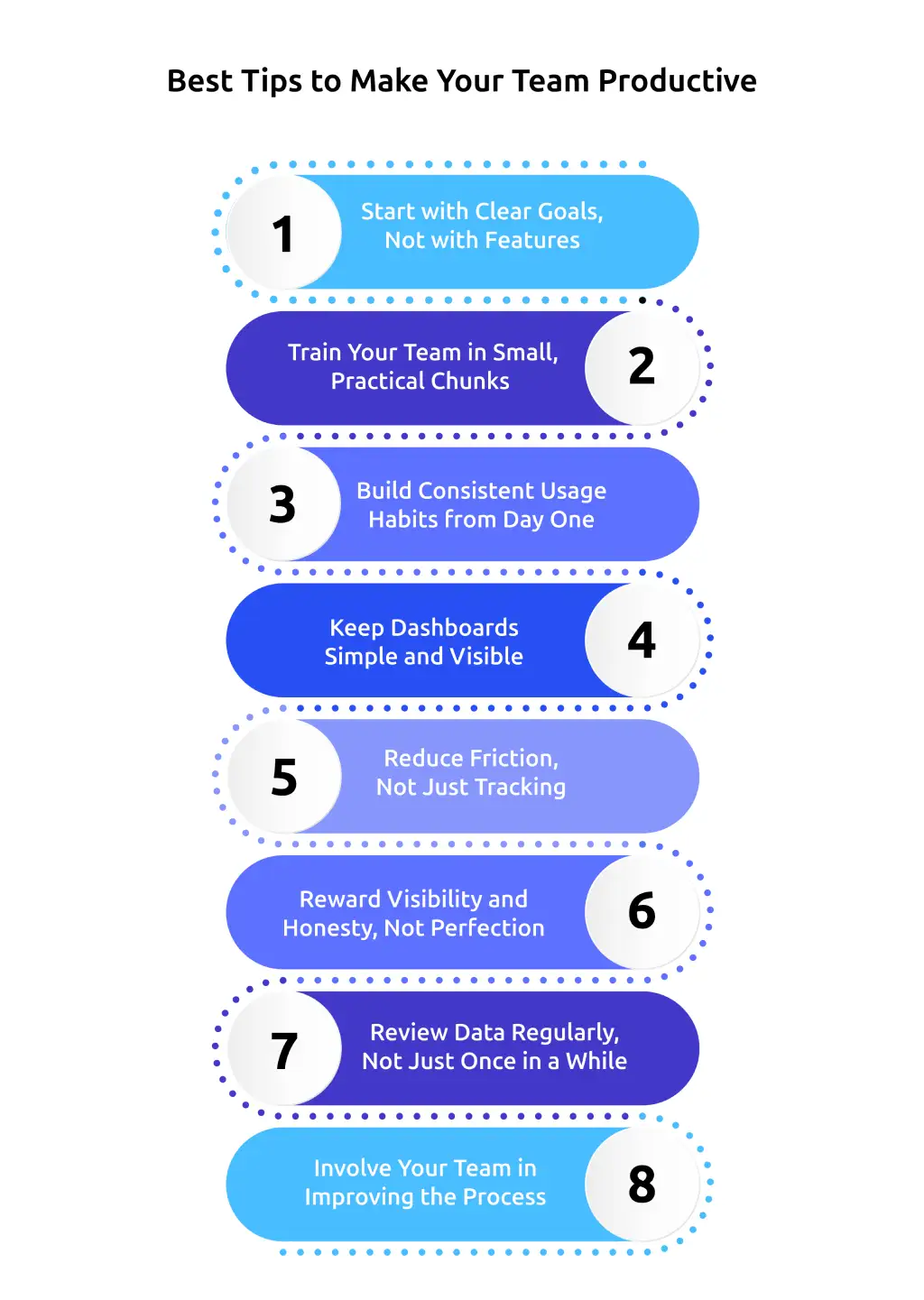
1. Start with Clear Goals, Not with Features
Before setting up dashboards, reports, or tracking settings, first decide what you actually want to improve with the productivity tool. You need clarity on:
- What do you want to track, such as attendance, work hours, tasks, productivity, or project progress?
- Which outcomes matter most, like completing projects faster, reducing missed deadlines, improving workload balance, or increasing team accountability?
Many teams struggle with productivity tools because they focus too much on features instead of solving real workflow problems. Once your goals become clear, it gets easier to choose the right settings, use the right features, and avoid unnecessary complexity.
2. Train Your Team in Small, Practical Chunks
Long and complicated tool training sessions often confuse your team more than they help. Rather than explaining everything at once, train your team through short and practical sessions focused on daily tasks. You can start with:
- Short walkthroughs for basic tasks like logging hours, updating tasks, or checking progress.
- Simple role-based guides for different teams, such as developers, support teams, or field staff.
- Quick follow-up sessions to solve common workflow issues after onboarding.
Clear communication helps your team understand why you introduced the tool, how to use it correctly, and what changes to expect. This reduces confusion, resistance, and misuse during adoption. In fact, over 40% of workers say poor communication reduces trust at work, and the number rises to 54% in remote teams. Productivity tools help improve communication, keep work organized, and make collaboration easier across teams.
3. Build Consistent Usage Habits from Day One
A productivity tool only works when your team uses it consistently during daily work. Without clear expectations and regular usage, you end up with incomplete data, missed updates, and poor visibility into team performance. You can keep usage simple with:
- A clear rule like: “Track every task and project update inside the system.”
- Quick daily check-ins where your team updates progress or logs productive work time.
- Simple workflows that make tracking part of the regular work routine instead of an extra task.
Teams that treat the tool as “optional” usually end up with incomplete data and no real insight. In contrast, contact‑center or BPO teams use workforce‑optimization tools, where real‑time status tracking is mandatory and directly tied to performance reviews.
4. Keep Dashboards Simple and Visible
Cluttered dashboards create confusion and make important updates harder to notice. Instead:
- Show only 3–5 important metrics like active projects, overdue work, available hours, and upcoming deadlines.
- Sharing live dashboards through common channels so your team can quickly check daily progress and priorities.
- Using clean layouts that make productivity updates easier to understand at a glance.
Many teams using tools like Time Champ, Asana, and Monday.com rely on simple shared dashboards because they help everyone stay aligned, reduce workflow confusion, and improve productivity visibility.
5. Reduce Friction, Not Just Tracking
If your productivity tool feels difficult or time-consuming to use, your team will avoid using it consistently. To avoid that:
- Use auto-capturing features where possible, such as automatic time tracking, status updates, or integrations with email and Slack.
- Allow simple one-click actions like clock-ins, status changes, or task assignments.
Many teams prefer productivity tools with automation and simple workflows because they reduce manual work and make daily updates easier to manage.
6. Reward Visibility and Honesty, Not Perfection
Do not use productivity tools to constantly watch for mistakes or inactive time. Instead, create a work environment where your team feels comfortable sharing real progress and daily challenges.
- Encourage honest updates, including breaks, idle time, meetings, delays, or blocked tasks.
- Use dashboards to understand what support your team needs instead of questioning every inactive moment.
Teams that use productivity tools to improve communication and solve workflow issues often build better trust, stronger accountability, and more consistent productivity over time.
7. Review Data Regularly, Not Just Once in a While
Tracking data alone does not fix productivity issues. You need to spot delays, identify repeated bottlenecks, and adjust how work moves across the team. If nobody checks reports or insights, the tool slowly becomes another unused system. To make productivity tracking more effective:
- Schedule short weekly reviews to check project progress, overtime, workload balance, and pending work.
- Use analytics to identify repeated delays, overloaded team members, and tasks that consume too much time.
Regular reviews help you identify workflow problems earlier, improve planning, and make better decisions based on actual productivity trends instead of assumptions.
8. Involve Your Team in Improving the Process
Your team understands daily workflow challenges better because they use the productivity tool every day. Regular feedback helps you identify what slows down work and what needs improvement. You can improve adoption by:
- Asking simple questions like, “What part of this tool slows down your work?”
- Running small pilot tests for workflow changes, report updates, or dashboard improvements before applying them across the entire team.
This approach helps you improve productivity tools more effectively by solving real workflow problems and making daily work easier and more organized for your team over time.
Struggling to understand where your team’s productivity drops during the workday?
Use Time Champ to guide your team with real insights, not assumptions.
What Common Productivity Tracking Mistakes Should You Avoid?
Productivity tools improve visibility, reduce workflow confusion, and sharpen decision-making. But when you use them the wrong way, they often create stress, poor adoption, and disconnected workflows instead of better productivity. Many teams struggle not because the tool lacks features, but because they track the wrong things, overcomplicate workflows, or use productivity data without clear communication. Here are some common productivity tracking mistakes you should avoid to make your productivity tools more effective and easier for your team to use.
1. Tracking Everything Instead of What Actually Matters
Tracking too many activities creates unnecessary data and makes it harder to identify useful productivity insights. When you track every click, movement, or small action, your team starts focusing more on appearing active than doing meaningful work. Instead of monitoring everything, focus on productivity metrics like project progress, completed tasks, workload balance, focus time, and deadline completion that actually help you improve workflows and team performance.
2. Confusing Activity with Productivity
More activity does not always mean better performance. Some of the most productive work happens during quiet focus time, problem-solving, or planning. If you only measure screen time, clicks, or online status, you miss the real value of meaningful work and output.
3. Reviewing Productivity Data Too Frequently
Checking productivity dashboards multiple times a day creates unnecessary pressure and reactive decision-making. Small productivity fluctuations happen naturally during daily work. Instead of reacting to every small change, review trends weekly or bi-weekly to identify consistent patterns and workflow issues.
4. Ignoring Burnout and Workload Imbalance
Productivity tracking should not only measure output. It should also help you identify overloaded schedules, repeated overtime, burnout risks, and attrition detection signals before they start affecting performance. Teams often lose productivity when workloads stay unbalanced for long periods without proper attention.
5. Hiding Productivity Data from Your Team
When only a few users can access productivity insights, your team feels disconnected from the process. Shared visibility creates better accountability and helps your team understand priorities, progress, and performance expectations more clearly.
If you want to understand these challenges in more detail, read our complete guide on common productivity tracking mistakes and how to avoid them. It explains how poor tracking practices affect productivity, trust, employee engagement, and overall team performance.
How Does Time Champ Help Make Your Team More Productive?
Employee productivity tracking becomes easier to improve when you can clearly understand how work happens across your team instead of depending on chats, updates, or assumptions. A good monitoring system combined with smart analytics helps you understand how time is actually spent, where focus stays high or drops, and where simple workflow changes can improve productivity.
Time Champ is employee monitoring software with built-in workforce intelligence, helping you turn daily work activity into clear productivity insights. It helps you track employee productivity and clearly understand how employees use time during the workday. It captures each employee’s active hours, app and website usage, and idle time, then organizes this into clear productivity reports. The system also categorizes apps and websites into productive, neutral, and non-productive activities, so you can quickly understand which tools support performance and which ones distract focus. With productivity dashboards, focus-time insights, workload visibility, and team-level analytics, you can identify bottlenecks, balance workloads, and improve productivity using real data without micromanagement or manual timesheets.
Conclusion
Improving team productivity is not about making your team work longer hours or constantly checking every task. It is about helping your team stay focused, organized, and clear about priorities. The right productivity tool helps you understand how your team spends time, where workflows slow down, and what affects performance the most. With better visibility, clear workflows, and useful productivity insights, you can reduce confusion, improve accountability, and help your team work more efficiently without creating unnecessary pressure.
Finding it difficult to keep your team productive without constant follow-ups?
Use Time Champ to monitor productivity trends, improve visibility, and help your team stay focused every day.

Thasleem Shaik

Table of Content
 Why Do Productivity Tools Matter for Team Performance?
- What Are the Best Tips to Make Your Team Productive with a Productivity Tool?
- What Common Productivity Tracking Mistakes Should You Avoid?
- How Does Time Champ Help Make Your Team More Productive?
- Conclusion
Instant Signup
Thank you for your request!
We have received your signup request and our team will get back to you soon. In the meantime, you can book a demo to see Time Champ in action.
Book a DemoFree trial. No credit card required. Prefer a walkthrough? Book a demo.
Related Blogs

Explore the top 10 productivity monitoring software in 2026, comparing features, pricing, fit, and privacy. Find the right tool to match your team’s needs.
Anjali | May 07, 2026
Discover 10 productivity tracking challenges, why they happen, and how to fix them with clear steps that improve accuracy and team performance.
Thasleem Shaik | May 06, 2026
Learn how to integrate productivity tracking with project management without broken workflows or manual exports. A practical step-by-step guide.
Guna Lakshmi | May 06, 2026
Want productivity tracking without the micromanagement? Learn the four signals that separate healthy oversight from surveillance, and practical rules.
Anjali | May 07, 2026
Understand how AI productivity tracking turns activity data into real insights. Explore use cases, benefits, and how to choose the best tool for your team.
Guna Lakshmi | May 06, 2026
Learn how to track productivity in the workplace using proven methods, role-based metrics, and tools. A practical 2026 guide for modern managers and teams.
Jahnavi Pulluri | May 06, 2026


 4.7/5 avg.
Ready to Manage Your Workforce Smarter?
Join our family of 1500+ companies using smart insights to redefine workforces!

Free Trial
No Credit Card Required