Productivity Tracking Without Micromanaging: 4 Key Signals
Want productivity tracking without the micromanagement? Learn the four signals that separate healthy oversight from surveillance, and practical rules.

Organizations adopt productivity tracking as teams grow, and deadlines begin to slip, aiming to improve clarity and performance. Over time, things start to change, managers check dashboards more often, react to small productivity gaps, and focus on short-term dips, while teams become more cautious in how they communicate. What starts as helpful visibility gradually feels restrictive, turning productivity tracking into micromanagement, not because of the tool itself, but because of how it is used. When applied thoughtfully, it helps teams to stay aligned, improve focus, and make better decisions without constant oversight.
This blog explains what micromanagement really is, identifies four key signals that distinguish healthy tracking from micromanagement, and outlines seven practical habits for tracking productivity without over-monitoring. It also answers common questions to help maintain a balanced and effective approach.
What is Micromanagement?
Micromanagement is a management approach where you can closely control how work gets done and stay completely involved in everyday tasks. It shows up through constant monitoring, frequent requests for updates, and stepping into work that employees handle independently. This level of control limits autonomy, interrupts focus, and reduces a person’s sense of ownership over their work.
Over time, micromanagement changes how teams function. It lowers confidence, slows decision-making, and shifts attention toward small activities and pulls focus away from results. As a result, teams become more dependent, less engaged, and less effective in managing their work independently.
Want to track productivity without affecting your team's trust?
Time Champ gives you visibility without the surveillance feel. See how it works for your team.
4 Signals That Distinguish Healthy Tracking from Micromanagement
Spotting the difference between healthy tracking and micromanagement starts with your everyday actions. Look at how often data gets checked, what you respond to, and how conversations happen with the team. A quick check across these four signals shows whether your approach supports your team or begins to control their work.
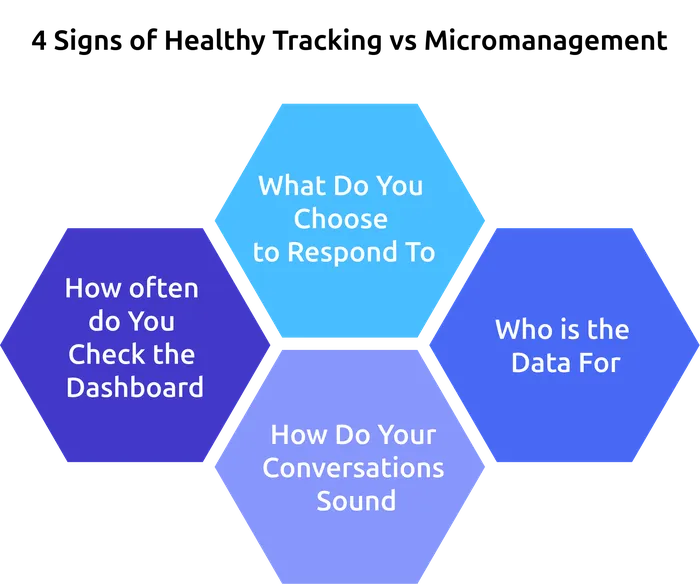
Signal 1: How Often do You Check the Dashboard?
Healthy Tracking: Focuses on patterns, not constant monitoring. You review team-level trends once a day or once a week and look at individual data only when something needs attention.
Micromanagement: You check dashboards repeatedly throughout the day, even when nothing is wrong. This habit shifts attention away from outcomes and keeps the focus on moment-to-moment activity.
Signal 2: What Do You Choose to Respond To?
Healthy Tracking: Responds to outcomes such as missed deadlines, quality issues, or consistent patterns over time. It allows enough data to build a clear picture before acting.
Micromanagement: Reactions focus on isolated moments, short idle periods, a slow afternoon, or a small dip in activity. These responses create pressure and interrupt workflow.
Signal 3: Who is the Data For?
Healthy Tracking:Data works as a shared resource. Teams can access their own dashboards, understand work patterns, and make adjustments independently. This approach builds ownership and trust.
Micromanagement:Data stays limited to the manager. When employees cannot see what is being tracked, it creates uncertainty and distance. One-way data flow starts to feel like monitoring.
Signal 4: How Do Your Conversations Sound?
Healthy Tracking:Conversations stay open and supportive. Data helps to start discussions, understand context, and remove blockers. This tone encourages clarity and problem-solving.
Micromanagement: Narrow conversations replace broader discussions and focus only on small details, without considering the full situation. Questions focus on exact time gaps or small activities, which makes employees feel watched and judged.

Did You Know?
According to Gallup’s research, employees are four times more likely to be highly engaged when managers have one meaningful conversation each week. Consistent, quality conversations drive engagement more effectively than frequent check-ins.
7 Habits for Productivity Tracking Without Micromanaging
Spotting the signals helps you understand where things go wrong, but real change comes from how you act every day. These habits keep productivity tracking focused on clarity and outcomes, not constant control. Each one is simple to apply and helps shift your approach from monitoring activity to supporting performance.
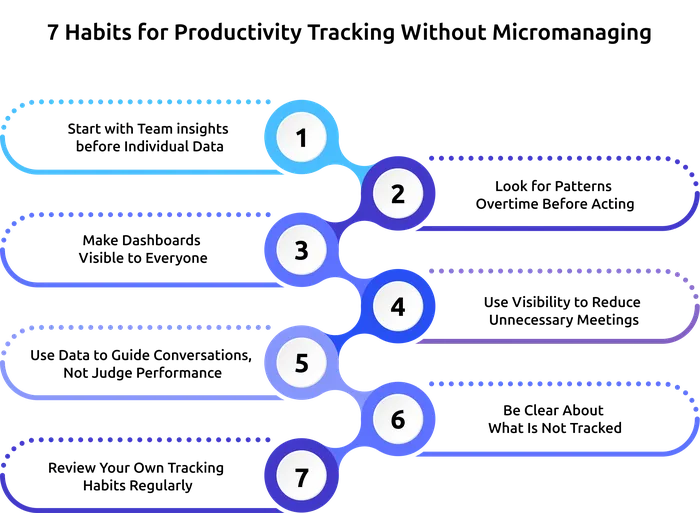
Habit 1: Start with Team Insights Before Individual Data
Start by focusing on team-level data before looking at individual performance. Review overall trends, whether focus time improved, if work hours are stretching too long, or if productivity drops appear across the team. These patterns often point to process issues, not individual problems. Save individual data for one-on-one discussions, not daily checks.
Habit 2: Look for Patterns Overtime Before Acting
Allow enough time for patterns to become clear before acting. One low-productivity day does not give a full picture, but a consistent trend over two weeks shows where attention is needed. This approach reduces unnecessary follow-ups and keeps productivity tracking focused on meaningful insights.
Habit 3: Make Dashboards Visible to Everyone
Make sure employees can see their own dashboards. When people understand their work patterns, they can adjust their approach on their own. This builds a sense of ownership and keeps tracking aligned with self-management without control.
Habit 4: Use Visibility to Reduce Unnecessary Meetings
Dashboards already show progress, so long status meetings become unnecessary. Use that visibility to keep discussions short and focused on blockers, priorities, and decisions. This approach saves time and helps the team stay focused on actual work.
Habit 5: Use Data to Guide Conversations, Not Judge Performance
Bring data into conversations to understand what is affecting work, not to point out gaps. Asking the right questions helps uncover challenges and encourages open discussion. This keeps the focus on improvement and builds a more supportive environment.
Habit 6: Define Clear Tracking Boundaries
Set clear limits on what is tracked, such as personal browsing during breaks or activity outside work hours. When these boundaries are communicated openly, it removes uncertainty and helps teams feel more comfortable with how tracking is used.
Habit 7: Review Your Own Tracking Habits Regularly
Take time to review how you use dashboards. Pay attention to how often you check them, what prompts action, and whether decisions are based on patterns or small moments. Adjusting these habits helps maintain a balanced and effective approach.
How Time Champ Helps You Track Without Micromanaging
As your team grows, keeping visibility without creating pressure becomes difficult. Many organizations adopt productivity tracking to improve clarity, but over time, teams begin to feel monitored constantly. You begin reacting to small activity changes, and teams become more cautious in how they work and communicate. The real need is not more data, but a better way to use that data without interrupting work or reducing trust.
Time Champ helps you achieve that balance with a clear and structured approach. It gives you team-level dashboards first, so your focus stays on patterns and overall performance. At the same time, each employee has access to their own dashboard, allowing them to understand their work and adjust it on their own. You can define what gets tracked and clearly show those boundaries to your team, which removes confusion and builds trust. Features like heatmaps, focus time reports, and trend views help you see patterns over time, so your decisions stay based on trends, not the moments. Role-based access ensures everyone sees only what matters to them, keeping visibility relevant and clearly defined for each role.
Ready to bring clarity to your team’s work without micromanagement?
Time Champ gives you team-level dashboards, employee self-access, and clear boundaries for balanced tracking.
Conclusion
Productivity tracking and micromanagement often get treated the same, but they work very differently in practice. Productivity tracking gives you visibility into how work is done, while micromanagement comes from how that visibility gets used. The same dashboard either supports or pressures your team, and the outcome depends on the choices made in daily actions. When focus stays on patterns, outcomes, and meaningful conversations, tracking strengthens clarity and trust across the team.
The difference becomes clear through consistent habits. Focusing on patterns, responding to trends, and using data to guide conversations shape how your team experiences tracking. Small changes in how often data is reviewed and how feedback is shared can quickly improve the overall work environment. When applied the right way, employee productivity tracking supports better decisions, improves focus, and keeps your team aligned without interruptions. It gives you the clarity to lead with confidence while allowing your team to take ownership of their work, creating a more balanced and effective way to manage performance without slipping into micromanagement.

Anjali

Table of Content
 What is Micromanagement?
- 4 Signals That Distinguish Healthy Tracking from Micromanagement
- 7 Habits for Productivity Tracking Without Micromanaging
- How Time Champ Helps You Track Without Micromanaging
- Conclusion

Related Blogs

Stealth and transparent monitoring work very differently for teams. See the key differences, legal implications, and which approach fits your organization.
Jahnavi Pulluri | Apr 21, 2026
Explore the possible ethical considerations of monitoring employee
Jahnavi Pulluri | Jul 31, 2024
Learn the pros and cons of employee monitoring and discover when monitoring improves productivity and when it creates workplace risks.
Guna Lakshmi | May 06, 2026
Address employee concerns about productivity tracking with clear communication, rollout steps, and practical scripts that build trust and transparency.
Thasleem Shaik | May 01, 2026
Explore how to implement employee monitoring software effectively with clear steps, legal tips, best practices, ROI metrics, and key pitfalls to avoid.
Anjali | Apr 15, 2026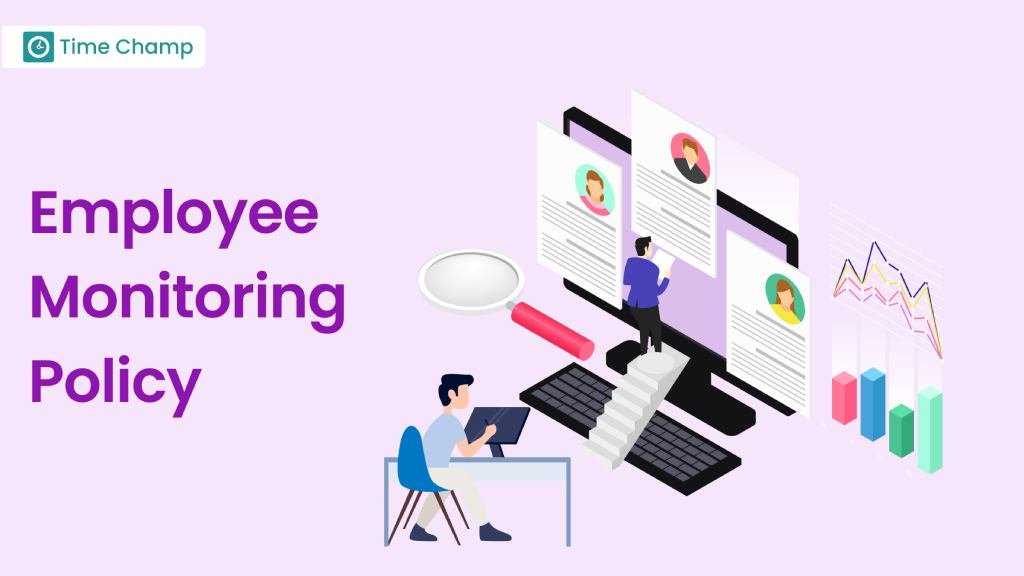
Discover how to create an effective employee monitoring policy with our comprehensive guide. Enhance productivity while respecting privacy. Learn best practices today!
Jahnavi Pulluri | Jul 31, 2024


 4.7/5 avg.
Ready to Manage Your Workforce Smarter?
Join our family of 1500+ companies using smart insights to redefine workforces!

Free Trial
No Credit Card Required