8 Best Practices to Protect PII in Your Organization
Protect PII with practical data protection strategies that improve security, reduce risks, and strengthen compliance across your business effectively.
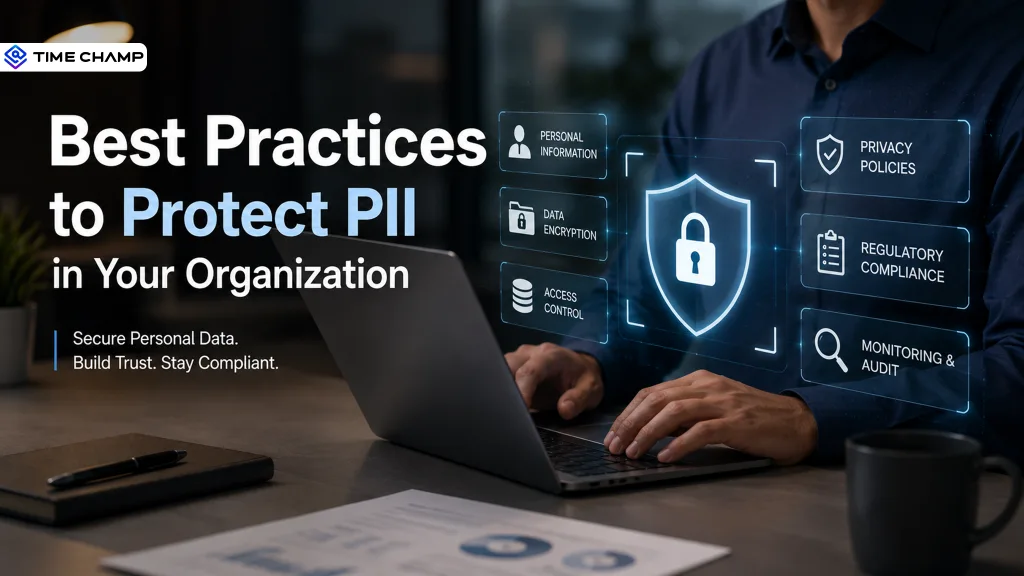
Losing sensitive information costs far more than money. It can damage your reputation, affect customer confidence, and create compliance challenges that take years to recover from.
That's why protecting PII should be a priority from the moment you collect personal data. By following the right security practices, you can reduce your exposure to threats and keep sensitive information protected. This guide walks you through 8 practical ways to protect PII effectively.
What Is Personally Identifiable Information (PII)?
Personally Identifiable Information (PII) includes any information that can identify an individual, either on its own or when combined with other data. This includes names, addresses, phone numbers, government-issued ID numbers, biometric data, and financial account details. Protecting PII is essential because exposed data can lead to identity theft, financial fraud, and compliance violations under regulations such as GDPR, CCPA, HIPAA, and other data protection laws.
What Are the 8 Best Practices to Protect PII?
The best way to protect PII is to build security into your everyday processes. These practical best practices will help you safeguard sensitive information and stay prepared for evolving security threats.
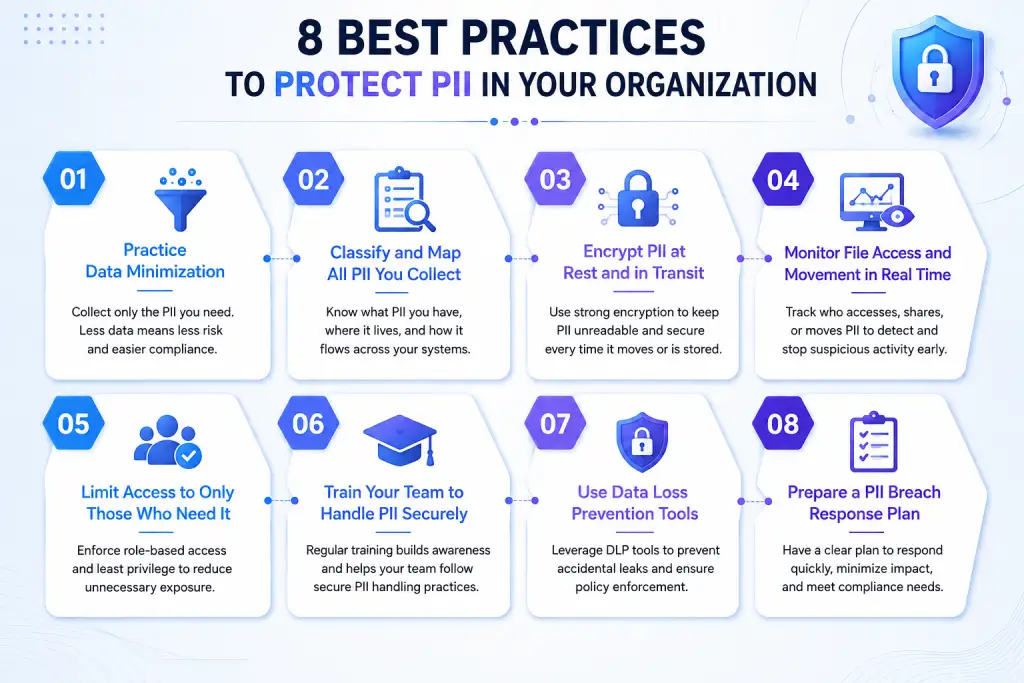
1. Practice Data Minimization
The more personal data you collect, the more data you need to protect. That is why protecting PII starts with collecting only the information your business actually needs. Every extra piece of data increases your security risks, compliance responsibilities, and the impact of a potential breach.
Before adding a new field to a form or storing additional customer information, ask yourself whether it is necessary. If the answer is no, do not collect it. For data you no longer need, securely delete it or anonymize it. This simple practice strengthens PII data protection, reduces storage costs, and limits the amount of sensitive information that attackers can access if a breach occurs.
2. Classify and Map All PII You Collect
Before you can protect PII, you need to know where it exists. Data classification helps you organize information based on its sensitivity so you can apply the right security controls to each type of data.
Start by reviewing every system that stores or processes PII, such as your HR software, CRM, payroll system, help desk platform, and shared drives. Then classify each type of data as Public, Internal, Confidential, or Restricted.
For example, a customer's first name falls under the Internal category, while a Social Security number falls under the Restricted category and requires the strongest security controls.
Review and update your data map at least twice a year. As your business adopts new tools, connects new applications, or adds new team members, PII can easily end up in unexpected places. For example, a spreadsheet created for a one-time report may later remain in a shared folder. Regular updates help you keep your PII protection strategy accurate and effective.
As your business adopts new tools, connects new applications, or adds new team members, PII can easily end up in unexpected places. For example, a spreadsheet created for a one-time report may remain in a shared folder long after its intended use. Regular updates help you keep your PII protection strategy accurate and effective.
3. Encrypt PII at Rest and in Transit
Encryption converts PII into unreadable code that only authorized systems can read. This protects your data whether it stays in a database or moves across a network. Data at rest, which includes data stored on servers or drives, and data in transit, which includes data moving between systems or to end users, both need separate encryption because a data breach can happen at either stage.
Use AES-256 encryption for stored PII and TLS 1.2 or a higher version for data sent over the internet, including email attachments and API calls. Store your encryption keys separately from the encrypted data. Keeping both in the same place defeats the purpose because anyone who gains access to the storage system can also access the encryption keys.
Encrypt your backup files using the same standard as your production data. Backups often become a security blind spot because many teams encrypt live databases but leave backup files in plain text on a secondary server.
Can you see every action involving your sensitive files?
Try Time Champ to monitor file activity, reduce data loss risks, and protect your confidential information.
4. Monitor File Access and Movement in Real Time
File monitoring tracks who accesses, modifies, copies, or deletes files containing PII, and it creates a timestamped record of every action. Real-time monitoring catches unauthorized access while it is happening, rather than during a post-breach investigation weeks later.
Effective file monitoring logs the file path, the user, the action taken, and the exact timestamp for every touch of a sensitive file. This level of detail lets security teams distinguish between a legitimate export for a client report and an unusual bulk download that signals data exfiltration.
Pair file monitoring with upload and download alerts. If an employee suddenly downloads a customer database to a personal cloud drive, an alert should notify you immediately instead of waiting until your next security review.
If you want to strengthen your PII protection strategy, Time Champ gives you real-time visibility into file activity so you can identify suspicious actions early and respond faster.
5. Limit Access to Only Those Who Need It
Not everyone in your business needs access to every piece of PII. Giving unnecessary access increases the risk of accidental exposure and insider threats. One of the best ways to protect PII is to limit access based on job responsibilities.
Use role-based access control (RBAC) so each user can access only the information they need to perform their work. Enable multi-factor authentication (MFA) for systems that store PII, review user permissions regularly, and remove access as soon as roles change. These steps reduce unnecessary exposure and strengthen your overall PII protection strategy.
6. Train Your Team to Handle PII Securely
According to the Verizon Data Breach Investigations Report, the human element contributes to 68% of data breaches. This shows that even the strongest security tools cannot prevent mistakes caused by a lack of awareness. A simple error, such as sending sensitive information to the wrong recipient or uploading it to an unauthorized platform, can lead to a serious data breach. Regular training helps your team recognize these risks before they become incidents.
Provide regular training on how to handle PII, identify phishing attempts, use cloud storage securely, and follow your data-handling policies. You should also include clear guidelines for using AI tools and sharing sensitive information. A well-trained team plays a key role in protecting PII and reducing everyday security risks.
7. Use Data Loss Prevention Tools
Manual security checks cannot detect every attempt to move or share sensitive information. Data Loss Prevention (DLP) tools help you monitor, detect, and block unauthorized movement of PII before it leaves your environment.
Configure your DLP solution to monitor high-risk activities such as bulk downloads, file transfers, cloud uploads, and email attachments that contain sensitive information. Set up alerts for suspicious behavior so you can respond quickly to potential threats. Combining DLP with endpoint monitoring gives you stronger PII protection and better visibility into how sensitive data moves across your business.
8. Prepare a PII Breach Response Plan
Even with strong security measures, no business can eliminate every risk. Having a response plan helps you act quickly, reduce the impact of a breach, and meet regulatory requirements.
Create a clear incident response plan that defines who handles each task during a PII breach. Include steps for investigating the incident, containing the breach, notifying affected parties, and meeting legal reporting requirements. Test your plan regularly so your team knows exactly what to do when an incident occurs. A well-prepared response plan helps you recover faster and strengthens your overall PII protection strategy.
How Does Time Champ Help You Protect PII?
Protecting PII requires more than security policies and employee training. You need clear visibility into how sensitive information moves across your business so you can identify risks before they turn into costly security incidents. Without that visibility, even a small mistake can expose confidential data.
Time Champ helps you monitor sensitive file activity, detect unusual behavior, and control unauthorized actions from a single platform. With real-time insights and proactive controls, you can strengthen your PII protection strategy, reduce insider risks, and keep sensitive information secure with confidence.
Looking for a better way to protect sensitive business data?
Try Time Champ to monitor sensitive data activity and stop potential risks before they become breaches.
Conclusion
Strong PII protection starts with the right habits and consistent security practices. When you know where sensitive data exists and keep a close watch on how it moves, you can prevent many security risks before they become serious incidents. Time Champ gives you the visibility and control you need to keep sensitive information secure and strengthen your overall security strategy.

Thasleem Shaik

Table of Content
 What Is Personally Identifiable Information (PII)?
- What Are the 8 Best Practices to Protect PII?
- How Does Time Champ Help You Protect PII?
- Conclusion
Instant Signup
Thank you for your request!
We have received your signup request and our team will get back to you soon. In the meantime, you can book a demo to see Time Champ in action.
Book a DemoFree trial. No credit card required. Prefer a walkthrough? Book a demo.
Related Blogs
Learn what privileged access management (PAM) is, how it works, key features, and how to choose the right PAM software for your organization.
Thasleem Shaik | Apr 18, 2026
Understand the zero-trust model in employee monitoring and how it helps you control access, track activity, and reduce risks effectively.
Thasleem Shaik | Apr 17, 2026
Learn how IAM and employee monitoring work together to manage access, track activity, and reduce risks across your systems.
Thasleem Shaik | Apr 20, 2026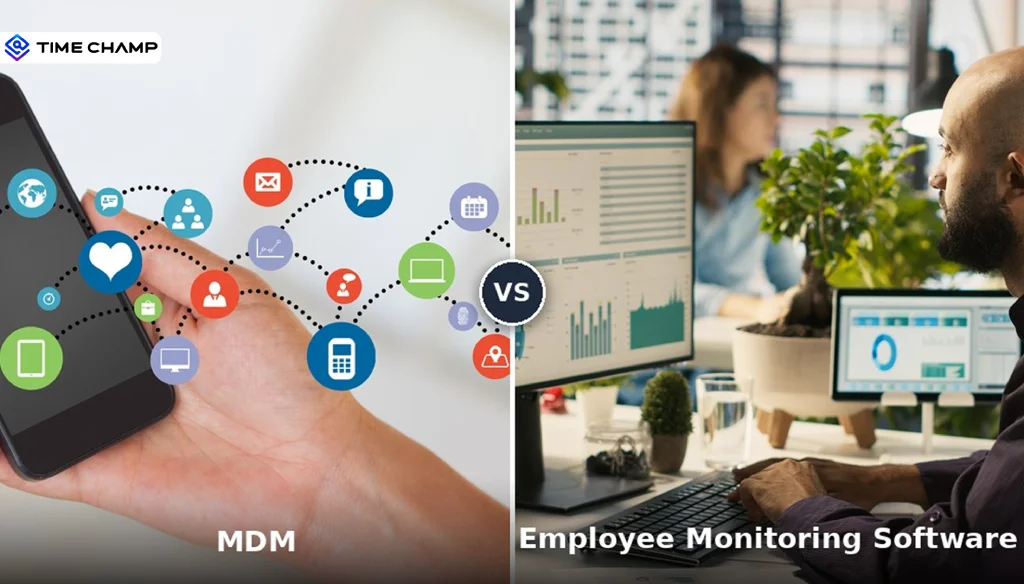
MDM and employee monitoring software are not the same tool. See what each one does, where they overlap, and whether your organization needs one or both.
Shabana Shaik | Apr 23, 2026
SIEM monitoring systems collect, analyze, and alert on threats across your entire IT environment. Learn how SIEM works, what it detects, and how to choose one.
Jahnavi Pulluri | Apr 15, 2026
Your perimeter won't stop insiders. Learn how real-time insider threat monitoring, anomaly detection, SIEM, and response workflows work together to reduce risk.
Jahnavi Pulluri | Apr 14, 2026


 4.7/5 avg.
Ready to Manage Your Workforce Smarter?
Join our family of 1500+ companies using smart insights to redefine workforces!

Free Trial
No Credit Card Required