MDM vs Employee Monitoring Software: Key Differences
MDM and employee monitoring software are not the same tool. See what each one does, where they overlap, and whether your organization needs one or both.
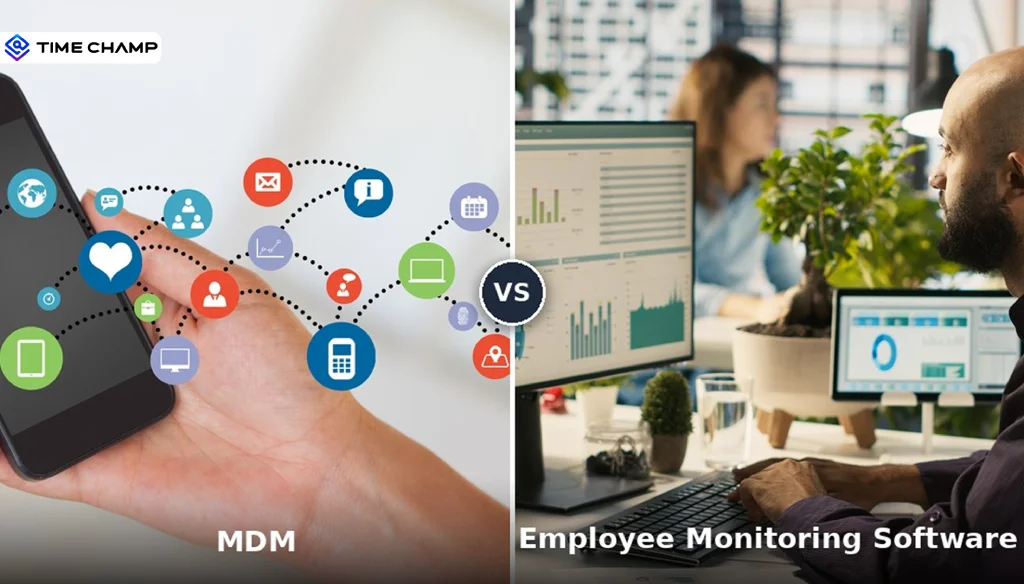
People always keep mixing up MDM (Mobile Device Management) and employee monitoring software together constantly, and I get why. Both tools deal with devices, both involve data, and both of them show up in the same "best tools for remote teams" roundups. But they're not the same thing, not even close. Anyone weighing this decision usually starts with our enterprise employee monitoring guide for the full landscape.
MDM is all about the device itself. It secures it, configures it, and locks it down when something goes wrong. Employee monitoring software is about the person using the device. It tracks how work time is spent, which apps are getting the most attention, and whether your team's productivity patterns make sense.
They operate at completely different layers of the stack, and they answer completely different management questions. Mixing them up means you'll either end up with locked-down devices and zero idea of how work is actually happening, or great productivity data but no way to wipe a lost laptop.
This guide breaks down what each tool does, where they genuinely overlap, when you need one versus the other, and when a BYOD setup means you probably need both. I'll also clear up the biggest misconception out there: that MDM can replace employee monitoring software for productivity, it can't.

Did You Know?
The global MDM market is projected to reach USD 15.75 billion by 2025, growing at 26.5% CAGR, and employee monitoring software reached USD 2.3 billion in revenue in 2025. Both markets are growing simultaneously because they solve different problems for the same organizations.
What Is MDM?
Mobile Device Management (MDM) is software that gives IT administrators a central console to configure, secure, and manage devices. It works at the operating system level, which means it can push configuration profiles, enforce security policies, remotely lock or wipe devices, control which apps get installed, and keep tabs on hardware health metrics like battery, storage, and network status.
Think of MDM as the bouncer at the door. It doesn't care what's happening inside the party, it just makes sure only the right people get in, the doors are locked, and if someone causes trouble, it can shut things down fast.
MDM is fundamentally an IT security tool. The people running it are IT admins and security teams. The goal? Protecting company data on devices, whether those are company-owned laptops or personal phones enrolled in a BYOD program. You've probably heard of platforms like Microsoft Intune, Jamf, miniOrange MDM, VMware Workspace ONE, and Cisco Meraki. They're all MDM solutions.
Quick Note: If you want to understand the specific security risks MDM addresses in BYOD setups, we've got a dedicated guide on BYOD security risks that goes deeper.
What Is Employee Monitoring Software?
Employee monitoring software tracks how your team uses devices for work. It operates at the application level rather than the OS level. That means it's picking up data on which apps and websites employees use, how much active versus idle time they log, productivity scores based on how tools are classified for each role, attendance and login patterns, and behavioral signals that might flag engagement dips or attrition risk.
If MDM is the bouncer, employee monitoring software is the manager walking the floor. It doesn't control who gets into the building. It watches how the work is actually getting done once everyone's inside.
The primary users here are HR managers, team leads, and operations managers. The purpose is to give leaders visibility into how work happens so they can improve productivity, balance workloads, and support their people proactively. It doesn't control the device. It observes how the device is used during work hours and turns that observation into data you can act on.
MDM vs Employee Monitoring Software: Side-by-Side Comparison
I've put together a comparison across eight factors so you can see exactly where each tool starts and stops. The distinctions are clearer than you'd expect.
MDM vs Employee Monitoring Software: Side-by-Side Comparison
I've put together a comparison across eight factors so you can see exactly where each tool starts and stops. The distinctions are clearer than you'd expect.
| Factor | Mobile Device Management | Employee Monitoring Software |
|---|---|---|
| Primary purpose | Secure and manage the device itself at the OS level. | Track how employees use devices for work to measure productivity, time, and activity. |
| Who operates it | IT department, managed through a central admin console. | HR, operations, and team managers via a management dashboard. |
| What it controls | Device configuration, app installation, encryption policies, remote lock, and wipe. | Work activity data: app usage, active time, productivity scores, screenshots, and attendance. |
| What it cannot do | Does not measure productivity, work output, or how time is spent on tasks. | Does not manage device hardware, enforce OS-level security, or remotely wipe devices. |
| Data access | Device health, OS version, network status, installed apps, storage, battery. | Active time, idle time, productivity score, app/website usage, attendance, attrition signals. |
| Works on personal devices | Can deploy on BYOD devices but requires consent and has legal privacy limits. | Can run on BYOD devices within a clear consent and policy framework. |
| Compliance use | Device-level: encryption, OS updates, screen lock enforcement. | Workforce-level: activity documentation, audit trails, behavioral anomaly detection. |
| Replaces the other | No, MDM secures the device but doesn't show how work time is used. | No, Monitoring tracks work activity but doesn't manage device security. |
Here's the row I want you to pay attention to: "What it cannot do." MDM can't measure employee productivity. It can't track work output, surface attrition risk, or tell managers how their team's time is being spent. Employee monitoring software does all of that, but it can't remotely wipe a lost laptop, enforce OS encryption, or push approved apps to a fleet of phones.
They don't overlap in the ways people assume. That's what makes them complementary instead of competitive.
Want the workforce visibility that MDM can't give you?
Time Champ tracks real-time activity, productivity, and attendance across every device your team uses.
Where MDM and Employee Monitoring Software Overlap
There are three areas where these two tools touch the same base, and that's where most of the confusion comes from. Let me walk you through each one.
BYOD Device Coverage
Both MDM and employee monitoring software can run on personal devices, but they're accessing completely different data and doing completely different jobs, even on the same phone.
MDM on a BYOD device manages the work profile or container. It separates company apps from personal apps, enforces encryption on the work partition, and can remotely wipe company data without touching personal files. Employee monitoring software on the same BYOD device tracks work activity during business hours, and it also tracks app usage, active time, and productivity data. It doesn't access personal apps, personal messages, or anything outside work hours.
The key distinction: The overlap is the device, not the function. Both tools can run on the same phone. They just look at different things. For the full policy framework around BYOD monitoring, check out our dedicated guide.
Security Monitoring
MDM monitors device security status: encryption enabled, OS up to date, jailbroken or rooted status. Employee monitoring software monitors behavioral security signals: unusual file access patterns, unauthorized USB connections, suspicious data transfers, and restricted website visits.
These are two different security layers. MDM protects the device infrastructure. The data loss prevention features in employee monitoring software protect against insider threats by watching what employees actually do with company data. If your organization faces both infrastructure threats and insider data risk, you need both layers. One doesn't replace the other.
Compliance Documentation
MDM produces device compliance records: audit logs of policy enforcement, enrollment history, and security configuration docs. Employee monitoring software produces workforce compliance records: activity logs, attendance records, and behavioral audit trails.
In regulated industries like healthcare, finance, and legal, compliance teams often need both. Device compliance records confirm the infrastructure meets security standards. Workforce activity records confirm employees are following data handling procedures. They satisfy different compliance requirements, even when both are submitted in the same audit.
When to Use MDM, Employee Monitoring Software, or Both
This is the part where it gets practical. I've mapped out the ten most common scenarios so you can match your situation to the right tool.
| Scenario | MDM | Monitoring | Both |
|---|---|---|---|
| Remote wipe a lost device | ✓ | ||
| Track which apps an employee uses during work hours | ✓ | ||
| Enforce OS encryption on company laptops | ✓ | ||
| Measure team productivity scores and trends | ✓ | ||
| Secure BYOD devices on the corporate network | ✓ | ✓ | |
| Monitor work activity on BYOD devices | ✓ | ✓ | |
| Detect insider threats through behavioral signals | ✓ | ||
| Push approved apps to company-owned devices | ✓ | ||
| Build audit-ready attendance and activity records | ✓ | ||
| Manage a hybrid workforce with company and personal devices | ✓ |
Look at that bottom row. A hybrid workforce with a mix of company-owned and personal devices, working across remote, in-office, and field environments. That's the reality for most organizations now. MDM handles device security and configuration. Employee monitoring software provides workforce management visibility. Neither tool duplicates the other's function.
The BYOD Question: Do You Need Both?
BYOD is where the MDM vs employee monitoring software decision gets genuinely complicated. The short answer? It depends on what you're trying to accomplish. Here's how I'd think about it.
If You Only Need Device Security
MDM on its own is enough if your goal is protecting company data on personal devices, enforcing encryption, managing app access, and making sure you can remotely remove company data when someone leaves. MDM gives you IT control without workforce visibility. For a lot of IT teams in organizations that don't have a workforce management initiative, that's the right scope.
If You Only Need Productivity Visibility
Employee monitoring software on its own works well, and if you want to understand how remote or hybrid teams spend their work time, measure productivity trends, manage workloads, and catch early retention risks. Desktop and mobile activity tracking give you this visibility on both company-owned and BYOD devices within a transparent consent framework, without requiring MDM enrollment.
If You Need Both Security and Visibility
Organizations that need device security and workforce intelligence need both tools. MDM handles enrollment, configuration, and security policy enforcement. Employee monitoring software handles productivity tracking, time tracking, automated alerts, and behavioral signal detection. The two tools work at different levels of the same device and don't conflict when both are deployed transparently.
A Legal Heads Up: For the specific legal requirements around monitoring personal devices, check out our employee monitoring legal compliance guide. BYOD monitoring has extra consent rules you don't want to skip.
MDM secures the device. Time Champ shows you how work actually happens.
See real-time activity, productivity scores, and attendance data across your entire team.
Get Workforce Intelligence That Works Along with Your MDM
Time Champ is an employee monitoring tool that blends workforce intelligence features, operating at the application layer. That means it's fully compatible with whatever MDM you're already running. Microsoft Intune, Jamf, something else entirely. Time Champ runs alongside it and fills in the visibility that MDM simply doesn't cover.
Here's what that looks like in practice:
● Real-time activity tracking across Windows, macOS, Linux, and Android, including BYOD setups. App usage, active time, productivity scores, and attendance data are captured automatically. No manual input.
● Provides role-based access controls so monitoring data only reaches the managers and administrators who need it.
● Employee self-service dashboards where every team member can see their own data. This supports transparent implementation on both company-owned and BYOD devices.
● Mobile workforce tracking with GPS-verified attendance, geofenced clock-ins, and route monitoring through the mobile app.
● Attrition prediction that surfaces behavioral signals flagging disengagement and retention risk weeks before they become visible performance issues.
● Automatic time tracking that generates payroll-ready timesheets from actual work activity.
● DLP features help monitor file access, USB activity, and restricted website usage. This is the behavioral security layer that complements MDM's device security.
Time Champ is GDPR-compliant, ISO 27001:2022 certified, HIPAA-compliant, and SOC 2 Type I certified. If you want to know more about how Time Champ collects and uses data, then visit our privacy policy page
Ready to add the workforce layer for your organization?
Time Champ gives you real-time productivity, attendance, and engagement data alongside any MDM platform.
MDM and Employee Monitoring Software Solve Different Problems
MDM secures the device, and employee monitoring software shows how the device is used for work. Organizations that mix the two up end up with security coverage but zero workforce visibility, or great workforce data but no device protection.
The question that might be lingering around isn’t which tool is better, it's which problem you're solving. And for most organizations, managing remote, hybrid, or BYOD workforces? The honest answer is that both problems need solving, and both tools have a clear, distinct role.

Shabana Shaik


Table of Content
-
 What Is MDM?
-
What Is Employee Monitoring Software?
-
MDM vs Employee Monitoring Software: Side-by-Side Comparison
-
MDM vs Employee Monitoring Software: Side-by-Side Comparison
-
Where MDM and Employee Monitoring Software Overlap
-
When to Use MDM, Employee Monitoring Software, or Both
-
The BYOD Question: Do You Need Both?
-
Get Workforce Intelligence That Works Along with Your MDM
-
MDM and Employee Monitoring Software Solve Different Problems
Instant Signup
Thank you for your request!
We have received your signup request and our team will get back to you soon. In the meantime, you can book a demo to see Time Champ in action.
Book a DemoFree trial. No credit card required. Prefer a walkthrough? Book a demo.
Related Blogs
Discover the best user activity monitoring tools to track employee activity, boost productivity, and keep your data secure. Find the right fit for your team.
Thasleem Shaik | Apr 13, 2026
The concept of “Bring Your Own Device” (BYOD) means employees can use their personal devices such as smartphones, laptops, and tablets to perform work-related tasks within an organization.
Mounika Sai | Feb 08, 2024
Learn how a BYOD security policy protects workplace data with key risks, strategies, and best practices for secure device usage.
Thasleem Shaik | Jan 23, 2025
Stealth and transparent monitoring work very differently for teams. See the key differences, legal implications, and which approach fits your organization.
Jahnavi Pulluri | Apr 21, 2026
Understand employee monitoring legal compliance, key laws, and best practices to track work activity while protecting privacy and avoiding legal risks.
Thasleem Shaik | Apr 14, 2026
Track the right employee monitoring metrics to understand work patterns, improve performance, and make data-driven decisions with confidence.
Thasleem Shaik | Apr 22, 2026


 4.7/5 avg.
Ready to Manage Your Workforce Smarter?
Join our family of 1500+ companies using smart insights to redefine workforces!

Free Trial
No Credit Card Required