What Is Data Classification? Types, Levels & Benefits
Data Classification helps you organize sensitive information, reduce security risks, improve compliance, and protect business data with clear policies.
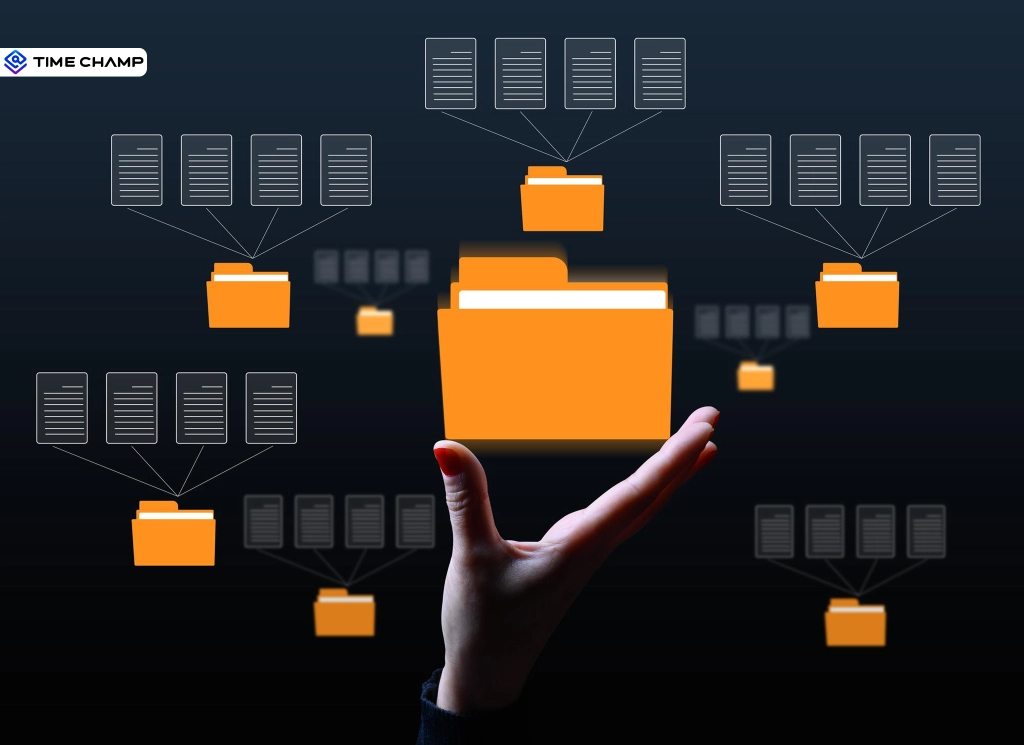
Good data security starts with a simple question. How important is your data, and what could happen if someone gains unauthorized access to it? Data classification helps you answer that question by organizing data based on its sensitivity, value, and risk.
This allows you to protect confidential information, support compliance, and apply the right security controls where they matter most. In this guide, you'll learn what data classification is, its types, levels, benefits, best practices, and why it plays a key role in protecting sensitive data.
What Is Data Classification?
Data classification is the process of organizing data into categories based on its sensitivity, value, and potential risk. It helps you understand what type of information you have, how important it is, who should access it, and how to protect it.
In simple terms, data classification assigns a clear label to every piece of information. These labels can show whether the data is public, internal, confidential, or restricted, making it easier to apply the right security controls.
For example, public marketing content does not need the same level of protection as customer records, financial details, employee files, or passwords. By classifying data correctly, you can reduce unauthorized access, avoid accidental exposure, support compliance, and protect sensitive information more effectively.
What Are the Types of Data Classification? (With Examples)
Not every type of data requires the same approach to classification. Some methods examine the actual content, while others rely on information such as where the data exists or who creates it. Choosing the right data classification method helps you classify information more accurately and protect sensitive data more effectively.
1. Content-Based Classification
Content-based classification examines the information inside a file or document before assigning a classification label.
- Scans the actual content instead of relying on file location or ownership.
- Identifies sensitive information such as payment card numbers, personal information, health records, or confidential business data.
- Uses keywords, pattern matching, regular expressions, and AI to detect sensitive content.
- Delivers high accuracy because the classification depends on the data itself.
- Works well for documents, spreadsheets, emails, and databases.
For example, under PCI DSS, you must protect cardholder data wherever your systems store it. If a content-based scanner finds a spreadsheet containing card numbers, it automatically marks the file as Confidential. This gives you a quick and accurate way to identify sensitive data.
However, this scan alone is not enough to meet PCI DSS requirements. You still need to apply encryption, restrict access, and use network segmentation to properly protect the data and comply with the standard.
2. Context-Based Classification
Context-based classification categorizes data based on information surrounding the file instead of inspecting its contents.
- Uses metadata such as file location, owner, department, application, or storage platform.
- Applies classification rules automatically based on predefined conditions.
- Saves time when inspecting every file becomes impractical.
- Works well for large data repositories and cloud storage.
- Maintains consistent classification across similar datasets.
For example, GDPR requires you to protect personal data belonging to EU residents regardless of where you store it. If you tag your HR shared drive as Confidential purely because of its location, that label helps apply the right controls more quickly. However, the label alone does not make you GDPR compliant. You still need a lawful basis for processing, consent records, and a process for handling data subject requests.
3. User-Based Classification
User-based classification allows users to assign a classification label to data based on its sensitivity and business importance.
- Lets users classify information during creation or editing.
- Captures business context that automated systems may not recognize.
- Supports custom labels based on project or department requirements.
- Requires clear data classification policies and regular user training.
- Works best when combined with automated classification methods.
For example, a legal team drafts a merger agreement that contains highly sensitive business information. While saving the document, the author selects the Restricted label based on the document's purpose. This allows only approved users to access, edit, or share the file throughout its lifecycle.
Are hidden data leaks putting your business at risk?
Try Time Champ to protect sensitive information before it leaves your business.
What Are the Levels of Data Classification?
Once you identify and classify your data, the next step is to assign the appropriate sensitivity level. Data classification levels help you decide how you should store, share, and protect different types of information. Although some businesses follow three or five levels, the four-level model remains the most widely accepted because it provides a clear balance between security and usability.
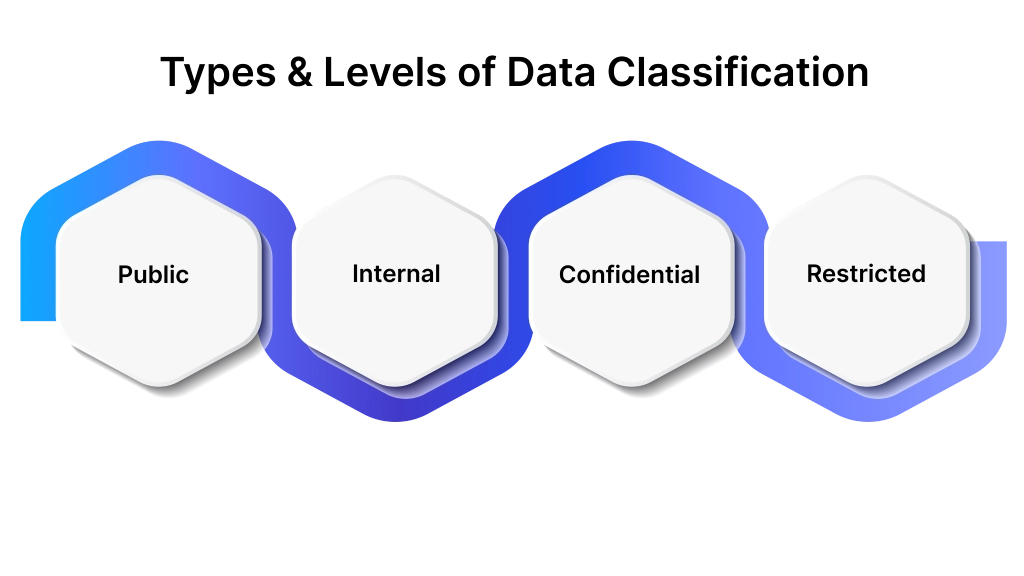
1. Public
Public data includes information that anyone can access without creating security or compliance risks. You can freely share this information because it does not contain confidential or sensitive business data.
Common Examples
- Company website content
- Press releases
- Product brochures
- Blog articles
- Public job postings
Recommended Handling
- Share without restrictions.
- Keep information accurate and up to date.
- Maintain regular backups to preserve availability.
2. Internal
Internal data supports your daily business operations and should remain within your company. Although this information is not highly sensitive, unauthorized access can still affect productivity or internal processes.
Common Examples
- Standard operating procedures
- Internal announcements
- Project plans
- Training materials
- Employee directories
Recommended Handling
- Allow access only to authorized users.
- Store data in approved internal systems.
- Require user authentication before access.
3. Confidential
Confidential data contains valuable business information or customer information that requires stronger protection. Unauthorized access or disclosure can result in financial loss, legal issues, or damage to your reputation.
Common Examples
- Customer records
- Financial statements
- Business contracts
- Payroll information
- Product development documents
Recommended Handling
- Limit access based on job responsibilities.
- Encrypt data during storage and sharing.
- Record access activity for auditing.
- Review permissions regularly.
4. Restricted
Restricted data represents your most sensitive information and requires the highest level of protection. Exposure of this data can lead to severe financial loss, regulatory penalties, legal consequences, or significant business disruption.
Common Examples
- Trade secrets
- Source code
- Encryption keys
- Protected Health Information (PHI)
- Payment card data covered by PCI DSS
Recommended Handling
- Grant access only when absolutely necessary.
- Require multi-factor authentication.
- Encrypt data both in storage and during transfer.
- Continuously monitor and audit all access activity.
What Are the Benefits of Data Classification?
Protecting sensitive information becomes much easier when you understand what data you have and how sensitive it is. This process gives you clear visibility into your information, helping you apply the right level of protection without adding unnecessary complexity. Here are the key benefits of an effective data classification approach.

1. Strengthens Data Security
- Pinpoints sensitive datasets before exposure or misuse occurs.
- Enables stronger encryption and protection for critical information assets.
- Minimizes unauthorized access through tighter security enforcement controls.
- Reduces accidental data leaks by applying consistent protection policies.
2. Simplifies Regulatory Compliance
- Ensures alignment with GDPR, HIPAA, PCI DSS, and CCPA requirements.
- Simplifies locating sensitive data during internal and external audits.
- Strengthens compliance reporting with clearly documented data protection controls.
- Reduces chances of fines through better regulatory data governance.

Did You Know
Customer PII appears in 53% of all data breaches. So, if your organization handles regulated data, data classification is one of the first controls that regulatory bodies expect you to have in place.
3. Improves Access Control
- Restricts system access strictly to authorized personnel only.
- Protects highly confidential business and customer information effectively.
- Enables role-based access control across different organizational departments.
- Minimizes insider threats by limiting unnecessary data exposure.
4. Reduces Storage and Security Costs
- Eliminates unnecessary protection for low-risk and public data assets.
- Optimizes storage usage by identifying redundant and outdated information.
- Allocates security budgets toward high-value, sensitive data protection needs.
- Enables efficient cloud storage planning and scalable infrastructure management.
5. Strengthens Data Loss Prevention
- Enables DLP tools to accurately identify sensitive data across environments.
- Blocks unauthorized sharing of confidential business information effectively.
- Supports automated security policies for real-time data protection enforcement.
- Improves visibility into data movement across systems and networks.
Is your sensitive business data more exposed than you think?
Protect what matters most with Time Champ and stay ahead of costly data leaks.
What Are the 6 Steps of Data Classification?
An effective data classification process follows a structured approach instead of assigning labels randomly. Following the right sequence helps you classify information consistently, apply appropriate security controls, and keep sensitive data protected as your business grows. Below are the six essential steps to build an effective data classification strategy.
Step 1: Define Your Classification Levels and Policy
- Pick a classification model that fits your business. The 4-level model (Public, Internal, Confidential, Restricted) works for most companies.
- Write down what each level means in plain language, and back every level with real examples your teams recognize.
- Turn this into a formal data classification policy that any employee can open and understand.
Step 2: Discover Where Your Sensitive Data Lives
- Audit every server, endpoint, cloud storage account, SaaS app, and email system you use.
- Run data discovery and classification tools to build one full inventory across structured and unstructured data.
- Assign an owner to each dataset you find so that one person is responsible for its classification and updates going forward.
Step 3: Classify Your Existing Data
- Start with your most sensitive data first, such as customer records, financial data, and intellectual property.
- Combine automated data classification with manual user labeling to improve accuracy.
- Focus on progress over perfection. An imperfect classification is better than having no classification at all.
Step 4: Apply Labels and Metadata
- Attach classification labels through tools like Microsoft 365 Sensitivity Labels or dedicated data classification software.
- Make each label visible on the file itself through a header or watermark, and embed it as machine-readable metadata too.
- Test your DLP and access control tools to confirm they read and act on these labels correctly.
Step 5: Enforce Policies Based on Classification
- Configure your DLP tools to block or encrypt files automatically the moment they carry a specific classification label.
- Set access controls that apply the instant a label attaches to a file, not after a manual review.
- Restrict sharing and email transmission for your confidential and restricted data specifically.
For a deeper look at policy enforcement, see our DLP best practices guide.
Step 6: Review and Reclassify Regularly
- Review your labels every quarter or year, as data sensitivity can change with new regulations and business needs.
- Archive or retire data when it no longer requires the same level of protection.
- Update your classification policy when you introduce new regulations, tools, or business processes.
Protect Your Classified Sensitive Data with Time Champ
Protecting sensitive data isn't just about responding to security incidents. It's about preventing them from happening in the first place. As data moves between employees, devices, and applications every day, you need controls that can detect risky behavior before it becomes a problem.
Time Champ helps you stay one step ahead with intelligent DLP features that monitor how sensitive information is accessed, transferred, and shared. Whether it's blocking unauthorized USB transfers, restricting risky websites, monitoring file activity, or controlling email attachments, Time Champ gives you complete visibility and the confidence that your valuable business data stays protected.
Looking for a smarter way to prevent data leaks and protect sensitive information?
Try Time Champ today and secure your business with powerful data security safeguards.
Conclusion
Data classification enables you to identify which information requires the highest level of protection, making it easier to secure sensitive data, reduce security risks, and support compliance. A clear classification strategy also allows you to manage data more effectively as your business continues to grow and handle larger volumes of information.
Time Champ strengthens your data protection with data loss prevention (DLP) features that help you monitor sensitive activity, prevent unauthorized data sharing, and keep your important business information secure. Start your free trial today and protect your valuable data with confidence.

Thasleem Shaik

Table of Content
 What Is Data Classification?
- What Are the Types of Data Classification? (With Examples)
- What Are the Levels of Data Classification?
- What Are the Benefits of Data Classification?
- What Are the 6 Steps of Data Classification?
- Protect Your Classified Sensitive Data with Time Champ
- Conclusion

Related Blogs

A data breach is unauthorized access to private data. Learn the common causes, the real impact on people and companies, and what to do in the first 72 hours.
Shabana Shaik | Jul 31, 2026
Explore why employee data theft happens and how smart, proactive steps can help protect your organization.
Jahnavi Pulluri | July 01, 2025
Monitor file activity in real time to see who accessed, moved, or deleted files. A 2026 guide to tracking actions, detecting risks, and improving data security.
Jahnavi Pulluri | Jul 15, 2026
Shadow AI happens when employees use AI tools without approval. See its risks, examples, causes, governance strategies, and ways to manage it safely.
Thasleem Shaik | Jul 11, 2026
Protect your business from data leaks! Learn effective data exfiltration prevention practices to secure sensitive information and stop cyber threats.
Sai Keerthi Uppala | Mar 12, 2025
Learn what unintentional insider threats are, the top causes, real examples of accidental data leaks, and how to prevent security risks at work effectively.
Anjali | May 09, 2026


 4.7/5 avg.
Ready to Manage Your Workforce Smarter?
Join our family of 1500+ companies using smart insights to redefine workforces!

Free Trial
No Credit Card Required