Workforce Analytics Examples: 8 Real Use Cases
From reducing turnover to improving workforce planning, these 8 workforce analytics examples show how organizations turn data into smarter decisions.
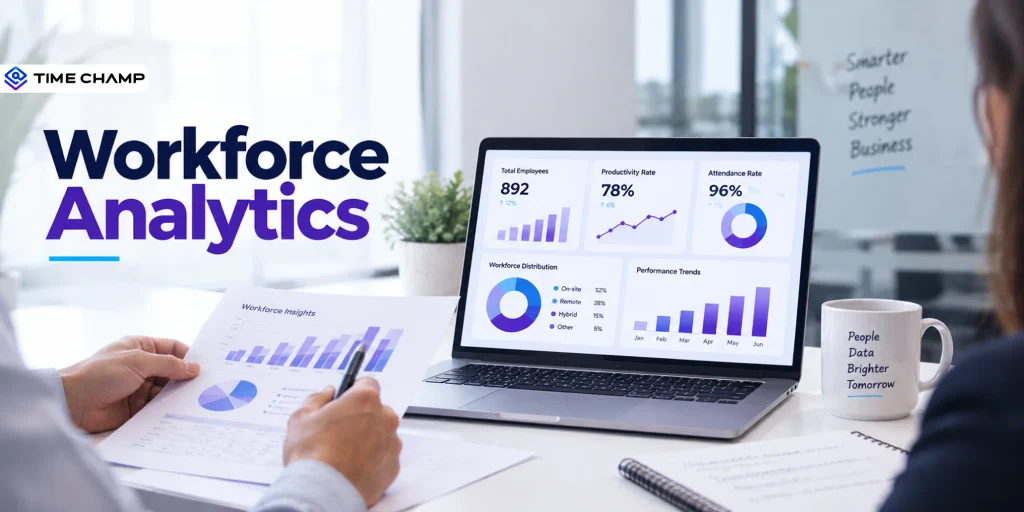
You already collect plenty of workforce data. But are you using it to make better business decisions?
The right insights can help you spot burnout before employees leave, identify productivity gaps, forecast hiring needs, and allocate resources more effectively. That's where workforce analytics makes the difference.
To help you get started, below we have included 8 real workforce analytics examples with verified results that show how Time Champ customers have transformed workforce data into measurable improvements in productivity, employee retention, workforce planning, and operational efficiency.
8 Real Workforce Analytics Use Cases
The way you use workforce analytics depends on the challenges your organization is trying to solve. Whether your goal is to improve productivity, reduce turnover, or optimize workforce planning, these 8 real workforce analytics examples show how businesses have turned workforce data into measurable results.
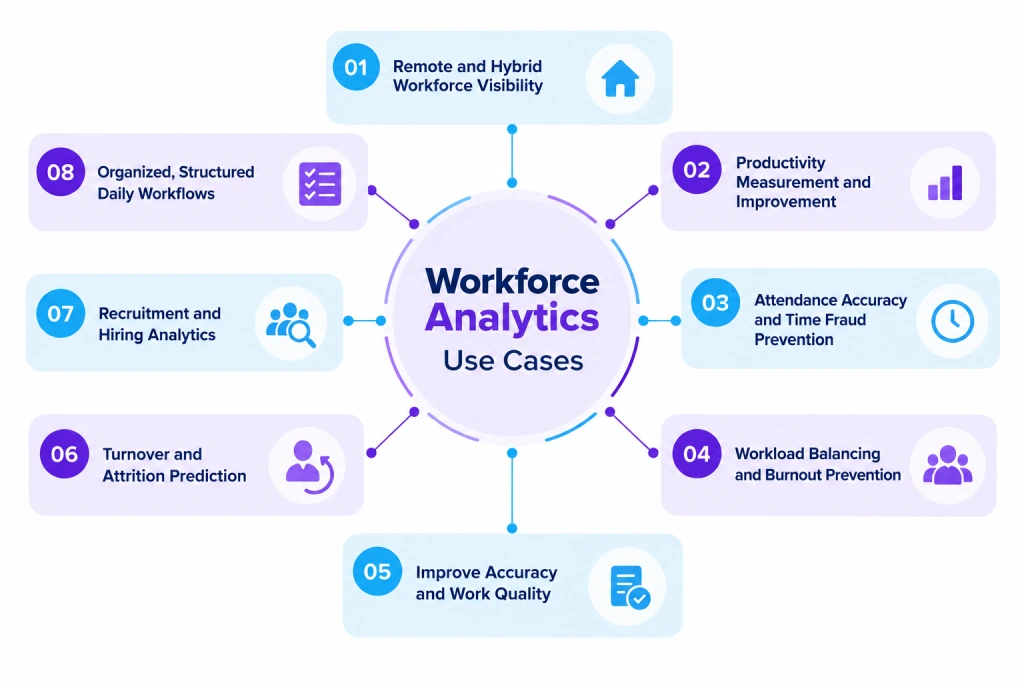
1. Remote and Hybrid Workforce Visibility
Managing a remote or hybrid workforce becomes difficult when you don't have a clear picture of how work is getting done. Without visibility, it's harder to identify bottlenecks, support employees who need help, or ensure projects stay on track.
Workforce analytics gives you real-time insights into work patterns, application usage, active hours, and project progress. Instead of relying on assumptions or manual updates, you can see how work flows across your distributed teams and make informed decisions.
Example: Agilisium, a life sciences and cloud services company, struggled to understand day-to-day employee activity across its remote workforce. By using workforce analytics, the company gained real-time visibility into employee work patterns and saw a 70% increase in workforce productivity.
Similarly, Cascade transformed the way it managed its fully remote workforce by replacing limited oversight with clear, data-driven visibility into daily operations.
Looking to improve visibility across your distributed workforce?
Use Time Champ to gain real-time insights into employee activity, work patterns, and team performance.
2. Productivity Measurement and Improvement
If you don't measure productivity accurately, it's difficult to know what's helping your teams perform better and what's slowing them down. Workforce analytics helps you move beyond hours worked by identifying productivity trends, focus time, application usage, and workflow bottlenecks.
These insights help you remove inefficiencies, optimize workflows, and support employees with the resources they need to perform at their best.
Example: After implementing workforce analytics, Knack Global achieved a 40% increase in productivity by replacing assumptions with real performance data.
Another example is HealthQuist, which reported an impressive 90% improvement in productivity after gaining deeper visibility into workforce activities and operational efficiency.

Did You Know?
Gartner found that employees can be up to 11% more productive when organizations actively support productivity initiatives.
3. Attendance Accuracy and Time Fraud Prevention
Manual attendance tracking often leads to inaccurate timesheets, buddy punching, missed clock-ins, and payroll discrepancies. These issues become even more challenging when you manage remote, hybrid, or field employees. often leads to inaccurate timesheets, buddy punching, missed clock-ins, and payroll discrepancies. These issues become even more challenging when you manage remote, hybrid, or field employees.
Workforce analytics helps you verify attendance using automated clock-in and clock-out records, activity data, and location-based verification. This ensures recorded work hours closely reflect actual work performed while reducing administrative effort.
This helps you improve payroll accuracy, reduce time fraud, and build greater accountability across your workforce.
4. Workload Balancing and Burnout Prevention
When some employees consistently carry heavier workloads than others, productivity eventually declines, burnout increases, and employee turnover becomes more likely.
Workforce analytics helps you identify workload imbalances before they become serious problems. By analyzing task distribution, utilization rates, and working hours, you can redistribute work more fairly and prevent employees from becoming overloaded.
Instead of relying on manager intuition, you can use real data to ensure work is shared efficiently across your teams while maintaining employee well-being and consistent performance.
5. Improve Accuracy and Work Quality
Tracking productivity without measuring quality can hide problems like frequent errors, missed deadlines, or customer complaints.
Workforce analytics helps you track performance trends and productivity. This gives you a clearer picture of how work is being completed, allowing you to improve both efficiency and quality.
Example: Envision achieved a 47% improvement in work quality after using workforce analytics to better understand employee performance.
6. Turnover and Attrition Prediction
Replacing experienced employees is expensive, and by the time someone submits their resignation, it's often too late to prevent it.
Workforce analytics helps you identify early warning signs of attrition risk by analyzing engagement levels, workload patterns, absenteeism, overtime, and productivity trends. These insights allow you to address potential issues before valuable employees decide to leave.
Gallup found that 42% of employees who voluntarily left their organization said their manager or employer could have done something to prevent them from leaving. This shows why identifying attrition risks early is essential for improving retention and creating a better employee experience.
Did You Know?
According to Gartner, 57% of CEOs plan to increase investment in people and culture, making workforce one of their top three business priorities.
7. Recruitment and Hiring Analytics
Hiring the right people starts with understanding what's working and what isn't in your recruitment process. Instead of relying on intuition, recruitment analytics helps you evaluate sourcing channels, identify hiring bottlenecks, improve candidate quality, and optimize hiring costs.
With these insights, you can make faster, more informed hiring decisions while building a stronger workforce over time.
According to the Burning Glass Institute, organizations that adopt skills-based hiring see 20% higher retention rates among skills-based hires compared to traditional degree-based hires. This shows how workforce analytics can help you identify candidates based on their abilities rather than credentials alone, leading to better long-term hiring outcomes.
8. Organized, Structured Daily Workflows
As your organization grows, keeping daily work organized becomes more challenging. Your employees may rely on emails, chat messages, spreadsheets, and manual updates, making it difficult for you to see who's working on what, where tasks are delayed, and how work is progressing. Reporting suffers the same fragmentation once workforce numbers sit in one system and campaign or revenue data in another. Teams fixing that compare Funnel.io alternatives and similar pipeline tools, since the aim is one refreshed view rather than four manual exports.
Workforce analytics gives you a centralized view of your team's activities, projects, and productivity data. With these insights, you can coordinate work more effectively, identify workflow bottlenecks, and keep projects moving without relying on constant follow-ups.
Example: Integra used workforce analytics to bring more structure and transparency to its daily operations. With better visibility into day-to-day work, the company improved team coordination and built a more organized, efficient way to manage its workforce.
Build a smarter, more productive workforce with Time Champ.
Gain the insights you need to improve performance, optimize operations, and make confident decisions.
How to Apply Workforce Analytics to Your Own Team
You don't need to collect every workforce metric from day one. The most successful workforce analytics initiatives start by solving one business problem, then expand as new insights emerge.
Here's how you can get started:
1. Identify Your Biggest Workforce Challenge
Start with a problem that's affecting your business the most. It could be declining productivity, high employee turnover, attendance issues, uneven workloads, or limited visibility into remote teams. Defining a clear objective helps you focus on the data that matters.
2. Choose the Right Metrics
Once you've identified your goal, track the metrics that support it. For example, if you want to improve productivity, measure productive hours, project completion rates, and application usage. If retention is your priority, monitor absenteeism, overtime, employee engagement, and turnover trends.
3. Use a Workforce Analytics Tool
Collecting data manually is time-consuming and often inaccurate. A workforce analytics platform automatically gathers and organizes workforce data, giving you real-time insights through dashboards and reports so you can make informed decisions faster.
4. Turn Insights into Action
Data only creates value when you act on it. Use your findings to redistribute workloads, improve workflows, support employees who need help, optimize staffing levels, or introduce targeted performance improvements.
5. Measure the Impact and Refine Your Strategy
Workforce needs change over time, so review your analytics regularly. Track the results of your decisions, identify new opportunities for improvement, and adjust your strategy as your business grows.
Workforce Analytics vs. HR Analytics: What's the Difference?
It's easy to confuse workforce analytics with HR analytics because both rely on employee data. The table below highlights the key differences to help you understand when and how each one is used.
| Workforce Analytics | HR Analytics |
|---|---|
| Focuses on improving workforce performance and operational efficiency. | Focuses on improving HR processes and employee lifecycle management. |
| Measures productivity, utilization, attendance, workload, and work quality. | Measures recruitment, employee engagement, retention, training, and compensation. |
| Helps you optimize workforce planning and day-to-day operations. | Helps you improve hiring, onboarding, learning, and retention strategies. |
| Primarily used by business leaders, operations managers, and department heads. | Primarily used by HR teams and talent management professionals. |
| Supports decisions related to productivity, resource allocation, and business performance. | Supports decisions related to talent acquisition, employee development, and HR strategy. |
| Uses workforce data such as activity trends, utilization, attendance, and project performance. | Uses HR data such as employee demographics, performance reviews, engagement surveys, and turnover metrics. |
HR analytics tells you how to manage your people, while workforce analytics shows you how work is getting done. Together, they help you make smarter workforce decisions.
How Time Champ Helps You Achieve These Workforce Analytics Results
Time Champ is an employee monitoring and workforce analytics platform designed to help you understand how work happens across your organization. It gives you real-time insights to improve productivity, optimize resource allocation, and make smarter business decisions.
With Time Champ, you can
- Gain real-time visibility into remote, hybrid, and in-office teams.
- Measure productivity with detailed workforce analytics and reports.
- Improve attendance accuracy and reduce time fraud.
- Balance workloads to prevent employee burnout.
- Track employee performance and productivity.
- Make faster, smarter business decisions using interactive dashboards.
- Book a free demo and see how Time Champ helps you turn workforce data into measurable business results.
Ready to Find Out What's Holding Your Workforce Back?
Whether it's productivity gaps, uneven workloads, or hidden inefficiencies, Time Champ helps you identify and fix them faster.
Conclusion
Hopefully, these workforce analytics examples have given you a clearer picture of how workforce data can solve real business challenges. The next step is putting those insights into practice to improve productivity, optimize resources, and make more confident decisions.
With Time Champ, you can turn workforce data into actionable insights and build a more productive, efficient organization. Book a free demo and get started today.

Guna Lakshmi

Table of Content
 8 Real Workforce Analytics Use Cases
- How to Apply Workforce Analytics to Your Own Team
- Workforce Analytics vs. HR Analytics: What's the Difference?
- How Time Champ Helps You Achieve These Workforce Analytics Results
- Conclusion
Instant Signup
Thank you for your request!
We have received your signup request and our team will get back to you soon. In the meantime, you can book a demo to see Time Champ in action.
Book a DemoFree trial. No credit card required. Prefer a walkthrough? Book a demo.
Related Blogs

Learn why workforce analytics is essential for process reinvention, how it reinvents key business processes, best practices & how to measure success.
Guna Lakshmi | Apr 02, 2026
Learn why workforce analytics drives business value, how to measure ROI with formulas, strategies for measurable returns, challenges, & business impact.
Thasleem Shaik | Feb 11, 2026
Workforce productivity analytics turns daily work data into clear decisions. Learn the key metrics, monitoring signals, and AI tools that improve team output.
Thasleem Shaik | Apr 21, 2026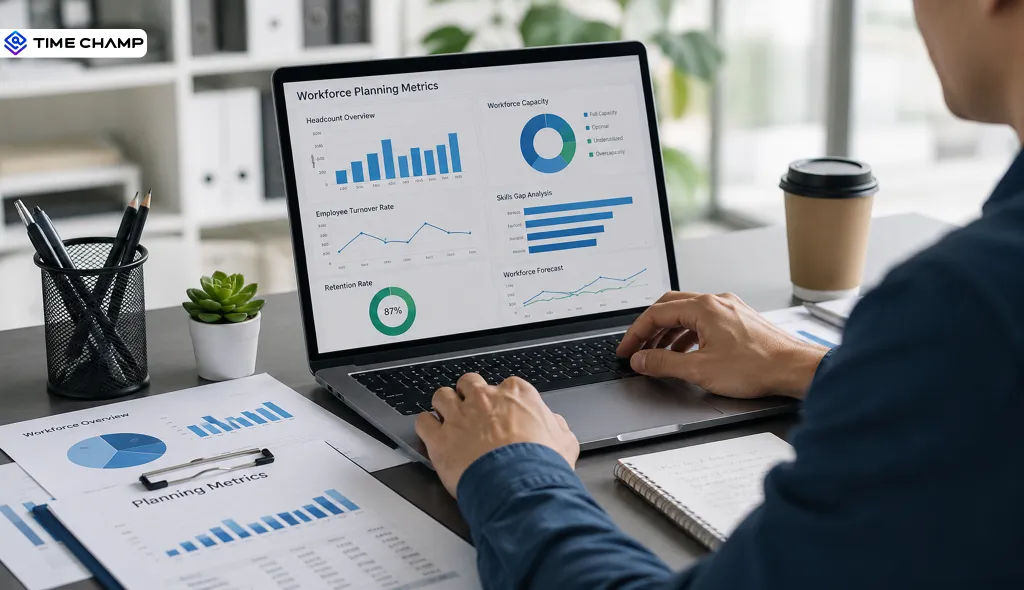
Track the right workforce planning metrics with key KPIs, formulas, examples, and best practices to improve hiring, retention, and workforce decisions.
Thasleem Shaik | Jul 17, 2026
Want to know if your team is truly productive and balanced? Explore the 9 organizational health metrics that matter and learn how to track them.
Guna Lakshmi | Apr 20, 2026
Explore the 10 workforce management reports to master your business. They unlock key insights to boost productivity, cut costs & drive business growth.
Chethana | September 30, 2025


 4.7/5 avg.
Ready to Manage Your Workforce Smarter?
Join our family of 1500+ companies using smart insights to redefine workforces!

Free Trial
No Credit Card Required