Best Employee Monitoring Apps for BYOD Devices 2026
Compare the best employee monitoring apps for BYOD devices, with privacy controls, security features, pricing, and use cases for remote and hybrid teams.
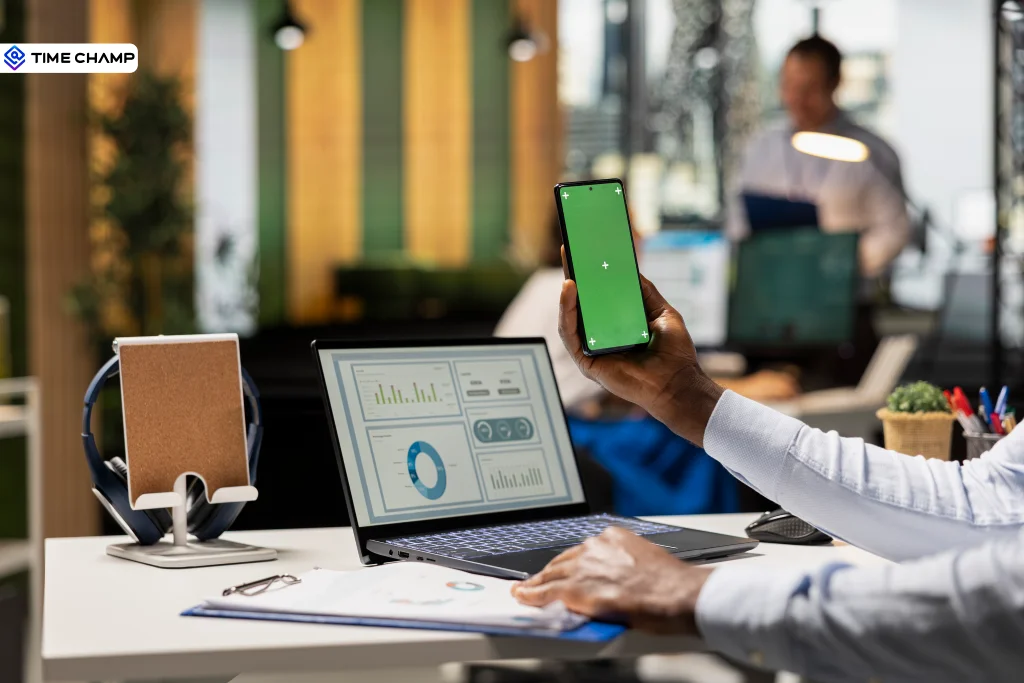
Companies are letting employees use their own phones, laptops, and tablets for work purposes. I know it saves money, keeps people comfortable, and honestly, most of us already prefer our own devices anyway. But the real problem knocks on the door when personal and work data live on the same device, things can turn really messy and that too quickly. Skipping over off-hours phone monitoring can turn a useful tool into a legal liability overnight.
You need visibility into work activity without completely stepping into someone's personal space. That is exactly what the best BYOD monitoring apps are built to do. They separate work from personal, give you the right insights you need, and keep employee privacy intact.
In this guide, you will find the top 8 BYOD monitoring apps for 2026, a feature-by-feature comparison, and practical advice on privacy, legal compliance, and even how to use this data to protect your team's work-life balance. Let us get into it.
Why Do You Need a Monitoring App for BYOD Devices?
BYOD monitoring apps help businesses secure company data on personal devices while providing visibility into work activity. But why does this matter right now? Because BYOD adoption has grown sharply, the risks have grown with it.
The Growth of BYOD in the Workplace
BYOD is not a new concept, but the numbers keep climbing. According to a 2025 report by Mordor Intelligence, the global BYOD market is expected to reach $587.3 billion by 2030. Remote and hybrid work made this inevitable. Employees want to use their own devices, and companies want to reduce hardware costs.
But more personal devices in the workplace mean more endpoints to manage (You can’t completely manage an employee’s personal device, to be honest). And when those devices connect to company systems, the security surface expands. Without proper monitoring, you are essentially trusting that every employee's personal phone or laptop is secure enough to handle sensitive business data.
Common Risks When Employees Use Personal Devices for Work
The biggest risks with unmonitored BYOD include:
- Data leakage through unsecured apps or cloud storage
- Unauthorized access to company systems from compromised devices
- Shadow IT, where employees use unapproved tools that bypass security
- Lost or stolen devices with company data still accessible
- Compliance violations when sensitive data is handled outside approved channels
A 2024 Verizon Data Breach report found that 68% of breaches involved a human element, and personal devices often sit at the center of that risk.
How Monitoring Apps Solve BYOD Challenges
BYOD monitoring apps address these risks by creating a controlled layer on top of personal devices. They typically use containerization to separate work data from personal data, enforce security policies on the work side only, and give IT teams visibility into work activity without touching personal files, photos, or messages.
The result is a setup where employees keep full control of their personal devices while the company protects its data. This balance is what makes BYOD monitoring work.
What Should You Look for in a BYOD Monitoring App?
Not every monitoring tool works well with personal devices. Some were built for company-issued hardware and feel intrusive on a personal phone. Here are the features that actually matter when you are picking a BYOD monitoring app.
Data Containerization and Work-Personal Separation
Containerization creates an encrypted workspace on a personal device that's walled off from everything else. Work apps, files, and data stay inside. Personal photos, messages, and apps stay outside. If an employee leaves or loses the device, IT wipes the container without touching a single personal thing.
Honestly, this is the one feature I wouldn't compromise on for BYOD monitoring. Without it, you're not monitoring work, you're monitoring the whole device, and that's where the legal, ethical, and trust problems start.
Cross-Platform Compatibility (iOS, Android, Windows, Mac)
Your team is probably working on a concoction of devices. Some are on iOS, others on Android. A few on Windows laptops, others on Macs. The monitoring app you pick needs to work the same way across all of them. The moment the experience gets patchy by platform, adoption drops, and security gaps open up.
Employee Privacy Controls and Consent Management
A good BYOD monitoring app gives employees clear visibility into what's being collected. Proper consent flows where people actively agree to the terms, not buried checkboxes. It should also let IT dial the collection up or down, so you're only capturing work-relevant data. Here's the thing: the less data you collect, the more your team trusts the system.
Remote Wipe and Data Protection
When a device is lost, stolen, or an employee moves on, you need company data off it immediately. Remote wipe lets IT clear the work container or corporate apps without touching anything personal. It protects the business and respects the fact that the device belongs to the person, not the company
Need a BYOD monitoring app that respects employee privacy while keeping your data safe?
Try Time Champ free and see how it works on personal devices.
8 Best BYOD Monitoring Apps for Employee Teams in 2026
Here’s the heart of the blog, I mean eight monitoring apps that work well for BYOD setups. Each tool here is evaluated for its privacy controls, cross-platform support, containerization, and how well it handles personal devices without overstepping.
1. Time Champ
Best for: Teams that want productivity visibility on BYOD devices without intrusive monitoring
Time Champ is a workforce intelligence platform that gives you visibility into how work happens across company-issued and personal devices. It captures work hours, app usage patterns, project time allocation, and productivity trends without collecting personal data.
What makes it stand out for BYOD is the focus on actual outcomes, not just surveillance. Time Champ shows you utilization data, project profitability, and team capacity without requiring full-device access. Employees see their own dashboards, which builds transparency and trust.
Key BYOD Features
- Cross-platform support (iOS, Android, Windows, Mac, Web)
- Privacy-first design with configurable data collection
- Role-Based dashboards
- After-hours and overwork detection
- Project and task time allocation
- Integrations with Jira, Asana, Trello, and more
Pricing
Starts at $2.99/user/month with a free plan available
2. Hubstaff
Best for: Remote teams needing GPS and time tracking on personal devices
Hubstaff offers time tracking with GPS tracking, activity rates, and app usage insights. It can be used on BYOD with its mobile app, which is an option for mobile workers.
For bring your own devices (BYOD), Hubstaff allows users to manually start and stop tracking, so employees can choose when they are tracked. The GPS is only active when the timer is running and during working hours, which helps you maintain healthy boundaries.
Key BYOD Features
- GPS tracking with geofencing (active only when clocked in)
- Mobile apps for iOS and Android
- Activity rate monitoring and idle detection
- Screenshot capture (configurable, can be disabled)
Pricing
Starts at $4.99/user/month
3. ActivTrak
Best for: Workforce analytics on personal devices without heavy-handed monitoring
ActivTrak focuses on productivity analytics, not surveillance. It shows which apps and websites employees use during work hours, how they manage their time, and where productivity gaps exist. The agent runs on the device but only captures work activity data.
For BYOD, ActivTrak offers configurable monitoring schedules, so data is only collected during work hours. This separation makes it a practical choice for companies that want insights without overstepping into personal time.
Key BYOD Features
- Work-hour-only data collection
- Productivity scoring by team and individual
- App and website categorization
- Team and manager dashboards
Pricing
Free tier available; paid plans from $10/user/month
4. Insightful (formerly Workpuls)
Best for: Understanding utilization and productivity patterns on BYOD setups
Insightful is built for organizations that want to understand how time is spent across applications and workflows. It provides real-time activity monitoring, automatic time tracking, and detailed productivity reports without relying on invasive methods like keystroke logging.
For BYOD, Insightful's lightweight agent works across platforms and focuses on work application usage rather than just focusing on full device activity. This makes it more acceptable to employees using personal devices.
Key BYOD Features
- Automatic time tracking on active applications
- Real-time activity dashboards
- Project time mapping
- Optional screenshot capture (can be turned off)
Pricing
Starts at $6.40/user/month
5. Scalefusion
Best for: IT teams that need MDM-level BYOD management with containerization
Scalefusion is a unified endpoint management platform and MDM software specifically designed for BYOD environments. It creates a secure work container on personal devices, enforcing company policies only inside that container. Personal apps, photos, and data remain completely untouched.
This is the strongest containerization option on this list. If your primary concern is separating work data from personal data with enterprise-grade security, Scalefusion is a strong choice.
Key BYOD Features
- Full containerization with encrypted work profiles
- Remote wipe of corporate data only
- App management within the work container
- Compliance enforcement (passcodes, encryption, OS versions)
- Cross-platform: iOS, Android, Windows, macOS
Pricing
Starts at $2/device/month
6. Teramind
Best for: Compliance-heavy industries needing detailed activity monitoring on personal devices
Teramind provides deep activity monitoring, including app usage, email content analysis, file transfers, and behavior-based alerts. It is designed for industries like finance, healthcare, and legal, where compliance requirements demand detailed audit trails.
For BYOD, Teramind offers rule-based monitoring where you define exactly what gets tracked. This means you can limit monitoring to work apps only and exclude personal activity. However, the tool's depth can feel invasive if not configured carefully.
Key BYOD Features
- Rule-based monitoring with granular controls
- Behavior analytics and insider threat detection
- DLP (data loss prevention) for file transfers
- Session recording and audit trails
Pricing
Starts at $15/user/month
7. Veriato
Best for: Insider threat detection and risk-based monitoring on personal devices
Veriato takes an AI-driven approach to monitoring, analyzing user behavior patterns to identify risks before they become breaches. It captures activity data across endpoints and uses machine learning to flag unusual patterns.
For BYOD, Veriato can be configured to focus on work-related applications and data flows. It is particularly useful for companies with high-security requirements who want risk-based monitoring.
Key BYOD Features
- AI-powered behavior analytics
- Risk scoring by user and department
- Endpoint monitoring with configurable scope
Pricing
Custom pricing (enterprise-focused)
8. WorkTime
Best for: Non-invasive, privacy-first employee monitoring on personal devices
WorkTime takes a fundamentally different approach by only tracking productivity metrics. It does not capture screenshots, log keystrokes, or record email content. Instead, it focuses on active vs idle time, application usage duration, and attendance data.
For BYOD, this approach is the least intrusive on this list. Employees on personal devices are more likely to accept WorkTime because it explicitly avoids collecting personal data. It also has built-in compliance modes for HIPAA, GDPR, and GLBA.
Key BYOD Features
- Productivity-only monitoring (no screenshots, no keylogging)
- Built-in HIPAA, GDPR, GLBA compliance modes
- Active/idle time tracking
- Attendance and scheduling
Pricing
Starts at $6.99/user/month
BYOD Monitoring Apps Comparison Table
Here is a side-by-side comparison of all eight apps based on the features that matter most for BYOD setups.
| App | Containerization | Privacy Controls | Cross-Platform | Remote Wipe | Activity Insights | WLB Features | Pricing From |
|---|---|---|---|---|---|---|---|
| Time Champ | Partial | Strong | All platforms | Yes | Advanced | Yes | $2.99/user/mo |
| Hubstaff | No | Moderate | All platforms | No | Good | Limited | $4.99/user/mo |
| ActivTrak | No | Strong | Win, Mac, Chrome | No | Advanced | Yes | Free / $10/mo |
| Insightful | No | Moderate | Win, Mac, Linux | No | Good | Limited | $6.40/user/mo |
| Scalefusion | Full | Strong | All platforms | Corporate only | Basic | No | $2/device/mo |
| Teramind | No | Configurable | Win, Mac | No | Deep | No | $15/user/mo |
| Veriato | No | Configurable | Win, Mac | No | AI-driven | No | Custom |
| WorkTime | No | Built-in | Win, Mac, Linux | No | Basic | No | $6.99/user/mo |
How Do BYOD Monitoring Apps Protect Employee Privacy?
Privacy is the single biggest concern with BYOD monitoring. Employees are handing over their personal devices to be managed by their employer. If that process is not handled carefully, trust breaks down fast.
Containerization vs Full-Device Monitoring
Containerization creates a separate, encrypted workspace on the device. All work apps, files, and data live inside this container. Personal content stays completely outside it. When the company needs to wipe data, only the container gets erased.
Full-device monitoring, on the other hand, does not separate work from personal. The monitoring agent can potentially see everything, including personal browsing, photos, and messages. This is why containerization matters so much for BYOD. It draws a clear line between what belongs to the company and what belongs solely to the employee.
| Feature | Containerization | Full-Device Monitoring |
|---|---|---|
| Work-personal separation | Complete separation | No separation |
| Personal data access | None | Possible |
| Remote wipe impact | Work data only | Entire device |
| Employee trust | Higher | Lower |
| Compliance readiness | Strong (GDPR, HIPAA) | Risky without policies |
What Employers Can and Cannot See on BYOD Devices
This depends entirely on the monitoring approach and configuration. Here is a general breakdown:
With containerization, employers CAN see:
- Work app usage and time spent
- Files accessed within the work container
- Work email and messaging activity
- Login/logout times for work sessions
With containerization, employers CANNOT see:
- Personal photos, messages, or social media
- Personal browsing history
- Personal app usage
- Location data outside work hours (unless specifically enabled)
Building Employee Trust Through Transparent Monitoring
Trust comes from transparency. Before rolling out any BYOD monitoring, communicate clearly:
- What data do you collect and why
- How long the data is stored
- Who has access to it
- What happens to data when an employee leaves
Companies that share this information upfront see higher adoption rates and fewer complaints. According to the American Psychological Association, employees who feel informed about monitoring report 37% less stress compared to those who discover monitoring after the fact.
Quick Note: The fastest way to kill BYOD adoption is to install monitoring without telling employees. Always get consent first. Always explain what you are collecting. Trust is harder to rebuild than to build.
How BYOD Monitoring Apps Support Work-Life Balance for Remote Teams
Here is something most BYOD articles completely ignore: the work-life balance angle. When employees use personal devices for work, the boundary between work and personal time disappears. And that is a real problem.
BYOD monitoring apps can actually help fix this if you set them up with well-being in mind.
Detecting Overwork and After-Hours Activity on Personal Devices
Because personal devices are always with the employee, the temptation to keep working after hours is real. BYOD monitoring apps that track login times and activity windows can flag when someone is consistently working beyond their scheduled hours.
This data helps managers spot overwork before it becomes burnout. Instead of waiting for an employee to complain, you can see the pattern in the data and have a conversation early.
Setting Digital Boundaries Without Blocking Productivity
Some BYOD monitoring apps let you configure work-hour-only data collection. Outside those hours, the monitoring stops. This sends a clear message to employees: your personal time is yours.
You can also use app-level controls to limit which work apps send notifications outside business hours. This reduces the always-on pressure that comes with having work on your personal phone.
Using BYOD Data to Support Employee Wellbeing
Wellbeing is not just about reducing hours. It is about understanding work patterns. BYOD monitoring data shows you:
- Which team members consistently skip breaks
- Who works weekends even when they are not asked to
- Where focus time is being interrupted by meetings or notifications
- Whether workload distribution is uneven across the team
When you use this data to have supportive conversations rather than performance reviews, monitoring becomes a tool for care instead of control.
Want to detect overwork patterns and protect your team's work-life balance on BYOD devices?
Time Champ gives you the visibility to act early.
What Legal Rules Apply to Monitoring BYOD Devices?
BYOD monitoring sits in a tricky legal space. The device belongs to the employee, but the company data on it belongs to the business. Different regions around the world handle this differently, and getting it wrong can lead to strict lawsuits or regulatory fines.
US Federal and State-Level BYOD Monitoring Laws
At the federal level, the Electronic Communications Privacy Act (ECPA) allows employers to monitor work communications on company systems, including BYOD devices used for work, as long as employees have been notified.
However, state laws add layers of complexity:
| State/Region | Requirement | Key Detail |
|---|---|---|
| Connecticut | Written notice required before monitoring | Must disclose types of monitoring used |
| Delaware | Written notice required | Notice must be provided at the time of hiring |
| New York | Written notice and employee acknowledgment | Must post notice in a visible location |
| California | Reasonable expectation of privacy applies | Strict limits on personal device monitoring |
| Texas | One-party consent for electronic monitoring | Employer notification recommended |
| India | Clear notice, lawful basis, and written BYOD consent recommended | Limit monitoring to work data, work hours, and company apps under DPDP privacy rules |
GDPR and International BYOD Compliance
In the European Union, GDPR requires explicit employee consent before any monitoring can take place on personal devices. The data collected must be proportionate to the business need, meaning you cannot collect more than what is strictly necessary.
GDPR also gives employees the right to access, correct, and delete their monitoring data. If your company operates across borders, you need to comply with the strictest applicable regulation.
BYOD Monitoring Policy Checklist
Before you start monitoring BYOD devices, make sure your policy covers these essentials:
- Define what devices and platforms are included in the BYOD program
- Specify what data you will collect and what you will not collect
- Explain how collected data will be stored, accessed, and deleted
- Get written employee consent before any monitoring begins
- Outline what happens to company data when an employee leaves
- Detail security requirements (passcodes, encryption, OS updates)
- Define work hours for monitoring boundaries
- Specify who has access to monitoring data (limit to need-to-know)
- Include a process for employees to raise concerns or opt out
- Review and update the policy annually
How to Choose the Right BYOD Monitoring App for Your Business
The right app depends on your team size, industry, and what you actually need from monitoring. Here is a simple framework to help you decide.
Small Business vs Enterprise BYOD Monitoring Needs
| Factor | Small Business (Under 100) | Enterprise (100+) |
|---|---|---|
| Primary need | Basic activity visibility and time tracking | Compliance, containerization, and advanced analytics |
| Budget | Under $5/user/month | $10-20/user/month |
| Compliance | Basic consent and notice | GDPR, HIPAA, SOC 2, audit trails |
| Best fit apps | Time Champ, Hubstaff, ActivTrak, WorkTime | Scalefusion, Teramind, Veriato, Insightful |
| Containerization | Nice to have | Essential |
Industry-Specific Considerations
Remote and Hybrid Teams: Prioritize cross-platform support, work-hour-only monitoring, and employee dashboards. Time Champ, ActivTrak, and Hubstaff handle this well.
Field Teams (construction, delivery, sales): GPS tracking and geofencing matter more than app usage monitoring. Hubstaff and Time Champ offer mobile-first solutions for this.
Compliance-heavy Industries (finance, healthcare, legal): Deep audit trails, DLP, and behavior analytics are non-negotiable. Teramind and Veriato are built for this.
IT and Security Teams: Full MDM with containerization and remote wipe. Scalefusion is the strongest option here.
How Time Champ Helps Teams Monitor BYOD Devices the Right Way
Time Champ fits all BYOD environments because it is built for visibility, not surveillance. Time Champ focuses on work outcomes: how time is allocated, which projects get attention, and where productivity patterns shift.
For BYOD teams, this means:
- Employees install the app on their personal device and see their own productivity data
- Managers get team-level insights without accessing individual personal content
- After-hours activity detection flags overwork before it becomes burnout
- Project time mapping connects work hours to actual business outcomes
- Cross-platform support covers iOS, Android, Windows, Mac, and web
The combination of privacy-first design, work-life balance tools, and affordable pricing makes Time Champ a strong fit for companies adopting BYOD policies without wanting to compromise on employee trust.
Ready to monitor BYOD devices without compromising privacy or trust?
Conclusion
Choosing the right BYOD monitoring app comes down to three things: Data protection, respecting employee privacy, and useful insights without overdoing monitoring.
The eight apps I have mentioned in this guide cover a range of needs, from lightweight productivity tracking (WorkTime, ActivTrak) to enterprise-grade containerization (Scalefusion). If you want the best balance of visibility, privacy, and work-life balance support, Time Champ gives you that without making employees feel like their personal device is no longer theirs.
All you need to do is start with a clear BYOD policy, pick a tool that matches your team size and industry, and always, always communicate with your employees about what you are collecting and why. That is how BYOD monitoring works.

Shabana Shaik


Table of Content
-
 Why Do You Need a Monitoring App for BYOD Devices?
-
What Should You Look for in a BYOD Monitoring App?
-
8 Best BYOD Monitoring Apps for Employee Teams in 2026
-
BYOD Monitoring Apps Comparison Table
-
How Do BYOD Monitoring Apps Protect Employee Privacy?
-
How BYOD Monitoring Apps Support Work-Life Balance for Remote Teams
-
What Legal Rules Apply to Monitoring BYOD Devices?
-
How to Choose the Right BYOD Monitoring App for Your Business
-
How Time Champ Helps Teams Monitor BYOD Devices the Right Way
-
Conclusion
Instant Signup
Thank you for your request!
We have received your signup request and our team will get back to you soon. In the meantime, you can book a demo to see Time Champ in action.
Book a DemoFree trial. No credit card required. Prefer a walkthrough? Book a demo.
Related Blogs
Learn how a BYOD security policy protects workplace data with key risks, strategies, and best practices for secure device usage.
Thasleem Shaik | January 23, 2025
MDM and employee monitoring software are not the same tool. See what each one does, where they overlap, and whether your organization needs one or both.
Shabana Shaik | Apr 23, 2026
Learn how employee monitoring supports work-life balance by detecting overwork, protecting boundaries, and helping teams build sustainable work patterns.
Anjali | Apr 23, 2026
Explore the possible ethical considerations of monitoring employee
Jahnavi Pulluri | July 31, 2024
Explore features of employee monitoring tools, including tracking, security, and productivity insights, to choose the right solution.
Thasleem Shaik | Apr 21, 2026
Discover the top 10 time management apps to boost productivity, stay organized, and achieve your goals efficiently. Try them today!
Shabana Shaik | September 17, 2024


 4.7/5 avg.
Ready to Manage Your Workforce Smarter?
Join our family of 1500+ companies using smart insights to redefine workforces!

Free Trial
No Credit Card Required