Best Hybrid Work Tools in 2026 for Remote Team Success
Discover the best hybrid work tools in 2026 to improve collaboration, communication, productivity, and team management across your distributed teams.
Managing a hybrid workforce often presents unique challenges that can make it difficult for you to maintain consistency, collaboration, and accountability across teams. When employees work from different locations, you may struggle with communication gaps, limited visibility into productivity, disconnected workflows, and difficulties keeping projects on track. Without the right systems in place, these challenges can reduce collaboration, slow decision-making, and affect overall team performance. Adopting the right tools enables teams to stay connected, streamline workflows, and maintain productivity no matter where employees work.
To help you find the right solution for your workplace needs, we explored a handpicked list of the best hybrid work tools in 2026 that can enable your teams to collaborate effectively, communicate seamlessly, track productivity, manage projects, and coordinate schedules from anywhere. Whether you are leading a small team or a large, distributed workforce, these tools can help you support flexibility while maintaining efficiency, visibility, and accountability across your organization.
Quick Comparison of the Best Hybrid Work Tools for Teams
| Tool | Starting Price | Free Plan | Rating |
|---|---|---|---|
| Time Champ | $3.90/user/month | Yes | • G2: 4.8/5 • Capterra: 4.9/5 |
| Hubstaff | $4/seat/month | No | • G2: 4.4/5 • Capterra: 4.5/5 |
| Time Doctor | $6.67/user/month | No | • G2: 4.4/5 • Capterra: 4.5/5 |
| ActivTrak | $10/user/month | Yes | • G2: 4.3/5 • Capterra: 4.5/5 |
| Toggl Track | $9/user/month | Yes | • G2: 4.6/5 • Capterra: 4.7/5 |
| Microsoft Teams | $4/user/month | Yes | • G2: 4.4/5 • Capterra: 4.5/5 |
| Slack | $4.38/user/month | Yes | • G2: 4.5/5 • Capterra: 4.7/5 |
| Zoom | $14.16/user/month | Yes | • G2: 4.5/5 • Capterra: 4.6/5 |
| Asana | $10.99/user/month | Yes | • G2: 4.4/5 • Capterra: 4.5/5 |
| ClickUp | $7/user/month | Yes | • G2: 4.6/5 • Capterra: 4.6/5 |
| Calendly | $10/seat/month | Yes | • G2: 4.7/5 • Capterra: 4.7/5 |
| Reclaim.ai | $10/seat/month | Yes | • G2: 4.8/5 • Capterra: 4.7/5 |
Top 12 Best Hybrid Work Tools
Time Tracking and Productivity Monitoring Tools
1. Time Champ
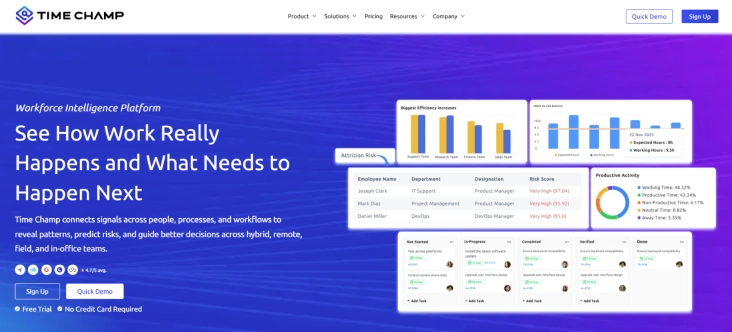
Time Champ is an employee monitoring and workforce intelligence platform designed to help organizations manage productivity, performance, and workforce operations across hybrid and remote teams. After reviewing Time Champ's hybrid workforce management capabilities, I found it to be the best tool for improving visibility into productivity, attendance, and workforce performance. With features such as time tracking, productivity analytics, attendance management, and workforce insights, Time Champ enables teams to stay connected and productive wherever they work.
If you're looking for a solution that combines workforce intelligence, productivity monitoring, and hybrid workforce management in one platform, Time Champ stands out as a strong choice.
Key Features
- Automatic Time Tracking: Accurately records work hours and activity without relying on manual timesheets.
- Productivity Analytics: Provides detailed insights into productive and unproductive time to identify improvement opportunities.
- Employee Monitoring: Tracks work activities through screenshots, app usage, and website monitoring for better visibility.
- Attendance and Shift Management: Simplifies attendance tracking, shift scheduling, and leave management for hybrid teams.
- Project and Task Tracking: Monitors time spent on projects and tasks to improve planning and resource allocation.
- Workforce Intelligence Dashboard: Delivers actionable insights on employee performance, utilization, and workload distribution.
Pros
- Gain complete visibility into workforce productivity and performance to identify improvement opportunities.
- Manage time tracking, attendance, employee monitoring, and analytics from a single platform, reducing the need for multiple tools.
- Effectively oversee remote, hybrid, and in-office teams with consistent workforce insights.
- Make faster, data-driven decisions using clear and easy-to-understand reports.
Cons
- Initial setup and customization may require some time for first-time users.
- Advanced reporting features may have a slight learning curve for new managers.
- Smaller teams may not need all the available workforce management features.
Pricing
- Comes with a free trial
- Starter: $3.90/user/month (billed annually)
- Professional: $6.90/user/month (billed annually)
- Premium: $13.90/user/month (billed annually)
Reviews
Struggling to maintain visibility into productivity, attendance, and performance across hybrid teams?
Time Champ helps you track productivity, monitor attendance, and manage hybrid teams more effectively.
2. Hubstaff
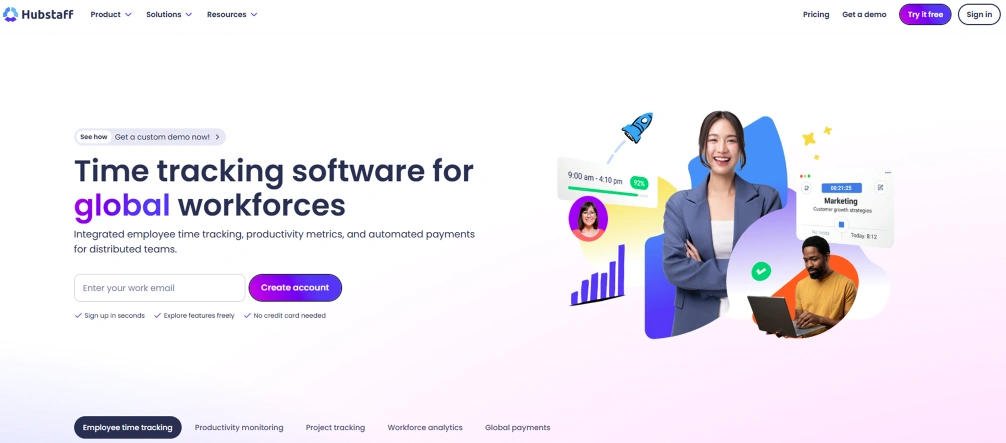
Hubstaff is a workforce management and time-tracking platform that helps hybrid teams monitor work hours, manage projects, and track employee productivity. It offers visibility into your team activities across remote and office environments, making it easier to manage distributed workforces while keeping projects on schedule. After reviewing and comparing several workforce management tools, I found Hubstaff to be suitable for basic time tracking and project oversight, though some advanced capabilities are available only in higher-tier plans.
Key Features
- Time tracking records employee work hours automatically and generates detailed timesheets for accurate payroll and reporting.
- Productivity monitoring helps you understand work patterns by tracking application and website usage during work hours.
- GPS location tracking monitors field and mobile employees through real-time location-based tracking.
- Project budgeting helps to manage project costs, labor expenses, and resource utilization more effectively.
Pros
- Provides accurate time tracking for remote and hybrid teams.
- Includes project budgeting and workforce management capabilities.
- Supports desktop, web, and mobile devices for flexible access.
Cons
- Screenshot monitoring may raise privacy concerns for some employees.
- Reporting customization options can be limited for advanced needs.
- Certain advanced features are only available in higher-tier plans.
Pricing
- Starter: $4/seat/month
- Grow: $7/seat/month
- Team: $10/seat/month
- Enterprise: $25/seat/month
Reviews
3. Time Doctor
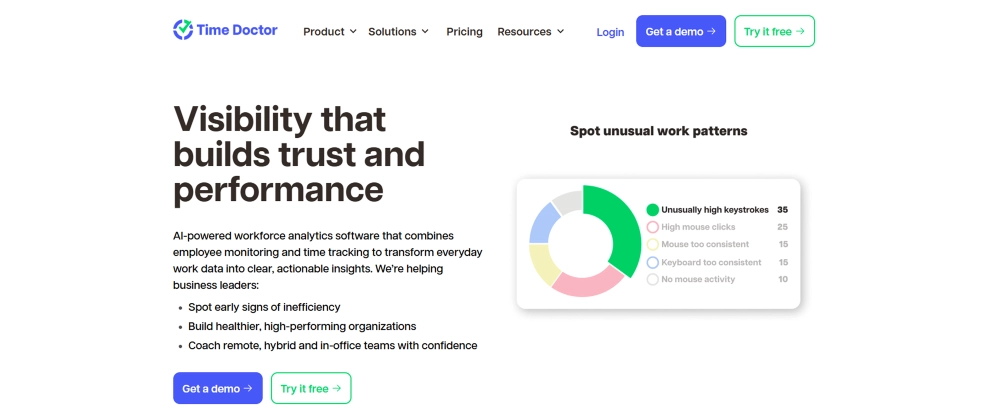
Time Doctor is an employee productivity and time management platform designed to help you understand how work time is spent. It enables hybrid teams to track hours, monitor productivity, and gain insights into employee work habits, helping you improve accountability and operational efficiency. During my evaluation, Time Doctor stood out for its time-tracking and productivity insights, though its monitoring capabilities may feel intrusive to some employees.
Key Features
- Automatic time tracking captures work hours and activity data with minimal manual input.
- Website and application tracking records the tools and websites employees use during work hours.
- Activity monitoring measures keyboard and mouse activity to provide productivity insights.
- Productivity reports generate detailed reports to help you analyze performance trends.
Pros
- Offers detailed visibility into employee work patterns.
- Helps improve employee accountability across distributed teams.
- Provides useful productivity and time utilization reports.
Cons
- Monitoring capabilities may feel intrusive to some employees.
- User interface can require time to navigate effectively.
- Advanced reporting and integrations may increase overall costs.
Pricing
- Basic: $6.67per user/month (billed annually)
- Standard: $11.67 per user/month (billed annually)
- Premium: $16.70 per user/month (billed annually)
- Enterprise: Contact the Time Doctor sales team for pricing details.
Reviews
4. ActivTrak
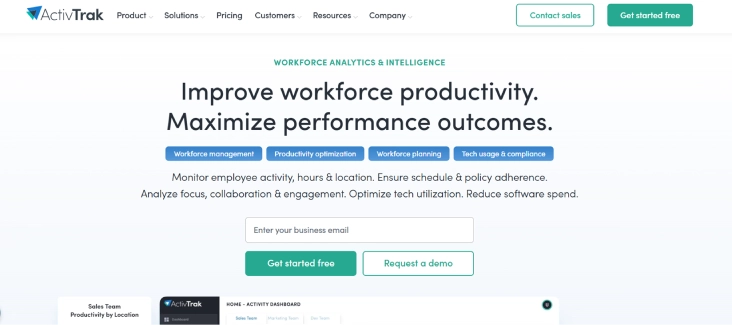
ActivTrak is a workforce analytics and productivity monitoring platform that helps you understand how employees spend their work time. It provides visibility into productivity trends, work habits, and team performance, making it useful for managing hybrid teams and identifying opportunities to improve efficiency. Its workforce analytics capabilities are especially useful for organizations that depend on productivity insights. However, it offers limited project management functionality compared to dedicated project management tools.
Key Features
- Workforce analytics provides detailed insights into employee productivity, focus time, and work patterns.
- Activity tracking monitors application and website usage to help you understand how time is spent.
- Productivity reporting generates reports that highlight performance trends and workforce utilization.
- Team performance insights help you identify workload imbalances, employee burnout risks, and productivity opportunities.
Pros
- Provides actionable workforce analytics and productivity insights.
- Helps you identify trends that may impact team performance.
- Offers useful reporting for hybrid and remote workforce management.
Cons
- Employee monitoring features may require clear communication and transparency.
- Some advanced analytics features are available only in higher-tier plans.
- Limited project management functionality compared to dedicated project tools.
Pricing
- Comes with a free trial
- Essentials: $10 per user/month (billed annually)
- Essentials Plus: $15 per user/month (billed annually)
- Professional: $19per user/month (billed annually)
Reviews
5. Toggl Track
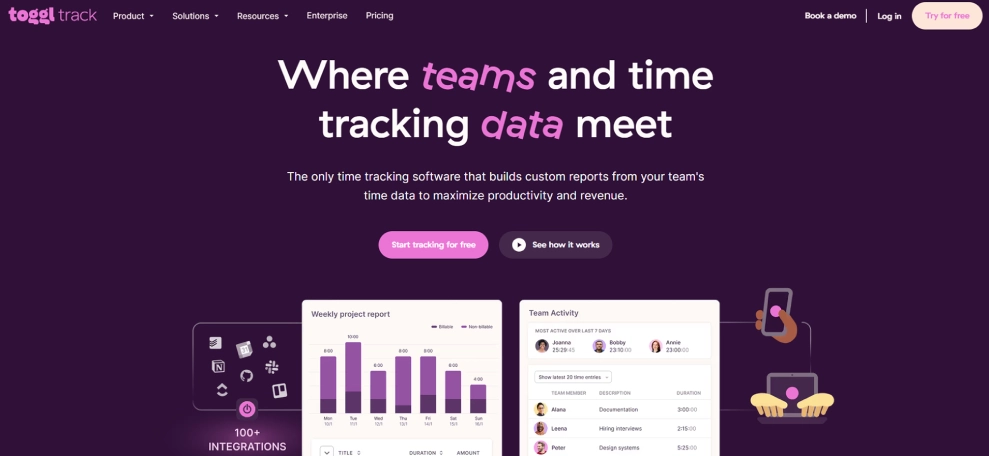
Toggl Track is a simple and user-friendly time tracking solution designed to help you monitor work hours, manage projects, and improve productivity. Its effective interface helps you track work hours efficiently for hybrid teams that need accurate time tracking without extensive employee monitoring. However, its attendance and workforce management features are limited, so if you require more comprehensive workforce oversight, you may consider alternative solutions.
Key Features
- One-click time tracking allows employees to start and stop timers quickly while working on tasks and projects.
- Project time management tracks time spent on projects to improve planning, budgeting, and resource allocation.
- Detailed reporting provides insights into team productivity, billable hours, and project performance.
- Team workload visibility helps you understand how time is distributed across projects and team members.
Pros
- Easy to use with a minimal learning curve.
- Provides accurate time tracking and reporting capabilities.
- Supports project planning and billable hour management.
Cons
- Lacks advanced employee monitoring features found in some workforce management platforms.
- Limited attendance and workforce management capabilities.
- Advanced reporting and administration features may require premium plans.
Pricing
- Comes with a free trial
- Starter: $9/user/month (billed annually)
- Premium: $18/user/month (billed annually)
- Enterprise: Contact the Toggl Track sales team for pricing details.
Reviews
Communication Tools
6. Microsoft Teams
Microsoft Teams is a communication and collaboration tool that helps hybrid teams stay connected through messaging, video meetings, file sharing, and collaborative workspaces. It integrates with the Microsoft ecosystem, allowing you to manage communication and teamwork from a single platform. Its broad collaboration capabilities make it a good option for organizations already using Microsoft tools. However, performance may slow when managing large volumes of files and conversations.
Key Features
- Team chat and messaging enable real-time conversations through individual and group chats.
- Video conferencing allows you to host virtual meetings, webinars, and team discussions from anywhere.
- File sharing and collaboration let you share, edit, and collaborate on documents directly within the platform.
- Calendar and meeting scheduling help you organize meetings, manage schedules, and coordinate team availability.
Pros
- Combines communication, meetings, and collaboration on one platform.
- Integrates seamlessly with Microsoft 365 applications.
- Supports both remote and in-office team collaboration.
Cons
- Can feel overwhelming for new users due to its extensive feature set.
- Performance may slow when managing large volumes of files and conversations.
- Some advanced capabilities require Microsoft 365 subscriptions.
Pricing
- Microsoft Teams Essentials: $4 per user/month, paid yearly
- Microsoft 365 Business Basic: $6 per user/month, paid yearly
- Microsoft 365 Business Standard: $12.50 per user/month, paid yearly
Reviews
7. Slack
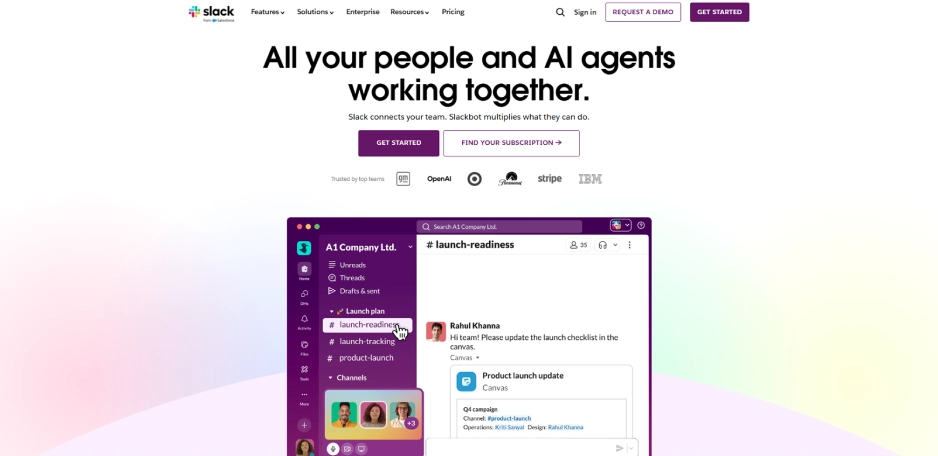
Slack is a workplace communication platform designed to help hybrid teams collaborate through organized conversations, channels, and integrations. It reduces reliance on email by bringing team discussions, project updates, and communication into a centralized workspace. As per my review, its channel-based structure helps keep conversations organized and accessible across distributed teams. But managing a growing number of channels can become challenging as your organization expands.
Key Features
- Channel-based communication organizes conversations by teams, projects, departments, or topics.
- Direct messaging enables quick one-on-one and group communication across distributed teams.
- Workflow automation helps you streamline routine tasks and notifications through automated workflows.
- Third-party integrations connect with project management, productivity, and scheduling tools to centralize work updates.
Pros
- Makes team communication faster and more organized.
- Supports a wide range of integrations with business applications.
- Easy to use across desktop, web, and mobile devices.
Cons
- Large numbers of channels can become difficult to manage.
- Message history access is limited to lower-tier plans.
- Frequent notifications can become distracting without proper settings.
Pricing
- Comes with a free trial
- Pro: $4.38/per user/month (billed annually)
- Business+: $9/per user/month (billed annually)
- Enterprise+: Contact the Slack sales team for pricing details.
Reviews
8. Zoom
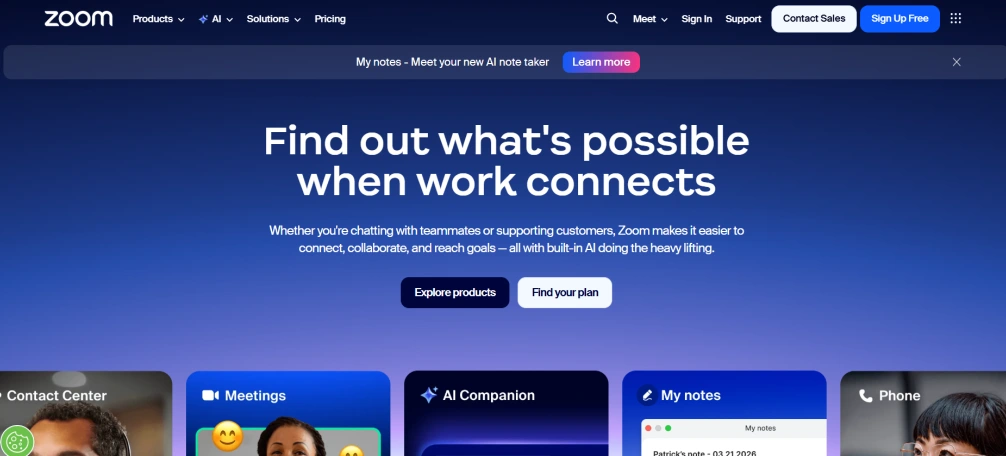
Zoom is a video conferencing platform that helps hybrid teams communicate, collaborate, and conduct virtual meetings from any location. It supports team discussions, webinars, screen sharing, and online collaboration, making it a widely used tool for distributed work environments. Its ease of use and reliable meeting experience make it a practical choice for virtual collaboration, though uninterrupted performance depends heavily on a stable internet connection.
Key Features
- HD video meetings enable you to host virtual meetings with team members, clients, and stakeholders.
- Screen sharing allows participants to present documents, applications, and presentations during meetings.
- Meeting recording helps capture discussions for future reference and team collaboration.
- Breakout rooms let you divide participants into smaller groups for focused discussions and workshops.
Pros
- Delivers reliable video and audio quality for virtual meetings.
- Easy to use across desktop, mobile, and web platforms.
- Supports both small team meetings and large webinars.
Cons
- Free plans have limitations on meeting duration.
- Advanced webinar and event features require higher-tier plans.
- Heavy reliance on internet connectivity for optimal performance.
Pricing
- Comes with a free trial
- Pro: $14.16/per user/month (billed annually)
- Business: $18.33/per user/month (billed annually)
- Enterprise: Contact the Zoom sales team for pricing details.
Reviews
Project Management Tools
9. Asana
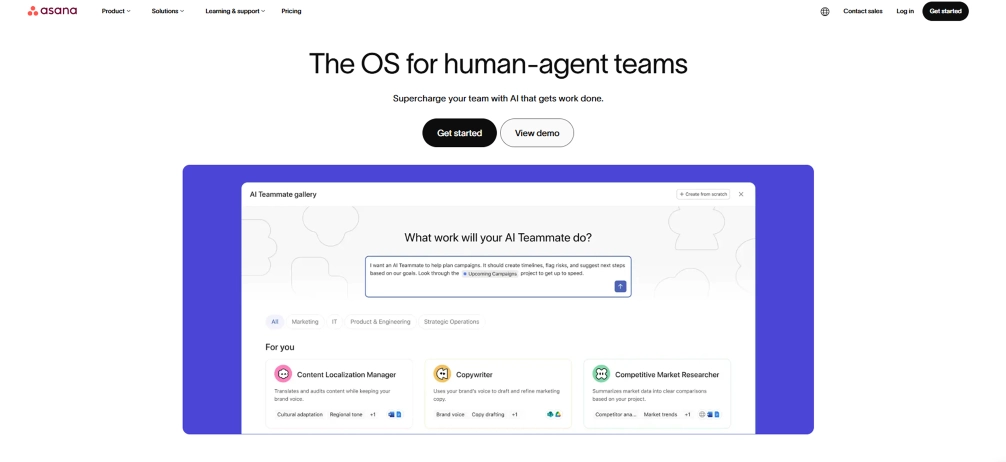
Asana is a project management platform that helps hybrid teams organize work, track project progress, and collaborate more effectively. It enables you to manage tasks, deadlines, and team responsibilities from a centralized workspace. Its project planning and collaboration capabilities are particularly useful for managing your distributed teams, but larger projects can become difficult to manage without a well-structured workflow.
Key Features
- Task management helps you create, assign, and track tasks throughout the project lifecycle.
- Project timelines provide visual schedules that help you monitor deadlines and dependencies.
- Workflow automation reduces repetitive work through automated rules and task actions.
- Progress tracking gives visibility into project status, milestones, and team workloads.
Pros
- Makes project planning and task organization effective.
- Provides multiple project views, including lists, boards, and timelines.
- Helps improve collaboration across distributed teams.
Cons
- Advanced features may require premium plans.
- Large projects can become complex without proper organization.
- New users may need time to explore all available capabilities.
Pricing
- Comes with a free trial
- Starter: $10.99/per user/month (billed annually)
- Advanced: $24.99/per user/month (billed annually)
- Enterprise: Contact the Asana sales team for pricing details.
Reviews
10. ClickUp
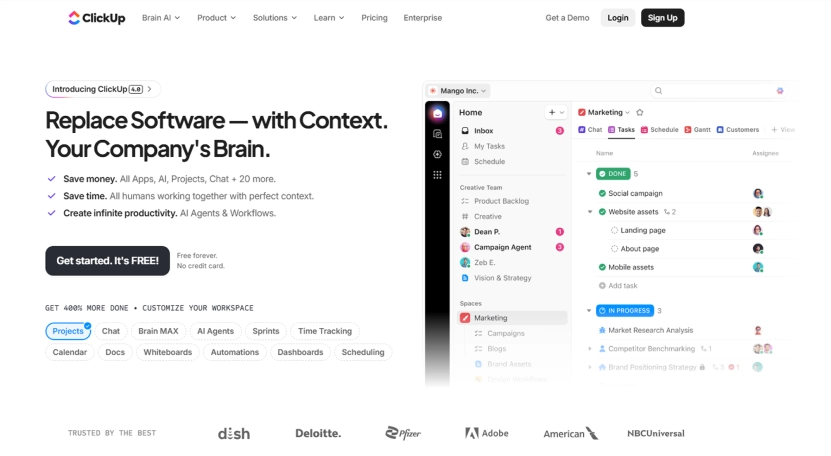
ClickUp is an all-in-one productivity and project management platform designed to help hybrid teams manage tasks, projects, documents, and collaboration in one place. It offers flexible workflows that support your teams of different sizes and work styles. Its different features make it a useful option for managing hybrid work, but some advanced functionality is restricted to paid plans. If you need access to more comprehensive project management and collaboration features, you may need to consider one of its higher-tier plans.
Key Features
- Task and project management help you organize projects, assign work, and track progress efficiently.
- Custom dashboards provide personalized views of projects, workloads, and performance metrics.
- Document collaboration allows your teams to create, edit, and share documents within the platform.
- Calendar and workload views help you plan schedules, monitor deadlines, and balance team workloads.
Pros
- Combines multiple productivity tools within a single platform.
- Highly customizable to match different workflows and team structures.
- Supports collaboration, planning, and project tracking effectively.
Cons
- Extensive features can feel overwhelming for first-time users.
- Initial setup may require time to customize workflows.
- Some advanced functionality is restricted to paid plans.
Pricing
- Comes with a free trial
- Unlimited: $7/per user/month (billed annually)
- Business: $12/per user/month (billed annually)
- Enterprise: Contact the ClickUp sales team for pricing details.
Reviews
Calendar and Scheduling Tools
11. Calendly
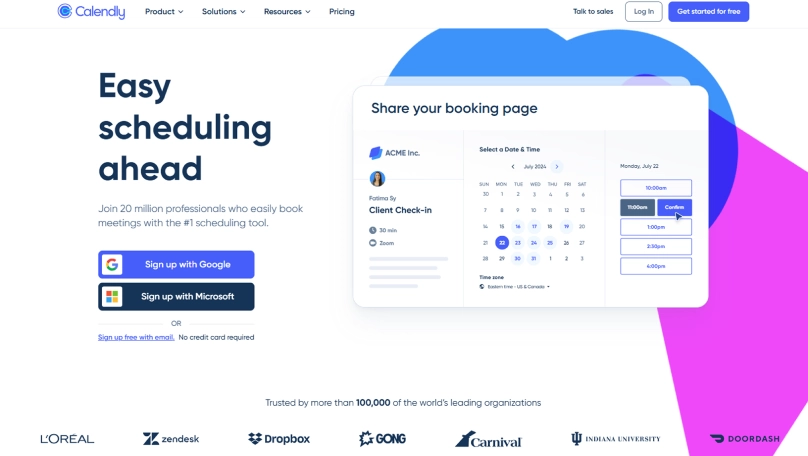
Calendly is a scheduling automation platform that helps your hybrid teams coordinate meetings without the back-and-forth of email scheduling. It simplifies appointment booking by allowing participants to choose available time slots based on your calendar availability. Its ease of scheduling makes it a valuable tool for distributed teams, but you may need a paid plan if your workflow depends on advanced integrations.
Key Features
- Automated scheduling lets people book meetings based on real-time availability.
- Calendar integrations sync with popular calendar platforms to prevent scheduling conflicts.
- Meeting type customization allows you to create different scheduling options for various meeting needs.
- Automated reminders help you reduce missed meetings through timely notifications.
Pros
- Simplifies meeting scheduling and coordination.
- Reduces scheduling conflicts through calendar synchronization.
- Easy to set up and use for individuals and teams.
Cons
- Advanced customization features require paid plans.
- Focused primarily on scheduling without broader collaboration.
- Some integrations are limited to premium subscriptions.
Pricing
- Comes with a free trial
- Standard: $10/seat/month
- Teams: $16/seat/month
- Enterprise: Starts at$15k per year
Reviews
12. Reclaim.ai
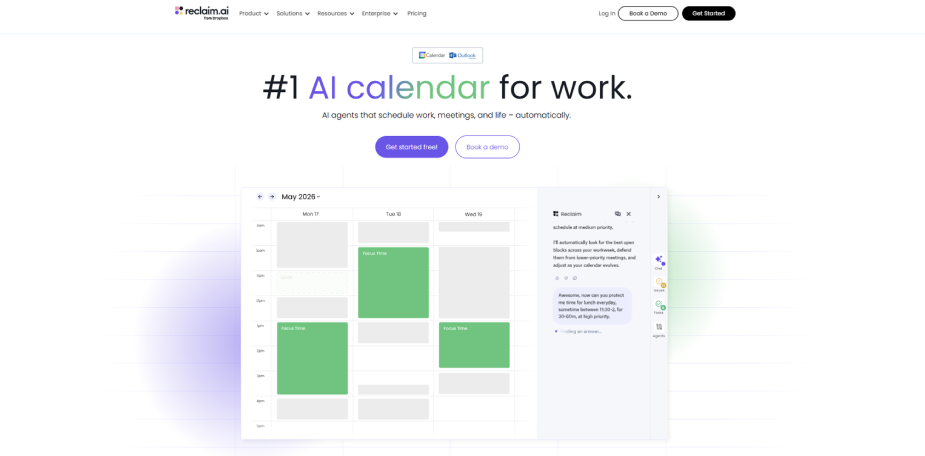
Reclaim.ai is an AI-powered scheduling and calendar management tool that helps hybrid teams automatically organize meetings, tasks, and focus time. It helps you balance workloads while protecting time for important work and personal commitments. It works well for managing busy schedules, but its focus is mainly on scheduling, not complete project management. If you need broader project planning and task management capabilities, you can explore alternative solutions that offer more comprehensive project management features.
Key Features
- AI-powered scheduling automatically finds the best time for meetings and tasks.
- Focus time protection reserves dedicated work blocks to reduce interruptions and improve productivity.
- Smart calendar management adjusts schedules dynamically when priorities change.
- Task scheduling automation helps you ensure important tasks are completed within available working hours.
Pros
- Helps to optimize schedules with minimal manual effort.
- Protects focus time while balancing meetings and tasks.
- Integrates well with existing calendar workflows.
Cons
- Requires time to fully understand and configure scheduling preferences.
- Some advanced automation features are available only in paid plans.
- Primarily focused on scheduling without full project management.
Pricing
- Comes with a free trial
- Starter: $10per seat/month
- Business: $15per seat/month
- Enterprise: $22per seat/month
Reviews
How Time Champ Helps Hybrid Teams Stay Productive and Connected
Managing a hybrid workforce can make it difficult to maintain visibility into productivity and team performance across different work locations. Time Champ is an effective employee monitoring software with workforce intelligence features that help you gain complete visibility into team performance, productivity trends, and work patterns across hybrid environments.
Time Champ helps you track attendance by location, allowing you to see who is working remotely and who is in the office each day, making hybrid scheduling and anchor day planning easier. Its productivity comparison capabilities help you evaluate performance across office and remote workdays so you can refine hybrid work strategies using real data. The workforce intelligence layer goes beyond activity tracking by identifying burnout signals, workload imbalances, utilization trends, and potential attrition risks, helping you make proactive workforce decisions. Time Champ also supports Windows, Mac, and Linux devices, ensuring consistent visibility across teams. Combining employee monitoring, productivity analytics, and workforce intelligence in a single platform, Time Champ helps you build a more productive, connected, and data-driven hybrid workplace.
Need a better way to manage productivity, attendance, and workforce performance across hybrid teams
Time Champ helps you monitor teproductivity, track attendance, and manage hybrid teams more effectively.
Conclusion
Choosing the right hybrid work tools can make a significant difference in how effectively your team collaborates, communicates, manages projects, and stays productive across different work locations. The best solution depends on your organization's specific needs, whether you are focused on productivity tracking, communication, project management, or scheduling. Selecting the right set of tools can create a more connected, efficient, and flexible work environment that supports both business goals and employee success. Evaluate your current challenges, identify the features that matter most, and start implementing the tools that will help your hybrid workforce perform at its best.

Anjali

Table of Content
 Quick Comparison of the Best Hybrid Work Tools for Teams
- Top 12 Best Hybrid Work Tools
- How Time Champ Helps Hybrid Teams Stay Productive and Connected
- Conclusion
Instant Signup
Thank you for your request!
We have received your signup request and our team will get back to you soon. In the meantime, you can book a demo to see Time Champ in action.
Book a DemoFree trial. No credit card required. Prefer a walkthrough? Book a demo.
Related Blogs

Discover the hybrid work model, which blends office and remote environments for greater flexibility and productivity.
Thasleem Shaik | Oct 25, 2024
Learn 10 essential hybrid workforce best practices to boost productivity, improve communication, and foster team morale for success in a flexible work setup.
Tarun Kumar Reddy | Nov 12, 2024
Discover how hybrid remote work blends flexibility with productivity. And explore key benefits, challenges, and tips for managing a successful hybrid workplace.
Sai Keerthi Uppala | Oct 25, 2024
See what the data says about hybrid work productivity gains, including productivity, retention, engagement, cost savings, and long-term business impact.
Thasleem Shaik | Jun 08, 2026
Learn how to create and implement a successful hybrid work policy with our top 7 tips. Boost productivity and keep your team engaged.
Sai Keerthi Uppala | Nov 14, 2024
Learn to design an effective hybrid work schedule that balances flexibility and productivity, with best practices to fit your team’s needs.
Jahnavi Pulluri | Oct 26, 2024


 4.7/5 avg.
Ready to Manage Your Workforce Smarter?
Join our family of 1500+ companies using smart insights to redefine workforces!

Free Trial
No Credit Card Required