Data Loss Prevention for Small Businesses: A Complete Guide
Protect sensitive business data with practical data loss prevention for small businesses, covering key risks, DLP strategies, tools, and best practices.
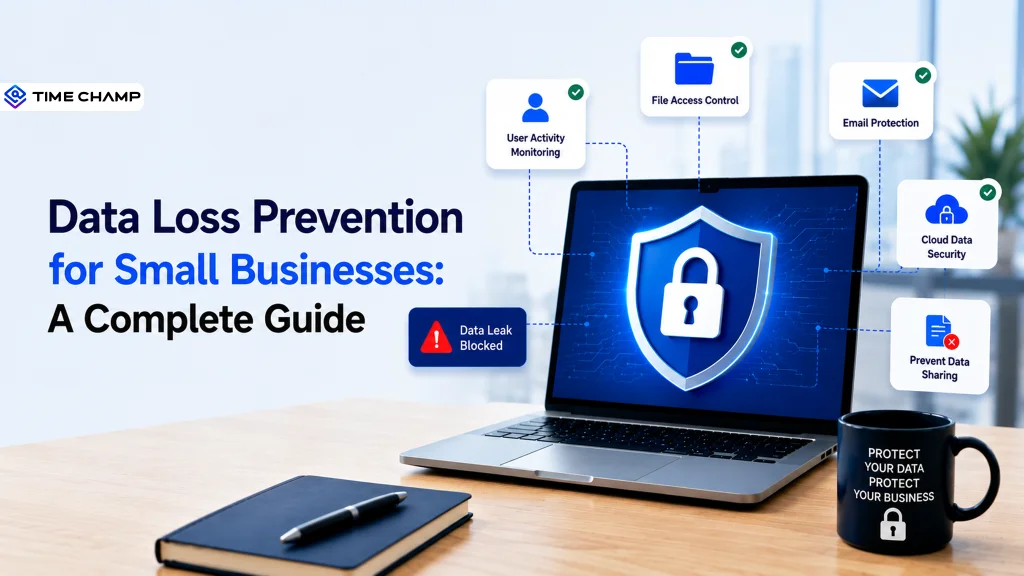
One wrong click, forwarded invoice, or reused password is often all it takes for your business to lose control of sensitive data. What feels like a routine day of emails and file sharing can quickly turn into a costly data exposure without anyone noticing. Data loss prevention for small businesses addresses this by monitoring, controlling, and protecting sensitive information wherever it moves, helping you prevent breaches before they happen.
From this guide, you’ll understand what data loss prevention (DLP) is, why it matters for small businesses, and the biggest data risks to watch for. You’ll also learn the practical steps to build a DLP strategy, choose the right tools, and strengthen data protection with confidence.
What Is Data Loss Prevention (DLP)?
Data loss prevention (DLP) is a security approach that helps organizations identify, monitor, and protect sensitive information from unauthorized access, sharing, or loss. It combines policies, processes, and technology to control how data is stored, used, and transferred across endpoints, networks, cloud applications, and email, reducing the risk of accidental data leaks, insider threats, and cyberattacks.
Why Do Small Businesses Need DLP?
Small businesses manage valuable information every day, from customer records and payment details to employee files and business documents. As digital operations grow, the risk of data being exposed through human error, cyberattacks, or unauthorized access increases. Data Loss Prevention (DLP) helps you reduce these risks by keeping sensitive information secure while supporting day-to-day business operations.
Here are the key reasons why small businesses need DLP:
- Reduces Human Errors: Prevents sensitive data from being shared through accidental emails, file uploads, or unauthorized file transfers.
- Protects Customer Information: Keeps customer records, financial details, and confidential business data secure from unauthorized access and misuse.
- Supports Regulatory Compliance: Helps meet data protection requirements such as GDPR, HIPAA, and PCI DSS by applying consistent security policies.
- Secures Remote and Hybrid Work: Safeguards business data accessed from remote devices, cloud applications, and home networks.
- Reduces Insider Threats: Detects and controls risky employee actions that could lead to intentional or accidental data exposure.
- Prevents Financial and Reputational Damage: Minimizes the risk of costly data breaches, legal penalties, and loss of customer trust.
What Are the Biggest Data Risks for Small Businesses?
Small businesses often become targets because they store valuable data but may not have the same level of security as larger organizations. Many data breaches happen through your everyday business activities, making it important to recognize the most common risks before they lead to financial loss or reputational damage.

Human Errors
Simple mistakes, such as sending an email to the wrong recipient, sharing confidential files with the wrong person, or using weak passwords, can expose your sensitive business data. Since human error is one of the leading causes of data breaches, clear security policies and DLP controls are essential.
Insider Threats
Not every data risk comes from external attackers. Employees, contractors, or former staff with access to business information can intentionally or accidentally expose confidential data. Limiting access based on job roles and monitoring sensitive activities helps you reduce this risk.
Phishing and Cyberattacks
Cybercriminals frequently target small businesses through phishing emails, malware, and ransomware. Once attackers gain access to user accounts or devices, they can steal your customer information, financial records, or other confidential business data.
Unsecured Cloud Storage
Cloud platforms make collaboration easier, but incorrect sharing settings or unsecured storage can leave sensitive files accessible to unauthorized users. Regularly reviewing permissions and protecting cloud data helps prevent accidental exposure.
Lost or Stolen Devices
Laptops, smartphones, and USB drives often contain confidential business information. If these devices are lost or stolen without proper security measures, unauthorized users may gain access to sensitive business data.
Weak Access Controls
Giving your employees more access than they need increases the chances of data misuse or accidental exposure. Applying role-based access controls ensures only authorized users can view, edit, or share sensitive information.
Worried that small mistakes could expose your business data?
Simplify data loss prevention for small businesses with Time Champ.
How to Build a Data Loss Prevention Strategy for a Small Business
A strong DLP strategy doesn’t require a large IT team or an enterprise-sized budget. It starts with understanding what data matters most, where it's stored, and how it's shared. Following a few practical steps can help you reduce the risk of data leaks while keeping your business operations running smoothly.
1. Identify the Sensitive Data You Need to Protect
Start by listing the information that would cause the most damage if it were exposed. This may include customer records, payment details, employee information, financial documents, contracts, and intellectual property. Knowing what needs protection helps you focus the DLP efforts where they matter most.
2. Classify Your Business Data
Group your data into simple categories such as Public, Internal, and Confidential. Clear classification makes it easier to apply the right security controls and determine who should have access to each type of information.
3. Control Who Can Access Sensitive Information
Give employees access only to the data they need to perform their jobs. Applying role-based access controls reduces the chances of accidental exposure and limits the impact of compromised accounts or insider threats.
4. Create Clear Data Protection Policies
Define how employees should store, share, and transfer sensitive information. Your policies should cover email, cloud storage, removable devices, remote work, and approved collaboration tools so everyone follows consistent security practices.
5. Choose DLP Tools That Match Your Business Needs
Select a solution that protects the environment your business relies on, whether that's endpoints, cloud applications, email, or your network. Prioritize tools that are easy to manage, integrate with existing systems, and can grow as your business expands.
6. Train Employees on Safe Data Handling
Help your team recognize phishing attempts, create strong passwords, handle confidential files responsibly, and report suspicious activity. Regular security awareness training reduces the likelihood of costly mistakes.
7. Monitor Data Activity and Respond to Risks
Continuously monitor how sensitive data is accessed, shared, and transferred across your business. Review alerts regularly, investigate unusual activities, and update your policies as new risks or business requirements emerge.
8. Review and Improve Your Strategy Regularly
Business, technology, and security risks will change over time. Schedule regular reviews of your DLP policies, access permissions, and security controls to ensure they continue protecting your most valuable business data effectively.

Did You Know?
According to IBM’s Cost of a Data Breach Report, organizations that extensively used AI and security automation reduced breach costs by an average of $1.9 million and shortened the breach lifecycle by approximately 80 days.
How to Choose the Right DLP Tools for Your Small Business
The best DLP tool isn’t the one with the most features, but the one that best fits your business, budget, and security needs. Focus on solutions that are easy to deploy, simple to manage, and effectively protect your data before evaluating the key factors below.

Identify What You Need to Protect
Start by determining the type of sensitive information your business handles, such as customer records, payment details, employee information, or intellectual property. The right DLP tool should protect the data that matters most to your business.
Choose the Right Type of DLP
Select a solution based on where your data is stored and shared:
- Endpoint DLP for laptops, desktops, and removable devices.
- Cloud DLP for Microsoft 365, Google Workspace, and other cloud applications.
- Network DLP for monitoring data moving across your business network.
- Email DLP to prevent sensitive information from being sent to unauthorized recipients.
Look for Easy Deployment and Management
Small businesses often have limited IT resources, so look for a DLP solution with straightforward setup, an intuitive dashboard, and built-in policy templates that reduce administrative effort.
Check Integration with Your Existing Tools
Adopt a DLP solution that works seamlessly with the systems you already use, including cloud storage platforms, email services, collaboration tools, endpoint security, and identity management solutions. Strong integrations simplify security management and improve visibility.
Evaluate Monitoring and Reporting Features
Choose a tool that provides real-time alerts, activity logs, and easy-to-read reports. These features help you detect unusual behavior, investigate incidents quickly, and demonstrate compliance when needed.
Make Sure It Can Scale with Your Business
Prioritize a DLP solution that can scale with your business, supporting additional users, devices, and cloud applications as the needs expand, so you don’t have to replace the platform later.
Compare Pricing and Support
Don't focus on cost alone, and compare licensing, available features, customer support, and training resources to ensure you’re investing in a solution that delivers long-term value for your business.
How Time Champ Strengthens Data Protection for Small Businesses
Protecting sensitive business data becomes challenging when your employees use multiple devices, cloud applications, and external storage every day. Without clear visibility into how files are accessed, shared, or transferred, even a small mistake can lead to a costly data breach. Time Champ is a smart employee monitoring software with built-in DLP features that helps you monitor data movement, detect risky activities, and enforce security policies before sensitive information is exposed.
Here’s how Time Champ helps strengthen data protection for your business:
- Monitors File Activity in Real Time: Tracks file creation, modification, deletion, and access history to identify suspicious activity before it becomes a security risk.
- Controls USB Device Access: Monitors USB connections, blocks unauthorized external devices, and prevents sensitive business data from being copied or transferred.
- Blocks Risky Uploads and Downloads: Restricts unauthorized file uploads and downloads while maintaining detailed records of every transfer attempt.
- Protects Against Unsafe Website Access: Monitors website usage and blocks access to unauthorized or risky websites that could expose confidential business information.
- Detects Insider Threats Early: Identifies unusual employee behavior and receives instant alerts for suspicious actions, helping you respond before data is compromised.
- Enforces Role-Based Security Controls: Limits access to sensitive files and business information based on employee roles, reducing unnecessary data exposure.
- Generates Audit-Ready Reports: Provides detailed security reports and activity logs that support compliance requirements and simplify internal audits.
- View Security Insights from One Dashboard: Manages file activity, website access, USB usage, policy violations, and security reports through a centralized dashboard for complete operational visibility.
Worried about protecting sensitive business data without adding complexity?
Strengthen your data loss prevention for small businesses with Time Champ.
Conclusion
Protecting sensitive business information is essential for every business, no matter its size. A proactive approach helps reduce the risk of accidental data leaks, insider threats, and costly security incidents while strengthening customer trust and compliance. Identifying critical data, implementing clear policies, and choosing the right security tools can help you build a stronger defense without overwhelming the team. Data loss prevention for small businesses is about creating practical safeguards that grow with your organization. Start evaluating the current data protection practices today and take the first step toward securing your business against future risks.

Anjali

Table of Content
 What Is Data Loss Prevention (DLP)?
- Why Do Small Businesses Need DLP?
- What Are the Biggest Data Risks for Small Businesses?
- How to Build a Data Loss Prevention Strategy for a Small Business
- How to Choose the Right DLP Tools for Your Small Business
- How Time Champ Strengthens Data Protection for Small Businesses
- Conclusion
Instant Signup
Thank you for your request!
We have received your signup request and our team will get back to you soon. In the meantime, you can book a demo to see Time Champ in action.
Book a DemoFree trial. No credit card required. Prefer a walkthrough? Book a demo.
Related Blogs
Discover effective data loss prevention strategies to protect sensitive information, enhance security, and safeguard your business from data breaches.
Shabana Shaik | Jan 22, 2025
Learn how remote employee tracking and DLP work together to prevent data leaks, secure remote teams, and support privacy, compliance, and safer workflows.
Anjali | May 09, 2026
Data loss prevention helps protect sensitive business data from leaks, theft, and misuse. See how DLP works, its benefits, challenges, and best practices.
Thasleem Shaik | Aug 21, 2026
Learn the top 10 insider threat indicators for 2026, including warning signs, suspicious activity, and detection best practices for modern teams today.
Anjali | May 08, 2026
Employee monitoring software can catch insider data breaches early, if you configure it right. See what it catches, what it misses, and how to roll it out.
Jahnavi Pulluri | Apr 16, 2026
Explore the different types of data loss and learn how they can impact your information. Understand the risks and protect your data effectively.
Thasleem Shaik | Jan 17, 2025


 4.7/5 avg.
Ready to Manage Your Workforce Smarter?
Join our family of 1500+ companies using smart insights to redefine workforces!

Free Trial
No Credit Card Required