20 Time Tracking Best Practices for Better Productivity
Want to boost productivity? Uncover 20 time tracking best practices that can transform your workflow and help you achieve more with less effort.
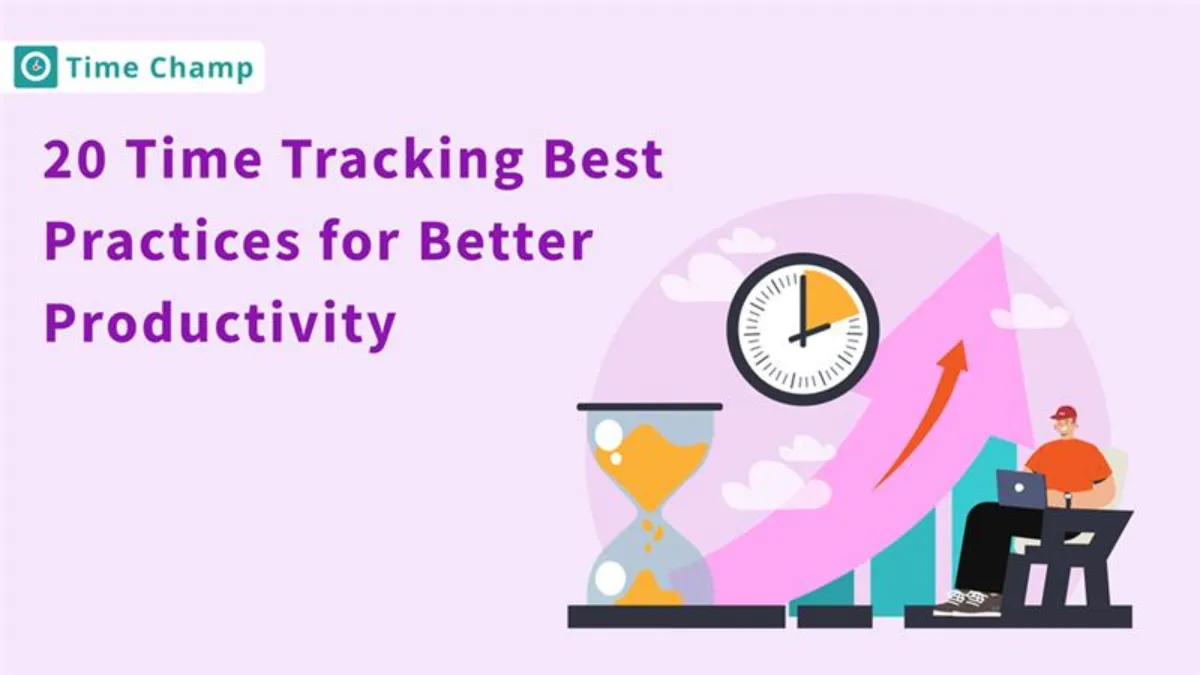
As remote work becomes more popular, time tracking has became essential. It helps the teams to stay on track, manage their time better, and accomplish more tasks. Proper time tracking gives the businesses insight into how time is spent, helping to identify the areas for improvement and boost overall efficiency.
In this blog, you will find 20 simple and effective time tracking best practices that helps you to stay organized, boost your productivity.
Why is Time Tracking So Important?
Time tracking is important because it helps employers understand how their teams are spending their work hours. The system alerts them if employees are spending too much time on unimportant tasks instead of focusing on their main responsibilities. This system helps both individuals and businesses achieve their goals by making sure all tasks are completed on time and that everyone contributes equally.
“Want a simple way to track your team’s time and boost productivity?
Try Time Champ, it’s designed to make time tracking easy and effective."
20 Best Practices for Time Tracking
1. Choose the Right Time Tracking Tool
Select a time tracking tool that meets your team's requirements. The software must have a simple design and include essential features which include task classification together with live monitoring and convenient reporting capabilities.

Pro Tip:
Try Time Champ, it is easy to use, has powerful features like time tracking, task tracking, and creates smart reports that helps the teams to work better and save time.
2. Track Time Consistently
Maintain daily records of your employees’ working hours throughout the day. This habit helps keep tasks organized and ensures work is properly tracked. Regular time tracking makes it easier for employers to see how time is spent and identify tasks that take longer than expected.
The habit helps you stay focused while making daily plans, which leads to good results without feeling stressed or mixed up.
3. Categorize Tasks Effectively
Categorizing tasks effectively means grouping employee work into clear types like meetings, emails, projects, or breaks. This helps employers see how time is being spent and quickly identify tasks that take up too much time. When tasks are well-organized, it becomes easier for employees to plan their day and stay focused on important work.
4. Minimize Over-monitoring
The rule of Minimize Over-monitoring gives team members their own space to work by reducing constant checking. It is important for managers to keep track of how long the employees work but watching them too much can cause stress and lower motivation and work quality.
5. Review Time Logs Regularly
Checking time logs helps to fix the mistakes, make sure that everyone is paid correctly, and see how time is being used. This helps the teams to work better, keeps things fair, and is useful for remote or hybrid workers.
6. Set Clear Expectations
Make it clear to your team what you require from them regarding their work hours and specific tasks. Cleared expectations between team members result in reduced confusion, which enables people to concentrate on important matters. Defining clear expectations at the start minimizes confusion, which leads to an easy solution of problems during work.
7. Implement Time Tracking Policies
Create clear time tracking policies that shows the employees how to log their work hours, when to clock in and out, how to take breaks, and what to do if they forget to track their time. Having these policies helps to keep things fair and accurate. It also promotes fairness and helps to prevent misunderstandings.
8. Promote Real-Time Logging
Team members should record their work hours throughout the day instead of waiting until the end of the day or week. This practice helps avoid mistakes while keeping things accurate and showing how time is used. Employees stay focused by recording their time because it gives clear details about how long they spend on tasks. Keeping track of progress during the day becomes easier by logging work hours in real time, making it possible to make changes when needed.
9. Avoid Multitasking
Lead your team members through single-tasking rather than multiple-tasking. People who attempt multiple tasks at once produce mistakes because they dedicate insufficient attention to single tasks. The completion of work slows down while the final results demonstrate reduced quality.
A single-point focus enables employees to perform better and achieve higher efficiency in their work. The absence of continuous task switching protects employees from stress because they do not need to adjust focus throughout their work day.
10. Provide Training on Time Tracking Tools
The team needs clear guidance on how to use the time tracking tool correctly. Conduct training sessions how to log hours, track tasks, and explain what the tool can do. Once everyone is trained, the system works better for avoiding mistakes and tracking time accurately, with better tool usage.
Training helps the employees feel comfortable using the tool and reduces errors. The system provides a simple way to make sure team members understand each other and work efficiently.
Tip:
Time Champ is built for teams who want quick setup, easy training, and powerful tracking features.
11. Utilize Time Tracking for Efficient Resource Allocation
Monitor team member’s time use through time tracking systems to see how they spend time across tasks. Time tracking shows you which projects need the most effort and whether individual employees have too much work or not.
Timing these tasks give useful details needed to share work fairly, along with stopping team tiredness while making sure proper resource use. Time tracking gives better ideas for future project planning because it shows the usual time taken for specific tasks.
12. Be Transparent About Time Tracking
Explain to your team the reason behind time tracking along with describing what the collected information is used for. Your openness and honesty about time tracking should clearly explain how it helps improve work, plan projects, and watch work hours.
Understanding the reason behind time tracking helps employees trust the system and use it the right way. Being open helps avoid confusion and shows the team that time tracking is there to support their work, not to spy on them.
13. Integrate Time Tracking with Payroll
Ensure a connection between your time tracking system and payroll system to keep accurate records and payment of work hours. The combination of systems leads to fewer mistakes and time savings, as well as correct employee payment calculations. The system avoids human errors that happen when workers enter data manually.
A combined operation between payroll and time tracking systems helps to manage payments efficiently while making it easier to track extra hours and follow labor rules. With this in place, payroll processing becomes faster with better accuracy and ease of operation.
Do u know?
The U.S Bureau of Labor Statistics states that payroll employment increases by 139,000 in May and unemployment rate unchanged at 4.2%.
14. Identify and Prevent Time Mismanagement
Look out for the signs that show how much time is wasted within your team, including delayed work and tasks that take longer than needed. Early detection of these problems helps you lead your team toward their goals. You should provide help to team members by guiding them on how to prioritize their work or use their time tracking tools better.
Your guidance on time management helps the teams to work more efficiently and it leads to finishing the work on time with less pressure. Planning projects becomes easier with proper time management.
15. Review and Adjust Workflows Regularly
Regularly observe the work process in your team. Check each step in the work to see if current procedures are working well or need any improvements. Changes should be made to operations that slow down work or cause mistakes that you find. The process of workflow checks, along with updates, keeps the systems working well while reducing problems and helping to meet team goals.
16. Use Visual Dashboards
Try using visual dashboards, because it makes easier to track time usage. The simple display of the charts and graphs lets you see all the details without needing long reports or number-filled screens.
The visual display through the dashboards helps HR professionals and business owners to quickly see how the employees spend their time, which tasks take the most time, and who needs extra support.
17. Track Time Spent on Meetings
Track how much time is spent on meetings to make sure they are useful. Monitoring meeting durations helps teams stay focused while working efficiently, since you can prevent unproductive time use.
Encourage your team members to set specific meeting goals and plans before each meeting. Meeting goals becomes clear to the participants when plans are set, which leads to both shorter durations and higher effectiveness.
18. Encourage Self-Review
Let your team take a few minutes at the end of the day or week to look back at how they spent their time. When people review their own time logs, it helps them notice what’s working and what’s not. Maybe they spent too much time on small tasks or got distracted more than they realized.
This simple habit helps them to make better choices, stay focused, and improve on their own, without needing a manager to point it out every time. It is a small step that can make a big difference in how they work.
19. Use Time Tracking for Accountability
Time tracking systems allow managers to check how employees use their work time by tracking how they spend their assigned hours. Time tracking lets workers and managers see how long tasks take, showing the status of projects.
Employees will focus better and do their work properly when they know their activities are being monitored. The system ensures a fair division of work by keeping track of each person’s contribution. Time tracking systems build trust among team members while also boosting their productivity.
20. Encourage Task Prioritization
Support your team to first focus on the most important tasks first. When team members learn to decide which work is more important, they can avoid spending time on less useful tasks. This helps them stay on track and reduce stress.
You can guide your team to plan their daily or weekly goals by helping them choose which tasks to do first. Doing the important work early leads to smoother progress, better results, and helps the team to finish more work without feeling tired or confused.
Ready to put these tips into action?
Start your free trial with Time Champ today and help your team work smarter, not harder.
Conclusion
Time tracking is more than just noting down the work hours. It helps you to stay focused, work better, and get more work done. Using a good time tracking tool, keeping track of your work daily, and planning ahead can really help you stay on top of things and feel less stressed during the day.

Guna Lakshmi


Table of Content
-
 Why is Time Tracking So Important?
-
20 Best Practices for Time Tracking
-
Conclusion
Related Blogs

Analyze and improve employee performance with ‘Lifetime Heat Maps’ for detailed insights and data-driven results.
Thasleem Shaik | 18 March 2025
Discover the best ways to introduce productivity monitoring in your organization smoothly and effectively.
Thasleem Shaik |18 March 2025
Boost team productivity and performance with effective tracking methods. Enhance productivity through data-driven insights and actionable strategies.
Shabana Shaik | 17 March 2025
Productivity Tracking Software helps remote teams stay on top, track progress, streamline workflows & boost efficiency effortlessly. Learn more!
Shabana Shaik | 15 March 2025
Learn how to boost productivity by finding the right balance in employee monitoring, focusing on key indicators, and maintaining transparency
Tarun Kumar |14 March 2025
Boost employee productivity with workday insights that improve efficiency, streamline workflows, and drive better performance.
Thasleem Shaik | 13 March 2025


 4.7/5 avg.
Ready to Manage Your Workforce Smarter?
Join our family of 1500+ companies using smart insights to redefine workforces!

Free Trial
No Credit Card Required