What is Project Schedule? Examples, Steps & Tools (2026)
Discover what is project scheduling, definition, key components, types, templates, strategies, pros & cons, real examples, and software for efficiency.

Projects are usually behind schedule since leaders do not develop a clear project schedule that aligns tasks, timelines, and resources. Even powerful teams cannot provide predictable results without structured visibility into dependencies and capacity. A clear project schedule organizes work into a clear sequence of activities with specific timelines and responsibilities. It brings execution discipline, minimizes delays, and enhances operational control. Teams short on time often start with project checklist templates to skip the manual setup. Anyone weighing this decision usually starts with our best project management software guide for the full landscape.
In this blog, you will know about what a project schedule is, its key components, its most common types, practical examples, and the steps required to create and maintain a project schedule. You will also learn proven strategies, the advantages and limitations of scheduling, how it differs from project planning, and the selection of the appropriate software. At the end, you will be in a position to develop stronger delivery structures, enhance resource use, and initiate more consistent project performance throughout your organization.
What is Project Schedule?
A project schedule is a well-organized plan that defines the sequence of tasks, timelines, dependencies, and assigned responsibilities required to complete a project within an agreed timeframe. It also organizes work into a logical order in such a way that you know what should occur, when it should occur, and how each activity relates to the overall goal.
A project schedule provides operational clarity. It translates strategic objectives into timed activities and makes sure that you are aligning resources to priorities at the appropriate level of implementation. By defining activities and dependencies, you minimize uncertainty and establish great coordination between teams.
A well-developed schedule also strengthens accountability. It enables managers to evaluate progress against set milestones, detect any emerging delays early, and redistribute workloads before risks become critical. Consequently, organizations have increased control over delivery performance and resource utilization.
Importance of Project Scheduling
- Improves Time Control: A clear schedule sets achievable timelines and milestones. You know exactly what tasks you must complete, which reduces last-minute stress and prevents missing deadlines.
- Enhances Resource Utilization: Scheduling aligns tasks with available capacity. You can balance workloads, avoid bottlenecks, and make sure resources are used efficiently without being underused or overloaded.
- Strengthens Accountability: Assigned tasks and clear deadlines make ownership clear. You make sure everyone knows their role and what they need to do to achieve project goals.
- Reduces Delivery Risk: Having visibility into task dependencies lets you identify potential delays early. You can make proactive adjustments to keep the project on schedule and within budget.
- Supports Consistent Performance: A disciplined scheduling approach helps you follow a consistent way of working. You can complete projects reliably and maintain smooth operations across teams.
What Are the Key Components of a Project Schedule?
To develop a successful project schedule, it is necessary to understand its main elements. All the components make sure that you can manage tasks effectively, allocate resources correctly, and meet deadlines without misunderstandings. Effective project scheduling assists you in streamlining work, reducing risks, and ensuring predictable performance within teams.
1. Tasks and Activities
Tasks are the foundation of a project schedule. When you break each task down, you clearly know what you need to do at every step. Dividing the work into manageable activities helps you stay focused, track progress, and align your efforts with the overall project goals. A project schedule template makes the whole process simpler and more organized.
2. Timelines and Milestones
Timelines and milestones provide you with a clear picture of deadlines and key achievements. Estimating achievable timeframes of every activity will assist you in setting expectations and staying on track. Milestones are the checkpoints that indicate important achievements, and you can monitor progress and make corrections as necessary. Project scheduling tools may make monitoring easier and deliver on time.
3.Dependencies and Sequence
Dependencies show how tasks relate. By determining which activities are dependent on others, you can plan work in a logical order, avoiding bottlenecks and delays. Project schedule software helps you visualize dependencies so you can anticipate problems, make proactive changes, and keep the workflow flowing smoothly throughout.
4. Resource Allocation
Resource allocation assigns the right people, equipment, and materials to every task. Proper allocation balances workloads, prevents underutilization or overload, and optimizes team productivity. Project scheduling software and project scheduling tools assist you in managing resources effectively and keeping all tasks on schedule without overstretching the team.
5. Assigned Responsibilities
Delegation of duties ensures accountability. Every team member knows their role, what they must deliver, and by when. A project schedule example that clearly documents responsibilities will minimize confusion, strengthen ownership, and enable you to maintain consistent performance in all tasks and teams.
6. Duration and Workload Estimates
Every activity in a project schedule should have a definite estimate of the time it will take and the effort required. Duration estimates help set realistic deadlines and improve planning accuracy. By assessing the workload beforehand, you can distribute responsibilities and avoid overworking the team members. Proper estimation minimizes scheduling conflicts and enhances the chances of completion of projects on time.
7. Review and Updates
Think of a project schedule as a flexible plan. Check it regularly to keep up with shifts in priorities or resources. Monitor progress so you can fix issues early and keep the project on track.
What Are the Different Types of Project Schedules?
Project schedules are available in various forms based on the level of detail, focus, and purpose. The right type will assist you in managing work efficiently, tracking progress, and keeping your team aligned. Understanding these types also simplifies the scheduling of projects, minimizes risks, and delivers on time.
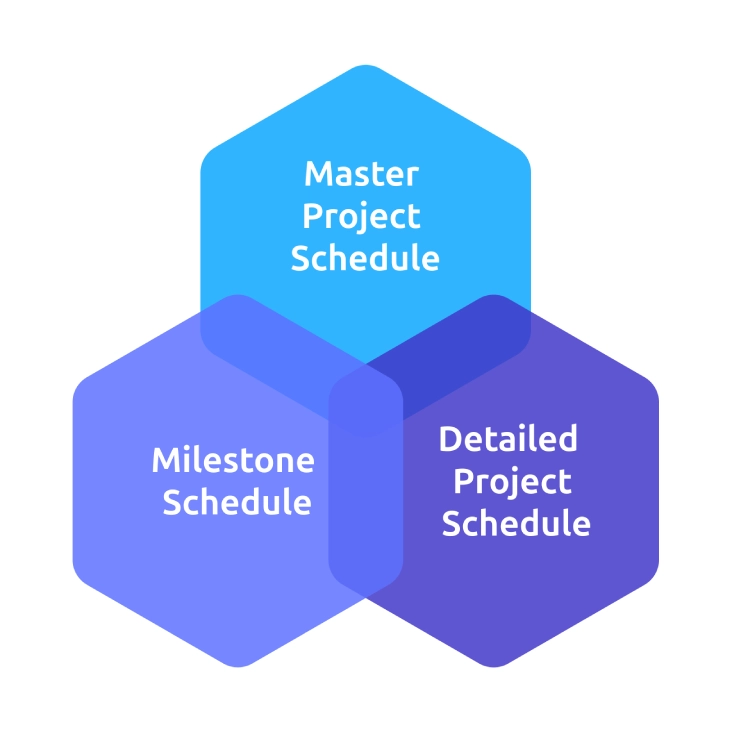
1. Master Project Schedule
A master project schedule provides a high-level view of the entire project. It includes all the major phases, key deliverables, and overall timelines. This schedule will allow you to see the complete view and ensure that all activities align with the strategic goals of the project. A master project schedule acts as a roadmap. It assists in decision-making and coordinating different teams. Using project schedule software can make creating and visualizing the master schedule simple and effective.
2. Milestone Schedule
A milestone schedule focuses on the most important events or accomplishments in a project. It highlights key points where progress must be evaluated or decisions made. Monitoring milestones will help you quickly determine whether the project is proceeding as planned or whether corrective action is required. Milestone schedules are especially effective when reporting to stakeholders or clients because they give a clear overview of the progress without overloading them with all the tasks. These milestones can be defined and tracked effectively with the help of project scheduling tools.
3. Detailed Project Schedule
A project schedule is a detailed project breakdown structure that divides the project into every task, with durations, dependencies, and resource allocations. It assists you in day-to-day execution, prevents bottlenecks, and makes sure that the work is done on schedule. This schedule strengthens accountability and improves coordination between teams by clearly assigning responsibilities. The detailed schedule can be more organized and easier to update as the work progresses using a project schedule template or project schedule software.
What Are the Examples of a Project Schedule?
Here are some common examples of project schedules that help you organize tasks, track progress, and stay on track.
1. Gantt chart
A Gantt chart is a visual bar chart that depicts tasks over time. It shows start and end dates, dependencies, and progress clearly. You will be able to see what tasks overlap, how they connect, and what must be completed before proceeding to the next step. This facilitates planning, monitoring, and controlling project activities effectively.
2. Milestone Chart
A milestone chart shows the main events and important dates in a project. It highlights key deliverables, approvals, or deadlines instead of daily tasks. This overview helps you track progress, make sure important goals are completed on time, and keep everyone informed.
3. Critical Path Method (CPM)
The critical path method identifies the longest sequence of dependent tasks that determines the project duration. It shows the tasks that cannot be delayed without affecting the final deadline. Through critical path analysis, you are able to prioritize work, allocate resources efficiently, and prevent delays that may disrupt the entire schedule.
4. Project Calendar
The project calendar provides a time-based view of tasks, deadlines, and team assignments. It is commonly applied to marketing, content, or other deadline-focused projects. When you visualize tasks on a calendar, you can see who is responsible for each activity, manage workloads, and ensure the team meets key dates without missing critical steps.
5. Kanban Board
A Kanban board shows tasks using columns and cards, usually labelled "To Do," "In Progress," and "Done." It helps you see how work flows, manage priorities, and track progress easily. Kanban boards work well for projects that need frequent updates or teams that require flexible task management.
How to Create and Manage a Project Schedule?
Creating and managing a project schedule involves clear planning, structured procedures, and appropriate tools. An effective schedule will help to make sure that tasks are done in time, resources are distributed effectively, and teams are aligned. Project scheduling templates can make the process easier, save time, and enhance the overall project control.
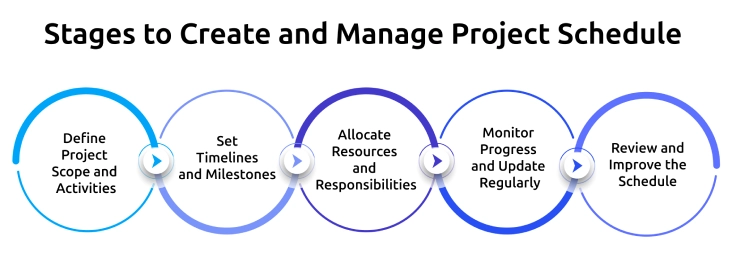
1. Define Project Scope and Activities
Begin by clearly defining the scope of the project and identifying all the activities required to complete the project. Identify all tasks, dependencies, deliverables, and timelines. Breaking down work into smaller and manageable tasks simplifies the process of delegating tasks and tracking progress. Project scheduling templates can help you organize these activities effectively.
2. Set Timelines and Milestones
Establish realistic durations for each task and identify key milestones. Timelines give a clear understanding of the deadlines, and milestones are important points where progress is to be evaluated. This method assists in detecting delays at an early stage and implementing corrective measures. Project schedule templates will help you always have achievable and measurable timelines.
3. Allocate Resources and Responsibilities
Allocate the appropriate team members, tools, and materials to each task. Proper allocation eliminates underutilization or overloading of resources and facilitates smooth execution. Well-established roles hold everyone responsible. Project scheduling software or project scheduling templates can assist you in keeping track of assignments and workloads.
4. Monitor Progress and Update Regularly
A project schedule is a dynamic tool. Monitor dependencies, track task completion, and adjust the plan as priorities shift or issues arise. Frequent updates minimize risks and ensure that the project is on schedule. Project scheduling templates can be used to revise schedules and communicate them to the team faster.
5. Review and Improve the Schedule
Check your schedule at every phase to identify bottlenecks, delays, or resource conflicts. Analyze performance against planned milestones and adjust the schedule to optimize results. The lessons learned in every project enhance the scheduling of future projects and delivery. Project schedule templates can be customized for continuous improvement and smoother execution.
Struggling to keep your projects on track and meet deadlines?
Optimize your project schedules and achieve smoother execution with Time Champ!
Which Common Strategies Improve Project Scheduling?
Project scheduling is not just a matter of listing tasks and timelines. Using proven strategies will make the implementation process seamless, minimize delays, and keep your teams on track. These are the strategies that will assist you in maximizing project schedule templates, software, and tools to deliver projects effectively.
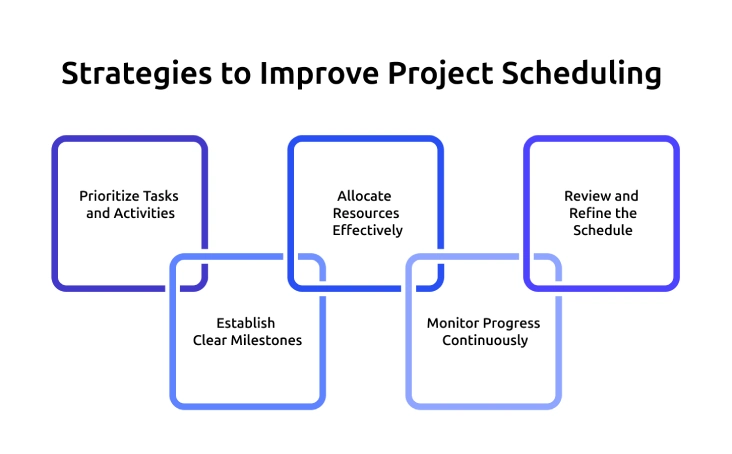
1. Prioritize Tasks and Activities
Effective project scheduling begins with prioritization. Determine the critical tasks, dependencies, and concentrate on the activities that have a direct impact on deadlines. When teams understand what needs attention first, they prevent bottlenecks and maintain progress in line with project objectives. Teams can organize priorities clearly and consistently with the help of project schedule templates.
2. Establish Clear Milestones
Milestones are structured checkpoints that measure progress at critical points. They offer visibility into performance, highlight delays early, and maintain accountability. Clearly defined milestones also enhance reporting and confidence of stakeholders. Project scheduling tools simplify the process of defining, tracking, and modifying milestones as the project progresses.
3. Allocate Resources Effectively
A schedule only works when resources are realistically assigned. Allocating the appropriate individuals, time, and budget to every activity will prevent overload and improve productivity. Delays often occur even with timelines that appear accurate on paper due to poor resource planning. Project schedule software helps in the balancing of workloads and efficiency across teams.
4. Monitor Progress Continuously
Scheduling is not a one-time activity. Frequent tracking keeps the tasks on track, and risks are detected at an early stage. Constant monitoring enables managers to adjust schedules, reallocate resources, and ensure that small problems do not turn into big problems. Schedules are realistic and attainable with regular monitoring.
5. Review and Refine the Schedule
Beyond monitoring daily progress, the schedule review at key stages enhances future planning. Delay analysis, accuracy estimation, and team performance analysis can be used to determine patterns and improvement areas. Through the development of scheduling techniques over time, organizations enhance predictability, efficiency, and overall project control.
What Are the Pros and Cons of Project Scheduling?
Project scheduling provides you with structure, visibility, and control. At the same time, it requires effort, discipline, and the appropriate tools to manage it effectively. When you understand both sides, you make better decisions and use scheduling in a practical manner throughout your organization.
Below is a clear comparison to help you evaluate the advantages of project scheduling and the limitations you should manage carefully.
| Pros of Project Scheduling | Cons of Project Scheduling |
|---|---|
| Improves time control. You set clear deadlines and milestones, which helps you complete work on time and reduce last-minute pressure. | Requires time to create and maintain. You must spend effort to build and regularly update the schedule. |
| Strengthens accountability. You assign clear responsibilities, so every team member knows what they must deliver and by when. | Can become outdated quickly. If you do not update it regularly, the schedule loses accuracy and relevance. |
| Enhances resource utilization. You balance workloads and avoid overloading or underusing your team. | May reduce flexibility. If you follow the schedule too strictly, you might struggle to adapt to sudden changes. |
| Improves risk visibility. You identify dependencies early and take corrective action before delays escalate. | Depends on accurate estimates. Poor time or workload estimates can lead to unrealistic deadlines. |
| Supports better decision-making. With a clear project schedule example or project schedule template, you gain structured visibility into progress and performance. | Can feel complex for large projects. Detailed project schedule types may require project schedule software to manage effectively. |
| Increases delivery consistency. A disciplined project scheduling process helps you follow a repeatable system across projects. | Requires team discipline. Without commitment from the team, even the best project scheduling tools will not deliver results. |
Is Project Scheduling the Same as Project Planning?
No, project scheduling is not the same as project planning. Project planning defines what you want to accomplish and how you will go about the work. Project scheduling focuses on when and in what sequence you will do the work. Planning establishes the direction, and scheduling transforms that direction into a timed and structured execution plan. When you understand the difference, you enhance control, coordination, and overall delivery performance.
Below is a clear comparison to help you distinguish between project planning and project scheduling.
| Project Scheduling | Project Planning |
|---|---|
| Defines the timeline and sequence of tasks required to achieve project objectives. | Defines the overall project objectives and scope. |
| Breaks work into tasks, sets durations, and assigns dependencies. | Identifies deliverables, risks, budget, and resources at a strategic level. |
| Focuses on when tasks will happen and who will complete them. | Focuses on what needs to be done and why it matters. |
| Converts strategy into a structured schedule using a project schedule template or project schedule software. | Establishes the overall execution strategy. |
| Includes task sequencing, milestone setting, workload balancing, and monitoring progress. | Includes risk planning, cost estimation, and stakeholder alignment. |
| Supports day-to-day execution through a clear project scheduling process. | Guides the entire project from initiation to closure. |
How to Choose the Right Project Scheduling Software?
Picking the right project scheduling software makes it much easier to follow your project scheduling process. The right tool helps you see what’s happening, stay in control, and keep your projects running smoothly on time.
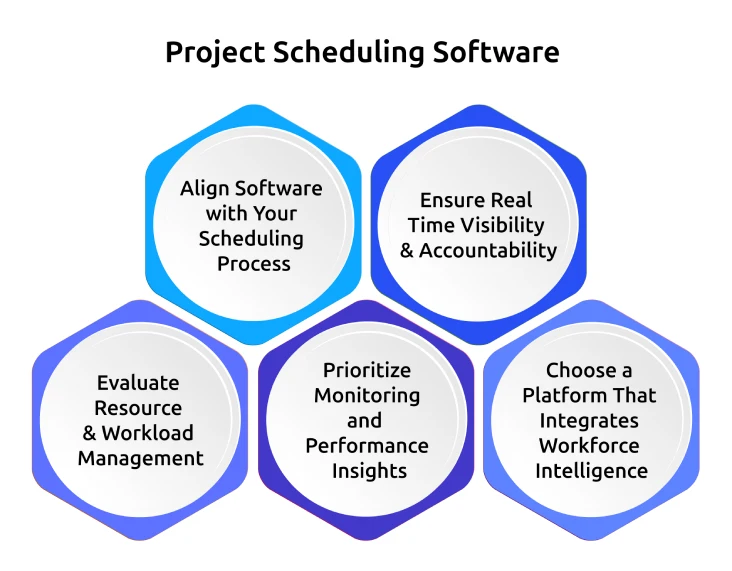
1. Align Software with Your Scheduling Process
Select project scheduling software that complements your current project scheduling process rather than forcing you to change it. The tool should help you define tasks, manage dependencies, track milestones, and maintain structured timelines without adding complexity or confusion.
2. Ensure Real Time Visibility and Accountability
Effective project scheduling must have real-time visibility of task progress and team activity. Choose software that provides clear insight into the workload, timelines, and gaps in execution. Real-time tracking enhances accountability and keeps schedules realistic and performance-focused.
3. Evaluate Resource and Workload Management
Your project schedule should reflect actual capacity. Select a project scheduling tool that allows you to balance workloads, prevent overload, and optimize utilization. Strong resource visibility reduces delays and facilitates proper planning of various projects and teams.
4. Prioritize Monitoring and Performance Insights
Find project scheduling software that goes beyond fixed schedules. You need performance insights that highlight bottlenecks, productivity gaps, and missed milestones. Smart monitoring strengthens discipline in scheduling and helps you refine execution continuously.
5. Choose a Platform That Integrates Workforce Intelligence
The Time Champ workforce intelligence platform strengthens project scheduling by linking planned tasks with real-time employee activity. You gain clear insights into productivity, workload distribution, and execution patterns, helping you adjust timelines, reallocate resources, and prevent bottlenecks.
With Time Champ, you can compare planned schedules with actual work done, spot delays early, and correct task sequences. This ensures your projects stay aligned with deadlines, improve accountability, and turn your schedule into a practical, actionable plan rather than just a static timeline.
Want clear visibility into tasks, timelines, and team performance?
Streamline your planning and boost accountability with Time Champ today!
Conclusion
A clear project schedule gives you control over every task, timeline, and resource, making it easier to track progress and meet deadlines. When you plan carefully, assign responsibilities, and monitor work, your team stays organized and avoids delays. Using the right tools and strategies turns your schedule into a practical guide that keeps projects on track and improves efficiency.

Tarun Kumar Reddy


Table of Content
-
 What is Project Schedule?
-
What Are the Key Components of a Project Schedule?
-
What Are the Different Types of Project Schedules?
-
What Are the Examples of a Project Schedule?
-
How to Create and Manage a Project Schedule?
-
Which Common Strategies Improve Project Scheduling?
-
What Are the Pros and Cons of Project Scheduling?
-
Is Project Scheduling the Same as Project Planning?
-
How to Choose the Right Project Scheduling Software?
-
Conclusion
Related Blogs
Explore 6 free project charter templates in Excel, Word, and PDF, including simple, agile, and six sigma formats for clear project starts.
Thasleem Shaik | November 07, 2025
Access free downloadable Project Estimate Templates in Excel, Word, and PDF to plan costs, track budgets, and create accurate project estimates easily.
Thasleem Shaik | November 03, 2025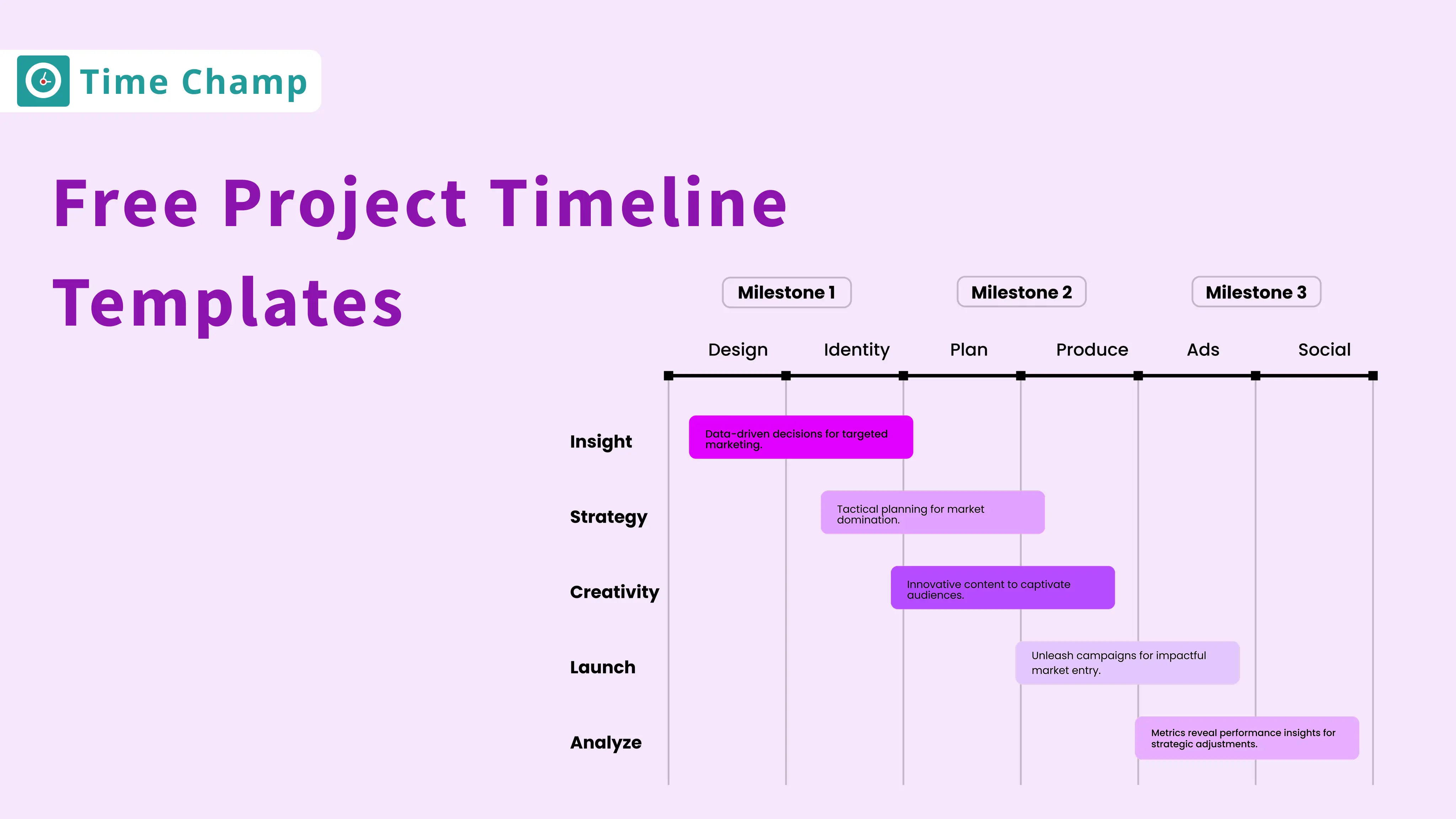
Download 7 free project timeline templates in Excel, Word & PDF to plan, organize, and track projects efficiently, ensuring your team stays on schedule.
Guna Lakshmi | November 07, 2025
Explore key features of project management and software for efficient task management and enhanced team collaboration.
Jahnavi Pulluri | May 21, 2024
Best construction project management tools that improve contractor performance, procurement, and team collaboration for professionals in the construction field.
Mounika Sai | Jan 10, 2024
Familiarize yourself with the basics of Project Cost Management, including budgeting, and estimating the costs. Make sure that your projects are profitable.
Jahnavi Pulluri | May 21, 2024


 4.7/5 avg.
Ready to Manage Your Workforce Smarter?
Join our family of 1500+ companies using smart insights to redefine workforces!

Free Trial
No Credit Card Required