Employee Internet Monitoring: Methods and Benefits
Learn how to monitor employee internet usage with effective tips and tools to boost productivity, enhance security, and promote responsible online behavior.

Say one of your employees spends two hours on a random shopping site during a busy week, while a developer on the other side of the office downloads a suspicious file from a shady domain. One of those actions costs you a little time, and the other could cost you a data breach. The only way to tell the difference is to actually see what’s happening in your company network.
That is exactly what employee internet monitoring is for. This blog walks you through how to monitor employee internet usage the right way, covering what it actually includes, the main methods, the signals that matter, the legal rules to keep in mind, and the mistakes that can quickly break trust. By the end, you’ll have a clear idea of how to implement it without turning it into a surveillance operation.
What is Employee Internet Monitoring?
Monitoring employee internet usage is the practice of capturing work-related online activity on company networks and devices. It includes websites visited, apps used, bandwidth consumed, and sometimes file uploads or downloads. Most companies use this data to find security risks, manage bandwidth, and understand how work actually happens online.
In basic terms, it is about visibility into work, not surveillance. Good monitoring focuses on work hours, work devices, and work-related activity. It does not cover your employees’ personal phones, their home networks, or what they do off the clock. The moment it crosses into personal territory, it stops being monitored and starts being surveilled, which is where legal and trust issues begin.
What Employee Internet Monitoring Software Actually Captures
Here is what most internet monitoring tools can see on a company network or managed device:
- Websites and domains visited during work hours
- Time spent on each website or app
- Bandwidth use per user, per app, or per department
- File uploads and downloads, especially to cloud storage
- Blocked-site attempts and policy violations
- Shadow IT (unapproved apps or services being used)
What It Does Not Cover
Good monitoring respects clear limits. Most responsible programs intentionally do not capture:
- Personal accounts (personal email, personal social media logins, personal banking)
- Activity on personal devices outside a BYOD agreement
- Content inside encrypted HTTPS pages (only the domain name is visible)
- Activity outside set work hours
- Keystroke content (most modern tools track patterns, not actual text)
Monitoring vs Blocking vs Filtering
These three terms often get confused. Monitoring shows what’s happening, filtering controls what’s allowed, and blocking stops access completely. You can monitor without blocking, and most tools start there, because just having visibility solves most problems before stricter rules are needed.
Why Do Companies Monitor Employee Internet Usage?
Five reasons come up in almost every real-world rollout. Understanding them makes it easier to explain the tool to both employees and leadership.
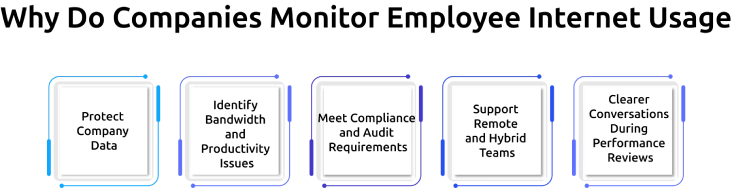
1. Protect Company Data
Most data breaches start with everyday online actions, such as clicking a phishing link, downloading an unsafe file, or using unapproved tools. These small actions can expose sensitive data without anyone noticing. Monitoring helps to detect these patterns early, so organizations can respond before they turn into serious incidents.
2. Identify Bandwidth and Productivity Issues
When the network slows down, it’s often due to heavy usage like streaming, large downloads, or cloud backups. Monitoring shows exactly where bandwidth is being used, making it easier to fix slowdowns. It also gives insight into time spent on non-work sites, helping teams address productivity issues without relying on assumptions.
3. Meet Compliance and Audit Requirements
In industries like finance, healthcare, and legal services, audits often require proof that employee internet activity is being managed. Standards like SOX, HIPAA, PCI DSS, and ISO 27001 expect some level of tracking. Monitoring provides a clear, accessible record that can be shared during audits, reducing last-minute stress.
4. Support Remote and Hybrid Teams
When employees are working from home, cafés, or shared spaces, organizations usually no longer have the same level of visibility as in an office. Monitoring helps bridge that gap by offering insights into work patterns and potential issues, without requiring constant check-ins. When used properly, it supports teams rather than making them feel watched.
5. Clearer Conversations During Performance Reviews
Performance discussions can quickly become subjective when they rely on perception alone. Monitoring data provides a factual baseline, showing work patterns, tool usage, and time distribution. This helps companies have more transparent, evidence-based conversations, making reviews feel fairer and more actionable.
These reasons highlight why it’s important to monitor employee internet usage. Take the next step and implement it thoughtfully to improve security, productivity, and visibility across your organization.
What Are the Different Ways to Monitor Employee Internet Usage?
There are four main methods companies use to monitor employee internet usage. Each one looks at internet activity from a different angle, and most programs use a mix of two or three.
| Method | How It Works | Best For |
|---|---|---|
| Firewall and proxy logs | Records every request passing through the company’s internet gateway | Network-wide visibility, bandwidth tracking |
| DNS and URL filtering | Watches or blocks requests based on the domain name being looked up | Catching access to malicious or banned sites |
| Endpoint monitoringagent | Software installed on each device tracks local browser and app use | Remote workers, BYOD, deep user-level visibility |
| Browser-based sessionanalytics | A browser extension or plug-in records tab use, time on site, and interactions | Lightweight visibility, SaaS-heavy teams |
Firewall and Proxy Logs (Network-Level)
This is the oldest and still widely used method. Every time a device on your network connects to the internet, the firewall logs it. You can see which sites were accessed, when, and how much data was used. ISP Proxies can also provide network-level visibility into internet traffic and connection activity. Limitation: It only works on the company network, so it doesn’t cover remote employees.
DNS and URL Filtering
DNS filtering tracks how domain names are converted into IP addresses. You can log, allow, or block these requests. It’s simple, affordable, and covers most basic needs, like blocking adult content, suspicious sites, or known malicious domains.
Endpoint Monitoring Agents (User-Level)
This is where monitoring becomes more detailed. A small agent installed on each device tracks browser activity, app usage, and time spent on each task. It works even when the device is off-network, making it ideal for remote teams. Most modern workforce tools use this method.
Browser-Based Session Analytics
For teams that mostly work in browsers, extensions offer a lighter option. They track tab usage, time spent on sites, and basic interactions, without needing full device monitoring. This is especially useful for contractors or situations where installing software isn’t possible.
How Does Employee Internet Monitoring Software Actually Work?
At its core, the process comes down to three steps: collect, analyze, and alert.
Step 1: Collect Activity Data
The monitoring tool quietly observes activity on the company network or on managed devices. It records domain names, timestamps, bytes transferred, apps opened, and sometimes file movements. Most tools let you configure exactly what gets collected, so you can start with a minimal baseline and expand later.
Step 2: Analyze and Score
Raw logs are overwhelming. Modern tools analyze the data against baseline behavior, known risk patterns, and company policy. They score each event based on how unusual or risky it is. A marketing coordinator visiting 40 design-resource sites in a morning is low-score noise. An engineer pushing 2 GB to an unknown cloud service at 11 p.m. is a high-score alert.
Step 3: Alert and Report
When the risk score crosses a set threshold, the system sends an alert to the right person, usually someone in IT or security. Lower-risk activity is grouped into weekly reports instead of triggering immediate alerts.
Here’s how it works in practice: imagine someone in your finance team usually visits banking and accounting sites. One day, they suddenly start accessing cryptocurrency platforms and file-sharing sites. Even if those sites aren’t blocked, the system flags the change because the behavior doesn’t match their usual pattern.
That’s how employee internet usage monitoring works in practice. It’s not just about control, it’s about reducing wasted time, improving visibility, and preventing problems before they grow.
See What’s Really Happening on Your Network.
Start monitoring smarter, not stricter.
What Are the Legal Considerations for Monitoring Employee Internet Usage?
Monitoring employee internet usage is legal in most places, but it’s not unconditional. Every country has its own rules, and ignoring them can create serious legal risks. Here’s how the main regions compare.
| Country | Core Law | What It Requires |
|---|---|---|
| India | DPDP Act 2023 | Explicit consent needed for most purposes. Notice in clear language. Data Protection Board can fine non-compliance. |
| United States | ECPA 1986 + state laws | Written notice recommended. Some states (CT, NY, DE) require written notice by statute. California adds CCPA/CPRA notice rules. |
| European Union | GDPR | Lawful basis required. DPIA mandatory for systematic monitoring. Works council consultation in Germany, France, Netherlands. |
| United Kingdom | UK DPA + UK GDPR | Same as EU, with ICO guidance specifying proportionality and data minimization. |
| Canada | PIPEDA | Reasonable-purpose test. Consent usually required. Proportionality documented. |
The pattern is consistent everywhere. Three rules keep you safe in almost every jurisdiction: a clear written notice, a documented business reason, and proportional data collection. Skipping any of them creates legal risk and trust risk at the same time.
Mistakes to Avoid When You Monitor Employee Internet Usage
Even good internet employee monitoring tools can go wrong. These five mistakes show up often, and they usually lead to poor results, wasted effort, or even a breakdown in trust.
1. Blocking First Instead of Monitoring First
A common mistake is jumping straight into blocking websites without understanding actual usage. This often leads to blocking tools or sites employees genuinely need, forcing them to find workarounds. Instead, start by monitoring for a few weeks, as this gives you real data, so any restrictions you apply later are accurate, practical, and easier for teams to accept.
2. Collecting Data Nobody Reviews
Many organizations set up monitoring but never actively review the data. Logs and alerts keep building, but no one takes action. Over time, the system becomes just a passive record instead of a useful tool. To avoid this, set a simple review routine from the start, even a short weekly check helps turn data into decisions.
3. Monitoring Personal Activity
Overreaching into personal activity, like private emails, banking, or social media during breaks, can quickly damage trust and create legal risk. It sends the wrong message to employees. Focus only on work-related activity, as the small productivity gains from tracking personal use rarely justify the risk.
4. Skipping Written Policy
Running a monitoring tool without a clear, written policy is a major gap. If questions or disputes arise, you have nothing to point to. A good policy should clearly explain what is being monitored, why it’s necessary, who has access, and how long data is stored. Keeping it simple and transparent helps both compliance and employee understanding.
5. Never Updating the Rules
Work environments change quickly, new tools, new threats, and new ways of working appear all the time. If your monitoring rules stay the same, they become outdated and less effective. Regular reviews (quarterly works well) help you keep the program relevant, fix what isn’t working, and adapt to new risks.
How Do You Introduce Internet Monitoring Without Losing Employee Trust?
How you roll it out matters just as much as what you roll out. Even a well-designed tool can fail if employees feel watched. Here’s a five-step approach that holds up across both legal and cultural expectations.
Step 1: Communicate Before You Install Anything
Start with transparency. Explain what’s being introduced, why it’s needed (security, compliance, productivity), and when it will go live. Don’t wait until after installation, that’s when resistance starts. Give at least two weeks’ notice and, if possible, hold a team-wide session where employees can ask questions and raise concerns. Early communication reduces confusion and builds initial trust.
Step 2: Publish a Clear Policy
A written policy sets expectations and protects both the company and employees. Keep it short and easy to understand with simple language. Clearly outline what is monitored, what is not, who has access to the data, and how long it is stored. Make sure the policy is easy to find, not buried in a handbook no one reads.
Step 3: Monitor in Proportion to Risk
Not every role requires the same level of monitoring. Teams handling sensitive data, like finance or customer support, may need stricter oversight, while creative or low-risk roles may need minimal tracking. Applying the same level of monitoring across the board can feel excessive and unfair. Tailoring it to risk shows that the goal is protection, not control.
Step 4: Give Employees Access to Their Own Data
When employees can see what data is being collected about them, it removes uncertainty and reduces suspicion. A simple dashboard where they can view their own activity makes the system feel more balanced. It also gives employees a chance to self-improve if they notice patterns they want to improve.
Step 5: Review the Program Every Quarter
Monitoring isn’t something you set and forget. Work habits, tools, and legal requirements change over time. Regular reviews help you adjust what’s being tracked, remove anything unnecessary, and improve what isn’t working. It also shows employees that the tool is actively managed and not left unchecked.
How Time Champ Helps You Monitor Employee Internet Usage
Time Champ is a workforce intelligence software that provides visibility into employee work activity and system usage. It provides clear visibility into how internet activity connects to productivity and potential risks. On the employee side, a self-service dashboard shows exactly what is being tracked, removing the uncertainty that often leads to mistrust.
App and Website Visibility
It tracks application usage and website activity across Windows, macOS, and Linux devices. It shows which tools your team actually uses, how long they spend on them, and how that time aligns with specific tasks or projects. This helps managers understand real work patterns instead of relying on assumptions. At the same time, the system is designed to exclude personal activity, keeping the focus strictly on work-related insights.
Productivity Classification
Each app and website can be categorized as productive, non-productive, or neutral based on the employee’s role. For example, GitHub is productive for developers, while tools like Figma are essential for designers. If time is consistently spent on unrelated platforms, it becomes a signal worth reviewing, not an automatic issue, but something to understand. The classification system is flexible, allowing teams to customize categories based on their workflows and evolving needs.
Data Loss Prevention (DLP)
Time Champ’s data loss prevention helps organizations protect sensitive information by controlling how data is accessed, transferred, and shared. It tracks activities like website access, USB usage, file movements, and uploads or downloads to detect potential risks. Identifying unusual or unauthorized behavior early, it helps prevent data leaks, whether accidental or intentional, while keeping business-critical information secure.
Alerts and Behavior Monitoring
Time Champ also provides real-time alerts based on custom rules. Organizations can define what counts as risky behavior, such as accessing restricted websites, using external storage devices, or transferring large files, and get notified instantly when those actions occur. These behavior-based alerts help employers respond quickly, investigate issues, and take action before small risks turn into serious security incidents.
With the right approach, monitoring doesn’t have to feel intrusive. Time Champ helps you stay informed, reduce risks, and support your team with data that actually makes a difference, turning monitoring into a tool for growth, not control.
Monitor Internet Activity with Time Champ!
Reduce distractions, strengthen security, and keep your teams productive.
Conclusion
Monitoring employee internet usage is one of those tools that creates real value when it’s done right and real damage when it isn’t. The difference comes down to three things, clear notice, proportional collection, and a genuine focus on work-related activity. Get those right, and the tool protects the business while keeping trust intact. Skip them, and you end up with expensive logs nobody reads, a legal risk that can cost far more than any productivity gain.

Jahnavi Pulluri


Table of Content
-
 What is Employee Internet Monitoring?
-
What Employee Internet Monitoring Software Actually Captures
-
Why Do Companies Monitor Employee Internet Usage?
-
What Are the Different Ways to Monitor Employee Internet Usage?
-
How Does Employee Internet Monitoring Software Actually Work?
-
What Are the Legal Considerations for Monitoring Employee Internet Usage?
-
Mistakes to Avoid When You Monitor Employee Internet Usage
-
How Do You Introduce Internet Monitoring Without Losing Employee Trust?
-
How Time Champ Helps You Monitor Employee Internet Usage
-
Conclusion
Instant Signup
Thank you for your request!
We have received your signup request and our team will get back to you soon. In the meantime, you can book a demo to see Time Champ in action.
Book a DemoFree trial. No credit card required. Prefer a walkthrough? Book a demo.
Related Blogs
Find the best employee monitoring tools for 2026. Compare features, pricing, pros & cons to manage workforce performance and improve productivity.
Thasleem Shaik | Apr 02, 2026
Explore the possible ethical considerations of monitoring employee's activities to increase their productivity while respecting their privacy.
Jahnavi Pulluri | Jul 31, 2024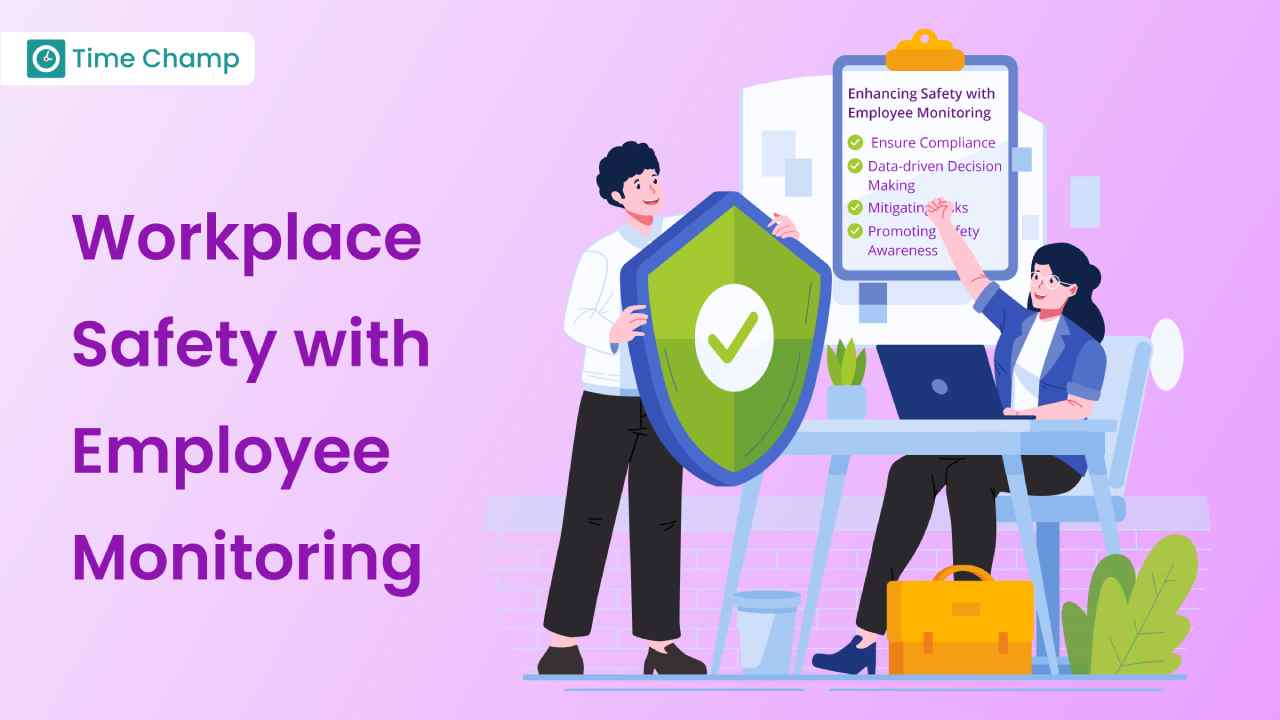
Learn how employee monitoring enhances safety through compliance, risk management, and awareness. Explore key practices and future trends.
Tarun Kumar Reddy | Aug 22, 2024
Learn how employee productivity monitoring software can boost your company with key features, usage tips, and advantages of using tools like Time Champ.
Tarun Kumar Reddy | Jun 24, 2024
Learn how to detect employee monitoring software, identify the key signs on your computer, and understand what to do if your activity is being monitored.
Anjali | Apr 13, 2026
Discover the ins and outs of employee monitoring: from its benefits to ethical considerations. Everything you need to know in one comprehensive guide.
Mounika Sai | Dec 08, 2023


 4.7/5 avg.
Ready to Manage Your Workforce Smarter?
Join our family of 1500+ companies using smart insights to redefine workforces!

Free Trial
No Credit Card Required