Employee Monitoring Software: Importance & Benefits
Well-run employee monitoring software boosts productivity, protects sensitive data, and builds real accountability without slipping into surveillance.
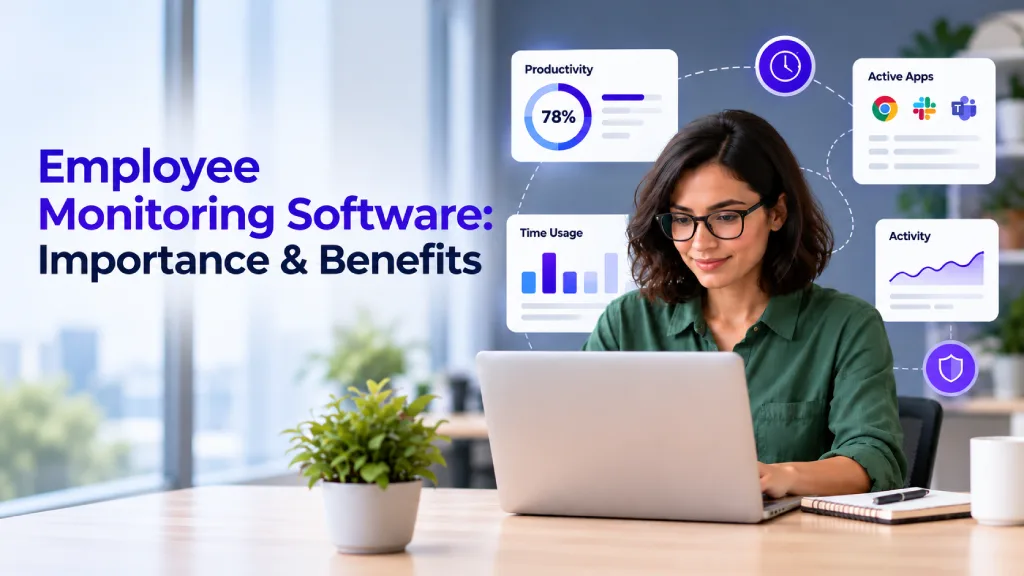
A team can look busy all day and still leave you wondering what is actually getting done. Messages keep coming in, meetings fill the calendar, and tasks move between tools, but without a clear picture of work patterns, productivity gaps can remain hidden. Employee monitoring software helps turn that uncertainty into useful insight, giving you a better understanding of how work happens without requiring constant check-ins.
In this blog, you'll understand why employee monitoring matters and the key benefits it can bring to your business. You'll also learn how to use monitoring responsibly while protecting employee trust and avoiding unnecessary surveillance.
What is Employee Monitoring Software?
Employee monitoring software is a digital solution that tracks and analyzes employees’ work-related activities, including time spent on tasks, applications, websites, and devices. It turns this activity data into productivity and performance insights, helping businesses improve accountability, manage workloads, identify inefficiencies, and make better workforce decisions.

Did You Know?
The Verizon Data Breach Investigations Report (DBIR) found that the human element was involved in 60% of data breaches, highlighting the importance of monitoring employee activity as part of a broader security strategy.
Why is Employee Monitoring Important?
Employee monitoring software gives you a clearer view of how work is progressing across your team. When you implement it transparently and responsibly, it can help you identify productivity challenges, protect sensitive information, and make more informed workforce decisions.

Improves Employee Productivity
Monitoring shows you where employees spend their work time. It can reveal distractions, inefficient tools, or tasks that take longer than expected. You can then improve processes or adjust workloads without simply asking employees to work faster.
Strengthens Employee Accountability
Activity records give you a clearer view of work progress and responsibilities. They help you discuss missed goals, recognize contributions, and set realistic expectations with your team. When the purpose and scope of monitoring are clear, accountability can improve without creating unnecessary pressure.
Provides Better Workforce Visibility
Monitoring helps you understand how workloads are distributed across the team. It can show whether employees are overloaded or which processes are causing delays. With this information, you can identify bottlenecks and improve workflow more effectively.
Supports Remote and Hybrid Teams
Remote teams can be difficult to manage without clear visibility into work progress. Monitoring provides consistent insights across different locations and helps you focus on measurable activity, not just physical presence. It can also reduce the need for frequent check-ins.
Helps Protect Sensitive Business Data
Monitoring can help you identify unusual access patterns or risky activity involving sensitive information. This allows you to respond to potential security issues more quickly. However, you should limit monitoring to legitimate business needs and follow clear privacy policies.
Supports Better Workforce Decisions
Monitoring data helps you make decisions based on actual work patterns. It can reveal workload imbalances, process delays, and training needs. You can use these insights to improve staffing, task allocation, and performance planning.
Finding it difficult to measure employee productivity accurately?
Time Champ turns work activity into actionable productivity insights.
Employee Monitoring Vs Surveillance: Where the Line Stands?
Employee monitoring and surveillance can involve similar technologies, but the way they are used makes the difference. Responsible monitoring focuses on work-related activity and useful insights, while surveillance can become intrusive when tracking is excessive, hidden, or focused on controlling employee behavior.
| Aspect | Employee Monitoring | Employee Surveillance |
|---|---|---|
| Focus | Tracks work activity, productivity, time, and performance. | Observes employee behavior, often to detect misconduct or enforce control. |
| Purpose | Helps identify productivity gaps, improve workflows, and manage workloads. | Primarily focuses on security, investigation, or preventing unwanted behavior. |
| Transparency | Employees are informed about what is tracked and why. | Tracking may be hidden, unclear, or partially disclosed. |
| Data collection | Collects information relevant to defined business needs. | Can involve broader or more intrusive tracking than necessary. |
| Employee trust | When implemented responsibly, it can support accountability and clearer expectations. | Excessive or covert tracking can create stress, distrust, and privacy concerns. |
| Data usage | Insights are used to improve performance, workflows, and workforce decisions. | Information may be used primarily for investigation, control, or disciplinary action. |
How to Roll Out Employee Monitoring Software Without Losing Employee Trust?
Introducing monitoring without explaining it first can make your team feel watched and unsupported. To build acceptance, start with a clear purpose, set reasonable boundaries, and explain how employee information will be handled. Transparent communication helps employees understand that monitoring is intended to support business goals, not invade privacy.
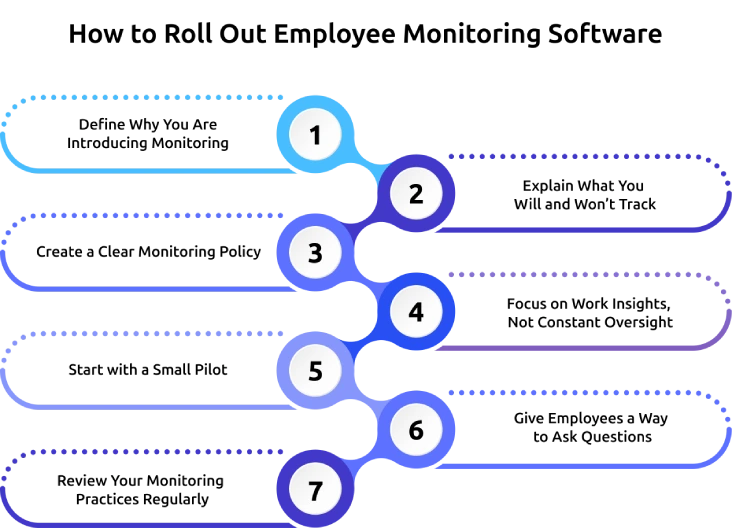
1. Define Why You Are Introducing Monitoring
Identify the specific business problem you want to solve before installing the software. Decide whether you need to improve productivity, understand workloads, strengthen data security, or support remote work. Explain this purpose clearly so employees understand how monitoring benefits the organization.
2. Explain What You Will and Won’t Track
Tell employees exactly what information the software collects and what it does not collect. Clarify whether you track work hours, applications, websites, activity levels, or other work-related data. Also explain who can access the information and how it will be used.
3. Create a Clear Monitoring Policy
Write your monitoring policy before rolling out the software. Include details about the purpose of monitoring, the data collected, access permissions, retention periods, and how employees can raise concerns. A written policy gives everyone a consistent reference point.
4. Focus on Work Insights, Not Constant Oversight
Use monitoring data to identify patterns and improve workflows without scrutinizing every individual action. Look for overloaded teams, inefficient processes, and recurring bottlenecks. Keep focus on improving work, not just checking whether employees are active every minute.
5. Start With a Small Pilot
Avoid deploying monitoring across the entire organization immediately. Begin with a suitable team or workflow, gather feedback, and review the results before expanding the program. Use the pilot to clarify policies and remove unnecessary tracking.
6. Give Employees a Way to Ask Questions
Prepare for questions about privacy, data access, monitoring hours, and performance reviews. Create a clear channel for employees to raise concerns and ensure managers provide consistent answers. Continue communicating after the initial announcement to maintain trust.
7. Review Your Monitoring Practices Regularly
Review your monitoring approach as business needs change. Check whether the data collected remains necessary, access is properly restricted, and employees understand the current policy. Remove unnecessary tracking while retaining information that supports legitimate business goals.
Did You Know?
The APA’s Work in America Survey found that 56% of monitored workers typically felt tense or stressed during their workday, underscoring the need for responsible monitoring practices.
How Time Champ Makes Employee Monitoring Easier
When you manage a remote, hybrid, or growing team, scattered work data can make it difficult to see where time goes, how productive teams are, and where work gets delayed. Time Champ is smart employee monitoring software that brings employee activity, productivity, attendance, and work-time data into one platform, giving you practical visibility without relying on constant check-ins.
Here are the key Time Champ features that can help you monitor work more effectively:
- Automated Time Tracking: Automatically records employee work hours, giving you accurate time data without relying on manual timesheets. This helps you see how much time teams spend working and reduce time-tracking errors.
- Productivity Monitoring: Shows daily productivity patterns and highlights potential gaps across your team. You can use these insights to identify where processes, workloads, or work habits may need improvement.
- Work Activity Tracking: Tracks app and website usage along with activity levels during work hours. This helps you distinguish productive work patterns from recurring distractions and understand how employees use their work time.
- Screenshots & Screen Recordings: Captures configurable screenshots and screen recordings to provide additional context around work progress. This can reduce guesswork when reviewing tasks, quality issues, or specific work activities.
- Live Screen Monitoring: Lets you view employee work screens in real time when you need immediate visibility into ongoing work. This can be useful for checking progress, supporting remote teams, or responding to specific operational needs.
- Suspicious Activity Detection: Identifies unusual work patterns, risky tool usage, repetitive keystrokes, and abnormal mouse activity. These signals can help you spot potential issues earlier and respond before they affect your operations.
- Real-Time Dashboards & Reports: Brings productivity and performance information into live dashboards and detailed reports. You can quickly spot trends, compare work patterns, and use current data to make better workforce decisions.
Struggling to see where your team’s time and productivity are going?
Use Time Champ to track employee activity and turn work data into actionable insights.
Conclusion
Employee monitoring software can give you the visibility needed to improve productivity, strengthen accountability, and manage distributed teams more effectively. Its value depends on how thoughtfully you use it, focus on relevant work data, communicate openly, and avoid excessive tracking. When monitoring supports genuine business needs without constant oversight, it can benefit both you and your employees. Combining clear policies with useful productivity insights can help you identify inefficiencies, protect sensitive information, and make better workforce decisions while maintaining trust. The goal is simple, create greater visibility into work without turning your workplace into an environment of surveillance.

Anjali

Table of Content
 What is Employee Monitoring Software?
- Why is Employee Monitoring Important?
- Employee Monitoring Vs Surveillance: Where the Line Stands?
- How to Roll Out Employee Monitoring Software Without Losing Employee Trust?
- How Time Champ Makes Employee Monitoring Easier
- Conclusion

Related Blogs
Learn what employee monitoring is, the main types, how AI is reshaping it, and how to set it up with clear insights, compliance, and better team visibility.
Thasleem Shaik | May 06, 2026
See how employee monitoring strengthens accountability, improves transparency, and helps teams perform better without crossing into workplace surveillance.
Anjali | Jul 01, 2026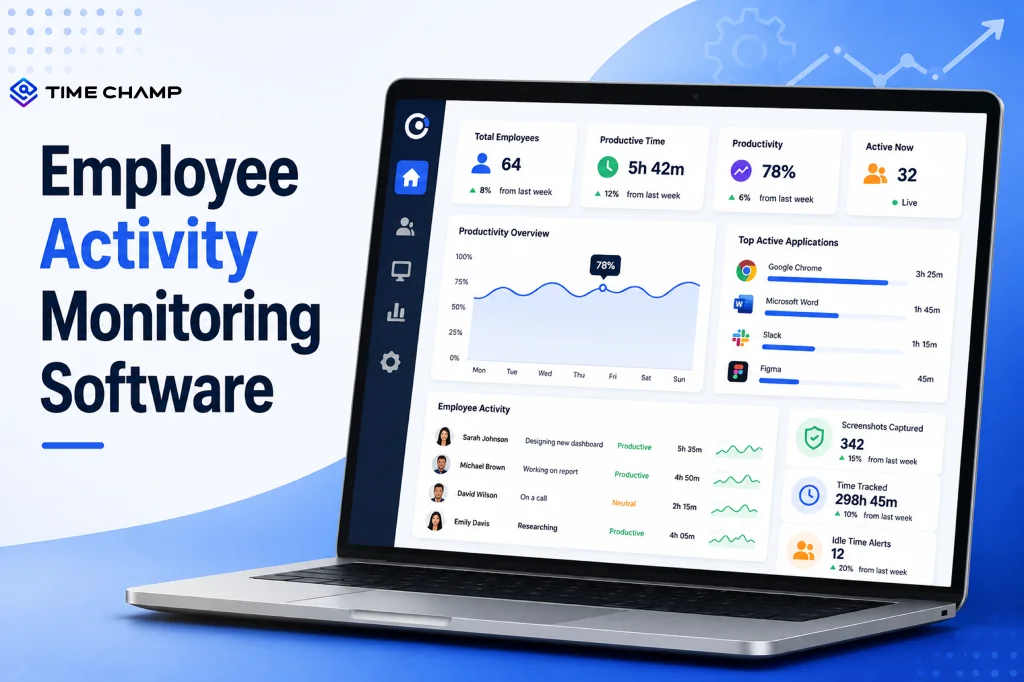
Learn what employee activity monitoring software is, how it works, what data it captures, the main types, legal use, and how it differs from time tracking.
Guna Lakshmi | Jul 28, 2026
Choose the right employee productivity monitoring software. A 2026 guide covering features, evaluation criteria, remote work needs, and rollout tips.
Jahnavi Pulluri | May 06, 2026
Explore ethical employee monitoring techniques to track work transparently, protect privacy, and improve productivity while building trust across your team.
Anjali | Apr 27, 2026
Explore how to implement employee monitoring software effectively with clear steps, legal tips, best practices, ROI metrics, and key pitfalls to avoid.
Anjali | Apr 15, 2026


 4.7/5 avg.
Ready to Manage Your Workforce Smarter?
Join our family of 1500+ companies using smart insights to redefine workforces!

Free Trial
No Credit Card Required