Maximizing Remote Team Productivity: Effective Tips & Tools
Scattered teams, missed deadlines? Improve remote team productivity with practical tips and the right tools to keep your distributed teams more focused.
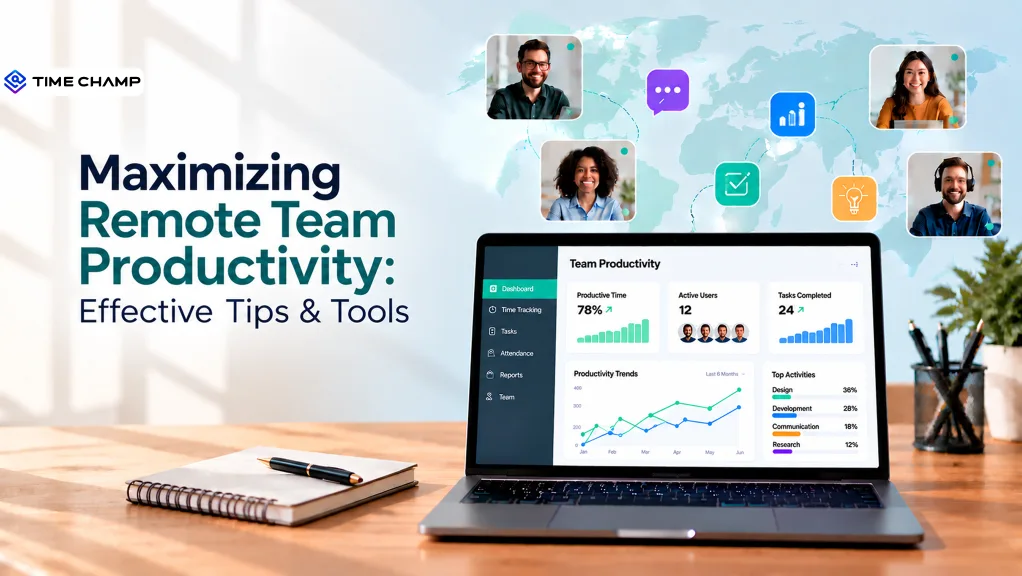
Keeping a remote team aligned can become difficult when work happens across different time zones, locations, and schedules. Without a shared rhythm, even skilled remote teams can quickly lose alignment. Remote team productivity is the measure of how efficiently a distributed team uses its time, skills, and resources to achieve shared goals, helping your teams stay aligned, prioritize work effectively, and consistently deliver results on time.
In this guide, you’ll understand practical tips to improve productivity and tools that help your team stay organized, along with ways to gain better visibility into remote team performance.
Why Does Remote Team Productivity Drop?
When remote teams lose productivity, the problem often goes beyond individual effort. Communication gaps, unclear priorities, constant interruptions, and weak collaboration can make everyday work harder to manage.
Here are several common factors that can cause productivity to drop:
- Unclear Goals and Priorities: When your employees do not know what matters most, they can spend time on low-impact tasks or struggle to meet deadlines. Without clear direction, work becomes scattered and less effective.
- Communication Gaps: Delayed responses, unclear messages, and fragmented communication can slow decisions and create misunderstandings. Too many tools or channels can also make it harder to stay aligned.
- Too Many Meetings: Frequent meetings reduce the uninterrupted time needed for deep, focused work. When coordination takes over the schedule, productivity naturally declines.
- Poor Team Collaboration: Remote work can make your teams more siloed and reduce connections between different groups. This limits knowledge sharing and slows down cross-team progress.
- Home-based Distractions: Household interruptions, notifications, and other distractions make it harder to maintain focus throughout the day, reducing overall efficiency.
- Blurred Work-life Boundaries: Without clear separation between work and personal time, employees may experience fatigue and burnout, which gradually lowers performance.

Did You Know?
Gallup’s report found that only 20% of employees were engaged in 2025, contributing to an estimated $10 trillion in lost productivity worldwide. Highlighting how regular feedback and employee support can help strengthen engagement.
How to Improve Remote Team Productivity: 8 Effective Tips
Remote teams work best when everyone knows what to do, how to communicate, and where to focus their time. With the right habits in place, you can improve collaboration, reduce delays, and keep work moving smoothly toward shared goals.
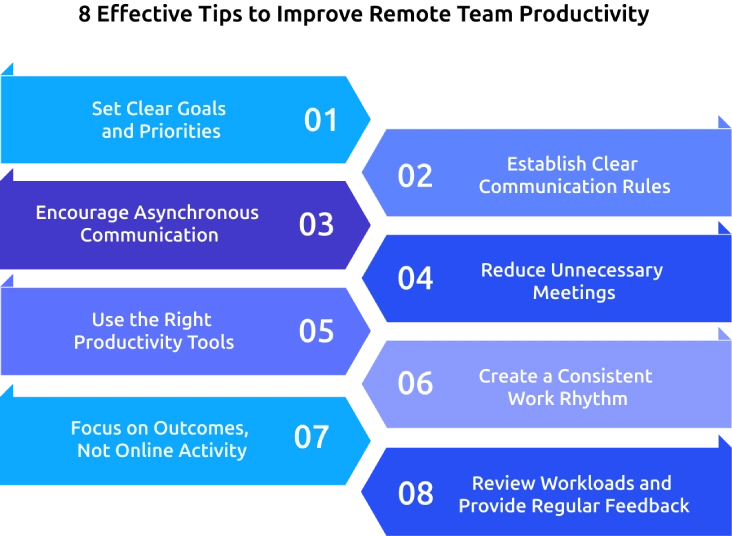
1. Set Clear Goals and Priorities
Give your team a clear view of what needs to get done and when. Set measurable goals, define priorities, and make deadlines easy to understand. This helps your employees focus on high-impact work and reduces confusion about what comes next.
2. Establish Clear Communication Rules
Decide which channels your team should use for different types of communication. Use chat for quick updates, project tools for task discussions, and email for formal information. Clear communication rules reduce unnecessary messages and help your employees find information faster.
3. Encourage Asynchronous Communication
Not every update needs a meeting or an instant response. Encourage employees to share updates, decisions, and documents asynchronously when real-time discussion is not necessary. This gives your team more uninterrupted time for focused work.
4. Reduce Unnecessary Meetings
Review recurring meetings and remove those that add little value. Share agendas before important meetings and use written updates when a meeting is not essential. Protecting focus time helps your team spend more of the workday on meaningful tasks.
5. Use the Right Productivity Tools
Give your team tools that support communication, task management, collaboration, and time management. Keep your toolset simple and make sure each platform has a clear purpose. A well-organized technology setup can reduce friction and keep remote work moving.
6. Create a Consistent Work Rhythm
Set predictable routines for planning, progress updates, and team check-ins. A consistent rhythm helps your employees understand when to collaborate, provide updates, and focus independently.
7. Focus on Outcomes, Not Online Activity
Measure performance through completed work, quality, deadlines, and agreed goals without simply tracking who is online. Outcome-focused management gives your employees greater autonomy while keeping expectations clear.
8. Review Workloads and Provide Regular Feedback
Check whether workloads are balanced and give employees regular opportunities to discuss blockers and progress. Frequent coaching and feedback help you address issues early and keep employees connected to their goals.
Finding it hard to manage remote teams efficiently?
Time Champ helps you track time, tasks, and productivity in one place.
Best Remote Work Tools for Improving Team Productivity
The right tools help your remote teams stay organized, communicate clearly, and get work done without delays. But using too many tools can cause distractions, so it’s important to choose based on your team’s actual workflow.
Time Tracking & Management
Time tracking tools help to understand how your team spends work hours and where time gets lost. They can also support better workload planning, timesheet management, and productivity reviews.
Best Pick: Time Champ, Toggl Track, Clockify
- Time Champ: Helps you track work time, attendance, activity, productivity trends, and time spent across tasks and applications.
- Toggl Track: Useful for tracking time across projects, tasks, and different work activities.
- Clockify: Provides time tracking and timesheet features for teams that need a simple way to record work hours.
Communication & Collaboration
Your remote teams need reliable communication tools to stay connected across locations and time zones. The right platform can reduce communication gaps while supporting both quick conversations and scheduled meetings.
Best Pick: Slack, Microsoft Teams, Zoom
- Slack: Supports organized team conversations through channels, direct messages, threads, and integrations.
- Microsoft Teams: Combines messaging, meetings, file sharing, and collaboration, making it useful for teams already using Microsoft 365.
- Zoom: Supports video meetings, webinars, and virtual discussions when face-to-face communication is important.
Project and Task Management
Project management tools give your remote team a shared view of tasks, ownership, deadlines, and progress. This makes it easier to coordinate work when your employees cannot rely on in-person updates.
Best Pick: Asana, Trello, ClickUp
- Asana: Helps your teams manage structured projects, assign tasks, set deadlines, and track progress.
- Trello: Uses visual boards and cards to make task tracking simple and easy to follow.
- ClickUp: Combines task management, project planning, documents, and other workflows in one workspace.
Knowledge and Brainstorming
Remote teams also need a central place to store information, share ideas, and work on documents together. These tools can reduce information silos and make important knowledge easier to access.
Best Pick: Notion, Miro, Google Workspace
- Notion: Helps your teams organize documentation, notes, databases, project information, and shared knowledge.
- Miro: Provides a visual workspace for brainstorming, workshops, diagrams, and collaborative ideation.
- Google Workspace: Supports real-time collaboration across documents, spreadsheets, presentations, file storage, and other everyday work.
How Time Champ Helps Maximize Remote Team Productivity
Managing remote teams is challenging due to limited visibility into work hours, productivity, task progress, and workload patterns, causing missed deadlines and inefficiencies. Time Champ is a comprehensive workforce intelligence platform with built-in remote work management features that brings time tracking, productivity insights, attendance, task management, and workforce analytics into one platform. It helps you understand how your remote teams work and identify areas that need attention without relying on constant check-ins.
Key features of Time Champ that can help you improve remote team productivity:
- Real-Time Activity Insights: Provides app and website usage, employee activity, and team performance in real time. This helps you identify productivity gaps and understand how work progresses throughout the day.
- Automatic Time & Productivity Tracking: Tracks working hours, productive time, idle time, and productivity trends automatically. You can identify peak productivity hours and spot areas where time is being lost.
- Break & Idle Time Insights: Identifies long or irregular breaks and helps you understand the causes of idle time. This helps to address workflow roadblocks while supporting fair break expectations.
- Project & Task Management: Assigns tasks, sets priorities and deadlines, manages dependencies, and monitors progress through task views and Kanban boards. This keeps your remote teams aligned and reduces missed deadlines.
- Smart Shift Scheduling & Timesheets: Schedules shifts around employee availability and time zones while managing work hours, absences, overtime, and timesheet approvals in one place.
- Workforce Analytics: Compares team productivity, analyzes focused hours, tracks productivity trends, and identifies work-life balance concerns. These insights help you make better decisions and support sustainable team performance.
Struggling to track remote team productivity?
Time Champ helps you spot gaps and improve overall performance.
Conclusion
Remote team productivity improves when your employees have clear goals, focused work time, effective communication, and the right tools. Simple changes can reduce delays, improve collaboration, and help your team stay aligned across locations. From setting priorities to balancing workloads, each practice can make remote work more efficient. The right productivity tools can also give you better visibility into time, tasks, and team performance. Start by identifying your biggest productivity gaps, then apply the tips that address them. Choose tools that support workflow and use meaningful insights to improve how your remote team works every day.
Anjali

Table of Content
 Why Does Remote Team Productivity Drop?
- How to Improve Remote Team Productivity: 8 Effective Tips
- Best Remote Work Tools for Improving Team Productivity
- How Time Champ Helps Maximize Remote Team Productivity
- Conclusion

Related Blogs

Boost remote team productivity with practical management tips, proven best practices, key metrics, and tools that help your remote teams perform better.
Anjali | Jul 16, 2026
Learn how time tracking improves remote team productivity through better visibility, accountability, performance tracking, and smarter team management.
Anjali | May 16, 2026
Struggling with remote work productivity challenges? Learn what’s slowing your team down and how to improve focus, communication, and performance.
Guna Lakshmi | Apr 15, 2026
Discover how remote team communication and accountability improve with time tracking, helping teams build trust, visibility, and better work habits.
Anjali | May 19, 2026
Avoid common remote team management mistakes that hurt productivity. Learn how to handle communication, collaboration, and efficiency challenges effectively.
Jahnavi Pulluri | Mar 15, 2025
Learn effective remote team alignment strategies to enhance communication, boost productivity, and keep your team connected.
Thasleem Shaik | Mar 13, 2025


 4.7/5 avg.
Ready to Manage Your Workforce Smarter?
Join our family of 1500+ companies using smart insights to redefine workforces!

Free Trial
No Credit Card Required