Time Tracking for Multiple Devices: The Complete Guide
Track time across multiple devices without missing a second and learn key features, common challenges, and smarter tracking methods.
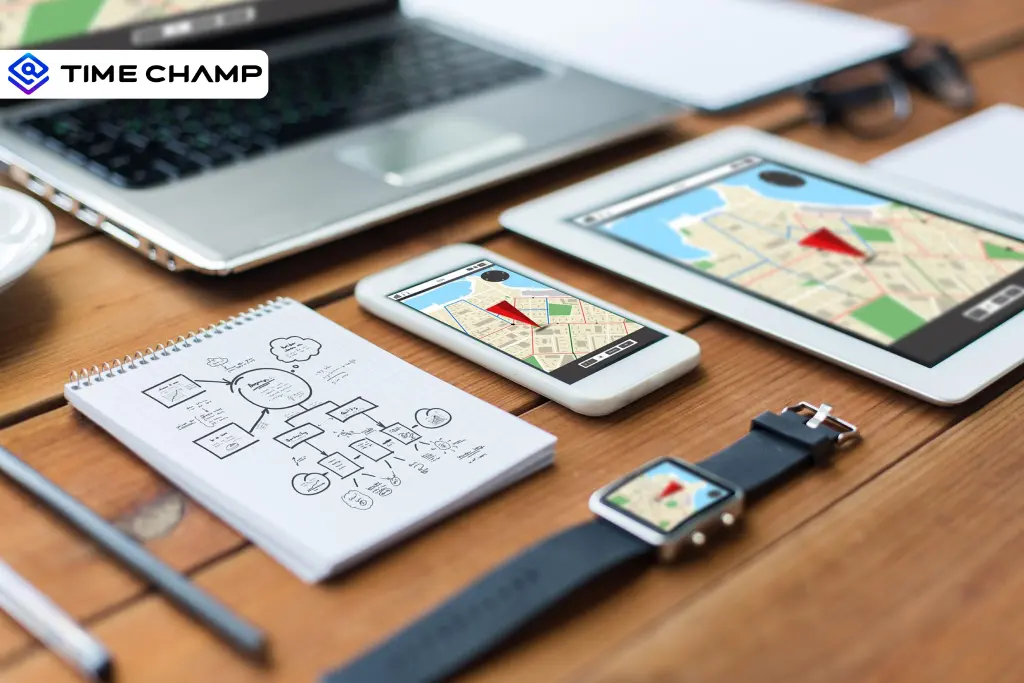
You may start tasks on a desktop, continue on a laptop, and respond from your phone later. But without the right time tracking software for multiple devices, important work hours can easily go missing. The result? Lost billable time, inaccurate payroll, and productivity reports you can’t fully trust.
Here, you’ll learn how multi-device time tracking works, the common challenges teams face, and the key features that help you track every work hour accurately.
Who Needs Multi-Device Time Tracking?
Not every worker needs multi-device tracking. But if your work regularly shifts between machines, relying on single-device tracking creates gaps you can’t afford to ignore.
Developers and Testers
If you’re a developer or tester, your work probably moves between different devices all day. You may code on one system, test on another, and check mobile behavior on a phone or tablet. Without proper tracking, work sessions can easily get missed.
Designers and Creative Professionals
Designers usually create, review, and approve work across multiple devices. If tracking only happens on one screen, many creative hours may never appear in reports.
Agency and Consultancy Teams
Agency teams constantly move between office systems, personal laptops, and client devices. Poor syncing can quickly lead to incomplete timesheets and project confusion.
Remote and Hybrid Workers
Remote and hybrid employees frequently work from different locations using different devices. Even small tracking gaps can slowly turn into larger payroll and reporting issues.
Freelancers Managing Multiple Clients
Freelancers often manage separate clients across different devices. A proper multi-device tracker helps keep every billable hour connected to the right project automatically.

Did You Know?
According to the Deloitte Global Survey, almost 80% of companies now allow employees to work remotely or in a hybrid setup.
Are your work hours lost during device switches?
Time Champ helps you track every minute accurately across, laptops, and mobile devices without interruptions.
Working Process of Multi-Device Time Tracking
Multi-device time tracking may sound technical, but the process is actually simple. The software works quietly in the background to track your work across all your devices and combine everything into one system.
Here’s the working process of multi-device time tracking:
Account-Level Data Architecture
The biggest difference between basic tracking tools and multi-device tracking systems is how they store your data. Basic trackers usually attach your work hours to one specific device. If you switch machines, your tracking may stop or create separate records. Multi-device tracking software works differently.
That means when you log into another device, your tracking history continues automatically from where you left off. Your work stays connected in one place instead of being scattered across multiple systems. This becomes extremely important when you regularly move between office desktops, personal laptops, or mobile devices throughout the day.
Cloud Sync in Real Time
Real-time cloud sync is what keeps tracking accurate across all devices. The software continuously updates your activity to the cloud as you work. When you switch to another device, your latest work information is already available. You can continue working without losing tracked hours or creating overlapping records.
Even a short syncing gap can lead to missing work sessions, duplicate tracking, or inaccurate reports. The more frequently you switch devices, the more important real-time syncing becomes for maintaining accurate records.
Offline Tracking and Smart Resume
Strong multi-device tracking software continues recording your activity even when you go offline. Once your internet connection returns, the software automatically uploads and syncs the saved data without requiring manual action.
Without offline tracking, even short network interruptions can cause missing work hours that are difficult to recover later.
Activity Detection Across Devices
Manually switching timers between devices sounds easy until you forget to stop tracking on one machine before starting another. That small mistake can quickly create duplicate hours and inaccurate productivity reports.
Modern multi-device tracking systems solve this problem using automatic activity detection. The software identifies which device you are actively using and adjusts tracking automatically in the background.
Features to Look for in Multi-Device Time Tracking Software
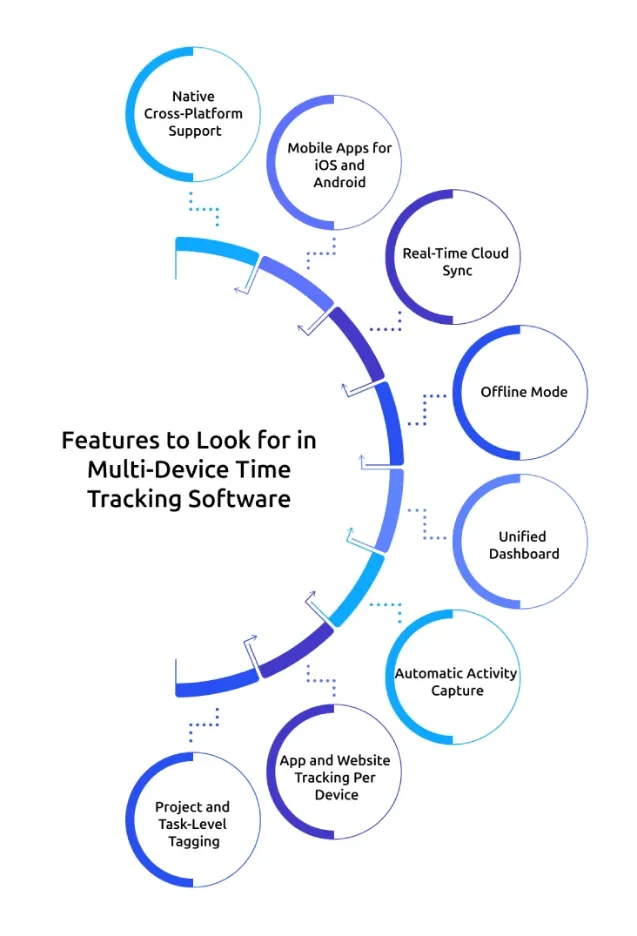
Choosing the wrong software creates long-term problems that affect productivity, reporting accuracy, and payroll visibility. Before you commit to any tool, make sure these features are included.
Native Cross-Platform Support
You may use Windows, Mac, or Linux systems simultaneously. If the software only performs well on one operating system, tracking consistency immediately becomes a problem. Choose software with proper native support for every operating system you use to maintain consistent and accurate tracking.
Mobile Apps for iOS and Android
Work often continues outside the office through meetings, travel, approvals, and quick updates on mobile devices.
Without strong mobile support, important work hours can go untracked. A reliable mobile app helps you stay connected and maintain accurate records from anywhere. It also gives you the flexibility to manage work even while moving between locations.
Real-Time Cloud Sync
When you switch devices, delayed syncing can create missing sessions and duplicate records.
Real-time cloud sync keeps every device updated instantly, helping you continue working smoothly without losing tracking data. This becomes especially important for teams that frequently move between desktops, laptops, and mobile devices.
Offline Mode
You may work in locations with unstable internet or travel frequently during work hours.
Offline tracking ensures work continues getting recorded even without internet access, then syncs automatically once the connection returns. This prevents missing hours and keeps reports accurate even during connectivity issues.
Unified Dashboard
Managing separate reports for multiple devices wastes time and creates confusion.
A unified dashboard brings all tracked hours into one place, making it easier to monitor productivity, employee attendance, and project progress. It also helps you review team performance faster without switching between multiple reports.
Automatic Activity Capture
Manual timers become difficult to manage when you constantly switch devices.
Automatic activity capturing tracks work in the background, helping reduce manual errors, duplicate entries, and missing hours. This allows you to focus more on work instead of manually managing timers all day.
App and Website Tracking Per Device
App and website tracking helps you understand productivity patterns, workflow behavior, and tool usage across different devices. It also helps identify distractions and inefficient workflows before they start affecting performance.
Project and Task-Level Tagging
Without proper project tagging, reports quickly become confusing and difficult to manage.
Project and task-level tagging keep every tracked hour connected to the right task, project, or client. This helps to improve billing accuracy, project visibility, and gives you a clearer understanding of where your time is actually going.
Are sync delays and duplicate entries affecting your productivity reports?
With Time Champ, you can keep every device connected through real-time syncing and automatic tracking.
Common Challenges of Multi-Device Time Tracking
Multi-device tracking solves many problems, but poor software can introduce new ones just as quickly. If your tracking system cannot handle device switching properly, you may end up with inaccurate reports, missing work hours, and billing confusion.
Understanding these challenges early helps you avoid costly tracking mistakes later.
Data Fragmentation
When your time tracking software stores data separately for each device, your work hours become difficult to manage. Instead of seeing a single complete timeline, you end up checking multiple records across different machines. This creates confusion during reporting, payroll, and project tracking.
Duplicate Hours
Duplicate hours usually happen when you switch devices without stopping the timer on the previous machine. The software continues tracking activity on both devices at the same time, which inflates your total work hours. This problem can create inaccurate invoices, incorrect productivity reports, and payroll issues.
Missing Context
Tracking hours alone is not enough if you cannot see what work was actually completed. Some tools only show total time without connecting it to projects, tasks, or activities. This makes it difficult for you to understand how your time was spent across devices.
Sync Lag
Sync lag happens when your tracking data does not update immediately across devices. You may switch from your desktop to your laptop, but your latest work activity may take several minutes to appear. These delays can create gaps in your timesheets and make reports inconsistent.
Inconsistent Cross-Platform Performance
Some tracking tools perform well on one operating system but poorly on others. For example, the Windows version may work smoothly while the Mac or Linux version feels unstable or lacks important features. With this, you’ll experience crashes, delayed syncing, or missing functionality depending on the platform you use.
How Time Champ Handles Multi-Device Time Tracking
Managing work across multiple devices becomes difficult when your time tracking software cannot keep everything connected. That’s why you need a solution that tracks work smoothly, no matter where or how you work.
Time Champ is a time tracking and employee monitoring software with workforce intelligence features designed to help you track work seamlessly across desktops, laptops, and mobile devices. Whether you switch between office systems, remote setups, or travel-based work environments, Time Champ helps you maintain accurate tracking without interruptions.
Automatic Time Tracking: Track work hours automatically in the background without manually starting or stopping timers, helping you improve accuracy and reduce missed entries.
Multi-Platform Compatibility Support: Work smoothly across Windows, Mac, and Linux without worrying about compatibility issues or tracking interruptions.
Real-Time Cloud Sync: Switch between devices without losing tracked hours through instant real-time syncing.
Offline Tracking: Keep your work hours protected with uninterrupted tracking even without an active internet connection.
Automatic Activity Detection: Avoid duplicate entries with automatic detection of active and inactive devices during work hours.
Unified Dashboard: Get a complete view of your work hours across all devices from one centralized dashboard.
Project and Task Tracking Across Devices: Keep every project organized and every task accurate, no matter which device you work from.
Why rely on outdated time tracking methods for a multi-device workforce?
Time Champ helps you track work accurately across every device with real-time syncing, offline tracking, and unified reporting.
Conclusion
Constant switching between desktops, laptops, and mobile devices throughout the day has become very normal now. So, accurate multi-device time tracking is essential for maintaining productivity and increasing operational visibility. The right tracking system helps you avoid missing hours, reporting gaps, and payroll inaccuracies while keeping every work hour connected across all devices.

Guna Lakshmi

Table of Content
 Who Needs Multi-Device Time Tracking?
- Working Process of Multi-Device Time Tracking
- Features to Look for in Multi-Device Time Tracking Software
- Common Challenges of Multi-Device Time Tracking
- How Time Champ Handles Multi-Device Time Tracking
- Conclusion

Related Blogs
Learn what time tracking is, why it matters in 2026, the best methods, and how to implement it without team pushback. A practical guide for modern teams.
Jahnavi Pulluri | May 19, 2026
Learn the key pros and cons of time tracking to enhance employee productivity and manage challenges effectively.
Thasleem Shaik | Aug 17, 2024
Looking for the best freelance time tracking software? Explore the top free and paid tools to track work hours, manage projects, and improve productivity.
Guna Lakshmi | May 18, 2026
Learn how time tracking improves remote team productivity through better visibility, accountability, performance tracking, and smarter team management.
Anjali | May 16, 2026
Explore the top benefits of productivity tracking software for better visibility, balanced workloads, smarter planning, and improved business decisions.
Guna Lakshmi | Apr 30, 2026
A practical guide to choosing productivity tracking software for your team, with comparisons of features, pricing, privacy, security, and rollout risks.
Jahnavi Pulluri | May 01, 2026


 4.7/5 avg.
Ready to Manage Your Workforce Smarter?
Join our family of 1500+ companies using smart insights to redefine workforces!

Free Trial
No Credit Card Required