Attrition Rate Calculator
Calculate employee turnover easily with our attrition rate calculator, a precise, simple tool for tracking workforce changes and retention performance.
Attrition Rate Calculator
What Is the Attrition Rate Calculator?
An Attrition Rate Calculator is a workforce analytics tool that calculates the percentage of employees who exit an organization within a specific period. It uses a standard formula to calculate the attrition rate based on the average number of employees and the total number of separations during the selected time period. This helps you measure workforce exits accurately as a percentage of total employees.
The primary objective of this calculator is to help you calculate attrition quickly, accurately, and consistently. Instead of manually entering formulas in spreadsheets, you can input basic details such as opening headcount, number of departed employees, and closing headcount to automatically calculate monthly, quarterly, or annual attrition rates.
Attrition rate calculation plays a critical role in workforce planning and retention strategy. When attrition is high, it may signal engagement issues, hiring gaps, or organizational instability. A low or stable attrition rate indicates stronger employee retention and more effective workforce management.
Why Should You Use the Attrition Rate Calculator?
An Attrition Rate Calculator provides a quick and reliable way to measure employee turnover over any selected period. It assists you in finding the percentage of attrition accurately and in a consistent way.
Ensure Accurate Attrition Calculation
The calculator follows a standard attrition percentage formula. You can reduce manual mistakes that often happen in spreadsheets. Using average headcount and total employee exits, it provides a clear and precise employee turnover rate. The calculation produces consistent, verifiable results.
Save Time and Eliminate Spreadsheet Errors
Manual attrition calculation can take time and create confusion. Excel formulas may break or produce inaccurate values. You simply enter the required numbers and get instant results with this calculator. It removes complexity and speeds up workforce reporting.
Maintain Consistent Monthly and Annual Reporting
You can calculate the monthly attrition rate or annual attrition rate using the same logic. This ensures your reporting remains consistent across different time periods. It also makes it easier to compare workforce trends over months, quarters, or years.
Strengthen Workforce Planning
Knowing how to calculate employee attrition rate helps you plan better. Accurate turnover data supports hiring forecasts, replacement planning, and budget decisions. It helps you maintain workforce balance and avoid sudden staffing gaps.
Support Data-Driven Retention Decisions
Observing attrition percentage regularly helps you identify turnover trends early. A rising employee attrition rate may point to engagement issues or operational gaps. Clear data allows you to act quickly and improve retention strategies.
Analyze Attrition by Department or Team
You can calculate the attrition rate for a specific team, department, or the entire organization. This helps you identify areas with higher employee turnover. Instead of guessing, you can focus on targeted retention improvements.
Improve Reporting Transparency
A structured attrition calculation process improves clarity in workforce reporting. Clean and consistent data builds trust in HR dashboards and management reviews. Stakeholders can rely on accurate employee turnover metrics when making decisions.
How to Use the Attrition Rate Calculator?
The attrition rate calculator follows a simple, structured process. You enter basic workforce data, and the system automatically calculates the employee attrition percentage using a standard formula in the background.
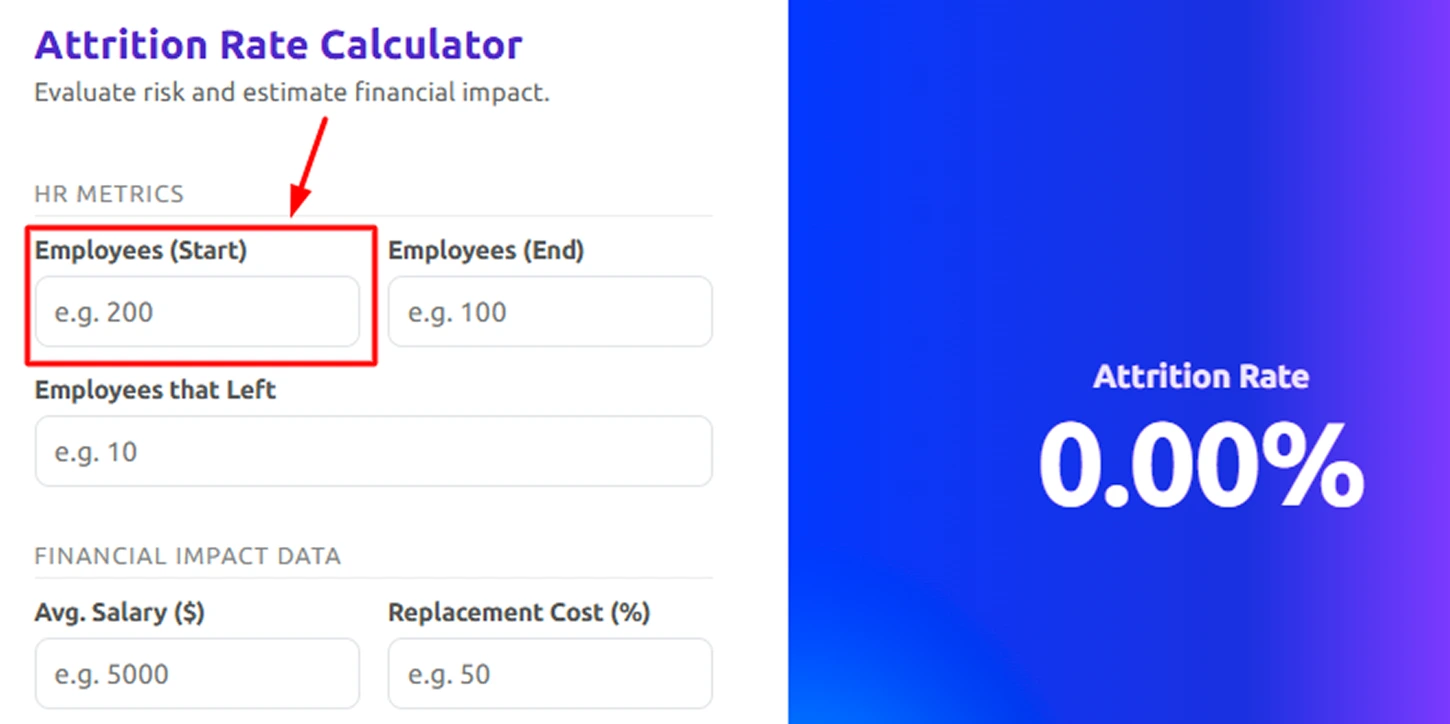
Step 1: Enter Employees at the Start
Begin by entering the total number of employees at the start of the selected period.
This opening headcount represents your workforce size at the beginning of the month, quarter, or year. The calculator uses this value as one factor in determining the average workforce for the period.
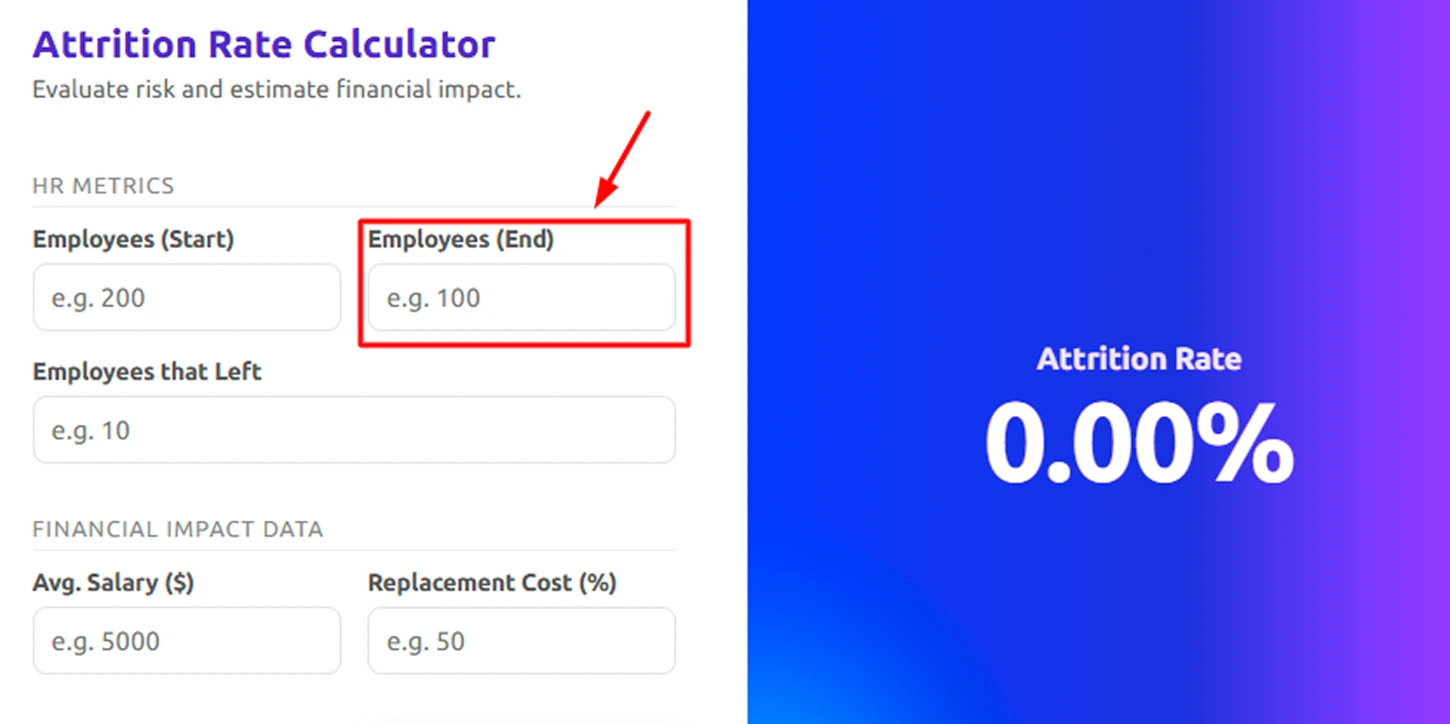
Step 2: Enter Employees at the End
Next, input the total number of employees at the end of the same period.
The calculator combines the closing headcount with the starting headcount to calculate the average headcount automatically, ensuring the attrition rate remains balanced and unaffected by workforce fluctuations.
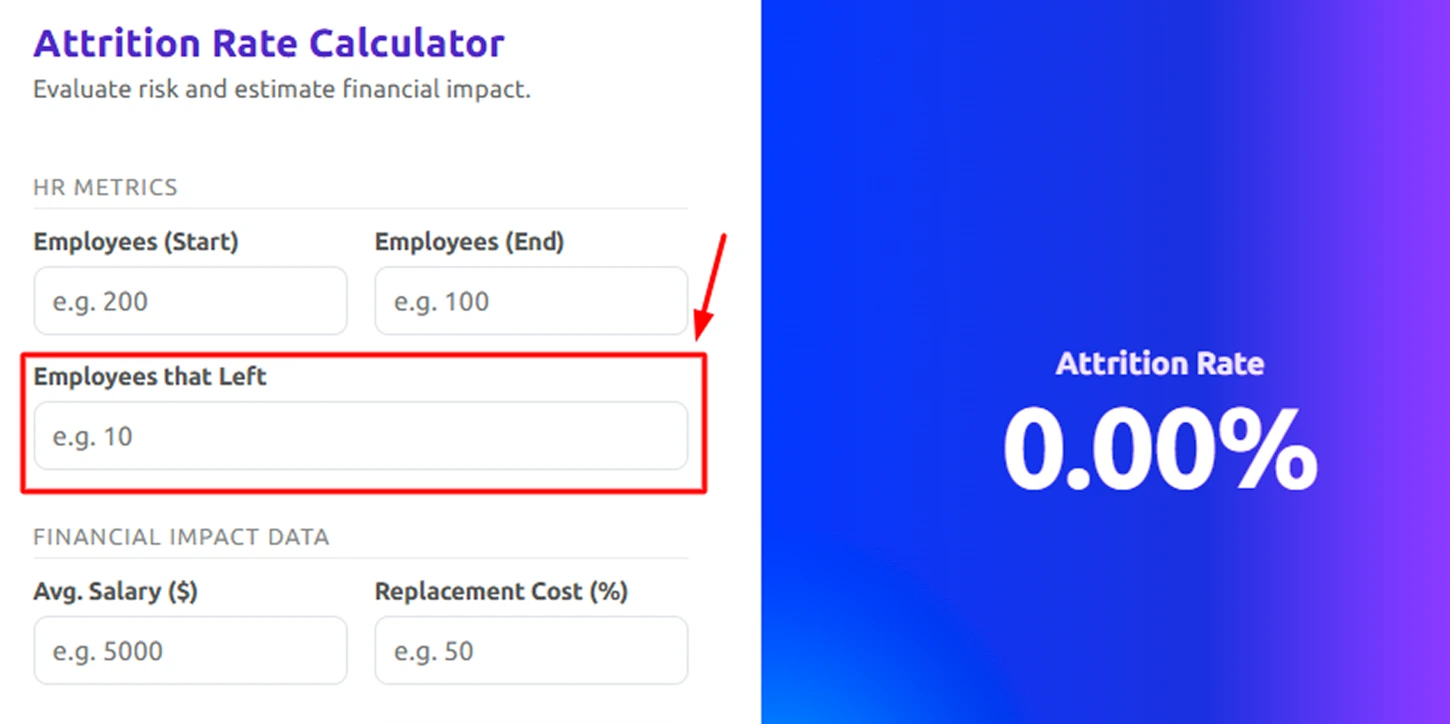
Step 3: Enter Employees That Left
Enter the total number of employees who exited during the selected period.
This figure represents the total number of employee separations used to calculate the attrition percentage. The calculator compares this number against the computed average headcount to determine the employee turnover rate.
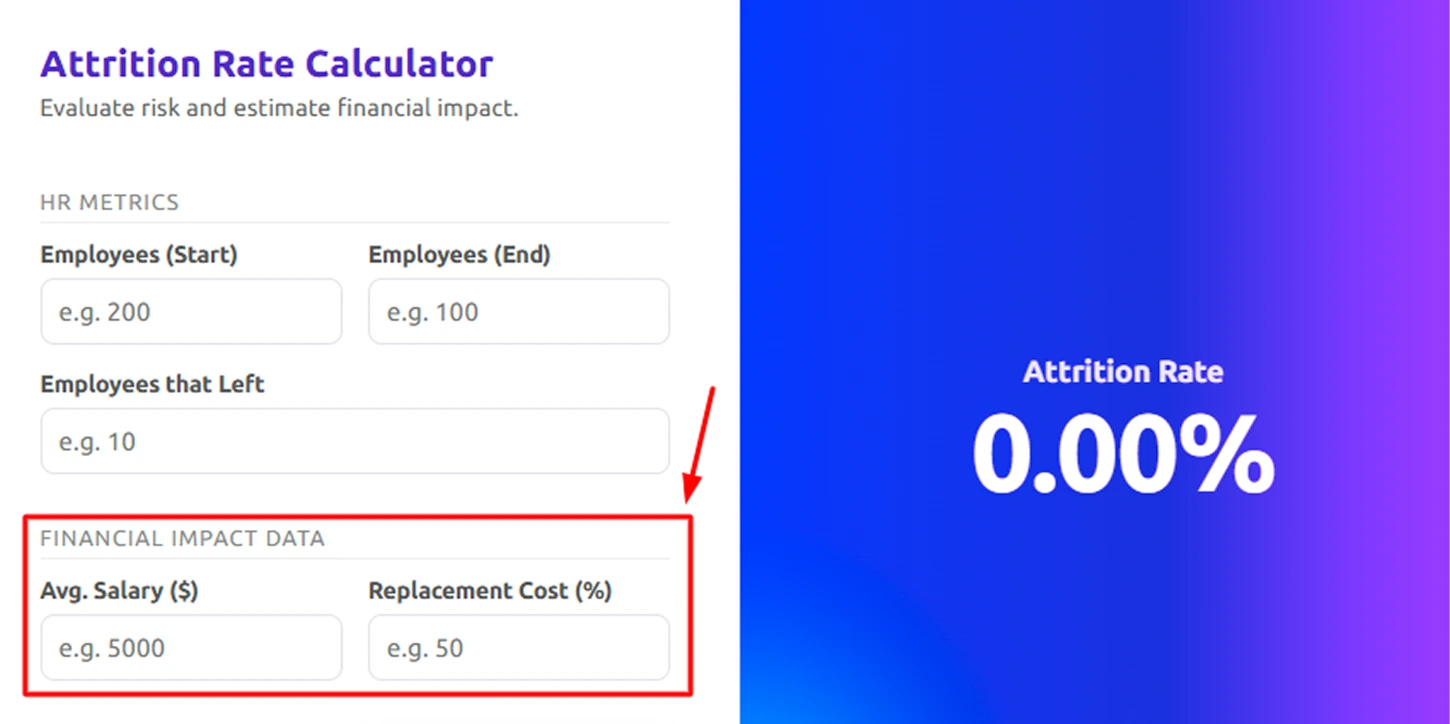
Step 4: Enter Salary and Replacement Cost
Add the average salary and the replacement cost percentage.
These inputs help estimate the financial impact of attrition. The calculator uses them to show how much it may cost to replace employees who have left, giving you a clear view of the financial loss.
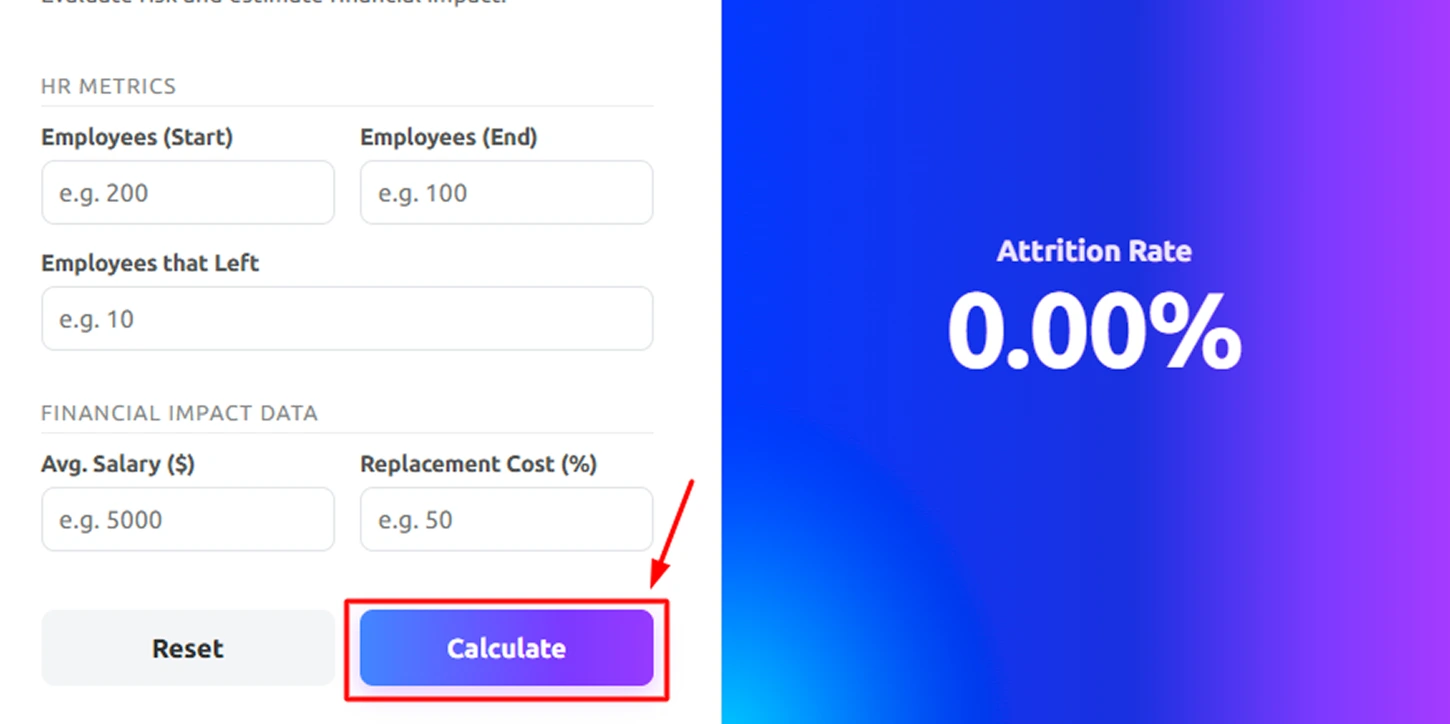
Step 5: Click “Calculate”
After entering all required fields, click the calculate button.
The tool instantly:
- Calculate the average headcount
- Divide the employees who left by the average
- Multiply the result by 100
- Estimate the financial loss based on your inputs
- Display the attrition rate as a percentage
The calculator performs all calculations automatically, so you do not need to apply formulas manually.
Step 6: Review or Print the Result
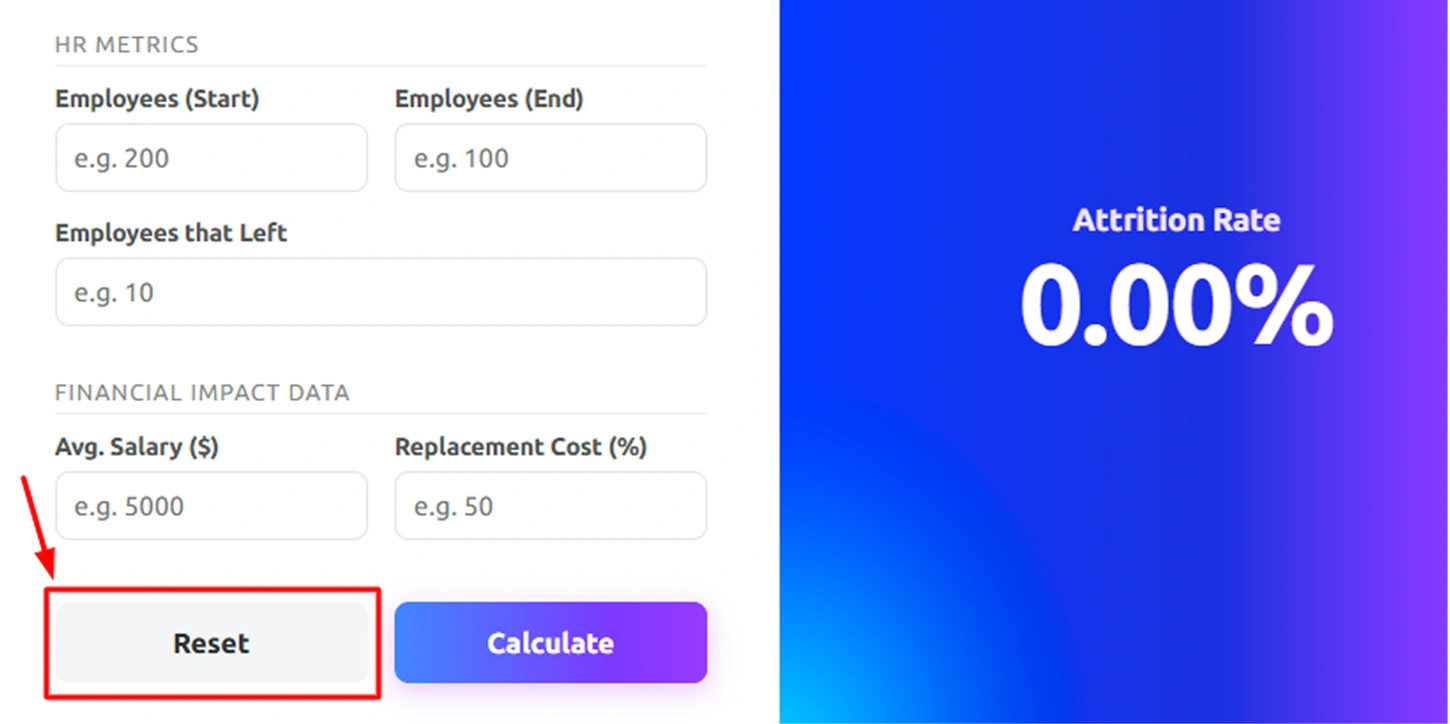
The attrition percentage appears clearly on the screen for easy interpretation.
You can click Reset to perform a new calculation. Use the Print button to generate a report for HR reviews, audits, or management discussions.
How to Calculate the Attrition Rate?
Attrition rate measures employee turnover as a percentage of your average workforce during a selected period. It helps you understand how many employees left compared to your overall team size. Follow the simple step-by-step method below to calculate the attrition rate accurately.
Step 1: Calculate the Average Headcount
Before calculating attrition percentage, first determine the average number of employees present during the period.
Formula
Average Headcount = (S + E) / 2
Where:
- S = Employees at the Start
- E = Employees at the End
Example Calculation:
Given:
S = 200
E = 100
Average Headcount = (200 + 100) ÷ 2
= 300 ÷ 2
= 150
Using the average workforce reduces errors that can occur when calculations rely only on the opening headcount.
Step 2: Calculate the Attrition Rate
Use the average headcount and number of employees who left to calculate the percentage of workforce turnover for the selected period.
Formula:
Attrition Rate (%) = (L/Average Headcount) ×100
Where:
L = Employees who left
Example:
Employees left = 10
Average Headcount = 150
Attrition Rate = (10 ÷ 150) × 100
= 0.0667 × 100
= 6.67%
This means 6.67% of your workforce left during the selected period.
Step 3: Interpret the Attrition Rate
Compare the calculated percentage with standard ranges to understand whether your attrition level is low, moderate, or high.
Most HR benchmarks follow this range:
- 0–10% → Low attrition
- 10–20% → Moderate attrition
- 20–40% → High attrition
- 40%+ → Very high attrition
Example:
If your attrition rate is 6.67%, it falls under low attrition, which indicates stable employee retention.
Step 4: Calculate Replacement Cost per Employee
Estimate the cost to replace a single employee using the average salary and replacement cost percentage.
Formula:
Replacement Cost = Salary × Replacement %
Example:
Average Salary = $500
Replacement Cost = 59%
Replacement Cost per Employee = 500 × 0.59
= $295
This means it costs $295 to replace one employee. It also includes hiring, training, and onboarding costs.
Step 5: Calculate Total Financial Loss
Multiply the replacement cost per employee by the number of employees who left to determine the total impact.
Formula:
Total Loss = L × Replacement Cost
Example:
Employees left = 10
Replacement Cost per Employee = $295
Total Loss = 10 × 295
= $2,950
This shows the total financial impact of employee attrition is $2,950.
Final Output
After completing all calculations, you will have a clear view of:
- Average Headcount → 150
- Employees Left → 10
- Attrition Rate → 6.67%
- Replacement Cost per Employee → $295
- Total Financial Loss → $2,950
- Attrition Level → Low
This step-by-step method gives you both the attrition percentage and its financial impact, so you can understand not just how many employees left, but what it cost your business.
HR teams use this standard attrition calculation method in analytics, workforce planning, and employee turnover reporting. It ensures accurate and consistent measurement of employee attrition percentage across monthly, quarterly, or annual reporting periods.
What Are the Pros and Cons of the Attrition Rate Calculator?
An attrition rate calculator is a useful tool for measuring employee turnover quickly and accurately. However, like any calculation tool, it has both strengths and limitations.
| Pros | Cons |
|---|---|
| Provides instant attrition percentage without manual calculations. | Does not explain why employees are leaving. |
| Uses a standard average headcount formula for accurate results. | Results are only as accurate as the data entered. |
| Supports monthly and annual attrition rate calculations. | Does not predict future employee turnover trends. |
| Helps track workforce stability over time. | Cannot automatically separate voluntary and involuntary attrition unless calculated separately. |
| Makes HR reporting clear and easy to present. | Does not replace advanced HR analytics or workforce intelligence systems. |
What Your Attrition Data Could Be Telling You
An attrition rate calculator gives you an accurate turnover percentage. That percentage, when reviewed consistently, helps you understand turnover trends, identify patterns, and measure workforce stability over time.

Track Department-Level Turnover
Identify which teams or roles experience higher exit rates within a specific period.

Monitor Trends Over Time
Compare monthly, quarterly, or annual attrition rates to detect increases or stabilization.

Measure Retention Performance
Evaluate whether hiring and retention efforts improve turnover rates.

Spot Sudden Spikes in Exits
Recognize unusual increases in separations that may require deeper review.

Support Workforce Planning
Use accurate attrition percentages to adjust hiring forecasts and staffing plans.
Ensure Consistent Calculation
Maintain a standard method for calculating attrition across reporting periods.
How Time Champ Outperforms Basic Attrition Calculators
Calculating attrition rate shows you how many employees have left, but it does not explain what is happening inside your workforce. Attrition percentage alone cannot reveal workload pressure, productivity gaps, attendance patterns, or early warning signs of disengagement. To make confident workforce decisions, you need more than turnover numbers, you need clear operational visibility.
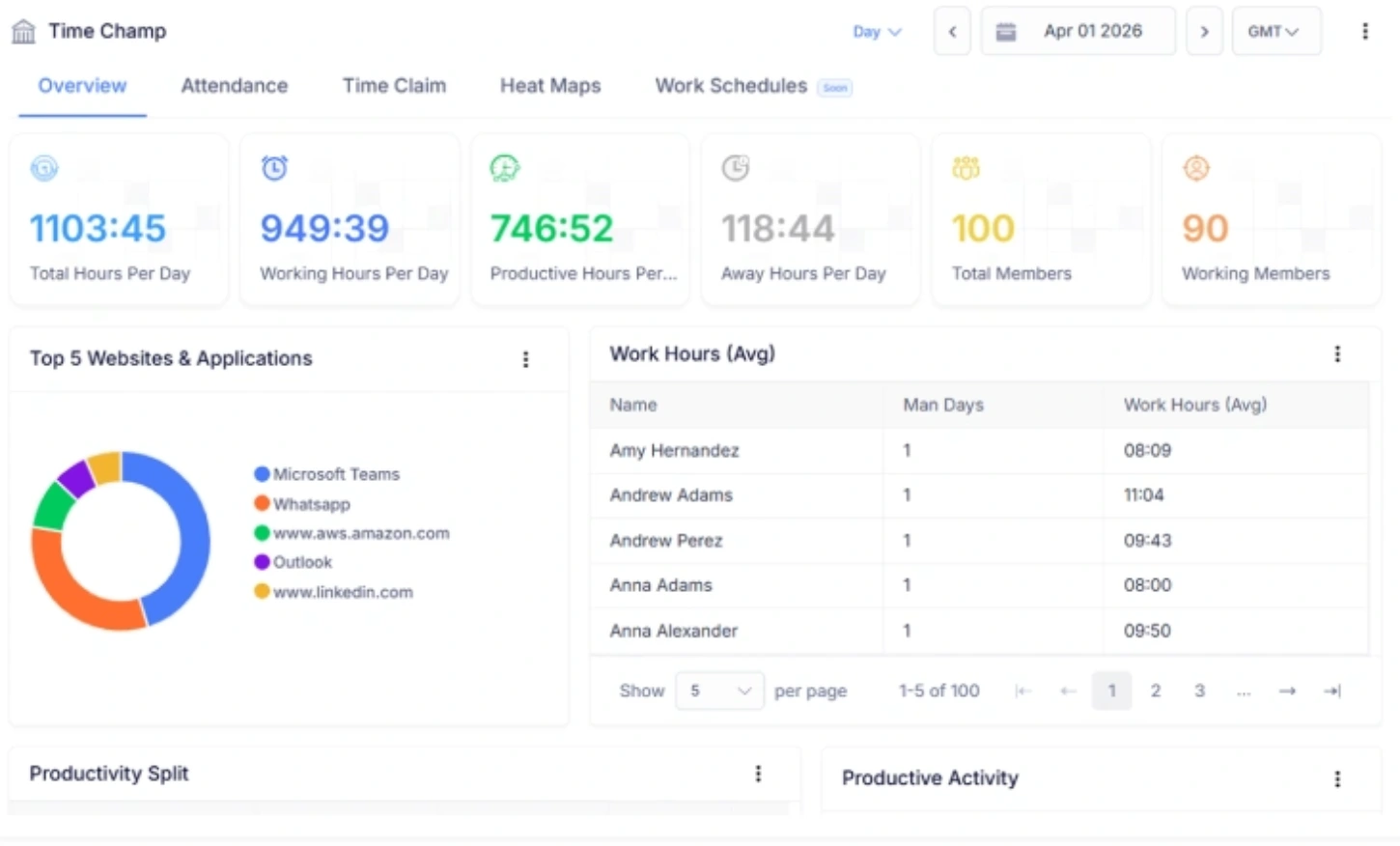
Time Champ, a workforce intelligence platform, gives you actionable insights into workforce patterns, attrition risks, capacity gaps, and productivity trends. It combines attrition data with real-time insights into performance, capacity, and team activity. You can analyze trends, workforce stability, compare departments, and identify potential retention risks early. Instead of reacting to rising employee turnover, you gain the visibility needed to take proactive action and strengthen long-term workforce stability.
| Feature | Time Champ | Spreadsheets | Manual |
|---|---|---|---|
| Attrition Rate Calculation | ✓ | ✓ | ✓ |
| Unified Attrition Risk Index | ✓ | ✕ | ✕ |
| Predictive Attrition Risk Scoring | ✓ | ✕ | ✕ |
| Behavior-Based Risk Detection | ✓ | ✕ | ✕ |
| Burnout & Workload Intelligence | ✓ | ✕ | ✕ |
| Department-Level Attrition Insights | ✓ | Limited | ✕ |
| Real-Time Alerts for Attrition Risk | ✓ | ✕ | ✕ |
| Attendance & Time Pattern Signals | ✓ | Manual | ✕ |
| Executive Workforce Dashboards | ✓ | Basic | ✕ |
| Custom Risk Configuration | ✓ | ✕ | ✕ |
| Data-Driven Retention Insights | ✓ | Basic | ✕ |
Turn Workforce Signals into Proactive Attrition Intelligence
Time Champ transforms workforce data into predictive attrition risk insights automatically with real-time visibility into behaviors, workload patterns, and engagement signals.
- Unified Attrition Risk Index & Custom Risk Scoring
- Real-Time Behavior Monitoring & Alerts
- Verified Time, Attendance & Usage Signals
- Burnout & Workload Imbalance Detection
- Advanced Activity & Productivity Intelligence
 Start 7-day free trial
See how organizations improved performance through workforce intelligence
A Workforce Intelligence Tool Built for Smarter Performance
See What Our Happy Customers Say

We highly recommend Time Champ for improving our workforce efficiency. It’s affordable, easy to use, and great for monitoring, productivity, attendance, and time tracking, an all-in-one solution every team needs.

Time Champ changed the way we manage our teams. Its real-time insights and reports helped us improve productivity, resource planning, and overall work-life balance.

Time Champ helped us cut time wastage, improve focus, and support individual growth. Now our teams work better without constant oversight, and the results speak for themselves. Highly recommended.

Time Champ gave us clear visibility into how time is spent, boosted productivity, and made billing much simpler. Easy to use and highly effective.

Time Champ is a customizable, easy-to-use tool used to monitor time management, track detailed activities, and support teams effectively, making it a cost-efficient and reliable solution ideal for any organization.

Manual tracking was inefficient. Time Champ now gives us clear, privacy-safe insights into app and website usage, improving both payroll accuracy and team performance.
Connect with our product experts for a live demo and discuss your business requirements.
Explore Other Calculators

Billable Hours Calculator
Calculate billable hours instantly with our Billable Hours Calculator, an accurate tool for tracking work time, productivity, and client billing insights.
Try Now →Completion Percentage Calculator
Calculate expenses with our project cost calculator, a tool for estimating budgets, tracking costs, and planning projects with accuracy and control.
Try Now →Shift Differential Calculator
Calculate task or project completion rates instantly with our completion percentage calculator - an accurate tool to track progress and improve productivity.
Try Now →


 4.7/5 avg.
Ready to Manage Your Workforce Smarter?
Join our family of 1500+ companies using smart insights to redefine workforces!

Free Trial
No Credit Card Required