Completion Percentage Calculator
Calculate task or project completion rates instantly with our completion percentage calculator - an accurate tool to track progress and improve productivity.
What is the Completion Percentage Calculator?
A completion percentage calculator is an online tool that calculates how much of a project task, or objective, you have completed by comparing the work completed or units against the planned scope. It helps you calculate the percent complete by dividing the completed value by the total value and converting the result into a percentage. This tool is useful for the team leads, project managers, and professionals who need to monitor progress accurately and make informed decisions.
The main purpose of this calculator is to help you track the progress quickly without doing manual calculations. Whether you manage projects, tasks, assignments, and production targets, you can utilize it to understand how much you have finished and how much remains. It saves your time, reduces errors, and provides you with a clear and effective view into performance.
Its importance lies in better decision-making and productivity control. Understanding your completion percentage helps to adjust deadlines, use the resources efficiently and stay on schedule. You rely on the accurate numbers, which help you to stay focused and achieve your main goals efficiently without guessing progress.
Why Should You Use the Completion Percentage Calculator?
When you monitor the progress of a project, guessing is never enough. You need real-time and accurate data to understand how much work you have completed and what remains. A completion percentage calculator helps you to clearly measure the progress, make accurate decisions, and maintain better control over reporting and performance.
Effective Project Performance Tracking
You get instant visibility into your completion percentage once you enter the completed work and total work. The completion percentage calculator clearly shows your total completion percentage, which helps you to monitor the progress at every stage without confusion.
Better Planning & Resource Allocation
Clear percentage completion data helps you to adjust the timelines, redistribute tasks, and allocate the resources effectively. When you know exactly how to calculate the completion rate, you can make better and more accurate decisions, which keep your project moving forward.
Flexible Progress Measurement
You can calculate the completion percentage based on tasks and hours worked, milestones, production units or deliverables. This makes the percentage completion calculator effective for the industries, teams, and project types without changing the workflow.
Improves Reporting and Transparency
When you track completion percentage accurately, it helps you generate organized progress reports that stakeholders can easily understand. Clear progress data allows you to communicate effectively, build accountability, and keep everyone aligned with the project objectives.
Reduces Manual Calculation Errors
When you rely on manual calculations, small errors in the percent complete formula can impact reporting accuracy. The completion rate calculator automatically applies the accurate calculation, which offers you consistent percentage complete outcomes each time.
Stronger Focus through Clear Progress Visibility
When you clearly observe the total completion percentage, you can stay focused on what actually remains. Visible progress boosts morale, emphasizes milestones, and promotes consistent movement towards project completion.
How to Use the Completion Percentage Calculator?
A step-by-step process makes it easy to keep monitoring the project progress. The completion percentage calculator works effectively if you enter the required values. Here is a clear procedure which helps you to effectively understand the calculator functionality and how to use it properly.
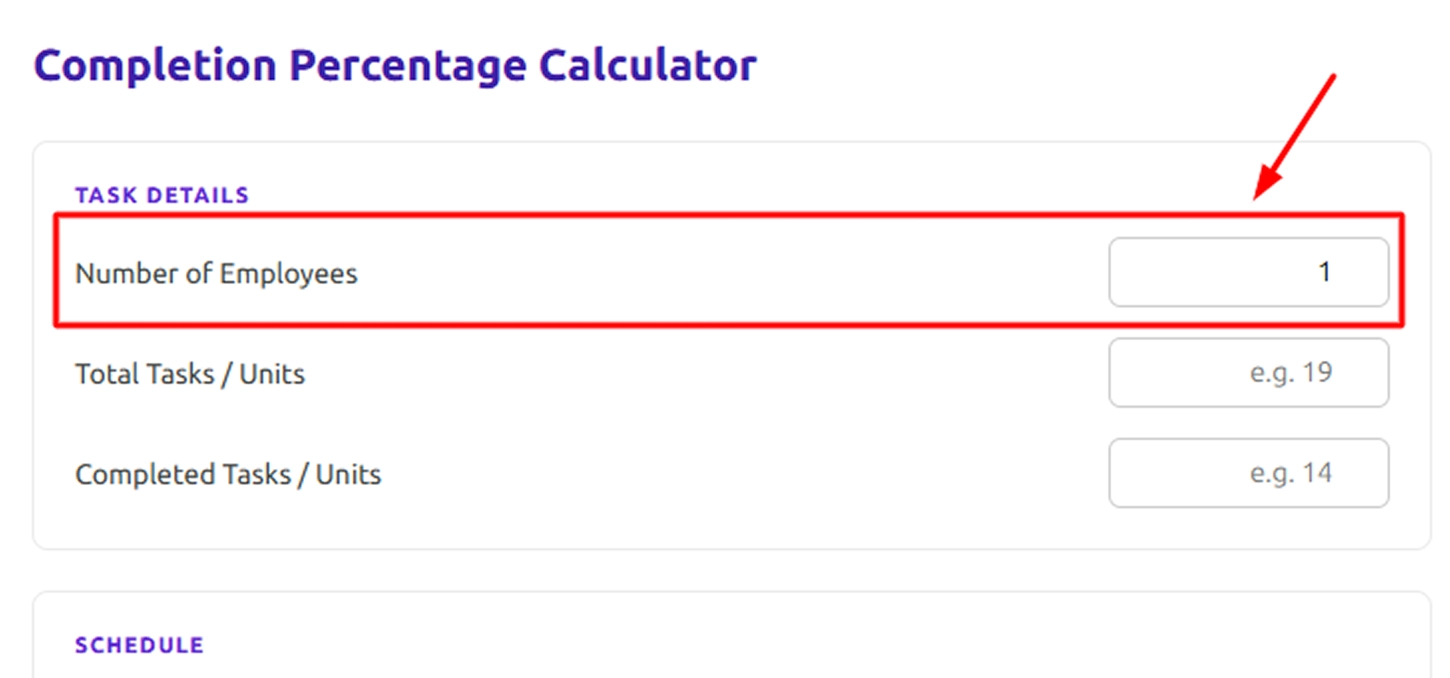
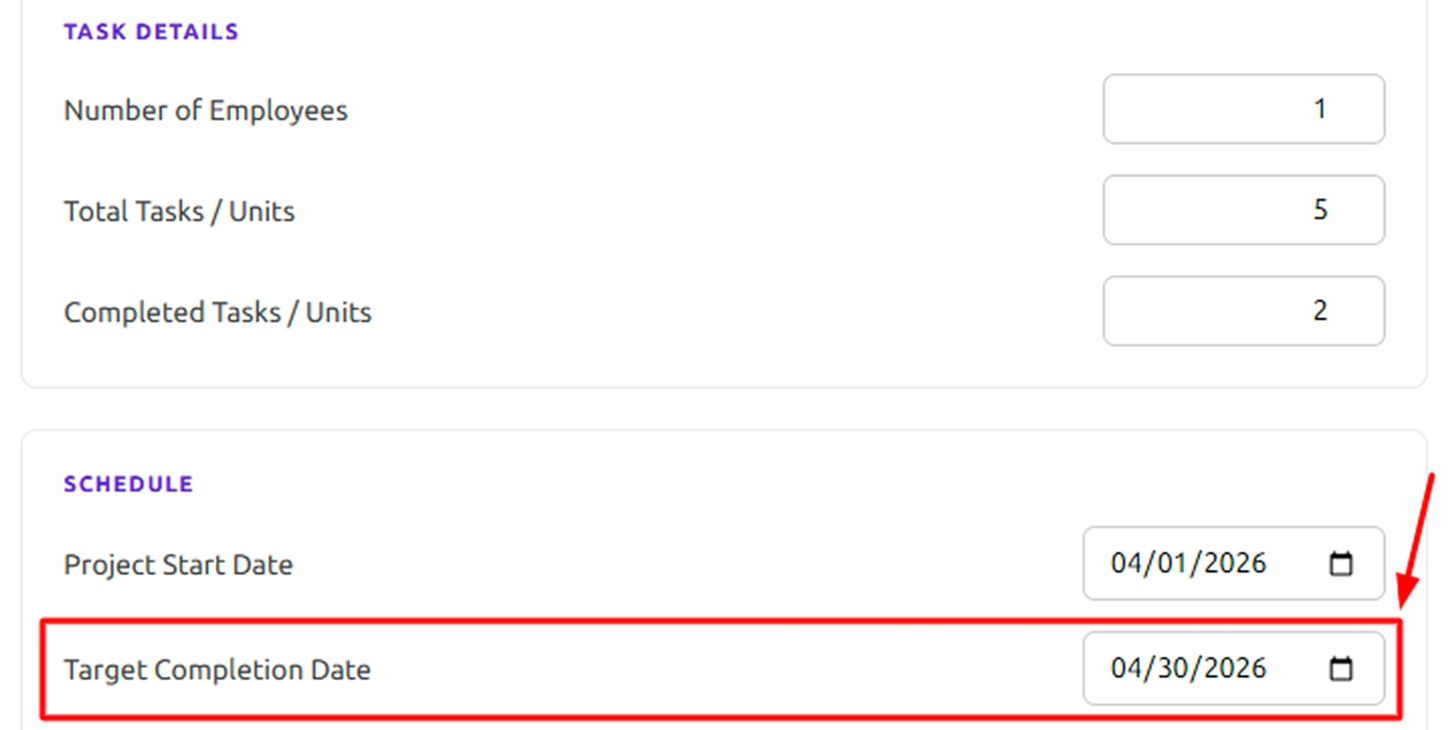
Step 1: Enter the Number of Employees
Start by entering the Number of Employees involved in the project. This helps the calculator to estimate productivity and the required completion rate per employee.
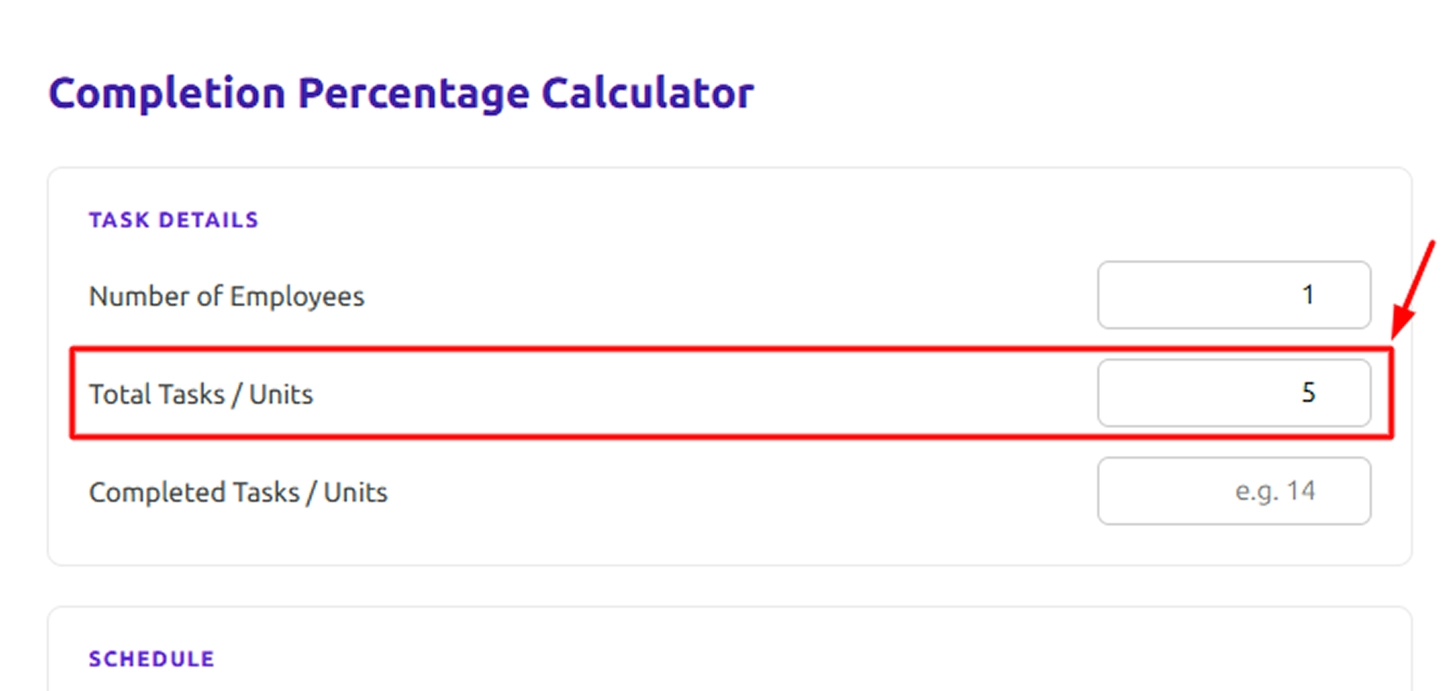
Step 2: Add the Total Tasks or Units
Enter the Total Tasks / Units that represent the entire scope of your project. This value represents 100% of the project work.
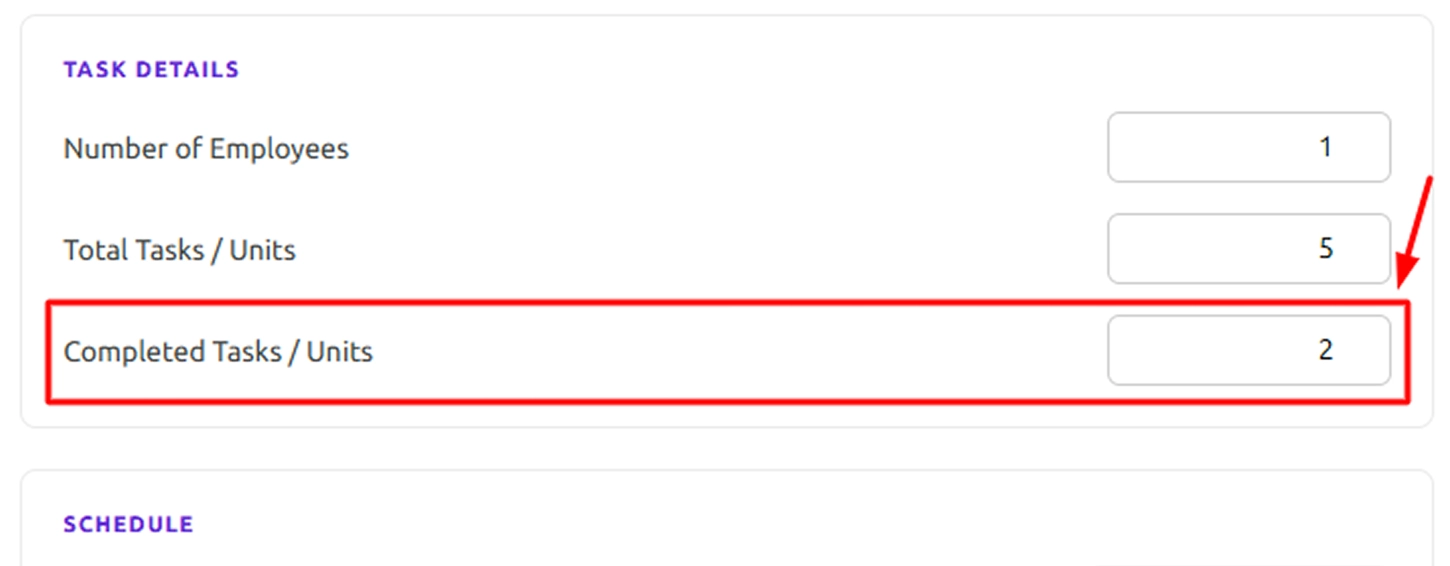
Step 3: Input the Completed Tasks or Units
Next, enter the Completed Tasks / Units. This shows how much work has already been finished and allows the calculator to determine the completion percentage.
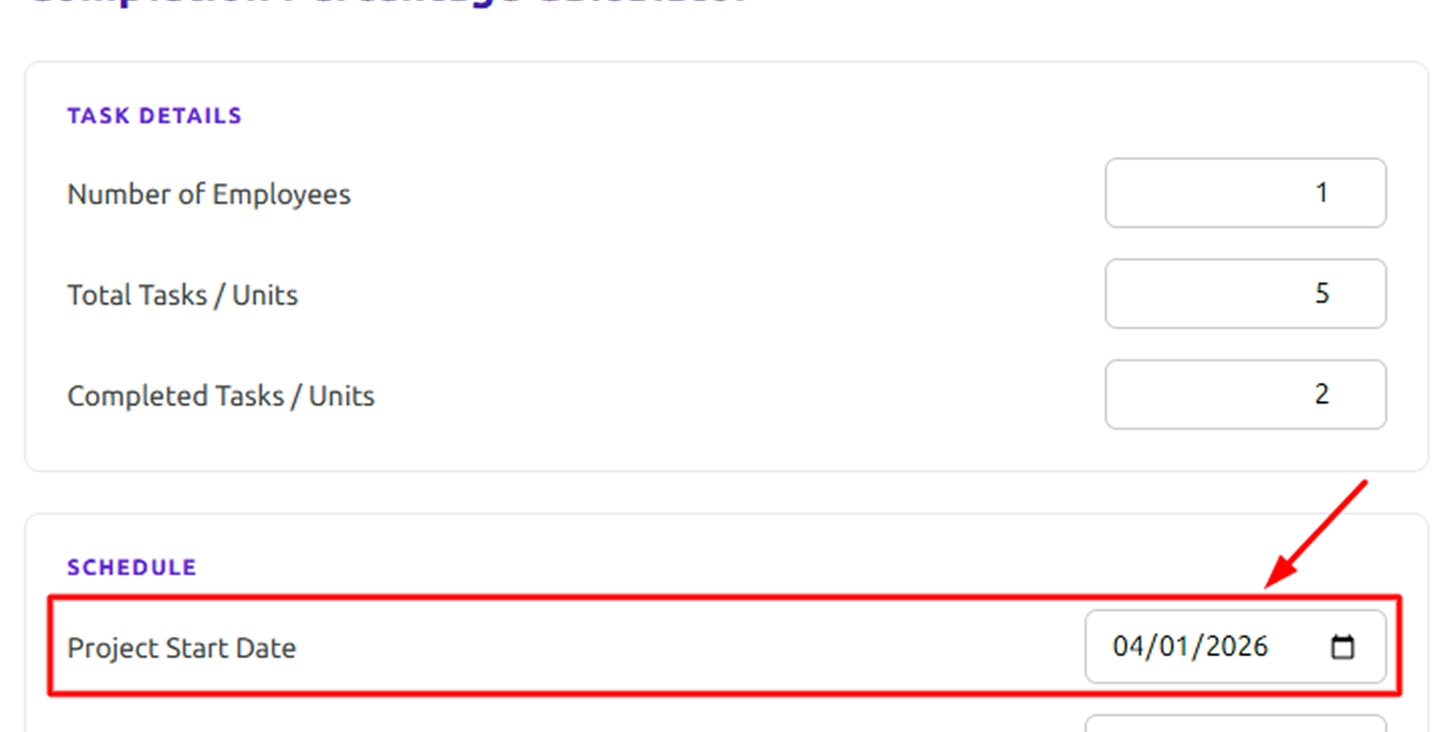
Step 4: Select the Project Start Date
Choose the Project Start Date to indicate when the project began. This helps the calculator measure the time elapsed during the project timeline.
Step 5: Enter the Target Completion Date
Provide the Target Completion Date to define the expected project deadline. The calculator uses this to estimate the required work rate and expected finish time.
Step 6: Click the Calculate Button
After entering all the details, click on the Calculate. This tool will instantly display the important insights like:
- Completion Percentage
- Remaining Work Percentage
- Time Elapsed
- Project Status
- Estimated Finish Date
- Total Productivity
- Productivity per Employee
- Required Completion Rate
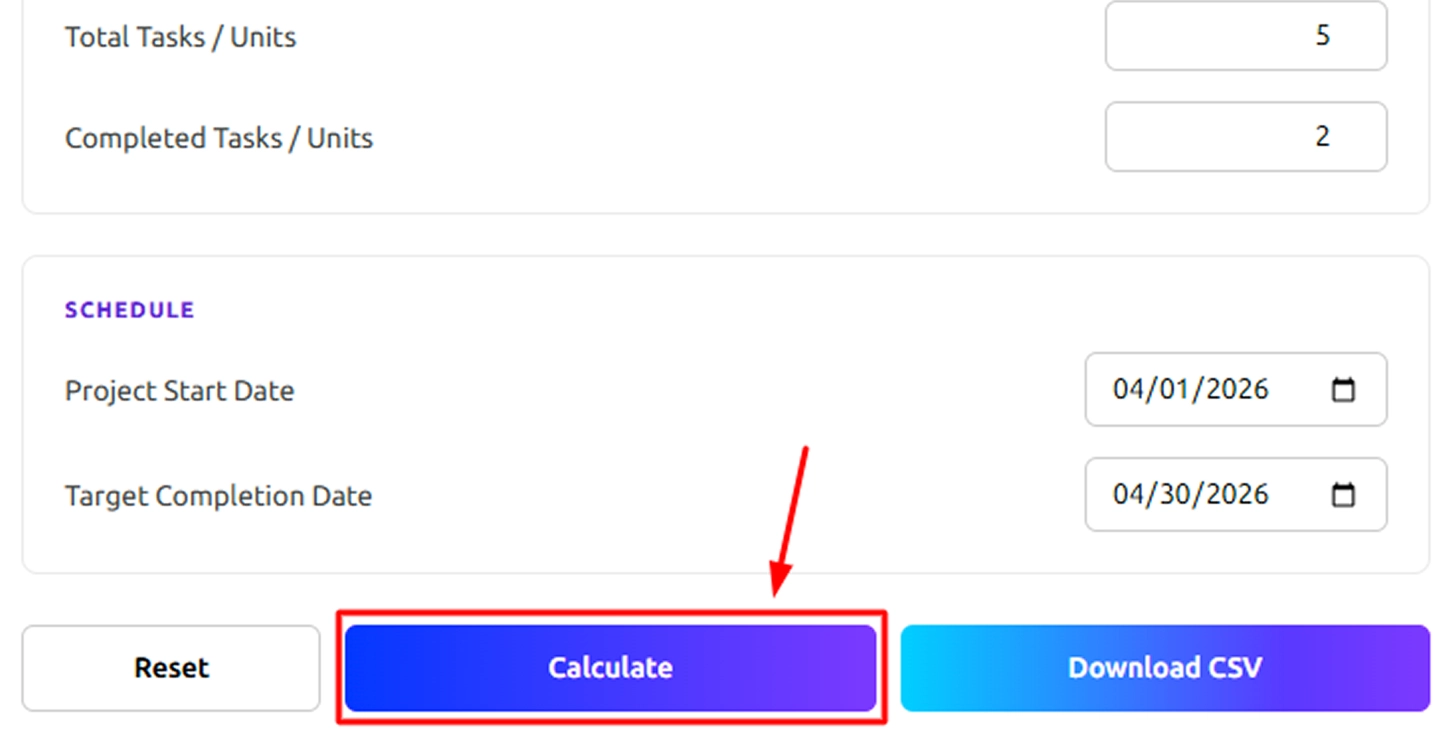
Step 7: Reset or Download the Results
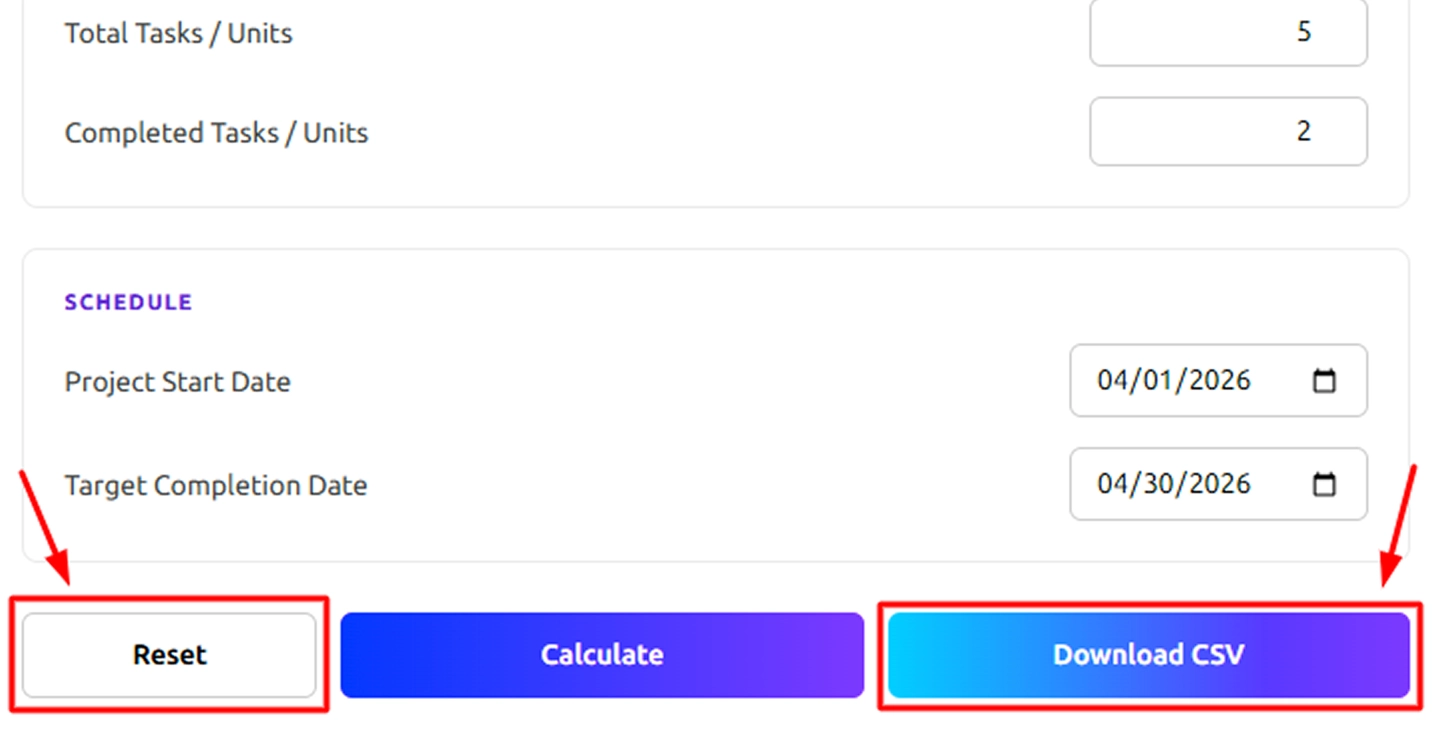
If you want to perform another calculation, click Reset to clear the fields. You can also click Download CSV to save the calculation results for reporting or analysis.
How to Calculate Percentage Completion for Projects?
Understanding how to calculate the completion percentage manually helps you check the results, as well as monitor the project progress. These step-by-step instructions help you to apply the right percent complete formula with clear examples.
Step 1: Identify the Total Scope of Work
Start by recognizing the total amount of work in your project. It might be the total number of tasks, hours, number of units produced, or milestones.
This total value represents 100% of your project.
Step 2: Determine the Completed Work
The second step is to determine the amount of work completed so far. This involves completed work, worked hours, units delivered, or milestones achieved.
Ensure that the completed value is not more than the total project scope.
Step 3: Apply the Completion Percentage Formula
Use the standard percent complete formula:
Formula:
Completion Percentage = (Completed Work / Total Work) X 100
Example-1: Task-based Completion Calculation
Imagine that your project includes 50 total tasks and you have done 20 tasks.
Apply the formula:
Completion Percentage = (20 / 50) X 100
Now calculate:
20 / 50 = 0.4
0.4 X 100 = 40%
Your project is 40% complete.
Example 2: Hours-Based Completion Calculation
Suppose your project takes 120 total hours and you have already completed 75 hours.
Apply the formula:
Completion Percentage = (75 / 120) X 100
Now calculate:
75 / 120 = 0.625
0.625 X 100 = 62.5%
The completion percentage of your project is 62.5%.
Step 4: Remaining Percentage Formula
After calculating the completion percentage, you can see how much work remains.
Formula
Remaining Percentage = 100 - Completion Percentage
Example:
If the Completion percentage = 40%
Remaining Percentage = 100 - 40
100 − 40 = 60%
60% of the work in your project remains pending.
Step 5: Time Elapsed Percentage Formula
Time elapsed percentage helps you to compare the schedule progress with the actual completion progress.
Formula
Time Elapsed Percentage = (Days Since Start / Total Project Days) X 100
Example:
Total project duration = 90 days
Days completed = 30 days
Time Elapsed Percentage = (30 / 90) X 100
30 ÷ 90 = 0.33
0.33 × 100 = 33%
33% of the total project timeline has elapsed.
What Are the Pros and Cons of the Completion Percentage Calculator?
Completion Percentage Calculator makes it easy to track project progress, but it also comes with a few limitations. Understanding its pros and cons helps you use it more effectively in real project situations.
| Pros | Cons |
|---|---|
| Fast Calculation: You can effectively calculate the completion percentage without the manual math, which saves time and effort. | Limited Analysis: It only shows the completion percentage and does not explain performance delays and issues. |
| High Accuracy: You can easily reduce human errors when using the completion percentage formula | Manual Data Entry: You need to enter the completed and total values every time. |
| Easy to Use: You only require the two inputs to calculate the completion rate or percentage complete. | Single Dataset Processing: Calculate one project or task at a time. |
| Flexible Metrics: You can measure the progress using the hours, tasks, milestones, or production units. | No Automatic Tracking: It does not automatically track the ongoing progress over time. |
| Improves Decision-Making: Get clear visibility into the total completion percentage to adjust plans quickly. | No Contextual Insights: It does not evaluate the efficiency, quality, or resource usage. |
What Your Completion Percentage Calculator Could Be Telling You?
When you check the completion percentage effectively, it helps you to clearly understand the project progress. It shows the efficiency of your project flow, workload balance, and the consistency of your schedule. Monitoring the percentage completion regularly helps maintain better control over project performance and results.

Identify Projects Falling Behind Schedule
Progress percentage shows the delays compared to the planned schedules.

Quickly Identify Workflow Bottlenecks
Slow completion rates show the blocked tasks or any resource gaps.

Measure the Team Productivity Trends
Fluctuating percentages indicate changes in the team's performance levels.

Understanding the Remaining Workload Clearly
The remaining percentage highlights the unfinished tasks that need attention.

Align the progress with Project Milestones
The completion data exposes gaps between the targets and execution.

Support the Data-driven Project Decisions
Accurate percentages guide smarter planning and resource allocation.
How Can Time Champ Help You Track Completion Percentage Smarter?
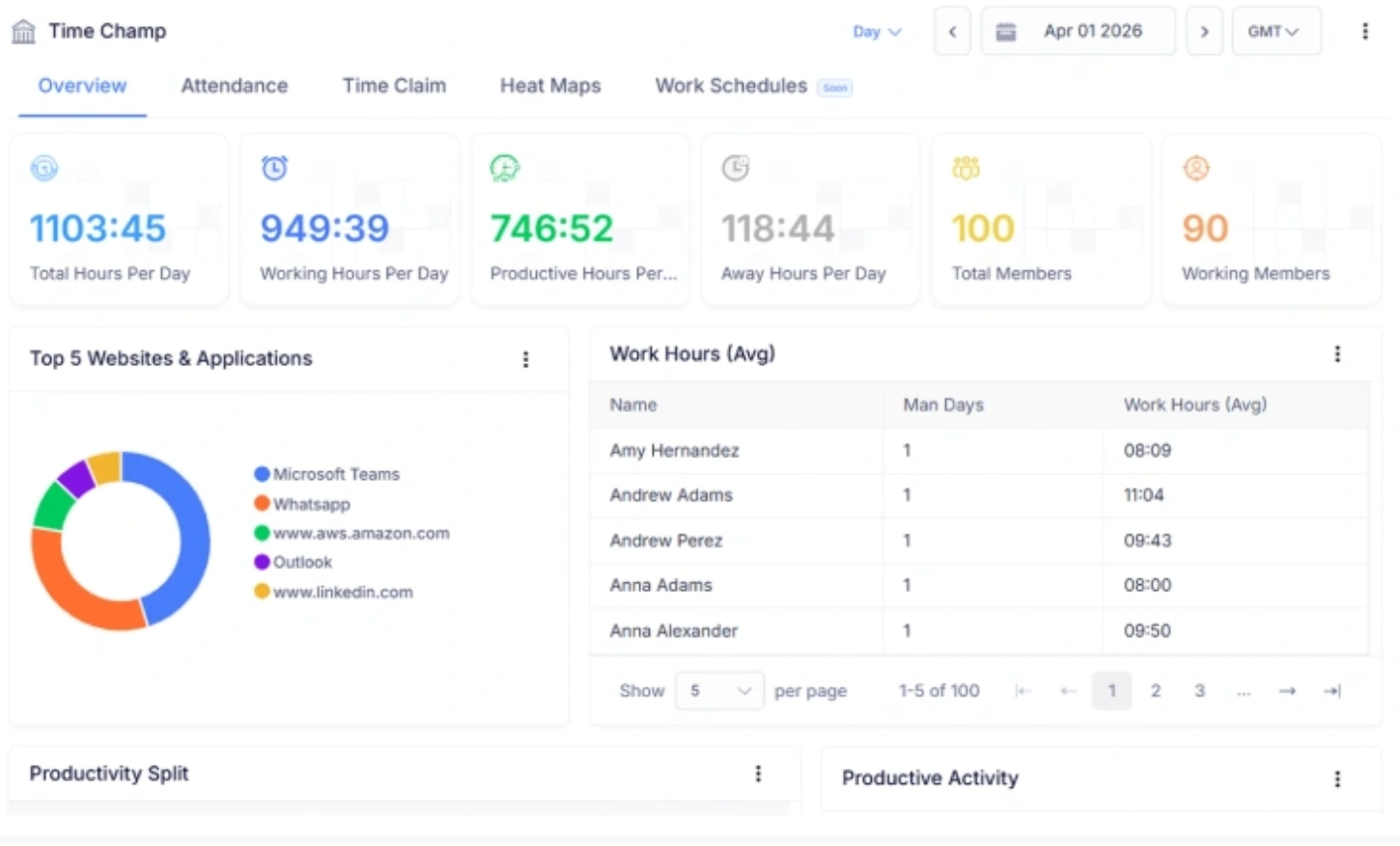
Calculating the completion percentage provides you with better clarity, but you need a deeper level of insight to monitor the real performance. With the Time Champ, a workforce intelligence platform, you can move beyond the basic percentage completion calculation. You can also get real-time visibility into task progress, productivity, time usage, and overall workforce efficiency. See the live performance data in real-time, which helps you to identify the bottlenecks, optimize workflows, and keep the projects on schedule with greater control and accuracy.
Time Champ turns a simple progress tracking into action intelligence. You can manage work, measure employee performance, assess trends in productivity, and get organized reports all from a single powerful platform. If you require accurate progress visibility and the workforce analytics that drive smarter decisions, Time Champ gives you more control, visibility, and confidence to expand your operations efficiently.
| Feature | Time Champ | Spreadsheets | Manual |
|---|---|---|---|
| Automatic Completion Percentage Calculation | ✓ | Manual Formula Setup | ✕ |
| Real-Time Task Progress Tracking | ✓ | Limited | ✕ |
| Remaining Percentage Auto-Calculation | ✓ | Manual Setup Required | ✕ |
| Time Elapsed vs Work Progress Comparison | ✓ | Limited | ✕ |
| Error-Free Percent Complete Formula | ✓ | Risk of Formula Errors | High Risk |
| Project-Level Progress Visibility | ✓ | Basic Tracking | ✕ |
| Multi-Project Tracking | ✓ | Manual Sheet Management | ✕ |
| Automated Reports & Insights | ✓ | Manual Formatting | ✕ |
| Data Accuracy & Consistency | ✓ | Depends on User Input | Low |
| Easy Reset & Instant Recalculation | ✓ | Manual Editing | ✕ |
Turn Project Progress into Real Performance Insights
Gain deeper visibility into tasks, productivity, and performance with Time Champ Workforce Intelligence.
- View real-time task progress across teams and projects.
- Compare completion percentage with timeline performance.
- Identify delays before they impact delivery.
- Generate structured progress reports instantly.
- Gain visibility into workload distribution and productivity.
 Start 7-day free trial
See how organizations improved performance through workforce intelligence
A Workforce Intelligence Tool Built for Smarter Performance
See What Our Happy Customers Say

Time Champ values user feedback and actively implements suggestions to enhance the platform. The support team assists at every step, ensuring a smooth experience. We’re truly impressed by its powerful features and dedicated team.

Time Champ has simplified the way we manage our work. We now handle projects, track time, and manage attendance easily. The platform is user-friendly, the support team responds quickly, and it has significantly improved our overall workflow efficiency.

We switched to Time Champ after our previous software failed to meet our needs. It simplified attendance, productivity tracking, and task management. With strong features and excellent support, it transformed our workflow completely.

We previously depended on spreadsheets with limited insight into time usage. After implementing Time Champ’s accurate tracking and real-time monitoring, we gained clear visibility, improved workflows, and strengthened overall team accountability.

We highly recommend Time Champ to businesses aiming to improve workforce performance. We have already suggested it to industry peers. It offers monitoring, productivity, attendance, and time tracking in a single affordable solution.

We needed better visibility into teamwork without constant follow-ups. Time Champ provided clear insights through an easy dashboard. Now we understand time usage clearly, productivity has improved, and managers make faster, data-driven decisions.
Connect with our product experts for a live demo and discuss your business requirements.
Explore Other Calculators
Full Time Equivalent (FTE) Calculator
Calculate full-time equivalents easily with our FTE Calculator - a precise tool for measuring employee workload, staffing, and resource planning.
Try Now →Project Cost Calculator
Calculate expenses with our project cost calculator, a tool for estimating budgets, tracking costs, and planning projects with accuracy and control.
Try Now →Shift Differential Calculator
Calculate task or project completion rates instantly with our completion percentage calculator - an accurate tool to track progress and improve productivity.
Try Now →


 4.7/5 avg.
Ready to Manage Your Workforce Smarter?
Join our family of 1500+ companies using smart insights to redefine workforces!

Free Trial
No Credit Card Required