Full Time Equivalent (FTE) Calculator
Measure your workforce accurately with a Full Time Equivalent (FTE) Calculator. Convert employee hours into standard full-time units to understand capacity, control costs, and boost productivity across your team.
Full-time Equivalent (FTE) Calculator
FULL-TIME
PART-TIME
LABOR COST ESTIMATOR
What is the Full Time Equivalent (FTE) Calculator?
A Full Time Equivalent (FTE) Calculator is a workforce planning tool that converts the total hours worked by full-time and part-time employees into a standardized full-time unit. It helps you understand how many full-time employees your workforce truly represents based on actual hours worked rather than just headcount.
You use an FTE calculator to add clarity to workforce size, resource allocation, and capacity planning. You do not use job titles or types of contracts to measure real contribution, but instead you measure real contribution in hours and convert it into a standardized benchmark. This will provide you with a better understanding of the actual productive capacity of your organization.
FTE data supports smarter operational decisions. It assists you in planning hiring, managing labor costs, budgeting, and assessing productivity among teams. When you know your workforce in FTE terms, you stop making assumptions and instead make decisions based on real effort and output.
Why Should You Use the Full-Time Equivalent (FTE) Calculator?
A full-time equivalent FTE calculator gives you a clear, data-based view of your workforce capacity. Instead of counting employees by headcount, it measures actual working hours and converts them into a standard unit. This helps you understand how much productive capacity your organization truly has.
Here’s why you should use an FTE calculator:
- See Your Real Workforce Strength: Headcount can be misleading when employees work different schedules. An FTE calculator translates total hours worked into a single measurable number, giving you an accurate view of team capacity.
- Plan Hiring with Confidence: When workload increases, an FTE calculator shows exactly how much additional capacity you need. You can decide whether to hire full-time, part-time, or temporary staff based on real demand rather than assumptions.
- Control Labor Costs: An FTE calculator connects working hours directly to payroll spending. This helps you manage budgets better, avoid overstaffing, and maintain cost efficiency without reducing output.
- Balance Workload and Prevent Burnout: By comparing required hours with available FTE capacity, an FTE calculator helps you distribute work more evenly. This improves productivity and reduces the risk of overworking your teams.
- Make Smarter Operational Decisions: An FTE calculator creates a consistent measurement across departments. You can evaluate productivity, forecast capacity, and allocate resources using structured data instead of guesswork.
How to Use the Full-Time Equivalent (FTE) Calculator?
Use the full-time equivalent FTE calculator to convert employee working hours into a standard full-time workforce unit. The calculator processes the workforce information you enter and converts total working hours into FTE values, workforce capacity insights, and labor cost estimates. Follow these steps to use the calculator correctly.
Step 1: Enter the Number of Full-Time Employees
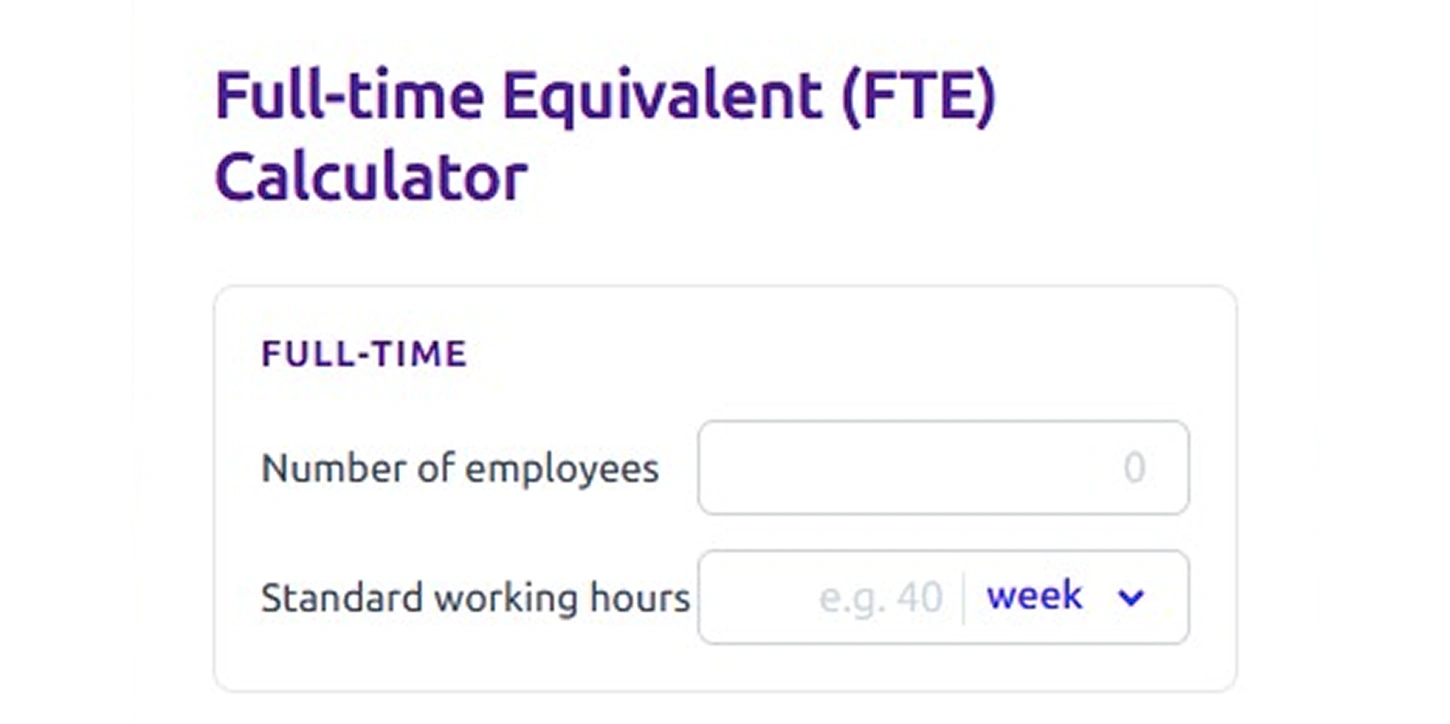
Start by entering the total number of full-time employees in your organization. This gives the calculator the base headcount that contributes to your workforce capacity.
Next, enter the standard working hours for a full-time employee. Select the time unit from the dropdown, such as day, week, or month, based on how your organization defines working hours.
The calculator uses this information to establish the standard working hours that represent one full-time equivalent unit. This value becomes the reference point used to convert total employee hours into FTE units in the following steps.
Step 2: Enter the Number of Part-Time Employees
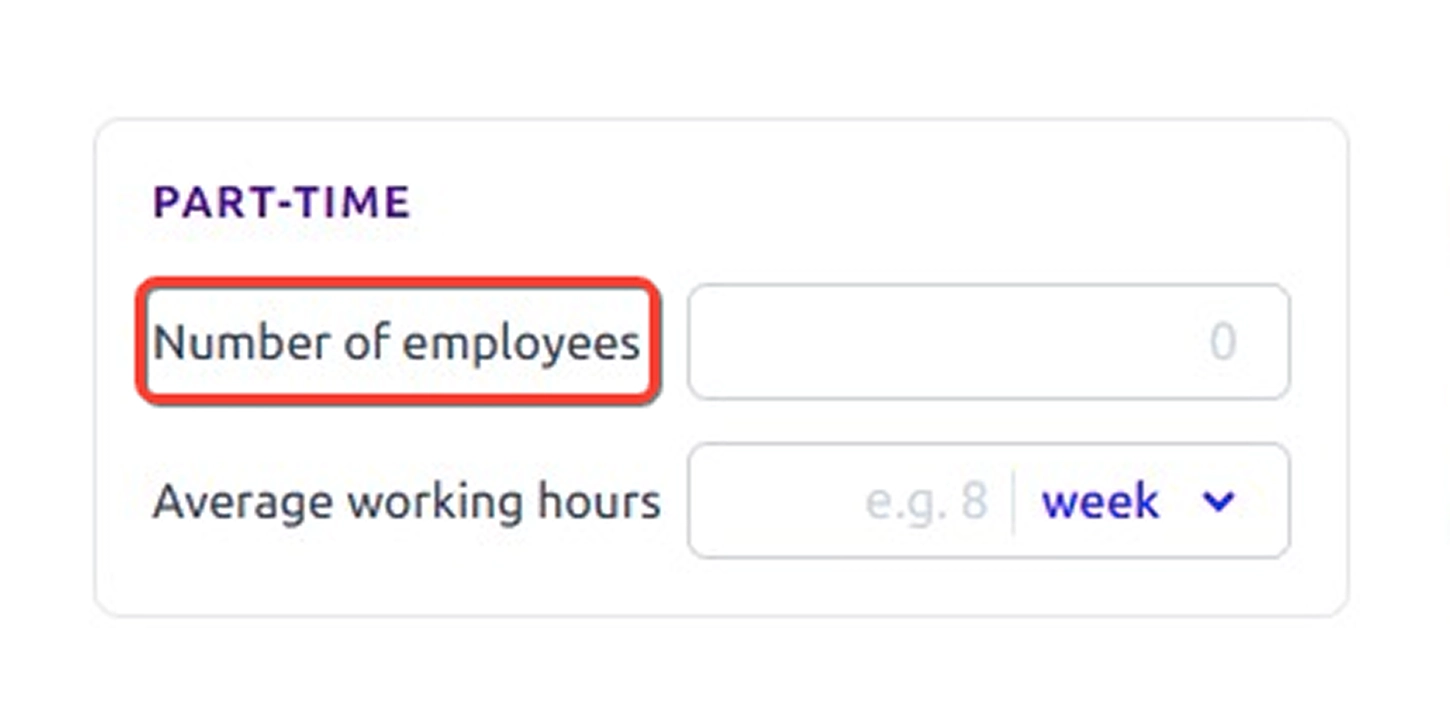
Enter the total number of part-time employees in your workforce. Part-time employees usually work fewer hours than the full-time schedule, but they still contribute to overall workforce capacity.
By adding this number, you allow the calculator to include part-time employees when estimating the total workforce contribution.
Step 3: Enter the Average Working Hours for Part-Time Employees
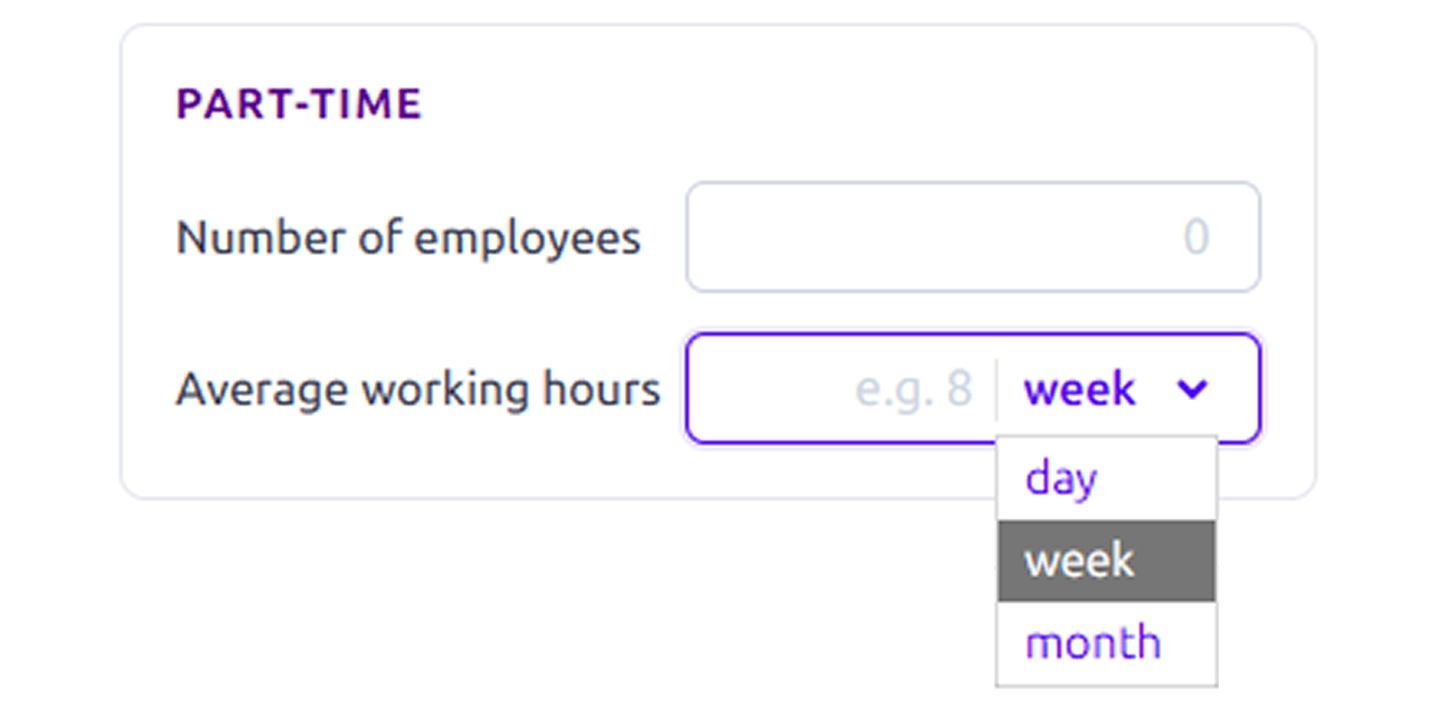
Next, enter the average number of hours that each part-time employee works. Use the dropdown to select the time unit, such as day, week, or month, depending on how those hours are defined in your organization.
The calculator uses these values to convert part-time hours into proportional FTE contributions so that their actual working time is reflected in the final workforce capacity.
Step 4: Add Labor Cost Details
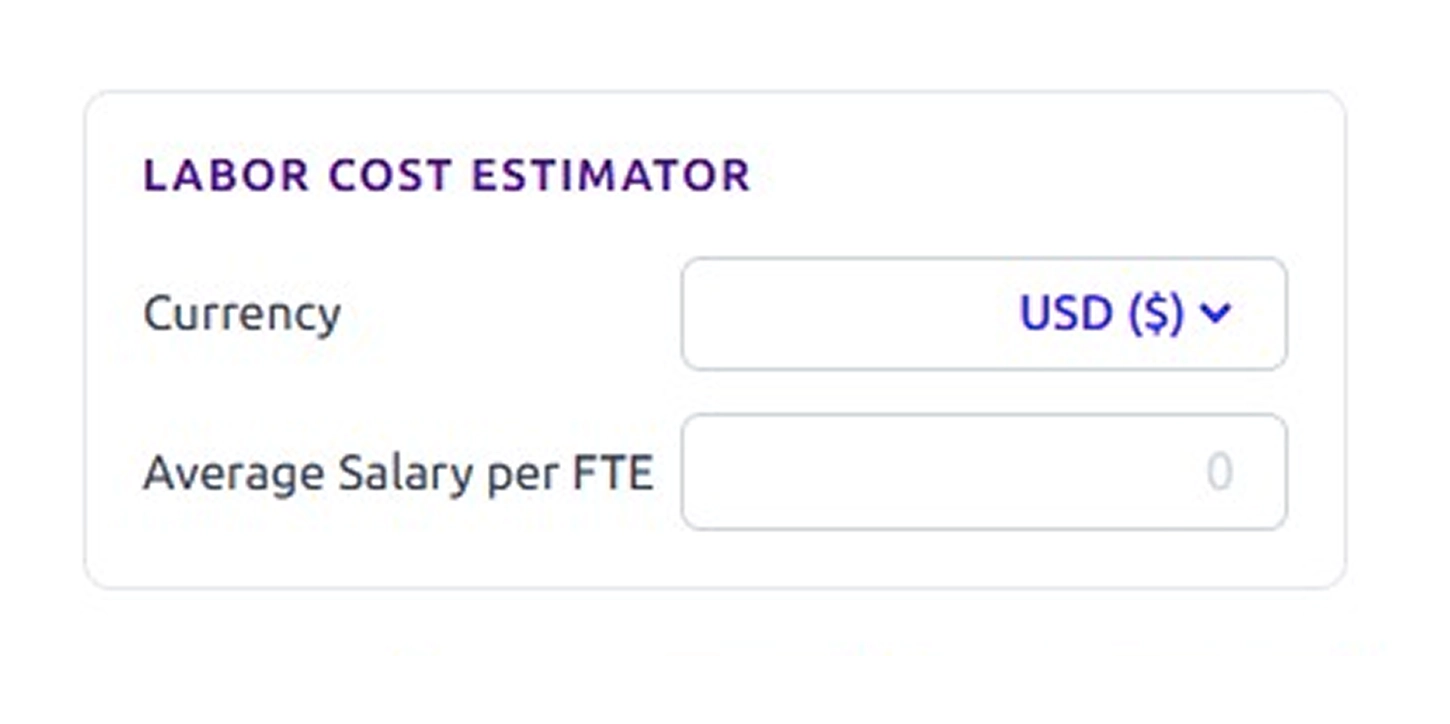
If you want to estimate workforce costs, select the preferred currency in the labor cost estimator section.
Then enter the average salary per FTE. The calculator uses this value together with the calculated FTE to estimate labor cost-related metrics.
Step 5: Click Calculate to Generate Results
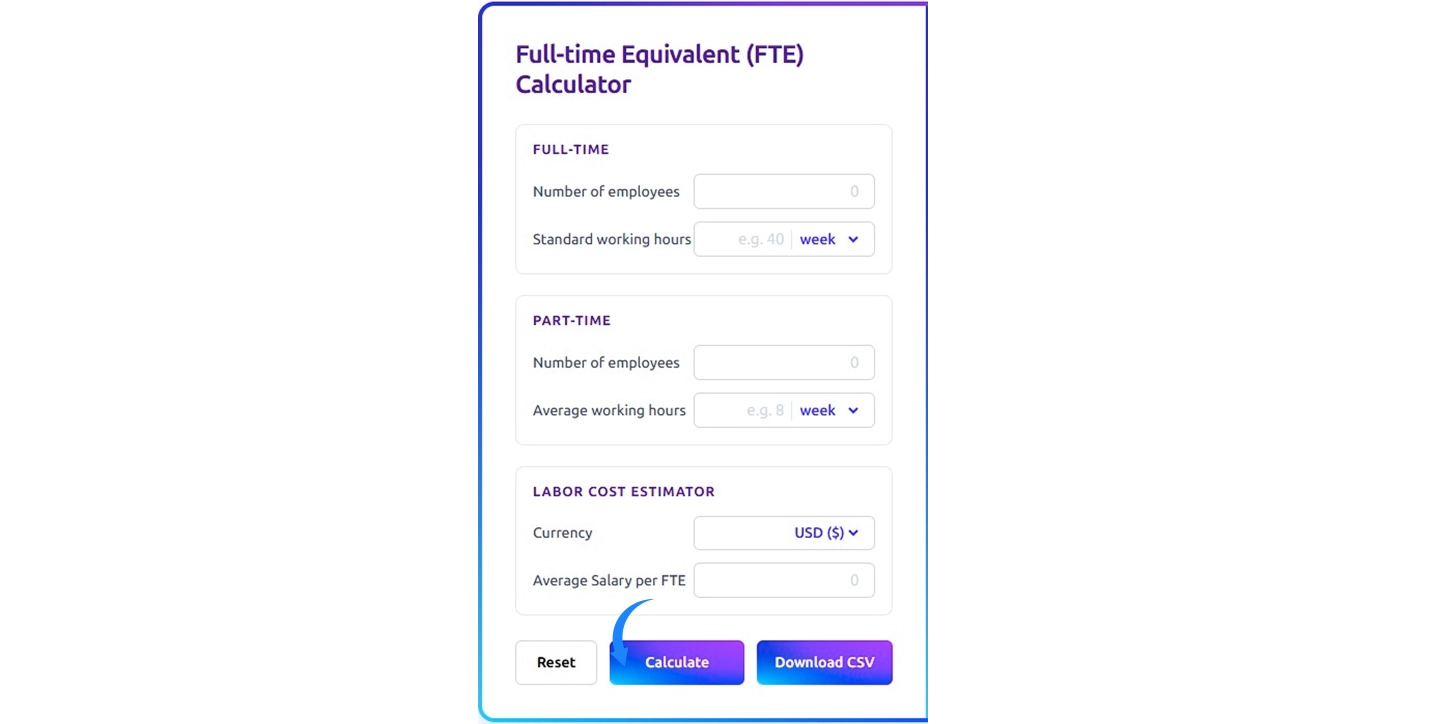
After entering all the required information, click the Calculate button.
The calculator combines the working hours from full-time employees and part-time employees and converts the total hours into full-time equivalent units based on the standard working hours you entered earlier.
Step 6: Review the Workforce Capacity Results
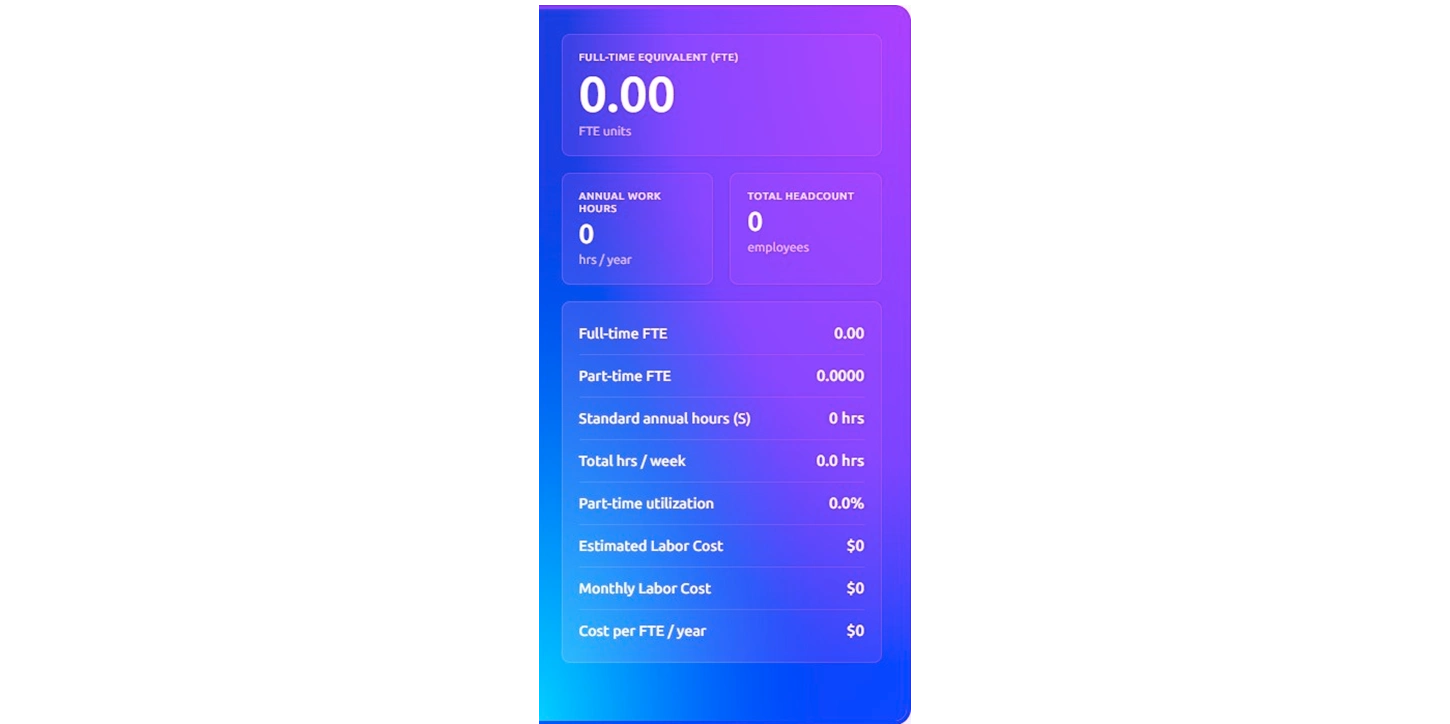
Once the calculation finishes, the results section displays the key workforce metrics.
You will see the total full-time equivalent value, total headcount, total hours per week, and estimated annual work hours. If you include salary information, the calculator also estimates labor cost values such as annual labor cost, monthly labor cost, and cost per FTE per year.
Step 7: Download the Results for Further Analysis
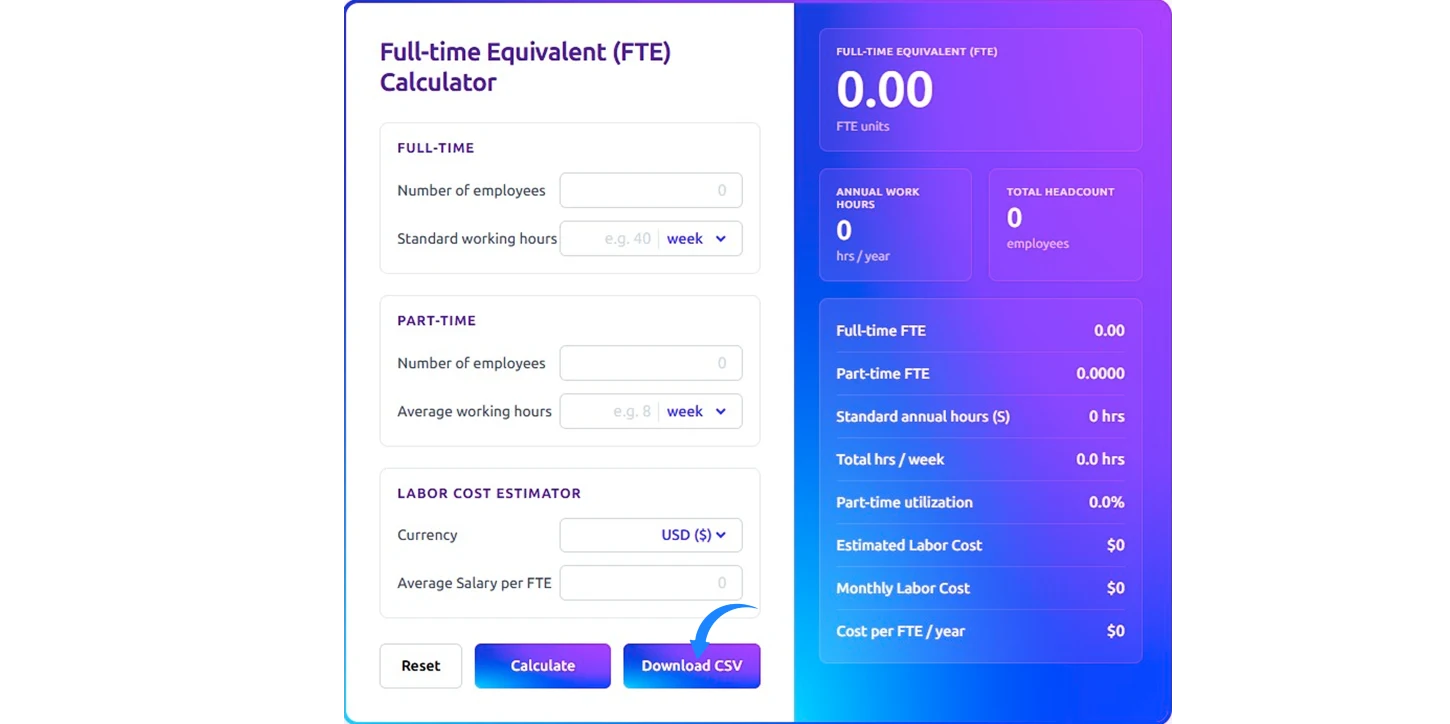
If you need to analyze the data further, click the Download CSV option.
This allows you to export the results for reporting, budgeting, or workforce planning. The exported data helps you review workforce capacity and labor cost estimates when planning future staffing needs.
How to Calculate the Full-Time Equivalent (FTE)?
Full-Time Equivalent (FTE) calculation converts the total working hours of your workforce into a standard full-time unit. Instead of counting employees by headcount, you measure the actual hours employees contribute and convert those hours into full-time equivalent units. This approach helps you understand the real working capacity of your workforce. Follow these steps to understand how the FTE calculation works.
Step 1: Determine the Standard Full-Time Working Hours
Start by identifying the number of hours that represent one full time employee in your organization. Many organizations define full time work as 40 hours per week.
This value becomes the baseline for the FTE calculation.
FTE Baseline:
Standard full time hours per week: 40 hours
1 Full Time Equivalent (FTE): 40 working hours per week
This means that 40 hours of work equals 1 full time equivalent unit, which represents the workload of one full time employee.
Step 2: Calculate the Total Hours Worked by Full-Time Employees
Next, calculate the total weekly hours contributed by all full-time employees.
Full-Time FTE Calculation Formula
Full time FTE = Total full-time hours ÷ Standard full-time hours
Example: Full-time FTE= 400 ÷ 40 = 10 Full-Time Equivalent units
This means the full-time workforce contributes 10 FTE units, which equals the workload of 10 full-time employees.
Step 3: Convert Part-Time Working Hours into FTE
Part-time employees work fewer hours, so convert their working hours into equivalent full-time units.
Part-Time FTE Formula:
Part-time FTE = Total part-time hours ÷ Standard full-time hours
Example: Part time FTE= 100 ÷ 40 = 2.5 Full Time Equivalent units
This means five part-time employees contribute the same workload as 2.5 full-time employees.
Step 4: Calculate the Total Workforce FTE
Add the full-time FTE and part-time FTE to calculate the total workforce capacity.
Total FTE Formula:
Total workforce FTE = Full-time FTE + Part-time FTE
Example: Total workforce FTE= 10 + 2.5 = 12.5 Full Time Equivalent units
This means the organization’s workforce contributes the same working capacity as 12.5 full-time employees.
Step 5: Calculate Annual FTE Working Hours
You can convert FTE units into annual working hours to understand yearly workforce capacity.
FTE Annual Hours Formula:
Annual FTE hours = Standard weekly hours × 52 weeks
Example: Annual FTE hours = 40 × 52 = 2,080 hours
This means 1 Full Time Equivalent equals 2,080 working hours per year.
Step 6: Calculate Part-Time Utilization
Part-time utilization shows how much of the workforce capacity comes from part-time employees.
Part-time utilization Formula:
Part time utilization (%) = (part-time FTE ÷ total FTE) × 100
Example: Part-time utilization= (2.5 ÷ 12.5) × 100 = 20%
This means 20 percent of the workforce capacity comes from part-time employees.
Step 7: Estimate Labor Cost Based on FTE
Once you calculate the total FTE value, you can estimate the labor cost required to support that workforce capacity.
Estimated Labor Cost Formula:
Estimated labor cost = Total FTE × Average salary per FTE
Example: Estimated annual labor cost= 12.5 × $50,000 = $625,000
This means the organization spends approximately $625,000 per year to support the workforce capacity of 12.5 full-time equivalent units.
Step 8: Calculate Monthly Labor Cost and Cost per FTE
You can convert the estimated annual labor cost into monthly workforce spending.
Monthly Labor Cost Formula:
Monthly labor cost = Annual labor cost ÷ 12
Example: Monthly labor cost = $625,000 ÷ 12 = $52,083 per month
You can also calculate the cost required to support one full-time equivalent unit.
Cost per FTE Formula:
Cost per FTE per year = Annual labor cost ÷ Total FTE
Example: Cost per FTE per year = $625,000 ÷ 12.5 = $50,000 per FTE per year
This value shows the average annual cost required to support one full-time equivalent unit.
What Are the Pros and Cons of the Full-Time Equivalent (FTE) Calculator?
Understanding the strengths and limitations of an FTE calculator can help you use it more effectively. Here’s a simple look at its benefits and drawbacks.
| Pros | Cons |
|---|---|
| An FTE calculator converts employee working hours into a standard unit so you can clearly understand your real workforce capacity instead of relying only on headcount. | FTE calculation focuses on working hours and may not fully reflect differences in employee productivity, skills, or experience. |
| A full-time equivalent calculator helps you plan hiring needs by showing how much additional workforce capacity your organization requires. | The accuracy of an FTE calculator depends on the working hours and salary data you enter. Incorrect inputs can affect the results. |
| FTE calculation helps you estimate workforce costs by connecting total FTE with salary data. This helps you understand labor spending more clearly. | FTE calculations use standard working hours as a benchmark and may not fully represent fluctuating workloads across projects or seasons. |
| An FTE calculator converts part time working hours into proportional FTE units so you can measure the real contribution of part time employees. | FTE results show workforce capacity in hours but do not explain the operational reasons behind staffing shortages or workload gaps |
What Your Full-Time Equivalent (FTE) Data Could Be Telling You?
Your full-time equivalent (FTE) data helps you understand workforce capacity, staffing gaps, and labor cost impact. It supports better workforce planning and helps you make informed operational decisions.

See Your Actual Workforce Capacity Clearly
FTE data shows how much real working capacity your workforce provides.

Identify Capacity Gaps Based on Workload Demand
It reveals when your current workforce cannot handle increasing workload demand.

Understand How Part Time Work Supports Capacity
FTE calculations show how part time hours contribute to total workforce capacity.

Balance Workload Across Teams More Effectively
Workforce capacity insights from FTE data help you distribute work more evenly across teams.

Estimate Labor Cost Based on Workforce Capacity
FTE data helps you estimate labor spending when you combine workforce capacity with salary information.

Support Better Hiring and Workforce Planning Decisions
These insights help you plan workforce growth based on workload demand and available FTE capacity.
How Time Champ Outperforms Basic Full Time Equivalent (FTE) Calculators?
Many organizations depend on spreadsheets or manual calculators to figure out workforce capacity, but these methods have limitations. They can only show basic totals and require constant updates, making it hard to get a full view of attendance, shift schedules, productivity, and real workforce contribution. This often leads to guesswork in hiring, planning, and workload distribution.
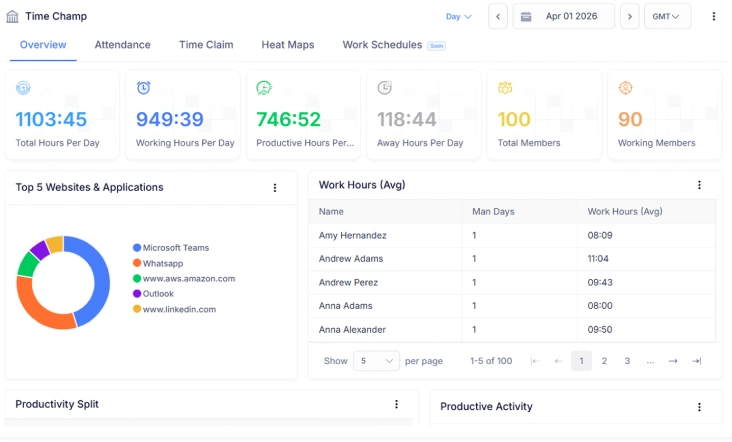
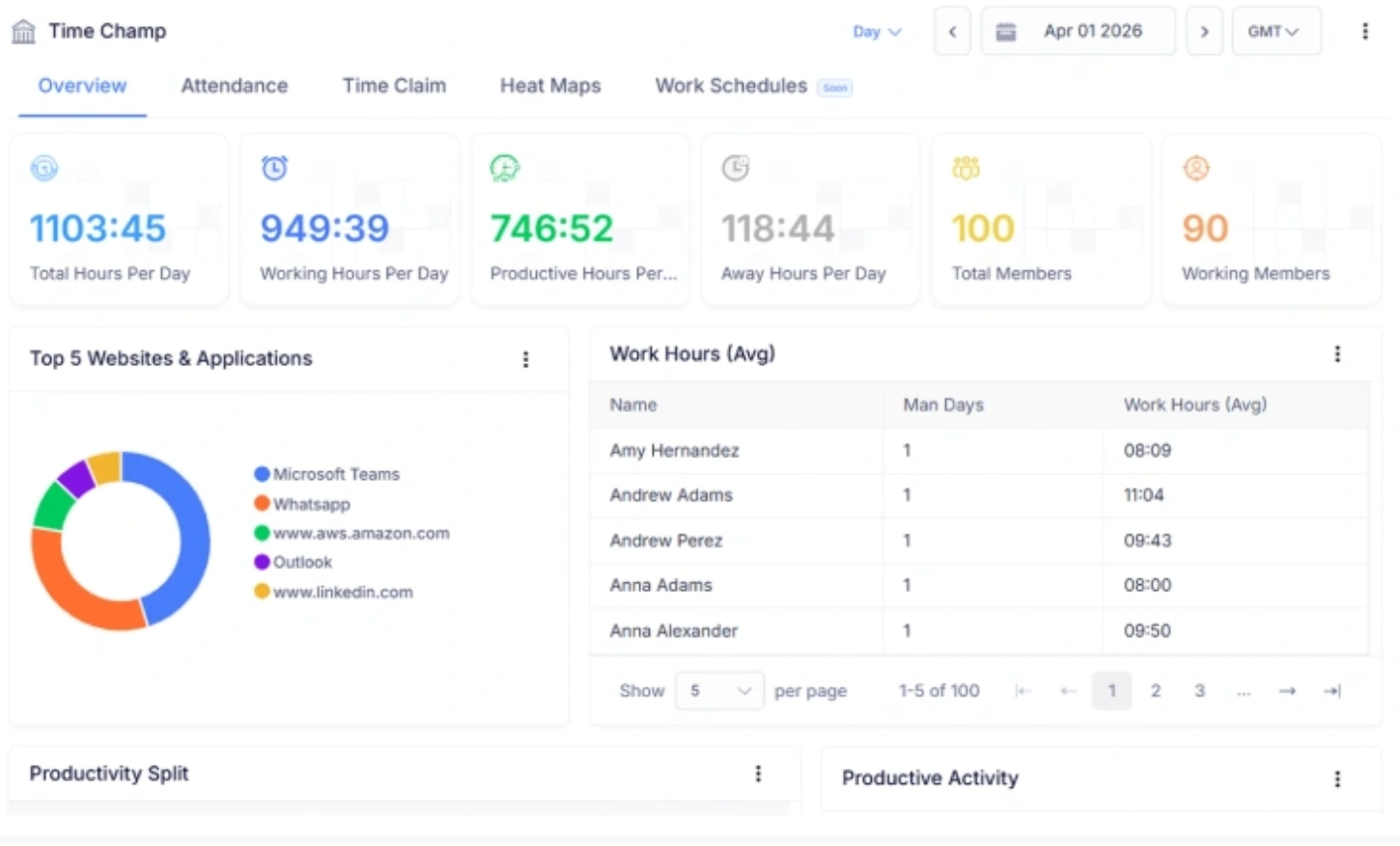
Time Champ changes the approach by giving you a complete view of your workforce in one place. It converts hours worked into actionable insights on attendance, shift management, productivity, and resource utilization. You also get detailed workforce analytics, utilization reports, and easy-to-read dashboards that simplify decision-making. Unlike spreadsheets or manual tools, Time Champ helps you understand your team’s actual capacity, plan better, and make data-driven workforce decisions effortlessly.
| Feature | Time Champ | Spreadsheets | Manual |
|---|---|---|---|
| Time & Attendance | ✓ | ✓ | ✓ |
| Attendance & Shift Management | ✓ | ✕ | ✕ |
| Productivity Insights | ✓ | ✕ | ✕ |
| Resource Utilization & Capacity Insights | ✓ | ✕ | ✕ |
| Workforce Analytics | ✓ | ✕ | ✕ |
| Utilization Reports | ✓ | ✕ | ✕ |
| Reports (Time & Attendance, Activity, Attrition Risk) | ✓ | ✕ | ✕ |
| Insightful Dashboards | ✓ | ✕ | ✕ |
Turn Employee Hours into Actionable Workforce Insights
Visualize Capacity, Analyze Productivity, and Optimize Staffing with Time Champ
- Converts employee hours into clear workforce capacity metrics.
- Integrates attendance, shifts, and schedules for precise team capacity.
- Generates detailed reports on labor use, overtime, and staffing needs.
- Highlights workload imbalances and risk of employee overwork.
- Provides insights to guide smarter hiring and resource allocation.
 Start 7-day free trial
See What Our Happy Customers Say

Time Champ gave us multiple options, not just to understand employee time management, but also provided powerful features to see exactly what each employee was doing. It's user-friendly, cost-efficient, and highly customizable.

Time Champ made managing our work much easier. We could handle projects, track time, and manage attendance effortlessly. It’s easy to use, and the support team was always helpful. It has really improved the way we work.

Manual time tracking was slow and often inaccurate. Time Champ gave us transparent insights into app and website usage while respecting employee privacy. Our payroll accuracy improved, and overall team performance became stronger.

We saw measurable gains after adopting Time Champ. Our performance metric improved from 2.36 to 1.99, cutting time wastage by nearly 20%. It helps our employees stay focused without constant supervision, and I’d rate it 9/10.

We highly recommend Time Champ for improving our workforce efficiency. It’s affordable, easy to use, and great for monitoring, productivity, attendance, and time tracking, an all-in-one solution every team needs.

Understanding how our teams worked without constant follow-ups had been difficult. Time Champ brought immediate clarity to daily activities and delivered clear insights that supported better decision-making.
Connect with our product experts for a live demo and discuss your business requirements.
Explore Other Calculators

Paid Time Off (PTO) Calculator
Calculate Paid Time Off (PTO) easily with our PTO Calculator, a simple tool for tracking leave balance and managing time off for employees.
Try Now →Project Cost Calculator
Calculate expenses with our project cost calculator, a tool for estimating budgets, tracking costs, and planning projects with accuracy and control.
Try Now →Shift Differential Calculator
Calculate task or project completion rates instantly with our completion percentage calculator - an accurate tool to track progress and improve productivity.
Try Now →


 4.7/5 avg.
Ready to Manage Your Workforce Smarter?
Join our family of 1500+ companies using smart insights to redefine workforces!

Free Trial
No Credit Card Required