Paid Time Off (PTO) Calculator
Most employees have no idea how much paid time off they actually have until it is too late to use it. Our free PTO calculator gives you a clear, instant picture of your leave balance so you can plan smarter and stress less.
PTO Calculator
What is a Paid Time Off (PTO) Calculator?
A PTO calculator is a simple tool used to estimate and track the amount of paid leave earned over time. It assists in determining accrued leave depending on work hours, pay periods, or company policies to have a clear picture of available vacation or time-off hours.
A paid time off calculator removes the guesswork from leave tracking. It shows how much leave employees have earned and the balance that is available, without manually checking spreadsheets or formulas. This clarity helps plan leave requests, manage schedules, and keep records accurate throughout the year.
It also helps to plan the leave more effectively by illustrating the manner in which PTO accumulates over time. Whether checking accruals each pay period or estimating future leave balances, a PTO accrual calculator or time off calculator provides a quick way to understand how PTO is calculated and how available time off grows with continued work.
Why Should You Use a Paid Time Off (PTO) Calculator?
Tracking paid leave manually can take time and often leads to confusion, especially when accrual depends on work hours or pay periods. A PTO calculator makes the process simpler by helping you quickly estimate earned leave and understand your current balance. Here are a few key reasons why using a paid time off calculator can make leave tracking easier and more accurate.
- Accurate Accrual Tracking: A PTO accrual calculator ensures every hour earned is calculated precisely based on your chosen accrual method, such as annual, monthly, or pay period-based. This helps you avoid manual errors and understand how to calculate PTO accrual with zero confusion.
- Better Time-Off Planning: With this reliable time off calculator, you can easily check upcoming available hours, forecast future balances, and plan leave without disrupting work schedules. It gives a clear picture of how much time is available and when.
- Instant Hour‑to‑Day Conversions: This calculator simplifies conversions such as PTO calculator hours to days or vacation hours calculator functions. You instantly know how many days your earned hours convert into based on your daily working schedule.
- Transparent Payout Calculations: A PTO payout calculator helps you determine your final PTO value when checking balances during transitions or policy updates. It gives clear insight into how much accrued time converts into payable hours.
- Suitable for Different Employee Types: This calculator adapts to different work arrangements, whether you need a PTO calculator for salaried employees or a method for calculating paid time off for hourly employees. It applies the correct logic for each work structure.
How to Use the Paid Time Off (PTO) Calculator?
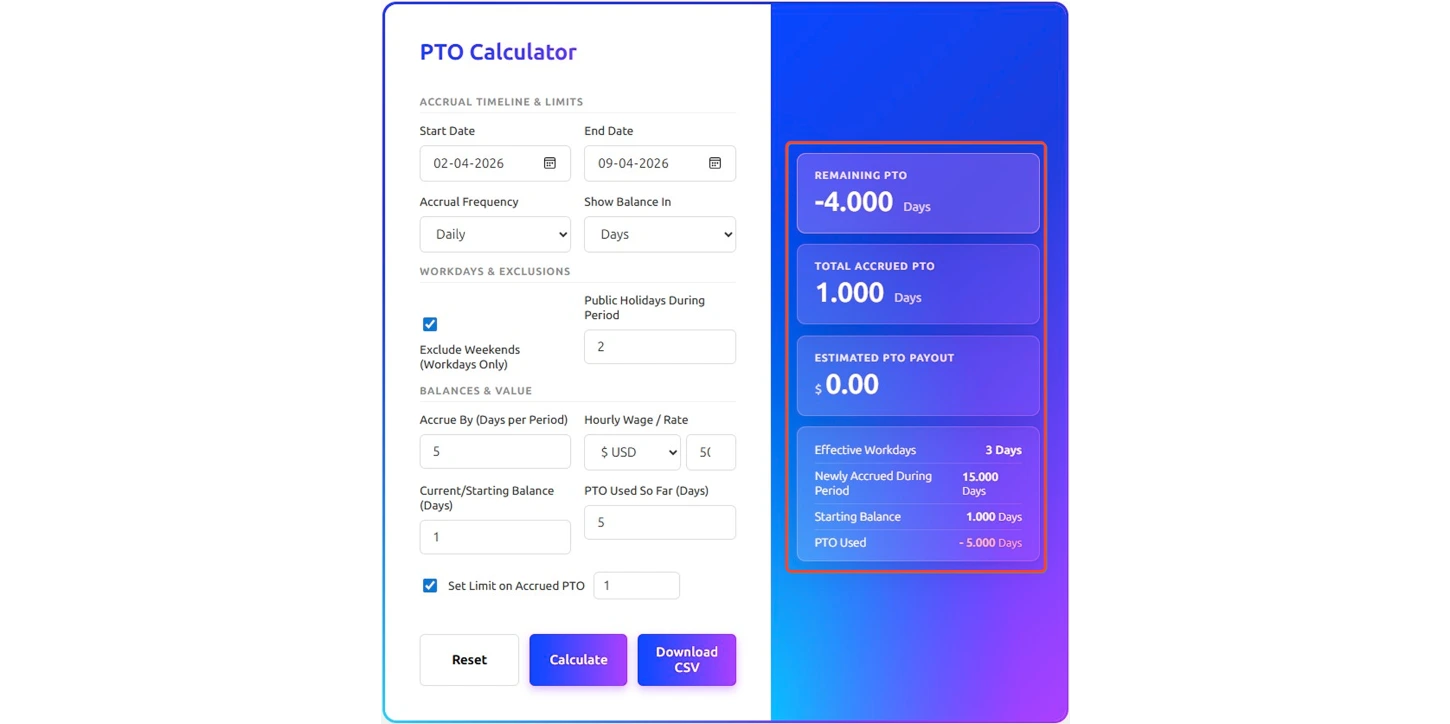
Using this calculator is straightforward, even if you have never tracked PTO before. Just fill in a few details about your work schedule and leave history, and it will instantly show your remaining balance, total accrued hours, and estimated payout. Here is exactly what to do, step by step.
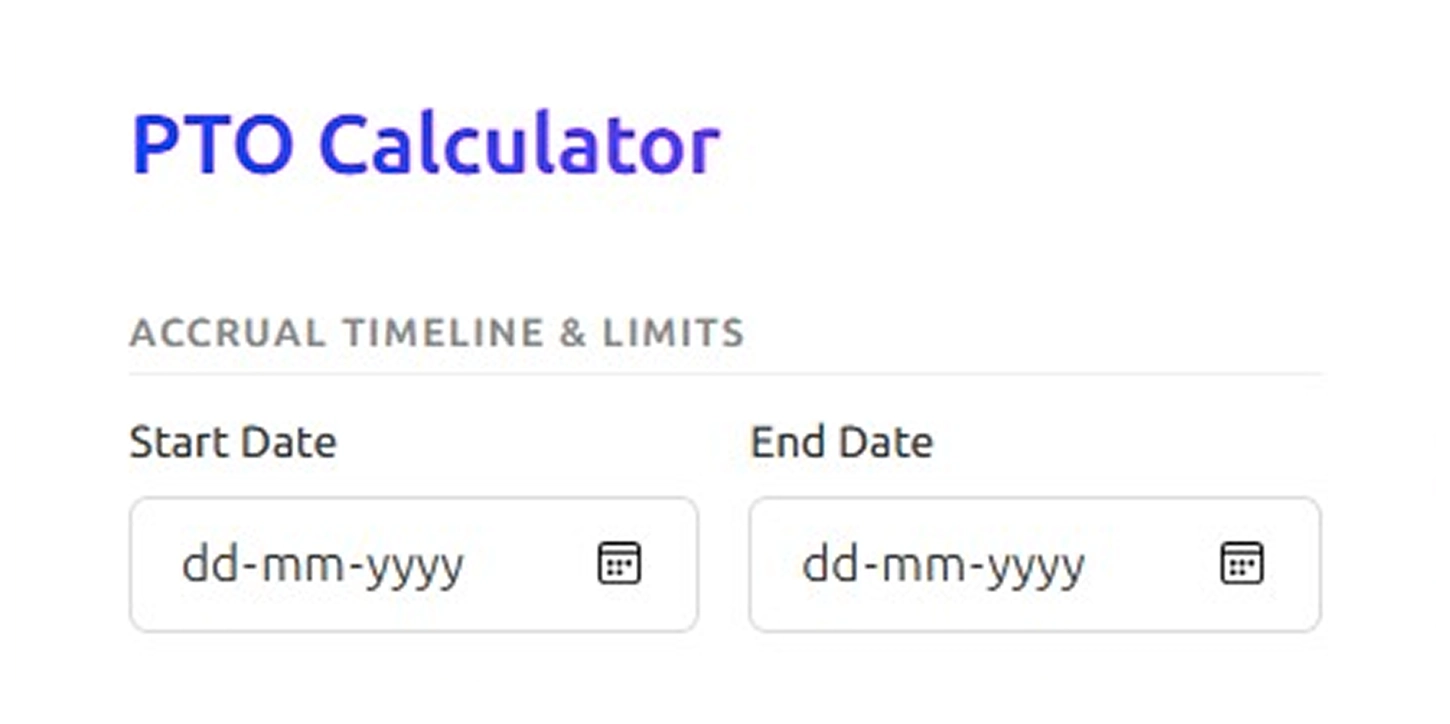
Step 1: Enter the Accrual Timeline
Start by selecting the start date and end date for the period you want to calculate. This defines the timeframe in which employees earn PTO and helps determine how much leave accumulates during that duration.
Step 2: Choose the Accrual Frequency
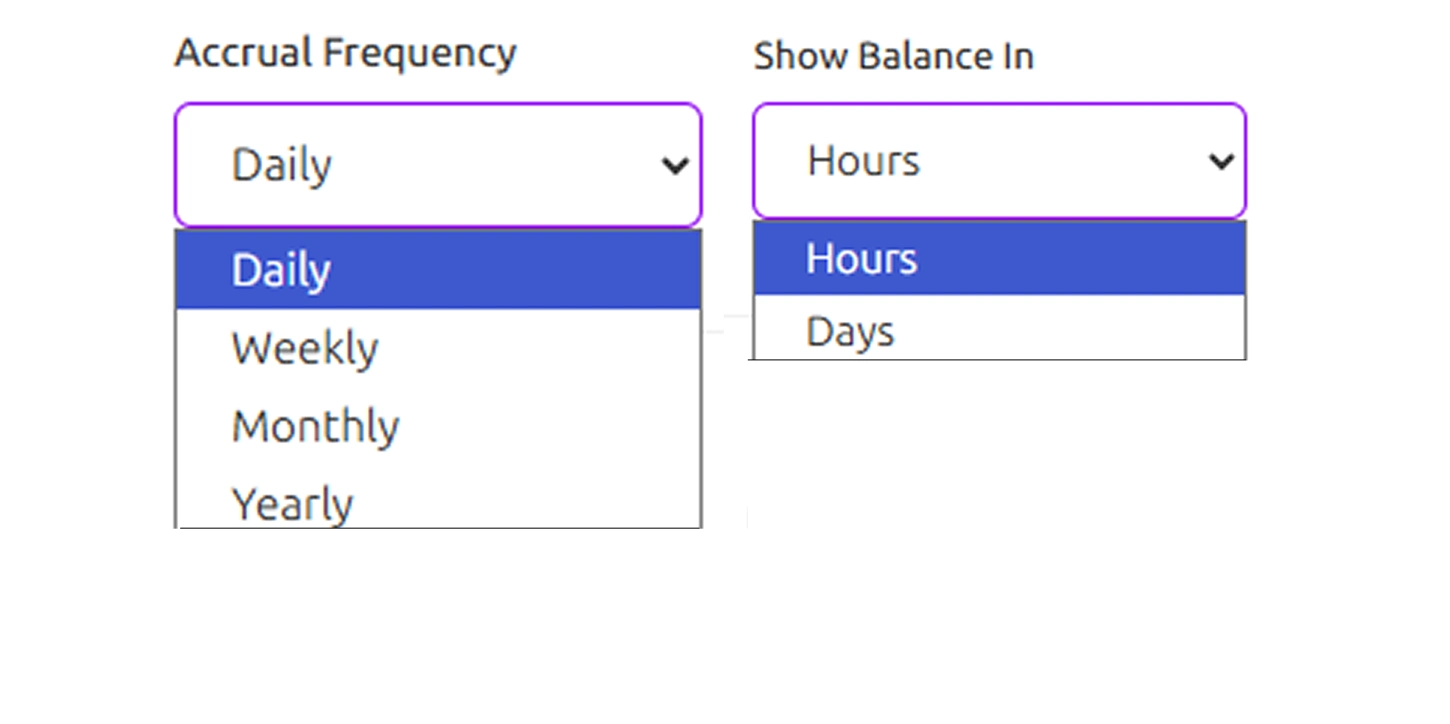
Select how employees earn PTO over time. Options such as daily, weekly, monthly, and yearly accrual allow the calculator to distribute leave based on the chosen schedule. This step helps determine how PTO builds across the selected period.
Next, use the Show Balance In option to choose how you want to view results. The calculator displays PTO in hours or days, depending on how your organization tracks leave internally.
Step 3: Adjust Workdays and Exclusions
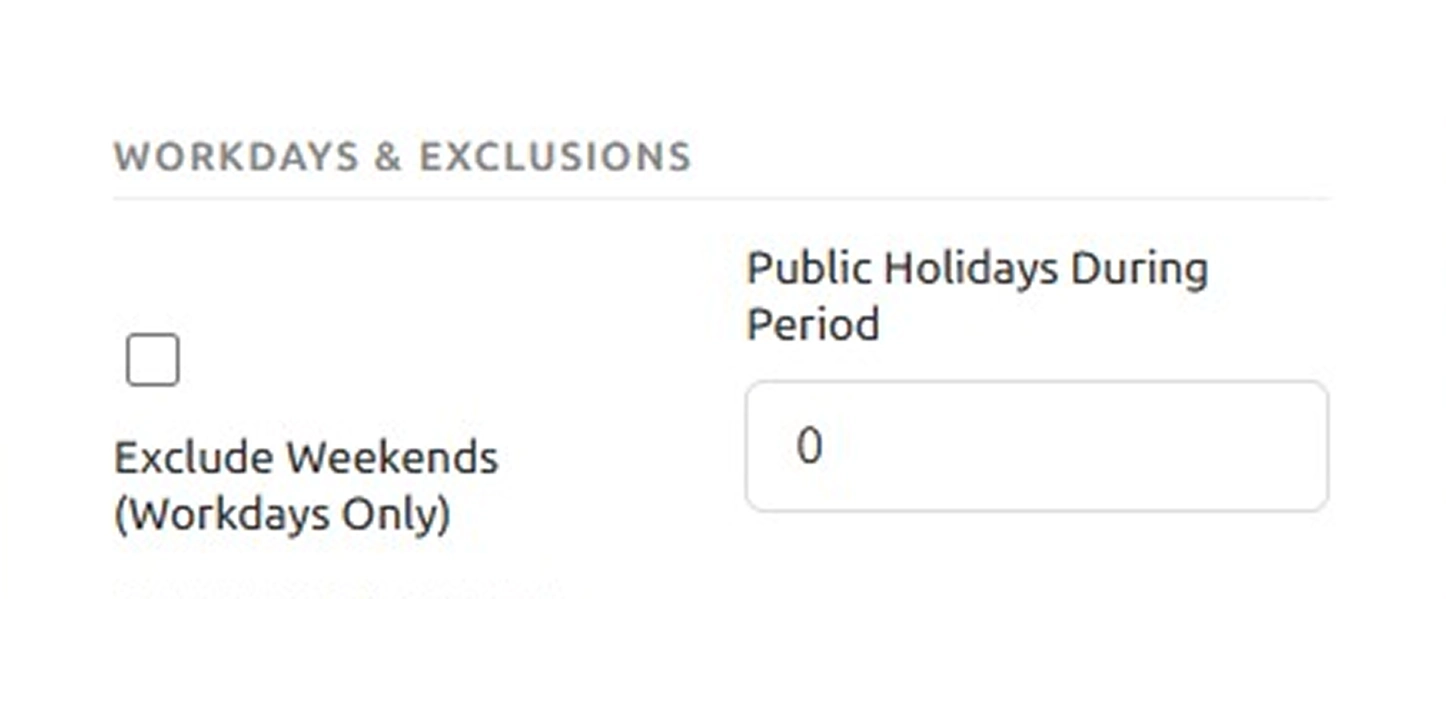
Define the working pattern for the selected timeframe. You can exclude weekends if PTO should only accumulate on workdays. There is also an option to include the number of public holidays during the period, which helps refine the calculation.
Step 4: Add Accrual, Pay, and Balance Details
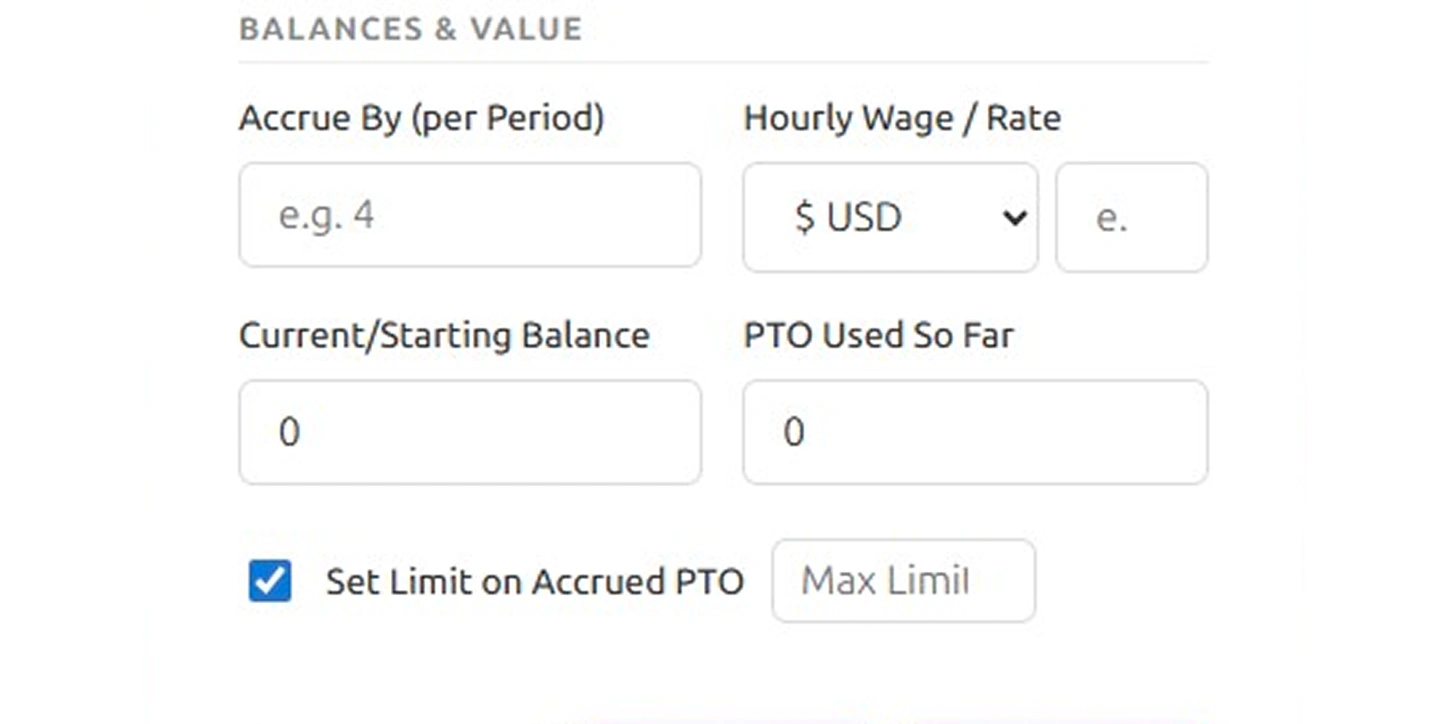
Enter the key details that help calculate total PTO earned and remaining leave.
- Accrue By (Hours per Period): Enter the number of PTO hours earned during each accrual period. This determines how PTO builds over time.
- Hourly Wage / Rate: Select the appropriate currency and enter the hourly rate. This helps estimate the payout value of the accrued PTO.
- Current / Starting Balance (Hours): Enter the existing PTO balance at the start of the selected period so the calculation reflects the correct starting point.
- PTO Used So Far (Hours): Provide the number of PTO hours already used within the selected timeframe to calculate the remaining available balance accurately.
- Set Limit on Accrued PTO: Enable this option if there is a maximum limit on how much PTO can accumulate. This keeps the calculation within the allowed cap.
Step 5: Calculate and Review the Results
Click Calculate to view the results, including remaining PTO, total accrued hours, estimated payout value, effective workdays, and newly accrued PTO. You can also reset the fields to start over, or download the results as a CSV for records.
These steps help estimate PTO accrual clearly, making it easier to understand how much paid time off employees earn and what remains available for future leave.
How to Calculate the Paid Time Off (PTO)?
Knowing your PTO balance should not feel like solving a math exam. It only takes a minute to calculate your paid time off when you understand the basic logic behind it. Below are the most common methods with formulas and real examples so you can follow along easily.
Step 1: Find Your Annual PTO Entitlement
Before anything else, you need to know how many PTO days your company gives you in a full year. This is usually mentioned in your offer letter or HR policy.
Formula
Annual PTO Days = Total PTO Hours Granted ÷ Daily Work Hours
Example
If your company gives you 80 PTO hours and you work 8 hours a day:
80 ÷ 8 = 10 PTO Days per Year
Step 2: Calculate Your PTO Accrual Rate
Most companies do not hand over all your PTO at once. You earn it gradually over the year, which is called accrual. This step tells you how much PTO you earn per pay period.
Formula
PTO Accrual Rate = Annual PTO Hours ÷ Number of Pay Periods
Example
If you get 80 PTO hours annually and are paid biweekly (26 pay periods):
80 ÷ 26 = 3.08 Hours per Pay Period
So, every time you get your paycheck, roughly 3 hours of PTO is added to your balance.
Step 3: Calculate Total Accrued PTO
Once you know your accrual rate, you can find out exactly how much PTO you have built up from your start date to any point in the year.
Formula
Total Accrued PTO = Accrual Rate per Period × Number of Pay Periods Worked
Example
You have worked 15 pay periods and earn 3.08 hours per period:
3.08 × 15 = 46.2 Hours Accrued
Step 4: Calculate Remaining PTO Balance
This is the number most people actually care about. It tells you how much paid time off you still have available to use.
Formula
Remaining PTO = Total Accrued PTO − PTO Already Used
Example
You have accrued 46.2 hours and have already taken 16 hours of leave:
46.2 − 16 = 30.2 Hours Remaining
Step 5: Calculate Your PTO Payout Value
If you are leaving a job or your company pays out unused PTO, this formula tells you exactly how much money that unused time is worth.
Formula
PTO Payout = Remaining PTO Hours × Hourly Wage
Example
You have 30.2 hours remaining, and your hourly rate is $20:
30.2 × $20 = $604 PTO Payout
That is real money sitting in your unused leave, and now you know exactly what it is worth.
What Are the Pros and Cons of the Paid Time Off (PTO) Calculator?
A PTO calculator is a helpful tool that makes it easy to track and manage paid time off for both employees and employers. It eliminates the need for manual counting and minimizes errors. However, just like any other tool, it has its advantages and its drawbacks. Understanding both sides helps you decide whether a PTO calculator is the right fit for your workplace. Below is a clear breakdown of the pros and cons.
| Pros | Cons |
|---|---|
| Shows how much paid leave has been earned over a period of time. | Results depend on the accuracy of the details entered. |
| Helps understand how PTO is calculated across pay periods. | Complex leave rules may still require manual review. |
| Makes vacation and time-off planning easier with clear estimates. | Does not automatically reflect policy changes unless updated. |
| Helps calculate leave for different work schedules, including hourly tracking. | Special conditions like carryover limits may not always be included. |
| Converts leave balances into different formats, such as hours or days. | Final balances should still be confirmed with official leave records. |
What Your PTO Data Could Be Telling You?
PTO records do not only show leave balances. When reviewed regularly, they show patterns in time-off usage, accrual trends, and planning gaps. These insights help manage leave more clearly and avoid scheduling surprises. Here’s what your PTO data might be showing you:

Spot Employees Who Never Take a Break
Low PTO usage often signals quietly building exhaustion.

Catch Leave Clustering Before It Disrupts Work
Multiple leaves at once create unexpected coverage gaps.

Identify Departments with High Leave Balances
Large unused balances point to a poor leave culture.

See Where Burnout Risk Is Building
Rarely used PTO often means an overworked employee.

Understand Seasonal Leave Trends
Recurring spikes help you plan staffing in advance.

Plan Payouts and Budgets More Accurately
Accumulated balances directly impact your year-end payroll.
How Time Champ Goes Beyond a Basic PTO Calculator?
Tracking paid time off is not just about knowing how many days employees still have. You need a clear picture of who is taking leave, when balances are running low, and whether your team has enough coverage at any given time. A basic PTO calculator helps you do the math, but it cannot watch your workforce, spot patterns, or alert you when something needs attention.
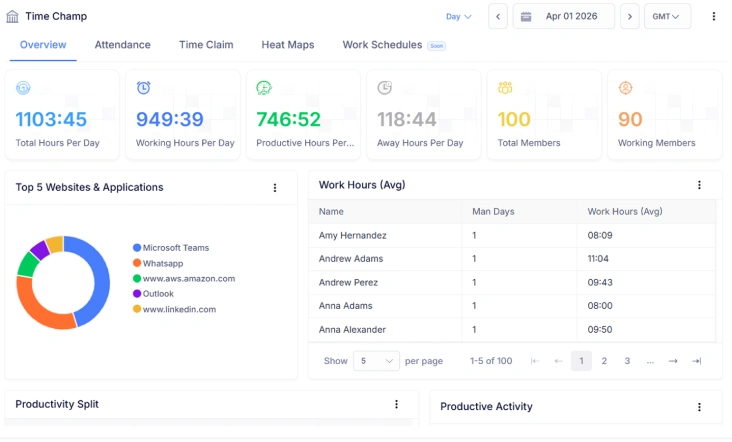
Time Champ steps in where a basic calculator stops. It automatically tracks employee attendance, leave usage, and working hours in real time, so your PTO data stays accurate and up to date without anyone having to update it manually. You can see who has taken leave, who has a high unused balance, and where coverage might be thin, all from one place. No spreadsheets, no back and forth with HR, and no end-of-month gaps. Time Champ turns PTO tracking from a routine admin task into a smarter way to manage your entire workforce.
| Feature | Time Champ | Spreadsheets | Manual |
|---|---|---|---|
| Automatic PTO Accrual Tracking | ✓ | ✕ | ✕ |
| Accurate PTO Balance Calculation | ✓ | Limited | ✕ |
| Team-Wide PTO Visibility | ✓ | Limited | ✕ |
| PTO Usage Tracking | ✓ | Manual Entry | ✕ |
| Leave Balance Monitoring | ✓ | Limited | ✕ |
| PTO Accrual Rate Management | ✓ | Manual Setup | ✕ |
| PTO History and Records | ✓ | Limited | ✕ |
| PTO Policy Tracking (limits, carryover) | ✓ | Manual Setup | ✕ |
| Attendance Tracking | ✓ | Manual Entry | ✕ |
Manual leave tracking costs you time, accuracy, and team clarity.
Switch to Time Champ and take full control of your PTO data from day one!
- Automated balance tracking with zero manual updates
- Instant notifications when leave patterns shift
- Complete workforce availability in a single dashboard
- Error-free leave records for seamless payroll runs
- Identify overworked employees before burnout sets in
 Start 7-day free trial
A Workforce Intelligence Tool Built for Smarter Performance
See What Our Happy Customers Say

Time Champ really changed the way we handle our daily work. Tracking our staff and managing tasks is now much easier than before. We can clearly see the difference in how the team works and stays accountable. I would recommend it to any business looking for a simple, all-in-one solution.

Time Champ gave us instant clarity without needing to micromanage. The dashboard is straightforward, the insights are quick, and our teams now make faster and more informed decisions.

Time Champ gave us a clear picture of how time was being used. Productivity improved, billing became easier, and the team worked with far less confusion.

Using Time Champ brought more structure and clarity to our daily workflow. Our teams now understand where time goes, how work progresses, and what needs attention, which has helped us stay productive and balanced.

Switching to Time Champ was quick and smooth for us. It replaced our old tool easily and made our daily work more organized. The tracking is flexible, and the support team has been very helpful whenever we needed assistance.

Time Champ helped us bring order to how we manage our work. Managing projects, tracking hours, and handling attendance is now simple and stress-free. The platform is easy to use, and the support team truly cares. Time Champ has made our workflow smoother and easier to manage.
Connect with our product experts for a live demo and discuss your business requirements.
Explore Other Calculators

Project Cost Calculator
Calculate expenses with our project cost calculator, a tool for estimating budgets, tracking costs, and planning projects with accuracy and control.
Try Now →Schedule Variance Calculator
Calculate schedule variance with our schedule variance calculator, a simple tool for tracking project timelines and evaluating schedule performance.
Try Now →Shift Differential Calculator
Calculate task or project completion rates instantly with our completion percentage calculator - an accurate tool to track progress and improve productivity.
Try Now →


 4.7/5 avg.
Ready to Manage Your Workforce Smarter?
Join our family of 1500+ companies using smart insights to redefine workforces!

Free Trial
No Credit Card Required