Billable Hours Calculator
Easily calculate billable hours, generate a clear billable hours chart, and estimate your total billable hours in a year. Our free billable hours calculator helps you simplify client billing, track billable time accurately, and improve overall productivity.
Billable Hours Calculator
Hours
Utilization %
What is the Billable Hours Calculator?
A billable hours calculator is a simple online tool that helps you calculate the total hours you can charge your clients for. You just enter your start time, end time, breaks, and hourly rate, and it instantly shows your total billing hours and payable amount. You don’t have to rely on spreadsheets or do manual billing calculations anymore.
If you’re a freelancer, consultant, lawyer, or agency owner, this tool makes your life much easier. You can track how many hours you’ve worked, compare them with actual time spent, estimate your yearly totals, and maintain a clean chart for accurate invoicing.
Also Read: Billable vs Non-Billable Hours: Key Differences Explained
Why Should You Use the Billable Hours Calculator?
Using a billable hours calculator makes billing faster, simpler, and far more accurate. Whether you’re a consultant, freelancer, agency, or attorney, tracking billing hours directly impacts your income and profitability.
Research by the U.S. Bureau of Labor Statistics in 2025 revealed that labor productivity in the U.S. non-farm business sector increased by 4.9%, showing how closely productivity improvements are linked to better use of working hours.
Here’s why this tool truly matters:
Accurate Client Invoicing
Reduces calculation mistakes and helps you charge correctly for every working hour. Even small errors in billing hours can lead to revenue loss over time. This calculator helps you invoice with confidence and maintain professional credibility.
Saves Time on Manual Calculations
You don’t need to depend on spreadsheets or manually calculate billing hours. You can save valuable time on manual formula checks and get accurate results instantly within seconds.
Better Productivity Tracking
Helps compare billable hours vs actual hours to understand work efficiency. You can clearly see how much of your working time is revenue-generating and where non-billable time is increasing. This insight helps you improve time management and increase overall profitability.
Useful for Different Professions
Ideal for consultants, freelancers, agencies, accountants, and lawyers, especially for preparing an attorney billable hours chart or maintaining structured client billing records. No matter your industry, it simplifies how you track and calculate billing hours.
Clear Billing Breakdown
Generates a structured billable hours chart or billable time chart that helps you visualize how time is distributed across tasks or projects. This makes it easier to identify high-value projects and optimize your workload.
Financial Planning Support
Helps to estimate expected income based on billable hours in a year. You can forecast monthly or annual revenue by simply adjusting your hourly rate and working hours. It supports smarter financial planning and realistic income goal setting.
Supports Different Billing Cycles
Whether you bill daily, weekly, monthly, or annually, the calculator adapts easily. It helps manage short-term invoices and long-term revenue goals. This flexibility ensures smooth billing across different client agreements.
Enhances Transparency with Clients
When you clearly show calculated billable time, clients trust your billing structure more. When your calculations are transparent and billing is clear and also improves communication and builds lasting client trust.
How to Use the Billable Hours Calculator?
The billable hours calculator helps you estimate total billable hours, utilization rate, and expected revenue based on your team size, working schedule, and efficiency factors. Follow these steps to use the calculator correctly.
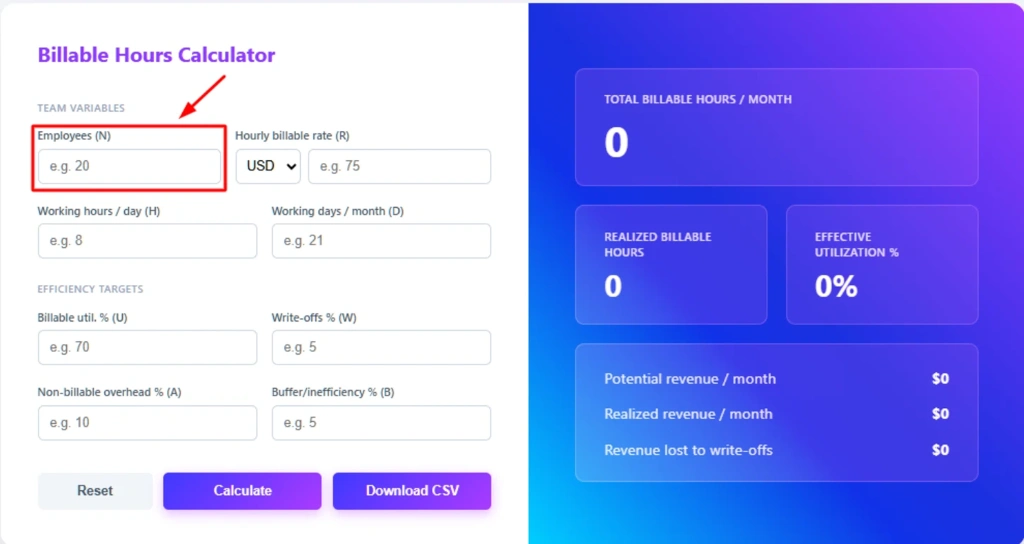
Step 1: Enter the Number of Employees
Start by entering the total number of employees who will work on billable tasks. This helps the calculator determine the total available working capacity.
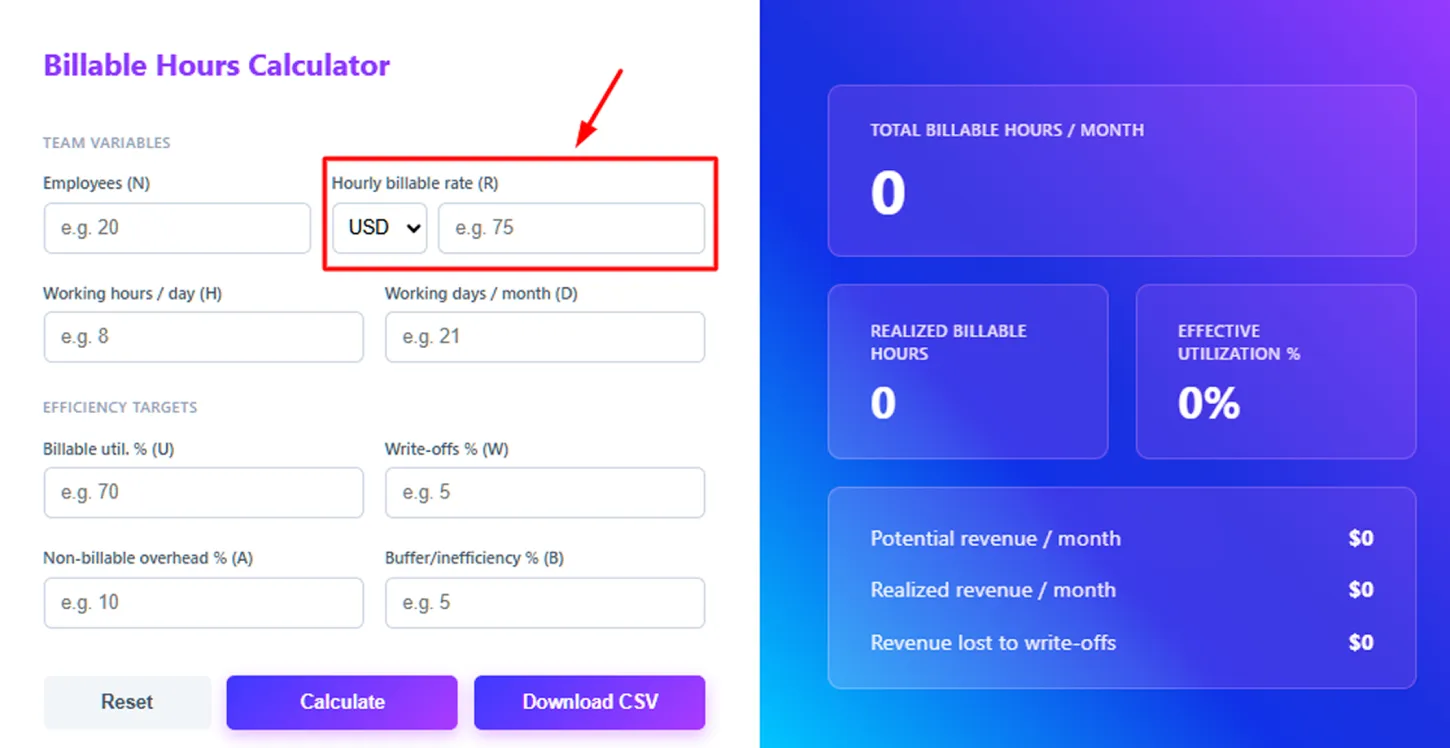
Step 2: Enter the Hourly Billable Rate
Enter the hourly rate you charge clients for your services. You can also select the currency (such as USD) from the dropdown before entering the rate.
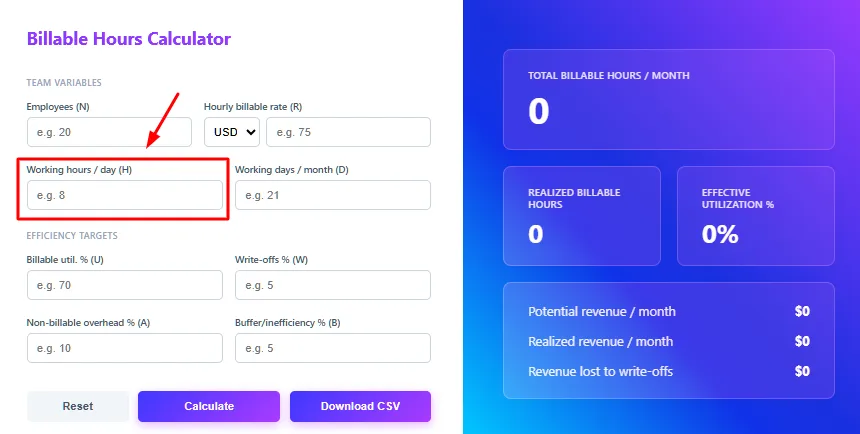
Step 3: Add Working Hours Per Day
Enter the average number of hours each employee works per day. This value helps calculate the total monthly working hours available for billing.
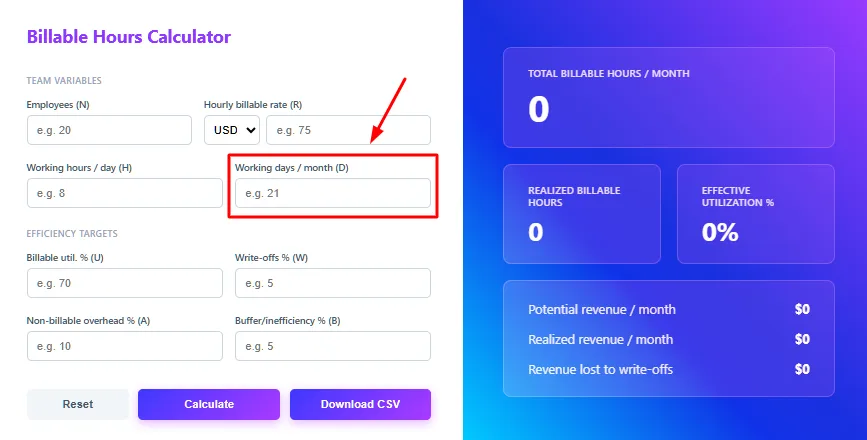
Step 4: Enter Working Days Per Month
Input the number of working days in a month. The calculator multiplies this by daily working hours to determine the total monthly work capacity.
Step 5: Set the Billable Utilization Percentage
Add the expected billable utilization percentage, which represents the portion of time employees spend on billable tasks compared to total working time.
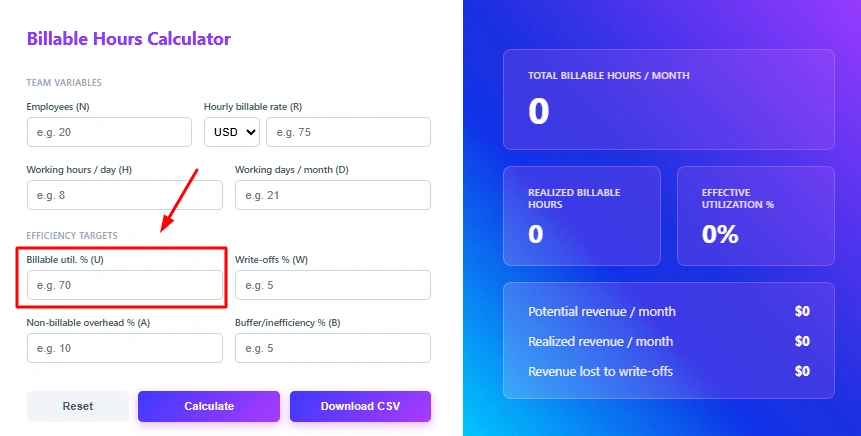
Step 6: Enter Write-offs Percentage
Write-offs represent work that cannot be billed due to corrections, discounts, or adjustments. Enter the estimated percentage to calculate lost revenue.
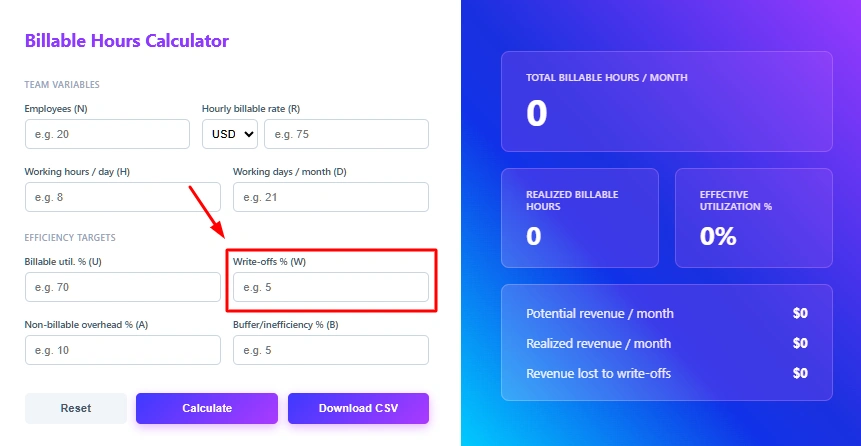
Step 7: Add Non-Billable Overhead
Input the percentage of time spent on non-billable activities such as meetings, internal discussions, training, or administrative work.
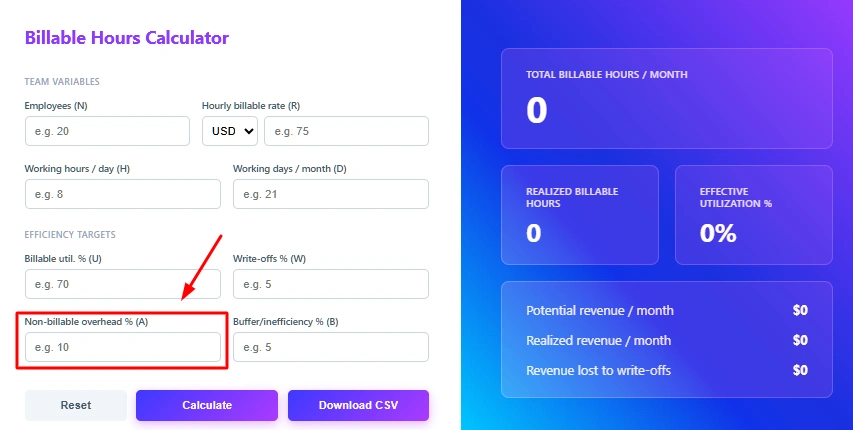
Step 8: Enter Buffer or Inefficiency Percentage
Include a small percentage for inefficiencies like delays, idle time, or workflow interruptions. This ensures the calculation reflects realistic productivity.
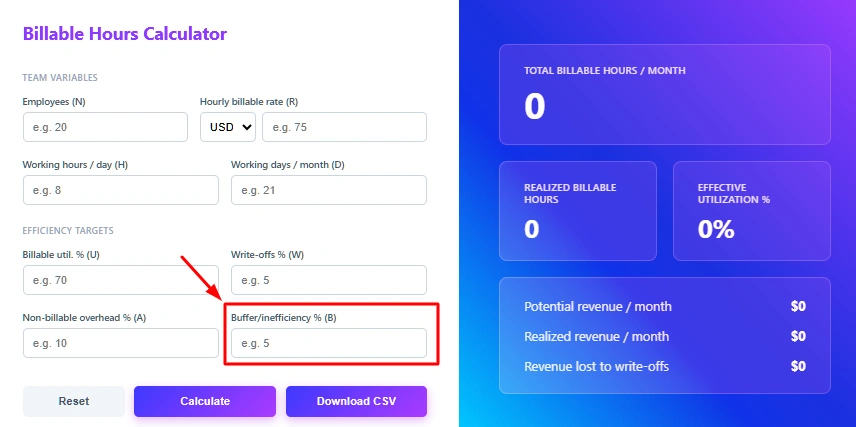
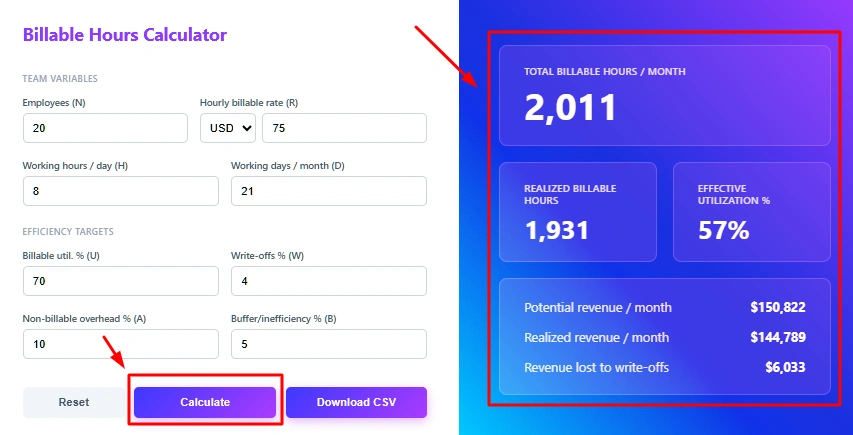
Step 9: Click Calculate
After entering all values, click Calculate. The tool instantly displays:
- Total billable hours per month
- Realized billable hours
- Effective utilization percentage
- Potential monthly revenue
- Realized monthly revenue
- Revenue lost due to write-offs
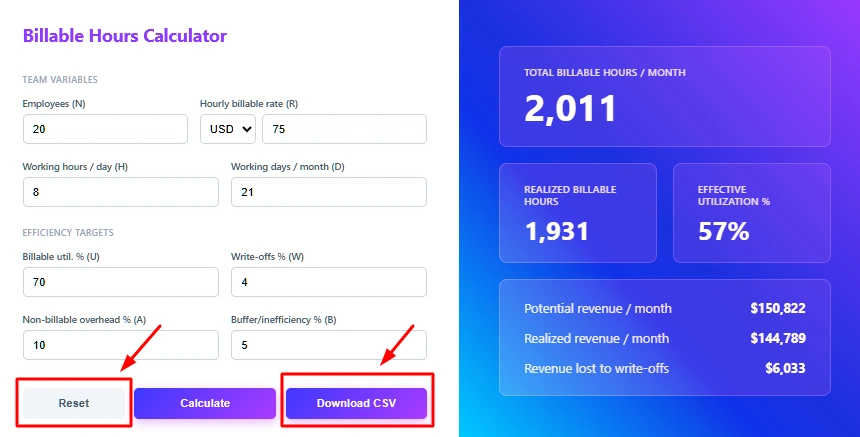
Step 10: Download or Reset
You can download the results as a CSV file or reset the calculator to perform a new calculation.
How to Calculate the Billable Hours?
Calculate billable hours manually using these simple formulas. The calculator follows these basic steps to estimate billable time and revenue.
Step 1: Calculate Total Monthly Working Hours
First, calculate the total working hours available in a month.
The Formula:
Total Working Hours = Employees × Working Hours per Day × Working Days per Month
Example:
Employees = 1
Working Hours per Day = 8
Working Days per Month = 1
Total Working Hours = 1 × 8 × 1
Total Working Hours = 8 Hours
Step 3: Adjust for Non-Billable Overhead and Inefficiencies
Not all billable time converts into actual productive work. Adjust the hours by subtracting overhead and inefficiencies.
The Formula:
Realized Billable Hours = Billable Hours × (1 − Non-Billable Overhead − Buffer)
Example:
Billable Hours = 5.6
Overhead = 10%
Buffer = 5%
Realized Billable Hours ≈ 5 Hours
Step 4: Calculate Potential Revenue
Once you know the billable hours, calculate the revenue those hours can generate.
Formula:
The Formula:
Potential Revenue = Billable Hours × Hourly Rate
Example:
Billable Hours = 5
Hourly Rate = $75
Potential Revenue = 5 × 75
Potential Revenue = $375
Step 5: Adjust Revenue for Write-Offs
Sometimes businesses reduce billing due to discounts, corrections, or unbillable adjustments. Apply write-offs to estimate the realized revenue.
The Formula:
Realized Revenue = Potential Revenue × (1 − Write-offs %)
Example:
Potential Revenue = $375
Write-offs = 5%
Realized Revenue ≈ $341
Step 6: Calculate Revenue Lost
Finally, calculate the amount of revenue lost due to write-offs.
The Formula:
Revenue Lost = Potential Revenue − Realized Revenue
Example:
Potential Revenue = $359
Realized Revenue = $341
Revenue Lost = $18
If you follow these steps, you can clearly see how employee work hours translate into billable hours, utilization rates, and revenue generation. This method helps you assess project profitability, track billing efficiency, and make better workforce-planning decisions.
What Are the Pros and Cons of the Billable Hours Calculator?
Before using any billing tool, it’s important to understand both its strengths and limitations. A billable hours calculator can simplify billing hours and improve invoicing accuracy, but like any tool, it has certain constraints. Here’s a clear comparison to help you decide when and how to use it effectively.
| Pros | Cons |
|---|---|
| Ensures accurate calculation of billable hours and total billing amount. | Accuracy depends on correct manual time entry. |
| Reduces errors in client invoicing and billing hours tracking. | Does not automatically track real-time work activity like a timesheet app. |
| Saves time compared to manual spreadsheets or complex calculations. | Limited when managing multiple employees at once. |
| Helps compare billable hours vs actual hours for productivity analysis. | Does not provide deep workforce or performance insights. |
| Supports financial planning by estimating billable hours in a year. | Typically, does not include tax or compliance calculations. |
| Useful for creating a structured billable hours chart for reporting. | Cannot fully replace advanced time tracking or project management systems. |
What Your Billable Hours Data Could Be Telling You
Your billable hours data does more than calculate billing amounts. It shows how productive your team is, how efficiently time is used, and whether your projects are truly profitable. When you combine billing hours with clear workforce insights, you gain a deeper understanding of performance, revenue, and resource allocation.

Highlights Productivity Strengths and Gaps
See where billable time is strong and where non-billable hours are increasing to identify improvement areas.

Improves Revenue Forecasting
Predict income more accurately and set realistic financial targets by analyzing billable hours in a year.

Supports Smarter Resource Planning
Understand which projects consume the most billable time and allocate employees effectively to maximize returns.

Enhances Client Transparency
Maintain a clear billable hours chart that builds trust with clients through structured and accurate billing records.

Strengthens Profitability Analysis
Compare billable hours vs actual hours to identify inefficiencies and reduce revenue leakage.

Builds a More Efficient Workforce
Track billable time consistently to be more focused, accountable, and aligned with business goals.
Turn Billable Hours Data into Workforce Intelligence
Calculating billable hours is the first step toward understanding how much revenue your work generates. But knowing how time is actually spent across projects, tasks, and employees requires deeper visibility. With the Time Champ workforce intelligence platform, you can go beyond a basic billable hours calculator. It helps you track work activity, analyze billable vs non-billable hours, and understand productivity patterns that affect profitability.
Deloitte research shows that employees spend around 28% of their workday reading or responding to emails, which reduces time available for high-value or billable work.
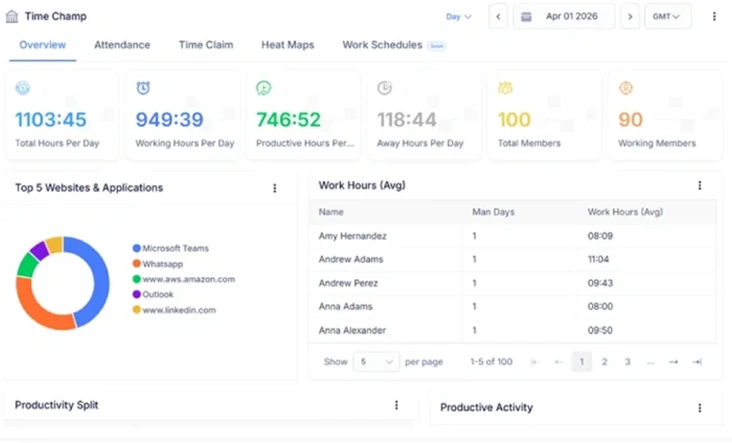
With Time Champ, you can gain real-time insights into how teams spend their working hours. You can identify time inefficiencies, improve project billing accuracy, and ensure employees focus on high-value tasks. These insights help you enhance billable time, improve workforce productivity, and make smarter decisions.
| Feature | Time Champ | Spreadsheets | Manual Calculators |
| Billable Hours Calculation | ✔ | ✔ (with formulas) | ✔ |
| Billable Rate Calculation | ✔ | ✔ (manual setup) | ✔ |
| Automatic Billing Amount Calculation | ✔ | Requires formulas | Manual calculation |
| Billable vs Non-Billable Hours Tracking | ✔ | Limited | ✖ |
| Workforce Activity Visibility | ✔ | Limited | ✖ |
| Productivity Insights | ✔ | Limited | ✖ |
| Multi-Project / Team Analysis | ✔ | Manual involvement required | Single calculation only |
| Time Usage Trends Over Time | ✔ | Manual chart creation | ✖ |
| Error Reduction in Calculations | ✔ | ✖ | Low (manual errors likely) |
| Real-Time Workforce Monitoring | ✔ | ✖ | ✖ |
Track Billable Hours with Real Workforce Insights
Tracks billable time, workforce productivity, and revenue insights in real-time to help you make smarter billing and workforce decisions.
- Billable Hours Calculations in Seconds
- Real-Time Workforce Productivity Insights
- Project-Level Billable Time Visibility
- Export-Ready Reports For Client Billing
 Start 7-day free trial
A Workforce Intelligence Tool Built for Smarter Performance
See What Our Happy Customers Say
See how organizations improved performance through workforce intelligence

Time Champ has simplified the way we manage our work. We can now see project progress, monitor time, and handle attendance without any confusion. The platform is easy to use, and the support team is always ready to help.

Time Champ helped us clearly see how our time was being spent, which helped us to boost our team’s productivity and simplified the entire billing process. Features like attendance tracking and real-time activity tracking have greatly improved our team’s overall performance.

It was hard to understand how our teams were working without repeatedly checking in. Time Champ gave us clear visibility into daily activities and provided useful insights that helped us make better decisions.

Managing our remote team has become much smoother. We now have better visibility into work patterns, productivity, and attendance. The custom reports also help us quickly spot areas that need improvement.

Time Champ reshaped the way we handled our daily operations. It simplified staff tracking and streamlined how we managed routine tasks. We experienced measurable gains in both productivity and accountability.

Time Champ provided the clarity we were looking for. Its features allowed us to understand work patterns in depth, while remaining easy to use, cost-effective, and flexible enough for teams of different sizes.
Use Time Champ to track time, boost productivity, and simplify client billing.
Explore Other Calculators

Attrition Rate Calculator
Calculate billable hours instantly with our Billable Hours Calculator, an accurate tool for tracking work time, productivity, and client billing insights.
Try Now →Completion Percentage Calculator
Calculate expenses with our project cost calculator, a tool for estimating budgets, tracking costs, and planning projects with accuracy and control.
Try Now →Shift Differential Calculator
Calculate task or project completion rates instantly with our completion percentage calculator - an accurate tool to track progress and improve productivity.
Try Now →


 4.7/5 avg.
Ready to Manage Your Workforce Smarter?
Join our family of 1500+ companies using smart insights to redefine workforces!

Free Trial
No Credit Card Required