Screen Monitoring Software for Workforce Visibility

Boost productivity and maintain accountability with intelligent screen monitoring software that provides visibility into work patterns while respecting employee privacy.

screen-monitoring -software
Trusted by 1200+ Companies Worldwide
127+
Countries
1200+
Companies
100K+
Users
2.5M+
Insights Generated
envision imagemarkets customeragilisium imagedecade customerknackgobal imageuintnese customerphysics wallah imagehealthquist customerintegra customersutherland imagemoney view image

Smart Screen Monitoring Software for Real-Time Work Visibility

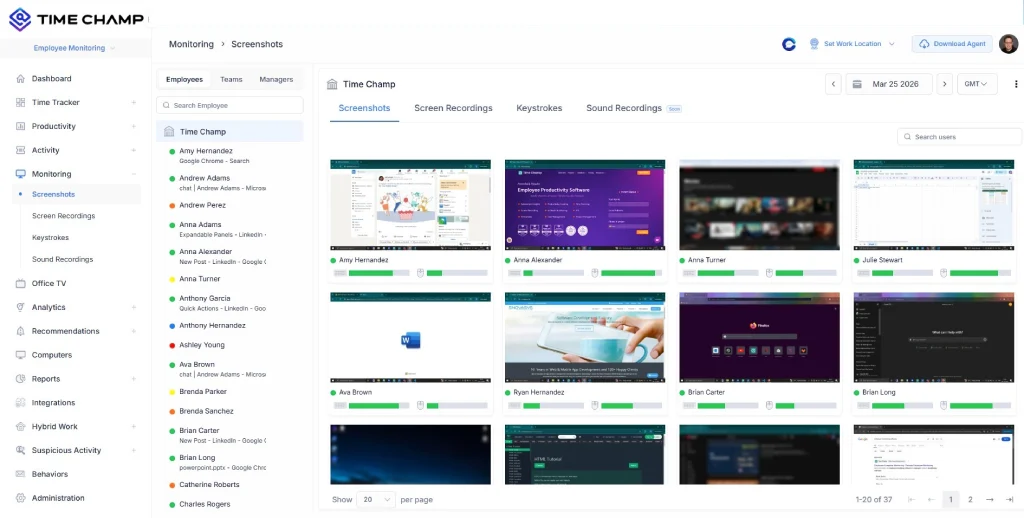
capture screenshots
capture-screenshots

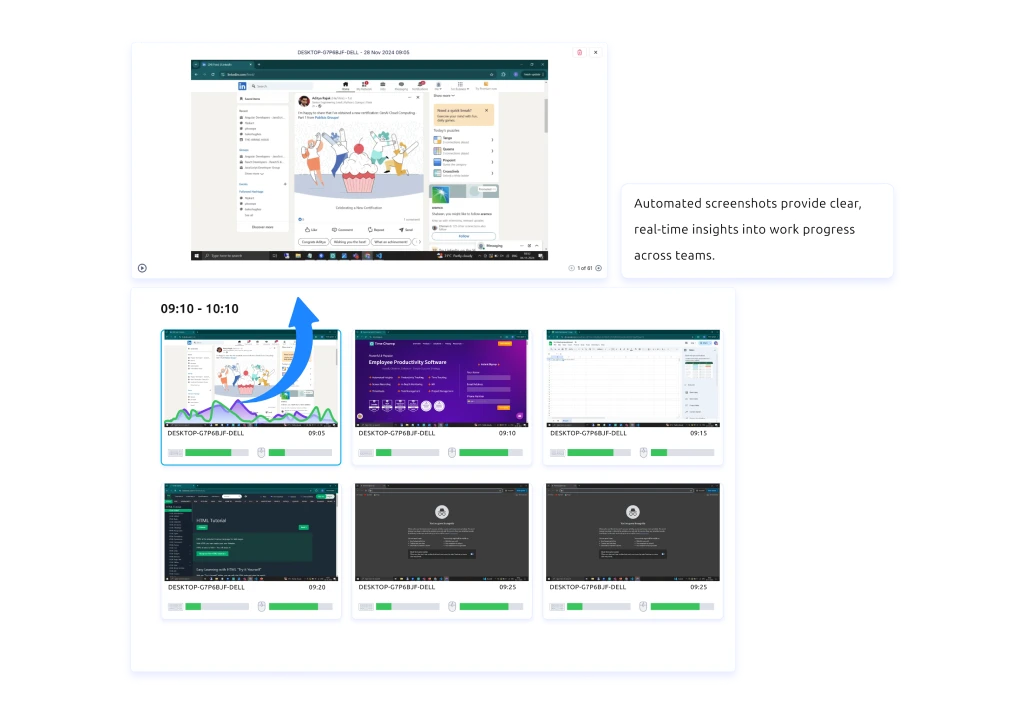
Capture Screens with Flexible Controls

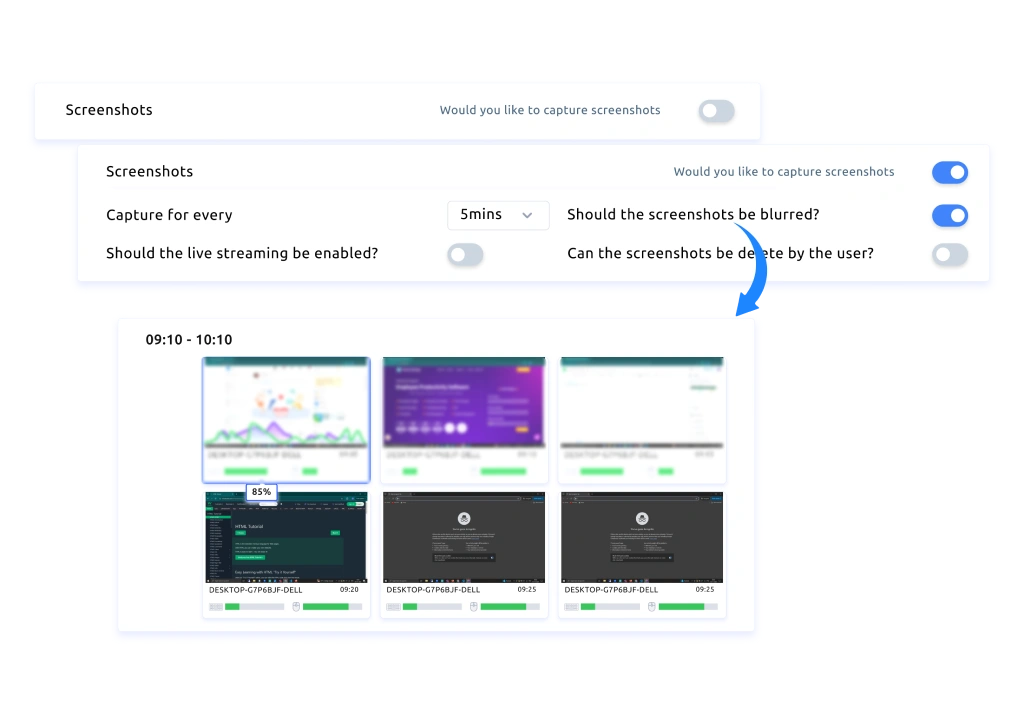
Capture screenshots at defined intervals or take manual screenshots anytime to maintain a clear visual record of ongoing work.

blur screenshots

Protect Sensitive Data with Screenshot Blur Controls

Enable blur settings to hide confidential information in screenshots, ensuring visibility stays aligned with privacy requirements.

screen-recording

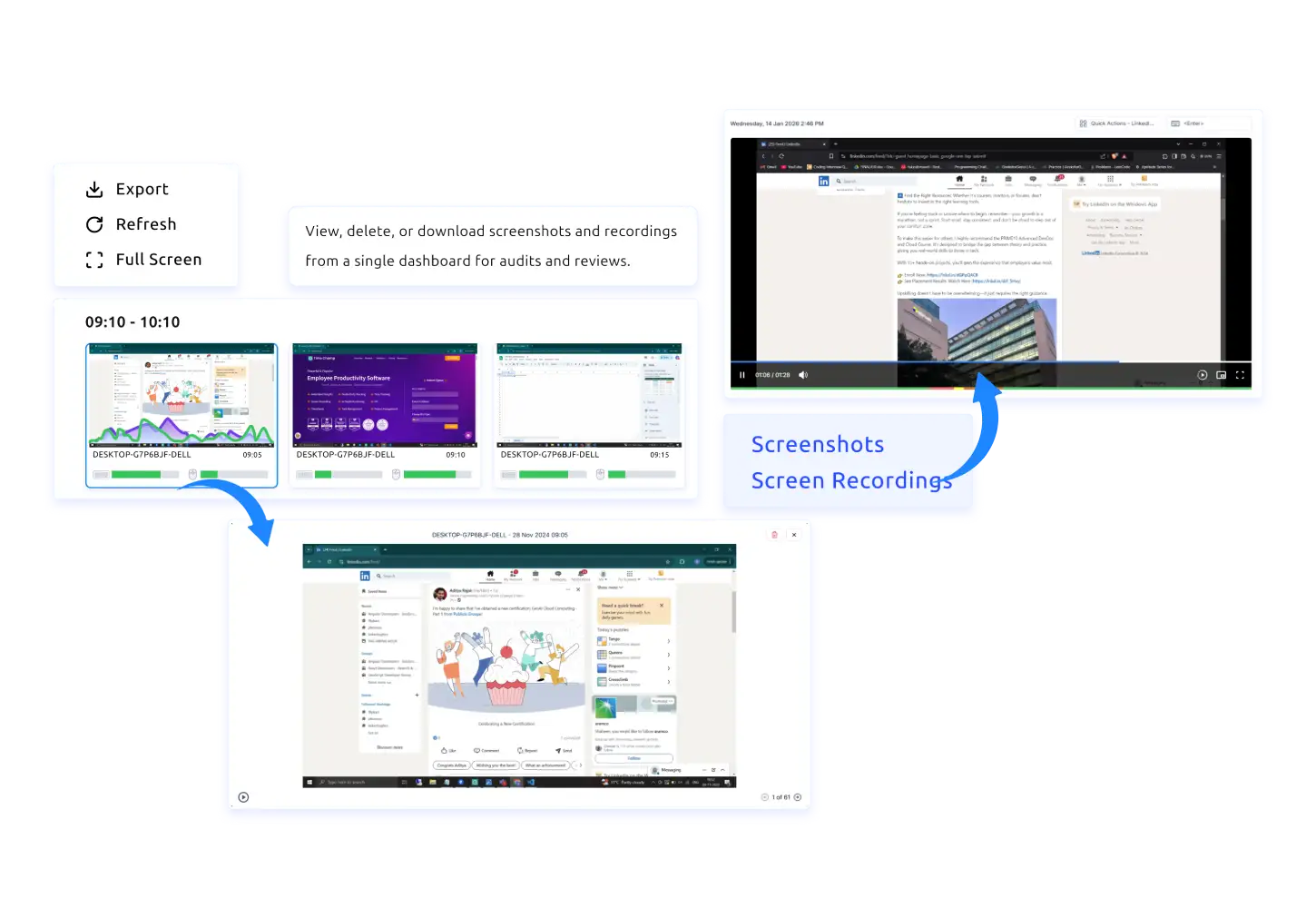
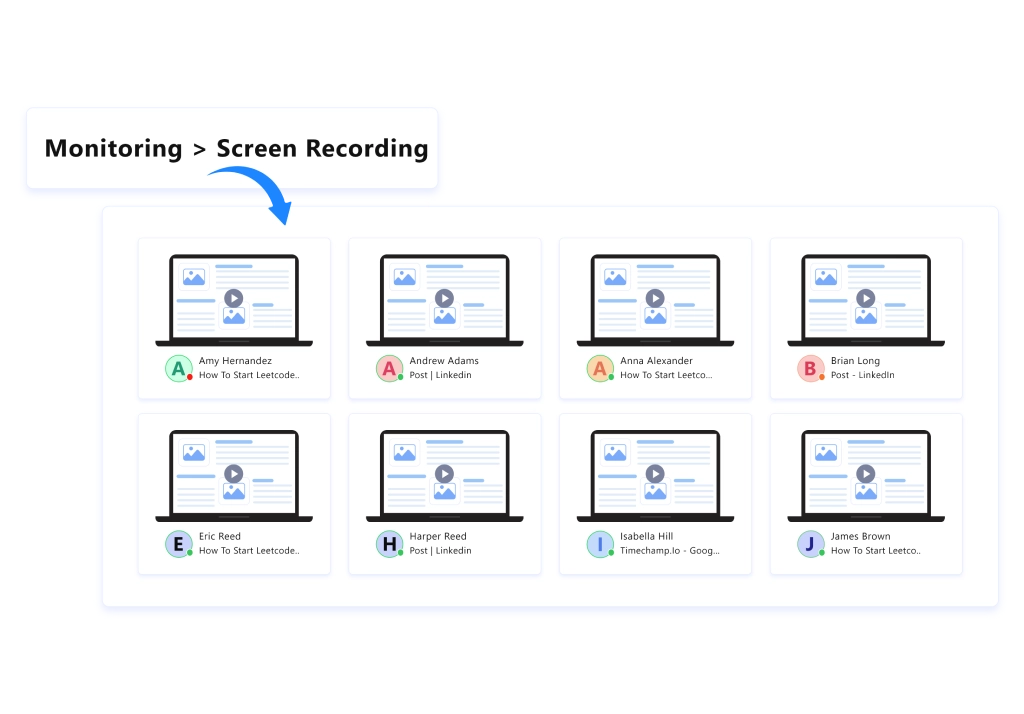
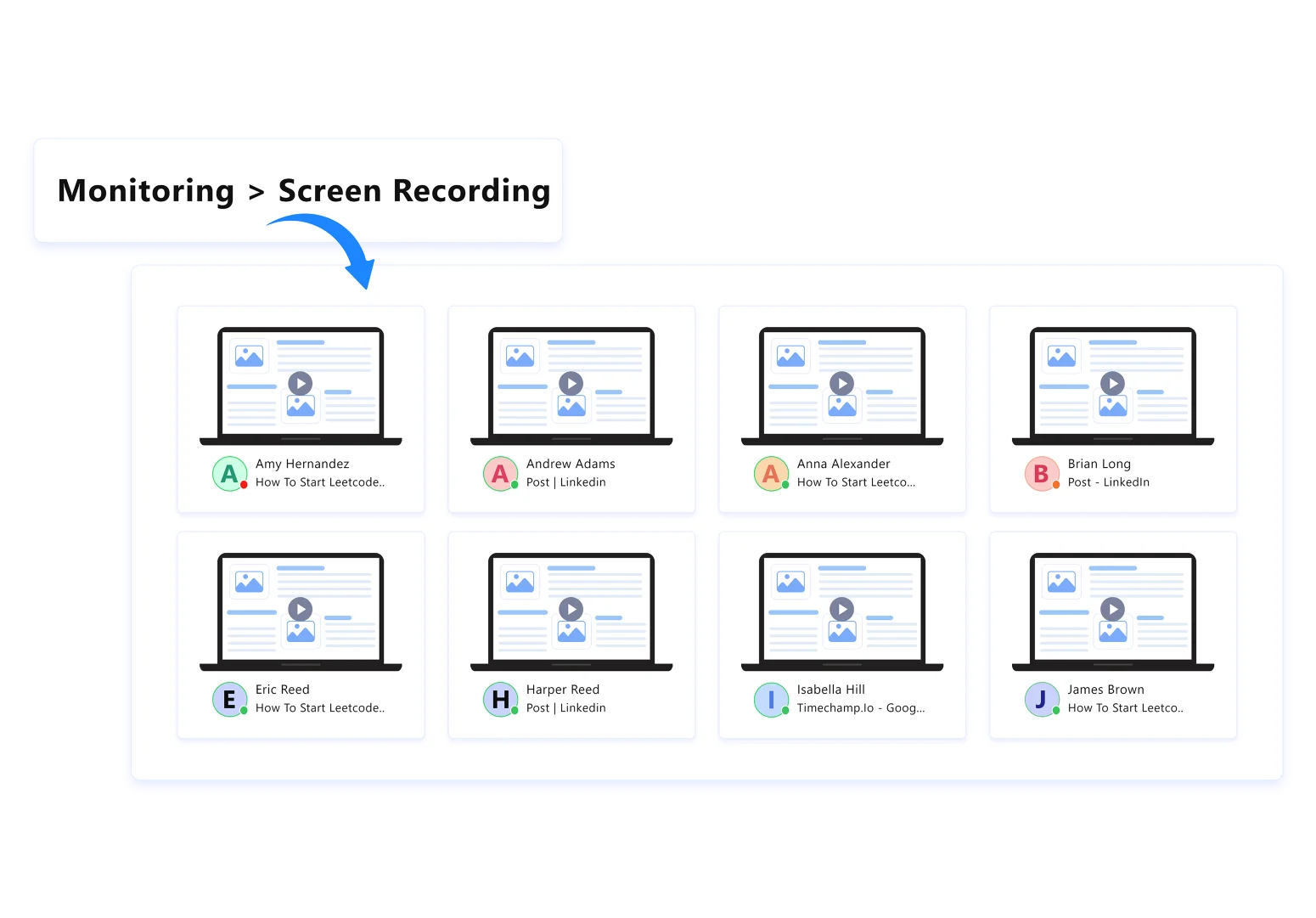
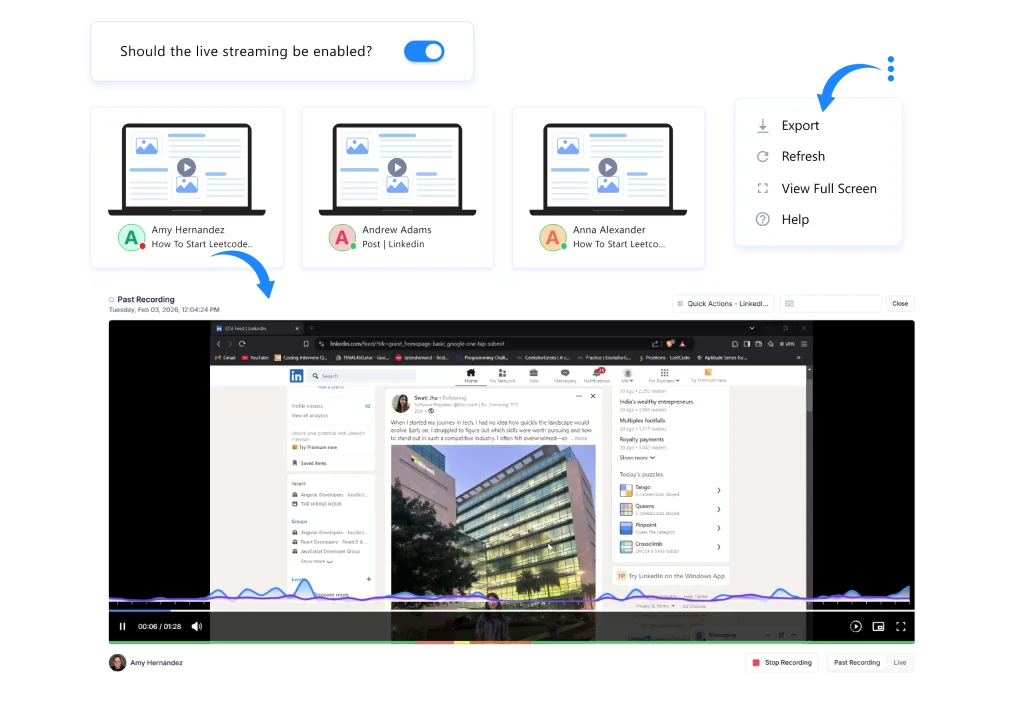
Get Complete Work Visibility Through Screen Recordings

Screen recordings show you exactly how employees handle tasks across different applications, giving you complete clarity on how they actually spend their time.

live-screens

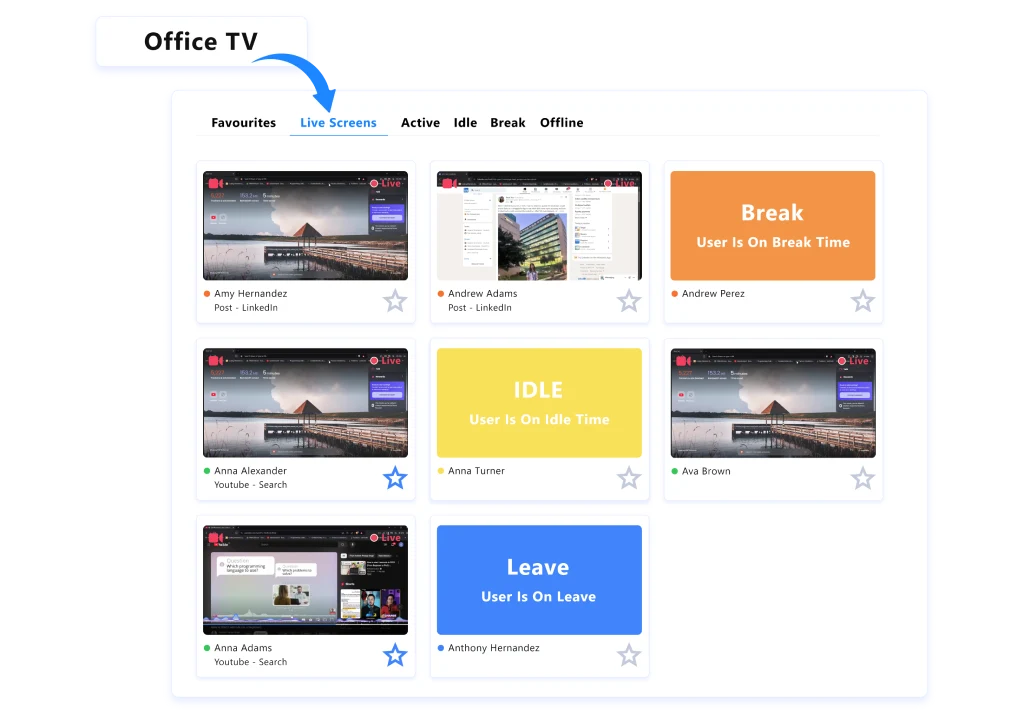
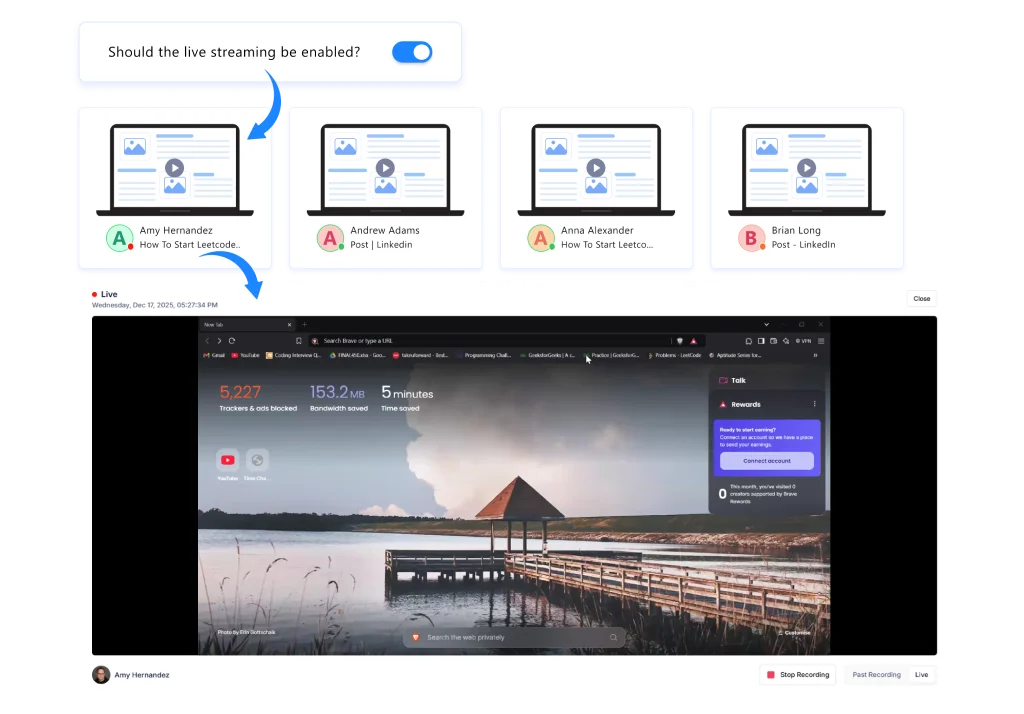
View Live Screens Instantly with Office TV

Stream live employee screens in real time to see exactly what work is happening and how tasks are progressing.

office tv dashboard
track user status icon

Track User Status in Real Time

Instantly see who is active, idle, on break, or offline, and mark key screens as favorites to access the ones that need your attention first.

activity-tracking-icon

Track Activity Across Multiple Screens

Monitor activity across multiple monitors at once to understand how work continues across different screens.

stealth mode icon

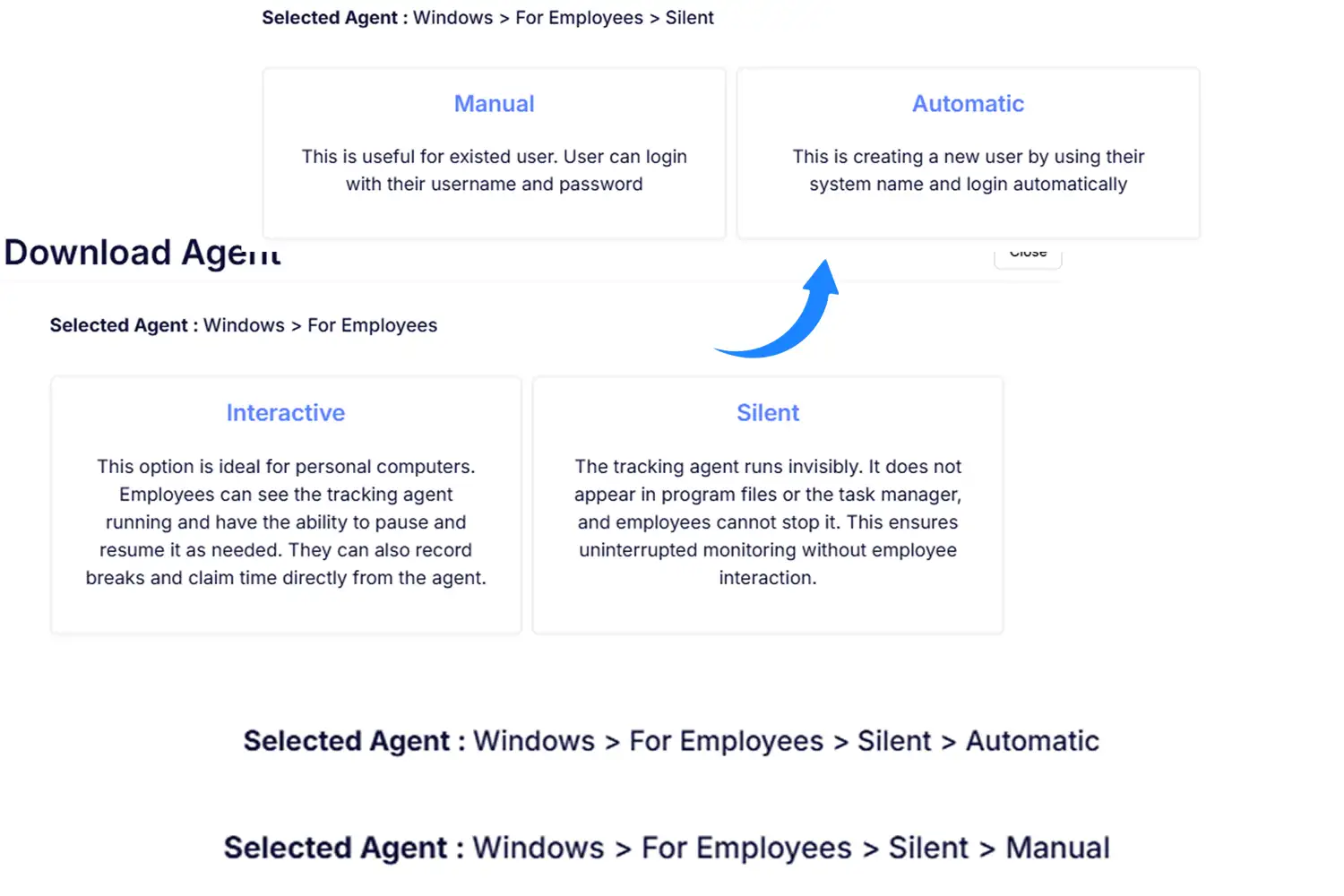
Run Screen Monitoring Quietly in the Background

Monitor screens quietly without disrupting employee workflows, so your team stays focused on work while you maintain full visibility throughout the day.

anamoly-detection-icon

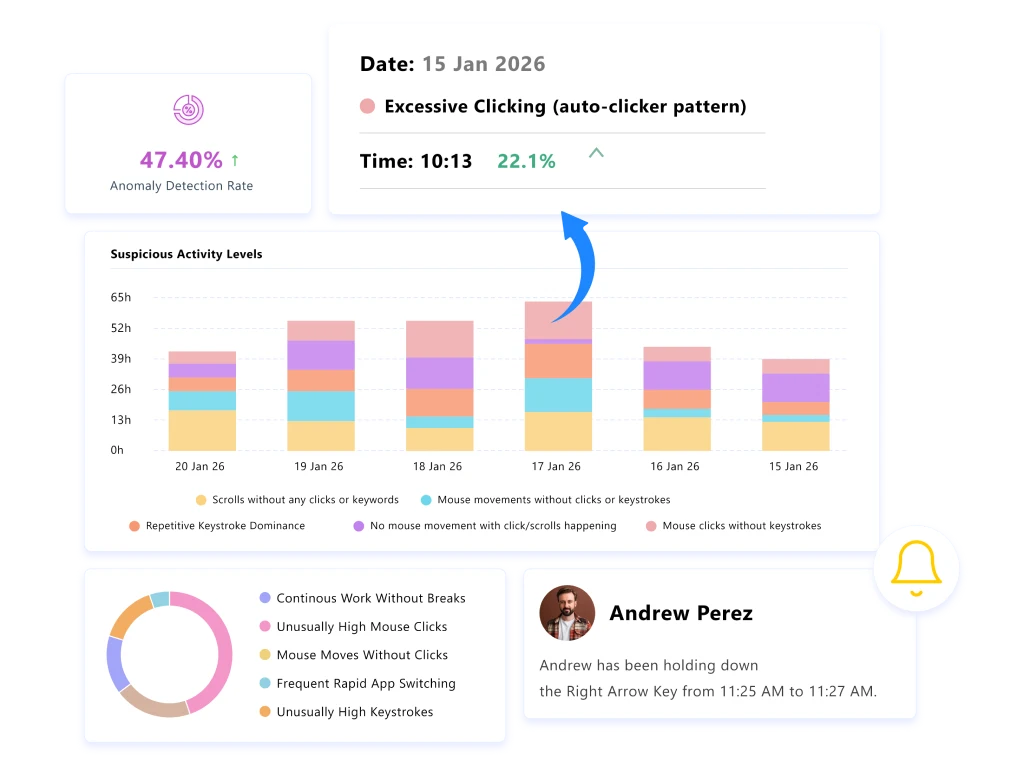
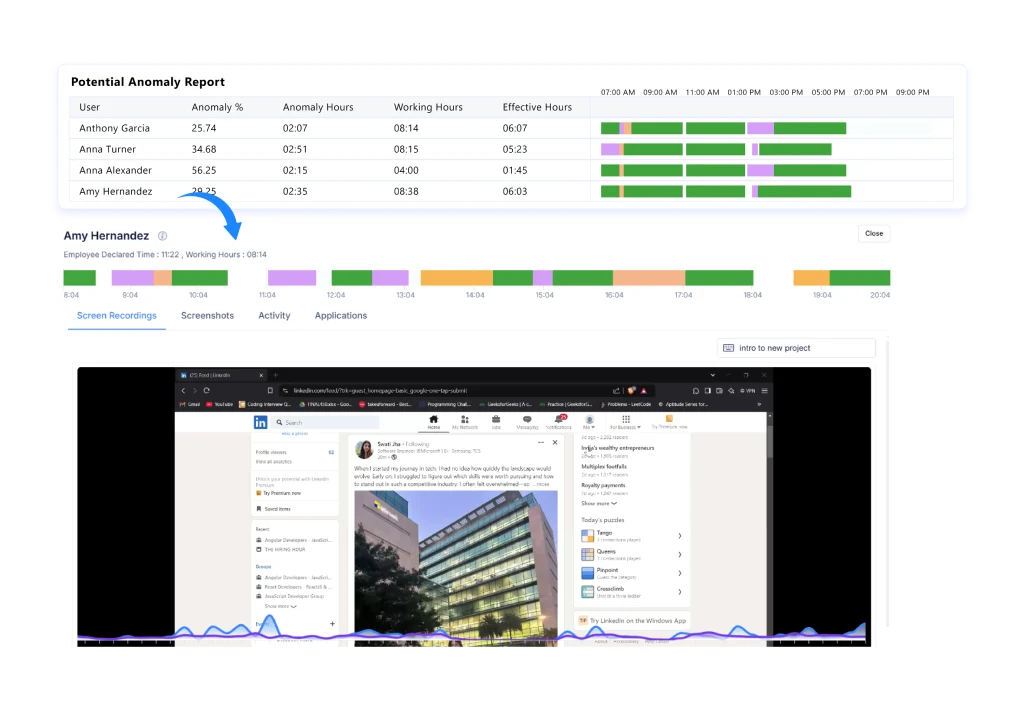
Detect Anomalies Through Activity Spikes in Recordings

Identify unusual patterns quickly by spotting anomaly spikes in screen activity that highlight sudden or unexpected changes.

keystrokes dashboard
keystrokes icon

Measure Engagement Through Keystroke Activity

Keystroke and mouse activity data show you how actively employees engage with their work throughout the day, without capturing or reading anything they type.

screen monitoring reports icon

Export Screen Data for Reviews and Audits

Download screenshots and recordings when needed to support audits, training, or internal reviews with clear context.

role based access icon

Configure Role-Based Access for Screen Data

Set permissions so only the right people can view, download, or delete screenshots and recordings, keeping your monitoring data structured and secure.

cross platform devices icon

Maintain Visibility Across All Devices

Maintain consistent screen visibility across Mac, Linux, and Windows devices without slowing down systems and workflows.

Traditional Screen Monitoring vs. Screen Monitoring Software (Time Champ)

A quick view of how modern, privacy-conscious screen visibility improves everyday workflows and team clarity:

Traditional Screen Monitoring

  • icon
    Focuses only on screenshots or recording.
  • icon
    Creates tension due to over-monitoring.
  • icon
    Hard to understand what’s slowing teams down.
  • icon
    Requires manual checks and time-consuming reviews.
  • icon
    Scattered activity logs with no context.
  • icon
    Makes oversight feel intrusive.

Screen Monitoring Software (Time Champ)

  • icon
    Gives real-time visibility into employees' screens to track their activity during work hours.
  • icon
    Builds trust with transparent, privacy-safe visibility.
  • icon
    Highlights workflow friction the moment it appears.
  • icon
    Shows screen activity instantly, removing the need for manual reviews.
  • icon
    Gives a unified view of activity patterns in one place.
  • icon
    Keeps monitoring supportive, clear, and aligned with modern work models.

Is Time Champ the Ideal Screen Monitoring Software for High-Performing Teams?

Yes, Time Champ gave high-performing teams the visibility they needed to understand daily work clearly while maintaining employee privacy. It helped leaders find inefficiencies, fix bottlenecks, and make smart decisions without slowing down the team's work.

With Time Champ in place, organizations:

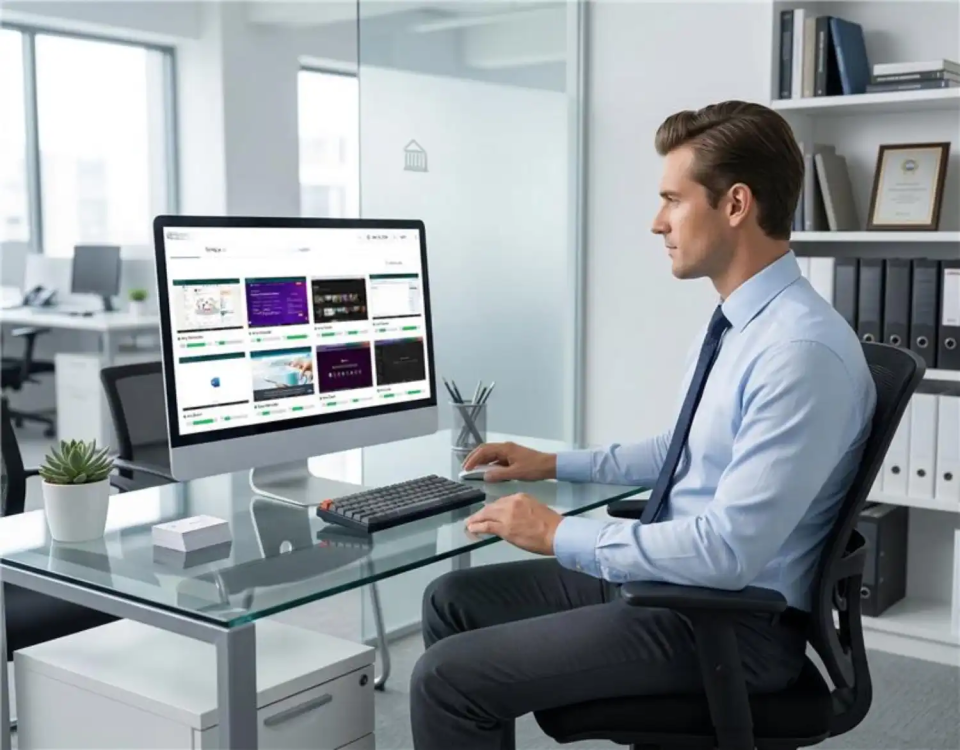
time champ interface image
scan eye icon

Gained Real-Time Visibility into Screen Activity

Leaders viewed live screens to understand how work was happening across applications without depending on updates or assumptions.

work records icon

Maintained Clear Work Records with Screenshots and Recordings

Managers accessed screenshots and screen recordings to review work, verify actions, and resolve issues when needed.

tracking app icon

Identified Unusual Activity Patterns Early

Leaders spotted anomaly spikes in screen activity and took timely action before issues affected overall performance.

Time Champ offers a user-friendly interface that helps you stay focused on work without dealing with complicated setups.

Get Started now!
How Does Time Champ Screen Monitoring Software Work?
  • 1
    Create Your Workspace
  • 2
    Invite Your Team
  • 3
    Configure Monitoring Settings
  • 4
    Monitor Activity in Real-Time
  • 5 Review and Export Insights
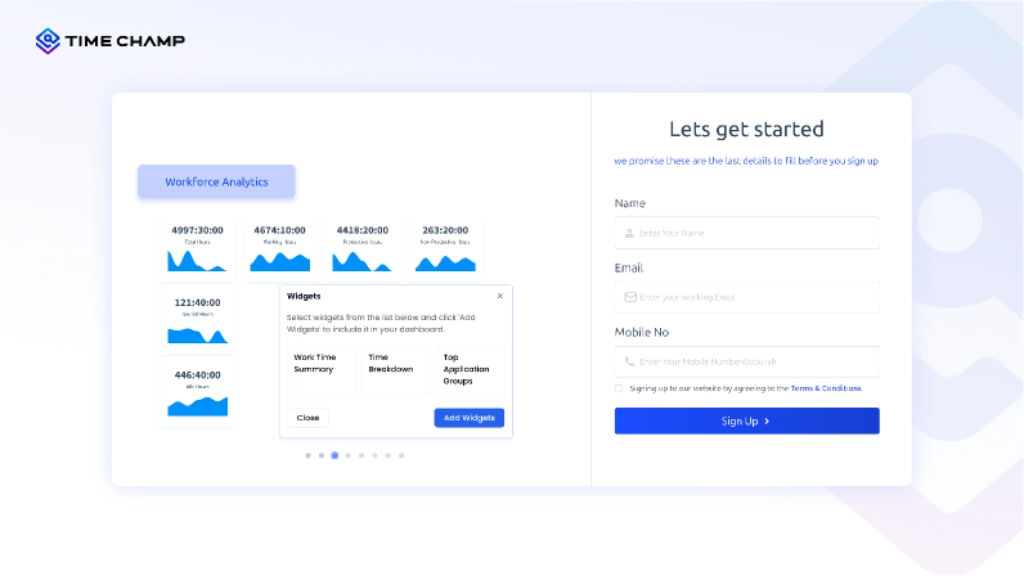
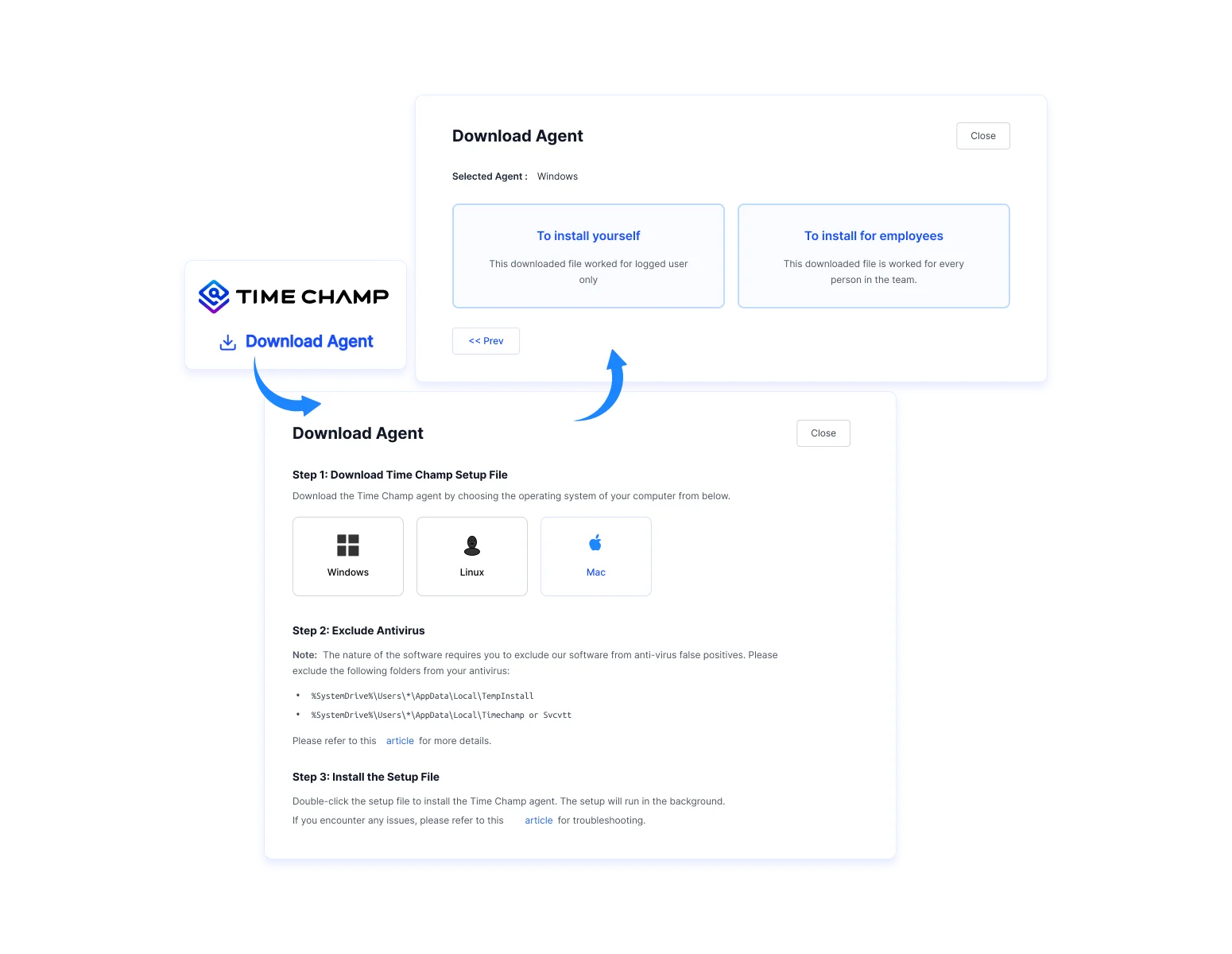
Create Your Workspace

Start with Time Champ by signing up for free and setting up your account in seconds.

start-with-time-champ-dashboard
Invite Your Team

Add your team members, define their roles, and set precise access permissions to stay compliant from day one.
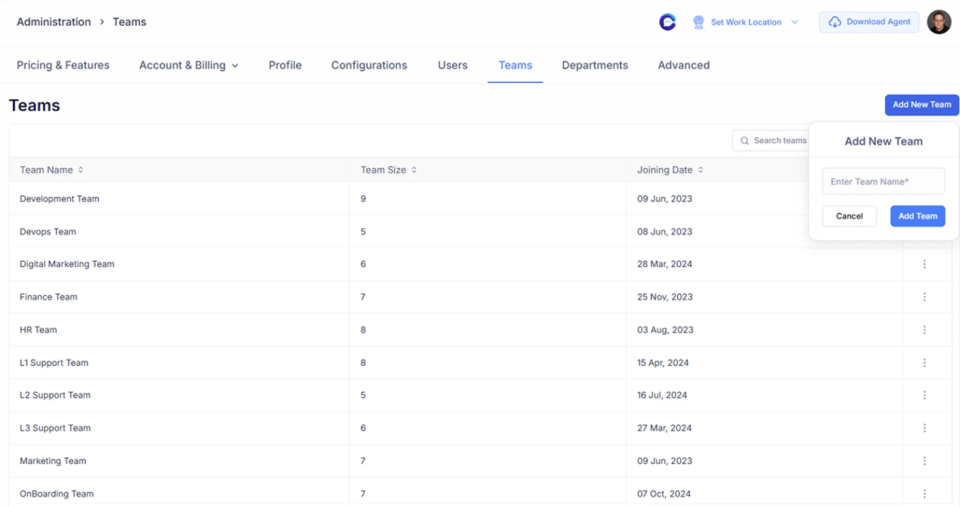
assign teams dashboards
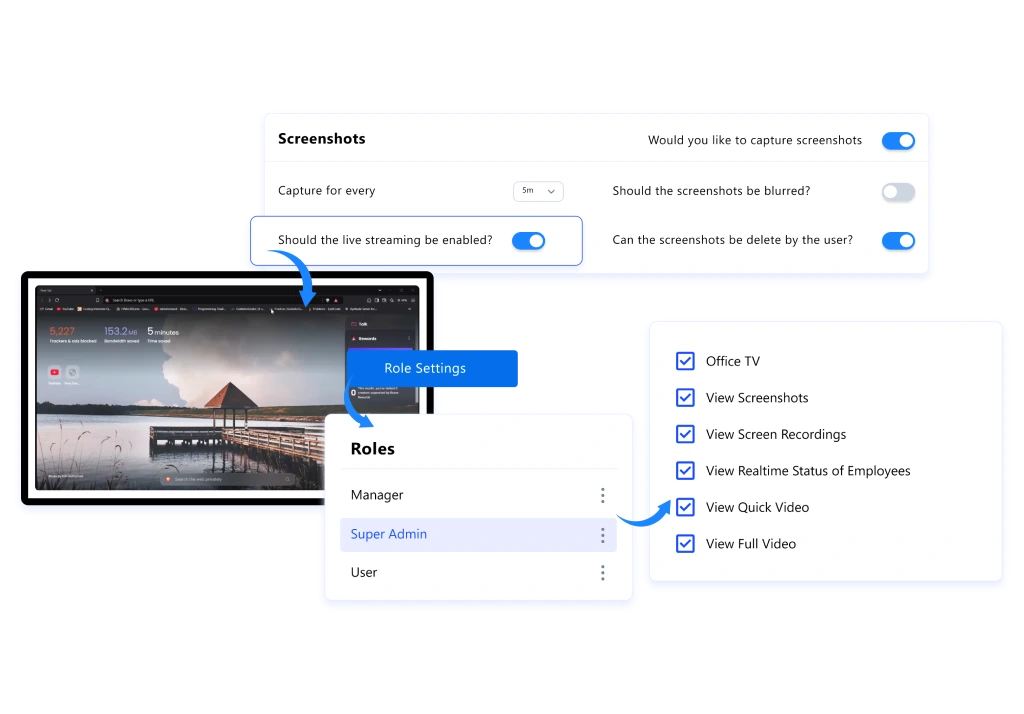
Configure Monitoring Settings

Tailor your activity preferences, including rules for capturing live screen access and enabling the Office TV view for real-time visualization.
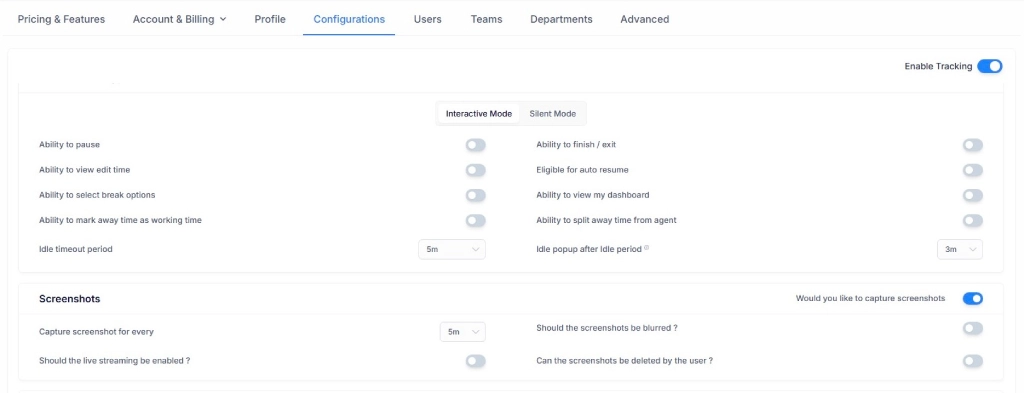
monitoring settings dashboard
Monitor Activity in Real-Time

See live screen activity, follow activity patterns, and keep track of ongoing work in real time without interrupting your team’s flow.
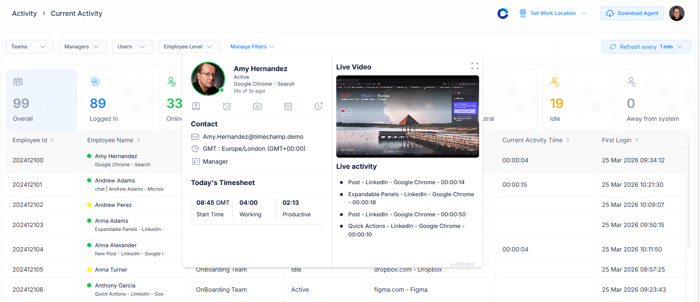
activity monitoring dashboard
Review and Export Insights

Export reports for screenshots, screen recordings, keystroke data, and activity details in your preferred format for clear, organized review whenever needed.
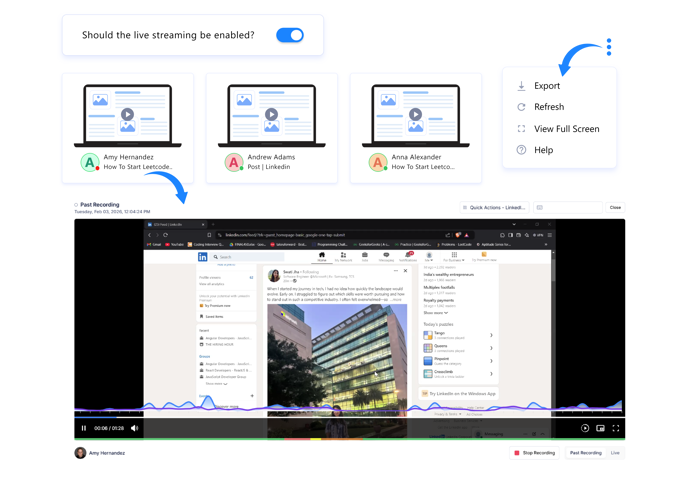
reports dashboard

Desktop Monitoring Software Use Cases

screen visibility icon

Real-Time Screen Visibility

multi screen monitoring icon

Multi-Screen Monitoring

office tv icon

Office TV Activity Display

behavior insights icon

Keystroke Behavior Analysis

anomaly detection icon

Anomaly Detection & Suspicious Behavior Alerts

accountability icon

Compliance & Accountability Assurance

role based settings icon

Role-Based Visibility Settings

Workforce Intelligence Designed for Real-World Operations

Why Businesses Trust Time Champ for Modern Workflows

sensiple
Increase in Performance with Structured Time Visibility
Integrated tools smoothly while reducing manual effort
Improved timesheet accuracy by 41%
sensiple

Before Time Champ, manual tracking work was inaccurate. Now, we get clear insights into app usage without invading privacy. Our payroll is more accurate, and team performance has significantly improved.
Nallathambi Devendiran
IT Manager
cyf
Increased Productivity by Streamlining Daily Workflows
Gained clearer individual and team insights through real-time data
Improved understanding of remote work behavior
cyf

Managing remote teams used to involve guesswork. With Time Champ, we finally see real working hours, spot inactivity quickly, and build KPIs based on actual behavior.
Matheus Guimaraes
General Coordinator
billed right
20% Reduction in Time Wastage
15% rise in on-time task completion
Saved 1–2 hours daily by reducing distractions
billed right

Time Champ helped us cut time wastage significantly and boosted focus without micromanagement. It’s been a real improvement across our teams.

Kalyan
manvision
Enabled Accurate Tracking of Attendance and Work Intervals
Strengthened compliance and audit readiness
Reduced idle time, driving a 45% productivity increase
manvision

Time Champ has been smooth and reliable from day one. It strengthened our tracking and compliance, and I always recommend it to others.
Kalyan Chakravarthy
markets and markets
Recorded A 25% Growth in Productivity
Improved resource utilization across teams
Increased operational efficiency by 38%
markets and markets

Time Champ transformed how we manage our workforce. The clarity from real-time insights and reporting helped us optimize productivity and support balance.

Rahul Mergu
Vice President
young decade
30% Boost in Team Productivity
8+ hours saved weekly on HR and attendance tasks
40% reduction in project delays
young decade

Time Champ simplified our entire workflow, projects, time, and attendance. It’s easy to use and has genuinely improved how we operate.

Prabal Ravekar
Director
See Why Teams love Time Champ

Recognised for Excellence, Trusted by Teams Worldwide

Time Champ's workforce intelligence software earns top ratings for helping teams work smarter with clarity, focus, and measurable growth.

gridleader award timechamphigh perfomer timechampspring momentum awards timechampeasier todo awardasia high perfomer springmid market high perfomerhigh perfoemr smallhigh user adoption awardstimechamp awardsregional leader timechampasia pasific leadereasiestsetup timechamphigh perfoemr smallhigh perfomer timechampmidmarket leadermid market high perfomerhigh perfomer timechampmid market high perfomergridleader award timechamphigh perfomer timechampspring momentum awards timechampeasier todo awardasia high perfomer springmid market high perfomerhigh perfoemr smallhigh user adoption awardstimechamp awardsregional leader timechampasia pasific leadereasiestsetup timechamphigh perfoemr smallhigh perfomer timechampmidmarket leadermid market high perfomerhigh perfomer timechampmid market high perfomer
stars
g2 Logo stars

4.8

capterra logo stars

5.0

crozdesk logo stars

5.0

softwaresuggest logo stars

5.0

capterra logo google review logo g2crowd logo crozdesk logo company review logo
star image 4.7/5 avg.

Ready to Manage Your Workforce Smarter?

Join our family of 1100+ companies using smart insights to redefine workforces!

free trial available

Free Trial

no credit card required

No Credit Card Required