9 Best Task Timer Apps & Tools for (2026)
Find the best task timer apps for 2026. Compare features, pricing, pros & cons to boost productivity, track time accurately, and manage tasks efficiently.
Managing tasks without tracking time sounds simple until deadlines slip, productivity drops, and no one knows where the day went. If you’re searching for the best task timer apps, you’re likely dealing with common challenges such as not knowing how long tasks actually take, employees forgetting to log their hours, manual tracking causing payroll mistakes, and reports that don’t reflect real work time, etc.
This guide breaks down the 9 best task timer apps in 2026 in a clear and practical way, so you can choose the right tool that perfectly fits your team.
What is a Task Timer App?
A task timer app is software that helps individuals or teams measure how much time is spent on specific tasks, projects, or activities. It usually provides features like start-and-stop timers, automatic time tracking, task-level reporting, productivity insights, and timesheets to organize recorded hours.
You can use task timer software to improve accuracy, simplify billing and payroll processing, monitor productivity, and plan projects more effectively based on real work data.
What Are the 9 Best Task Timer Apps?
There isn’t one “perfect” task timer app for everyone. The right choice depends on what you actually need. If you’re a freelancer, you might want something light-weight and simple. If you’re leading a team, you probably will require deeper reporting, attendance management, and clear operational visibility.
To help you decide better, here’s a quick comparison of the 7 best task timer apps in 2026, based on features, pricing, and who they’re best suited for.
Quick Comparison Table:
| Tool | Key Features | Ideal Solution | Free Plan |
|---|---|---|---|
| Time Champ |
| Ideal for growing teams that need task-based time tracking, productivity visibility, and attendance in one system. | Yes |
| Toggl Track |
| Ideal for freelancers and consultants who want simple billable time tracking. | Yes |
| Clockify |
| Ideal for budget-conscious teams that need basic time logging. | No |
| RescueTime |
| Ideal for individuals who want to improve personal productivity and focus. | Yes |
| Hubstaff |
| Ideal for remote and field teams that require monitoring and GPS tracking. | Yes |
| Harvest |
| Ideal for agencies and consultants focused on billing and invoicing. | Yes |
| DeskTime |
| Ideal for office teams wanting automatic activity tracking and productivity insights. | Yes |
| Time Doctor |
| Ideal for distributed teams needing detailed monitoring and accountability. | Yes |
| ClickUp |
| Ideal for teams that want project management and time tracking in one platform. | Yes |
Next, you’ll see a detailed breakdown of each tool, so you can clearly understand which one fits your workflow, team size, and budget.
1. Time Champ
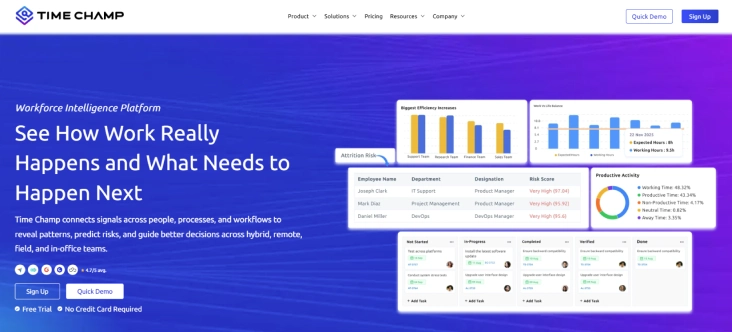
Time Champ is a workforce intelligence and task timer software designed for you if you want accurate time tracking with visibility into productivity without complicated setup. It combines task timing, activity tracking, screenshots, productivity analytics, and attendance into one system. You don’t need to switch between multiple tools for operational visibility, reporting, and payroll. With Time Champ, you can get a clear, structured system that simplifies everything.
What sets it apart isn’t flashy features, but clarity, strong support, and affordable pricing. If you want better visibility into how your team works without adding complexity, and that too without micromanagement, this tool gives you exactly that.
Pros
- Affordable pricing for growing teams
- Structured onboarding and quick support
- Helps identify overload and underutilization early
- Quick setup with minimal training required
- Reliable support for remote and hybrid teams
Cons
- As it provides advanced features, not ideal for individual freelancers who only need a very basic timer.
- Custom report configurations may take some time to set up properly.
Features
- Task-based time tracking provides clear visibility into how much time you spend on each task or project, improving planning accuracy.
- Automatic time tracking captures work activity in the background, reducing manual entry errors and missed hours.
- App & website usage tracking shows you which tools and websites your team uses during work hours, helping you identify productive patterns and distractions.
- Attendance & shift management connects tracked time with attendance data, making it easier for you to manage schedules and ensure payroll accuracy.
- Integrations helps you connect with Slack, Jira, Microsoft Teams, and Trello to keep your tools in sync across workflows.
- Productivity analytics dashboard turns raw time data into clear reports, so you can make smarter decisions about workload, performance, and team efficiency.
- Smart alerts notifies you about deadlines, overload, or idle time so you can act quickly and prevent project delays.
Best suited for:
- Small to mid-sized businesses
- Enterprise and large-scale industries
- IT companies and BPOs
- Remote and hybrid teams
- Organizations that require accurate payroll alignment
Pricing
- Starter: $3.9/user/month
- Professional: $6.9/user/month
- Enterprise: $13.9/user/month
- 7-day free trial available
Reviews
- G2: 4.8/5
- Capterra: 4.9/5
Looking for a smarter way to track time and team performance?
Try Time Champ and manage work, attendance, and insights from one dashboard.
2. Toggl Track
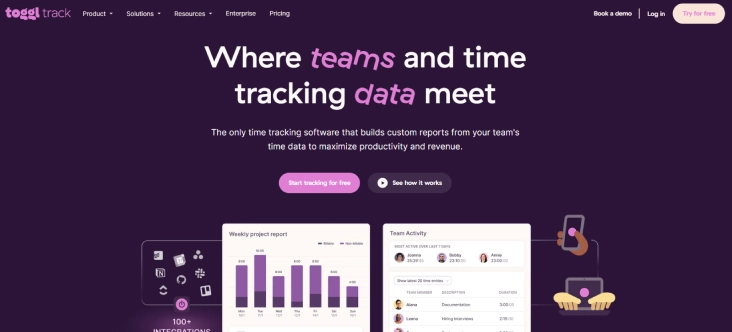
Toggl Track is a well-known task timer app used mainly by freelancers, consultants, and small creative teams. It focuses on simplicity. You have to simply click a button, start tracking, and assign time to a project. If your main goal is tracking billable hours without complexity, this tool does the job well.
Pros
- Very simple and clean interface
- Strong and clear reporting
- Easy to start using (minimal learning curve)
- Good integrations with project tools
Cons
- Pricing increases quickly as your team grows
- No monitoring or productivity visibility features
- Limited insight into how time is actually spent
- Not ideal for operational control
Features
- One-click timer lets you start and stop tracking instantly without a complex setup.
- Project and client tracking helps you assign time to specific work categories.
- Detailed reporting allows you to analyze time by user, project, or date range.
- Team dashboard gives a quick overview of tracked hours across members.
Best for:
- Freelancers
- Consultants
- Small agencies billing clients hourly
- Teams that only need basic time tracking
If you only need to track billable hours and generate clean reports, Toggl Track works well. If you need oversight across a growing team, you may outgrow it.
Pricing
- Free: Free for up to 5 users.
- Starter: $9/user/month
- Premium: $18/user/month
- Enterprise: Custom pricing
- 30-day free trial starts only from the starter plan
Reviews
- G2: 4.6
- Capterra: 4.7
3. Clockify
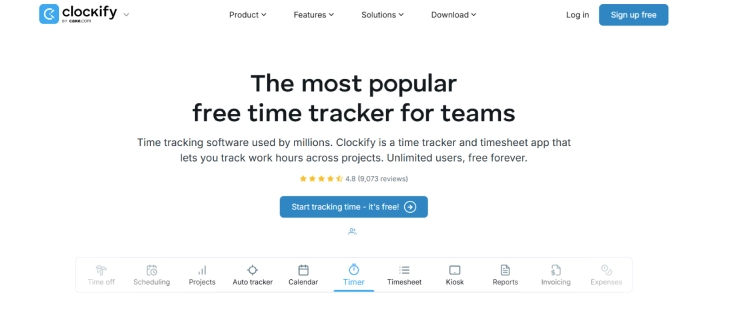
Clockify is one of the most popular free task timer apps in the market. It is often chosen by startups and small teams because of its unlimited free plan. It covers basic tracking needs, but more advanced visibility and reporting features require paid plans.
Pros
- Generous free plan
- Unlimited users on the free tier
- Simple setup
- Good for basic tracking
Cons
- Basic reporting unless upgraded
- No strong productivity monitoring
- Interface feels minimal
- Advanced features are locked behind paid plans
Features
- Timer tracking enables users to record time in real time using a start/stop function.
- Project tracking organizes tasks under structured project categories.
- Basic dashboards show total hours logged by users and teams.
- Exportable reports make it easier to process payroll or review productivity.
Best for:
- Small startups
- Budget-conscious teams
If cost is your biggest concern, Clockify is worth exploring. If you need detailed productivity visibility or workforce insights, you may need something more advanced.
Pricing
- Free: For an unlimited number of users with limited features
- BASIC Administration: $3.99/seat/ month billed annually (or {{contentSections}}nbsp;4.99 if billed monthly)
- STANDARD Timesheeting & Billing: $5.49/seat/month billed annually
- PRO Profit & Productivity: $7.99/seat/month billed annually (or $ 6.99 if billed monthly) (or {{contentSections}}nbsp;9.99 if billed monthly)
- ENTERPRISE Control & Security: $11.99/seat/ month billed annually (or $ 14.99 if billed monthly)
- Cake.com| bundle Productivity Suite: $12.99/seat/ month billed annually (or $ 15.99 if billed monthly)
Reviews
- G2: 4.5
- Capterra: 4.8
4. RescueTime
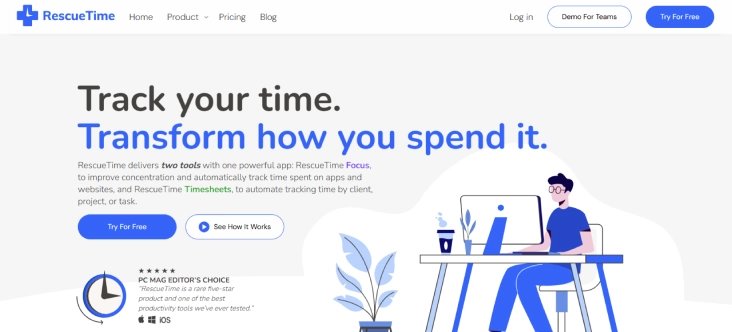
RescueTime is more focused on personal productivity than team management. It runs in the background and automatically tracks how you spend your time on apps and websites. If your goal is improving focus and reducing distractions, this tool can help.
Pros
- Helps individuals understand time usage clearly.
- Encourages better focus habits.
- Requires minimal manual input.
- Good for personal productivity improvement.
Cons
- Not designed for team management
- Limited project-level tracking
- No payroll-ready timesheets
- Not suitable for operational reporting
Features
- Automatic activity tracking runs in the background and records app and website usage.
- Productivity scoring categorizes tools and websites based on focus value.
- Focus sessions help block distracting websites during working hours.
- Daily and weekly reports summarize how time was spent.
Best for:
- Individuals
- Remote workers improving focus
- Professionals wanting personal time awareness
If you're managing a team, RescueTime may feel too individual-focused.
Pricing
- Solo: Focus/$7/month, Annual - $84 USD
- Solo + Timesheets + Focus: $12/month, Annual - $144 USD
- Team: Focus/$10/month/user, Annual: $120 USD
- Team + Timesheets + Focus: $16/month/user, Annual - $192 USD
Reviews
- G2: 4.2
- Capterra: 4.6
5. Hubstaff
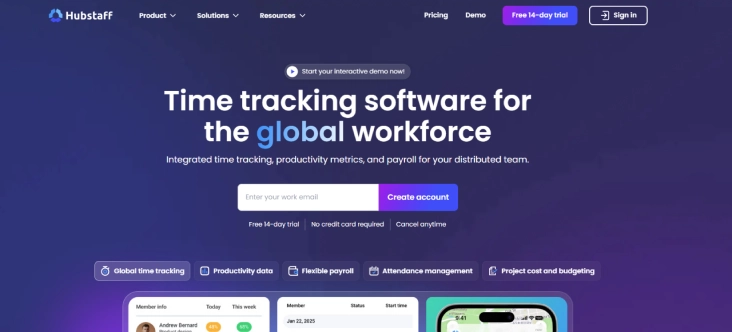
Hubstaff combines time tracking with employee monitoring features. It is often used by remote teams and companies that need visibility into distributed workforces. It offers more control and tracking depth than basic task timer tools, but with higher pricing.
Pros
- Strong visibility for remote teams.
- Improves accountability.
- Supports payroll accuracy.
- Useful performance reporting.
Cons
- Higher pricing compared to simpler tools
- Setup can take time
- Interface feel feature-heavy and confusing
- Can feel intrusive depending on the company culture
Features
- Timer-based tracking allows employees to log hours as they work.
- Screenshot monitoring records screen activity at set intervals.
- GPS tracking monitors the location of field employees in real time.
- Payroll automation calculates payments based on tracked work hours.
Best for:
- Remote teams
- Field service teams
- Companies needing location tracking
If you need monitoring and compliance-level visibility, Hubstaff is a strong option. If you just need simple task tracking, it may be more than necessary.
Pricing
- Starter: $4.99/seat/month - minimum 2 seats
- Grow: $7.50/seat/month - minimum 2 seats
- Team: $10/seat/month - minimum 2 seats
- Enterprise: $25/seat/month - Billed annually
- Offers a 14-day free trial
Reviews
- G2: 4.6
- Capterra: 4.5
Looking for a simpler and more affordable Task Timer App?
Try Time Champ for smarter time tracking and clear productivity insights.
6. Harvest
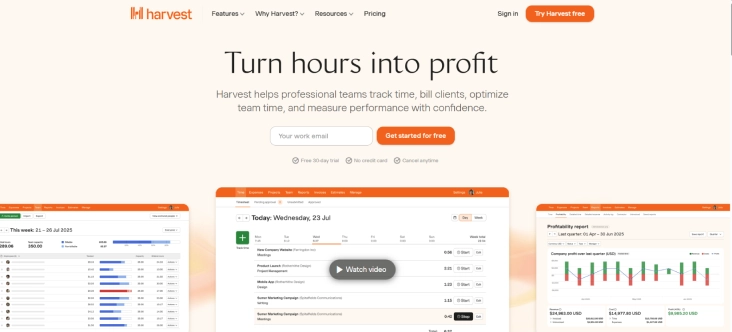
Harvest is time tracking software built mainly for agencies and consultants who bill clients. The platform is especially useful because it links time tracking with invoice generation. However, it does not offer workforce monitoring or deeper productivity analytics.
Pros
- Simplifies client billing.
- Keeps financial tracking organized.
- Easy to manage billable hours.
- Clean and simple interface.
Cons
- Expensive for smaller teams
- Limited monitoring features
- Basic productivity visibility
- Not ideal for operational workforce tracking
Features
- Time tracking records billable and non-billable hours by task or client.
- Client and project tracking organizes work for easier billing management.
- Invoicing converts tracked hours directly into professional invoices.
- Expense tracking logs project-related costs alongside time data.
Best for:
- Creative agencies
- Consultants
- Client-based service businesses
If billing and invoicing are your top priority, Harvest fits well. If operational control and team productivity visibility matter more to you, then you may need something stronger.
Pricing
- Teams: $9/seat/month, $108 per seat, billed annually
- Enterprise: Customisable
- Free: For individuals
Reviews
- G2: 4.3
- Capterra: 4.6
7. DeskTime
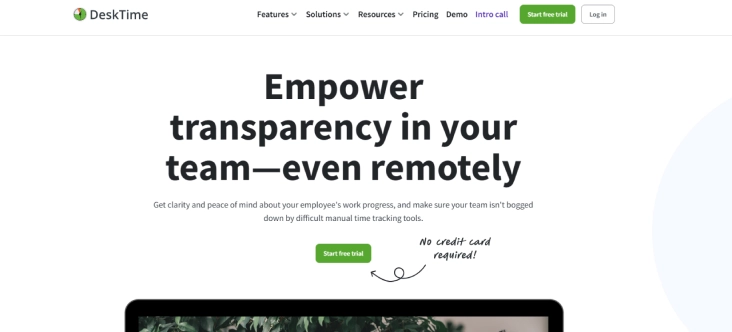
DeskTime is a productivity-focused work timer app with automatic tracking features. It monitors app and website usage and categorizes productivity levels. It provides visibility into daily activity, but is less focused on advanced project management.
Pros
- Provides clear activity visibility.
- Reduces manual tracking.
- Helps identify productivity patterns.
- Improves operational transparency.
Cons
- UI feels slightly outdated
- Limited advanced project tools
- Pricing mid-range
- Fewer integrations compared to some competitors
Features
- Automatic time tracking records activity without requiring manual timers.
- App and website tracking shows which tools employees use during work hours.
- Productivity categorization labels applications as productive or unproductive.
- Absence calendar helps manage leave, remote days, and attendance.
Best for:
- Office teams
- Companies wanting productivity visibility
- Managers needing activity-level insights
If your priority is seeing how work hours are spent, DeskTime works well. If you need deeper task-level management and advanced reporting, evaluate carefully.
Pricing
- Pro: $6.42/user/month
- Premium: $9.17/user/month
- Enterprise: Custom for 200+ users
Reviews
- G2: 4.5
- Capterra: 4.5
8. Time Doctor
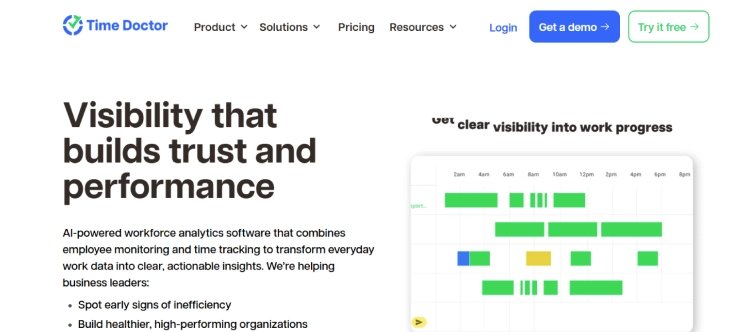
Time Doctor is a time tracking and employee monitoring software built mainly for remote and distributed teams. It focuses on accountability, productivity visibility, and detailed reporting. It goes deeper into monitoring compared to basic task timer apps.
Pros
- Provides detailed visibility into team activity.
- Strong productivity and distraction tracking.
- Helps improve accountability in remote teams.
- Offers structured reporting for managers
Cons
- Pricing is higher than that of simple timer tools.
- Setup and configuration take time.
- Interface feel complex for new users.
Features
- Time tracking records hours spent on tasks and projects with manual or automatic tracking.
- App and website tracking shows productive and non-productive usage.
- Distraction alerts notify users when they spend time on unproductive websites.
- Payroll and client billing reports convert tracked time into payment data.
Best for:
- Remote teams
- Outsourcing companies
- BPOs and IT services
If you need strong monitoring and compliance-level oversight, Time Doctor fits. If you only need lightweight task timing, it may be more than required.
Pricing
Basic: $6.67/user/month
Standard: $11.67/user/month
Premium: $16.70/user/month
Enterprise: Custom plan
Reviews:
G2: 4.4
Capterra: 4.5
9. ClickUp
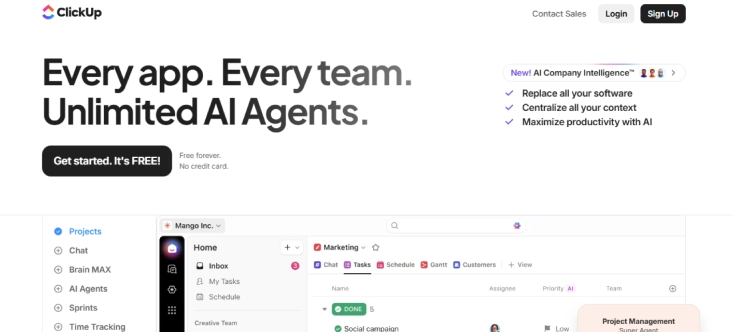
ClickUp is primarily a project management platform, but it includes built-in time tracking features. It works well for teams that want task management and time tracking in one system. It is especially useful if you want to track time spent on each task, actually, it is more of a productivity tool than a task timer.
Pros
- Combines task management and time tracking.
- Reduces the need for multiple tools.
- Highly customisable workflows.
- Suitable for growing teams.
Cons
- Can feel overwhelming due to many features.
- Adopting is crucial for new users.
- Advanced features require higher plans.
Features
- Built-in time tracking allows users to log hours directly within tasks.
- Task and project management organizes work in lists, boards, or timelines.
- Reporting dashboards provide visibility into time and task progress.
- Integrations connect with Slack, Google Drive, and other productivity tools.
Best for:
- Startups
- Product teams
- Teams wanting an all-in-one project management
Pricing
- Free Forever: Limited features
- Unlimited: $7/user/month
- Business: $12/user/month
- Enterprise: Get a custom demo
Reviews:
- G2: 4.7
- Capterra: 4.6
Task Timer App & Tools Checklist
How to choose task timer apps & tools starts with understanding the practical factors that affect productivity tracking, reporting accuracy, and long-term operational control. Here are some key elements that help you select software that improves visibility, reduces manual errors, and supports consistent performance tracking across your team.
1. Cost and Overall Value
Start by evaluating whether the pricing reflects the value delivered. Look beyond the monthly subscription and assess what is included, such as reporting depth, productivity insights, attendance tracking, and integrations. A lower-priced tool may lack visibility or advanced features, which can limit operational control. Choose a task timer software that balances affordability with meaningful functionality.
2. Compatibility with Your Tech Stack
Integrate smoothly with the tools you already use, such as project management platforms, payroll systems, HR software, and collaboration tools. Poor integration forces manual data transfers, which increases errors and wastes time.
3. Essential Features That Improve Visibility
Focus on features that directly impact accuracy and decision-making. Look for task-level time tracking, automatic tracking options, reporting dashboards, productivity insights, and attendance alignment. If you manage teams, ensure the software provides workload visibility and clear reporting. A reliable task timer tool should help you identify delays, prevent time leakage, and improve planning accuracy.
4. Support and Onboarding Experience
Even simple tools require proper setup. Evaluate whether the vendor offers structured onboarding, quick support response times, and helpful documentation. Poor implementation can delay adoption and reduce accuracy in early stages. Strong support ensures that your team uses the system correctly from the start.
5. Data Security and Access Control
Ensure that the software uses encryption and role-based access controls. Because time tracking involves sensitive employee data and payroll-related information. Secure systems protect operational data and prevent unauthorised access. This becomes especially important for remote and hybrid teams.
6. Scalability and Flexibility
The tool that works for a team of 10 should still perform effectively when your workforce doubles. Check whether the platform supports growing users, multiple departments, and complex reporting needs without requiring migration. Choosing scalable task timer software early prevents operational disruption later.
Still struggling with scattered time tracking tools?
Switch to Time Champ and manage tasks, productivity, and attendance in one system.
Conclusion
Start by identifying the main challenge you want to solve, such as reporting accuracy, productivity visibility, or payroll alignment. Then compare tools based on features, integrations, support, and long-term scalability. If you’re looking for a structured system that improves visibility, simplifies reporting, and supports growing teams, the next step is simple, start a free trial or request a personalized demo. Testing the software in your real workflow will give you the confidence to choose a solution that truly fits your team.

Table of Content
-
 What is a Task Timer App?
-
What Are the 9 Best Task Timer Apps?
-
Task Timer App & Tools Checklist
-
Conclusion
Related Blogs
Boost productivity with a task timer! Discover how it helps you manage time, stay focused, and streamline your workflow.
Jahnavi Pulluri | Oct 09, 2024
Unleash methods and tips for employee task tracking to enhance productivity, with top tools for streamlining task management and improving team efficiency.
Chethana Choudary | July 24, 2025
Curious about task management? Discover what it is, why it matters, along with its key benefits and proven best practices to stay organized and get more done.
Chetana Choudary | July 24, 2025
Learn how a task timer boosts productivity, simplifies billing, and helps you manage time effectively. Learn its benefits and tips to tackle challenges!
Jahnavi Pulluri | Oct 08, 2024
Top task management software tools that help organize work, streamline collaboration, improve productivity, enhance clarity, and simplify team workflows.
Thasleem Shaik | June 31, 2025
Learn how a task tracker can streamline task management, and enhance productivity by keeping track of your to-do list and progress


 4.7/5 avg.
Ready to Manage Your Workforce Smarter?
Join our family of 1500+ companies using smart insights to redefine workforces!

Free Trial
No Credit Card Required