How Using a Task Timer Can Benefit Your Organization
See how a task timer helps teams stay focused, track billable hours accurately, improve planning, and choose the right task time tracking software easily.
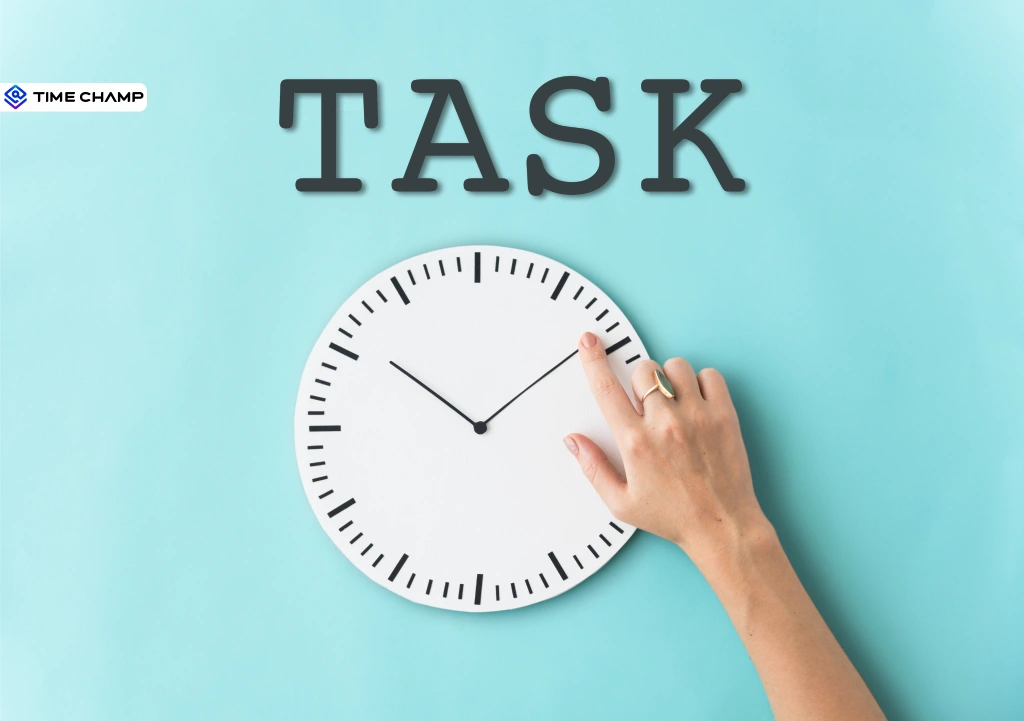
Understanding where time goes is the first step toward improving productivity. When teams can see how long tasks actually take, they can plan better, reduce inefficiencies, and make more informed decisions.
A task timer makes this possible. Let's look at what it is, how it works, and the benefits it offers for individuals and teams.
What is a Task Timer?
A task timer is a simple tool that tracks how much time you spend on a specific task. Just start the timer when you begin working and stop it when you're done. The recorded time is automatically linked to the right project, client, or activity, making it easy to see where your work hours are going.
Benefits of Using a Task Timer
A task timer does more than count hours, it helps your team work smarter every day. Here are the benefits that make the biggest difference:

1. Improves Focus with Fewer Distractions
A running timer encourages team members to stay on one task instead of constantly switching between multiple priorities. Fewer interruptions mean more deep work and better productivity throughout the day.
2. More Accurate Billing
For client-facing teams, every untracked minute is potentially lost revenue. A task timer records billable work as it happens, helping ensure clients are billed accurately and fairly.
3. Better Project Planning
Historical time data makes it easier to estimate future projects with confidence. Instead of depending on assumptions, you can set realistic deadlines, budgets, and resource plans.
4. Balanced Workloads
Time tracking reveals who is overloaded and who has capacity to take on more work. This helps you distribute tasks more evenly, preventing burnout while improving team efficiency.
5. Fairer Performance Reviews
When work is backed by accurate time records, performance conversations become more objective. High performers receive the recognition they deserve, while employees who need support can be trained using real data rather than assumptions.
6. Less Manual Administration
Modern task timers automatically sync time entries with timesheets, payroll, and invoicing. This reduces manual data entry, minimizes errors, and gives you more time to focus on leading your teams instead of correcting timesheets.
Make Smarter Decisions with Accurate Time Data
Track tasks effortlessly and turn every work hour into actionable insights
Task Timer vs. To-Do List: What's the Difference?
A to-do list tells you what needs to get done. A task timer tells you how long it actually took. That difference is often the missing piece behind missed deadlines, inaccurate project estimates, and overloaded schedules.
One of the biggest reasons this matters is something psychologists call the “Planning Fallacy”, our natural tendency to underestimate how long tasks will take. A task timer replaces assumptions with real data, making it easier to spot patterns and improve future planning.
| Task | Estimated Time | Actual Time | Difference |
|---|---|---|---|
| Weekly client report | 1 hour | 2.5 hours | +1.5 hours |
| "Quick" email catch-up | 30 minutes | 1.5 hours | +1 hour |
| Design revisions | 2 hours | 3.5 hours | +1.5 hours |
| Internal meetings | 2 hours | 4 hours | +2 hours |
Once you can see the gap between estimated and actual time, you can create more accurate project quotes, set realistic deadlines, protect focused work time, and make better decisions based on evidence instead of assumptions. That's something a to-do list alone can never provide.
Best Practices for Rolling Out a Task Timer
Introducing a task timer doesn't have to feel like you're watching over your team's shoulder. Focus on why you're implementing it and how it benefits everyone, not just the business. not just the business.
Here are a few best practices for a successful rollout:
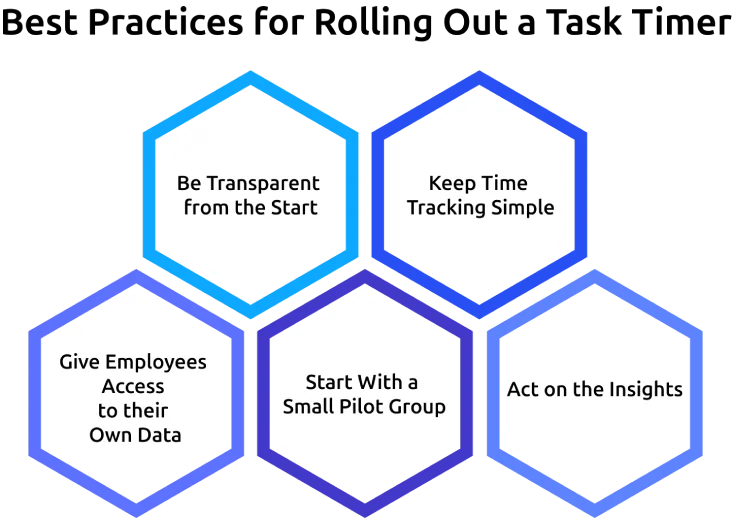
- Be Transparent from the Start: Explain that the goal is to improve planning, balance workloads, and capture billable time, not to monitor every minute of the workday.
- Keep Time Tracking Simple: Choose a task timer that automatically records work or requires only a few clicks to log time. The easier it is to use, the more consistently your team will use it.
- Give Employees Access to their Own Data: Let team members view their time reports so they can better understand their workloads, productivity, and accomplishments.
- Start With a Small Pilot Group: Test the tool with one team, gather feedback, and share positive results before rolling it out across the organization.
- Act on the Insights: If the data reveals too many meetings, unrealistic deadlines, or uneven workloads, make improvements. When employees see that their time data leads to meaningful changes, trust and adoption naturally grow.
A task timer should feel like a tool that supports your team, not one that watches them.
Physical vs. Digital Task Timers: Which One Is Right for You?
Both physical and digital task timers help you stay aware of how you spend your time, but they serve different purposes.
Here's a quick comparison:
| Feature | Physical Task Timer | Digital Task Timer |
|---|---|---|
| Cost | One-time purchase | Free and paid plans available |
| Setup | Ready to use instantly | Quick setup with automatic tracking |
| Time Reports | No reporting features | Detailed reports and productivity insights |
| Team Collaboration | Best for individual use | Built for teams, including remote and hybrid work |
| Best For | Personal focus sessions | Time tracking, billing, project planning, and team management |
If your goal is simply to stay focused during work, a physical timer can do the job. But if you want to understand where your team's time goes, a digital task timer is the better choice.
Why Choose Time Champ for Task Time Tracking?
Time Champ is an employee monitoring software with a built-in task timer feature that makes task tracking simple, accurate, and effortless for modern teams. Instead of depending on manual time entries, employees can focus on their work while you get clear visibility into how time is spent across tasks and projects.
With Time Champ, you can:
- Track Tasks with Ease: Start, pause, and switch between tasks with a single click, or let automatic tracking capture work in the background.
- Record Accurate Work Hours: Connect every minute to the right task, project, or client without depending on memory.
- Plan Projects Better: Use accurate time insights to create realistic estimates, set achievable deadlines, and manage resources effectively.
- Manage Workloads Efficiently: Understand how time is distributed across your team and allocate tasks more effectively.
- Simplify Timesheets and Billing: Reduce manual tracking efforts and improve the accuracy of reports, payroll, and invoices.
- Support Remote Teams: Maintain visibility into work progress and keep distributed teams aligned.
With Time Champ's task timer, tracking time becomes more than just logging hours, it helps teams work smarter, plan better, and improve overall productivity.
Stop losing track of valuable work hours
Monitor projects, capture billable time, and improve efficiency with Time Champ
Conclusion
A task timer is more than just a way to track hours, it helps your team stay focused, plan better, and make smarter decisions with real data. Knowing where time is spent helps you create more accurate estimates, capture every billable hour, and balance workloads more effectively. Choose a tool that fits your workflow and turn every hour into an opportunity to work smarter.

Jahnavi Pulluri

Table of Content
 What is a Task Timer?
- Benefits of Using a Task Timer
- Task Timer vs. To-Do List: What's the Difference?
- Best Practices for Rolling Out a Task Timer
- Physical vs. Digital Task Timers: Which One Is Right for You?
- Why Choose Time Champ for Task Time Tracking?
- Conclusion

Related Blogs
Discover essential features of time tracking software and how Time Champ enhances project management, productivity, and accuracy.
Tarun Kumar Reddy | Aug 23, 2024
Create a clear time tracking policy to boost productivity and ensure accurate work-hour reporting. Download a free customizable template.
Thasleem Shaik | Oct 04, 2024
Discover effective time tracking methods to boost efficiency, manage resources, and ensure timely project delivery. Find the best method for your organization.
Tarun Kumar Reddy | Aug 16, 2024
Explore the latest time tracking statistics for 2026, including productivity trends, AI insights, remote work data, and workforce analytics.
Thasleem Shaik | May 22, 2026
Looking for the best freelance time tracking software? Explore the top free and paid tools to track work hours, manage projects, and improve productivity.
Guna Lakshmi | May 18, 2026
A day without time tracking can create chaos for managers. Learn how to improve visibility, reporting accuracy, and productivity with time tracking.
Jahnavi Pulluri | May 28, 2026


 4.7/5 avg.
Ready to Manage Your Workforce Smarter?
Join our family of 1500+ companies using smart insights to redefine workforces!

Free Trial
No Credit Card Required