How to Optimize Team Workload in Project Management
Learn how to optimize team workload in project management by calculating capacity, creating workload plans, finding overload early, and balancing work.
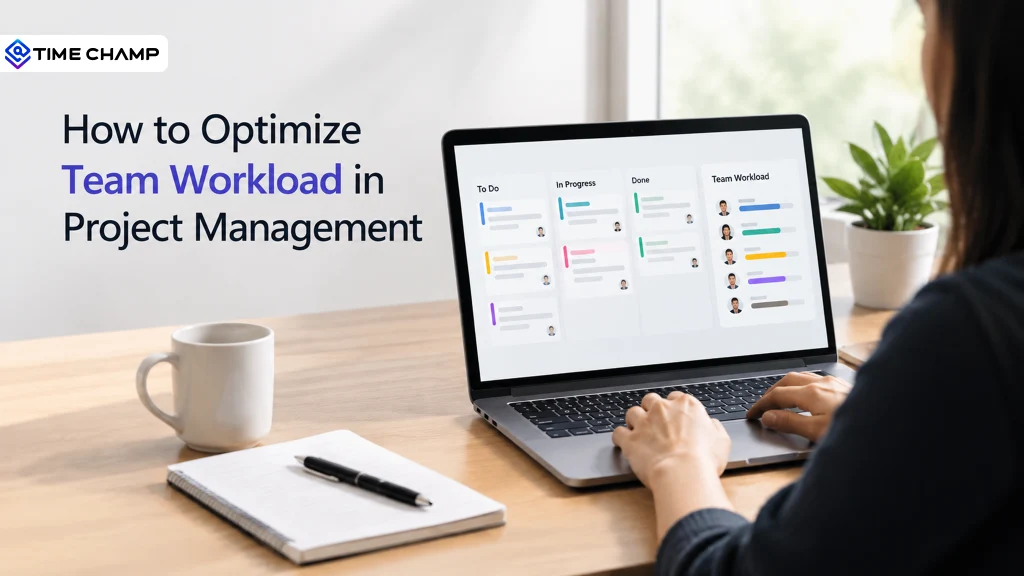
Projects don't always fall behind because people aren't working hard enough. More often, the work isn't distributed evenly. Some employees are overloaded while others have spare capacity, leading to burnout, missed deadlines, and lower productivity.
According to Microsoft's 2025 Work Trend Index, nearly half of employees say their workday feels chaotic, and one in three struggle to keep up with the pace of work. This shows why managing team workload has become an essential part of successful project management.
This blog explains how to optimize team workload, create a practical workload plan, identify overload early, and keep projects running smoothly.
What is Team Workload in Project Management?
Team workload in project management is the total amount of work assigned to a team over a specific period, including tasks, hours, and responsibilities across active projects. It helps managers understand whether the team has the capacity to deliver work on time without becoming overloaded.
Signs Your Team Workload Is Out of Balance
An unbalanced workload doesn't happen overnight. The warning signs often appear long before deadlines are missed or employees burn out. If several of these sound familiar, it's time to review your workload plan.
- The same employees handle every urgent task, while others have little to do.
- Deadlines are met only through overtime or weekend work.
- Tasks consistently take longer than planned, causing projects to slip.
- Meetings get longer, but meaningful progress slows down.
- Some team members are overloaded while others have spare capacity.
- Rework and mistakes increase because rushed work affects quality.
- Employees stop volunteering for new tasks and become less engaged.
These are all signs that work is being assigned based on habit instead of actual capacity. Balancing workloads early helps prevent burnout, improve productivity, and keep projects on schedule.
How to Create a Workload Plan for Your Team
A workload plan helps you assign work based on your team's actual capacity instead of assumptions. It gives you a clear view of who is available, how much work they can handle, and where adjustments are needed to keep projects on track.
Follow these seven steps to create an effective workload plan.
Step 1: Calculate Real Capacity
Start with each employee's available work hours, then subtract time for meetings, leave, holidays, training, and routine administrative tasks. A standard 40-hour workweek rarely translates into 40 productive hours.
Using actual capacity instead of calendar hours helps you create realistic plans and avoid overloading your team from the start.
Step 2: List All Tasks
Gather every task your team is responsible for, including project work and recurring activities like client meetings, support requests, reporting, and internal reviews.
Including both planned and routine work gives you a complete view of your team's workload and prevents hidden tasks from disrupting project schedules.
Step 3: Estimate Task Effort
Estimate how long each task will take using historical project data whenever possible. Past time logs usually provide more accurate time estimates than assumptions.
Involving the person responsible for the task can also improve estimates because they understand the work, dependencies, and potential challenges.
Step 4: Prioritize Before Assigning
Every task doesn’t require immediate attention. Organize work by urgency and business impact before assigning it to your team.
Focus on high-priority tasks first, schedule important work next, and keep lower-priority tasks flexible. Clear priorities make it easier to adjust workloads when new requests arise.
Step 5: Assign Work Strategically
Distribute tasks based on skills, availability, and current workload, not just expertise. Depending on the same high performers for every important task often leads to burnout while other team members remain underutilized.
Balancing work across the team improves productivity and creates opportunities for employees to develop new skills.
Step 6: Leave Capacity for the Unexpected
Unexpected meetings, urgent requests, and last-minute changes are part of every project. Instead of scheduling employees at 100% capacity, leave some room for these interruptions.
Planning around 80% of available capacity gives your team the flexibility to handle surprises without falling behind or depending on overtime.
Step 7: Review and Rebalance Weekly
A workload plan isn't something you create once and forget. Review workloads weekly to compare planned work with completed work, identify overloaded or underutilized employees, and redistribute tasks as needed.
Regular reviews keep workloads balanced, improve planning accuracy, and help projects stay on schedule.
Know When Your Team Needs Support, Not More Work!
Track capacity, uncover workload imbalances, and keep your team productive without relying on overtime
How to Manage Team Workload During a Live Project
A workload plan isn't something you create once and forget. As the project moves forward, priorities change, new requests come in, and tasks don't always take as long as expected.
1. Compare Planned Hours with Actual Hours
Compare planned hours with the time your team actually spends on tasks each week. If work consistently takes longer than expected, it may be due to inaccurate estimates, changing scope, or an uneven workload. Reviewing this regularly helps you fix issues before they affect deadlines.
2. Protect Focus Time
Frequent meetings, emails, and notifications can interrupt productive work. Reduce unnecessary meetings, group discussions together, and use shared updates where possible so employees have enough uninterrupted time to complete important tasks.
3. Rebalance Workloads Early
If one employee is overloaded while another has capacity, redistribute work before deadlines are affected. Explain the reason for the change so the team understands it's about balancing workloads.
4. Review Scope Changes Carefully
Every new request increases your team's workload. Before accepting additional work, check how it will affect timelines and capacity. If priorities change, postpone or reassign lower-priority tasks instead of adding more work to an already full schedule.
5. Talk to Your Team and Review the Data
Regular check-ins help you understand how employees are coping, but not everyone speaks up when they're overloaded. Review workload data, such as logged hours and overtime, alongside team conversations to find problems early and act.
Common Mistakes When Planning Workloads
Most workload problems begin during planning, not execution. Avoid these common mistakes to keep workloads balanced and projects on track.
- Planning for a Full 40-Hour Week: Meetings, leave, and routine tasks reduce productive hours, so planning against full capacity often leads to overload.
- Depending on Team Averages: An average workload can hide the fact that some employees are overloaded while others have spare capacity.
- Estimating from Memory: Use historical data or time logs instead of assumptions to create more accurate estimates.
- Overloading Your Top Performers: Assigning every critical task to the same employees increases burnout and creates inefficiencies.
- Reviewing Workloads Too Late: Check workloads regularly instead of waiting until deadlines are missed or project milestones slip.
- Ignoring Overtime Patterns: Frequent late nights or weekend work often signal that workloads need to be rebalanced.
How Time Champ Helps You Optimize Team Workload
Managing team workload requires more than assigning tasks; it requires visibility into how work is actually getting done. Time Champ is an employee monitoring software with workforce intelligence that helps you track team capacity, balance workloads, and make better planning decisions using real data.
Here's how Time Champ supports workload management:
- Plan with Real Capacity: View employee availability, allocate resources, and assign tasks based on actual capacity instead of calendar hours.
- Compare Planned Vs. Actual Work: Automatic time tracking and project reports make it easy to compare estimated hours with actual time spent and identify planning gaps.
- Find Overload Early: Monitor workload, overtime, and productivity trends to identify employees who may be overloaded before it affects performance or well-being.
- Track Project Budgets: Monitor project hours and costs in real time, with alerts that help prevent budget overruns.
- Understand How Work Time Is Spent: Timeline and activity insights show whether employees are spending time on focused work or constantly switching between tasks.
- Improve Future Workload Planning: Historical time logs and productivity data help teams estimate tasks more accurately and create more realistic workload plans over time.
Don't Let Uneven Workloads Hold Your Team Back!
See team capacity in real time, assign work fairly, and keep projects on schedule with Time Champ
Conclusion
A balanced workload helps teams work more efficiently and keeps projects moving on schedule. When work is assigned based on each person's capacity, employees are less likely to feel overwhelmed, and deadlines become easier to meet. Reviewing workloads regularly also makes it easier to adjust plans when priorities change. Taking the time to manage team workload well leads to better project results and a healthier work environment.

Jahnavi Pulluri

Table of Content
 What is Team Workload in Project Management?
- Signs Your Team Workload Is Out of Balance
- How to Create a Workload Plan for Your Team
- How to Manage Team Workload During a Live Project
- Common Mistakes When Planning Workloads
- How Time Champ Helps You Optimize Team Workload
- Conclusion
Related Blogs

Discover essential features of time tracking software and how Time Champ enhances project management, productivity, and accuracy.
Tarun Kumar Reddy | Aug 23, 2024
Create a clear time tracking policy to improve productivity, ensure accurate work-hour reporting, streamline compliance, and enhance team accountability.
Jahnavi Pulluri | Aug 24, 2026
Discover the pros and cons of time tracking software, its key features, and how it can improve productivity, accountability, and overall team performance.
Jahnavi Pulluri | Jun 05, 2026
Discover effective ways to build employee trust in automatic time tracking software and create a transparent, productive, and positive work environment.
Thasleem Shaik | Mar 13, 2025
Explore the latest time tracking statistics for 2026, including productivity trends, AI insights, remote work data, and workforce analytics.
Thasleem Shaik | May 22, 2026
Time tracking software vs manual timesheets: compare accuracy, cost, effort, and ROI to pick the right solution for improving your team's productivity.
Jahnavi Pulluri | May 15, 2026


 4.7/5 avg.
Ready to Manage Your Workforce Smarter?
Join our family of 1500+ companies using smart insights to redefine workforces!

Free Trial
No Credit Card Required