Office Monitoring Software: The Complete 2026 Guide
Learn how office monitoring software improves productivity for hybrid and in-office teams, with tips to implement it while maintaining employee trust.
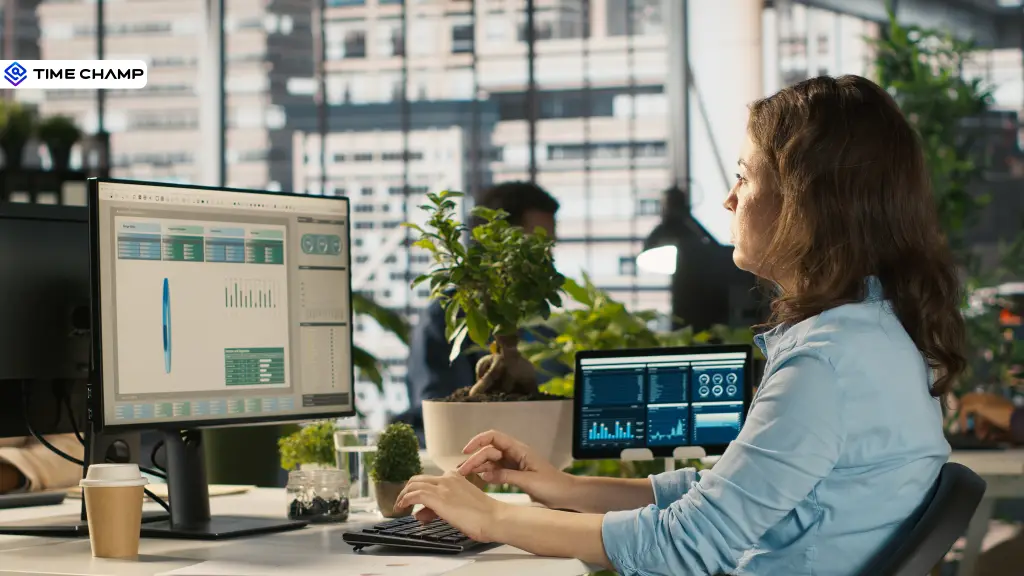
Office productivity looks very different today than it did a few years ago. With employees working across offices, homes, and hybrid setups, keeping projects on track and understanding how work gets done has become more challenging than ever. That's where office monitoring software comes in, not as a tool for micromanagement, but as a way to gain valuable insights into workflows, identify bottlenecks, and help teams perform at their best.
In this blog, I’ll explain how office monitoring software helps streamline productivity, the features to look for, the benefits it offers to modern workplaces, and best practices for rolling it out successfully across your organization.
What is Office Monitoring Software?
Office monitoring software is a digital solution that tracks and analyzes employee work activity on company devices to help businesses improve productivity, manage time, and optimize workflows. It collects data such as app and website usage, active and idle time, attendance, project hours, and computer activity, then converts it into detailed reports and performance insights.
Office monitoring software provides a clear view of how work is completed, helping organizations identify inefficiencies, allocate resources effectively, and make informed decisions while promoting accountability and operational efficiency.
What Features Should Office Monitoring Software Have?
Choosing office monitoring software can feel overwhelming, especially when every tool claims to have the "best" features. The truth is, you don't need every feature on the market, you need the ones that genuinely help your team work better.
Here are the features that matter most.
| Feature | What It Does | Why It Matters |
|---|---|---|
| Time and attendance | Automatically records clock-in, clock-out, and work hours. | Eliminates manual timesheets and improves attendance tracking. |
| App and website tracking | Monitors the apps and websites employees use during work hours. | Shows where time is spent and helps identify productivity patterns. |
| Screen monitoring (optional) | Captures screenshots or provides a live screen view at set intervals. | Useful for compliance and training when used transparently. |
| Productivity insights | Classifies activities as productive, neutral, or unproductive. | Helps you understand focus levels and reduce distractions. |
| Project and task tracking | Records time spent on projects, clients, or tasks. | Improves project planning, billing, and resource allocation. |
| Real-time dashboards | Displays live team activity and work status. | Helps you find delays or blockers before they affect deadlines. |
| Reports and alerts | Generates reports and flags unusual activity, overtime, or idle time. | Makes it easier to identify trends and take timely action. |
| Privacy and access controls | Lets administrators control what data is collected and who can view it. | Supports transparency, compliance, and employee trust. |
Remember, the goal is to remove the roadblocks that slow your team down.
What are the Real Benefits of Office Monitoring Software?
Here's the thing: office monitoring software is only valuable if it helps your team work better. Simply collecting data isn't enough. Here are some of the biggest ways it can make a difference.

1. Improves Productivity
Office monitoring software gives you a clear picture of how time is spent, making it easier to find productivity gaps, repetitive work, and workflow inefficiencies.
2. Encourages Fair Accountability
Performance is measured using real data rather than assumptions. This creates a more transparent workplace where achievements are recognized, workloads are balanced, and employees are evaluated fairly.
3. Keeps Projects on Track
Tracking time spent on projects helps you monitor progress, find delays early, and allocate resources more effectively. This leads to better planning and more predictable project outcomes.
4. Supports Smarter Planning
Workload and capacity insights make it easier to identify when teams are overloaded or underutilized. You can distribute work more evenly and make informed staffing decisions.
5. Simplifies Compliance and Reporting
Many office monitoring tools automatically maintain work logs, attendance records, and activity reports. This makes it easier to meet compliance requirements, prepare audits, and maintain accurate business records.
Know What's Helping Productivity, and What's Holding It Back!
How to Choose the Right Office Monitoring Software?
As of now, you know what office monitoring software can do and the benefits it offers. The next step is choosing a tool that actually delivers on those promises. With so many options on the market, it's easy to get distracted by flashy features.
As you compare your options, keep these key factors in mind:
- Deployment: Choose cloud-based software for hybrid teams or on-premise solutions if your organization has strict data security requirements.
- Transparency: Look for tools that clearly show employees what is being tracked and how the data is used.
- Integrations: Make sure the software works seamlessly with your payroll, project management, communication, and HR tools.
- Actionable Insights: Choose software that provides productivity trends and workflow insights, not just raw activity logs.
- Privacy Controls: Look for features like role-based access, customizable tracking, and the ability to disable monitoring outside work hours.
- Scalability: Select a solution that can grow with your business without significantly increasing costs.
- Ease of Setup and Support: Choose a tool that's easy to deploy and backed by reliable customer support so your team can get up and running quickly.
How to Roll Out Office Monitoring Software Without Breaking Trust
Introducing office monitoring software is just as important as choosing the right tool. Even the best solution can create resistance if employees don't understand why it's being used.
Here are a few best practices to build trust from day one:

- Tell Employees in Advance: Explain what you're introducing and when it will go live- no surprises.
- Explain the Purpose: Focus on improving productivity, balancing workloads, and supporting employees rather than monitoring individuals.
- Be Clear About What's Tracked: Share a simple policy that explains what data is collected, what isn't, and how the information will be used.
- Start with Team-Level Insights: Look at overall productivity trends before reviewing individual data.
- Give Employees Access to Their Own Data: This helps them understand their work habits and reinforces transparency.
- Share the Results: Let your team know what you've learned and the improvements you're making based on the insights.
Why Choose Time Champ for Office Monitoring?
Time Champ is an employee monitoring software with a workforce intelligence layer that helps you understand how work gets done every day. Instead of only tracking employee activity, it gives you clear insights into productivity, work hours, project progress, and team performance. This makes it easier to find problems early, improve workflows, and help your team work more efficiently.
Whether your employees work from the office, remotely, or in a hybrid setup, Time Champ gives you the features to manage work with confidence while keeping monitoring transparent and fair.
The key features Time Champ provides:
Time Tracking
Automatically track work hours, breaks, and attendance without manual timesheets. This helps businesses maintain accurate work records and understand how time is spent throughout the day.
Employee Activity Monitoring
Monitor app usage, website activity, active time, and idle time to get a complete view of daily work patterns. These insights help identify distractions and improve productivity.
Productivity Analytics
Go beyond activity tracking with productivity reports that show focus time, work trends, and overall team performance. This helps you make good decisions based on real data.
Screenshots & Screen Monitoring
Capture screenshots at scheduled intervals to support compliance, quality checks, and employee coaching. The feature can be customized to match your company's monitoring policy.
Real-Time Dashboard
View live updates on employee activity, attendance, and productivity from a single dashboard. You can quickly find inefficiencies and keep projects moving smoothly.
Reports & Workforce Insights
Generate detailed reports on productivity, attendance, work hours, and application usage. These insights make it easier to balance workloads and improve team efficiency.
Privacy Controls
Customize what gets monitored, who can access the data, and when tracking is active. This helps organizations maintain transparency while respecting employee privacy.
Want Better Visibility Into Your Team's Workday?
See how time is spent, identify workflow inefficiencies, and improve productivity
Conclusion
Work has changed significantly, and your workforce management tools need to evolve with it. Office monitoring software helps you understand how work gets done, making it easier to improve productivity, support your team, and make smarter decisions. When used with transparency and the right approach, it creates a more efficient workplace where both businesses and employees can thrive. Choose a solution that gives you meaningful insights, respects employee privacy, and helps your team do their best work every day.
Table of Content
 What is Office Monitoring Software?
- What Features Should Office Monitoring Software Have?
- What are the Real Benefits of Office Monitoring Software?
- How to Choose the Right Office Monitoring Software?
- How to Roll Out Office Monitoring Software Without Breaking Trust
- Why Choose Time Champ for Office Monitoring?
- Conclusion

Related Blogs
Explore the top 10 remote desktop monitoring software to enhance your team
Tarun Kumar Reddy | Aug 09, 2024
Discover how desktop monitoring software boosts employee productivity, reduces idle time, and helps your team work smarter every day.
Thasleem Shaik | Apr 10, 2026
Discover how to create an effective employee monitoring policy with our comprehensive guide. Enhance productivity while respecting privacy. Learn best practices today!
Jahnavi Pulluri | Jul 31, 2024
Understand whether employee monitoring a Boon or Bane for Modern Workplaces. Discover how it impacts productivity, privacy, and the overall work environment.
Jahnavi Pulluri | Aug 06, 2024
Get answers to the most asked questions about employee monitoring laws, including legal considerations and privacy rights for compliant workplace monitoring.
Thasleem Shaik | Aug 17, 2024
Learn how GDPR and employee monitoring impact your business, including key principles, risks, employee rights, compliance steps, and best practices.
Thasleem Shaik | Apr 15, 2026


 4.7/5 avg.
Ready to Manage Your Workforce Smarter?
Join our family of 1500+ companies using smart insights to redefine workforces!

Free Trial
No Credit Card Required