Activity Tracking Software: How It Works and Why It Matters
Activity tracking software shows you how work actually happens across your team. See what it tracks, how it differs from time tracking, and why it matters.
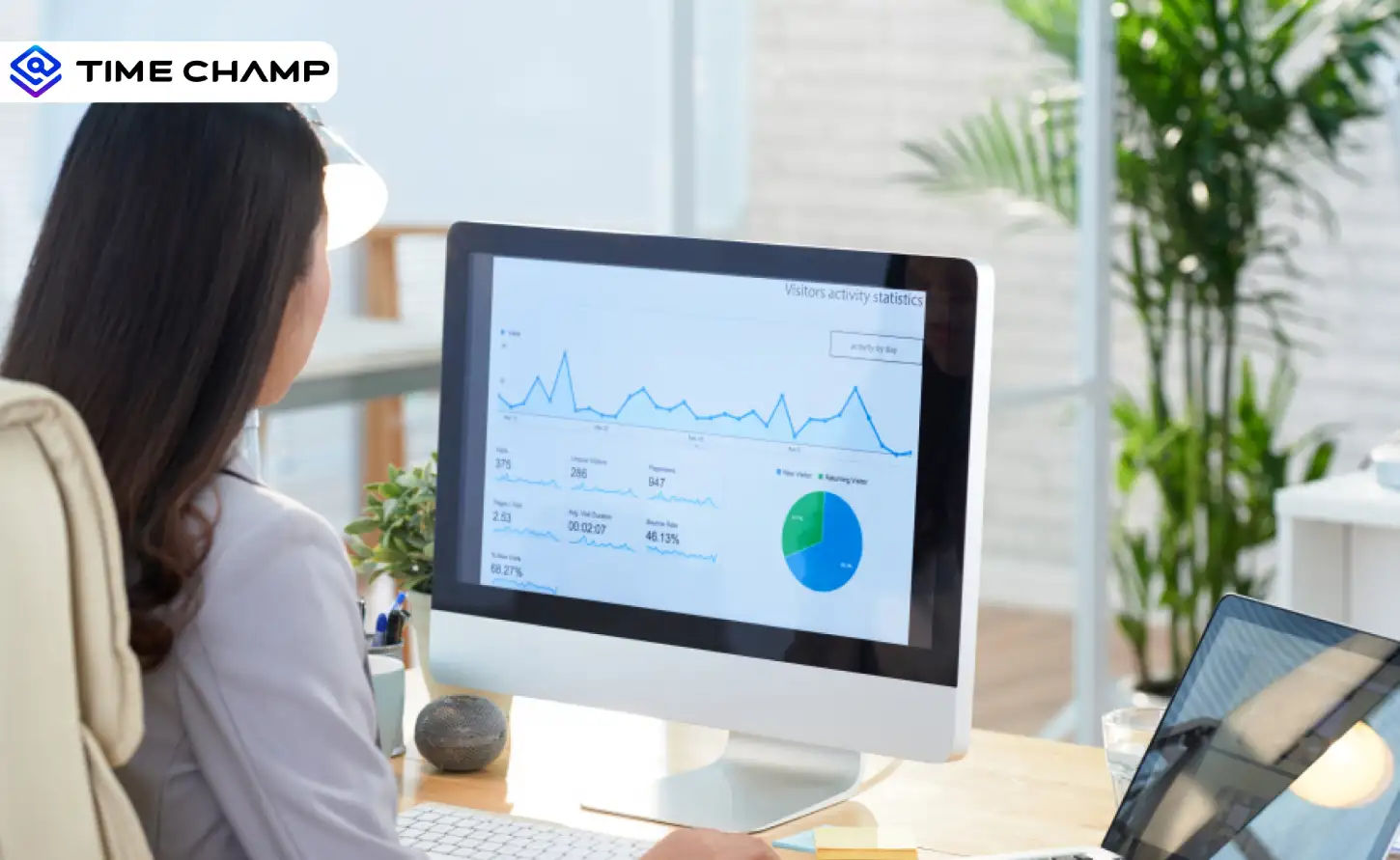
Activity tracking software is a workforce tool that shows you how your team actually spends their working time. It shows which apps and websites your team uses, how much time goes into real work, where distractions happen, and when focus starts dropping. It also helps you notice early signs of overwork before they turn into bigger issues. For the broader picture across this topic, our enterprise employee monitoring guide brings the moving parts together.
If you already use time tracking, you know when your team works. Activity tracking helps you see what is happening during that time. According to Gallup, only 23% of employees worldwide feel engaged at work (State of the Global Workplace report). This highlights how important it is to understand how time and focus are actually spent during the day.
This guide walks you through what activity tracking software measures are, how it is different from time tracking, and how you can use it to improve your team’s performance.
What Does Activity Tracking Software Actually Measure?
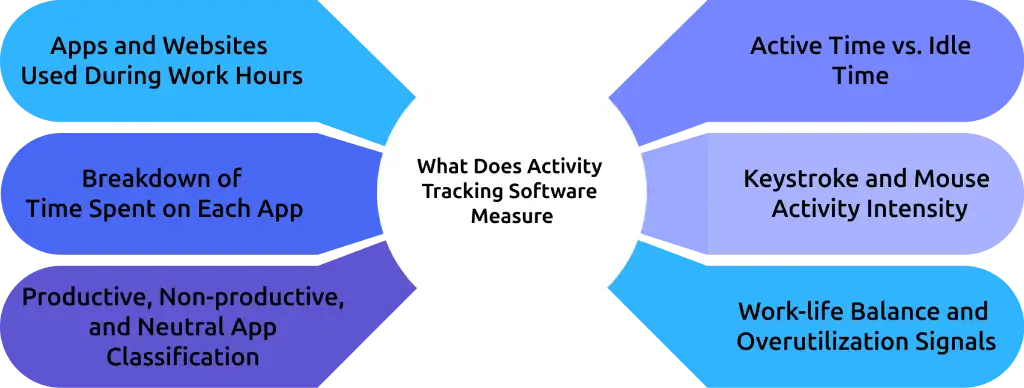
Activity tracking software gives you a clear picture of how your team's working day breaks down. It helps you move beyond guesswork and see what is really happening during working hours. Here is what it captures and what each data point tells you.
Apps and Websites Used During Work Hours
Helps you understand whether your team is focusing on work tools or getting distracted. You also get a clear idea of which tools are used regularly and which ones are ignored. This app usage tracking helps you improve tool adoption and remove unnecessary apps.
Breakdown of Time Spent on Each App
Activity tracking software shows where most of the time is going and which tools take up the day. This makes it easier to spot time-heavy tasks. If one tool is taking too much time, you can explore ways to simplify or improve that process.
Productive, Non-productive, and Neutral App Classification
Gives a clear breakdown of how much time goes into meaningful work. This helps you move beyond raw data and actually understand how work is happening. You can quickly see where time is being used effectively and where it is slipping away.
Active Time vs. Idle Time
It helps you understand whether logged hours reflect actual work or just screen time. It also highlights when focus drops during the day, so you can adjust schedules and reduce long inactive periods.
Keystroke and Mouse Activity Intensity
Shows engagement levels without tracking employees' personal content. It gives you a clear idea of how actively someone is working during work hours. This helps you understand work patterns without affecting privacy.
Work-life Balance and Overutilization Signals
An activity tracking tool helps you notice overwork patterns early. You can see if someone is working late hours regularly or taking very few breaks. This helps you step in early and support a better work-life balance.
Not sure where your team’s time is really going?
Time Champ helps you track app usage and work patterns with complete clarity.
How Activity Tracking Differs from Time Tracking
Time tracking and activity tracking may sound similar, but they give you very different insights. One shows how long your team works, while the other shows how that time is actually used. When you look at both together, you get a clearer understanding of productivity, focus, and daily work patterns.
| Time Tracking | Activity Tracking |
|---|---|
| Records when work starts and ends, along with the total number of hours worked. | Shows what actually happens during those working hours. You get a clear view of how the day is spent. |
| Gives you numbers like total hours and work duration. | Shows the full picture. You can understand how time moves across tasks, tools, and different parts of the day. |
| Doesn’t show which apps or websites were used, so it’s hard to know where time actually went. | Clearly shows app and website usage, so you know what people are working on and what distracts them. |
| Useful mainly for tracking time for payroll or billing. | Useful for making better decisions, improving team performance, and managing work more effectively. |
| Doesn’t give much insight into daily work habits. | Helps you understand daily patterns, like when your team is most focused or distracted. |
| Example: You can see that your team worked 8 hours on Tuesday. This gives you a basic idea of effort, but it doesn’t show how productive or focused that time was. | Example: You can see how those 8 hours were spent, like which apps were used, how much time went into real work, and where time was lost. |
What Productivity Classification Means and Why It Changes Everything
Productivity classification helps you understand how work time is actually used. It turns simple app usage data into clear insights about whether time is spent on meaningful work or distractions.
App usage data on its own can feel confusing. You can see which tools are open, but that doesn’t clearly show if real work is getting done or time is slipping away. Productivity classification makes this easier to understand by showing how that time is actually being used.
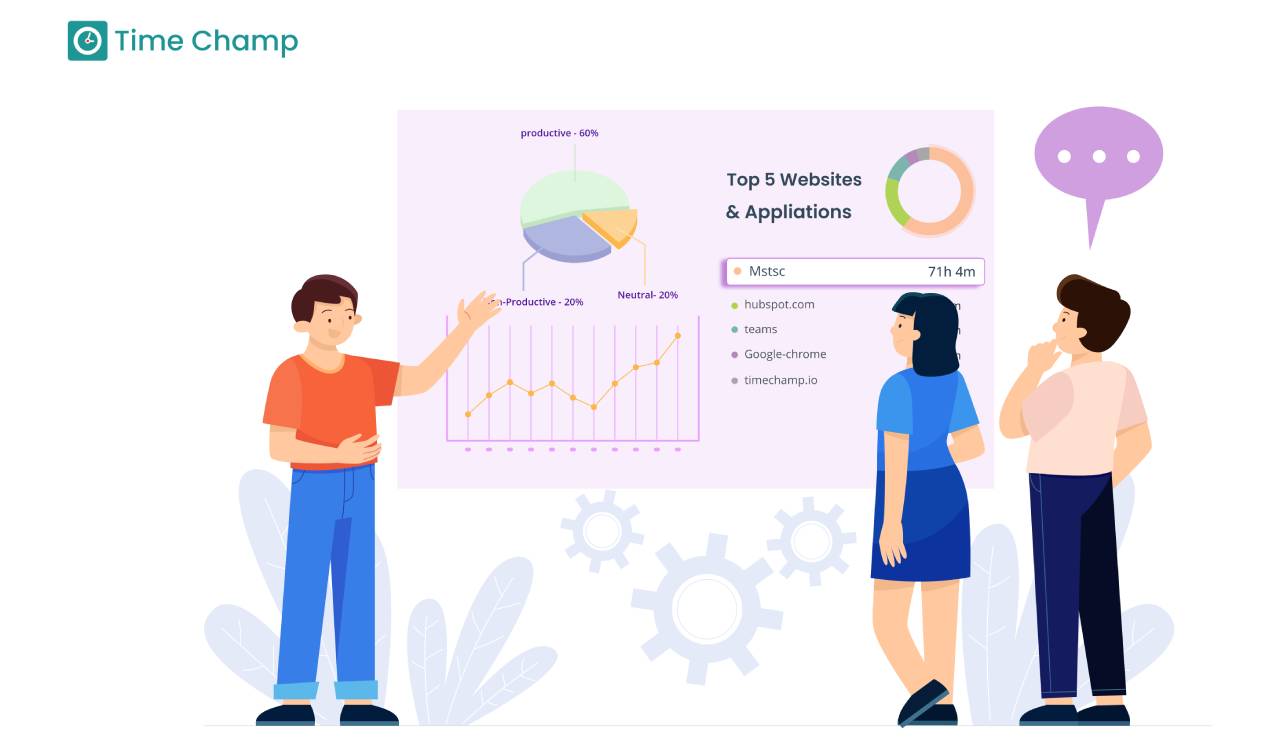
In activity tracking, every app or website is grouped into three categories:
- Productive – tools directly used for work
- Non-productive – distractions or unrelated activities
- Neutral – tools that can be work-related or personal, depending on usage
Once these categories are set, you get a clear view of how much time is going into actual work. This makes it easier to understand productivity both at an individual and a team level.
This classification also changes based on roles. A manager may rely on communication tools throughout the day, while someone in a focused role may need fewer interruptions. So, the same app can have different meanings depending on who is using it.
With this level of visibility, patterns become easy to spot:
- Focus drops during certain hours
- Too much time spent on chats and coordination
- Team members are struggling to stay on track
These patterns exist in most teams, but they are easy to miss without data. According to Deloitte, 53% of employees say interruptions are their biggest productivity barrier, making it harder to stay focused on real work. Research from McKinsey & Company shows that employees spend around half of their work time on interactions like emails, meetings, and coordination, which reduces time for deep, focused work.
This is where productivity monitoring software like Time Champ starts making a real difference. Time Champ helps you classify apps and websites based on roles. It also gives you a clear picture of how time is actually used, helps reduce unnecessary distractions, and makes it easier to protect focus time so your team can do meaningful work.
Finding it hard to spot what’s slowing your team down?
Time Champ helps you identify bottlenecks, overwork, and workflow gaps early.
How Activity Data Helps You Identify Hidden Workflow Issues
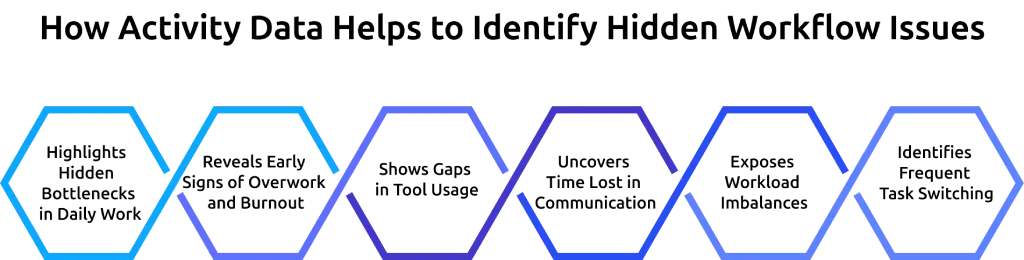
Most workflow issues don’t show up immediately. They build slowly and only become visible when they start affecting deadlines, quality, or team morale.
Activity tracking helps you catch these issues early. So, you can understand where things are going off track and fix them before they turn into bigger problems.
Highlights Hidden Bottlenecks in Daily Work
Sometimes work takes longer than expected, and it’s not always clear why. A task might keep getting delayed, or someone may be waiting on input from others. Activity data helps you see where things are slowing down. You can spot tasks that keep getting stuck or steps that take more time than they should. Once you notice this, it becomes easier to fix the issue and keep work moving smoothly. Learning effective task management strategies can also help you remove these blockers faster.
Reveals Early Signs of Overwork and Burnout
Overwork doesn’t show up all at once. It builds slowly over time. People start working longer hours, skipping breaks, or staying active late into the day. With activity tracking, these patterns become visible early. You can see when someone is taking on too much and step in before it starts affecting their health or performance. Understanding employee burnout signs and how to prevent it can help you act at the right time.
Shows Gaps in Tool Usage
Sometimes teams don’t fully use the tools available to them. Work may happen outside those tools, which makes it harder to track progress. Activity data shows which tools are used regularly and which ones are ignored. This helps you understand whether the tool isn’t useful or if the team needs more support to use it properly.
Uncovers Time Lost in Communication
Communication is part of every job, but too much of it can slow things down. Long meetings, constant messages, and back-and-forth discussions can take up a big part of the day. Activity data helps you see how much time goes into communication tools. If it starts taking over the day, it’s a sign that things can be simplified to give more space for focused work.
Exposes Workload Imbalances
In many teams, some people handle more work while others have lighter workloads. This isn’t always easy to notice. Activity tracking gives you a clearer view of how work is spread across the team. You can see who is overloaded and who has capacity, making it easier to balance tasks and avoid pressure on a few individuals.
Identifies Frequent Task Switching
Switching between tasks again and again can make it harder to focus. Even if someone looks busy, their work may take longer and feel more tiring. Activity data shows how often this switching happens. When you spot it, you can adjust the workload and help people focus on one thing at a time for better results. Using a task tracker can help you structure work in a way that reduces unnecessary switching.
Who Gets the Most from Activity Tracking Software
Not every team uses activity tracking in the same way. The value depends on how your team works and what you need to understand. Here are the teams that benefit the most from activity tracking software:
Remote and Hybrid Teams
When your team works from different locations, it’s harder to understand what’s really happening during the day. You don’t get those small signals you usually notice in an office, like who is focused, who needs help, or where work is slowing down. Activity tracking fills that gap. It gives you a clear view of how the day is actually spent, without needing constant check-ins or updates. You can understand how work is flowing and support your team in the right way.
Agencies Billing Clients by the Hour
For agencies, time directly affects revenue. If the hours logged don’t match the actual work done, it can impact both client trust and profit. Activity data shows how time is really spent on each project. You can see how much time goes into focused work, communication, or distractions. This helps you make sure your billing reflects real effort and that every project gets the attention it needs.
HR and People Leaders
It’s not always easy to spot when someone is overworked or losing motivation. These changes usually happen slowly and can go unnoticed for a long time. Activity tracking gives HR teams better visibility. You can see patterns like longer work hours, reduced activity, or changes in work intensity. These signals help you step in early, have the right conversations, and support employees before problems grow bigger.
Operations and Team Leads
If you manage day-to-day work, you need to know whether things are running smoothly. Sometimes processes look fine on paper but work differently in reality. Activity data helps you see how work actually happens. You can identify gaps, delays, or unnecessary steps in the workflow. This makes it easier to improve processes and help your team work more efficiently.
How Time Champ Gives You Complete Visibility into Team Activity
Time Champ is an employee monitoring software designed to make activity tracking clear and useful. It helps you understand how work is actually happening across your team in real time. You can see which apps and websites are being used, how time is distributed, and where focus is going.
It also lets you label tools as productive, non-productive, or neutral based on roles, so the data reflects how your team really works. This makes the productivity score more accurate, as it is based on real work activity.
You can explore more about this in our guide on employee monitoring software.
Clear Visual Insights
Time Champ makes it easy to understand data at a glance.
- Heatmaps show how each person’s day is split between productive work, idle time, and overall activity.
- The timeline view shows how the day flows hour by hour
These visuals help you notice patterns quickly. If something changes in the way your team works, you can spot it right away.
Early Signals for Work-life Balance
Time Champ also helps you keep track of work patterns over time. If someone starts working longer hours, taking fewer breaks, or staying active after work hours, you can see it early. This helps you step in at the right time and avoid burnout before it becomes serious. What makes this more useful is that it looks at each person’s normal work pattern. So, the insights are based on individual behavior, not generic limits that may not fit everyone.
Transparency that Builds Trust
One of the biggest concerns with monitoring is trust. Time Champ handles this by keeping everything transparent. Employees can see their own activity data through a personal dashboard. They can understand how they are spending their time and make improvements on their own.
Looking for a simple way to understand your team’s work patterns?
Time Champ gives you real-time insights without making things complicated.
Conclusion
Activity tracking software gives you a clear view of how your team's working time actually gets used. t shows whether the time logged is going into focused work, distractions, or delays. It helps you quickly see where work is slowing down, which employees are overutilized or underutilized, so you can balance workloads and keep work running smoothly. If you already track time, activity tracking is the layer that makes that data meaningful.

Guna Lakshmi


Table of Content
-
 What Does Activity Tracking Software Actually Measure?
-
How Activity Tracking Differs from Time Tracking
-
What Productivity Classification Means and Why It Changes Everything
-
How Activity Data Helps You Identify Hidden Workflow Issues
-
Who Gets the Most from Activity Tracking Software
-
How Time Champ Gives You Complete Visibility into Team Activity
-
Conclusion
Related Blogs
Discover how to write and interpret employee activity reports to gain insight and drive better business results.
Thasleem Shaik | Jul 10, 2024
In the fast-paced modern workplace, Employee Activity Monitoring software ensures safety and productivity with location tracking and real-time analytics.
Hima Bindhu Nara | Jan 17, 2024
Discover how monitoring computer activity can boost productivity, improve security, and ensure accountability, providing key benefits for businesses.
Jahnavi Pulluri | Aug 05, 2024
Want to boost productivity? Uncover 20 time tracking best practices that can transform your workflow and help you achieve more with less effort.
Guna Lakshmi | July 01, 2025
Unleash methods and tips for employee task tracking to enhance productivity, with top tools for streamlining task management and improving team efficiency.
Chethana Choudary | July 24, 2025
Learn how employee productivity monitoring software can boost your company with key features, usage tips, and advantages of using tools like Time Champ.
Tarun Kumar Reddy | Jun 24, 2024


 4.7/5 avg.
Ready to Manage Your Workforce Smarter?
Join our family of 1500+ companies using smart insights to redefine workforces!

Free Trial
No Credit Card Required