10 Best Insider Threat Detection Tools for (2026)
Find the best Insider Threat Detection Tools for 2026. Compare features, pricing, pros & cons to reduce internal risk and secure workforce activity data.
Are insider threats putting your sensitive business data at risk?
These types of risks usually arise within organizations from your employees, contractors, and partners who misuse access to your company’s sensitive data either intentionally or by mistake. Many organizations, like yours, are also struggling like this to identify insider risks early because of a lack of clear visibility into behaviour across systems and teams.
The right insider threat detection tools help you identify people’s abnormal activity, minimise data loss, avoid compliance problems, and protect business continuity. In this blog, you will find the 10 best insider threat detection tools, the fundamental capabilities of each tool, and how each solution enhances security and oversight.
At the end, you will know how to choose a tool that fits the size of your organisation, security priorities, and workforce model in order to strengthen protection, improve accountability, and make better decisions.
What Is an Insider Threat Detection Tool?
An insider threat detection tool is a software that monitors and analyses the actions of employees, contractors, and partners to identify abnormal behaviour that could put the company’s sensitive data at risk. It tracks how users access systems, files, and applications, identifies unusual activity patterns, and constantly analyses them.
The tool allows you to identify possible insider threats at an early stage and avoid risky behaviour before it turns into a critical problem by giving you a clear view of what is going on inside the organisation.
What Are the 10 Best Insider Threat Detection Tools?
Keeping your data safe and your team running smoothly starts with the right insider threat detection tool. There are many options out there, so here you can see the 10 best tools to help you spot and stop insider risks.
1. Time Champ
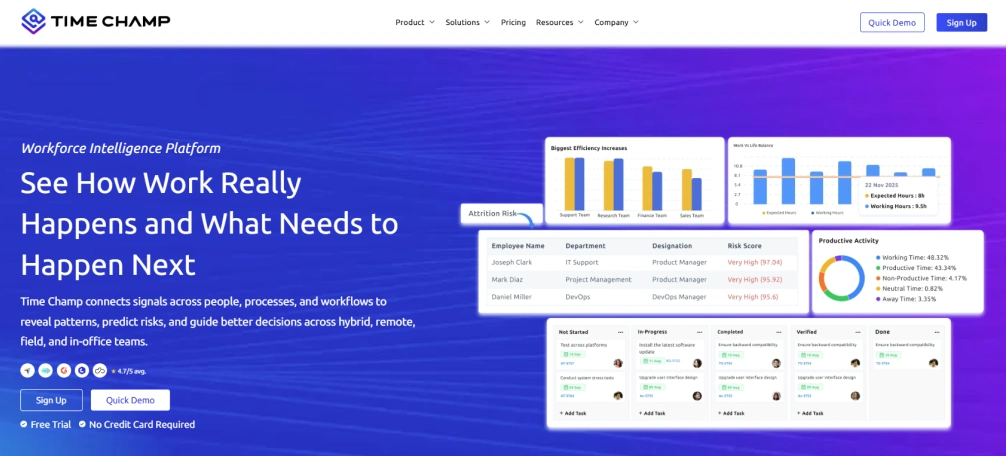
Time Champ is a workforce intelligence and insider threat detection platform that helps organizations get real-time insight into employee activity across endpoints, networks, and cloud applications. It collects data on app usage, file actions, and online activity to spot unusual behaviour and possible insider risks. Time Champ lets security teams and managers review incidents, apply policies, and lower the chance of data loss or compliance issues. Unlike other tools, it combines security information with operational insights, helping organizations stay accountable, productive, and aware of their workforce without interrupting daily work.
Pros
- Observes employee actions across endpoints, networks, and cloud applications in real time
- Detects unusual behaviour and potential insider risks instantly
- Records file access, uploads, downloads, and online activity
- Provides clear reports and dashboards for incident analysis
- Supports policy enforcement to prevent data loss or compliance issues
- Offers operational insights into workforce productivity
- Works across remote, hybrid, and on-site work environments
Cons
- Occasional slowdowns during navigation can interrupt the workflow a little.
- The dashboard may feel a bit heavy for users who prefer a very minimal and lightweight design
Features
- Workforce analytics
- Data loss prevention (DLP)
- Suspicious activity detection with anomaly rates
- Application blocking
- Website & USB access control
- File monitoring
- Upload & download restrictions
- Behaviour analytics & alerts
- App & web usage insights
- Screenshots & screen recordings
- Live screens
- Keystrokes & mouse clicks detection
- Activity reports
Best For
- Small, mid-sized, and enterprise organizations
- Finance, healthcare, technology, and professional services sectors
- Teams working in remote, hybrid, or on-site environments
- Security and HR teams to monitor sensitive data usage and insider threats
Pricing
Time Champ offers flexible pricing based on features and team size.
- Offers a 7-day free trial without a credit card required.
- Starter Plan: $3.90 per user/month (billed annually)
- Professional Plan: $6.90 per user/month (billed annually)
- Enterprise Plan: $13.90 per user/month (billed annually)
Reviews
- G2: 4.8/5
- Capterra: 4.9/5
2. Exabeam
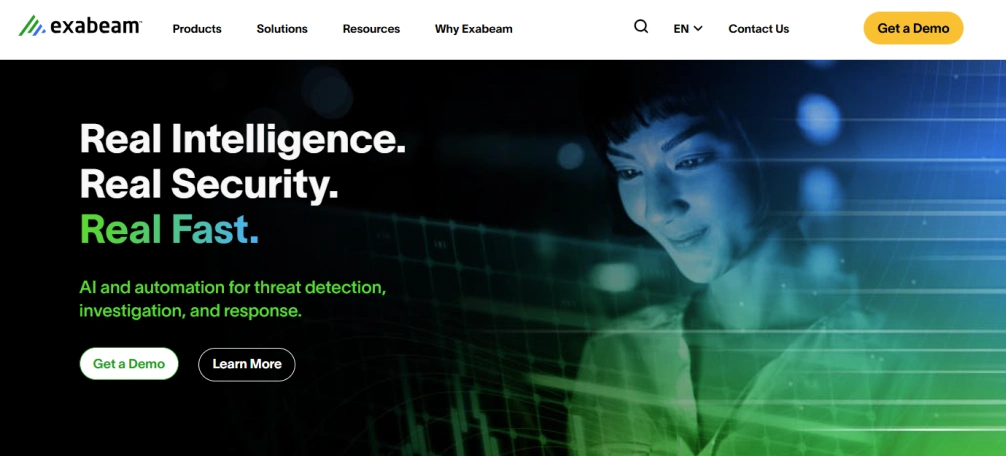
Exabeam is a cybersecurity platform that applies behavioural analytics to identify insider threats and risky behaviour by tracking the behaviour of users and entities over time. It sets a standard of normal behaviour of employees, devices and automated agents and detects risk patterns that may indicate misuse of data or unauthorised access.
Exabeam connects activity across systems and creates timelines of events to demonstrate how threats evolve to assist security teams in investigating insider risks, account misuse, data theft, and other suspicious activities in an organised manner.
Pros
- Uses behavioural analytics to find subtle insider threats that traditional tools may miss
- Correlates long-term activity into timelines for better investigation
- Monitors both human users and automated agents
- Integrates with existing SIEM platforms
- Detects privileged access misuse and abnormal data actions
Cons
- Can be complex to set up for teams without deep security expertise
- Pricing and licensing can be high for smaller organizations
- Requires quality data sources to function effectively
- Requires training to fully use advanced analytics
Features
- User and entity behaviour analytics (UEBA)
- Long-term activity correlation and timeline building
- Risk scoring and anomaly detection
- Monitoring of human and non-human (AI/agent) identities
- Integration with SIEM and automated investigation workflows
Use Cases
- Best for mid‑to‑large enterprises
- Organizations with complex hybrid environments
- Firms requiring visibility into credential abuse, data exfiltration, and privileged misuse
Pricing
For pricing details, contact the Exabeam sales team.
Reviews
- G2: 4.2/5
- Capterra: 5/5 (Based on 3 reviews)
3. Proofpoint
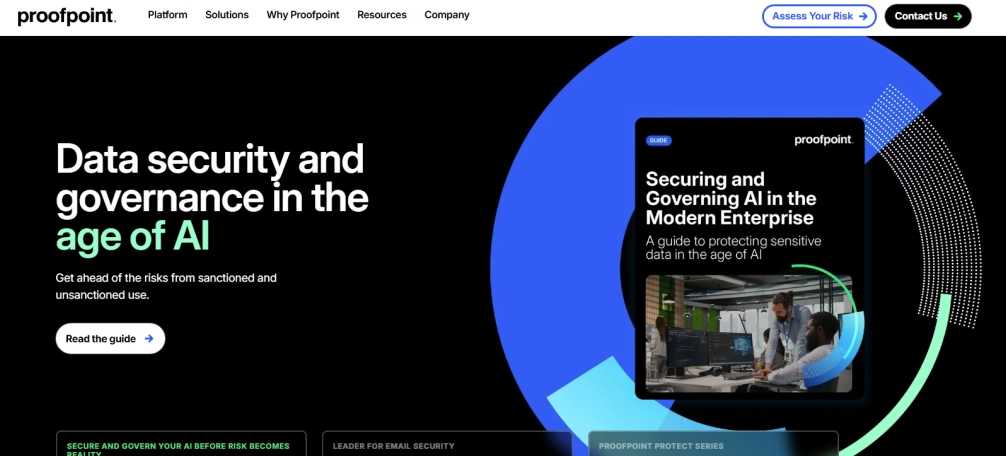
Proofpoint is a cybersecurity platform that offers insider risk and data loss prevention features. It monitors user activity across email, endpoints and cloud applications to detect risky behaviour that may expose sensitive data.
The platform examines how users handle information, identifies suspicious behaviour like large file transfers or policy breaches, and assigns risk scores based on behavioural patterns. Proofpoint assists teams in comprehending the reasons behind an incident by offering context to user activity, communication, and data flow, helping them to respond promptly and minimise the possible damage.
Pros
- Monitors email, endpoint, and cloud activity in one platform
- Provides user risk scoring based on behaviour
- Gives context around user actions for faster investigation
- Integrates with existing security and compliance tools
Cons
- Can require detailed policy configuration for accurate alerts
- Setup can take time in complex environments
- Advanced features may require additional licensing
Features
- Insider risk management and behaviour monitoring
- Email and cloud data loss prevention
- Endpoint activity monitoring
- User risk scoring and alert prioritisation
- Incident investigation with activity context
- Integration with SIEM and security tools
Use Cases
- Mid to large enterprises
- Organizations in the finance, healthcare, legal, and technology sectors
Pricing
For Proofpoint pricing details, you’ll need to contact their sales team directly.
Reviews
- G2: 4.5/5
- Capterra: 4.2/5
4. Microsoft Purview Insider Risk Management
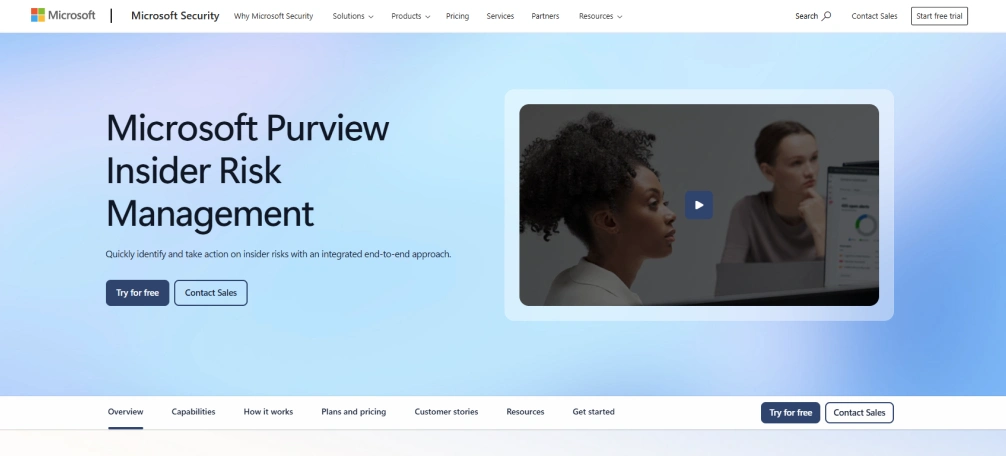
Microsoft Purview is a compliance and risk management solution that helps organizations in identifying and managing internal threats. It tracks user activity across Microsoft 365 services like Exchange, SharePoint, OneDrive, and Teams to detect risky behaviour that can result in data loss or policy violations.
The platform identifies actions such as data leaks or suspicious file sharing using built-in indicators, machine learning and policy templates. Microsoft Purview offers case management, which means managing and reviewing events that need attention, and clear activity details to allow security and compliance teams to investigate incidents in a systematic manner.
Pros
- Integrates directly with Microsoft 365 services
- Provides built-in risk indicators and policy templates
- Helps manage and review events that need attention and follow-up
- Applies machine learning to detect risky behaviour
- Helps meet compliance and regulatory requirements
Cons
- Works best within Microsoft environments only
- Requires proper policy configuration to reduce false alerts
- Advanced compliance features may require higher-tier licenses
- Can feel complex for teams without compliance experience
Features
- Insider risk policy creation and management
- Activity monitoring across Exchange, SharePoint, OneDrive, and Teams
- Risk scoring and alert generation
- Built-in templates for data leaks and policy violations
- Tracks and reviews important events with a dashboard
- Integration with Microsoft compliance and security tools
Use Cases
- Mid to large organizations using Microsoft 365
- Enterprises in finance, healthcare, government, and education
- Compliance and legal teams managing data protection policies
- Hybrid and remote workforce environments
- Organizations focused on regulatory compliance and data governance
Pricing
For pricing, contact microsoft purview sales team directly to get a quote tailored to your organisation’s needs.
Reviews
- G2: 4.3/5
- Capterra: 4.5/5
5. Varonis
Varonis is a data security platform that helps organizations to identify insider threats by monitoring user activity and protecting sensitive data across file systems, cloud platforms, and collaboration tools. It analyses user access and sharing of data and alerts security teams when it detects potential risk. The platform focuses on data-centric security, actively tracking where users store sensitive data, who accesses it, and how they use it.
Pros
- Provides deep visibility into data access and user activity
- Automatically identifies sensitive and exposed data
- Supports major cloud and on-premises environments
- Helps reduce excessive user permissions
- Offers detailed investigation and reporting tools
Cons
- Requires time and planning for full deployment
- Works best with dedicated security resources
- Pricing may not suit very small businesses
- Advanced features may require training
- Initial data scanning can take time in large environments
Features
- User behaviour analytics to detect abnormal activity
- Data classification to identify sensitive information
- Threat detection with real-time alerts
- Audit trails and investigation dashboards
- Cloud and on-premises data monitoring
Use Cases
- Suitable for industries like finance, technology, and legal services
- Supports hybrid and remote work environments
Pricing
For Varonis pricing, you’ll need to contact their sales team directly.
Reviews
- G2: 4.6/5
- Capterra: N/A
6. Teramind
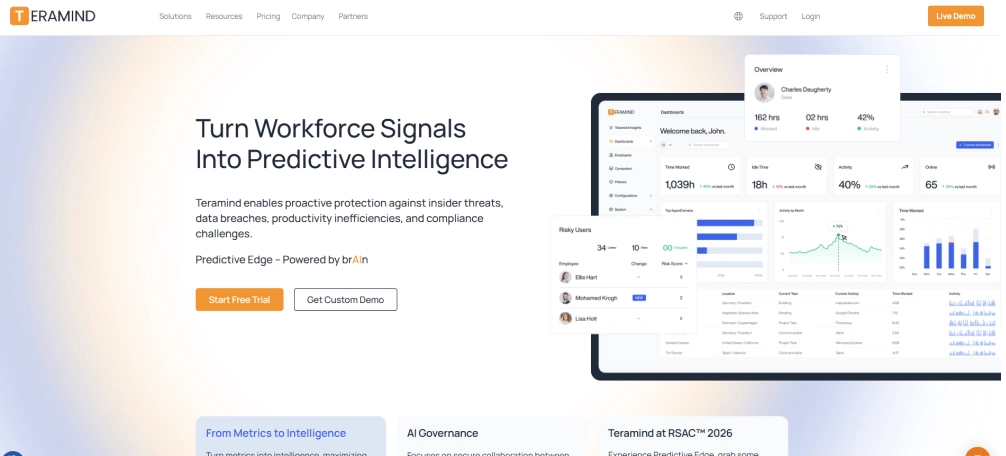
Teramind is an employee monitoring platform that helps organizations to monitor user activity, prevent misuse of data and enforce security policies. It monitors behaviour on endpoints, applications, email and web activity to detect activities that can expose sensitive information to risk. The platform applies behaviour analytics and risk scoring to identify abnormal behaviour like data exfiltration or policy violations.
Pros
- Provides detailed user activity monitoring
- Detects abnormal behaviour with risk scoring
- Supports data loss prevention controls
- Offers session recording for investigations
- Works in cloud and on-premises environments
Cons
- May raise privacy concerns among employees
- Requires careful policy setup and configuration
- Advanced monitoring features may need training
- Can generate large volumes of activity data
- Pricing may be higher for small teams
Features
- User behaviour analytics and risk scoring
- Keystroke logging and screen recording
- Data loss prevention with file transfer controls
- Real-time alerts for suspicious actions
- Application and web activity monitoring
Use Cases
- Suitable for small, mid-sized, and large enterprises
- Supports remote, hybrid, and on-site work environments
- Helps organizations with strict compliance requirements
Pricing
Plans start from $13.34 per seat/month for basic use. Advanced and enterprise options are available. Contact sales for custom pricing for large organizations.
Reviews
- G2: 4.6/5
- Capterra: 4.7/5
Worried about insider threats putting your data at risk?
Optimise your data protection and ensure team accountability with Time Champ!
7. DTEX Systems
DTEX Systems is an insider risk management platform that assists organizations in identifying and preventing internal threats by analysing employee behaviour and system activity. It gathers endpoint and user activity data to identify patterns of data misuse, policy violations or data theft.
It monitors user and endpoint activity by analysing behavioural patterns and protects privacy by avoiding the recording of every user action. Security teams use it to detect unusual actions and address insider risks before they lead to data loss or compliance problems.
Pros
- Provides behaviour-based insider risk detection
- Uses risk scoring to prioritise threats
- Supports a privacy-aware monitoring approach
- Offers detailed investigation and reporting tools
- Works across distributed and remote environments
Cons
- Requires proper configuration for accurate risk detection
- May need skilled security teams for full use
- Deployment can take time in large organizations
- Advanced analytics may require training
- Pricing may not suit very small businesses
Features
- Behaviour analytics and insider risk scoring
- Endpoint activity monitoring
- Data exfiltration detection
- Real-time alerts and risk dashboards
- Investigation tools with activity timelines
- Integration with security information and event systems
Use Cases
- Best for mid-sized and large enterprises
- Suitable for finance and technology sectors
- Supports remote and hybrid workforce models
Pricing
For pricing details, you can reach out to DTEX Systems’ sales team to get a quote that fits your organisation’s needs.
Reviews
- G2: 0/5
- Capterra: 0/5
8. Securonix
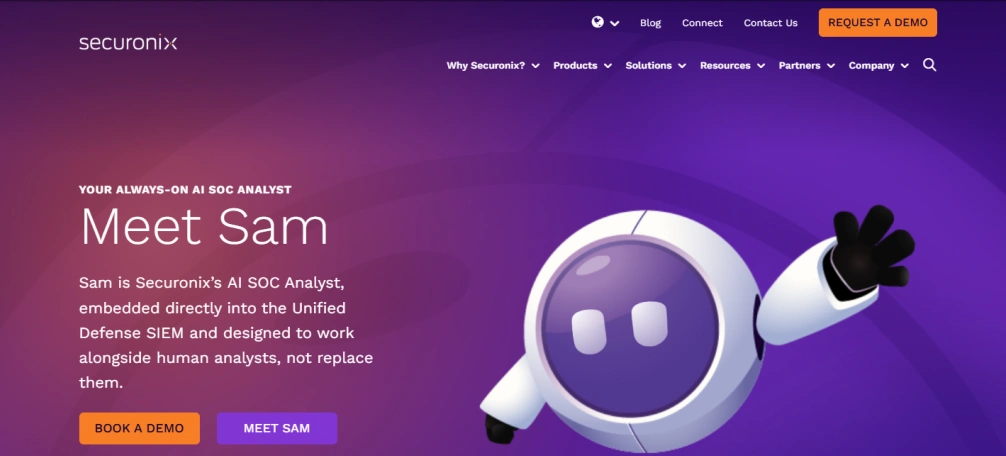
Securonix is a security analytics and insider threat detection platform that helps organizations to monitor user behaviour, identify risky actions, and respond to possible threats internally. It gathers and examines user, endpoint, application, and network system data to detect abnormal patterns and as evidence for data abuse, account takeover, or policy breaches.
The system analyses patterns in user behaviour and uses machine learning models to reduce false alerts and highlight high-risk activities. Securonix helps teams to gain a view of hybrid and cloud environments and investigate incidents before they cause data loss or compliance problems.
Pros
- Uses behaviour analytics to detect abnormal user activity
- Supports cloud, on-premises, and hybrid environments
- Provides detailed investigation workflows for security teams
- Integrates with many third-party security tools
Cons
- Requires skilled security teams to manage and interpret alerts
- Initial setup and data integration can take time
- Pricing may be high for small organizations
- Generates large volumes of data that need proper tuning
- May require ongoing optimisation for best results
Features
- User and entity behaviour analytics that detect unusual access and activity patterns
- Insider threat detection with risk-based alerting and scoring
- Integrated security information and event management
- Threat hunting and investigation tools with detailed activity timelines
- Cloud application and identity monitoring across hybrid environments
Use Cases
- Mid-sized and large enterprises that manage large volumes of sensitive data
- Organizations in finance, healthcare, government, and technology sectors
- Companies operating in hybrid or cloud-first environments
Pricing
You can get pricing details of Securonix by reaching out to their sales team.
Reviews
- G2: 4/5
- Capterra: N/A
9. Cyberhaven
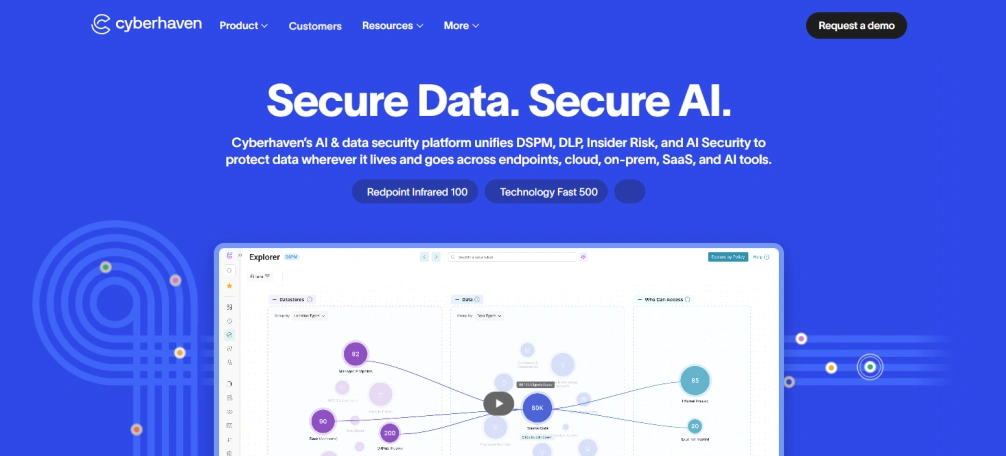
Cyberhaven is a data protection and insider threat detection platform that assists organizations in monitoring the flow of information between systems and cloud services. It tracks file access and sharing use by employees, contractors, and partners to identify unusual activity that can indicate misuse of data, policy violation, or data theft.
The software relies on content-sensitive checks and risk scores to detect high-risk actions and reduce false alerts. Security teams use cyberhaven to investigate the issues and act in advance of internal threats that may lead to data loss or compliance problems.
Pros
- Monitors data across endpoints, cloud, and applications
- Offers clear insight into how information moves across systems and teams
- Helps security teams respond quickly to security issues or threats
Cons
- May require integration with multiple systems for full coverage
- Setup and deployment can be complex in large environments
- Use of advanced analysis features may need training
- Pricing can be high for small businesses
- Limited offline monitoring capabilities
Features
- File and data activity tracking
- Cloud service monitoring
- Behaviour analysis and risk scoring
- Alerts and dashboards for high-risk activities
- Incident investigation and reporting tools
- Visualisation of data flows
Use Cases
- Best for mid-sized and large enterprises
- Suitable for finance, healthcare, technology, and regulated industries
- Ideal for remote and hybrid workforce environments
Pricing
To know cyberhaven’s pricing, contact their sales team for a quote.
Reviews
- G2: 4.5/5
- Capterra: N/A
10. Forcepoint

Forcepoint is an insider threat detection and data protection platform that helps organizations in monitoring how users access and share sensitive data across endpoints, networks, and cloud systems. It applies real-time analytics and adaptive risk scoring to detect unusual or risky behaviour, policy breaches, and insider threats.
Forcepoint enables security teams to visualise data flows, investigate suspicious activity, and apply rules to avoid data loss or compliance violations. The system aims to prevent threats before they grow and ensure visibility across the organisation’s environment.
Pros
- Monitors user activity across endpoints, networks, and cloud systems
- Identifies insider risks with real-time analytics
- Highlights high-risk activities using adaptive risk scoring
- Supports policy enforcement and compliance monitoring
- Provides visibility into data movement and incidents
Cons
- Deployment can be complex for large organizations
- Endpoint monitoring can affect system performance
- Limited customisation of some reporting features
- Licensing costs can be high for smaller teams
Features
- Real-time user activity monitoring
- Behaviour analytics and adaptive risk scoring
- Data movement visualisation
- Policy enforcement and compliance tracking
- Incident investigation and reporting
Use Cases
- Best for enterprise organizations in finance, healthcare, and technology sectors
- Suitable for monitoring sensitive data usage across endpoints, networks, and cloud systems
Pricing
For forcepoint pricing, get in touch with their sales team to receive a quote for your organisation.
Reviews
- G2: 4.3/5
- Capterra: 4.5/5
Insider Threat Detection Tools Comparison
| S. No | Software | Key Features | Ideal Solution For | Free Trial |
|---|---|---|---|---|
| 1. | Time Champ |
| Small to enterprise teams, finance, healthcare, tech, professional services and remote/hybrid/on-site teams | Yes |
| 2. | Exabeam |
| Mid to large enterprises, security teams, SOCs, and hybrid environments | Yes |
| 3. | Proofpoint |
| Mid to large enterprises, finance, legal and hybrid teams | Yes |
| 4. | Microsoft Purview |
| Mid to large organisations using Microsoft 365, the finance, healthcare and education industries | Yes |
| 5. | Varonis |
| Mid to large enterprises, finance, legal and sensitive data handling teams | No |
| 6. | Teramind |
| Small to large enterprises, finance and remote/hybrid teams | Yes |
| 7. | DTEX Systems |
| Large enterprises, finance, healthcare and hybrid teams | No |
| 8. | Securonix |
| Mid to large enterprises, finance, and government industries | Yes |
| 9. | Cyberhaven |
| Mid to large enterprises, finance, healthcare, tech and regulated industries | No |
| 10. | Forcepoint |
| Enterprises, finance, healthcare and tech industries | No |
Insider Threat Detection Tools Checklist
Choosing the right insider threat detection tool helps you keep your important data safe and your work running smoothly. The factors below show what to look for so you can pick a tool that really fits your team and business needs.
Cost
Pick a tool that fits your budget so you can use it long term without extra stress. Check the price per user, different plans, and any hidden fees. Choosing a solution that works for your budget lets you grow without giving up important features or security.
Tech Stack Compatibility and Integrations
Choose a tool that works well with the systems and apps you already use. Make sure it connects easily with cloud services, email, productivity apps, and security tools. Good integration keeps work running smoothly, makes data easier to manage, and helps your team start using it quickly.
Important Features
Pick a tool with the key features you really need, like monitoring activity in real-time, spotting unusual behaviour, tracking data, and enforcing rules. The right features help you see problems early, stop data misuse, and let your team act quickly.
Helpful Support and Onboarding
Good support and clear onboarding make it easier to start using the tool. Guides, training, and quick help from the support team ensure your employees learn the tool fast, use it properly, and fix any problems without delays.
Security
The tool should keep your data safe. Check for features like encryption, access controls, and secure storage. Following security rules and regulations helps you track insider threats without putting your information at risk.
Scalability
Choose a tool that can grow as your organisation grows. It should handle more users, devices, and data without slowing down. A scalable tool lets you keep an eye on teams and locations easily while staying efficient and secure.
Want to spot unusual employee behaviour before it becomes a problem?
Enhance security and productivity across your workforce with Time Champ!
Conclusion
The right insider threat detection tool keeps your important data safe and your team running smoothly. It helps you spot unusual behaviour, prevent data loss, and stay compliant. Choose a tool that fits your budget, works with your systems, has the features you need, offers reliable support, keeps data secure, and can grow as your business grows. This way, you can protect your business from insider threats and make smart decisions with confidence.

Table of Content
-
 What Is an Insider Threat Detection Tool?
-
What Are the 10 Best Insider Threat Detection Tools?
-
1. Time Champ
-
2. Exabeam
-
3. Proofpoint
-
4. Microsoft Purview Insider Risk Management
-
5. Varonis
-
6. Teramind
-
Reviews
-
7. DTEX Systems
-
8. Securonix
-
9. Cyberhaven
-
10. Forcepoint
-
Insider Threat Detection Tools Comparison
-
Insider Threat Detection Tools Checklist
-
Conclusion
Related Blogs
Learn how to implement insider threat prevention strategies and protect your business from potential internal security breaches.
Thasleem Shaik | Jan 21, 2025
Learn what an Insider Threat Program is and how it helps protect data from internal risks. Get key strategies to safeguard your organization effectively.
Sai Keerthi Uppala | Mar 12, 2025
Discover effective insider threat mitigation strategies to protect your organization from internal risks and minimize vulnerabilities.
Thasleem Shaik | Jan 22, 2025
Learn what unintentional insider threats are and how to prevent them. Discover simple steps to protect your company from accidental security risks.
Jahnavi Pulluri | Jan 21, 2025
Identify key insider threat indicators to safeguard your business. Spot potential risks early to prevent security breaches and protect sensitive data.
Sai Keerthi Uppala | Jan 21, 2025
Learn what a malicious insider is, their threats and motives, and how to prevent them from causing harm to your organization.
Jahnavi Pulluri | Jan 22, 2025


 4.7/5 avg.
Ready to Manage Your Workforce Smarter?
Join our family of 1100+ companies using smart insights to redefine workforces!

Free Trial
No Credit Card Required