9 Best Time Blocking Apps for Productivity in 2026
Compare the 9 best time blocking apps for 2026 (free and paid) and choose the right tool to improve your focus, productivity, and time management easily.

Your calendar looks perfect, deep work at 9, meetings at 11, inbox at 2, planning at 4. Then messages and urgent tasks start rolling in, and the plan falls apart.
That does not mean time blocking is useless. It just means something is missing in how it is being used.
Most people treat time blocking as setting a schedule and hoping the day follows it, but it does not have to feel that fragile.
I’ll explain the 9 best time blocking apps for 2026, what each one is actually best for, and who they are meant for. And since planning is only part of the story, we will also look at how to check whether those focus blocks really held up in practice.
What Is Time Blocking and Why Do Full Calendars Still Fail?
Time blocking is a time management method where you divide your day into fixed time slots and assign each slot a specific task or type of work, so every activity has a planned time on your calendar.
Full calendars usually fail because real work is unpredictable. Even if you plan every hour, interruptions like messages, urgent tasks, or unexpected requests break the flow. Most schedules don’t leave buffer time, so a single delay throws everything off. Over time, the calendar becomes something you designed rather than something you actually follow.
What Should You Look for In a Time Blocking App?
Not every tool that looks powerful actually helps you plan your day better. Some slow you down, others add more complexity than clarity.
Before choosing one, run through a simple checklist.
- Calendar Sync: Look for apps that connect with Google Calendar or Outlook so your meetings and blocks stay in one place.
- Drag-and-Drop Scheduling: Look for simple ways to build and adjust your day in seconds.
- Task Integration: Make sure the app can pull tasks from your to-do list or inbox to avoid duplication.
- Recurring Blocks: Look for support for repeating routines like deep work or planning.
- Mobile and Desktop Support: You need to adjust plans anywhere as your day changes. So, make sure the app can support mobile and desktop.
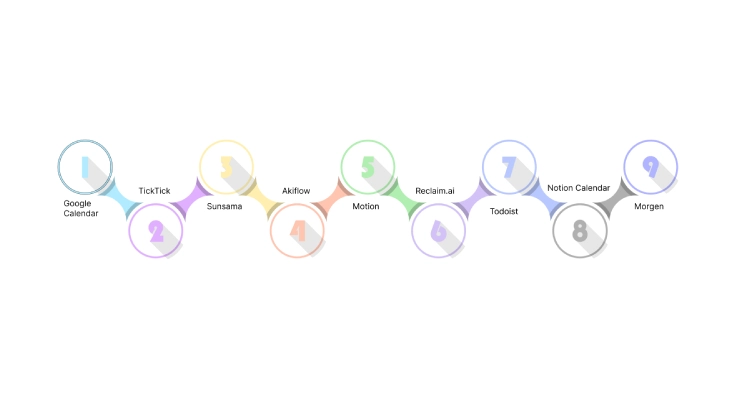
9 Best Time Blocking Apps in 2026
The time blocking apps below cover everything from basic free planners to advanced AI schedulers. Some are built for simple daily blocking, while others are designed for constantly changing calendars.
1. Google Calendar
Google Calendar is the easiest place to start time blocking because it is simple, fast, and already part of most people’s workflow. You drag to create a block, color it, and move on with your day. There is almost no setup involved, which makes it easier to stick with compared to heavier productivity systems.
It also works well for people who want simple planning without learning another app. If your schedule is fairly stable and you mainly need a visual day planner, Google Calendar handles the basics surprisingly well.
Best For: Anyone who wants free blocking with zero setup.
Standout Features:
- Free with any Google account.
- Drag-and-drop blocks with color labels and recurring events.
- Works on every device and ties into Google Tasks.
Pricing: Free.
Where It Falls Short: No AI scheduling and no real task management, so when your day shifts, you rebuild the blocks by hand.
2. TickTick
TickTick combines a to-do list, calendar, habit tracker, and Pomodoro timer in one app. You can drag tasks directly into the calendar to build blocks, which makes planning feel more connected to the work you actually need to finish.
The app works especially well for people who want structure without turning productivity into a complicated system.
Best For: People who want tasks and time blocks in a single free app.
Standout Features:
- Tasks, calendar view, habit tracker, and a built-in Pomodoro timer.
- Drag tasks into the calendar to turn them into blocks.
- Clean apps on every platform without unnecessary clutter.
Pricing: Free plan available, Premium runs about $35.99 per year.
Where It Falls Short: The calendar and blocking features are lighter than those of other dedicated planners.
3. Sunsama
Sunsama approaches planning differently from most productivity apps. Instead of encouraging you to stack more tasks into your calendar, it pushes you to slow down and plan realistically around the hours you actually have.
Each morning, the app guides you through pulling tasks from your other tools and placing them into your day. That extra structure helps people who regularly overcommit or feel overwhelmed by endless task lists.
Best For: People who overcommit and need a guided plan, not just a blank calendar.
Standout Features:
- Guided daily and weekly planning flows.
- Pulls tasks from Gmail, Asana, Trello, Todoist, and more.
- Warns you when your planned workload exceeds available time.
Pricing: No free plan. Around $22/month billed monthly, or about $17/ month billed annually.
Where It Falls Short: The guided planning flow can feel slow if you prefer quick scheduling without a daily routine.
4. Akiflow
Akiflow is built for people juggling Slack messages, emails, meetings, and multiple task apps throughout the day. Instead of switching between tools constantly, the app pulls everything into one command-driven workspace.
The experience feels fast and keyboard-focused, which is why many users prefer it. Once your tasks are collected in one place, Akiflow pushes you to assign actual time blocks instead of letting work pile up in lists.
Best For: Users who manage work across many tools and projects.
Standout Features:
- Fast command bar for capturing and scheduling tasks.
- Pulls tasks from Slack, Gmail, Notion, Asana, Todoist, and more.
- AI assistant and workflow templates.
Pricing: Around $13.60/month billed monthly, $7.60/month billed annually.
Where it Falls Short: The feature set can feel overwhelming if your workflow is relatively simple.
5. Motion
Motion is designed for calendars that change constantly throughout the day. Instead of manually moving tasks every time a meeting shifts, the app automatically rebuilds your schedule around new priorities.
That becomes surprisingly useful once your calendar fills with reschedules, urgent requests, and back-to-back meetings. Rather than spending mental energy reorganizing your day, Motion handles most of the reshuffling automatically.
Best For: People with packed work schedules and calendars that rarely stay stable.
Standout Features:
- AI auto-schedules tasks into available time slots.
- Rebuilds your schedule automatically when meetings move.
- Combines tasks, projects, and calendar planning in one view.
Pricing: Starts around $19 per user per month.
Where It Falls Short: Some people may find the automation too complex if they prefer manual control over their schedule.
6. Reclaim.ai
Reclaim works quietly in the background once it is set up properly. The app automatically schedules focus sessions, habits, and tasks around your meetings so your calendar does not get completely taken over.
Instead of manually protecting time every day, Reclaim keeps reshuffling blocks as your schedule changes. That makes it especially useful for people whose focus time regularly disappears under meetings and quick requests.
Best For: People who already use a task manager and want focus time protected automatically.
Standout Features:
- Auto-schedules focus time and habits around meetings.
- Connects with Todoist, Asana, ClickUp, Linear, and Google Tasks.
- Reschedules blocks automatically when your calendar changes.
Pricing: Free Lite plan available, paid plans start around $10 per seat per month.
Where It Falls Short: It works best alongside another task manager and feels less useful if you prefer planning everything manually.
7. Todoist
Todoist starts as a task manager first, but its calendar layout makes time blocking feel natural instead of forced. You can place tasks directly into your day without leaving the simple list structure many people already prefer.
The app works especially well for people who think in tasks first and schedules second. Rather than building a complex planning system, Todoist gives just enough calendar structure to organize your day without adding friction.
Best For: People who want task management with simple scheduling.
Standout Features:
- Natural-language scheduling.
- Calendar layout for placing tasks into your day.
- Fast apps with strong integrations.
Pricing: Free plan available, Pro runs about $2/user/month.
Where it Falls Short: Calendar blocking features are still simpler than dedicated planning apps.
8. Notion Calendar
Notion Calendar is a fast, minimal calendar designed for people who already organize their work inside Notion. It feels clean compared to larger productivity suites, which makes manual time blocking simple.
The app works best as a scheduling layer rather than a full productivity system. If your projects, notes, and tasks already live in Notion, the integration feels natural and keeps everything connected without extra setup.
Best For: Users who want a clean calendar for manual time blocking.
Standout Features:
- Fast and minimal interface.
- Syncs with Google Calendar.
- Connects directly with Notion docs and databases.
Pricing: Free plan, Pro starts at $10/user/month.
Where It Falls Short: Limited task management and no AI scheduling built in, so it works better alongside another planning tool.
9. Morgen
Morgen is designed for people juggling work and personal calendars across different platforms. It pulls Google Calendar, Outlook, iCloud, and task apps into one place, so planning your day feels less scattered.
The app keeps things simple, you can drag tasks into your calendar, build focus blocks manually, and manage multiple schedules without constantly switching tabs.
Best For: People managing multiple calendars who want a cleaner planning setup.
Standout Features:
- Drag tasks into your calendar to create blocks.
- Built-in scheduling links and task integrations.
- Works across desktop and mobile.
Pricing: Free plan available with paid upgrades for advanced features.
Where It Falls Short: Less automated than other tools, so you still manage more of the schedule manually.
Pick a tool based on your situation, not just features
- Managing Multiple Clients and Constant Requests: A simple planner with realistic daily scheduling and automatic focus protection usually works better.
- Running a Support or Operations Team: Shared focus windows and flexible scheduling matter more than individual task management, especially when interruptions happen throughout the day.
- Handling Several Roles at Once: If your calendar changes constantly, automatic rescheduling can save a lot of manual replanning and mental overhead.
- Prefer Simple Planning Over Heavy Systems: A clean calendar with drag-and-drop blocking is often easier to maintain long-term than a feature-packed productivity setup.
- Already Living Inside Task Lists: A simple planner that combines tasks and calendar blocks in one place may feel more natural than a full scheduling platform.
Free Vs Paid Time Blocking Apps: Which Is Worth It?
For most people, a free app is enough to begin time blocking easily. A calendar with recurring blocks and task integration usually handles the basics without adding another subscription.
Paid tools become more useful when scheduling itself starts feeling difficult. Some help create more realistic plans, while others automatically adjust your day when meetings and priorities keep shifting.
If you are new to time blocking, begin with a free calendar or simple planner for a couple of weeks before upgrading. Once you notice where your schedule keeps breaking down, whether from constant rescheduling, overloaded days, or team coordination, it becomes easier to decide which type of tool is actually worth paying for.
Why Do Time Blocks Fall Apart, And How Do You Make Them Stick?
Time blocks rarely fail because of the calendar itself. They fail because interruptions, shifting priorities, and overloaded schedules keep breaking the plan.
Here are the biggest reasons it happens:
- Fully Packed Schedule: When every hour is blocked with no breathing room, one delay can throw off the entire day.
- Frequent Interruptions: A quick message or unexpected meeting can break concentration more than most people realize. Research from the University of California, Irvine, found that it takes an average of 23 minutes and 15 seconds to fully return to a task after an interruption.
- Task Switching: Constantly jumping between emails, chats, meetings, and focused work makes it harder to stay mentally locked into one task.
- Reality Gap: Planning blocks is easy. Following them consistently is the hard part, especially when priorities shift throughout the day.
- Not Reviewing the Planned Blocks: Without checking planned blocks against reality, it becomes difficult to see where time keeps slipping away.
A few small changes usually help more than trying to become “more disciplined”:
- Leave buffer time between blocks.
- Plan fewer hours than you think you can handle.
- Protect your most important focus block earlier in the day.
- Review your calendar at the end of the day to see what actually held up.
How Time Champ Helps Teams with Time Blocking
Time Champ is a time tracking and employee monitoring software with workforce intelligence features. It is primarily built to help teams understand how work happens across the day, from productivity patterns to time spent across projects and tools.
Most time blocking tools stop at scheduling, but Time Champ moves further than that. It lets you create schedules, manage work hours, and organize daily workflows in one place. That makes it easier to combine planning with visibility instead of treating them as separate systems.
Here are a few ways it supports time blocking:
- Scheduling and Shift Management: You can create schedules, organize work hours, and manage day-to-day planning alongside productivity tracking.
- Focus Time and Context Switching: Shows whether focus blocks stayed uninterrupted or were repeatedly broken by switching between apps and tasks.
- Productivity Heatmaps: Helps identify when you’re naturally work best so deep work blocks can be planned around those hours.
- Expected vs Actual Work Activity: Shows graphs and activity bars comparing planned focus time against the actual time spent during work sessions.
- Automatic Project Time Tracking: Tracks time against tasks and projects in the background without depending on manual timers.
- Reports and Productivity Insights: Generates reports that help you review focus patterns, time usage, project activity, and overall productivity trends.
The value mostly depends on how you use the visibility. It works best when the goal is protecting focus time, reducing interruptions, and understanding where the workday keeps breaking down.
See How Your Team Actually Spends Focus Time!
Try Time Champ to organize schedules, track focus time, and see where workdays break down.
Final Thoughts
Time blocking works best when your schedule stays realistic and flexible. The best time blocking app can help you plan better, protect focus time, and reduce constant replanning throughout the day. Start simple, see where your schedule breaks down, and choose a tool that solves that specific problem instead of chasing the longest feature list.

Jahnavi Pulluri

Table of Content
 What Is Time Blocking and Why Do Full Calendars Still Fail?
- What Should You Look for In a Time Blocking App?
- 9 Best Time Blocking Apps in 2026
- 1. Google Calendar
- Free Vs Paid Time Blocking Apps: Which Is Worth It?
- Why Do Time Blocks Fall Apart, And How Do You Make Them Stick?
- How Time Champ Helps Teams with Time Blocking
- Final Thoughts

Related Blogs
Discover the top 10 time management apps to boost productivity, stay organized, and achieve your goals efficiently. Try them today!
Shabana Shaik | Sep 17, 2024
Learn how to create an effective time management plan in 6 simple steps. Boost productivity with easy tips to organize your day and achieve your goals.
Jahnavi Pulluri | July 24, 2025
Learn 20 time management techniques to help you stay organized, boost productivity, and achieve your goals more effectively.
Thasleem Shaik | Aug 23, 2024
Learn what time management skills are, compare key skills, explore examples with stats, and see how they differ from time management techniques.
Thasleem Shaik | Apr 08, 2026
Discover 10 time management goals you can set to boost productivity, stay organized, and achieve your objectives efficiently.
Thasleem Shaik | Aug 17, 2024
Discover the top 9 time management challenges and practical strategies to overcome them. Boost productivity with these smart solutions for better time control.
May 20, 2026


 4.7/5 avg.
Ready to Manage Your Workforce Smarter?
Join our family of 1500+ companies using smart insights to redefine workforces!

Free Trial
No Credit Card Required