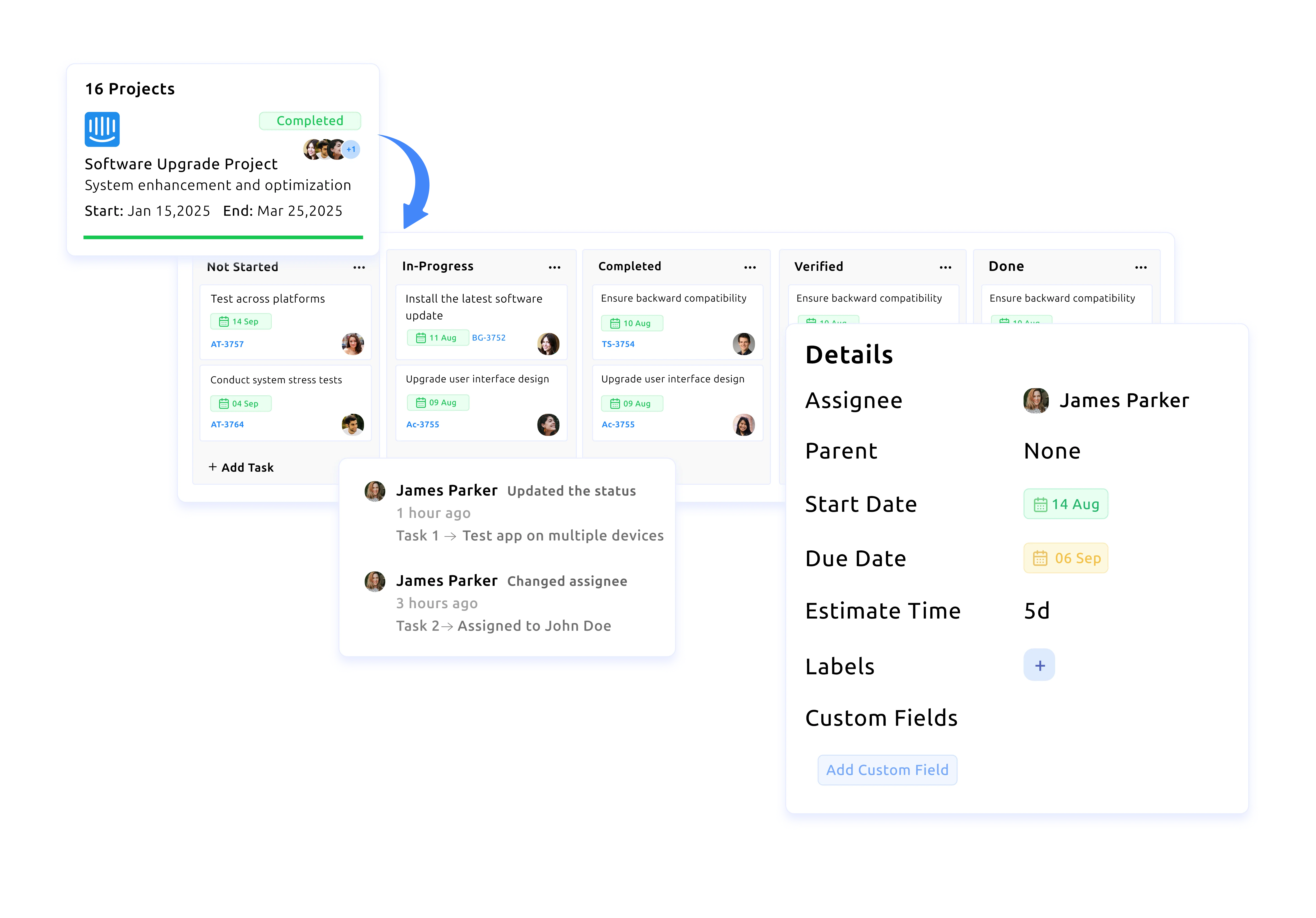



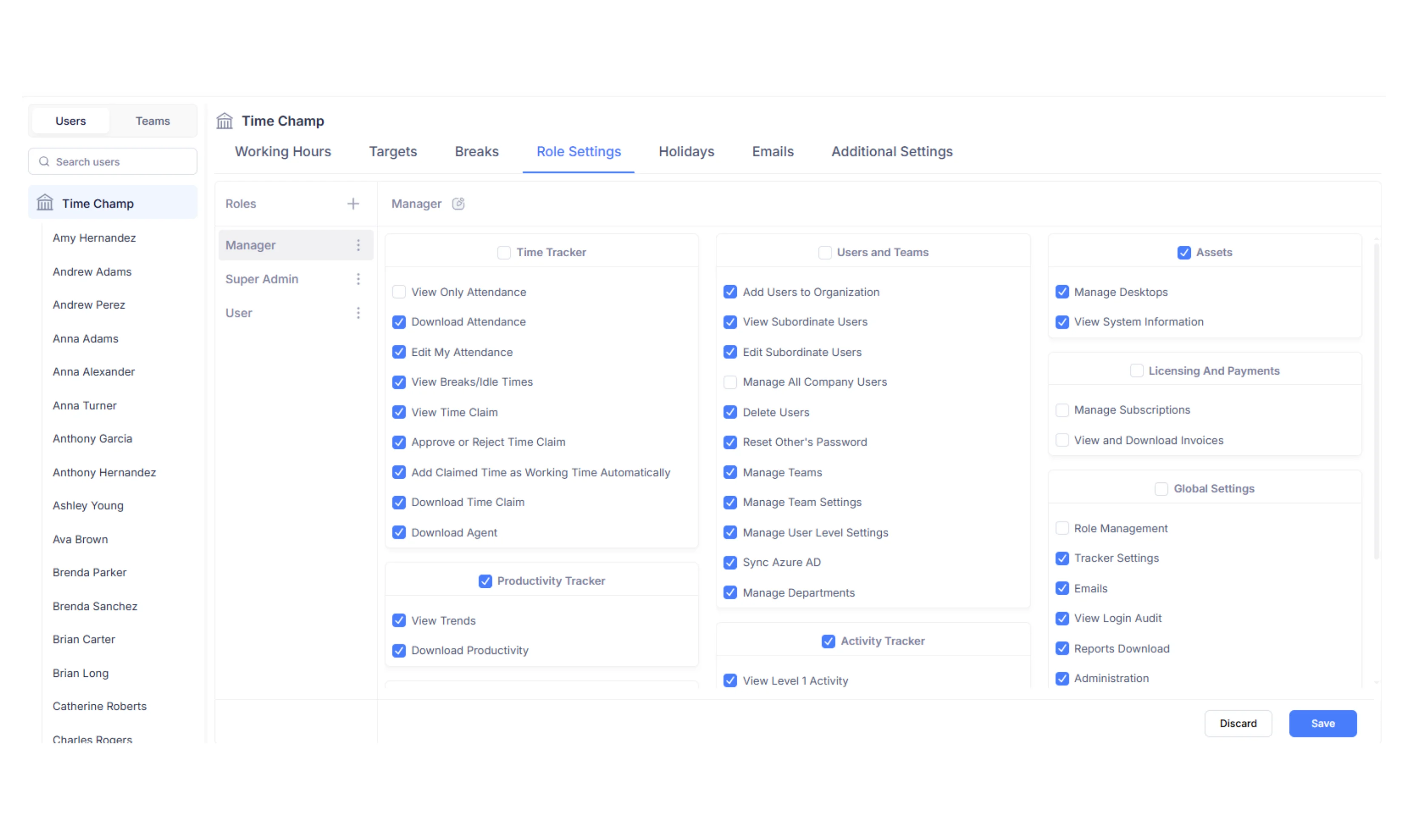
Add Teams & Assign Roles
Invite your employees while configuring roles and permissions for smooth operations.
Gain real-time visibility into agent productivity, manage shifts easily, and deliver consistent, measurable results across every client process.











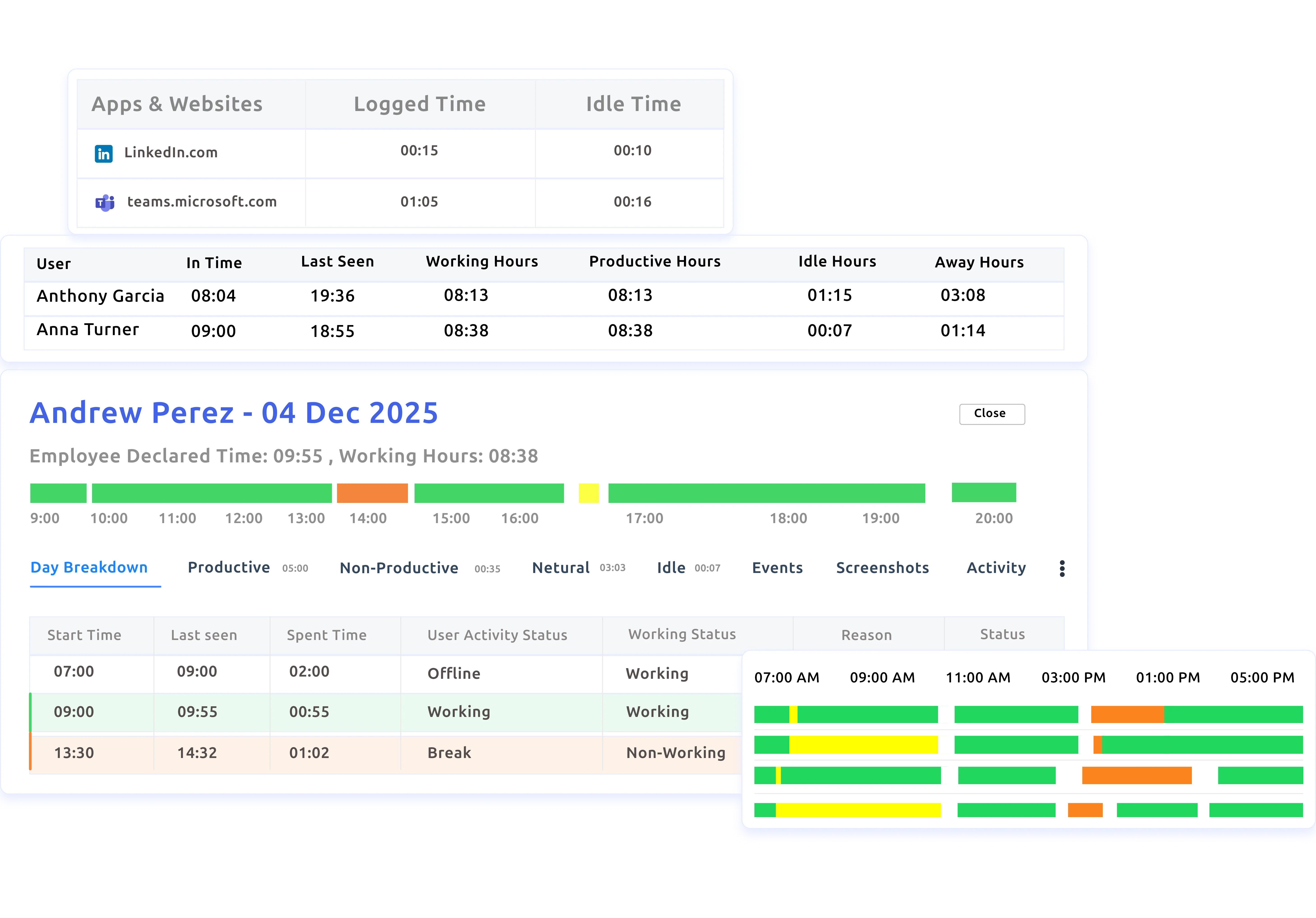

Automatically capture in-time, out-time, breaks, and idle periods so your team’s time records stay accurate & organized.

Track how long each task takes to complete for accurate records, proper billing, and quick insight into time-consuming tasks.

View live attendance status with a clear breakdown of present, absent, and on-leave employees in one simple dashboard.

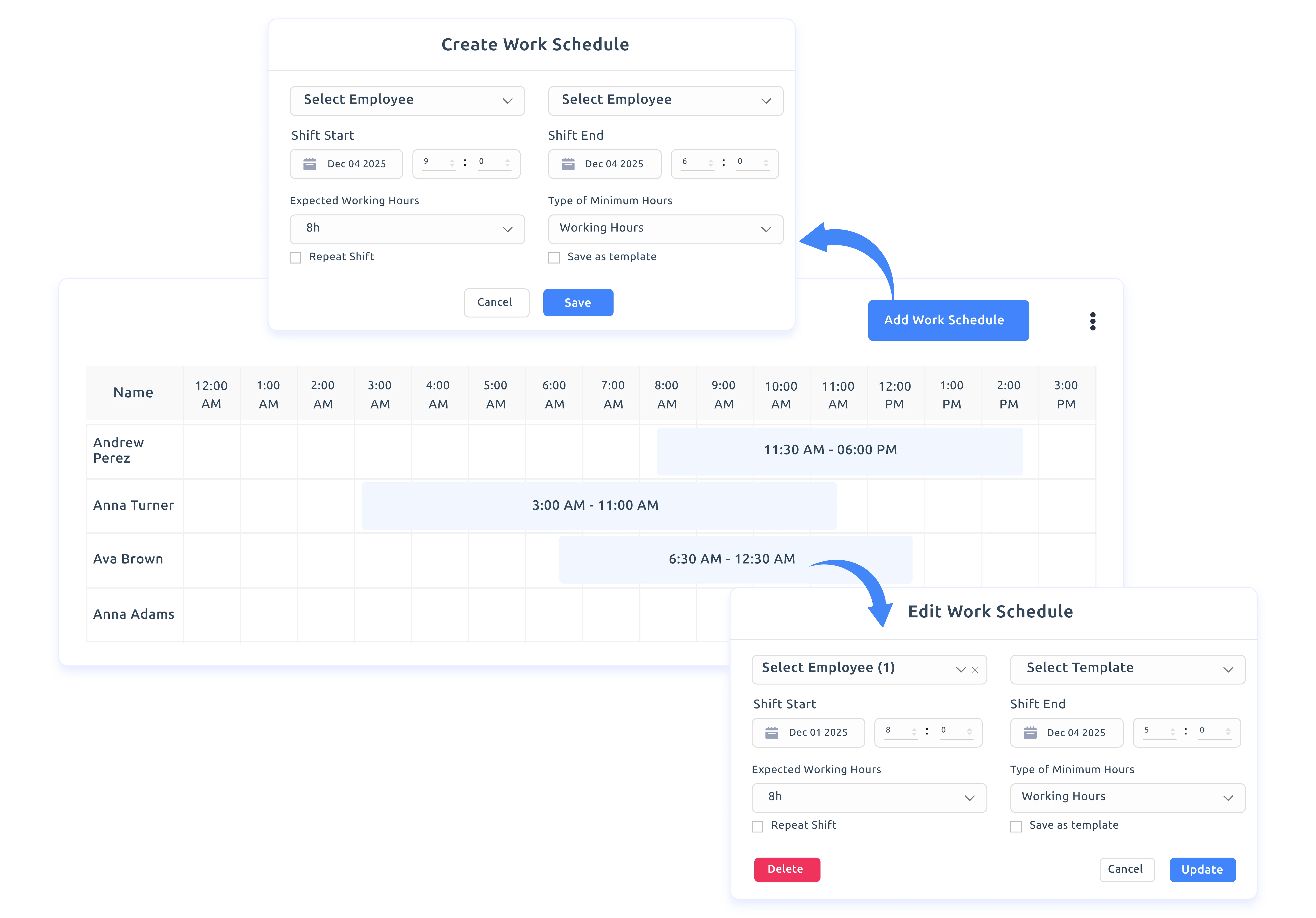
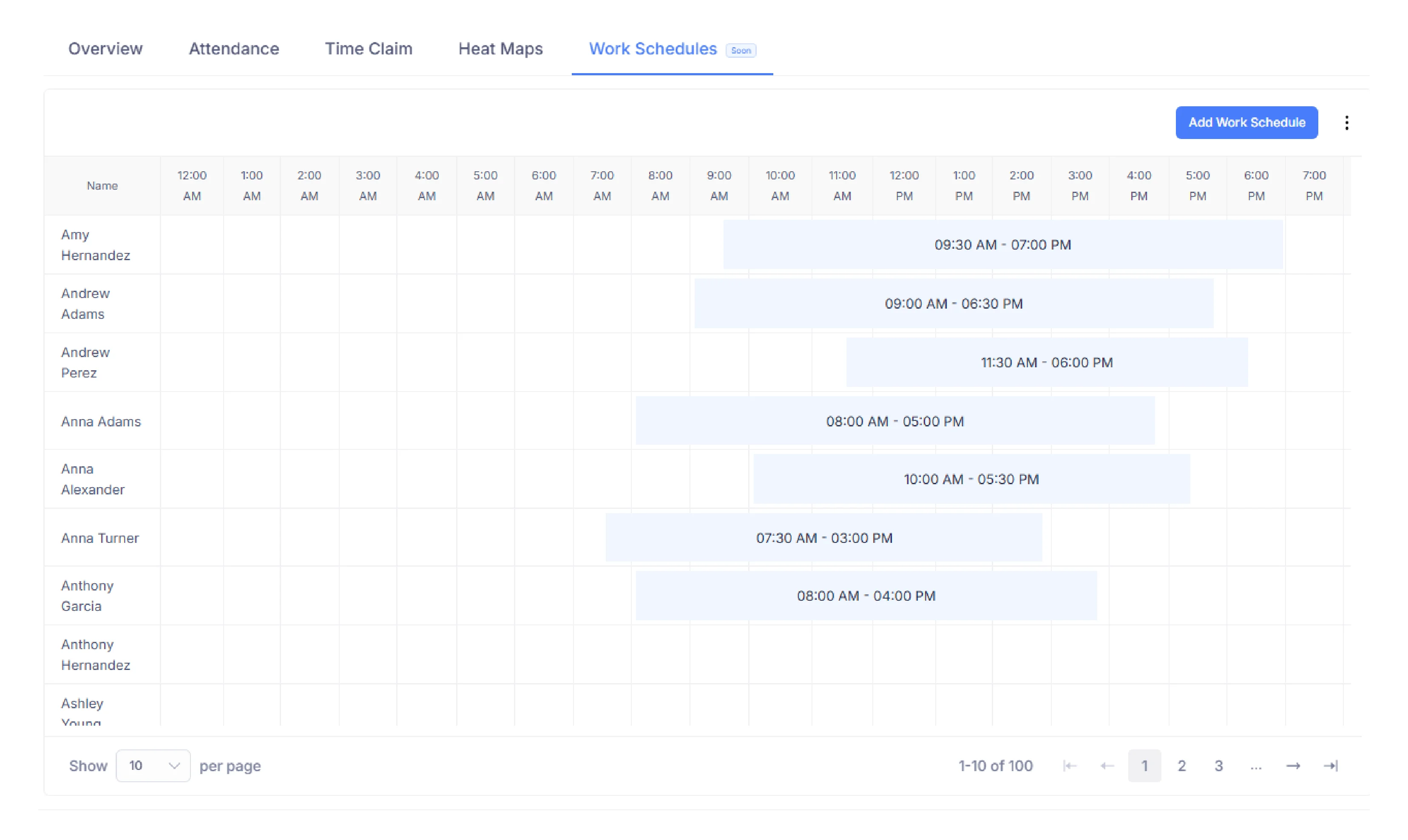
Easily schedule and adjust shifts for large teams with a clean timeline view that simplifies multi-shift planning.
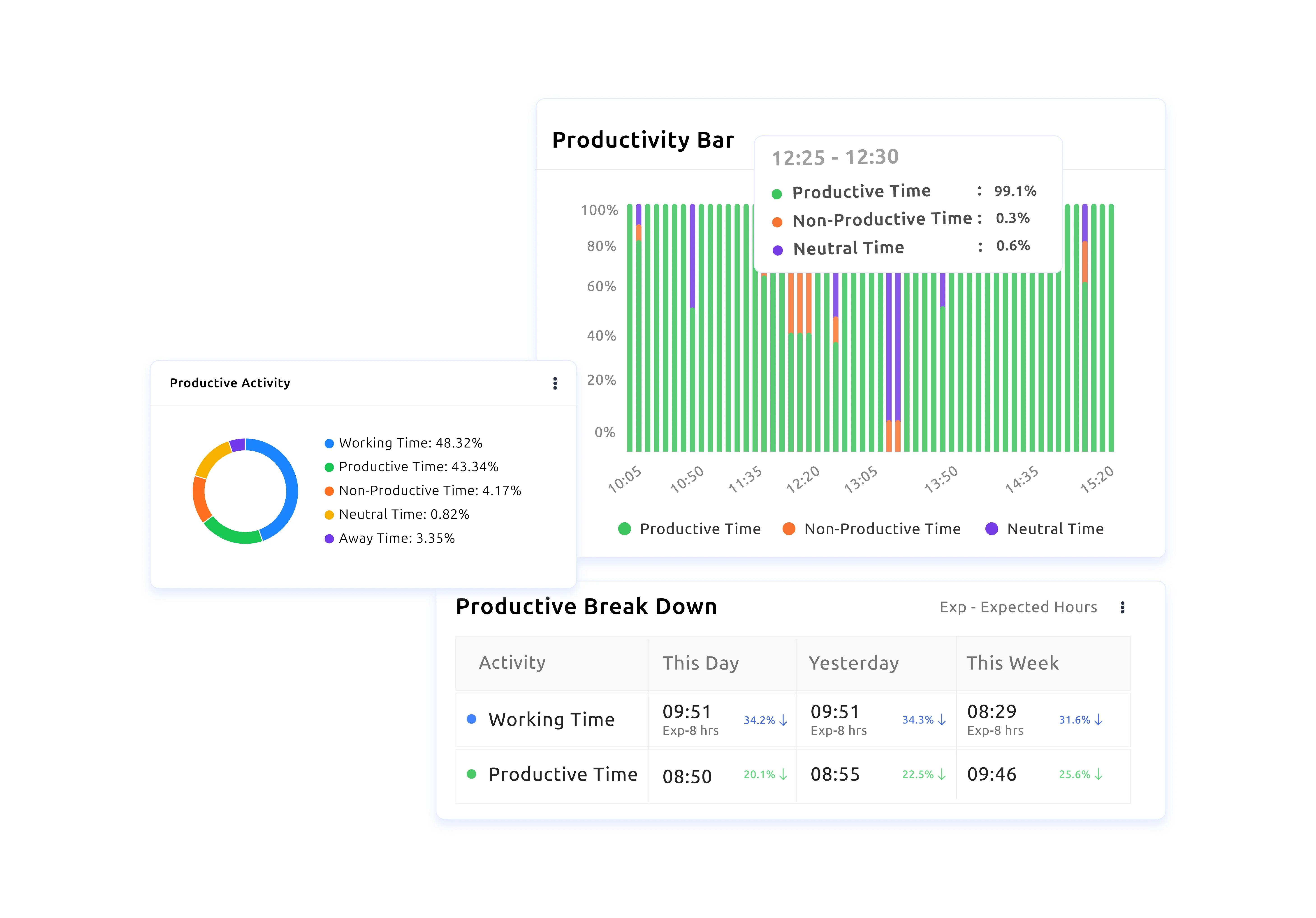

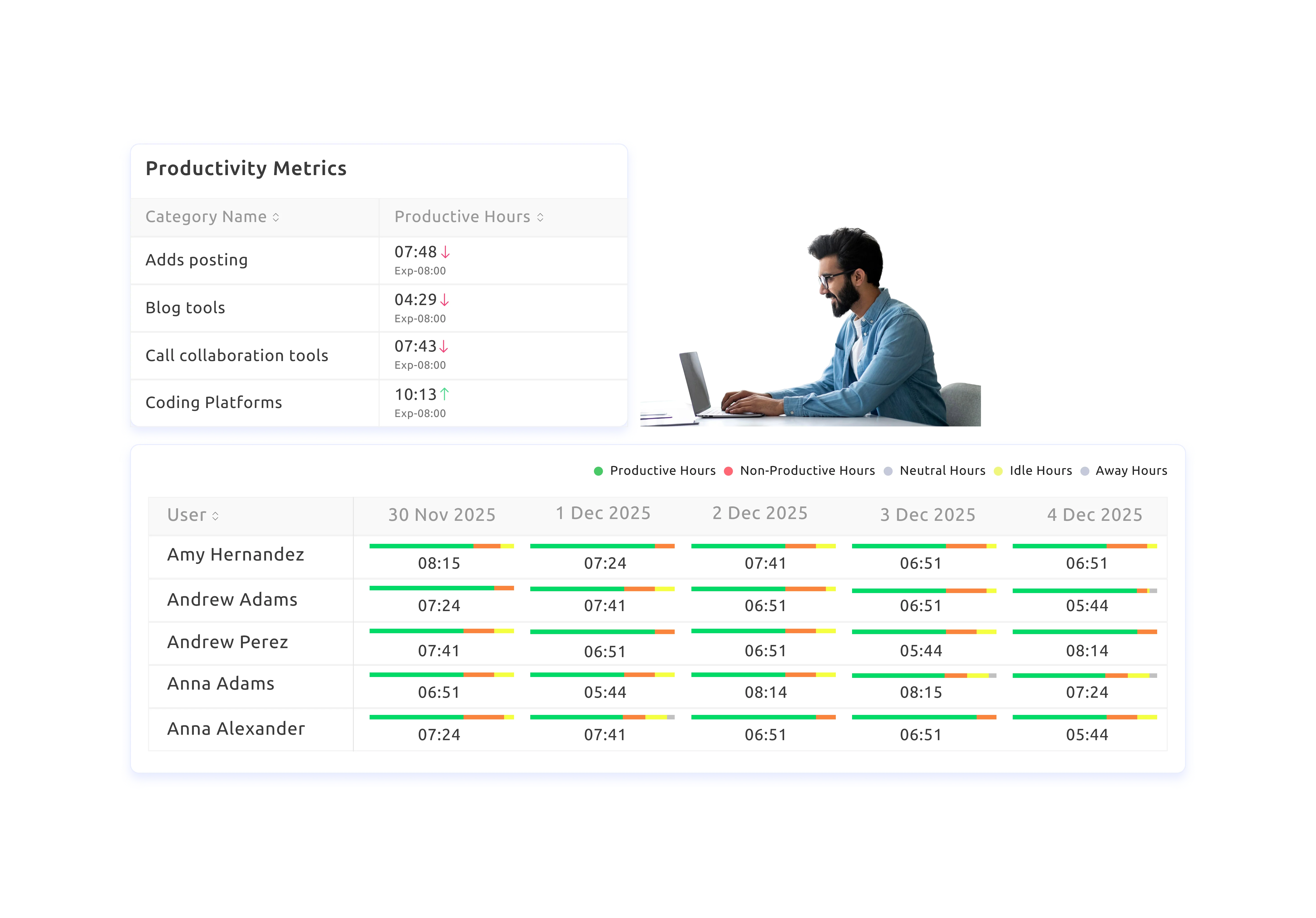
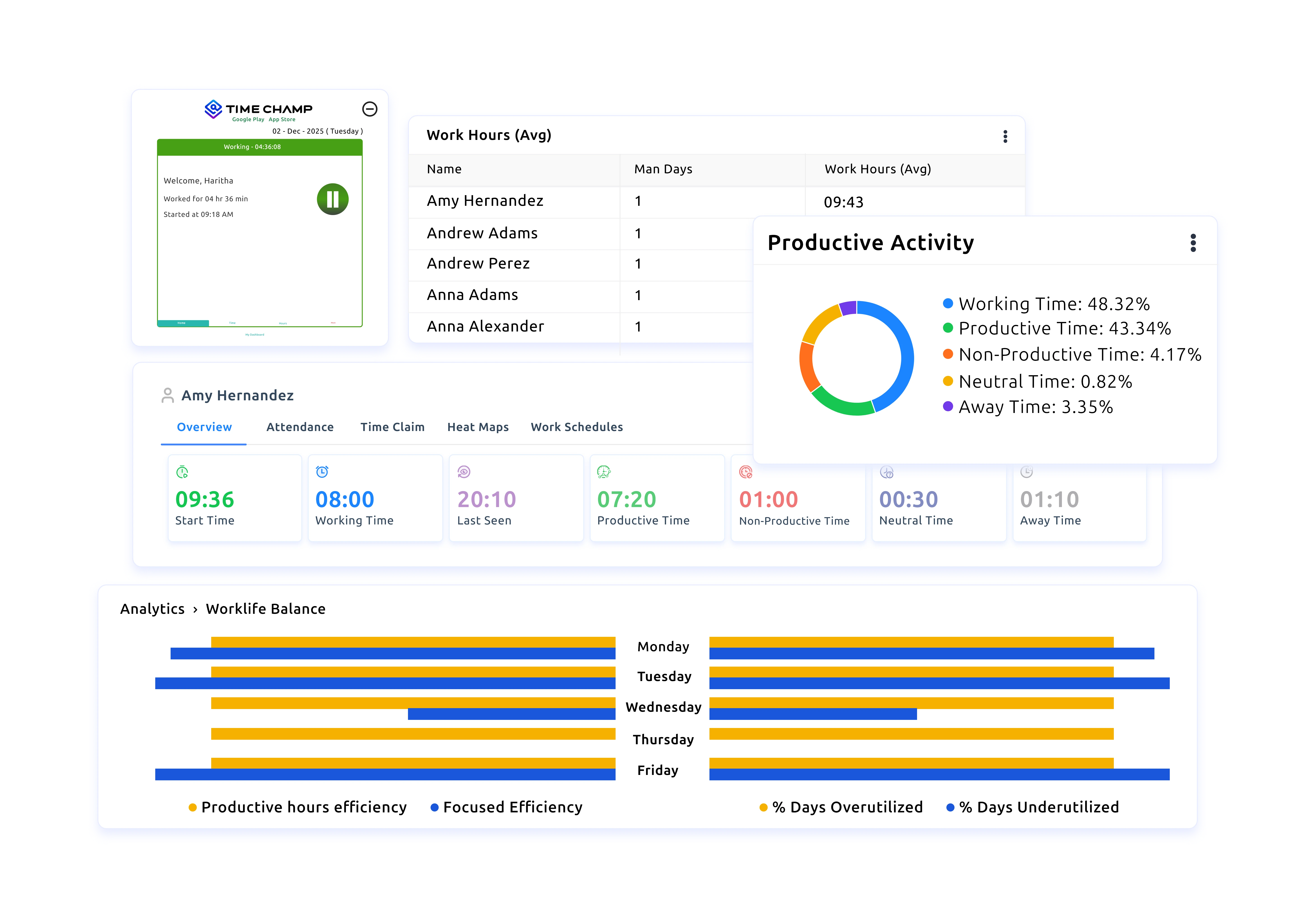
View productivity labels, timestamps, durations, apps used, and idle time in one clear overview for better understanding.

Identify early dips & patterns in productive and non-productive time to take quick action and maintain consistent performance.

Spot rising or falling activity levels using keystroke and click patterns that highlight focus periods needing attention.

Track workload, breaks, and overutilization trends to prevent burnout and support healthier, sustainable performance.
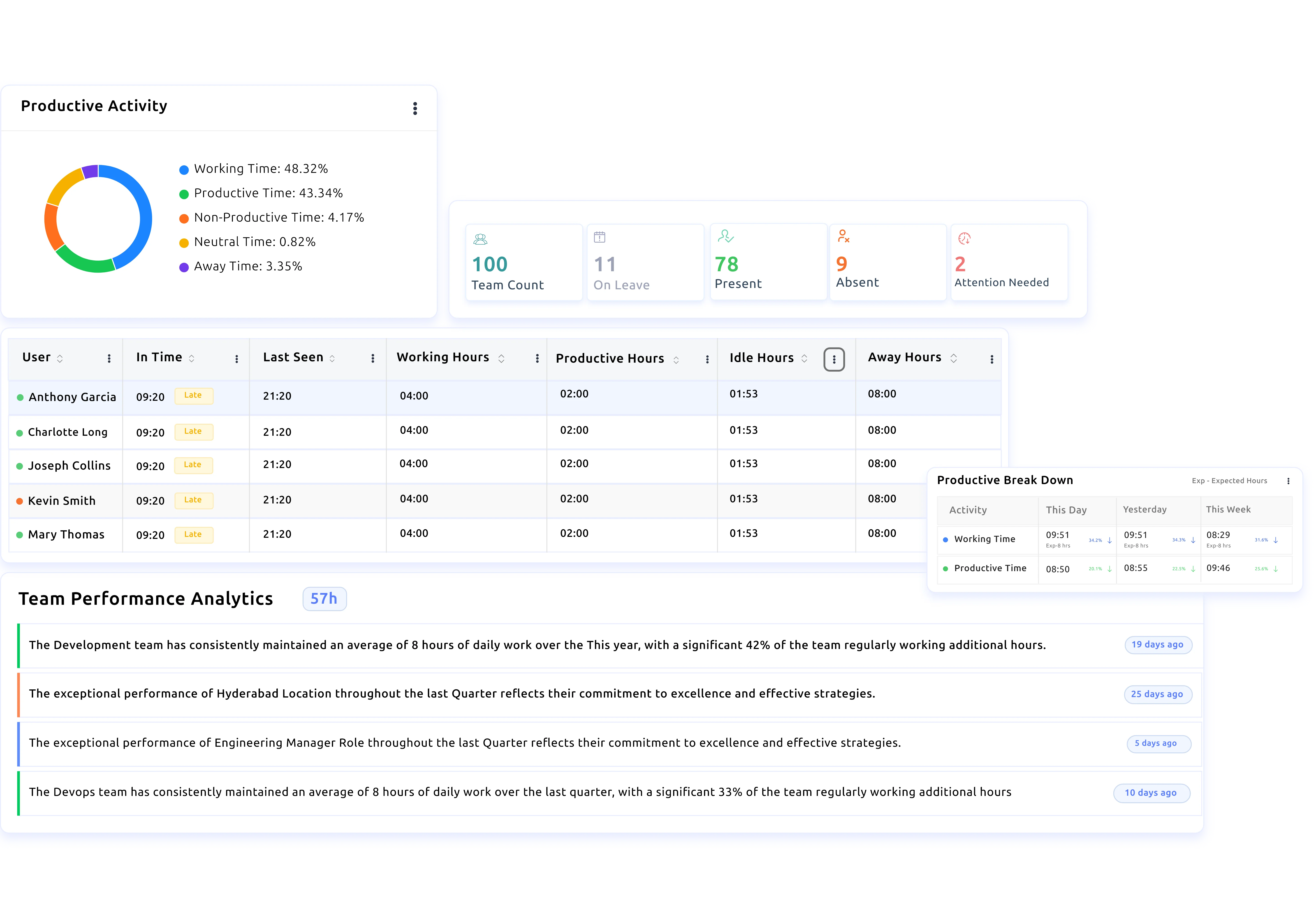

Gain clear visibility into team productivity, attendance patterns, and workload trends to improve overall performance.

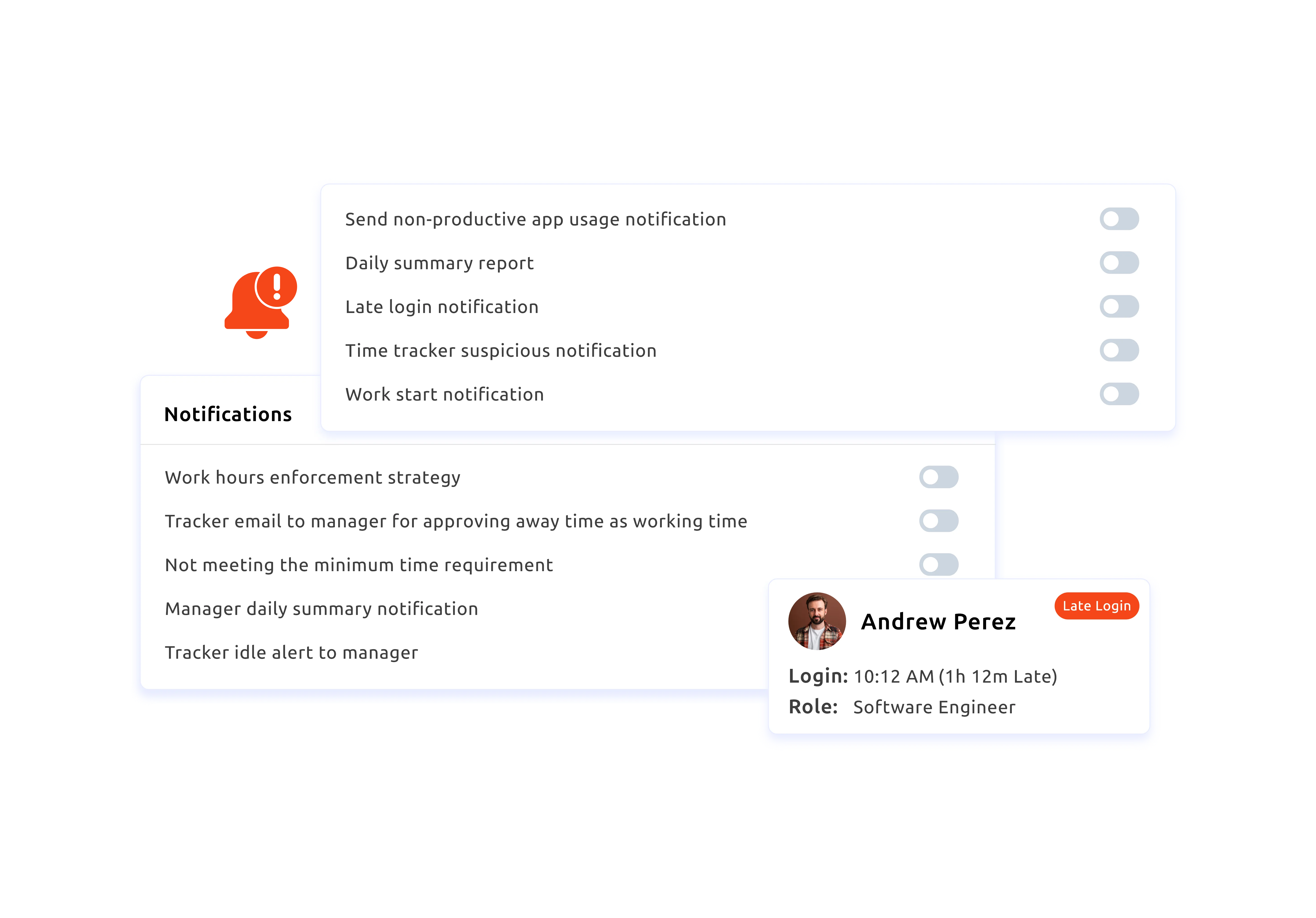
Get instant alerts for late logins, idle time, and productivity drops to help maintain balanced workloads and consistent performance across teams.

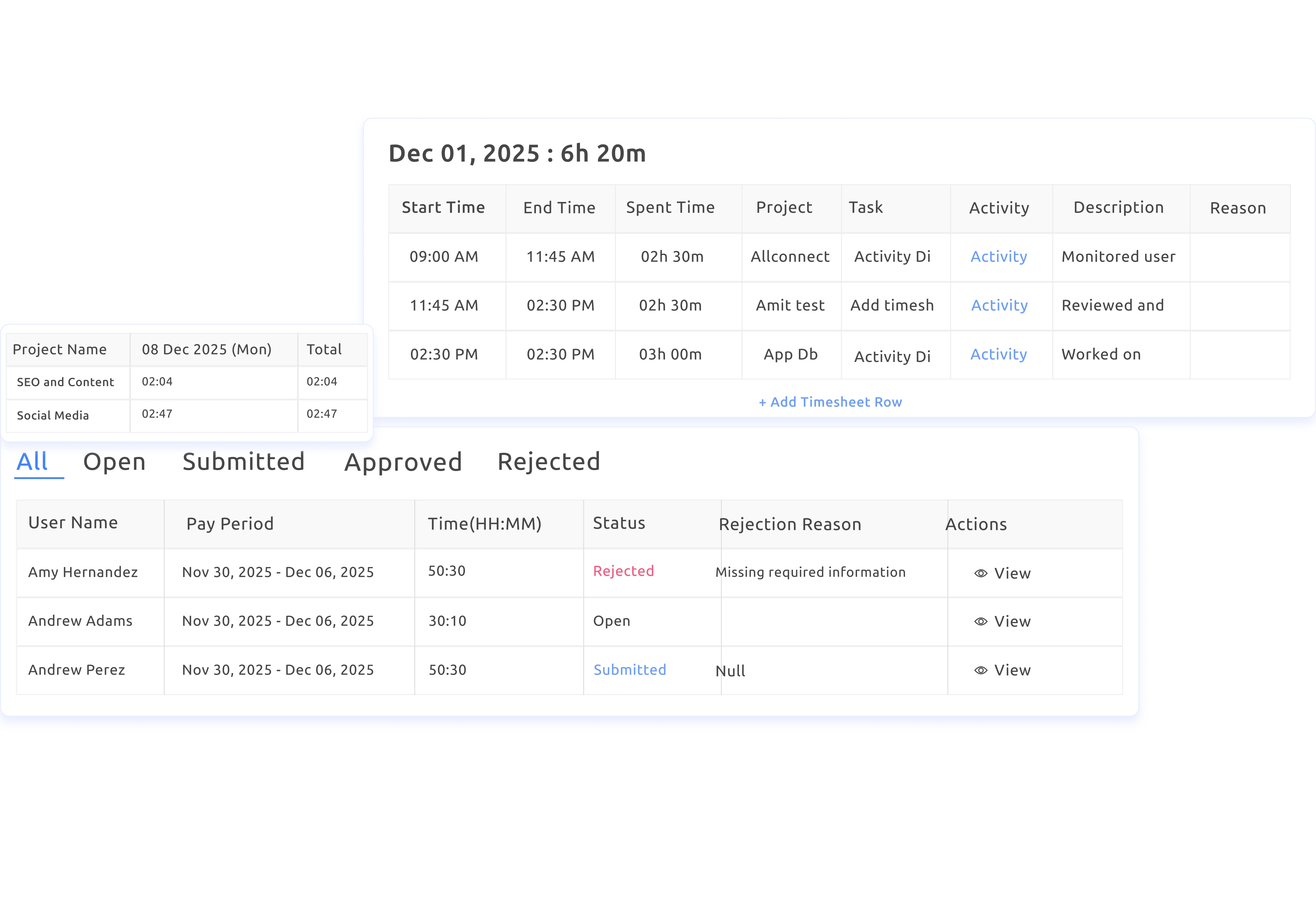
Get precise timesheets with instant edits, quick approvals or rejections, effortless syncing, and accurate invoice creation for confident billing.

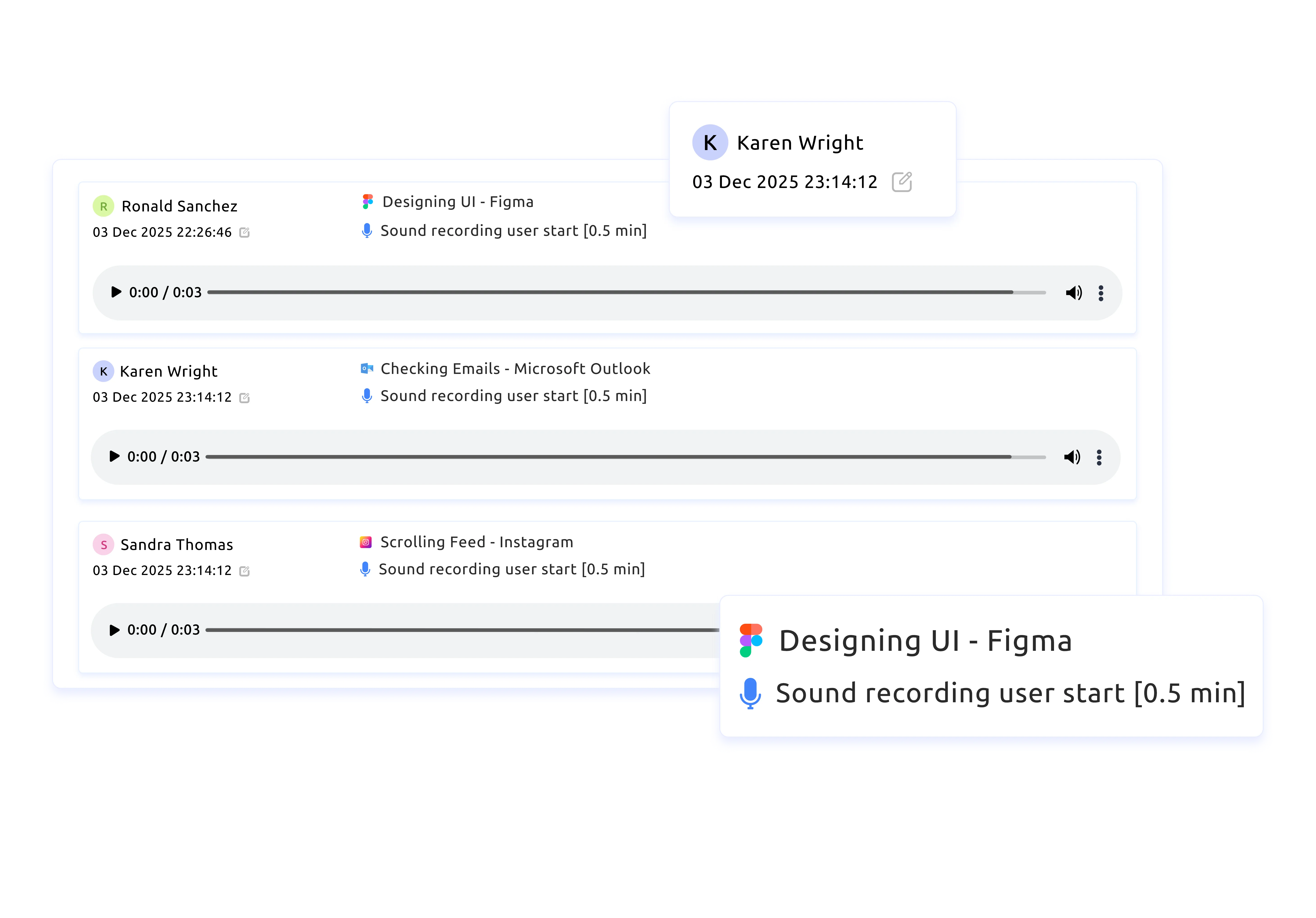
Monitor call activity with detailed recordings and talk-time insights to maintain performance, quality, and visibility into customer interactions.
Automate your workflows, improve transparency, and support higher productivity.
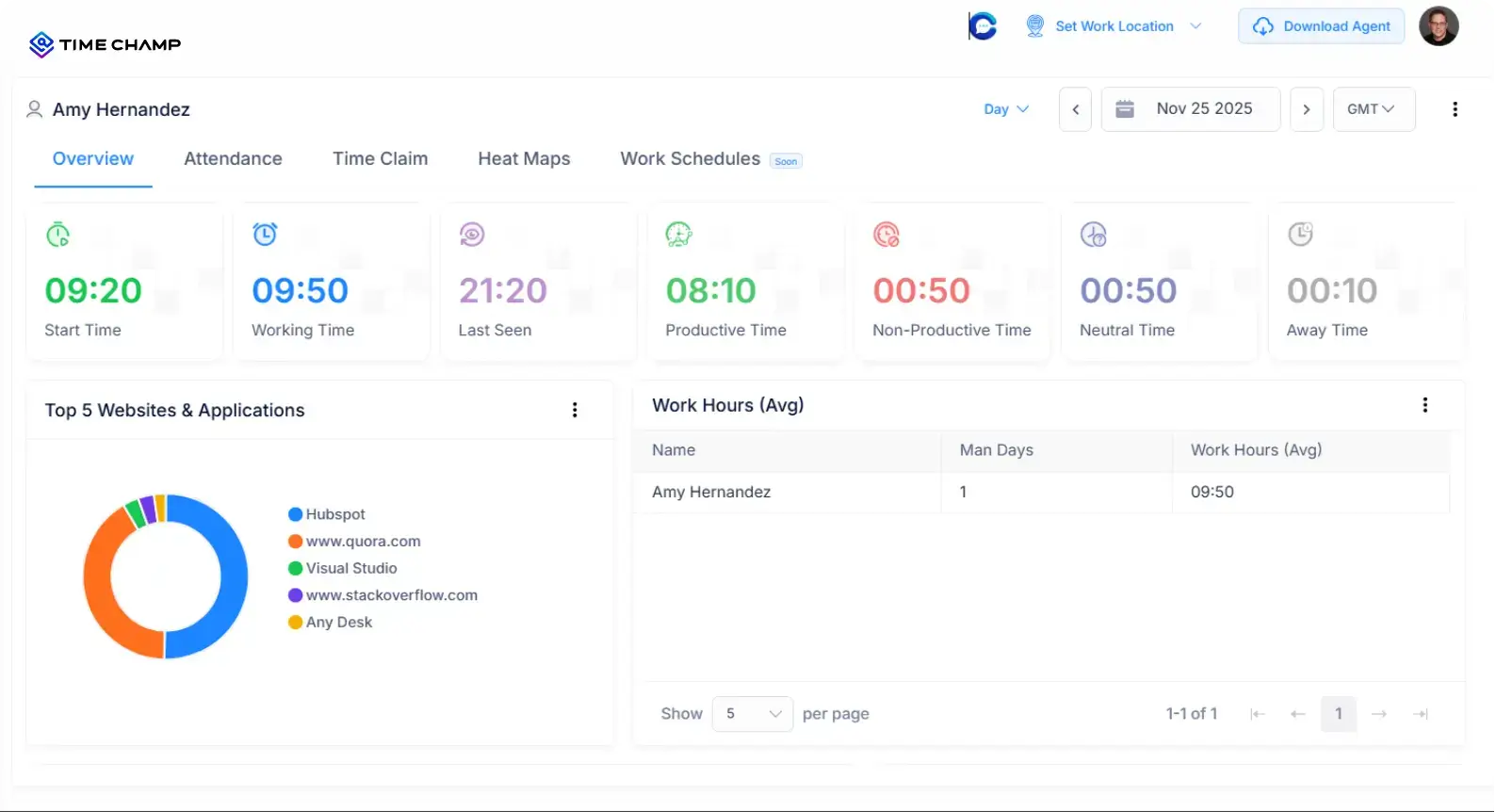
A quick look at how Time Champ modernizes operational time management:



Yes! Leading BPOs using Time Champ have achieved smoother operations, accurate billing, and consistently high productivity across every client process.
It has helped BPO teams track work hours easily, manage shifts without confusion, and maintain SLA-friendly workflows.
With Time Champ, BPOs:


Tracked Agent Attendance with Total Clarity
They viewed real-time presence, in-time, total work hours, and availability, ensuring complete visibility across every team and shift.

Boosted Productivity with Real-Time Insights
They tracked category breakdowns, productivity trends, and idle time to identify focus patterns and keep performance consistent.

Billed Accurately with Reliable Timesheets
Automated, error-free timesheets helped them create precise invoices, avoid disputes, and charge confidently for every billable hour.
Sign up and create your agency workspace in minutes.
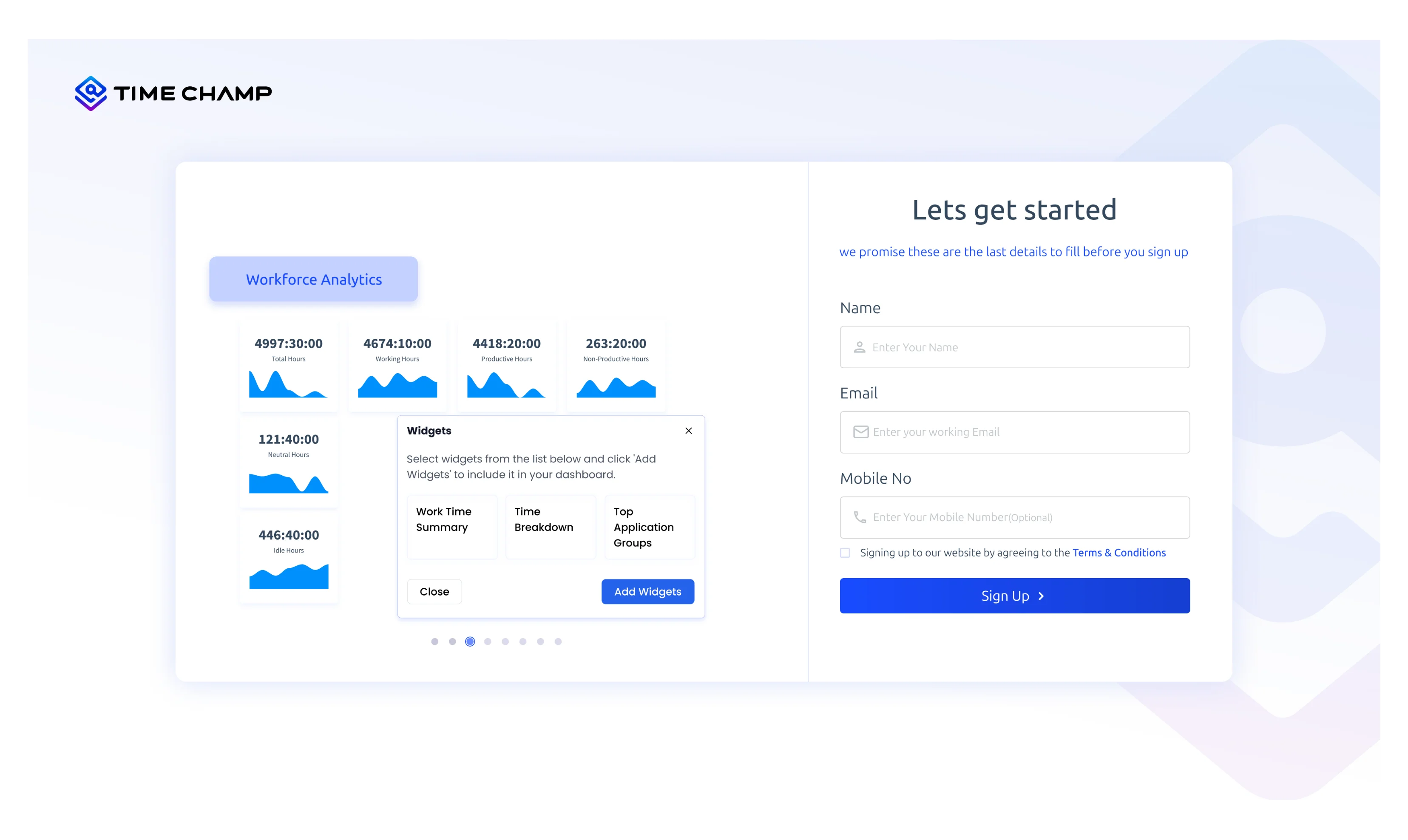
Invite your employees while configuring roles and permissions for smooth operations.
Create shift schedules, assign teams to client processes, and map requirements for accurate tracking.
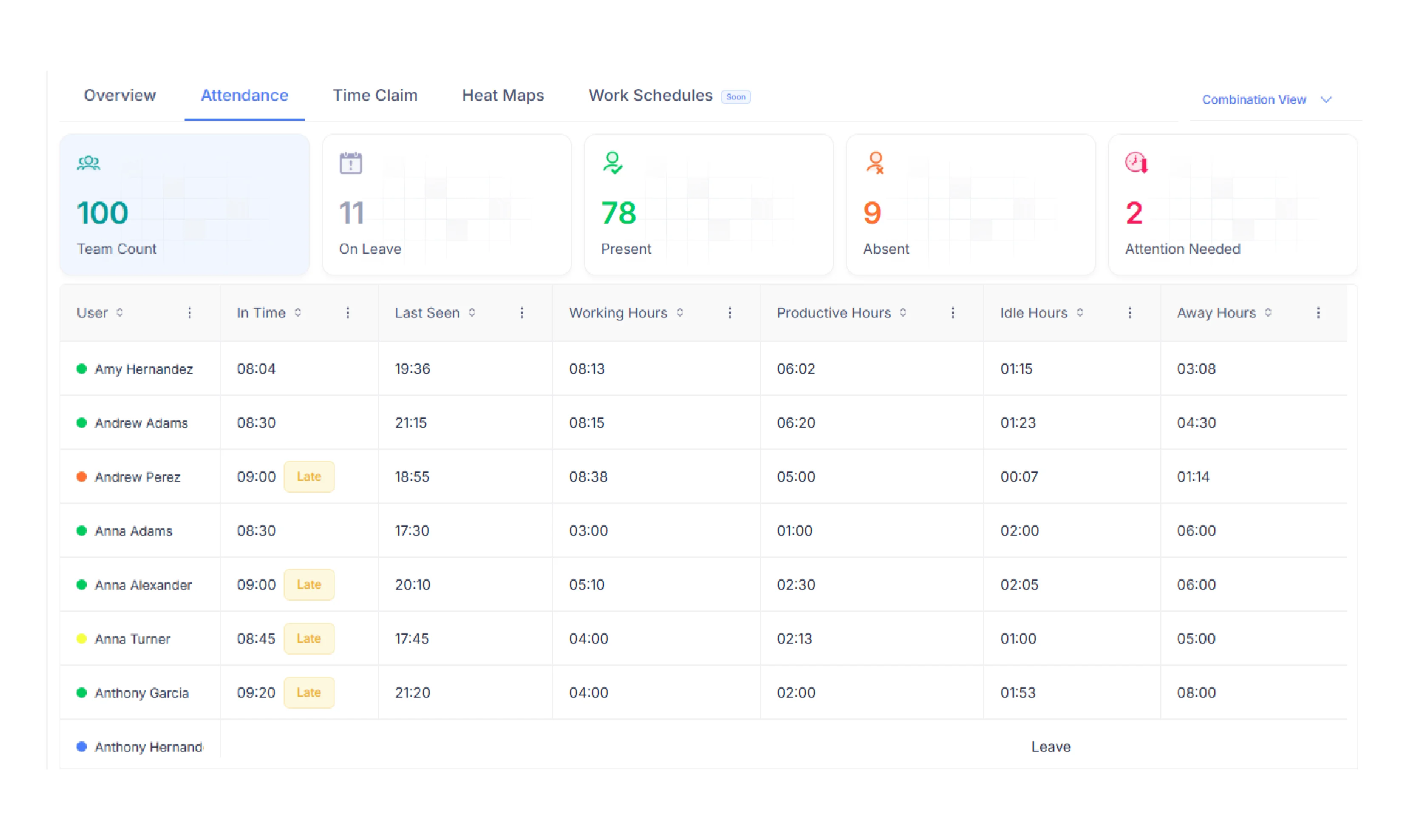
Accurately capture attendance, work hours, activity, and productivity without manual effort.
Download clear reports for timesheets, productivity, budgets, and more in CSV, PDF,XLSX,or Excel to support billing, payroll, and performance reviews.


Attendance Management

Shift & Workforce Management

Process-Wise Time Allocation

Billing & Client Invoicing

SLA Compliance Management

Performance & QA Insights

Overtime & Work Hour Accuracy

Compliance & Audit Support

Remote & Hybrid Team Visibility
A Smart Solution Built for Modern BPO Teams

Our move to Time Champ transformed the way we work. From automated attendance to real-time activity insights, it helped us reduce wasted hours and boost productivity, all while keeping employee privacy intact.

Time Champ simplified our entire workflow. With clear visibility into work hours and app usage, we reduced errors, improved payroll accuracy, and boosted team performance, while maintaining employee privacy.

Time Champ helped us cut time wastage by nearly 20%, improving our internal performance metric from 2.36 to 1.99. It drives individual growth and focus, we rate Time Champ a solid 9/10.

Time Champ helped us cut time wastage by nearly 20%, improving our internal performance metric from 2.36 to 1.99. It drives individual growth and focus, we rate Time Champ a solid 9/10.

Simply Awesome, if you have any suggestions, Time Champ is an open ground to share your thoughts and spark new ideas.

With Time Champ, we've achieved true transparency, its accurate tracking and user-friendly design made compliance, billing, and productivity effortless. It's the first tool our team actually enjoys using.
Seamlessly merge your global team from one powerful platform



















 4.7/5 avg.
Join our family of 1500+ companies using smart insights to redefine workforces!

Free Trial
No Credit Card Required
