Task Tracker Software Demo: Manage Time, Tasks & Attendance in One Place
Watch a Task Tracker Software demo that shows how Time Champ unifies time, tasks, and attendance in one workspace, no bolt-on tools, no missed updates.
What You'll Learn in This Video
Four takeaways from the Task Tracker Software walkthrough your ops team can act on this week.
One Workspace, Three Signals
How time, tasks, and attendance stop living in three separate tools and start telling the same story, with one login, one dashboard, one weekly report.
Assigning & Tracking Tasks
How task assignments flow from create → assign → in-progress → done, and how the reviewer sees blockers surface before the standup instead of after.
Time on Task, Not Just Hours
How automatic time capture attaches hours to the task they were actually spent on, no manual timesheets, no end-of-week guesswork.
Attendance Without the Chase
How clock-in, breaks, and shift totals feed the same view, so payroll stops chasing spreadsheets and managers stop guessing who was actually online.
About This Video
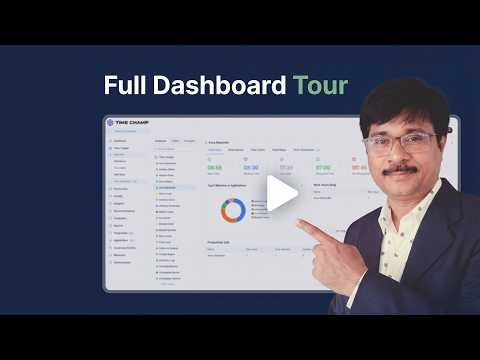
This demo walks through Time Champ's task tracker software, how it unifies time tracking, task management, and attendance into one workspace instead of three disconnected tools. You'll see how a task gets created and assigned, how hours automatically attach to the task they were spent on, and how attendance (clock-in, breaks, shift totals) rolls up into the same view managers already use for task status. Nothing here is a mock-up; the presenter runs through a live account.
The video is short enough for a lunch break and detailed enough to configure your own workspace against. Project managers get a way to see task progress alongside the hours actually logged, ops leaders get a single number for team utilization and attendance compliance, and finance teams get timesheet exports that don't need reconciliation against a separate attendance system. Skip to the setup section if you already use a task management tool, or watch straight through for the full unified rollout.
By the end you should be able to describe how time, tasks, and attendance connect in one dataset, the two or three reports worth watching in week one, and the first workflow to migrate off your current stack. Test it against your own workflow with a free Time Champ trial.
Who this is for:
- Project managers juggling separate tools for task tracking, timesheets, and attendance
- Ops leaders looking to consolidate their workforce stack into one workspace
- Finance teams tired of reconciling timesheets against attendance records manually
- Founders who want one dashboard for what work happened, who did it, and how long it took
See how Time Champ helps teams put this into practice, explore the platform.
Explore the features you saw
The three pieces of Time Champ that live behind the unified task, time, and attendance workflow.
Task Management
Assign, prioritize, and track tasks with status flow and blockers surfaced early, the board managers actually run standups from.
See the featureTask Timer & Time Tracking
Automatic time capture that attaches hours to the task they were spent on, no manual timesheets, clean data for billing and payroll.
See the featureEmployee Attendance
Clock-in, breaks, and shift totals feed the same view as tasks and hours, one dataset for payroll, no cross-tool reconciliation.
See the feature











 4.7/5 avg.
Ready to Manage Your Workforce Smarter?
Join our family of 1500+ companies using smart insights to redefine workforces!

Free Trial
No Credit Card Required