Time Champ Setup Walkthrough
A step-by-step walkthrough of setting up Time Champ end to end - account creation, agent install, team invite, and your first dashboard insight in minutes.

What You'll Learn in This Video
A start-to-finish walkthrough of standing up Time Champ employee monitoring in minutes - no long onboarding, no dev help required.
Create Your Workspace
Sign up, verify your workspace, and choose the right plan for your team size in under two minutes.
Install the Agent
Deploy the lightweight desktop agent across Windows, Mac, and Linux endpoints - manually or via silent MSI/PKG rollout.
Invite Your Team
Add employees in bulk via CSV or invite links, organize them into departments, and assign the right access roles.
Your First Dashboard Insight
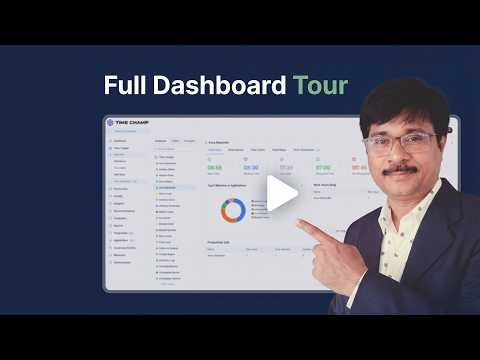
See real-time productivity, activity, and time-tracking data flow into your dashboard within minutes of go-live.
About This Video
Most workforce tools take weeks to roll out. Time Champ takes minutes. This walkthrough shows the complete setup path - creating your workspace, deploying the desktop agent to your team, inviting employees, and getting your first productivity, activity, and time-tracking insights flowing into the dashboard on day one. Follow along and your team can be live before the video ends.
Who this is for:
- IT admins standing up employee monitoring for the first time
- Ops managers evaluating Time Champ during a trial
- HR leaders rolling out activity tracking across hybrid teams
- Founders and CTOs setting up workforce visibility for a growing team
Start your own setup on Time Champ - no credit card required.


























 4.7/5 avg.
Ready to Manage Your Workforce Smarter?
Join our family of 1500+ companies using smart insights to redefine workforces!

Free Trial
No Credit Card Required